Editorial Team · Checked against Toyota PDS bulletins and model-specific repair information · Last updated: July 31, 2026
For a U.S.-market Toyota Camry, use the steering-sensor calibration procedure listed for the exact model year and brake-control system. Toyota’s 2021–2023 Camry pre-delivery bulletins identify both a Driving Method and a Techstream Method, but they direct technicians to the applicable repair manual for the complete sequence. Center the front wheels and steering wheel, record ABS or VSC fault codes, correct alignment problems, and then run the approved procedure. Do not copy a generic paper-clip or OBD-II pin-jump sequence.
Safe Reset Checklist
- Confirm the exact model year, drivetrain, market, and installed brake or parking systems.
- Mechanically center the front wheels and steering wheel, correcting alignment first if needed.
- Read and record ABS, VSC, skid-control, and related chassis DTCs before clearing anything.
- Use only the Driving Method, Techstream utility, or other sequence listed in the applicable Toyota repair manual.
Key Takeaways
- Correct an off-center steering wheel or wheel-alignment problem before calibration.
- Use Toyota Techstream or a compatible tool that can access ABS/VSC calibration, not just engine codes.
- Toyota’s 2021–2023 U.S. Camry bulletins identify a Driving Method and a Techstream Method, but the full sequence remains model-specific.
- Do not assume a paper-clip or jumper-wire procedure applies to every Camry.
- Verify the result with chassis-system codes, live steering-angle data, warning lights, and a safe road test.
Scope: This guide uses U.S.-market Toyota service information. Procedures can differ in other markets and between gasoline, hybrid, electric-parking-brake, parking-assist, and model-year configurations. Do not use the 2021–2023 bulletins as proof that another Camry uses the same sequence.
How Do You Safely Reset a Toyota Camry Steering Angle Sensor?

There is no universal reset sequence for every Toyota Camry. Steering-sensor calibration teaches the brake and stability-control system which steering-wheel position represents straight ahead. The ABS, Vehicle Stability Control system, traction control, and other equipped systems may compare that input with wheel-speed, yaw-rate, and vehicle-movement data.
Do not confuse calibration with clearing a fault code. Clearing a code removes stored diagnostic information. Calibration establishes a reference point. Also distinguish steering-sensor zero-point calibration from parking-system steering-angle neutral-point initialization and electric-power-steering torque-sensor calibration.
| Procedure | Main System | What It May Affect | Correct Service Path |
|---|---|---|---|
| Steering-sensor zero-point calibration | ABS, VSC, or skid-control system | The stability-control steering reference and related warning lights | Use the model-specific Driving Method or scan-tool method listed by Toyota. |
| Steering-angle neutral-point initialization | Parking assist monitor or panoramic view monitor | Dynamic parking guidelines or an on-screen initialization warning | Use the parking-monitor initialization or calibration procedure for the exact equipment. |
| EPS torque-sensor zero-point calibration | Electric power steering | Steering-assist calibration after specified steering-rack, ECU, or related work | Use the applicable EMPS or EPS utility. This is not the same as an ABS/VSC steering-angle reset. |
[Products Worth Considering]

The ANCEL AD410 PRO combines engine diagnostics and 12V battery testing in one easy-to-use tool, helping you read and clear check engine codes while checking battery health, cranking, and charging performance. It also provides live data, freeze frame details, and I/M readiness checks to help you diagnose issues faster and prepare for emissions testing. With plug-and-play operation, a clear screen, and broad vehicle compatibility, it is a practical solution for home mechanics and everyday drivers.

The ANCEL AD410 helps drivers quickly read and clear engine-related fault codes, view live data, and understand why the check engine light is on before heading to a repair shop. With built-in code definitions, readiness checks, and support for common OBD2 functions, it makes basic diagnostics straightforward for beginners and DIY users. Powered directly from the vehicle and easy to use with no app required, it offers practical value for everyday vehicle troubleshooting.

Protect your Toyota Tundra CrewMax with custom-fit floor mats designed for precise coverage and everyday durability. Built from flexible TPE with a high-wall design, these liners help contain rain, snow, mud, and spills while offering a secure, non-slip fit. They are easy to remove and clean, making them a practical upgrade for keeping your truck’s interior neat and protected.
Before You Begin
Park on level ground, set the parking brake, and confirm the front wheels point straight ahead. If the Camry travels straight while the steering wheel sits noticeably left or right, schedule a proper Toyota Camry alignment inspection before attempting calibration.
- Confirm the exact model year, gasoline or hybrid drivetrain, vehicle market, and installed safety systems.
- Use repair information for that specific Camry rather than a procedure for another Toyota.
- Use Toyota Techstream or a compatible bidirectional scan tool that supports the required ABS/VSC, skid-control, parking, or EPS utility.
- Read and record every relevant chassis-system DTC before clearing anything.
- Maintain a stable 12-volt electrical supply during scanning and calibration.
A basic engine-only code reader may not access the required chassis modules, live steering-angle data, or calibration utility. Review this OBD2 scanner vs. code reader guide if you are unsure what your tool can do.
Warning: Do not bridge OBD-II terminals from a generic internet diagram. Connecting the wrong terminals can damage electronics or start the wrong diagnostic function. Use terminal bridging only when the Toyota repair procedure for your exact Camry explicitly identifies the terminals and sequence.
How Long Does Steering-Angle Calibration Take?
There is no reliable universal time because the applicable procedure, stored faults, electrical condition, and wheel alignment vary. A supported driving or scan-tool calibration may be brief, but diagnosis, alignment correction, and the required road test can take much longer. Use completion criteria, not elapsed time, to decide whether the procedure succeeded.
Which Reset Method Does Your Camry Use?
| Method | When It Applies | What You Should Do |
|---|---|---|
| Techstream or compatible scan-tool method | The repair manual specifies a calibration utility, active DTCs need diagnosis, or the driving method does not complete. | Enter the module named by the applicable repair procedure, select the listed calibration utility, and follow every prompt. |
| Toyota driving method | The applicable repair manual lists a driving method for that exact Camry and system. | Complete the specified straight-road speed, time, ignition cycle, and verification conditions in a safe and legal location. |
| Terminal-bridging method | Only when the exact Toyota repair procedure identifies the terminals and sequence for that vehicle. | Do not rely on this article, a forum post, or a generic pin diagram. Use verified service information or have a qualified technician perform the procedure. |
Toyota’s U.S. pre-delivery bulletins for the 2021, 2022, and 2023 Camry and Camry Hybrid identify both a Driving Method and a Techstream Method. Those bulletins do not provide a universal sequence; they direct technicians to the applicable repair manual.
Toyota source documents checked
- T-SB-0096-20: 2021 Camry and Camry Hybrid Pre-Delivery Service
- T-SB-0058-21 Rev1: 2022 Camry and Camry Hybrid Pre-Delivery Service
- T-SB-0063-22: 2023 Camry and Camry Hybrid Pre-Delivery Service
- Toyota Technical Information System for current model-specific repair procedures
This July 31, 2026 revision adds U.S.-market scope, separates the three commonly confused steering procedures, and strengthens calibration-verification guidance.
What confirms a successful calibration?
- No relevant active chassis DTCs remain after the required ignition cycle.
- The live steering-angle value agrees with the physical wheel position and changes smoothly as the wheel turns.
- ABS, VSC, slip, EPS, or related warning lights remain off during the required road test.
- Equipped parking-camera guidelines display and respond normally after the applicable neutral-point procedure.
Safe Calibration Workflow
- Identify the vehicle. Confirm the Camry’s exact model year, market, gasoline or hybrid drivetrain, and installed safety or parking systems.
- Center the vehicle mechanically. Park on level ground with the front wheels and steering wheel straight. Correct an off-center wheel or alignment problem first.
- Connect the correct diagnostic tool. Turn the vehicle off before connecting the tool to the port. You can review the Camry OBD2 port location if needed.
- Scan the chassis systems. Read the ABS, VSC, skid-control, EPS, parking, and related DTCs supported by the tool. Record complete codes and suffixes before clearing anything.
- Diagnose active faults. Repair low-voltage, communication, wheel-speed, alignment, wiring, or sensor faults identified by the model-specific procedure.
- Select the approved method. Use the Toyota driving method, Techstream utility, or other initialization procedure identified for the exact Camry and system.
- Follow every prompt or drive condition. Do not substitute a speed, time, steering movement, terminal, or ignition sequence from another model.
- Complete the required ignition cycle. Turn the vehicle off or restart it only when the repair procedure or scan tool directs you to do so.
- Rescan and check live data. Confirm that relevant active DTCs have cleared. With the wheels centered, verify that the steering-angle reading agrees with the physical wheel position. Do not assume one universal numeric value across all tools and model years.
- Perform a safe verification drive. Check that warning lights remain off, steering feels normal, and equipped parking-camera guidelines respond correctly.
If the calibration utility fails, warning lights return, or live data does not follow steering-wheel movement smoothly, stop repeating the procedure. The Camry may have an alignment, wiring, power-supply, clock-spring, sensor, wheel-speed, yaw-rate, steering-rack, or control-module fault that needs diagnosis. For assist-related symptoms, review the Toyota Camry electric power steering guide.
Signs You May Need Steering Angle Calibration
Warning lights after battery, steering, suspension, wheel-alignment, or control-module work can indicate a lost or incorrect steering reference. Symptoms alone do not prove the sensor has failed, so match each symptom with the correct next step.
| Sign | What It May Mean | Best Next Step |
|---|---|---|
| ABS, VSC, slip, or traction-control light after service | Calibration may be incomplete, or another chassis-system fault may be stored. | Read the ABS/VSC codes before clearing or recalibrating. |
| Parking-camera guidelines no longer move or display | An equipped system may have lost its steering-angle neutral point after power interruption. | Check the model-specific parking-monitor initialization and camera diagnostic procedure. |
| Steering wheel sits off-center while the car tracks straight | The mechanical alignment or steering position may be incorrect. | Correct the alignment before attempting calibration. |
| Live steering-angle data does not agree with wheel position | Calibration, sensor, clock-spring, wiring, or communication diagnosis may be required. | Follow the DTC and live-data inspection for the exact Camry. |
| No warning lights, wheel centered, and systems operate normally | A reset may not be necessary. | Do not erase calibration data without a model-specific reason. |
The steering angle sensor tells the stability-control system which direction the driver intends to travel. The control system compares that input with other chassis data. A mismatch can trigger warning lights, but it does not automatically prove that the sensor needs replacement.
Top Mistakes to Avoid When Resetting Your Steering Angle Sensor
- Using calibration to hide an alignment problem: A reset cannot mechanically center the steering wheel or correct toe, camber, worn parts, or collision damage.
- Jumping unverified OBD-II pins: A procedure for another Toyota, model year, market, or control system may use different terminals or logic.
- Clearing codes before recording them: Stored codes and related data help identify why the warning appeared.
- Using an engine-only scanner: It may not communicate with the required ABS/VSC, EPS, or parking module.
- Selecting the wrong calibration: Steering-sensor, parking neutral-point, and EPS torque-sensor procedures are not interchangeable.
- Repeating calibration without diagnosis: A procedure that repeatedly fails usually needs fault-specific testing, not another reset attempt.
- Moving the steering wheel during a static step: Keep the wheel in the position required by the repair procedure or scan-tool prompt.
Diagnostic record: Photograph or write down the complete DTCs and the steering-angle live-data value with the wheel centered. Those details help confirm whether calibration changed the reading and whether the fault returned.
Diagnosing Problems After the Reset

Start with the scan results rather than assuming the sensor is defective. A diagnostic code identifies a system, circuit, or detected condition. It does not automatically prove that one part needs replacement.
| Result After Calibration | What It Suggests | Next Step |
|---|---|---|
| No relevant active DTCs and warning lights remain off | The calibration may have completed successfully. | Finish the required road test and recheck the systems. |
| Steering wheel remains off-center | A mechanical alignment or steering-position problem remains. | Correct the alignment before recalibrating. |
| Steering-angle value is frozen, jumps, or does not follow wheel movement | The sensor signal, clock spring, wiring, connector, communication network, or module may need testing. | Follow the model-specific DTC and data-list inspection. |
| Lights return immediately after restart | An active fault or incomplete static procedure may remain. | Rescan before clearing anything again. |
| Lights return only after driving | The learned steering reference may conflict with wheel-speed, yaw-rate, alignment, or other movement data. | Check alignment, related live data, and the required road-test conditions. |
| Low-voltage or communication codes are stored | Electrical supply or network problems may have interrupted calibration. | Diagnose the power supply and communication faults before repeating the procedure. |
Do not assume a steering-angle-related DTC has the same definition on every Camry. Record the full code, including any suffix, and confirm its definition in the repair information for the exact model year and control system. You can also review how to clear Camry diagnostic codes safely after the underlying problem has been repaired.
When Should You Recalibrate the Steering Angle Sensor?
Steering-angle calibration is not a routine mileage-based maintenance task. Perform it only when the applicable Toyota procedure requires it after work or power loss that changes or erases the system’s reference point.
- After replacing or disturbing the steering angle sensor, clock spring, steering column, steering rack, or related control module when the repair manual requires calibration
- After wheel alignment, steering, suspension, or collision work when the model-specific procedure lists a zero-point or neutral-point operation
- After battery disconnection or loss of sensor power when the applicable repair manual lists initialization and the vehicle no longer retains the correct reference
- When equipped parking-camera guidelines stop responding after a documented steering neutral-point loss
- When a relevant DTC, repair instruction, or scan-tool test directs you to perform calibration
Do not recalibrate merely because the car has high mileage. Scan data, recent repair history, warning lights, alignment condition, and the vehicle-specific repair procedure should determine whether calibration is needed.
[Products Worth Considering]
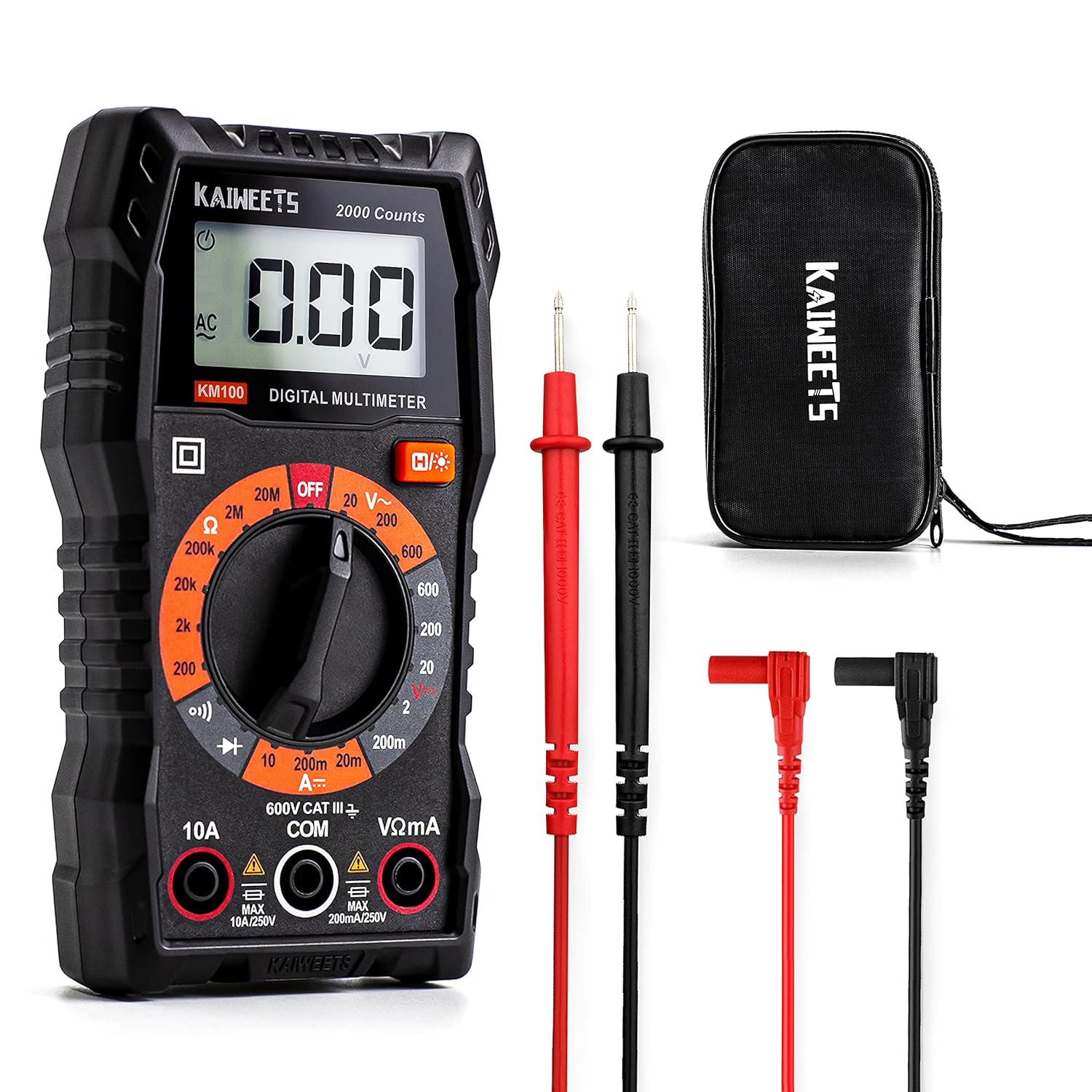
This KAIWEETS digital multimeter is a versatile tool for measuring AC/DC voltage, DC current, resistance, continuity, and diodes in home, automotive, and electrical applications. It includes pre-installed batteries, a carrying case, test leads, data hold, backlight, and overload protection for easier and safer everyday testing. Built with double fuses and rated for broad household and light professional use, it helps users diagnose electrical issues with confidence.

This EL-50448 TPMS relearn tool helps quickly activate and reset tire pressure sensors so your vehicle’s monitoring system stays accurate after tire rotations, sensor replacement, or seasonal tire changes. Designed for many GM-related vehicles and compatible with common 315 and 433 MHz TPMS systems, it offers simple one-button operation and reliable performance for clearing warning lights and relearning sensor positions.
When to Seek Professional Help for Sensor Calibration
Stop the DIY process when the job requires alignment correction, manufacturer-level diagnostic access, wiring tests, steering-component disassembly, or a calibration utility your tool does not support.
| Situation | Why Professional Help Is Appropriate |
|---|---|
| The steering wheel is off-center after alignment or suspension work | The mechanical steering position should be corrected before calibration. |
| Relevant DTCs return after one verified calibration attempt | Code-specific wiring, sensor, module, and live-data tests may be required. |
| The scan tool cannot access the listed calibration utility | Toyota Techstream or a more capable compatible tool may be needed. |
| Steering-angle data is frozen or erratic | The sensor signal, clock spring, wiring, connector, or network needs diagnosis. |
| A red brake warning, reduced steering assist, abnormal braking, or unstable handling appears | The vehicle may not be safe to drive and should be inspected before further road testing. |
A qualified technician can compare the physical steering-wheel position with live sensor data, inspect alignment measurements, run the correct utility, and confirm that ABS, VSC, EPS, and related systems communicate normally. Review the Toyota Camry brake warning light guide if a red or amber brake-system warning is also displayed.
Troubleshooting Common Issues After a Reset
Why Do the Warning Lights Return Immediately?
An active fault may still be present, the static calibration may not have completed, or the wrong utility may have been selected. Read the returned ABS/VSC and EPS codes before clearing them again.
Why Do the Lights Return Only After Driving?
The system may accept the initial reference but detect inconsistent steering, wheel-speed, yaw-rate, or vehicle-movement data during the road test. Confirm that the steering wheel is centered while the car travels straight, then inspect alignment and related chassis data.
Why Are the Backup-Camera Guidelines Missing?
On equipped Camrys, a lost steering-angle neutral point can affect dynamic parking guidelines. Use the model-specific parking-monitor neutral-point initialization rather than assuming an ABS/VSC steering-sensor reset will correct the display. Follow the separate Toyota Camry backup-camera troubleshooting guide if the image is black, frozen, distorted, or still lacks guidelines after correct initialization.
Why Doesn’t the Scanner Show a Calibration Function?
The tool may support only generic engine diagnostics, or the utility may appear under ABS, VSC, skid control, brake, chassis, parking assist, alignment, EMPS, or a manufacturer-specific service menu. Confirm support for the exact Camry year and system. Use Toyota Techstream or professional help when the required utility is unavailable.
Why Is the Steering Wheel Still Off-Center?
Calibration cannot repair a mechanical alignment problem. If the Camry travels straight with the wheel turned, request an alignment inspection and a before-and-after report. Recalibrate only after the mechanical steering position is correct.
Frequently Asked Questions
What Does a Steering Angle Sensor Reset Do?
A steering angle sensor reset or zero-point calibration teaches the vehicle which steering-wheel position represents straight ahead. Stability and traction systems compare that input with other chassis data. Clearing a fault code does not perform the same function.
Does Every Toyota Camry Use the Same Reset Method?
No. The method can vary by model year, vehicle market, drivetrain, safety equipment, parking equipment, and brake-control system. Toyota’s U.S. documents for the 2021, 2022, and 2023 Camry identify both Driving and Techstream methods while directing technicians to the applicable repair manual for the exact sequence.
Do You Need a Scan Tool to Reset a Camry Steering Angle Sensor?
Not every Camry uses the same method. Some model-specific Toyota procedures include a driving method, while other situations require Techstream or a compatible bidirectional scan tool. A basic engine-code reader usually cannot perform ABS, VSC, EPS, or parking-system calibration.
Can a Camry Steering Angle Sensor Reset Itself While Driving?
Some Camrys support a Toyota-specified driving calibration method, but that does not mean every Camry will automatically repair a steering-angle fault. The mechanical alignment must be correct, applicable DTCs must be addressed, and the exact driving conditions must match the model-specific procedure.
Will Disconnecting the Battery Reset the Steering Angle Sensor?
Battery disconnection is not a reliable repair method. On some Camrys, loss of sensor power can disturb or erase a stored steering reference, creating a need for model-specific neutral-point initialization or zero-point calibration after power is restored.
Why Did the Warning Lights Return After the Reset?
The steering wheel may not be mechanically centered, the alignment may be incorrect, the wrong calibration method may have been used, or another chassis-system fault may remain. Rescan the relevant modules and inspect live data before repeating calibration.
What Is the Difference Between Zero-Point Calibration and Steering-Angle Neutral-Point Initialization?
Steering-sensor zero-point calibration establishes the steering reference used by the brake and stability-control system. Steering-angle neutral-point initialization establishes the reference used by an equipped parking assist or panoramic-view system for dynamic guidelines. Toyota lists them as separate procedures, so completing one does not prove the other has been completed.
Can You Drive With a Steering Angle Sensor Warning?
Do not drive if the red brake warning is on, steering assist is reduced, braking feels abnormal, the car pulls sharply, or handling feels unstable. Arrange towing. If only an amber stability-system warning is present and steering and braking feel normal, obtain diagnosis promptly because some stability or driver-assistance functions may be unavailable.
Safety Disclaimer: This article provides general information and does not replace the Toyota repair procedure for your exact model year, market, and equipment or professional vehicle diagnosis. Stop if the steering, braking, warning-light behavior, connector layout, or scan-tool prompts do not match verified service information.
Conclusion
A safe Toyota Camry steering angle sensor reset starts with identifying the exact system that needs initialization. Mechanically center the wheels and steering wheel, record the chassis-system codes, correct alignment faults, and follow the Toyota procedure for the exact model year and equipment.
After calibration, rescan the relevant modules, compare live steering-angle data with the physical wheel position, and complete the required road test. If warning lights return or the wheel remains off-center, diagnose alignment, voltage, wiring, wheel-speed data, sensor signals, the clock spring, and related control modules before replacing parts.