How to Clear OBD2 Codes on a Toyota Camry
Last updated: May 31, 2026
What’s in This Article
- Immediate Steps to Clear OBD2 Codes Safely
- Before You Begin
- Know Your OBD-II Scanner Features Before You Clear Codes
- Step-by-Step Guide to Reading Trouble Codes
- Key OBD2 Codes for Your Toyota Camry
- Troubleshooting Common Issues Before Clearing OBD2 Codes
- Erasing OBD2 Codes: Your Step-by-Step Guide
- Confirm the Check Engine Light Stays Off After a Drive
- When to Seek Professional Help for Persistent Codes
- Essential Maintenance Tips for Your Toyota Camry
A check engine light can feel small at first, but clearing it too soon can hide the real problem. Your Toyota Camry stores OBD-II codes to help you find the fault, not just turn off a warning light. This guide shows you how to read, fix, and clear codes safely with an OBD-II scanner.
Quick Answer
To clear OBD2 codes on your Toyota Camry, plug an OBD-II scanner into the diagnostic port under the driver’s side dashboard. Turn the ignition to “ON” without starting the engine, read and record the codes, fix the likely cause, then choose “Erase Codes” or “Clear Codes.” Drive the car after the reset to see if the check engine light returns.
Key Takeaways
- Read and write down each code before you clear anything.
- Fix the cause first, or the same code may return after a short drive.
- Use the scanner’s live data and freeze-frame data when your scanner supports them.
- Expect emissions readiness monitors to reset after you clear codes.
- Get professional help if the light flashes, the engine runs rough, or the code keeps coming back.
Immediate Steps to Clear OBD2 Codes Safely
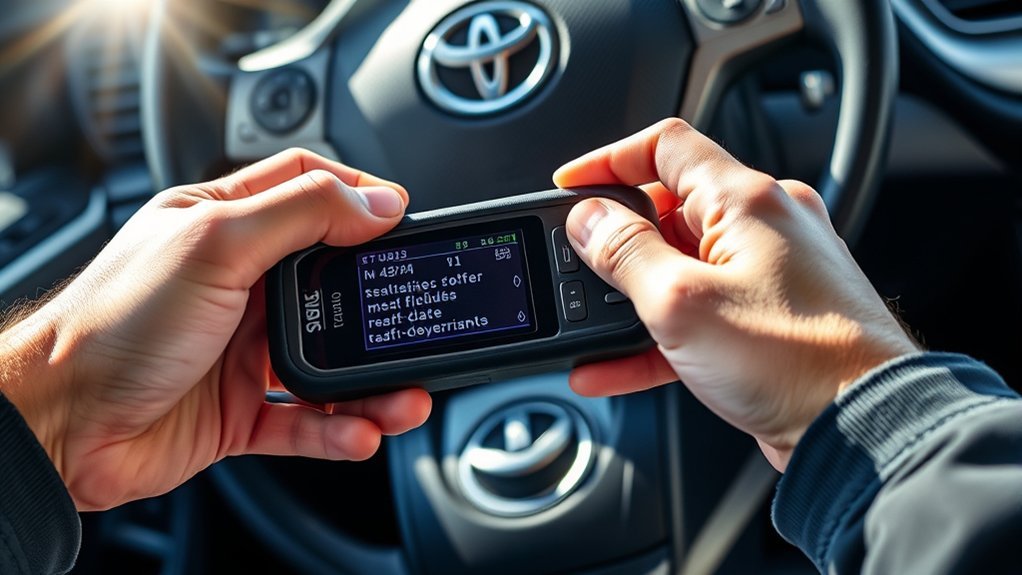
To clear OBD2 codes on your Toyota Camry, start by connecting an OBD-II scanner to the diagnostic port under the dashboard on the driver’s side. Turn the ignition to the “ON” position without starting the engine. This powers the scanner and lets it connect to the engine control module.
Choose “Read Codes” first. Write down each diagnostic trouble code, also called a DTC, before you erase anything. Those codes help you find the fault that triggered the check engine light.
Do not erase codes before you check the cause. Clearing a code can turn the light off for a short time, but it does not repair a bad sensor, vacuum leak, misfire, or emissions fault. After you make the needed repair, choose “Erase Codes” or “Clear Codes” and confirm the prompt on the scanner.
[Products Worth Considering]

The ANCEL AD310 is a compact, easy-to-use OBD II code reader designed to help drivers quickly identify check engine light causes, read and clear fault codes, and review key vehicle data. It supports major OBD2 protocols and works with many 1996-and-newer cars, light trucks, SUVs, and other OBD2 vehicles. Built for fast diagnostics at home or on the go, it runs directly from the vehicle and provides clear results on a large screen.

The FOXWELL NT301 is a plug-and-play OBD2 code reader designed to help drivers and home mechanics diagnose check engine light issues with ease. It reads fault codes, clears emissions-related warnings, displays live sensor data in graph form, and shows I/M readiness so you can quickly check vehicle status before an emissions test. With broad compatibility across many OBD2 vehicles and a clear color screen, it offers a practical, user-friendly way to monitor and troubleshoot engine performance.

The BLCKTEC 440 Bluetooth OBD2 scanner helps drivers and DIY mechanics quickly read and clear trouble codes, monitor live data, and check emissions readiness with confidence. Its color display, graphing capabilities, and battery and charging system testing make it a versatile diagnostic tool for OBD-compliant vehicles. Designed for plug-and-play convenience, it runs directly from your vehicle and includes support for report sharing and ongoing updates.
Before You Begin
Estimated time: 10 to 20 minutes for reading and clearing codes. Diagnosis and repair time depend on the code and the condition of your Camry.
You only need a few basic items before you start:
- An OBD-II scanner that can read and erase codes
- Your Toyota Camry owner’s manual or service information
- A notebook or phone for saving code numbers
- A safe parking spot with the parking brake set
Park on level ground and keep the transmission in Park. If your scanner asks for vehicle details, enter the correct model year, engine, and trim when you can. That helps the scanner show better code details.
Know Your OBD-II Scanner Features Before You Clear Codes
Your OBD-II scanner can do more than turn off a light. Many scanners show stored codes, pending codes, live data, freeze-frame data, and emissions readiness monitor status. These features help you diagnose the cause before you clear the code.
Basic scanners may only read and erase codes. More advanced scanners can show real-time sensor data, oxygen sensor readings, fuel trim, engine speed, and coolant temperature. Use those readings when you need more proof before replacing parts.
[Products Worth Considering]

FOXWELL NT201 is an easy-to-use OBD2 scanner designed to help drivers quickly read and clear check engine codes, view live engine data, and check emissions readiness. Its color screen, one-key I/M readiness test, and broad compatibility with most gasoline vehicles since 1996 make it a practical tool for everyday diagnostics and maintenance. With plug-and-play operation and lifetime free updates, it offers a simple way to understand vehicle issues without expensive shop visits.

This enhanced OBD2 scanner helps drivers quickly diagnose check engine light issues, read and clear trouble codes, and check emissions readiness before a smog test. It also adds EVAP and O2 sensor testing, live data, freeze frame capture, and a one-click battery health check in a simple plug-and-play tool with a bright color screen.

This WEJOWE OBD2 scanner helps drivers quickly identify check engine causes, read and clear trouble codes, and view live vehicle data with built-in DTC lookup. It also includes battery voltage testing, I/M readiness checks, freeze frame retrieval, and support for printing diagnostic reports to help simplify repairs and maintenance. Designed for most OBDII vehicles since 1996, it offers an easy-to-use solution for DIY car diagnostics.
Scanner Display Options
An OBD-II scanner can improve how you diagnose and monitor your Toyota Camry. Learn the display options before you erase codes. The right screen can show whether you need a simple check or deeper testing.
| Feature | Description |
|---|---|
| Live Data | Shows real-time engine and sensor information |
| Diagnostic Trouble Codes | Reads stored and pending DTCs before you clear them |
| Freeze Frame Data | Shows conditions from the moment the fault appeared |
| Readiness Tests | Shows whether emissions monitors completed their self-checks |
| User-Friendly Interface | Helps you move through scanner functions with less guesswork |
These options help you maintain your Camry with more confidence. If your scanner shows a code but no code meaning, check a trusted OBD-II code database or your Toyota service information.
How to Interpret Codes Before You Erase Them
Understanding your OBD-II scanner codes helps you diagnose your Toyota Camry with less guesswork. Start by reading all stored, pending, and permanent codes. A pending code can point to a problem before the check engine light turns on.
Keep the ignition on and the engine off when you first read stored codes. If you need live data, start the engine only when the scanner or repair step tells you to do so. For example, P0420 points to catalyst system efficiency below threshold, but that code can involve exhaust leaks, oxygen sensor issues, fuel control problems, or a weak catalytic converter.
Do not replace parts from the code number alone. Match the code with symptoms, freeze-frame data, service history, and basic checks. A careful check saves money and prevents repeat repairs.
Step-by-Step Guide to Reading Trouble Codes
To read trouble codes on your Toyota Camry, locate the OBD-II diagnostic port under the driver’s side dashboard near the steering column. Then follow these steps:
- Park the car, set the parking brake, and turn the ignition off.
- Plug the OBD-II scanner into the diagnostic port.
- Turn the ignition to the “ON” position without starting the engine.
- Select “Read Codes” or “Scan” on the scanner menu.
- Write down every stored, pending, and permanent code.
- Check the code meaning in the scanner, owner’s manual, or trusted code guide.
Codes such as P0102, P0113, P0171, P0300, P0420, and P0440 point to different systems. The code gives you a starting point, not a final diagnosis. After you fix the cause, you can use the scanner’s clear function to reset the light.
Key OBD2 Codes for Your Toyota Camry
When you troubleshoot your Toyota Camry, key OBD2 codes can point you toward the right system. Common codes like P0420, P0171, P0174, P0300, and P0440 can involve the catalyst system, fuel mixture, misfires, or evaporative emissions. Clear code meanings help you explain the issue to a mechanic if you need help.
Common OBD2 Codes
OBD2 codes act like clues for your Toyota Camry. They tell you which system needs testing. Watch for these common codes:
- P0420: Catalyst system efficiency below threshold.
- P0171/P0174: System too lean, often linked to extra air, low fuel delivery, or sensor issues.
- P0300: Random or multiple cylinder misfires.
- P0440: Evaporative emission control system malfunction.
Use these codes to guide your checks, not to guess parts. A vacuum leak, weak ignition coil, loose gas cap, or sensor issue may need a simple repair, but testing should confirm it first.
Code Meanings Explained
P0420 means the engine computer sees low catalyst system efficiency on Bank 1. The catalytic converter may have a problem, but exhaust leaks, oxygen sensors, and fuel control faults can also contribute.
P0171 and P0174 mean the engine runs lean on one or more banks. This can happen when the engine gets too much air or not enough fuel. Check for cracked vacuum hoses, intake leaks, dirty mass airflow readings, weak fuel delivery, or oxygen sensor issues.
P0300 means the engine computer detects random or multiple misfires. Common causes include worn spark plugs, weak ignition coils, fuel injector trouble, vacuum leaks, or mechanical engine issues. P0440 points to an EVAP system fault, and a loose or damaged gas cap often gives you a simple first check.
Troubleshooting Tips for Common Camry Codes
Use a simple order when you diagnose your Toyota Camry. Start with checks that cost little or nothing. Then move to sensor tests and deeper mechanical checks.
- P0420: Check for exhaust leaks and other related codes before replacing the catalytic converter.
- P0171/P0174: Inspect vacuum hoses, intake boots, and mass airflow sensor readings.
- P0300: Check spark plugs, ignition coils, fuel delivery, and engine vacuum.
- P0440: Tighten or inspect the gas cap, then check EVAP hoses and valves if the code returns.
Regular checks help your car run better and reduce the chance of larger repairs. Stay careful with diagnosis, and avoid clearing codes just to hide a warning light.
Troubleshooting Common Issues Before Clearing OBD2 Codes

Before you clear OBD2 codes on your Toyota Camry, troubleshoot common issues that can trigger the check engine light. Start with the gas cap. A loose, missing, or damaged cap can cause EVAP-related codes such as P0440.
Use an OBD-II scanner to read codes that may point to vacuum leaks, lean fuel mixture, misfires, or emissions faults. Inspect hoses, wiring connectors, and obvious leaks before replacing parts. If the engine runs rough, stalls, smells like fuel, or the check engine light flashes, stop driving and get help.
Use this quick reference table:
| Issue | Possible Code(s) | Action Needed |
|---|---|---|
| Loose or damaged gas cap | P0440 | Tighten or inspect the gas cap |
| Vacuum leak or lean condition | P0171/P0174 | Inspect hoses, intake boots, and airflow readings |
| Misfire | P0300 | Check spark plugs, coils, fuel, and air leaks |
Fix the likely cause before clearing the codes. Erasing a code will not repair the part or system that triggered it.
[Products Worth Considering]

The ANCEL AD410 PRO combines engine diagnostics and 12V battery testing in one easy-to-use tool, helping you read and clear check engine codes while checking battery health, cranking, and charging performance. It also provides live data, freeze frame details, and I/M readiness checks to help you diagnose issues faster and prepare for emissions testing. With plug-and-play operation, a clear screen, and broad vehicle compatibility, it is a practical solution for home mechanics and everyday drivers.
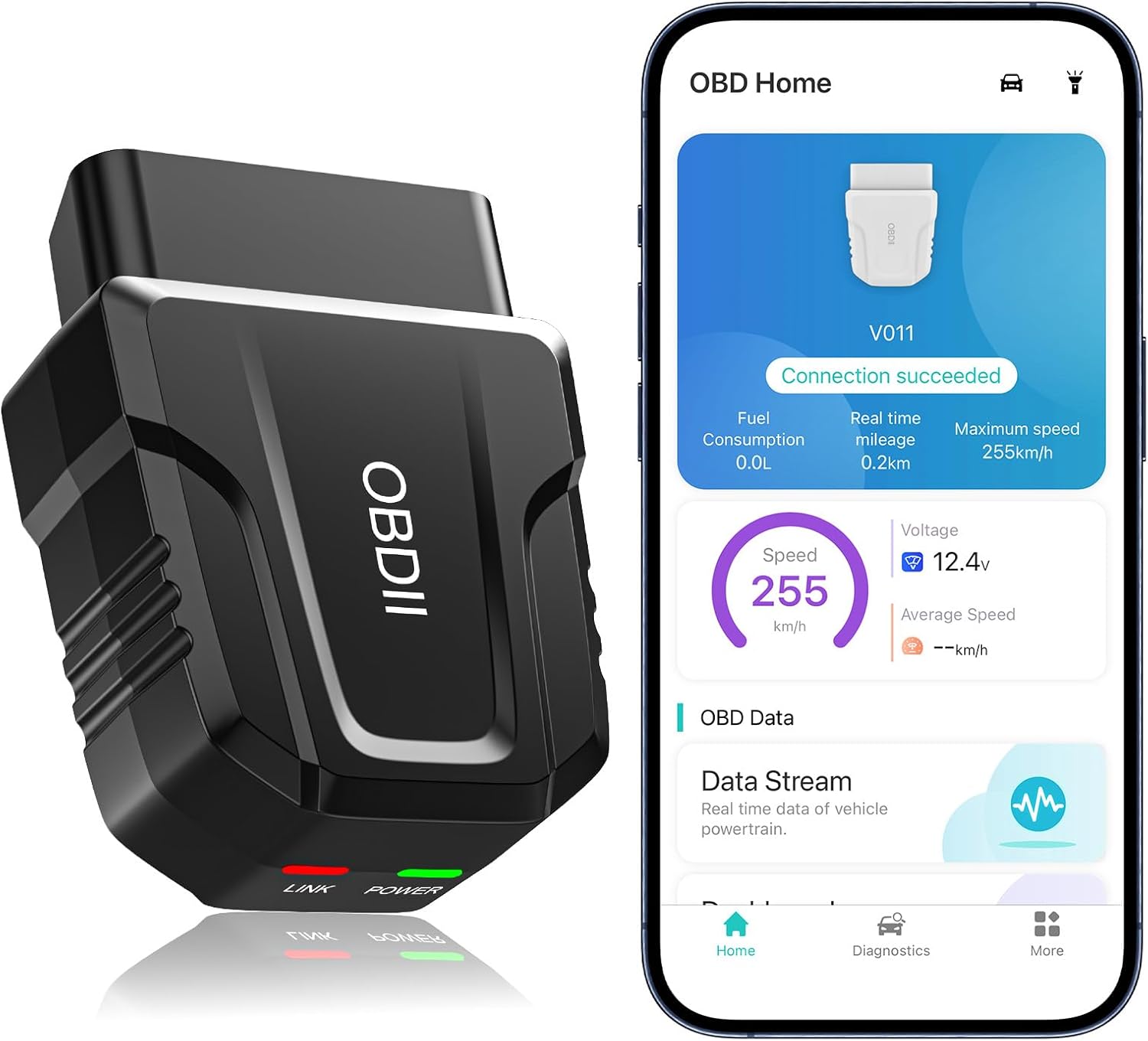
The UMEIJA V011 OBD2 scanner delivers comprehensive vehicle diagnostics with Bluetooth connectivity and a dedicated app for iOS and Android. It supports live data, fault code reading and clearing, readiness checks, freeze frame, sensor data, and performance testing to help drivers understand and monitor vehicle health. With broad compatibility across many car and truck models and easy-to-read data visualization, it is a practical tool for both beginners and experienced users.

The ZMOON ZM201 is a plug-and-play OBD2 code reader designed to quickly diagnose check engine issues on compatible vehicles after 1996. It reads and clears engine fault codes, displays live data and freeze frame information, checks I/M readiness, and helps you identify problems before visiting a repair shop. With a color screen, intuitive controls, and built-in DTC database, it offers an easy-to-use solution for DIY drivers and car owners who want reliable engine diagnostics.
Erasing OBD2 Codes: Your Step-by-Step Guide
To erase OBD2 codes on your Toyota Camry, you need an OBD-II scanner and access to the diagnostic port under the dashboard. Read and save the codes first. Then clear them only after you check or repair the cause.
Warning: Do not clear codes before an emissions test because clearing codes resets readiness monitors and may delay a pass result.
Required Tools Overview
Clearing OBD2 codes on your Toyota Camry requires a basic OBD-II scanner. You can buy one, borrow one, or ask some auto parts stores if they offer code reading. Choose a scanner that can read codes, clear codes, and show readiness monitor status.
Before you start, put the ignition in the “ON” position without starting the engine. Locate the diagnostic port under the dashboard and connect your scanner firmly. You’ll need:
- An OBD-II scanner
- Access to the diagnostic port
- A notebook or phone for recording trouble codes
- Basic knowledge of the code meaning
These tools help you clear codes and understand what your vehicle needs. If your scanner shows permanent codes, those may not clear until the vehicle completes its own checks after the repair.
Code Erasure Process Steps
Follow this order when you clear codes:
- Connect your OBD-II scanner to the diagnostic port.
- Turn the ignition to “ON” without starting the engine.
- Select “Read Codes” and record all codes shown on the scanner.
- Check the likely cause of each code and make the needed repair.
- Select “Erase Codes” or “Clear Codes” on the scanner menu.
- Confirm the prompt and wait until the scanner finishes the reset.
- Turn the ignition off, restart the engine, and check whether the light returns.
The reset clears stored codes and may turn off the check engine light. If the same fault remains, the engine computer can store the code again after one or more drive cycles.
Confirm the Check Engine Light Stays Off After a Drive
Confirming that the check engine light stays off helps you know whether your repair worked. Do not treat a reset as proof by itself. Some problems return only after the engine warms up, the car reaches highway speed, or the emissions monitors run again.
Drive your Camry normally after clearing the code. Then scan again for stored, pending, and permanent codes. If the scanner shows no returning code and the car runs well, the repair likely solved the issue.
Note: After you clear codes, your Camry may need normal driving time before all emissions readiness monitors show complete.
Check the light again after a normal drive because a reset can hide a fault for only a short time.
- Scan again after the drive to check for pending codes.
- Watch for rough idle, poor power, fuel smell, or unusual sounds.
- Check readiness monitor status if you need an emissions test.
- Schedule diagnosis if the same code comes back.
When to Seek Professional Help for Persistent Codes
Minor OBD-II codes may have simple causes, but repeat codes need deeper testing. If the check engine light stays on after you clear codes, the underlying issue likely still exists. A shop can test the system with advanced diagnostic tools and repair information.
Get professional help if the light flashes, the engine shakes, the car loses power, or you smell fuel or exhaust. These symptoms can point to problems that may damage the engine or emissions system. A mechanic can run smoke tests, fuel pressure tests, sensor checks, and scan-tool tests that a basic scanner cannot handle.
If you do not understand the code meaning, do not guess. A wrong part can waste money and leave the real fault untouched. Good diagnosis protects your Camry’s performance and your peace of mind.
Essential Maintenance Tips for Your Toyota Camry

To keep your Toyota Camry running smoothly, follow the service schedule in your owner’s manual. Maintenance needs can vary by model year, engine, oil type, market, and driving conditions. Your manual gives the safest interval for your exact car.
Regular maintenance helps your Toyota Camry run better and reduces the chance of repeat warning lights.
- Check and tighten the gas cap if you see an EVAP-related code.
- Follow your owner’s manual for oil and filter intervals.
- Use 5,000-mile service checks when your schedule calls for tire rotation and inspections.
- Inspect and replace engine air filters according to the manual or dusty driving conditions.
- Rotate tires on the schedule Toyota lists for your model year.
Additional Resources for Toyota Camry Owners: Forums and Tools
Maintaining your Toyota Camry goes beyond routine checks. The right resources can help you understand symptoms, codes, and repair steps. Forums like ToyotaNation can show real owner experiences, but you should verify repair advice with a manual or trusted service source.
For diagnosis, an OBD-II scanner gives you quick access to read and clear error codes. If you prefer help, local repair shops can use advanced scan tools and test equipment. That can matter when a code needs more than a basic reset.
YouTube tutorials and official service manuals can also help. Use them to understand the repair process before you start. Stop and ask a professional if a step involves fuel leaks, electrical testing, hot engine parts, or emissions components you do not understand.
Frequently Asked Questions
How Do I Turn off the Check Engine Light on My Toyota Camry?
Use an OBD-II scanner to read the code, fix the likely cause, then choose “Erase Codes” or “Clear Codes.” If you clear the code without fixing the fault, the check engine light may return after a drive.
Can I clear OBD2 codes without a scanner?
A scanner gives you the safest and clearest method because you can read the codes first. Disconnecting the battery may reset some systems, but it can also erase settings and does not help you understand the fault.
Will clearing codes help me pass an emissions test?
Clearing codes right before an emissions test can hurt your chances. It resets readiness monitors, and the vehicle may need normal driving before those monitors show complete again.
Why does the same OBD2 code come back after I clear it?
The same code returns when the engine computer detects the fault again. That usually means the root cause still needs repair, or the first repair did not solve the problem.
Is it safe to drive with a check engine light on?
A steady check engine light may allow short local driving, but you should scan the code soon. A flashing check engine light can signal a serious misfire, so stop driving and get professional help as soon as safely possible.
Automotive Safety Disclaimer: This article is for informational purposes only and does not replace professional vehicle diagnosis or repair. Consult a qualified mechanic before you repair safety, fuel, electrical, emissions, or engine systems you do not fully understand.
Conclusion
Clearing OBD2 codes on your Toyota Camry works best when you read the code, fix the cause, and then reset the light. Use your scanner as a diagnostic tool, not just a way to turn off a warning. After the reset, drive the car and scan again to confirm the code does not return. If the light comes back or the engine runs poorly, let a qualified mechanic inspect it. A careful reset today can help your Camry stay reliable on the road.
References
- J1962 OBD-II Diagnostic Connector Task Force — SAE International
- OBD-II Code List — Kelley Blue Book
- Best Practices for Addressing OBD Readiness — U.S. Environmental Protection Agency, 2022
- OBDII Readiness and Communication Failures — Ohio EPA
- What are the oil change intervals using synthetic oil? — Toyota Support
- P0300: Random/Multiple Cylinder Misfire Detected — Edmunds, 2024
- P0440 Code: Evaporative Emission System — Kelley Blue Book