
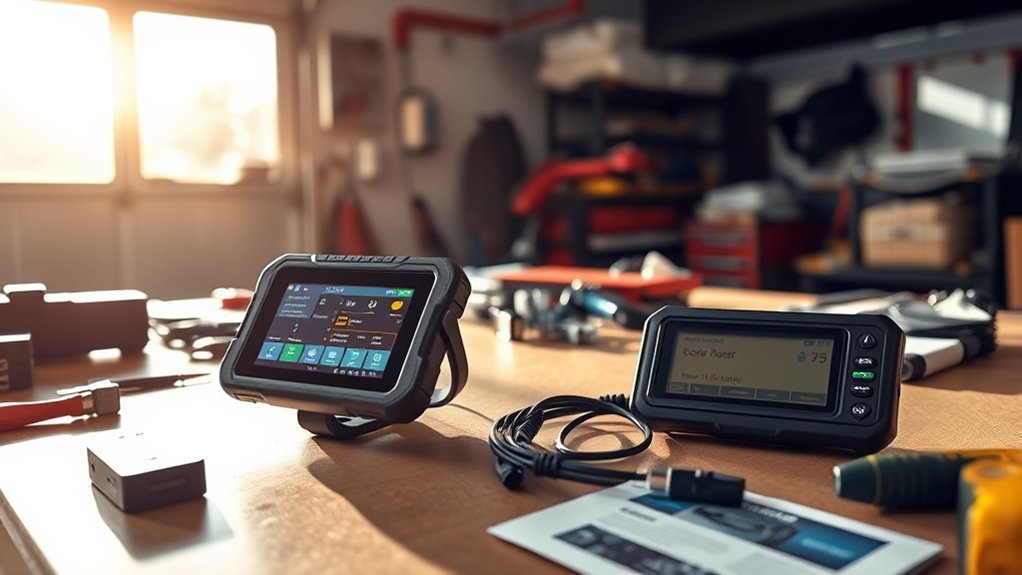
An OBD2 code reader and an OBD2 scanner can both retrieve diagnostic trouble codes, but they are built for different levels of diagnosis. A code reader is best for basic check-engine-light and emissions checks. A scanner may add live data, graphing, manufacturer-specific module access, service functions, and bidirectional tests on supported vehicles.
Last updated: July 22, 2026 — reviewed for current federal OBD references, permanent-DTC behavior, tool-coverage caveats, and NHTSA cybersecurity guidance.
Quick Answer
A code reader is a simple, lower-cost OBD2 tool that reads standardized emissions-related trouble codes and clears erasable codes. An OBD2 scanner is a more capable scan tool that may show live data, freeze-frame data, readiness monitors, manufacturer-specific codes, ABS/SRS faults, service resets, and bidirectional tests. A permanent DTC cannot be manually erased by either tool; the vehicle clears it only after the relevant monitor confirms that the fault is gone.
Key Takeaways
- Choose a code reader if you only want to read basic check-engine-light codes and check emissions readiness.
- Choose an OBD2 scanner if you want live sensor data, system-specific diagnostics, service resets, or deeper troubleshooting.
- Not all scanners do the same things. ABS, airbag, transmission, bidirectional control, and reset functions depend on tool coverage and vehicle compatibility.
- Permanent DTCs cannot be cleared manually. Repair the cause and allow the vehicle’s monitor to verify the repair.
- ECU programming is not a normal basic-scanner feature. It usually requires OEM software, the right interface, stable battery voltage, and service information.
Understanding the Key Differences Between OBD2 Scanners and Code Readers
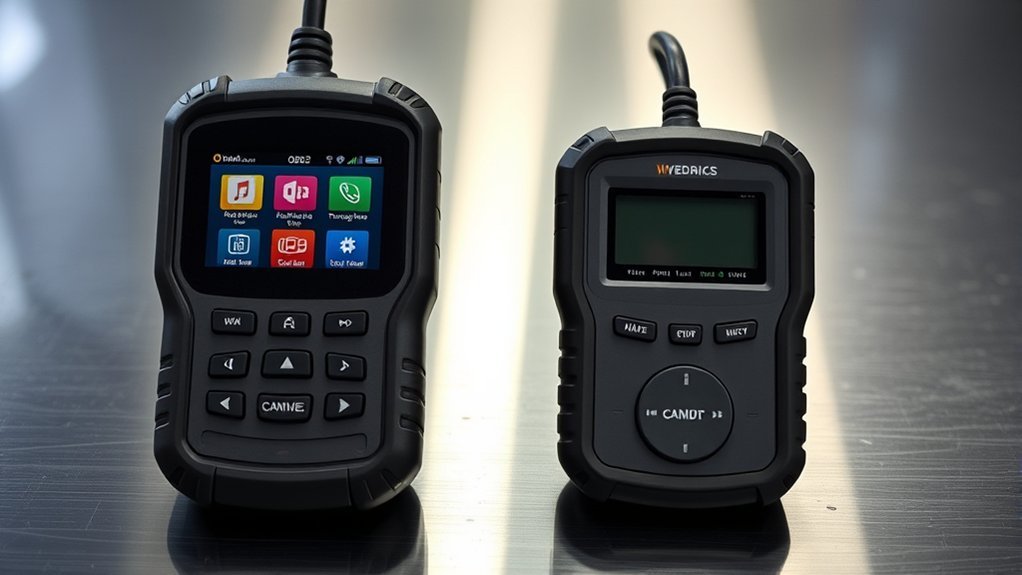
OBD2, or On-Board Diagnostics II, is the standardized vehicle-diagnostic framework used to report emissions-related faults and operating data. Federal OBD inspection standards address the diagnostic connector, malfunction indicator light, and stored trouble codes on 1996-and-newer vehicles. Federal model-year 2017 and later OBD requirements state that these systems must generally detect emission-control malfunctions, store corresponding trouble codes, and alert the operator.
A code reader is the basic version of this tool family. It connects to the vehicle’s diagnostic connector and reads diagnostic trouble codes, often called DTCs. Most code readers can clear erasable codes after a repair, and many display basic freeze-frame data or I/M readiness monitors. Exact functions vary by model.
An OBD2 scanner, also called a scan tool, usually offers more functions. Depending on the model and vehicle, it may read live sensor data, show graphs, access manufacturer-specific codes, communicate with ABS or airbag modules, run service resets, or command components for testing. Communication between legislated emissions-related OBD systems and test equipment is covered by standards such as SAE J1979.
| Feature | Code Reader | OBD2 Scanner |
|---|---|---|
| Best for | Quick check-engine-light and emissions checks | Deeper diagnostics and repair verification |
| Codes | Usually standardized emissions-related powertrain codes; manufacturer-specific coverage varies | May add manufacturer-specific and non-powertrain module codes on supported vehicles |
| Live data | Limited or unavailable on basic models | Often includes live data, graphing, and recording |
| Vehicle systems | Usually engine and emissions related | May include ABS, SRS/airbag, transmission, TPMS, battery, and body modules |
| Service functions | Usually unavailable | May include oil reset, EPB service, battery registration, throttle relearn, SAS calibration, or ABS bleeding |
| Bidirectional tests | No | Available on some advanced tools and supported vehicles |
| Permanent DTC clearing | Cannot manually clear permanent DTCs | Cannot manually clear permanent DTCs |
| Learning curve | Beginner friendly | Moderate to advanced, depending on features |
| Typical buyer | Casual driver | DIY mechanic, advanced owner, or professional technician |
Note: “Code reader,” “scanner,” and “scan tool” are used loosely in product listings. Always check the actual feature list and coverage for your year, make, model, engine, and required module.
What Types of OBD2 Codes Can Each Tool Read?
The status of a trouble code can be as important as the code number. A basic reader may display several code states, but manufacturer-specific definitions and non-engine module access depend on the tool.
| Code type | What it means | Can a tool clear it? |
|---|---|---|
| Stored or confirmed DTC | The vehicle has confirmed that the fault met the conditions required to store a code. It may also command the check engine light on. | Usually yes, but clearing it does not repair the cause. |
| Pending DTC | The system detected a possible fault, but the conditions needed to confirm it may not have occurred enough times. | A clear command may remove it, but it can return if the fault remains. |
| Permanent DTC | A nonvolatile record used to show that an emissions-related fault occurred and still needs repair verification. | No. The vehicle clears it after the relevant monitor runs and confirms the fault is gone. |
| Manufacturer-specific or enhanced code | A code or definition that requires make-specific data or access to a non-generic vehicle module. | Only when the tool supports that vehicle, module, and function. |
The California Bureau of Automotive Repair explains that a permanent diagnostic trouble code cannot be erased by clearing codes with a scan tool or disconnecting the battery. Repair the underlying fault and allow the appropriate monitor to complete.
What Advanced Features Do OBD2 Scanners Offer?
Advanced OBD2 scanners help you move from “what code is stored?” to “what is the vehicle doing right now?” That difference matters when one code has several possible causes.
- Live data: Shows real-time values such as engine RPM, coolant temperature, oxygen-sensor activity, fuel trims, throttle position, vehicle speed, and battery voltage.
- Freeze-frame data: Captures supported operating conditions at the time a fault was detected, such as speed, load, coolant temperature, and RPM.
- I/M readiness monitors: Shows whether supported emissions self-tests have completed before an inspection.
- Enhanced system access: Some scanners can read ABS, SRS/airbag, transmission, electronic parking brake, steering angle, TPMS, and body-module faults.
- Bidirectional control: Lets the tool command supported components, such as fans, pumps, solenoids, lights, or relays, for testing.
- Service reset functions: May include oil maintenance reset, battery registration, electronic parking brake service mode, throttle relearn, steering-angle calibration, diesel particulate-filter service, or ABS bleeding.
- Data graphing and recording: Helps identify intermittent problems by showing how several values change together.
Some professional diagnostic systems also support module coding or programming workflows. That is different from clearing a code. Vehicle reprogramming is commonly handled through OEM software and pass-thru interfaces based on standards such as SAE J2534.
Warning: Do not run bidirectional tests while driving. Do not attempt ECU programming unless you have the correct OEM procedure, compatible hardware, a stable battery maintainer, and a reliable connection. A failed programming session can leave a module unable to operate.
When Should You Use a Code Reader for Basic Diagnostics?
A code reader is the right choice when you want a fast, simple answer to a basic check-engine-light problem. It is useful when your goal is to capture the code before visiting a shop, check whether a loose fuel cap may have triggered an evaporative-emissions code, or confirm whether readiness monitors have completed after a repair.
Use a code reader when you need to:
- Read a standardized emissions-related trouble code, such as a generic P0xxx code.
- Save stored, pending, and permanent codes before clearing erasable data.
- Record freeze-frame data before it is lost.
- Check whether the check engine light comes back after a repair.
- Review emissions readiness before a smog or inspection test.
- Perform a basic pre-purchase scan on a used vehicle.
During a used-vehicle scan, several incomplete readiness monitors are a reason to ask when the battery was disconnected or codes were last cleared. They are not proof that a seller concealed a fault because recent repairs and an unfinished drive cycle can also leave monitors incomplete.
At a Glance
| Time Required | 5–15 minutes for a basic code check |
| Difficulty | Beginner |
| Tools Needed | OBD2 code reader or scanner, plus a phone or notepad for recording results |
| Cost | No scan fee after you own the tool; repair-shop diagnostic fees vary |
Pro Tip: Record the exact code numbers, code status, freeze-frame data, readiness status, and warning-light condition before clearing anything. Clearing erasable codes can remove useful clues and reset readiness monitors, but it will not manually erase a permanent DTC.
Cost Factors: How to Choose the Right Diagnostic Tool Within Your Budget
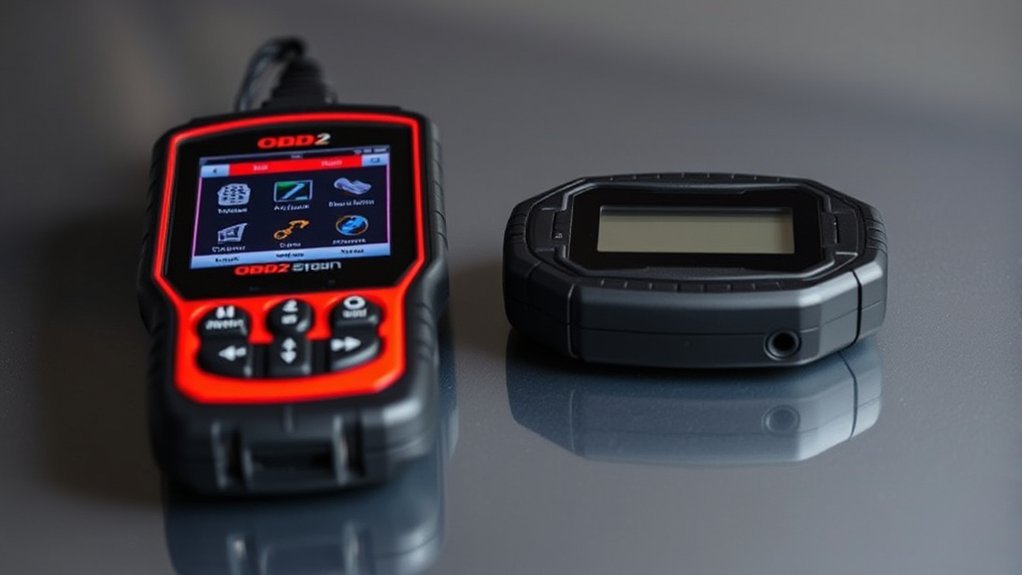
The best diagnostic tool is not always the most expensive one. It is the tool that supports your vehicle, your skill level, and the systems you need to diagnose.
| Tool tier | What it usually does | Best for |
|---|---|---|
| Basic code reader | Reads and clears erasable emissions-related codes; may show readiness and freeze-frame data | Casual drivers and quick check-engine-light checks |
| DIY OBD2 scanner | Adds live data, graphing, better code definitions, and more supported systems | DIY owners who perform regular maintenance and repairs |
| Advanced bidirectional scanner | Adds active tests, service resets, and broader module access on supported vehicles | Serious DIYers and technicians |
| Professional diagnostic system | May include OEM-level coverage, subscriptions, programming workflows, guided tests, and technical service information | Repair shops and advanced diagnostics |
Price is only one part of the cost. Check whether the tool requires paid updates, a yearly subscription, paid brand coverage, a separate app, an online account, or an internet connection. A lower-priced scanner can become expensive if the functions you need are locked behind add-ons.
[Products Worth Considering]

The ANCEL AD410 PRO combines engine diagnostics and 12V battery testing in one easy-to-use tool, helping you read and clear check engine codes while checking battery health, cranking, and charging performance. It also provides live data, freeze frame details, and I/M readiness checks to help you diagnose issues faster and prepare for emissions testing. With plug-and-play operation, a clear screen, and broad vehicle compatibility, it is a practical solution for home mechanics and everyday drivers.

Veepeak OBDCheck BLE+ is a Bluetooth OBD-II scanner designed to help drivers read and clear check engine codes, view freeze frame data, check readiness monitors, and monitor live sensor data. It works with compatible third-party apps on iOS and Android, making it a versatile tool for standard vehicle diagnostics and routine car health checks. Advanced features may be available through supported apps on select vehicles, but special service functions are not supported.

The ANCEL AD410 helps drivers quickly read and clear engine-related fault codes, view live data, and understand why the check engine light is on before heading to a repair shop. With built-in code definitions, readiness checks, and support for common OBD2 functions, it makes basic diagnostics straightforward for beginners and DIY users. Powered directly from the vehicle and easy to use with no app required, it offers practical value for everyday vehicle troubleshooting.
Handheld vs Bluetooth OBD2 Tools: Which Is Better?
| Factor | Handheld Tool | Bluetooth or Wi-Fi Adapter |
|---|---|---|
| Display | Built-in screen and controls | Uses a phone or tablet |
| Setup | Usually plug in and follow on-screen menus | Requires pairing, a compatible app, and phone permissions |
| Graphing | Depends on screen size and tool software | A larger phone display may make graphs easier to view and save |
| Ongoing cost | May require paid tool updates | May require app purchases or subscriptions |
| Best for | A self-contained tool kept in the vehicle or garage | Drivers who prefer app-based data, reports, and graphing |
Note: Use a wireless adapter from a reputable manufacturer and remove it when it is not needed unless it is designed for continuous use. NHTSA’s 2022 vehicle cybersecurity guidance identifies Bluetooth, USB, OBD-II, and other third-party interfaces as connections that require appropriate protection.
[Products Worth Considering]

This front inner roof pull handle is a direct replacement for compatible Toyota models, designed to restore a secure and comfortable grip inside the cabin. Made from durable ABS plastic, it offers reliable wear resistance, easy installation, and a factory-style fit without the need for drilling.
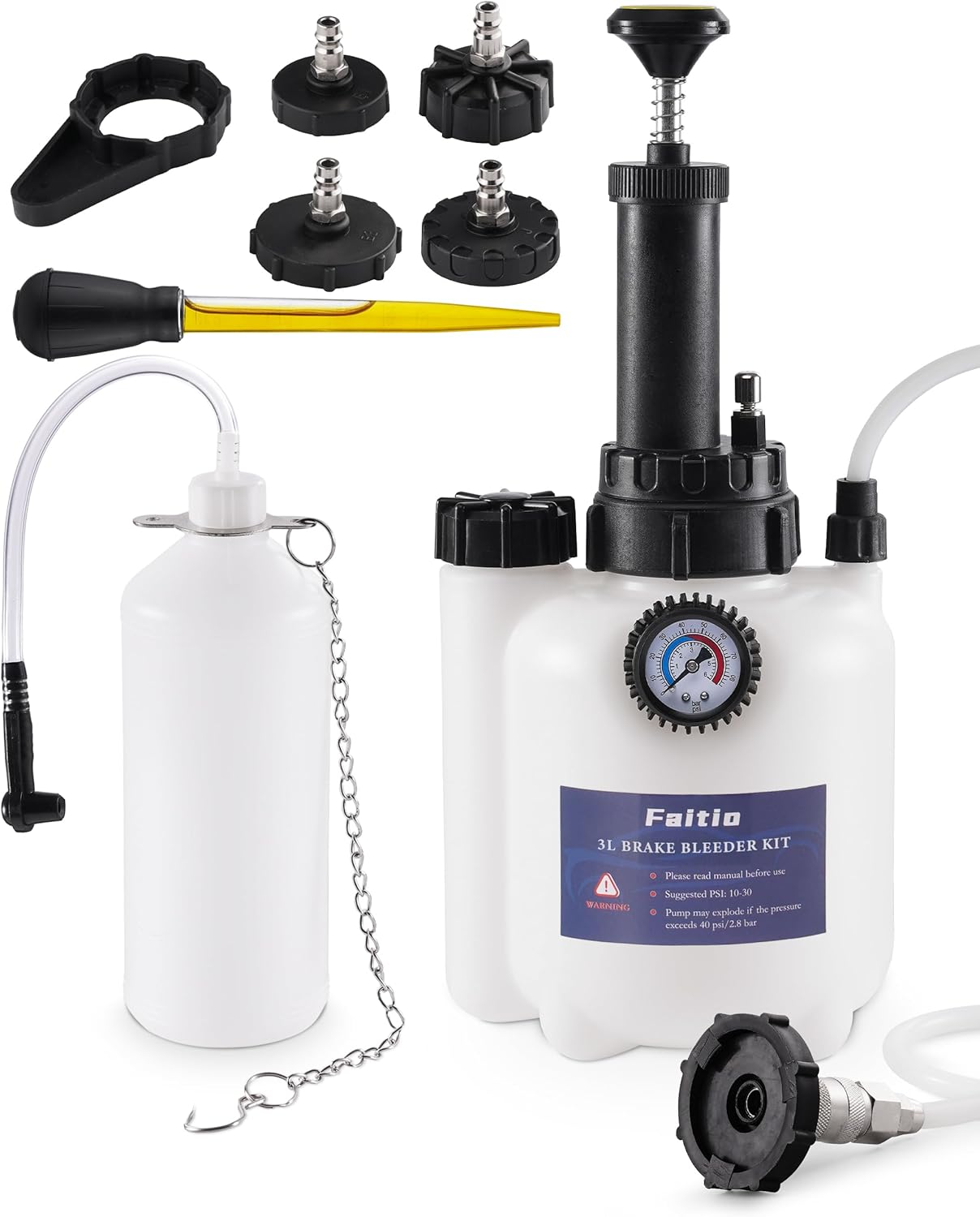
This one-man brake bleeding kit helps flush old brake fluid and remove trapped air for firmer, more responsive braking without the hassle of a second person. Its improved sealing and translucent catch bottle help prevent leaks while making fluid level checks easy during use. With multiple adapter sizes for many vehicle makes, it is a practical tool for clean, efficient brake system maintenance.

CEL Doctor: The ANCEL AD310 is one of the best-selling OBD II scanners on the market and is recommended by Scotty Kilmer, a YouTuber and auto mechanic. It can easily determine the cause of the check engine light coming on. After repairing the vehicle's problems, it can quickly read and clear diagnostic trouble codes of emission system, read live data & hard memory data, view freeze frame, I/M monitor readiness and collect vehicle information
How Do You Choose the Right Diagnostic Tool for Your Vehicle?
Before buying, confirm the tool’s coverage for your exact vehicle and required system. The physical diagnostic connector is standardized by SAE J1962, but connector compatibility does not guarantee that every advanced function will work on every make, model, year, engine, and trim.
- Check exact vehicle compatibility: Look up the year, make, model, engine, market region, and required control module in the tool maker’s coverage list.
- Decide which systems matter: Engine-only diagnostics may be enough for a check engine light. Choose broader coverage for ABS, SRS, transmission, TPMS, hybrid, or body-module faults.
- Look for code-status details: Confirm that the tool can show stored, pending, and permanent DTCs as well as freeze-frame and readiness data.
- Confirm update terms: Some tools include updates; others require paid updates, brand packages, or subscriptions.
- Check service functions by vehicle: A tool may advertise oil reset, battery registration, or ABS bleeding without supporting that function on your exact model.
- Choose a readable interface: Live data is useful only when the tool makes it practical to select, graph, record, and compare values.
- Review support and return terms: Clear technical support and a reasonable return window help when coverage descriptions are ambiguous.
- Do not rely on broad marketing terms: “Full system,” “ECU coding,” “programming,” and “all functions” can mean different things across brands and vehicles.
Which Tool Fits Your Problem?
| Your task | Minimum capability to look for | Likely tool tier |
|---|---|---|
| Read a check engine light | Standard DTC reading, code status, and freeze-frame data | Basic code reader |
| Check emissions readiness | I/M readiness plus stored, pending, and permanent DTC display | Code reader or entry scanner |
| Diagnose an intermittent engine problem | Live data, graphing, recording, and selectable data lists | DIY scanner |
| Read ABS or airbag faults | Confirmed ABS/SRS coverage for the exact vehicle | Full-system scanner |
| Perform EPB, battery, steering, or ABS service | The exact service function for the exact vehicle | Service-capable scanner |
| Command a fan, pump, relay, or solenoid | Vehicle-specific bidirectional control | Advanced bidirectional scanner |
| Program or reflash a control module | OEM software, approved interface, stable power, and service procedure | Professional or OEM diagnostic system |
A trouble code points toward a circuit, system, or operating condition. It does not automatically prove that a specific part has failed.
What Should You Do After Reading a Trouble Code?
Reading the code is only the first step. A consistent process helps prevent unnecessary parts replacement.
- Record everything: Save stored, pending, and permanent codes, freeze-frame data, readiness status, and the warning lights that were on.
- Look up the exact definition: Use reliable service information for the vehicle, especially when the code is manufacturer specific.
- Check simple causes first: Loose connectors, damaged wiring, low battery voltage, vacuum leaks, fluid-level problems, and recent repair work can all affect diagnostic results.
- Use live data when available: Compare related sensor values and operating conditions before replacing a component.
- Follow the vehicle-specific test procedure: A DTC definition is not a complete diagnostic chart.
- Repair the cause: Do not clear the code and assume the problem is fixed.
- Clear erasable codes only after documenting them: Then operate the vehicle under the required conditions and check whether the monitor completes or the fault returns.
- Recheck permanent DTCs: A permanent code should clear automatically only after the system verifies the repair.
Which Tool Should You Buy?
Buy a code reader if you mainly want to understand why the check engine light is on, check emissions readiness, and clear an erasable code after a confirmed repair. It is the simplest choice for occasional use.
Buy an OBD2 scanner if you work on your own vehicle, need live data, want to diagnose more than the engine, or want to verify repairs instead of guessing. It is also the better choice for supported ABS, airbag, transmission, battery-management, or electronic-parking-brake faults.
Use a professional tool or qualified repair facility when the job involves immobilizer functions, module programming, advanced calibration, high-voltage hybrid or EV systems, or safety-critical airbag and brake work. Those tasks require the correct service information, equipment, and training.
Hybrid/EV Safety: Reading diagnostic information does not make high-voltage repairs safe. Do not disconnect, probe, or open orange high-voltage cables, battery packs, inverters, or related components without the manufacturer’s isolation procedure, rated protective equipment, and appropriate training.
[Products Worth Considering]

[Easy to Use—Work Out of the Box] + [FOXWELL 2026 New Version] FOXWELL NT604 Elite scan tool is the 2026 new version from FOXWELL, designed for car owners who want to figure out the cause of issues before fixing car problems by scanning common systems like ABS, SRS, engine, and transmission. The NT604 Elite obd2 scanner diagnostic tool comes with the latest software—no need to waste time downloading software first. Plug the scanner into the OBDII port with OBDII cable to start the diagnosis.

[Diagnose Like a Pro] BlueDriver Pro is a professional OBD2 scanner and diagnostic tool that helps you scan, understand, and clear vehicle trouble codes with confidence. Turn your phone into a powerful car diagnostic scanner—no guesswork, no unnecessary repairs.
Why Will an OBD2 Tool Not Connect?
If your code reader or scanner will not communicate with the vehicle, check the basics before assuming the tool is defective:
- Follow the tool’s prompt for the correct ignition position, such as key-on/engine-off or engine running.
- Make sure the connector is aligned and fully seated without forcing it.
- Check the vehicle’s OBD or data-link fuse if the tool does not power on.
- Confirm that the vehicle and required module appear in the scanner’s coverage list.
- Try a different approved cable, adapter, phone, or app when using a wireless tool.
- Check for low 12-volt battery voltage, which can cause communication errors.
- Disconnect unneeded aftermarket devices that may be sharing or interfering with the diagnostic connection.
- Update the scanner or app when the manufacturer lists an applicable software fix.
Frequently Asked Questions
What is the difference between an OBD2 reader and an OBD2 scanner?
An OBD2 reader is a basic tool for retrieving standardized emissions-related trouble codes and clearing erasable codes. An OBD2 scanner usually adds diagnostic depth through live data, graphing, enhanced codes, system-specific diagnostics, service functions, or bidirectional tests on supported vehicles.
What should I look for when buying an OBD2 scanner?
Confirm coverage for your exact vehicle and required module first. Then compare code-status display, freeze-frame data, I/M readiness, live-data graphing, ABS/SRS/transmission access, service functions, bidirectional control, update costs, app requirements, technical support, and return terms.
Can a code reader fix my car?
No. A code reader reports diagnostic information stored by the vehicle. You still need to diagnose the cause, complete the repair, and verify that the fault and warning light do not return.
Can all OBD2 scanners read ABS and airbag codes?
No. Standard OBD2 functions focus on emissions-related diagnostics. ABS, SRS/airbag, transmission, TPMS, hybrid, and body-module coverage depends on the scanner’s software and support for the exact vehicle.
Can an OBD2 scanner tell me exactly which part is bad?
Usually not. A trouble code identifies a detected circuit, system, or operating condition. Wiring faults, leaks, low voltage, mechanical problems, and failed components can sometimes produce similar codes, so testing is still required.
Can a permanent diagnostic trouble code be cleared with a scanner?
No. A permanent DTC cannot be manually erased with a code-clear command or battery disconnect. Repair the underlying fault and allow the vehicle’s OBD system to run the relevant monitor and verify that the problem is no longer present.
Is ECU programming the same as clearing codes?
No. Clearing codes erases supported diagnostic information after you record it. ECU programming changes software or configuration in a control module and usually requires OEM software, compatible hardware, stable power, and the correct service procedure.
Is it safe to leave a Bluetooth OBD2 adapter plugged in all the time?
Use caution. A reputable adapter designed for continuous use may have power-management and security controls, but an unknown always-connected device can create battery, privacy, or cybersecurity concerns. Remove the adapter when it is not needed unless its manufacturer specifically supports continuous installation.
Conclusion
The right choice depends on the diagnostic depth you need. A code reader is enough for basic check-engine-light codes, freeze-frame information, and emissions readiness when the model supports those functions. An OBD2 scanner is worth the upgrade when you need live data, broader module access, service functions, or bidirectional testing.
Before buying, identify the warning light or procedure you need to handle, then confirm that the tool supports that function on your exact vehicle. Record all available data before clearing erasable codes, and remember that a code is the start of diagnosis—not proof that a named part has failed.
Sources
- eCFR: 40 CFR § 85.2207 — Onboard diagnostic test standards — supports the 1996-and-newer inspection scope, connector checks, MIL status, and DTC retrieval.
- eCFR: 40 CFR § 86.1806-17 — Onboard diagnostics — supports general model-year 2017-and-later malfunction detection, DTC storage, and operator alerts.
- SAE J1979: E/E Diagnostic Test Modes — supports standardized communication between legislated emissions-related OBD systems and test equipment.
- SAE J1962: Diagnostic Connector — supports the standardized vehicle and test-equipment diagnostic connector.
- SAE J2534/1: Pass-Thru Vehicle Programming — supports the distinction between code clearing and control-module reprogramming.
- California Bureau of Automotive Repair: On-Board Diagnostic Test Reference — supports permanent-DTC behavior and the fact that permanent codes cannot be manually erased.
- NHTSA: Cybersecurity Best Practices for the Safety of Modern Vehicles, 2022 — supports caution around aftermarket and user-owned devices connected through vehicle interfaces.

[…] the difference between an OBD2 scanner versus code reader before buying a tool. Check the manufacturer’s coverage list for your exact model year […]
[…] and firmware updates are included. Not sure whether you need a full scanner or a simple reader? Our OBD2 scanner vs. code reader guide breaks down the […]