Keep your SUV’s hybrid battery vents clear to prevent overheating warnings and extend pack life: locate vents near the rear seat, trunk, or under the rear passenger area and inspect every 5,000 miles; remove the cooling screen or paper filter every 30,000 miles, vacuum or blow out debris, and replace saturated or torn filters with a snug pleated paper fit; carry basic tools and log service; follow dashboard warning steps and get a hybrid health check if needed — more practical steps follow.
Locate Your SUV’s Hybrid Battery Air Vents
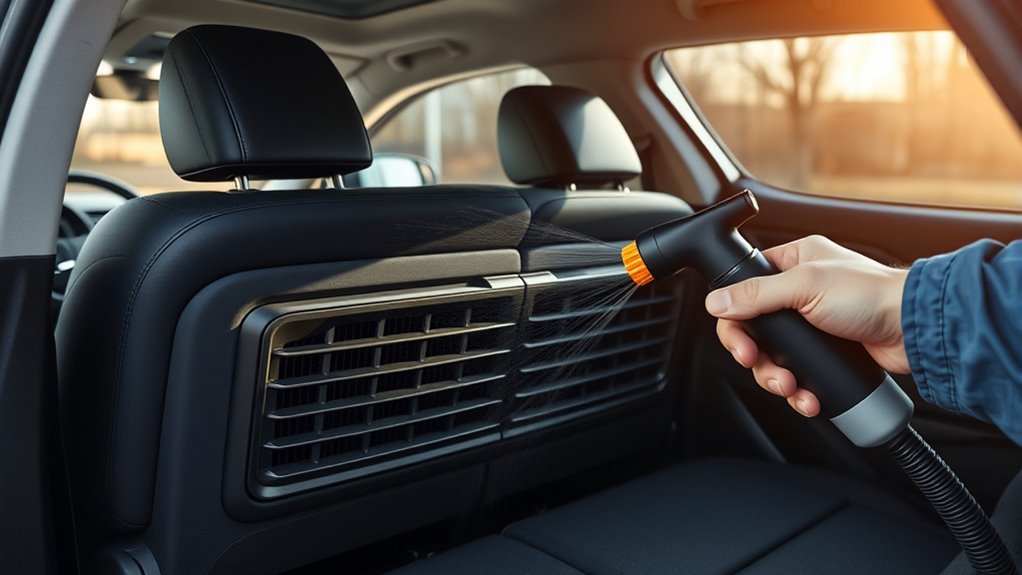
Wondering where to find the hybrid battery air vents in your Toyota SUV? You’ll typically find the vent location near the rear passenger area—check under the rear seat or inside the trunk compartment. Inspect these spots every 5,000 miles to confirm pathways are clear; that cadence keeps airflow importance front and center and reduces risk of heat buildup. Look for grille openings and the blower motor intake; debris around them restricts blower efficiency and compromises battery cooling. You’ll act proactively if you lift the seat cushions and scan visible ducting or remove trim panels per the owner’s manual guidance. The manual will give model‑specific locations and safe access steps so you won’t damage clips or wiring. Treat locating vents as a liberation task: knowing exact placement gives you control over preventive maintenance schedules and helps you avoid avoidable overheating events. Follow the manual, document the vent location, and set inspection reminders.
Clean the Battery Cooling Screen or Filter (Step‑by‑Step)
Start by locating the cooling inlet behind the rear bumper or under the rear seat access panel so you can see the screen or filter mounting. Remove the vent cover by undoing the plastic screw—use a small flat screwdriver for easier access—and pull out the screen or filter. Clear debris with compressed air or a vacuum, and if the paper filter is saturated or torn, replace it to restore proper airflow.
Locate The Cooling Inlet
Locate the cooling inlet under the right-side rear passenger seat by removing the vent cover secured with a plastic screw; carefully turn the screw and, if needed, pry off the fastener with a small flat screwdriver to access the battery cooling screen or filter. You’ll inspect this inlet every 30,000 miles or six months to preserve cooling efficiency and prevent heat buildup that limits your freedom to drive without worry. Position yourself to see the screen clearly, note mounting points, and check for obvious debris blocking airflow. This step emphasizes maintenance importance: a clear inlet enables consistent airflow to the battery pack. You’ll prepare compressed air or a vacuum for cleaning or replacement tools for a paper filter, keeping the system reliable and under your control.
Remove Screen Or Filter
With the vent cover off and the cooling inlet visible, remove the screen or filter carefully to avoid dislodging trapped debris into the duct. Locate the plastic screw under the right-side rear passenger seat; if it won’t loosen, use a small flat screwdriver to pry the fastener gently. Lift the screen or filter straight out to prevent cascade of dust. Inspect for lodged debris, tears, or saturated media. For screen maintenance, work outdoors or over a tray and use short bursts of compressed air aimed away from the duct opening. Note the construction and filter materials — foam, mesh, or paper — so you treat or replace appropriately. Check this element every six months and track mileage to avoid cooling loss or battery stress.
Clean Or Replace Filter
Grab the screwdriver and remove the vent cover under the right-side rear passenger seat so you can access the cooling screen or filter; you’ll then inspect the element and either clean it with compressed air/vacuum or replace it if it’s a paper media or visibly saturated. You’ll follow maintenance tips: check every six months and swap at 30,000 miles. Use compressed air from the clean side to avoid embedding debris; a vacuum works for light dust. If the filter is paper, don’t attempt cleaning — replace it.
| Step | Action | Outcome |
|---|---|---|
| 1 | Inspect element | Detect damage/saturation |
| 2 | Clean with air/vacuum | Restores airflow |
| 3 | Replace paper filter | Guarantees proper cooling |
This keeps battery temps controlled and freedom on the road.
Replace Paper Battery Filters: Parts and Fitment Tips
Every 30,000 miles you should swap the paper vent filter to keep hybrid battery airflow and cooling within spec. You’ll choose filter materials that balance porosity and structural integrity—usually pleated paper rated for automotive vents—to preserve airflow dynamics while trapping particulates. Locate the vent cover beneath the right-side rear passenger seat; a plastic screw secures it and may need patience or a gentle extra technique to loosen without breaking the fastener. Inspect the old filter for compression or oil contamination and compare dimensions to the replacement; a snug fit prevents bypass and maintains designed flow rates. If the original fastener fails, source a compatible replacement fastener matched to thread size and head type so the cover seals reliably. Check the filter every six months and follow clear video guides if you want hands-on instruction. Replacing the paper element is a liberating maintenance step that keeps cooling performance efficient and extends battery life.
Tools and Supplies You Need for Safe Cleaning
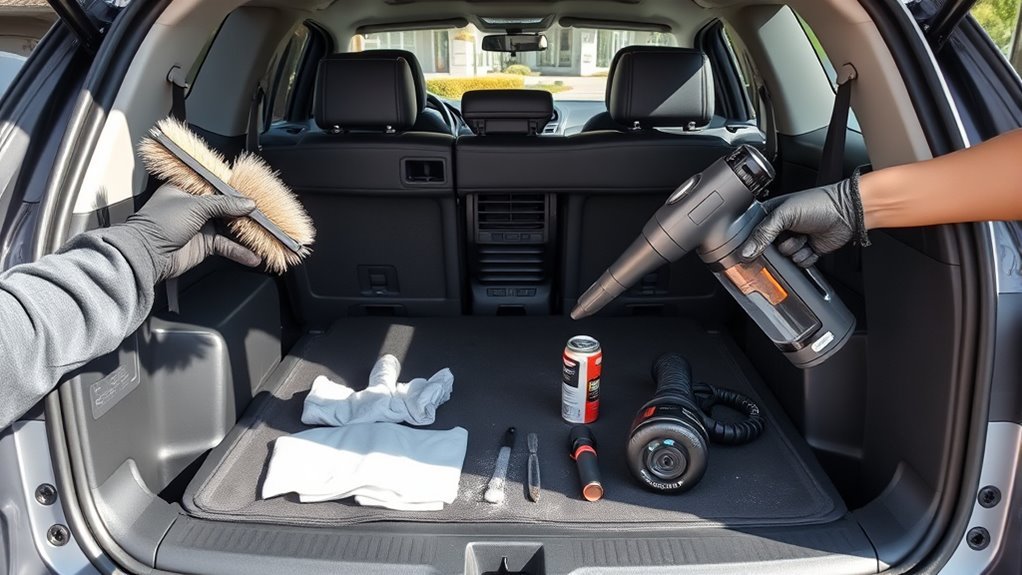
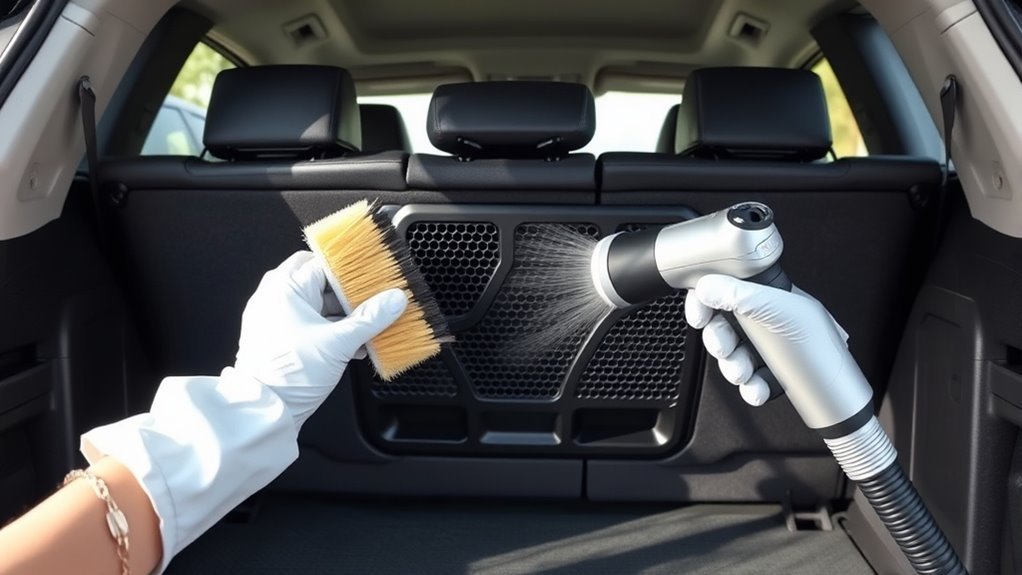
Start with a compact kit: a vacuum with a soft-brush attachment, a can of compressed air or an electric blower, a small flat screwdriver for prying covers, and a set of replacement fasteners sized to the factory thread and head type. You’ll add gloves, safety glasses, and a lint-free cloth to protect components and yourself. These maintenance tools let you apply targeted cleaning techniques without cutting corners.
Use the vacuum brush to sweep loose dust, then follow with short bursts from compressed air to dislodge trapped particles in screens and louvers. Employ the flat screwdriver only to lift clips or pry covers gently; avoid forcing fasteners. If a clip snaps, swap in a matching replacement fastener from your kit to preserve seal integrity.
Carry a small parts tray and marker to track removed hardware. Keep procedures simple, repeatable, and empowering—so you reclaim control over vehicle upkeep while minimizing risk to the hybrid battery system.
How Often to Inspect and Replace the Hybrid Battery Filter
Inspect the hybrid battery filter every 6 months to confirm unobstructed airflow and spot early signs of clogging. Replace the filter at roughly 30,000 miles to preserve cooling efficiency and reduce thermal stress on the battery pack. Following this schedule helps you avoid cooling-related warnings and keeps maintenance predictable.
Inspect Every 6 Months
Because airflow directly affects cooling, check the hybrid battery filter at least every six months to guarantee vents stay clear and the cooling system works efficiently. You’ll practice disciplined filter maintenance to support airflow optimization and prevent overheating that triggers dashboard warnings. Inspect visually and by feel: note dirt, compression, or tears. Use compressed air or a vacuum for reusable filters; swap paper elements immediately. Document condition and any cleaning performed so you can detect accelerating clog rates. Regular six-month checks catch blockages early, preserving battery life and vehicle performance. If you encounter persistent contamination or damage, schedule professional service rather than delaying. This routine keeps the battery cooling path free, empowering you to maintain range and reliability without compromise.
Replace Every 30,000 Miles
You’ve already been checking the filter every six months; now schedule full replacements at the 30,000-mile mark or sooner if the element shows significant dirt, compression, or tears. You’ll inspect for blockage, compression, and contamination—replace immediately when dirt accumulation reduces visible fiber density. Use compressed air or a vacuum to clear light debris between replacements; that preserves filter longevity and maintains airflow to the battery cooling system. Treat the 30,000-mile interval as required maintenance frequency, not optional. Regular swaps prevent dashboard warnings, overheating, and efficiency loss that constrain your driving freedom. Keep records of each replacement and any interim cleanings so you can defend operating range and performance. Replace proactively to stay liberated from preventable failures.
Troubleshoot Poor Airflow: Blockages, Loose Vents, and Leaks
When airflow drops, start by checking the battery cooling inlet and vents every 5,000 miles for blockages or debris that can trigger overheating warnings; also verify vents are securely connected and seals show no leaks, since loose fittings or moisture intrusion will reduce cooling efficiency and risk electrical shorts. Inspect visible ducting for blockage causes: leaves, mud, and road grit commonly accumulate where inlet geometry slows flow. Remove debris by hand, then use compressed air to blow through vents, fan housing, and filters to achieve airflow improvement. Wiggle vents and clamps to confirm secure fittings; tighten or replace fasteners if movement exists. Examine seals and junctions for dampness or corrosion—repair or reseal with OEM materials to prevent moisture paths that can short electronics. After cleaning, run the cooling fan briefly and recheck flow feel at outlets. These focused checks free you from needless worry and keep battery temperatures controlled without complex diagnostics.
Read Battery‑Cooling Dashboard Warnings and Driveability Rules
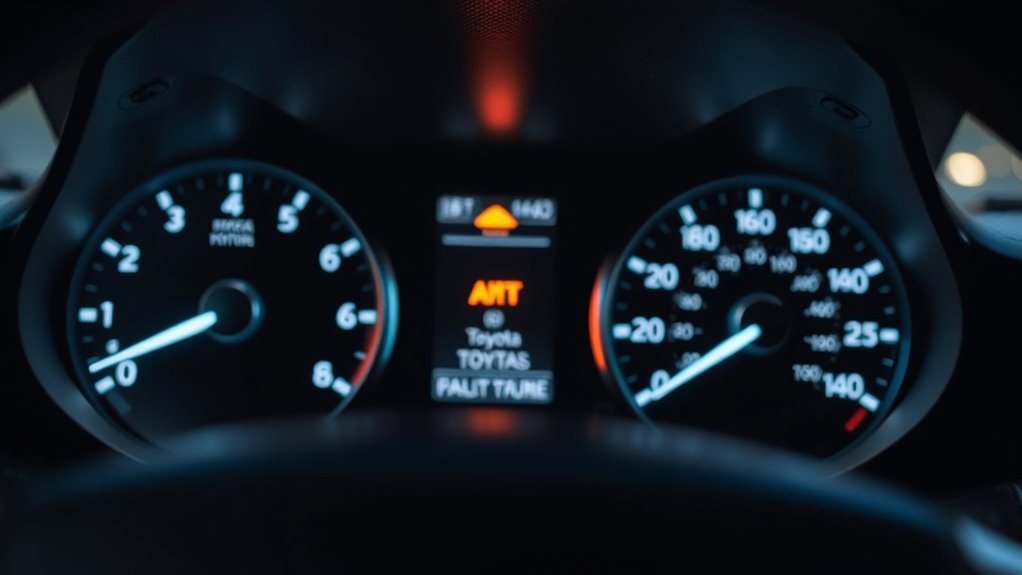
If a battery‑cooling warning appears on your dashboard, don’t ignore it—this message signals a cooling‑system performance issue, not a maintenance mileage alert. You can still drive, but treat the warning as urgent: check the battery cooling inlet for blockages to prevent overheating and secondary warnings. Address root causes — clean or replace clogged filters — to clear dashboard alerts and restore normal operation.
| Indicator | Immediate Action | Risk |
|---|---|---|
| Single warning | Inspect inlet/filter | Elevated temps |
| Second warning | Stop and cool down | Rapid degradation |
| Persistent alert | Service/replace filter | Permanent damage |
| No warning | Scheduled checks | peak performance |
Follow a 5,000‑mile inspection interval to prevent messages and reduce performance impacts. The cooling warning clears only after you fix the issue; don’t expect software resets to solve physical blockages. Stay proactive, maintain airflow, and preserve your vehicle’s autonomy and reliability.
Quick Checks to Avoid False Warnings: 12V, Seals, and Wiring
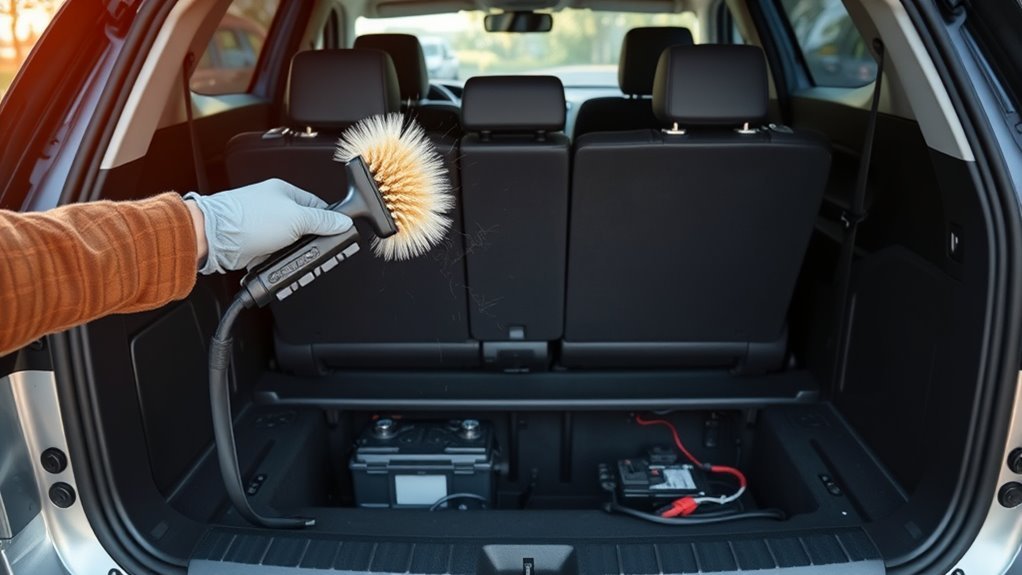
Before you troubleshoot vents, check the basics: inspect the 12‑volt battery every 6–12 months for charge and corrosion since a weak 12V often throws false warnings. Verify seals around tail lights, the hatch, and trunk for water intrusion and fitment issues, and place moisture absorbers in the battery compartment if humidity is present. Finally, confirm all power cable connections are tight and corrosion‑free and address any engine or check‑engine issues promptly so the hybrid charging system can operate normally.
12V Battery Health
Because electrical issues can mimic hybrid-system faults, you should perform quick checks on the 12‑volt battery, compartment seals, and wiring at regular intervals to avoid false warnings and prevent starts from failing. Test the 12‑volt every 6–12 months and record results; this simple step protects battery longevity tips and dispels hybrid maintenance myths that neglect small batteries. Verify vent paths are clear so the hybrid pack cools. Inspect seals visually for gaps or water stains—document any service to preserve warranties. Check wiring for corrosion or frayed insulation, focusing on salt-prone environments. Tighten loose terminals and replace compromised connectors immediately. These actions keep systems honest, reduce false alerts, and free you from unnecessary shop visits while preserving vehicle reliability and warranty compliance.
Seals And Wiring Inspection
When you inspect seals and wiring every 5,000 miles, focus on tail‑light and hatch seals for water stains or gaps and on connectors for corrosion or frayed insulation; document findings so you’ve a clear service history for warranty claims and troubleshooting. Check the 12‑volt battery condition first—weak voltage can create false warnings that mask real hybrid issues. Verify seal integrity visually and by pressing seals to confirm compression. Probe connectors for wiring corrosion, secure clips, and proper routing to avoid chafing. Record measurements, photos, and actions taken.
- Relief: find and fix leaks before damage spreads.
- Confidence: eliminate false alerts that restrict mobility.
- Control: tighten, clean, or replace compromised connectors.
- Freedom: keep systems reliable and warranties intact.
When to Get Professional Service or a Hybrid Health Check
If you drive a hybrid, get a professional Hybrid Health Check every 5,000 miles to verify battery performance, detect early wear, and keep warranty coverage intact. You’ll use hybrid maintenance tips and battery performance insights to decide when to bring the SUV in. Toyota-trained mechanics have the tools and calibration to measure cell balance, cooling flow, and control-module status. Regular checks catch degraded cooling passages, blocked vents, and wiring issues before they escalate, saving you time and money and preserving your autonomy on the road.
| Service Item | Purpose |
|---|---|
| Cell balance test | Detects uneven aging |
| Cooling-system inspection | Clears vent/blockage risks |
| Wiring & seals check | Prevents shorts and leaks |
| Control-module scan | Flags fault codes |
| Warranty documentation review | Keeps coverage valid |
When readings or inspections show anomalies, book service promptly. You deserve a reliable system; scheduled professional checks keep the battery efficient and your freedom intact.
Habits to Prolong Hybrid Battery Life After Maintenance
After a professional Hybrid Health Check, keep the gains by adopting simple habits that reduce battery stress and maintain cooling efficiency. You’ll extend life through disciplined driving habits and regular battery maintenance. Clean air vents and filters about every 30,000 miles to preserve airflow; schedule 5,000-mile inspections to catch cooling-system issues early. Drive at least 400 miles monthly to keep cells active, and avoid frequent short trips that stop full warm-up cycles.
After a Hybrid Health Check, keep gains with simple habits: clean vents, inspect every 5,000 miles, and drive 400+ monthly.
- Maintain moderate speeds and use regenerative braking to lower stress and heat buildup—feel the control.
- Clean vents and replace or clean filters on schedule to prevent overheating—stay empowered.
- Drive consistent monthly distances and combine short trips into longer runs to preserve charge cycles—reclaim freedom.
- Keep 5,000-mile inspection appointments and log maintenance to catch problems early—own your battery’s future.
These practical, technical habits let you maximize hybrid performance and liberate yourself from unexpected failures.
Frequently Asked Questions
How to Keep a Hybrid Battery Healthy?
You keep a hybrid battery healthy by regular battery maintenance: inspect and clean the cooling system every 5,000 miles, replace inlet filters at 30,000, use compressed air for reusable filters, monitor health indicators, and drive 400 miles monthly.
What Not to Do With Hybrid Cars?
You’d never ignore warnings like the apocalypse is coming; don’t skip battery maintenance, adopt poor charging habits, use water/chemicals, avoid inspections, or favor constant short trips — those choices trap you, limiting your hybrid’s freedom.
Conclusion
Keep hybrid battery air vents clean to avoid overheating and costly repairs—clogged vents can cut cooling efficiency by up to 30%, raising cell temps and shortening pack life. Inspect vents and filters regularly, clear debris, and replace paper filters as specified. Use the right tools, check 12V, seals and wiring, and follow dashboard warnings. If you see persistent codes or reduced performance, get a professional hybrid health check promptly to protect longevity.