
You can reset the Toyota Land Cruiser Maintenance Required light yourself, but you should do it only after the scheduled service is complete. The correct reset method depends on the model year, instrument cluster, and market. Older 200-series models usually use the trip/odometer reset method, while later models use the Multi-Information Display menu.
Quick Answer
To reset a Land Cruiser Maintenance Required light, finish the service first, turn the ignition or power mode on without driving, then use either the trip/odometer reset button on older models or the Maintenance/Oil Maintenance reset option in the Multi-Information Display on newer models.
Key Takeaways
- Do not reset the light until the oil change or scheduled maintenance is complete.
- Most 2008-2015 Land Cruisers use the Trip A and odometer-reset-button method.
- Most 2016-2021 and 2024+ Land Cruisers use the Multi-Information Display maintenance menu.
- The Maintenance Required light is a service reminder, not the same as a check-engine, oil-pressure, brake, or battery warning.
- Keep service records with the date, mileage, oil type, filter, and work performed.
At a Glance
| Time Required | 2-5 minutes after the service is complete |
| Difficulty | Easy |
| Tools Needed | No tools for the reset; service supplies only if maintenance is still due |
| Cost | $0 for the reset; maintenance cost varies by service |
What the Maintenance Required Light Means
The Maintenance Required light is a scheduled service reminder. It usually tells you the vehicle is due for routine maintenance, such as an oil change, inspection, or mileage-based service.
It does not mean the same thing as a check engine light, oil-pressure warning, brake warning, battery warning, overheating warning, or hybrid-system warning. Those alerts can point to active faults and should not be ignored or cleared without diagnosis.
Warning: Resetting the reminder does not perform the service. If the oil is old, the filter is overdue, or another warning light is active, complete the repair or inspection before clearing the reminder.
How to Reset the Maintenance Required Light (Quick Steps)

Start by parking safely, setting the parking brake, and turning off accessories that are not needed. Confirm the service is complete, then choose the reset method that matches your Land Cruiser model year and instrument cluster.
| Model Years | Most Likely Reset Method |
| 2008-2015 Land Cruiser | Trip A plus odometer/trip reset button |
| 2016-2021 Land Cruiser | Multi-Information Display maintenance menu |
| 2024+ North American Land Cruiser | Multi-Information Display vehicle settings menu |
| Imported/global 2022-2023 models | Use the exact owner manual for your market, engine, and display type |
Note: Toyota directs owners to select their exact vehicle to access the correct manuals and warranty information. If your menu names differ from the steps below, use the manual for your model year and region.
[Products Worth Considering]

Custom-fit floor mats and cargo liner designed to provide edge-to-edge protection for the Toyota Land Cruiser Prado. Made from durable TPE material, they offer all-weather defense against rain, slush, snow, mud, and everyday dirt while remaining easy to install, clean, and maintain. The odorless, non-slip design helps keep your interior safer, cleaner, and more comfortable in every season.
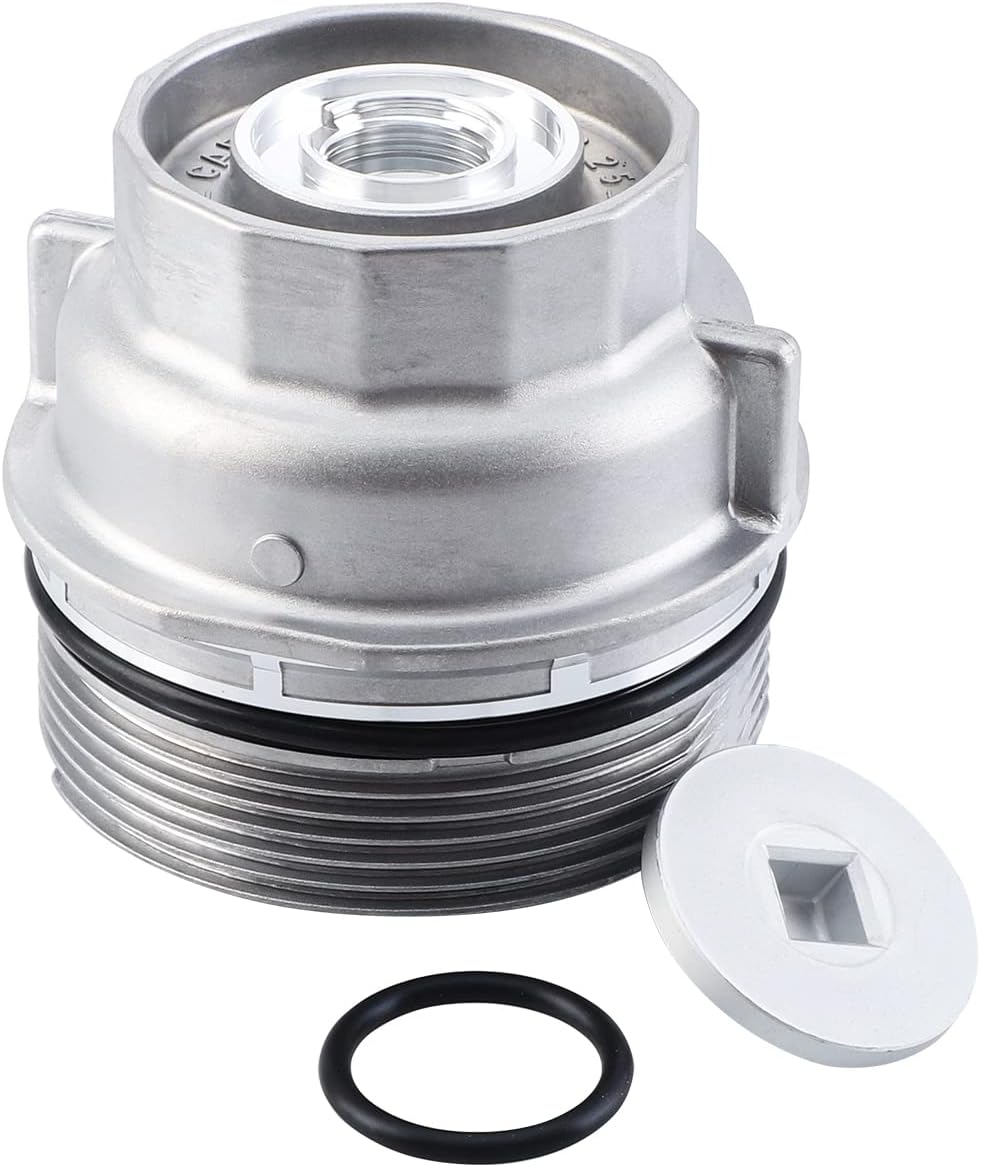
This oil filter housing cap assembly is designed as a replacement for select Toyota and Lexus vehicles, helping restore proper sealing and reliable oil filter function during routine maintenance. Built to meet OEM standards, it supports leak-free performance and long-lasting durability while fitting a wide range of popular models across multiple years.

These genuine Toyota oil drain plug gaskets are designed to help maintain a reliable seal during oil changes, reducing the chance of leaks and supporting proper engine maintenance. With an OEM fit and trusted Toyota quality, they are a practical choice for routine service on compatible vehicles. The convenient quantity pack is ideal for keeping multiple maintenance intervals covered.
Reset Steps for 2008-2015 Land Cruisers
Many 2008-2015 Land Cruisers use the trip/odometer reset method. Follow the sequence carefully because the reset may fail if you start with the wrong trip display.
- Park the vehicle and turn the ignition to ON without starting the engine.
- Press the trip/odometer button until Trip A appears on the display.
- Turn the ignition back to OFF.
- Press and hold the trip/odometer reset button.
- While holding the button, turn the ignition back to ON without starting the engine.
- Keep holding the button until the display finishes counting down or shows zeros, then release it.
- Turn the ignition off, then start the vehicle and confirm the Maintenance Required light stays off.
If the light does not reset, repeat the steps and make sure Trip A is selected before you turn the ignition off. Using Trip B or the total odometer can stop the sequence from working on many Toyota displays.
Reset Steps for 2016-2021 Land Cruisers
Most 2016-2021 Land Cruisers use the Multi-Information Display and steering-wheel controls instead of the older trip-button sequence.
- Park safely and switch the ignition or power mode to ON.
- Use the steering-wheel controls to open the settings menu on the Multi-Information Display.
- Select Vehicle Settings or the maintenance-related settings menu.
- Choose Scheduled Maintenance, Oil Maintenance, or Maintenance Reset, depending on your display wording.
- Select Reset or Yes when the display asks for confirmation.
- Turn the ignition off, restart the vehicle, and confirm the reminder is gone.
Pro Tip: If you cannot find the maintenance menu, scroll through the gear-shaped settings tab. Some Toyota displays hide maintenance reset options under vehicle settings rather than the main information screen.
Reset Steps for 2024 and Newer North American Land Cruisers
The Land Cruiser returned to North America for the 2024 model year with a different platform and newer display system. For 2024 and newer North American models, use the display menu rather than a gas-pedal sequence.
- Park the vehicle and press the power button without driving.
- Open the Multi-Information Display settings using the steering-wheel controls.
- Go to Vehicle Settings.
- Open the maintenance or oil maintenance setting.
- Select Reset and confirm the prompt.
- Restart the vehicle and confirm the reminder no longer appears.
If you own a 2022 or 2023 Land Cruiser from a market outside North America, do not assume the 2024+ North American process applies. Use the manual for your region, engine, and display because Toyota sold different Land Cruiser generations in different markets.
Ignition Mode and Timing Required for the Reset
The reset only works when the vehicle is in the correct power mode. For key-start models, turn the key to ON without starting the engine. For push-button models, press the Start button without pressing the brake pedal unless your display requires a different mode.
Correct Ignition Position
Use the mode that powers the instrument cluster and Multi-Information Display but does not move the vehicle. The engine can stay off for most reset procedures. If the display is dim, blank, or slow to respond, check the 12-volt battery condition before repeating the reset.
Timing Sequence Steps
Older trip-button methods require steady timing. Hold the reset button before switching the ignition back to ON, and keep holding it until the display finishes the reset animation. Newer menu-based resets do not need fast pedal presses. They need the correct menu path and confirmation prompt.
Confirm the Reset and Troubleshoot Common Issues
After the reset, restart the vehicle and look at the instrument cluster. A successful reset means the Maintenance Required message no longer appears during the startup check.
Verify Indicator Is Off
- Turn the vehicle off after the reset.
- Restart it normally.
- Watch the startup warning-light check.
- Confirm the Maintenance Required message stays off.
- Record the service date, mileage, oil type, filter, and reset confirmation.
Troubleshoot Persistent Warning
If the reminder stays on, use the symptom to narrow the problem.
| Problem | What to Check |
| Light stays on after reset | Wrong trip display, wrong menu, missed confirmation prompt, or incorrect ignition mode |
| Display will not open settings | Low 12-volt battery, inactive power mode, steering-wheel control issue, or cluster problem |
| Reminder returns soon | Service interval was not reset, maintenance remains overdue, or the wrong reset item was selected |
| Other warning lights remain on | Do not treat them as maintenance reminders. Diagnose the active warning separately. |
If the reset still fails after two careful attempts, check the owner manual for your exact vehicle or ask a Toyota service department to confirm the correct procedure.
What to Do Before You Reset (Oil Change Checklist & Inspections)
Before you reset the Maintenance Required light, confirm the scheduled service is actually complete. A reset should close the service record, not hide unfinished maintenance.
- Confirm the oil change was completed if the oil service was due.
- Verify the correct oil viscosity and specification from the oil cap, owner manual, or maintenance guide.
- Confirm the oil filter is installed correctly and the old gasket did not stick to the housing.
- Check the dipstick after the engine has been run and parked on level ground.
- Inspect for leaks around the drain plug, filter housing, and oil-fill cap.
- Check coolant, brake fluid, washer fluid, and visible belts or hoses.
- Check tire pressure and tread condition.
- Record the date, mileage, parts used, and any issues found.
Note: If your Land Cruiser is under a maintenance plan, warranty, or certified used program, keep receipts and service records even when you reset the reminder yourself.
[Products Worth Considering]

The Autel MaxiCOM MK900BT is a professional bidirectional diagnostic scan tool built for modern vehicles with advanced system coverage and fast, accurate troubleshooting. It supports 3000+ active tests, 40+ service functions, all-system diagnostics, Auto VIN, pre/post scan reports, and newer vehicle protocols for broad compatibility. Designed for technicians and serious DIY users, it delivers efficient maintenance, smarter diagnostics, and expanded service capabilities across a wide range of makes and models.

These custom floor mats are designed to fit the Toyota Land Cruiser GX550 with a 5-seat layout for a precise, secure install. Made from durable TPE, they help shield your interior from spills, mud, snow, dirt, sand, pet hair, and everyday debris while making cleanup quick and easy.

This A-Premium cartridge engine oil filter is designed for a wide range of Toyota and Lexus vehicles, helping support cleaner oil flow and dependable engine protection. With high filtration efficiency and included O-rings, it offers a practical replacement solution for routine maintenance. Built for extended service intervals, it is suitable for conventional or synthetic oil applications.
Recommended Oil and Realistic Service Intervals
Use the oil viscosity and specification listed for your exact Land Cruiser. Many late U.S. Toyota models specify low-viscosity synthetic oil, but the correct oil can vary by model year, engine, market, climate, and operating conditions.
Follow the maintenance guide for your vehicle instead of using a single mileage rule for every Land Cruiser. Severe driving can shorten service intervals. That includes frequent towing, dusty roads, repeated short trips, heavy idling, extreme heat, extreme cold, and off-road use.
A reset is only a reminder reset. Your real maintenance schedule should come from the owner manual, maintenance guide, and your actual driving conditions.
Dealer vs DIY Reset: Pros, Cons, and Warranty Impact
You can reset the maintenance reminder yourself, but the better choice depends on how the service was performed and how carefully you keep records.
| Option | Best For | Main Tradeoff |
| DIY reset | Owners who completed the service and keep receipts | You must document the work yourself |
| Dealer reset | Warranty, ToyotaCare, resale records, or uncertain service history | Less convenient, but creates a clear service entry |
A dealer reset does not magically protect a vehicle if service was skipped. A DIY reset also should not hurt you when the correct service was completed and documented. The safest approach is simple: perform the maintenance, keep proof, then reset the reminder.
[Products Worth Considering]
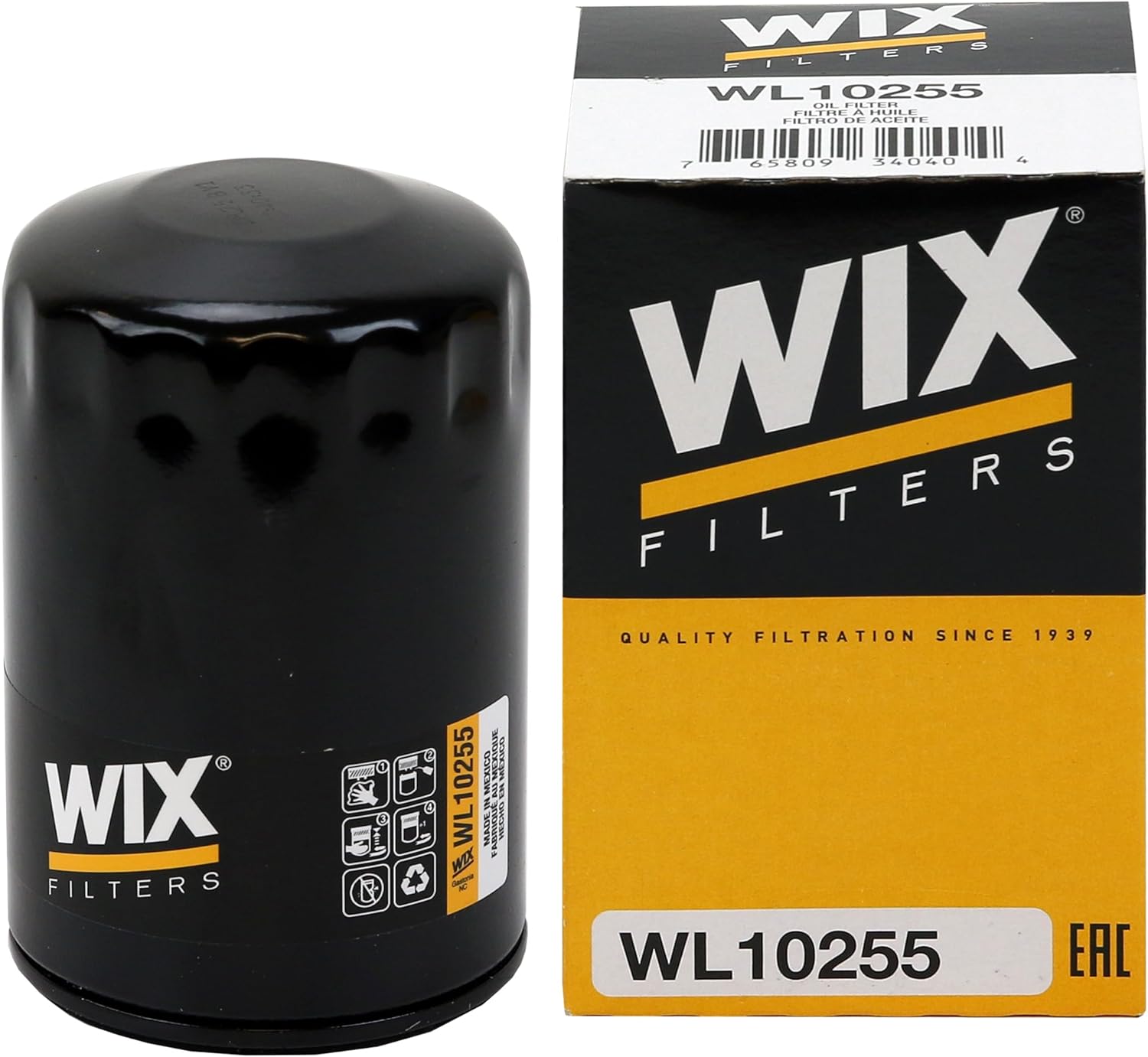
WIX WL10255 is a premium oil filter designed for synthetic and high-mileage oils, delivering reliable protection in everyday driving, towing, stop-and-go traffic, and long highway trips. Its advanced blended media captures fine contaminants with high efficiency, while the silicone anti-drainback valve helps prevent dry starts and supports dependable engine performance over extended service intervals.

This replacement gas cap is designed to restore a tight fuel-tank seal, helping reduce vapor leaks, prevent check engine light issues, and maintain proper fuel system performance. Built in OE-style form for a wide range of Toyota and Lexus vehicles, it offers a direct DIY fix with durable materials for reliable, long-lasting use.

Turn your iPhone, Android device, or Windows PC into a professional-grade diagnostic scan tool with this Bluetooth OBD2 adapter. It is designed for broad vehicle compatibility and supports popular apps for deeper diagnostics, live data, and code clearing. Built-in protections and firmware updates help keep your vehicle and scanner safe while delivering reliable performance.
Quick Maintenance Checklist to Prevent False Maintenance Required Alerts
A short monthly checklist can help you catch small maintenance issues before warning messages interrupt your drive.
- Check engine oil level and look for leaks.
- Check coolant, brake fluid, and washer fluid.
- Inspect tires for pressure, tread depth, and uneven wear.
- Test exterior lights and brake lights.
- Check wiper blades and washer spray.
- Review mileage against the maintenance schedule.
- Keep all receipts and service notes in one folder.
This habit makes the reset process easier because you will know whether the light is only a mileage reminder or a sign that maintenance is still overdue.
Frequently Asked Questions
How do you reset the maintenance light on a 2020 Land Cruiser?
On most 2020 Land Cruisers, use the steering-wheel controls and Multi-Information Display. Turn the ignition on, open the settings menu, choose the maintenance or oil maintenance reset option, confirm the reset, then restart the vehicle to verify the reminder is gone.
Can I reset the Land Cruiser Maintenance Required light before changing the oil?
You can physically reset it, but you should not. The reminder is meant to track service. Resetting it before the oil change or inspection can make the next service interval inaccurate.
Is the Maintenance Required light the same as the check engine light?
No. The Maintenance Required light is usually a scheduled service reminder. A check engine light points to a fault stored by the vehicle’s diagnostic system and may require a scan tool and repair.
Why does the Maintenance Required light come back after I reset it?
The reset may not have completed, the wrong menu item may have been selected, the wrong trip display may have been used, or the vehicle may still show another maintenance item. Repeat the correct model-year procedure and confirm the startup display afterward.
Will disconnecting the battery reset the Maintenance Required light?
Do not rely on disconnecting the battery. It can erase other settings and may not reset the maintenance reminder correctly. Use the trip/odometer or Multi-Information Display reset method for your model year.
Conclusion
Resetting your Land Cruiser Maintenance Required light is easy when you match the procedure to the correct model year. Use the trip/odometer method on many 2008-2015 models, the Multi-Information Display on most 2016-2021 models, and the vehicle settings menu on 2024+ North American models.
Finish the service first, verify the reminder is off, and keep a clean service record. If your Land Cruiser is imported, modified, or has a different display menu, use the exact Toyota manual for your market before you reset anything.
Sources
- Toyota Owners Manuals and Warranties — supports using the exact owner manual for vehicle-specific procedures.
- ToyotaCare & Maintenance Plans — supports Toyota scheduled maintenance and maintenance-plan context.
- Toyota USA Newsroom: 2024 Land Cruiser Returns to its Origin — supports current North American Land Cruiser generation, powertrain, warranty, and ToyotaCare context.




[…] guides: how to reset the maintenance required light on a Toyota · what the electronic stability control light […]