Reviewed for accuracy against current federal guidance and TPMS service documentation · Last updated: July 15, 2026
TPMS reset and TPMS relearn are not the same operation, but manufacturers and tool makers do not always use those labels consistently. In practical terms, a reset or initialization usually starts a pressure recheck or stores a pressure baseline. A relearn registers sensor IDs or updates wheel positions. Programming configures a blank aftermarket sensor, while activation wakes a sensor so a tool or vehicle can read it. An exact ID clone installed in the same position may not need an ID relearn. Always confirm the procedure for the exact year, make, model, trim, and sensor type.
Quick Answer
Use a TPMS reset or initialization after correcting tire pressure when the owner’s manual requires a new baseline or system recheck. Use a relearn when the vehicle must accept new sensor IDs or update wheel positions. Program a blank aftermarket sensor before relearning it. A correctly cloned sensor using the original ID may not need an ID relearn when it returns to the same position, but the vehicle and sensor-tool instructions must confirm that exception.
Key Takeaways
- Reset or initialization usually means starting a pressure recheck or saving a new pressure baseline after the tires are corrected.
- Relearn means teaching the vehicle new TPMS sensor IDs or updating their wheel locations.
- Programming configures a blank or universal aftermarket sensor for a supported vehicle application.
- Activation wakes or triggers a sensor so a compatible tool or vehicle can read its transmitted data.
- Exact ID cloning may avoid an ID relearn when the replacement carries the original ID and returns to the same wheel position.
- Procedure names vary. Follow current OEM service information rather than relying only on a menu label or tool advertisement.
At a Glance
| Time Required | 5–45 minutes, depending on the vehicle and relearn method |
| Difficulty | Easy for pressure resets; moderate to professional for sensor service and registration |
| Tools Needed | Accurate tire gauge, air source, owner’s manual, and sometimes a compatible TPMS activation, programming, scan, or OBD tool |
| Cost | Often free for a basic pressure reset; sensor programming, tire labor, and shop relearns vary |
Warning: Do not reset TPMS just to hide a warning light. First check all tires cold with a gauge, inflate them to the driver-door placard pressure, inspect for leaks or damage, and do not drive on a visibly low or damaged tire.
TPMS Reset vs Relearn: Are They the Same?
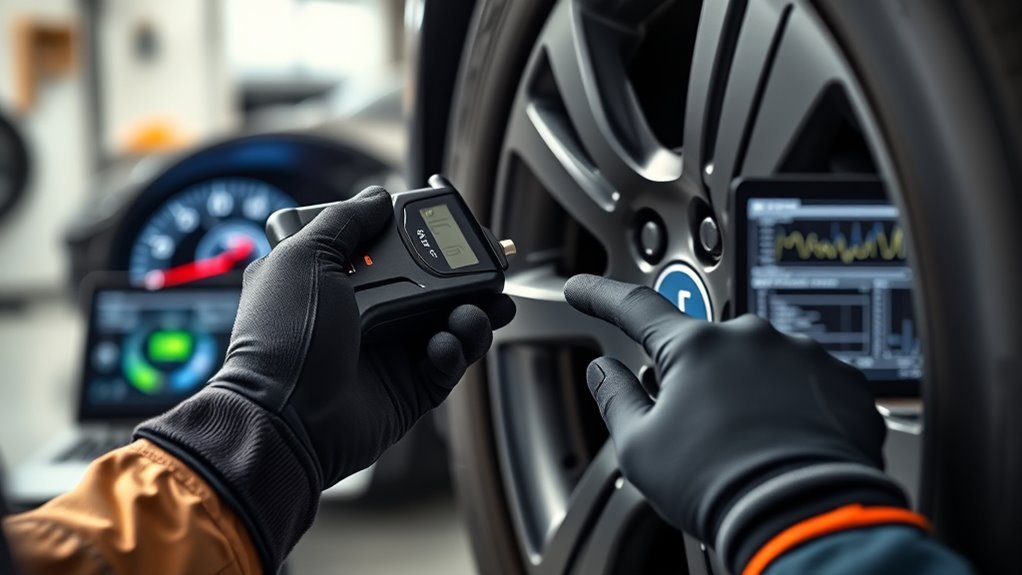
No. A TPMS reset and a TPMS relearn describe different functions, although a manufacturer or tool maker may use the words differently.
A reset or initialization commonly starts a pressure recheck, stores a new pressure baseline, or begins a calibration process after the tires are set correctly. Some systems update automatically after driving and do not provide a manual reset.
A relearn registers sensor IDs or updates the position assigned to each ID. Direct TPMS sensors transmit unique IDs, and the vehicle must recognize the IDs fitted to it. On a position-aware system, it may also need to know which sensor is at the left front, right front, right rear, and left rear.
Terminology warning: The labels are not standardized. One owner’s manual may call pressure-baseline calibration a reset, while another may use reset for sensor registration. Identify what the operation changes, then follow the exact vehicle procedure.
The federal TPMS standard, FMVSS No. 138, defines TPMS as a system that warns when one or more tires are significantly underinflated. It does not create one universal reset or relearn sequence for every vehicle.
Reset, Relearn, Programming, and Activation: The Simple Difference
| Term | What It Does | When You Need It |
|---|---|---|
| Reset or initialization | Starts a pressure recheck, calibration, or baseline-setting process when the vehicle provides that function. | After correcting pressure or servicing an indirect system when the owner’s manual requires initialization. |
| Relearn | Registers new sensor IDs or maps recognized IDs to wheel positions. | After a new ID is introduced, a stored wheel set is changed, or position mapping must be updated. |
| Programming | Configures a compatible blank or universal sensor with the required protocol and ID information. | Before installing many programmable aftermarket sensors. |
| Activation | Wakes or triggers a sensor so it transmits data to a compatible tool or vehicle. | During sensor testing, stationary relearn, OBD relearn, and diagnosis. |
Decision Guide: What Changed?
| Service Event | Likely Action | Why |
|---|---|---|
| Pressure corrected; sensors unchanged | Reset, initialize, or drive only if the owner’s manual requires it. | No new sensor ID has been introduced. |
| Tires rotated | Update positions only when the vehicle displays locations and does not auto-locate them. An indirect system may require initialization. | The IDs may be unchanged, but their positions or learned baseline may have changed. |
| New sensor with a new ID | Program it first if blank, then complete the vehicle-specific relearn. | The vehicle does not yet recognize the new ID. |
| Exact ID clone in the same position | A separate ID relearn may not be required. Verify support with the sensor maker, tool database, and OEM procedure. | The vehicle may continue seeing the same stored ID. |
| Seasonal wheel set with different IDs | Use the supported relearn, alternate-set selection, or auto-learn process. | The vehicle must recognize the active wheel set unless it stores and selects both sets automatically. |
Schrader TPMS explains that its blank programmable sensors must be configured for the vehicle before use. A vehicle relearn is then needed when a new sensor ID is introduced or position information must be updated.
Direct vs Indirect TPMS: Why It Changes the Procedure
Before choosing reset or relearn, identify the type of TPMS on the vehicle.
- Direct TPMS uses pressure sensors mounted at the wheels. Each sensor transmits data and carries an ID. These systems may need ID registration or position relearning when sensors or wheel locations change.
- Indirect TPMS uses wheel-speed and other vehicle data to estimate underinflation. It does not register wheel-mounted pressure-sensor IDs, but it commonly needs initialization after pressure correction, tire replacement, or rotation.
NHTSA TireWise describes direct systems as using sensors at the tires and indirect systems as using wheel-speed and other vehicle-sensor information. That difference explains why one vehicle may need baseline initialization while another needs sensor activation and ID registration.
For a model-specific example of the distinction, see the Hyundai Sonata direct vs indirect TPMS guide.
Note: Some vehicles auto-locate wheel positions after driving. Others require a scan tool, OBD connection, pressure-change sequence, or manual learn mode. Confirm the exact procedure for the year, make, model, trim, and installed sensor.
When to Use a TPMS Reset
Use a TPMS reset or initialization when the sensors are unchanged and the vehicle requires a new pressure baseline, calibration, or system recheck. Set the tires to the correct cold pressure listed on the driver-door placard before starting the procedure.
Do not assume every direct TPMS needs a manual reset after adding air. Some warning lights turn off after the correct pressure is detected, while other systems require a menu command, button sequence, or drive cycle.
Common Times to Reset or Initialize TPMS
- After inflating or deflating tires: Set all tires to the recommended cold PSI, then initialize the system only if the vehicle requires it.
- After seasonal temperature changes: Cold weather can lower pressure. Correct the pressure first rather than resetting a genuinely low tire warning.
- After replacing a tire while keeping the same sensor: If the sensor ID remains unchanged, pressure correction and the prescribed drive or reset process may be enough.
- After service on an indirect TPMS vehicle: Many indirect systems need calibration after pressure correction, tire replacement, or rotation.
- After a false warning is confirmed: If all tires are correct and no system fault is present, follow the vehicle’s initialization procedure.
The Tire Industry Association notes that underinflated tires can be difficult to identify visually and that TPMS does not replace regular pressure checks with an accurate gauge.
For model-specific reset examples, see the Toyota RAV4 tire-pressure light reset guide.
When a Reset Is Not Enough
A reset is not a substitute for relearning when the vehicle must accept a new sensor ID or correct stored wheel-position information. New direct TPMS sensors with new IDs, alternate wheel sets with different IDs, and some position-aware rotations require a vehicle-specific relearn.
An exact sensor clone is an important exception. When a supported programmable sensor receives the original ID and returns to the same position, the vehicle may not need a separate ID relearn. Position mapping, wheel-set selection, and manufacturer requirements can still create exceptions.
Pro Tip: If the warning returns after a reset, stop repeating the same procedure. Recheck pressure cold, test each sensor, verify its ID and application, and then perform the procedure required for that fault.
TPMS Relearn Explained: OBD, Auto, and Stationary Methods
A TPMS relearn registers sensor IDs or updates wheel-position information. According to ATEQ, direct TPMS relearn procedures generally fall into three groups: OBD relearn, auto relearn, and stationary relearn. Some vehicles combine more than one method.
OBD Relearn Process
An OBD relearn transfers sensor IDs to the vehicle through the OBD-II port using a compatible TPMS service tool. It can read the sensors, write supported IDs to the control module, and report whether the transfer succeeded.
- Set all tires to the correct cold placard pressure.
- Select the exact year, make, model, trim, and sensor application in the tool.
- Activate or read each sensor in the order specified by the tool or OEM procedure. Do not assume every vehicle uses the same order.
- Connect the tool to the OBD-II port when prompted.
- Transfer the IDs and wait for confirmation.
- Complete any ignition cycle, initialization, or drive step specified by the procedure.
- Rescan the sensors and verify the warning status and displayed positions.
Auto Relearn and Stationary Relearn
An auto relearn lets a supported vehicle recognize sensors after the tires are set correctly and the vehicle is driven under specified conditions. The required speed, time, ignition cycle, or pressure change varies by vehicle.
A stationary relearn is performed while the vehicle is parked. The vehicle enters learn mode, and an activation tool triggers each sensor in the required sequence. ATEQ describes stationary relearn as transferring sensor IDs without driving while the vehicle is in learn mode.
| Method | Best For | Main Limitation |
|---|---|---|
| OBD relearn | Vehicles that require IDs to be written through the diagnostic connector. | Needs compatible vehicle coverage, software, and an OBD-capable tool. |
| Auto relearn | Vehicles designed to recognize supported sensors while driving. | Will not correct an incompatible, failed, or improperly programmed sensor. |
| Stationary relearn | Vehicles with a manual learn mode and defined activation sequence. | Requires the exact entry sequence and a compatible activation tool. |
For an example of how reset, initialization, and registration differ by model generation, see the Toyota Tundra TPMS relearn guide.
Do TPMS Sensors Need Programming Before Relearn?
Programming happens to a compatible sensor. Relearning happens to the vehicle. Activation only wakes or reads the sensor. These operations may use one multifunction tool, but they remain separate tasks.
OEM replacement sensors and some pre-configured aftermarket sensors already contain supported application data. They may need installation and a vehicle relearn, but no sensor programming. Blank or universal programmable sensors require a compatible tool to configure them before the vehicle can use them.
- Confirm application: Match the year, make, model, frequency, protocol, valve style, and sensor coverage.
- Identify the sensor type: Determine whether it is OEM, pre-configured, multi-protocol, blank programmable, or clonable.
- Program when required: Configure a supported blank sensor before or during installation as its instructions specify.
- Install the correct hardware: Use the specified service kit, valve components, and torque values.
- Relearn when required: Register a new ID or update wheel positions using the supported method.
- Validate the service: Confirm IDs, pressure readings, positions, and warning-light status.
Can an Activation Tool Also Program Sensors?
Not necessarily. An activation tool may only send a wake-up signal and read supported sensor data. A programming tool must support writing the selected programmable sensor. An OBD-capable tool must also support the vehicle before it can transfer IDs to the TPMS module.
Do not assume a product can program sensors because its name includes “reset,” “relearn,” or “programmer.” Check its supported sensor brands, vehicle coverage, programming functions, and OBD capability separately.
Bartec explains that an activation tool sends a low-frequency wake-up signal and receives transmitted information such as sensor ID, pressure, temperature, and battery condition. Writing an ID to the vehicle requires separate supported communication with the vehicle.
Step-by-Step Workflows for Common TPMS Jobs
[Products Worth Considering]

The AICEL TPMS Relearn Tool helps quickly reset and relearn tire pressure sensors on compatible GM vehicles after tire rotation, sensor replacement, or warning light issues. Designed for easy handheld use, it works with most cars, SUVs, and pickup trucks and can save time by eliminating unnecessary trips to the auto store. Its durable ABS housing and simple activation process make it a practical tool for keeping the tire pressure monitoring system operating properly.

This EL-50448 TPMS relearn tool helps quickly activate and reset tire pressure sensors so your vehicle’s monitoring system stays accurate after tire rotations, sensor replacement, or seasonal tire changes. Designed for many GM-related vehicles and compatible with common 315 and 433 MHz TPMS systems, it offers simple one-button operation and reliable performance for clearing warning lights and relearning sensor positions.

Masoll’s TPMS sensor set includes four advanced sensors and a relearn tool to help GM vehicle owners replace factory tire pressure sensors at home. Designed for broad compatibility with GM vehicles after 2006, it supports dual-frequency operation for easier fitment across Chevy, GMC, Buick, Cadillac, Pontiac, and select trucks. With low power use, high accuracy, and DIY installation, it offers a convenient way to clear TPMS warnings and restore proper tire pressure monitoring.
1. Pressure Correction Only
- Check all tires cold with a reliable gauge.
- Inflate to the driver-door placard pressure, not the maximum PSI printed on the tire sidewall.
- Check the spare if the vehicle monitors it.
- Drive, reset, or initialize only as the owner’s manual instructs.
- If the light stays on, inspect for a leak and test the TPMS system.
2. Tire Replacement With the Same Sensor
- Test the existing sensor before removing the tire.
- Inspect the sensor body, valve, seal, nut, screw, and service kit.
- Replace service components when required by the sensor maker.
- Mount and balance the tire without contacting or damaging the sensor.
- Set cold pressure to the placard PSI.
- Complete the prescribed drive, reset, or initialization process.
3. Tire Rotation
- Rotate the tires according to the vehicle or tire manufacturer’s pattern.
- Check and correct cold pressure at each position.
- If the vehicle displays tire locations, update the positions unless it auto-locates them after driving.
- If the vehicle uses indirect TPMS, complete any required baseline initialization.
- Confirm that displayed pressures match the correct wheel positions.
4. New Sensor Replacement
DIY limit: Replacing an internal wheel-mounted sensor normally requires tire-service equipment. Incorrect valve, nut, screw, or service-kit torque can damage the sensor or cause an air leak.
- Identify whether the replacement is OEM, pre-configured, programmable, or clonable.
- Confirm that the sensor and tool support the exact vehicle application.
- Program a blank sensor or copy the original ID when the chosen repair method supports it.
- Install the sensor with the specified hardware and torque.
- Activate the sensor to confirm that it transmits the expected ID and data.
- Perform a relearn if a new ID was introduced or the vehicle requires registration.
- Rescan and complete any required drive cycle.
5. Cloned Sensor or Winter/Summer Wheel Set
- Read and record the original sensor IDs before removing the wheels when possible.
- If using an exact clone, copy the original ID to a compatible sensor and return it to the same position.
- Confirm whether the vehicle and sensor instructions allow that clone to operate without an ID relearn.
- If the seasonal wheel set carries different IDs, use the vehicle’s supported relearn, alternate-set selection, or auto-learn procedure.
- Set every tire to its correct cold placard pressure.
- Verify each sensor ID and displayed wheel position after installation.
- Confirm that the warning remains off after the required ignition or drive cycle.
Troubleshooting: Why the TPMS Light Stays On After Service
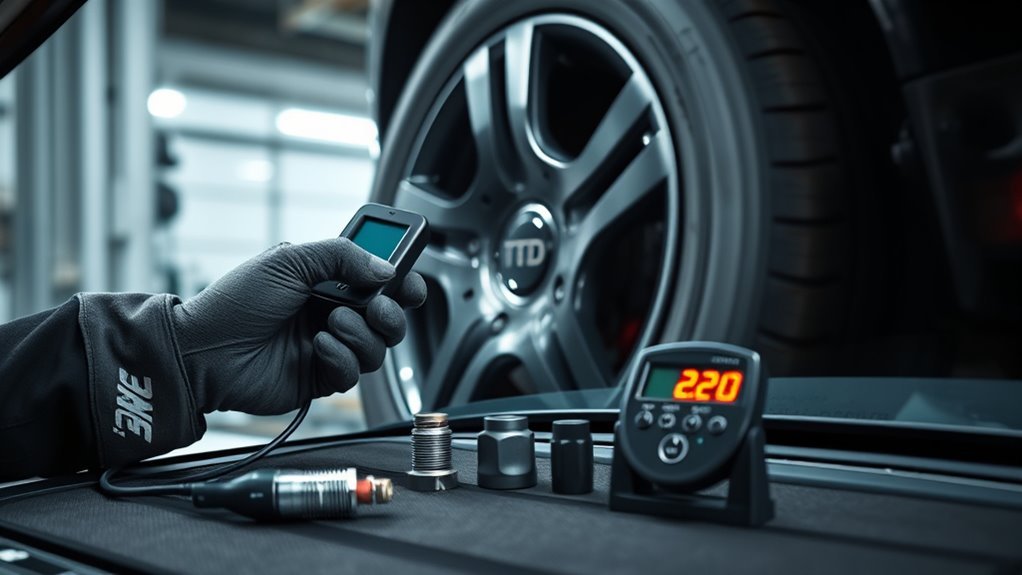
When the TPMS light stays on after service, start with the tires and then test the system. A reset cannot repair a leak, failed sensor, wrong protocol, duplicate ID, installation damage, or incomplete relearn.
[Products Worth Considering]

This smart color coded tire tread depth gauge makes it easy to check tread wear at a glance with clear red, yellow, and green ranges. Calibrated from 0 to 1 inch in 1/32 inch increments, it helps you quickly assess tire condition for safer driving and timely replacements. The pocket clip design makes it convenient to carry and use on trucks, motorcycles, cars, and other passenger vehicles.

The TOPDON BT100 helps you quickly check the health and charge status of 12V lead-acid batteries with clear analytical results, including state of health, state of charge, voltage, and cranking performance. It supports a wide range of battery types and vehicles, making it a practical tool for diagnosing starting and charging issues at home or in the shop. Compact and easy to use, it provides fast, reliable testing without needing to charge the device first.
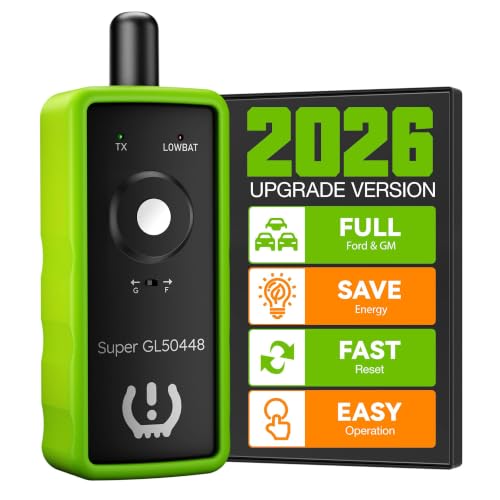
INNOVATIVE 2-IN-1 DESIGN: VXDAS TPMS relearn tool supports for GM and Ford series vehicles, (Buick, Cadillac, Chevrolet, GMC, Lincoln, Mazda, F150, F250, Focus, Fusion, and more). The added "G" and "F" model switch button on top makes it more convenient to use
Steady TPMS Light
A steady low-pressure telltale usually means one or more tires may be significantly underinflated. FMVSS No. 138 requires covered vehicles to warn when pressure reaches 25% below the manufacturer’s recommended cold pressure or the standard’s applicable minimum pressure, whichever is higher.
The 25% figure is a warning-performance threshold, not a service target. Inflate the tires to the vehicle placard pressure rather than waiting for the warning threshold.
Blinking TPMS Light
On vehicles using a combined low-pressure and malfunction telltale, flashing for 60–90 seconds and then remaining illuminated indicates a TPMS malfunction. Some vehicles use a separate TPMS malfunction indicator instead. A malfunction may prevent the system from warning correctly about future pressure loss.
For model-specific warning behavior, see the Toyota Camry blinking tire-pressure light guide.
Checklist for a Light That Will Not Go Out
- Recheck pressure cold: “Full” is not a specification. Confirm every tire matches the placard PSI.
- Inspect for leaks: Look for punctures, bead leaks, damaged valves, loose hardware, and slow pressure loss.
- Check sensor application: Confirm part number, frequency, protocol, valve type, and vehicle coverage.
- Verify programming: Make sure a blank sensor was configured for the correct application.
- Check for duplicate IDs: Two sensors transmitting the same unintended ID can prevent correct registration.
- Read all sensors: Confirm each sensor transmits a unique expected ID and usable data.
- Repeat the correct procedure: Follow the exact reset, initialization, OBD, auto, or stationary process.
- Check the spare: Some vehicles monitor a full-size spare.
- Scan for DTCs: If the sensors and pressures are correct, check for module, receiver, antenna, or communication faults.
Reset or initialization handles pressure-baseline and calibration tasks. Relearn handles sensor-ID or wheel-position tasks. Programming configures a supported sensor. Activation wakes it so its data can be read.
What a TPMS Tool Can and Cannot Do
TPMS tools do not all perform the same functions. A basic activation tool may wake supported sensors and read their IDs. It may not program blank sensors, communicate through OBD, clear faults, or write IDs to the vehicle.
A full TPMS service tool may provide several separate functions:
- Activate and read: Wake a sensor and display its ID, pressure, temperature, battery status, or frequency when supported.
- Program: Configure only the programmable sensor brands and models supported by that tool.
- Show relearn instructions: Display the vehicle-specific auto, stationary, initialization, or OBD procedure.
- Transfer IDs: Write supported sensor IDs through the OBD connection when the vehicle and tool provide that function.
- Diagnose faults: Read relevant data or fault codes when the tool has the required vehicle coverage.
Tool software matters because model-year coverage, sensor protocols, and registration procedures change. Update the tool according to its maker’s instructions before diagnosing an unfamiliar vehicle.
Separate the diagnosis into four questions:
- Is the tire pressure correct? Repair the pressure loss before doing anything else.
- Does each sensor transmit? If not, check its battery, application, installation, or condition.
- Is a programmable sensor configured correctly? Activation alone does not program it.
- Does the vehicle recognize the IDs and positions? If not, complete the supported relearn.
[Products Worth Considering]
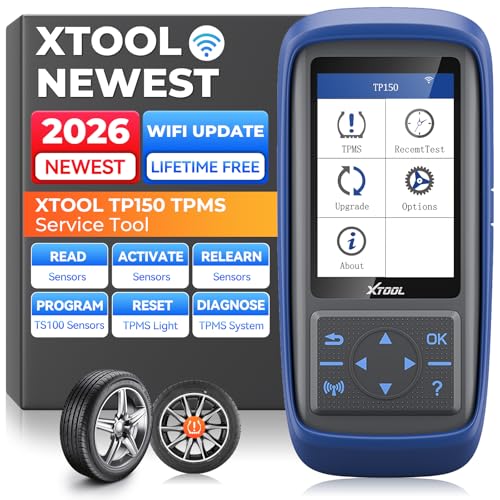
Why XTOOL TP150 TPMS Relearn Tool Stands Out: Perfect for DIYers and professional technicians, the XTOOL TP150 TPMS Reset Tool combines TPMS diagnostics, sensor activation, relearn, reset and sensor programming with XTOOL TS100 Sensors in one portable tool, making common TPMS service easier in one device. Its durable physical button interface is easy to operate with greasy gloves, making it ideal for garages, workshops, or roadside use. Check tire pressure, reset TPMS warning lights, and simplify sensor service with simple, easy-to-use controls. Supports the newest car models with frequent lifetime software updates and 13+ languages. 𝐍𝐎𝐓𝐄: TPMS Programming for XTOOL Sensors Only.

【CUSTOMIZED for FORD】This TPMS Sensor Training Tool is customized for all Ford Lincoln Mercury vehicles that has a Tire Pressure Sensor. Train the TPMS sensors and activate Tire Pressure Programming on new vehicles or after a tire rotation(Tip: You can refer to the second vehicle compatibility diagram and the A+ content to check if your vehicle is compatible with this reset tool.)
Best Practices and Checklist for Reliable TPMS Service
Use this checklist whenever tires, wheels, or TPMS sensors are serviced:
- Confirm whether the vehicle uses direct or indirect TPMS.
- Check all tires cold and inflate them to the vehicle placard pressure.
- Inspect the tires, valve stems, service kits, sensor bodies, and mounting hardware.
- Scan and record the existing sensor IDs before dismounting tires when possible.
- Verify the replacement sensor’s vehicle, protocol, frequency, valve, and tool compatibility.
- Program a supported blank sensor before relearning it.
- Confirm whether an exact ID clone can avoid registration in that position.
- Perform the correct reset, initialization, position update, or ID relearn.
- Confirm that the warning turns off and stays off.
- Verify dashboard positions when the vehicle displays individual tires.
- Record the final pressures, sensor IDs, tool version, and unresolved DTCs.
Note: When an owner’s manual, generic tool label, and third-party instruction disagree, use current OEM service information for the exact vehicle as the final authority.
Frequently Asked Questions
What is the difference between TPMS activation and programming?
TPMS activation wakes or triggers a sensor so it transmits data such as its ID and pressure. Programming configures a compatible blank or universal aftermarket sensor with the required vehicle protocol or ID. Activation reads or triggers the sensor; programming changes its configuration.
What does resetting TPMS do?
Depending on the vehicle, resetting TPMS may start a pressure recheck, store a new baseline, initialize an indirect system, or begin another manufacturer-defined process. It does not universally register new sensor IDs. Check what the procedure does on the exact vehicle instead of relying only on the word “reset.”
How long do I need to drive after resetting TPMS?
It depends on the vehicle. Some systems update after a short drive, while others require a specific speed, time, ignition cycle, or tool-based procedure. Use the owner’s manual or current OEM instructions rather than applying a universal drive time.
Can TPMS sensors be programmed after installation?
Some compatible programmable sensors can be configured after installation, but the sensor and tool must support that method. Many technicians program and test the sensor before mounting the tire. A new ID may still need to be relearned to the vehicle afterward.
Do I need a relearn after rotating tires?
Sometimes. A position-aware vehicle may need its wheel locations updated after rotation unless it auto-locates the sensors. An indirect TPMS may need baseline initialization instead. A vehicle that does not display wheel positions may require no action beyond correct pressure and its normal drive process.
Why is the TPMS light still on if all tires are full?
“Full” may not match the correct cold placard pressure. The spare may be low, a sensor may not transmit, a programmable sensor may be configured incorrectly, the IDs may not be registered, or the system may have a fault. A combined telltale that flashes for 60–90 seconds and then stays on indicates a malfunction rather than a simple pressure warning.
Can a TPMS reset or activation tool program a sensor?
Not necessarily. A basic activation tool may only wake and read supported sensors. Programming requires a tool and programmable sensor that support each other. Writing sensor IDs to the vehicle through OBD is another separate capability that must also support the exact vehicle.
Do cloned TPMS sensors need relearning?
An exact clone using the original sensor ID may not need an ID relearn when it is installed in the same wheel position and the vehicle and sensor system support that method. A relearn may still be needed if the ID changed, the wheel position changed, the vehicle lost its stored IDs, or the manufacturer requires registration.
Conclusion
A TPMS reset and relearn are different functions, even though manufacturers and tool makers sometimes use the labels inconsistently. If only the pressure changed, correct every tire to the placard PSI and follow the vehicle’s reset, initialization, or drive procedure. If a new sensor ID was introduced, program the sensor first when required and then complete the supported relearn. If an exact clone retained the original ID, verify whether the vehicle accepts it without registration. Never use a reset to hide an unresolved low-pressure warning or TPMS malfunction.
Sources
- eCFR — 49 CFR § 571.138, Standard No. 138; Tire Pressure Monitoring Systems — federal warning-threshold, malfunction-indicator, and owner-information requirements.
- NHTSA TireWise — Tire Safety Ratings and Awareness — cold-pressure guidance, direct and indirect TPMS, warning behavior, and malfunction indicators.
- Tire Industry Association — Tire Pressure Monitoring System — monthly gauge checks and the limits of TPMS as a maintenance substitute.
- ATEQ TPMS — OBD, Auto, and Stationary TPMS Relearns — the three common relearn method categories.
- Schrader TPMS — Programming vs Relearning — sensor programming and vehicle relearn definitions.
- ATEQ TPMS — When Do I Need to Program a TPMS Sensor? — new-ID and copied-ID relearn guidance.
- Bartec USA — TPMS Tools — sensor activation, data reading, OBD communication, and ID-registration functions.