
Published: April 14, 2026 · Last updated: August 30, 2026.
If your Toyota Tacoma radio has no sound, follow seven diagnostic checks in order: confirm power and raise active source volume, cancel steering-wheel or system mute, center balance and fade settings, compare every available audio source, test whether voice prompts or phone calls play through the speakers, perform an in-cabin system reboot, and inspect the dedicated audio fuses across your truck’s engine bay and cabin fuse panels. If every source is completely silent while the display screen operates normally, the shared failure is typically caused by a blown amplifier fuse, an unseated harness connector, a factory amplifier in protection mode, an open speaker circuit, or a head-unit software lockup. If only one source fails, troubleshoot that specific phone, cable, or tuner path first.
Your Tacoma’s model year and audio trim level dictate the exact electrical and software architecture. Toyota Technical Service Bulletin (TSB) T-SB-0045-22 provides software remedies for specific Panasonic Entune head units in select 2016–2019 Tacomas experiencing post-startup mute or Bluetooth audio cutouts. The 2020–2023 model years utilize updated multimedia hardware with standard smartphone projection, while the redesigned 2024–2026 Tacoma features the cloud-connected Toyota Audio Multimedia system supported by over-the-air (OTA) firmware updates.
Quick Diagnostic Sequence
Step-by-Step Order: 1) Turn the PWR/VOL knob on and raise volume on an active track, 2) Press and hold the steering wheel MODE button for 2 seconds to disengage soft-mute, 3) Center balance and fade in audio settings, 4) Switch between AM, FM, Bluetooth, USB, and SiriusXM, 5) Make a test phone call to verify speaker circuit continuity, 6) Soft-reboot the radio by holding the volume knob for 10–12 seconds, and 7) Check the RAD NO. 1 / AMP (engine compartment) and ACC / RAD NO. 2 (interior kick panel) fuses. If silence persists across all sources on a JBL-equipped truck, inspect power, ground, and remote turn-on signals at the factory amplifier before replacing the head unit.
Key Takeaways
- All sources silent (screen active): Focus on the steering-wheel mute state, shared audio/amplifier fuses, factory amplifier power/ground, speaker harness connections, or head-unit software.
- One source silent: Troubleshoot phone volume, Bluetooth media audio permissions, Apple CarPlay/Android Auto data cables, or the antenna mast before disassembling the dash.
- Single speaker silent: Center audio balance/fade and inspect the door-jamb wiring harness rubber boot or speaker cone rather than replacing the head unit.
- Repeated blown fuse: Never install a higher-amp fuse. A recurring blown audio fuse indicates a dead short in the amplifier, pinched harness, or voice-coil failure.
- Software and TSB updates: Verify your exact faceplate ID, head-unit generation (Entune 2.0, Entune 3.0, or Toyota Audio Multimedia), and current firmware version before applying updates.
At a Glance: Match the Symptom to the First Check
| Symptom | Diagnostic Branch | First Actionable Check |
|---|---|---|
| Screen functions normally, but every audio source is silent | Shared audio output or amplification path | Hold volume knob 10s to reboot; check RAD NO. 1 / AMP fuses; verify JBL amp power |
| Only Bluetooth, Apple CarPlay, or Android Auto has no sound | Connected device or projection data path | Verify phone media volume; switch from charge cable to certified data cable; re-pair Bluetooth profile |
| AM/FM radio is completely silent or pure static | Tuner and antenna circuit | Compare with Bluetooth audio; check roof antenna mast tightness and antenna base coaxial connection |
| Only one speaker or one side of the truck is silent | Single audio channel or speaker circuit | Center balance and fade; inspect door-accordion wiring boot for pinched or broken speaker leads |
| Screen is black, but the backup camera operates in reverse | Display power or head-unit logic fault | Inspect ACC and RADIO NO. 2 fuses; execute full ignition sleep cycle |
| Audio cuts out over bumps or returns randomly after restart | Intermittent harness, ground, or software crash | Check chassis grounds under dash/amp; record failure conditions for dealer TSB check |
What’s in This Troubleshooting Guide
- Before You Start: Safety, Tools, and System Identification
- Toyota Tacoma Radio No Sound: 7 Checks in Order
- Audio Settings and Device Checks to Perform First
- Primary Causes of Tacoma Audio System Silence
- Isolating All-Source Silence vs. Single-Source Faults
- Locating and Testing Tacoma Audio Fuses and the JBL Amplifier
- Toyota TSB T-SB-0045-22 and Software Update Matrix
- Using the Hidden Toyota Diagnostic Service Menu
- Advanced Diagnostic Steps and Professional Technician Handoff
- When an Aftermarket Head Unit Makes Practical Sense
- Documenting Intermittent Audio Cutouts
- Frequently Asked Questions
Safety Warning: Park the vehicle on a level surface and switch the ignition OFF before pulling fuses or removing interior trim. Never use an incandescent 12V test light on audio signal wires or CAN-bus data circuits; use a high-impedance digital multimeter. Never replace a blown audio fuse with a higher amperage rating, as this can destroy head-unit circuitry or cause wiring harness thermal damage.
Before You Start: Safety, Tools, and System Identification
To troubleshoot audio issues effectively on a 2nd Gen (2005–2015), 3rd Gen (2016–2023), or 4th Gen (2024–2026) Toyota Tacoma, gather a plastic trim removal tool, a flashlight, a plastic fuse puller, and a digital multimeter (DMM). Electrical checks beyond fuse continuity require the correct vehicle wiring diagram and safe probing techniques.
Identify your truck’s exact audio configuration before beginning:
- Factory Standard Audio vs. JBL Premium Audio: Non-JBL systems power speakers directly from the head unit’s internal amplifier. Factory JBL systems route low-level differential audio signals to a separate digital amplifier mounted inside the cabin.
- Head-Unit Platform: 2016–2019 models generally use Panasonic Entune 2.0 (Audio, Audio Plus, or Premium Audio); 2020–2023 models feature upgraded multimedia with standard Apple CarPlay/Android Auto; 2024–2026 models feature the cloud-based Toyota Audio Multimedia system with 8-inch or 14-inch touchscreens.
- Recent Electrical Modifications: Note any recent installations involving dash cams, aftermarket remote starters, trailer brake controllers, speaker upgrades, auxiliary lights, or recent battery replacement.
Access your exact wiring specifications via Toyota’s official manuals and warranties portal. Fuse designations and amplifier circuit routing vary significantly across Tacoma generations.
Notice: Disconnecting the negative battery terminal should not be your initial reset step. On 2016–2026 Tacomas, battery disconnection resets power window calibration, steering angle sensors, throttle body learning, and stored climate control settings. Always attempt in-cabin head-unit soft resets first.
Toyota Tacoma Radio No Sound: 7 Checks in Order
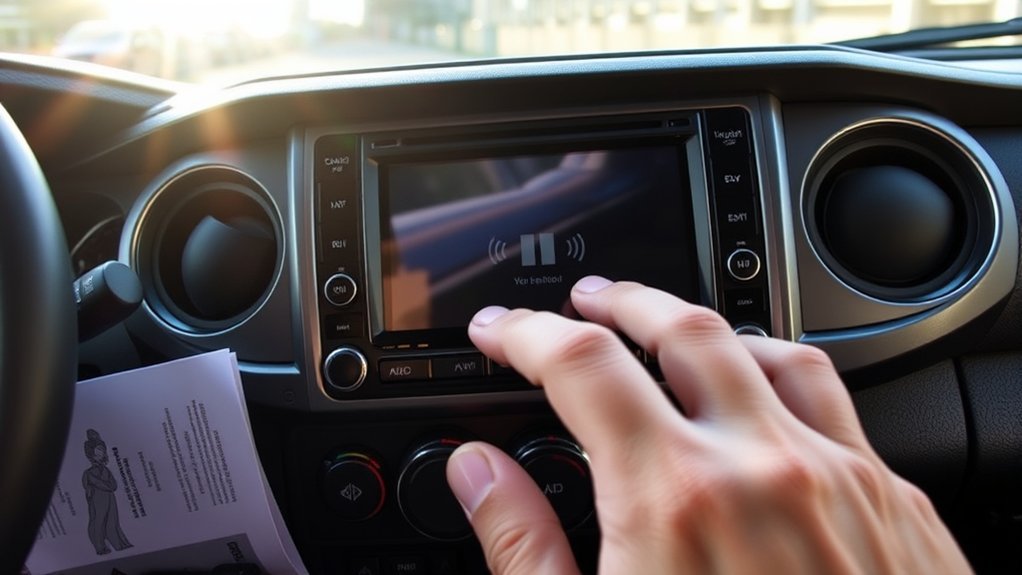
Work through these seven checks sequentially to isolate the failure point before ordering replacement hardware:
- Verify Power and Adjust Active Source Volume: Press the
PWR/VOLknob firmly to confirm the audio system is turned on. Select an active radio station or music track and turn the volume knob clockwise past level 25. Note whether the on-screen volume overlay responds numerically. - Disengage Steering Wheel Soft-Mute: On 2nd, 3rd, and 4th Gen Tacomas, holding the left-hand steering wheel
MODEorMODE/HOLDbutton for 1.5 to 2 seconds commands an audio pause/mute state. Press and hold theMODEbutton again or press the volume-up rocker switch to release this mute lock. - Center Audio Balance and Fader: Navigate to Audio → Setup / Settings → Sound → Tone/Balance. Center both the crosshairs and balance/fade sliders. If the system was previously set entirely to one corner with a blown speaker, centering restores sound to functional channels.
- Compare Every Available Source: Test AM, FM, SiriusXM, Bluetooth Audio, USB audio, and Apple CarPlay / Android Auto. If AM/FM works but phone media is silent, the truck’s audio amplification and speaker circuits are fully functional.
- Test Navigation Prompts and Phone Call Routing: Place a test phone call or trigger the onboard voice assistant / navigation prompt. If call audio or voice prompts are audible through the driver’s front speaker while music is silent, the amplifier and speakers are working, isolating the issue to media source routing or software logic.
- Perform a Head-Unit Soft Reboot: With the truck running or in accessory mode, press and hold the
PWR/VOLpower knob down continuously for 10 to 12 seconds until the screen goes blank and displays the Toyota startup emblem. If a software thread locked up, this soft reset restarts the audio daemon. If this fails, turn off the ignition, open the driver door to cancel Retained Accessory Power (RAP), wait 3 minutes, and restart. - Inspect Dedicated Audio Fuses: Inspect both the interior cabin fuse panel (driver-side lower kick panel) and the under-hood engine bay fuse block. Test the
RAD NO. 1,RAD NO. 2,ACC, andAMPfuses for open continuity using a multimeter. Replace any blown fuse only with the exact rated amperage.
[Products Worth Considering]

The ANCEL AD410 PRO combines engine diagnostics and 12V battery testing in one easy-to-use tool, helping you read and clear check engine codes while checking battery health, cranking, and charging performance. It also provides live data, freeze frame details, and I/M readiness checks to help you diagnose issues faster and prepare for emissions testing. With plug-and-play operation, a clear screen, and broad vehicle compatibility, it is a practical solution for home mechanics and everyday drivers.

Masoll’s TPMS sensor set includes four advanced sensors and a relearn tool to help GM vehicle owners replace factory tire pressure sensors at home. Designed for broad compatibility with GM vehicles after 2006, it supports dual-frequency operation for easier fitment across Chevy, GMC, Buick, Cadillac, Pontiac, and select trucks. With low power use, high accuracy, and DIY installation, it offers a convenient way to clear TPMS warnings and restore proper tire pressure monitoring.

This all-in-one roadside emergency kit is designed to help drivers handle common breakdowns, minor repairs, and first aid needs with confidence. It includes a portable air compressor with tire pressure measuring and memory settings, safe jumper cables, and a versatile 14-in-1 pliers tool set, all organized for easy trunk storage. With a wide range of emergency supplies packed into one compact case, it is a practical choice for new drivers, daily commuters, and anyone preparing for unexpected roadside situations.
Audio Settings and Device Checks to Perform First
Incorrect device permissions and hidden menu settings frequently mimic catastrophic hardware failure. Verify these parameters prior to disassembling dash trim:
- Bluetooth Media Audio Permissions: On your smartphone, enter the Bluetooth menu, select your paired Tacoma (e.g., “Toyota Tacoma” or “Entune”), and verify that Media Audio is toggled ON alongside Phone Calls.
- Audio Output Destination: Ensure your mobile device has not routed sound output to connected smartwatches, wireless earbuds, or hearing aids while paired to the truck.
- Certified USB Data Cables: For wired Apple CarPlay or Android Auto, ensure your cable is plugged into the primary media data port (not charge-only ports). Use an OEM or MFi-certified USB data cable. Damaged internal data conductors can pass charging current while severing the digital audio stream.
- Projection App Lockups: Force-close background audio applications (Spotify, Apple Music, Pandora, Podcasts) on your phone and relaunch them. Unresponsive mobile browser audio players often fail to initiate audio handshakes over Toyota multimedia.
- Clear Paired Device Cache: Delete the Tacoma connection from your phone’s Bluetooth memory and delete the phone from the Tacoma’s registered device list. Restart the phone, perform a fresh pairing, and grant all requested permission prompts.
For in-depth troubleshooting of individual connection protocols, consult our dedicated guides: Tacoma Bluetooth troubleshooting, Tacoma Apple CarPlay setup and fixes, Tacoma Android Auto setup, or Tacoma USB port troubleshooting.
[Products Worth Considering]

This versatile car fuse assortment kit includes multiple fuse sizes and current ratings to help keep vehicles protected and ready for quick repairs. With organized color-coded fuses, a fuse puller, and installation guidance, it offers a convenient backup solution for a wide range of automotive and recreational vehicles. It's ideal for drivers who want a practical emergency replacement set for everyday use and travel.

This plug-and-play OBD2 scanner helps drivers quickly read and clear engine error codes while providing live data, freeze frame information, I/M readiness, and MIL status for more confident troubleshooting. It adds a built-in voltage test and clear status indicators to support electrical checks and faster diagnostics, making it a practical choice for home users, car enthusiasts, and repair professionals. Compatible with most OBDII vehicles since 1996 and designed with an easy-to-use interface, it offers broad coverage and simple operation in one compact tool.
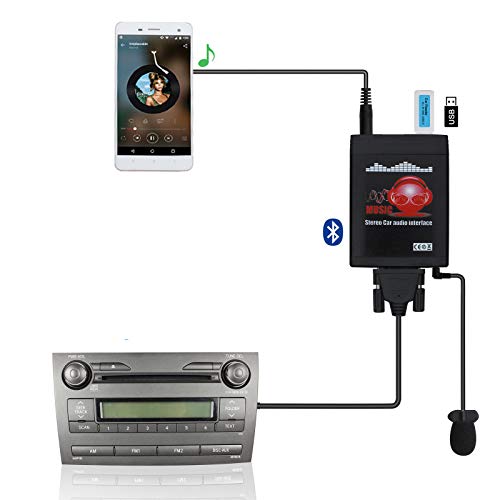
Turn your Toyota's factory radio into a Bluetooth-enabled system for hands-free calls and wireless music streaming — no need to replace the head unit. Built-in Bluetooth 5.0 chip and noise-suppressing microphone ensure crystal-clear conversations, keeping your focus on the road.
Primary Causes of Tacoma Audio System Silence
Pinpointing the root cause requires evaluating whether the silence affects all speakers simultaneously or isolated channels:
- Steering Wheel Mute or Source Routing Conflicts: Unintentional activation of the steering-wheel
MODE/HOLDbutton or unselected input channels. - Blown Audio or Amplifier Fuses: The head-unit display screen and the audio amplifier operate on separate electrical circuits. A blown
AMP(30A) orRAD NO. 1(20A) fuse allows the screen, navigation, and touch controls to work perfectly while cutting 100% of speaker power. - Factory JBL Amplifier Failure or Protection Mode: On JBL-equipped trucks, the external amplifier incorporates internal short-circuit and thermal protection. If a speaker voice coil shorts or water enters the cab bulkhead, the amplifier shuts down all output channels instantly.
- Open or Shorted Speaker Circuits: A speaker wire pinched in a door jamb or grounded against the door frame can trigger an amplifier shutdown. If a non-amplified base head unit senses an impedance drop below its threshold, its internal power IC disables output.
- Entune / Audio Multimedia Software Glitches: Documented firmware bugs on 2016–2019 Panasonic Entune systems cause the audio processor to remain in a digital mute state after starting the engine.
- Wiring Harness Back-Out or Poor Ground: Loose multi-pin connectors behind the radio or oxidized chassis ground points (e.g., ground points
IF,IK, orIEbehind the kick panels) cause intermittent signal collapse.
Isolating All-Source Silence vs. Single-Source Faults
Isolating the symptom pattern prevents unnecessary component replacements:
- Every source is silent, but the screen is active: The problem lies in the shared output path: the external amplifier power circuit, the main audio fuse, the master ground, or the head-unit audio processing IC.
- Only Bluetooth or phone projection is silent: The vehicle’s amplification and speakers are healthy. The issue resides in phone settings, app streaming permissions, USB port communication, or head-unit Bluetooth firmware.
- Only AM/FM radio is silent: Inspect the antenna mast on the passenger fender or the shark-fin antenna on the roof. Check whether the antenna coaxial sub-harness behind the radio has disconnected.
- Only one speaker is dead: The head unit and main amplifier are operating. Focus exclusively on that channel’s wiring harness, the rubber door-jamb accordion boot, or the speaker voice coil.
- Navigation and phone calls work, but media is silent: The digital amplifier and front speakers are fully functional. The head unit is misinterpreting source priority or the media audio level is muted in a secondary submenu.
- Screen is completely black, but reverse camera works: The display microcontroller and camera circuit have power, but the main multimedia logic board or
ACCignition trigger circuit is open.
Locating and Testing Tacoma Audio Fuses and the JBL Amplifier
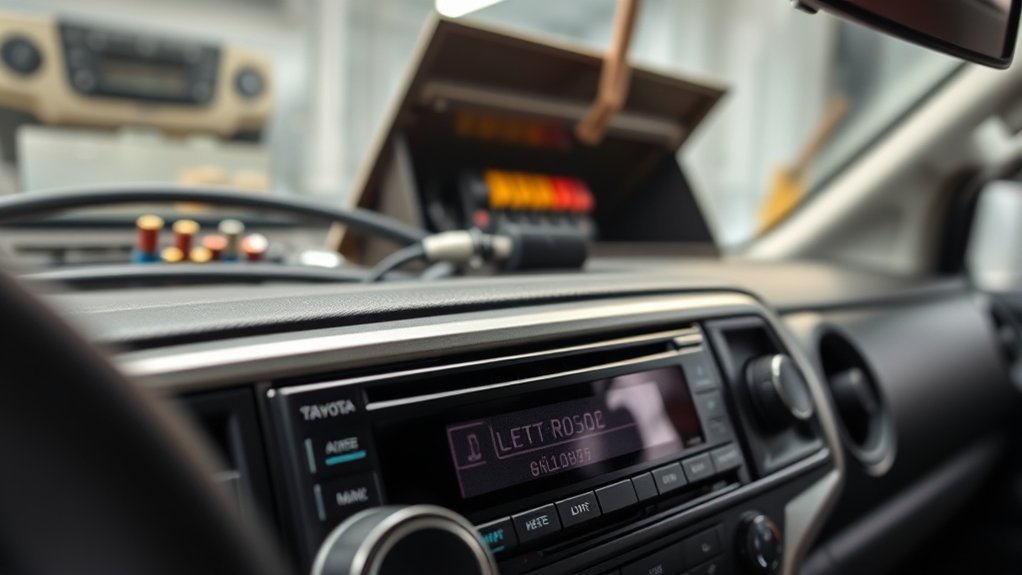
Tacoma audio systems use a split-circuit design where the head unit and external amplifier are protected by independent fuses located in two distinct fuse blocks.
| Fuse Label | Typical Rating | Physical Location | Circuit Function |
|---|---|---|---|
RAD NO. 1 / RADIO 1 |
15A – 20A | Engine Compartment Fuse Box | Constant battery power (B+) for radio memory, clock, and head-unit processing |
AMP |
30A | Engine Compartment Fuse Box | Dedicated high-current 12V B+ supply to the factory JBL external amplifier |
ACC |
7.5A | Interior Driver Kick Panel | Switched accessory ignition trigger enabling head-unit power-on with key/push-button |
RAD NO. 2 / PANEL |
7.5A | Interior Driver Kick Panel | Illumination, steering wheel audio control interface, and accessory integration |
Note: Fuse labeling and exact amperage ratings vary across 2005–2015 (Gen 2), 2016–2023 (Gen 3), and 2024–2026 (Gen 4) models. Always cross-reference the diagram printed on the underside of your fuse box lid.
Fuse Testing Procedure: Turn the ignition OFF. Pull the specified fuse using the plastic puller stored in the engine bay box. Set your multimeter to Ohms ($\Omega$) or Continuity mode and touch the probes across the two metal test tabs on the fuse top. A healthy fuse reads under $0.5\,\Omega$ with an audible tone. If the fuse is open (blown), replace it with an identical amperage fuse. If the replacement blows immediately upon turning the audio system on, stop: a short circuit exists in the amplifier power line or speaker harness.
Factory JBL Amplifier Location and Inspection:
- 2016–2023 Double Cab Tacomas: The factory JBL amplifier is mounted behind the rear passenger-side and center seatback bulkhead carpet. Fold down the rear passenger seatback and unclip the lower plastic trim panel to access the amplifier connectors.
- 2016–2023 Access Cab / Older Tacomas: The amplifier is mounted under the front driver or front passenger seat frame.
- 2024–2026 Tacomas: The new modular amplifier is secured behind the rear cabin trim panel.
Inspect the amplifier multi-pin harness for water staining or loose latches. Using a multimeter, verify that the amplifier receives $12\text{V}$ constant battery voltage at its main terminal, $12\text{V}$ switched on the remote turn-on pin when the radio powers up, and less than $0.1\,\Omega$ resistance to chassis ground.
Toyota TSB T-SB-0045-22 and Software Update Matrix
Software lockups can mimic hardware failure on modern Toyota multimedia systems. Toyota Technical Service Bulletin T-SB-0045-22 outlines software updates for Panasonic Entune head units on select 2016–2019 Tacomas experiencing post-startup silence, Bluetooth volume cutouts, and spontaneous reboots.
| Tacoma Model Year and Audio Package | TSB Coverage and Conditions Addressed | Verification and Update Path |
|---|---|---|
| 2016–2018 Entune Audio | Covered under T-SB-0045-22: Fixes audio mute after key-on, reboot loops | Match Faceplate ID (lower right corner of display); verify software version via USB update file |
| 2016–2018 Entune Audio Plus | Covered under T-SB-0045-22: Resolves Bluetooth volume drops and station cutouts | Match Faceplate ID; apply official Toyota USB firmware patch via dealership or portal |
| 2016–2018 Entune Premium Audio (Navigation) | Covered under T-SB-0045-22: Fixes navigation audio muting and app freezes | Verify current software version string in General → Software Update menu |
| 2019 Entune Audio Plus | Covered under T-SB-0045-22: Dedicated 2019 software calibration file | Match Faceplate ID; update via USB flash drive formatted to FAT32 |
| 2020–2023 Tacoma Multimedia (CarPlay/Android Auto) | Not covered by T-SB-0045-22; covered by updated firmware bulletins | Check Toyota Audio Multimedia software portal for USB update downloads |
| 2024–2026 Toyota Audio Multimedia | Next-generation cloud platform; T-SB-0045-22 does not apply | Supports Over-the-Air (OTA) wireless updates via vehicle Wi-Fi or connected services |
To check your current software version on 2016–2023 Entune systems, navigate to Apps / Menu → Setup → General → Software Update. Compare the displayed version string with the target version listed in Toyota’s firmware repository. If an update is required, download the authentic firmware file onto an empty, FAT32-formatted USB flash drive and insert it into your Tacoma’s media port with the truck idling in park.
Using the Hidden Toyota Diagnostic Service Menu
You can verify whether your head unit detects the speakers and external amplifier without tools by entering Toyota’s hidden onboard Service Diagnostic Menu:
- Turn the ignition switch to the ACC or ON position.
- Press and hold the physical AUDIO or APPS button on the head unit faceplate.
- While holding the button down, cycle your vehicle’s headlight switch on and off (Parking Lights → OFF) four times in succession.
- Release the button. The screen will load the Service Diagnostic Mode menu.
- Select Service Information, then choose Speaker / Audio Line Check.
- Run the automated audio check. The head unit will send a test tone to each speaker channel and report
OKorCHECKfor each speaker and the amplifier communication bus (LAN/MOST). - To exit, press and hold the
PWR/VOLknob or turn off the ignition.
Advanced Diagnostic Steps and Professional Technician Handoff
If basic checks, fuses, and software updates do not restore audio, proceed with structured hardware isolation:
Inspect Accessible Wiring Harnesses
Using plastic pry tools, unclip the center dashboard bezel surrounding the radio. Remove the four $10\text{mm}$ mounting bolts securing the head-unit chassis and pull the radio forward. Inspect the rear multi-pin wiring harnesses for loose lock tabs, backed-out terminal pins, pinched wires, or spliced aftermarket taps (often added for remote start or backup camera interfaces). Ensure the white 10-pin and 6-pin power/speaker plugs are seated firmly.
Perform Speaker Continuity and Load Checks
With the radio or amplifier unplugged, use a multimeter to measure the DC resistance across each pair of speaker output pins on the vehicle harness:
- Standard factory speakers should measure between $3.2\,\Omega$ and $4.0\,\Omega$.
- Factory JBL speakers typically measure approximately $2.0\,\Omega$.
- A reading of $0\,\Omega$ indicates a dead short in the door wiring or speaker coil (which forces the amplifier into protection). A reading of infinite ohms ($\text{OL}$) indicates a severed wire in the door-jamb accordion boot or an open voice coil.
Visiting a Toyota Dealer or Professional Mobile Audio Specialist
If an internal head-unit digital-to-analog converter (DAC) failure or amplifier motherboard short is confirmed, seek professional service. When scheduling an appointment, prepare this diagnostic handoff sheet:
Technician Diagnostic Handoff Checklist:
- Vehicle Specs: Model year, exact trim (SR, SR5, TRD Sport, TRD Off-Road, Limited, TRD Pro), VIN, and JBL vs. Non-JBL audio.
- Symptom Scope: Complete silence across all sources vs. isolated source failure; behavior during phone calls and navigation prompts.
- Diagnostic Results: Status of
RAD NO. 1,ACC, andAMPfuses, resistance readings across speaker lines, and results from the onboard Service Diagnostic Menu. - Environmental Factors: Whether the failure occurs during cold starts, high ambient heat, after heavy rain/car washes (pointing to rear cab vent water intrusion onto the JBL amp), or after driving over rough terrain.
- Recent History: Note jump-starts, battery replacement, accessory wiring, or collision repairs.
When an Aftermarket Head Unit Makes Practical Sense
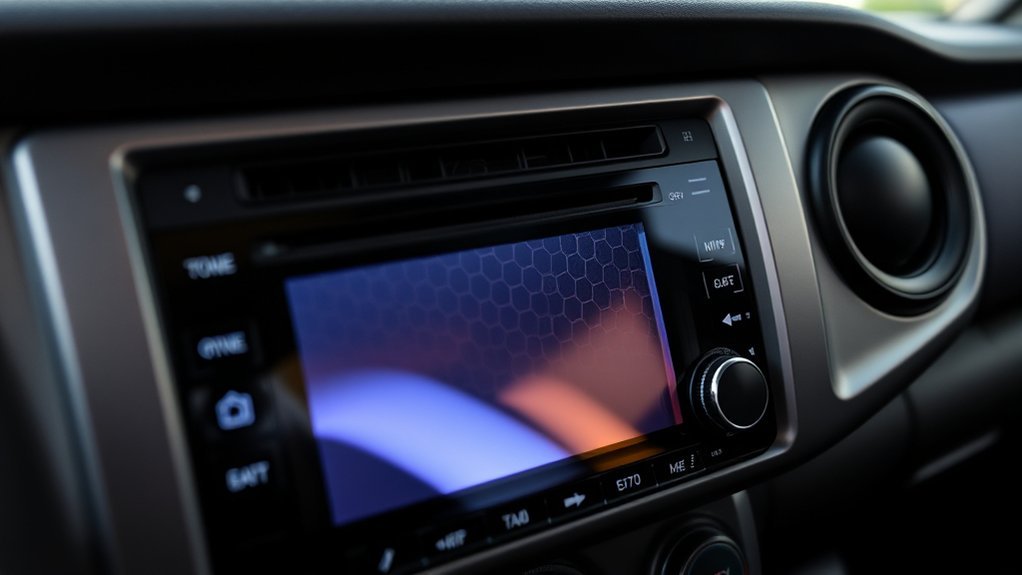
If diagnosis reveals an unrepairable internal processor failure inside an out-of-warranty factory Entune unit, replacing it with an aftermarket multimedia receiver (such as units from Alpine, Kenwood, Pioneer, or Sony) is often more economical than buying a refurbished OEM unit from a dealership.
Before buying, account for the integration accessories required to preserve factory Tacoma features:
Mandatory Vehicle Retention Interfaces
- Steering Wheel Audio Controls: Requires a CAN-bus retention adapter (e.g., iDatalink Maestro RR or PAC SWI-CP2).
- Factory Backup Camera: Requires a $12\text{V}$-to-$6\text{V}$ step-down voltage converter harness to power the OEM Toyota reverse camera.
- Factory JBL Amplifier Integration: If your Tacoma has the JBL system, an amplifier interface module is required to translate the new receiver’s low-level preamp outputs into digital commands for the JBL amplifier.
- USB Port and Antenna Retention: Custom adapters are needed to retain the factory dashboard USB port and roof/fender antenna connections.
| Decision Factor | Aftermarket Head Unit | OEM Factory Radio Repair |
|---|---|---|
| Modern Smartphone Connectivity | Adds wireless Apple CarPlay, wireless Android Auto, and modern high-resolution capacitive touchscreens | Restricted to original model-year software capabilities (no CarPlay on 2016–2019 factory Entune) |
| Audio Tuning & Equalization | 13-band to 31-band parametric EQ, high-voltage preamp outputs, active crossovers, and time alignment | Basic Bass/Mid/Treble 3-band adjustment with factory-preset equalization curves |
| Installation Complexity | Requires dash installation kit, wiring harness interfaces, and programming for steering-wheel controls | Direct plug-and-play installation into original factory dash mounting brackets |
| Total Replacement Cost | $400 – $900 complete with integration interfaces and dash kit | $800 – $1,800+ for a new/remanufactured OEM head unit from a Toyota parts counter |
Documenting Intermittent Audio Cutouts
Intermittent audio cutouts are notoriously difficult to reproduce during a brief dealership visit. Follow these guidelines to build an undeniable record of the fault:
- Capture a Video Log: When the sound cuts out, record a smartphone video showing the active track playing (timer progressing), the volume knob being rotated clockwise with the screen overlay responding, and the complete lack of sound from the cabin.
- Demonstrate Multi-Source Failure: In the video, switch directly from Bluetooth to FM radio and adjust the volume on both to prove an all-source output shutdown.
- Document Cabin & Weather Conditions: Record the ambient outside temperature, cabin temperature, whether the truck was recently washed, and whether the cutout occurred immediately after driving over washboard roads or railroad tracks.
- Check for Thermal Dependency: Note whether sound consistently cuts out after 20–30 minutes of highway driving (pointing to an overheating amplifier thermal protection circuit) or occurs strictly on freezing cold mornings (pointing to cracked solder joints on the head-unit circuit board).
Frequently Asked Questions
Why does my Tacoma radio turn on but stay silent?
The display screen and the audio amplifier operate on separate electrical circuits. If the AMP (30A) or RAD NO. 1 (20A) fuse blows, or if the external JBL amplifier enters protection mode due to a shorted speaker wire, the touchscreen will light up and navigate normally while producing zero sound.
Can a blown fuse cause no sound while the Tacoma radio screen still works?
Yes. The display and internal logic are powered via the switched ACC (7.5A) and RAD NO. 2 circuits, while high-current audio amplification is supplied by the separate AMP (30A) or RAD NO. 1 fuse in the engine compartment fuse box. A blown amplifier fuse cuts speaker sound without affecting screen operation.
Should I disconnect the battery to reset a Tacoma radio?
Do not disconnect the battery as your first step. Instead, perform an in-cabin soft reset by pressing and holding the PWR/VOL power knob down for 10 to 12 seconds until the screen reboots. Battery disconnection resets vehicle throttle learning, power window calibrations, and steering angle sensors.
Should I replace the radio or check the amplifier first?
Always inspect the amplifier and its power/ground circuits first on JBL-equipped Tacomas. A replacement head unit will remain completely silent if the factory amplifier has lost 12V power, lost its ground connection, or shut down due to a shorted door speaker wire.
Why does Bluetooth connect to my Tacoma but play no sound?
Your smartphone may be connected only for phone calls rather than media audio, or the media audio stream may be routed to another device such as a smartwatch or wireless earbuds. Check your phone’s Bluetooth settings for the Tacoma connection, toggle Media Audio ON, turn your phone’s media volume to maximum, and verify that the app is actively playing.
Why do phone calls work through the speakers but music does not?
Phone calls and navigation prompts use a dedicated mono voice channel routed to the driver’s front speaker, while music relies on the full stereo/multichannel audio processing bus. This pattern confirms that your amplifier and front speaker are functional, isolating the problem to media app permissions, phone streaming volume, or head-unit media source software.
Why does the sound return after restarting the Tacoma?
A vehicle restart clears temporary microcontroller lockups, resets digital mute states, and reboots the Bluetooth and projection software daemons. If the audio cuts out repeatedly after driving, check for an overheating factory amplifier, a loose chassis ground connection, or an applicable Toyota firmware update.
Can one shorted speaker wire make every Tacoma speaker go silent?
Yes. Factory JBL amplifiers and modern head units feature short-circuit protection circuits. If a single speaker wire touches the metal door frame or a speaker voice coil melts and drops below $1\,\Omega$, the amplifier automatically cuts power to all speaker channels to prevent fire or internal component destruction.
Does Toyota TSB T-SB-0045-22 apply to every 2016–2019 Tacoma?
No. T-SB-0045-22 applies specifically to Panasonic Entune head units on select 2016–2018 Entune Audio, Audio Plus, and Premium Audio models, as well as 2019 Audio Plus models matching designated Faceplate IDs. It does not apply to non-Panasonic units, 2020–2023 models with newer multimedia hardware, or 2024–2026 models.
Safety & Technical Disclaimer: This troubleshooting guide is provided for educational and diagnostic purposes only. Automotive electrical testing should be conducted using proper personal safety equipment and high-impedance digital test meters. Stop troubleshooting and consult a certified mobile audio technician or Toyota dealership if you discover damaged wiring harnesses, recurring blown fuses, water intrusion in the cabin bulkhead, or smoke.
Conclusion
Resolving a Toyota Tacoma radio with no sound requires systematic elimination before replacing hardware. Begin by confirming active power, releasing the steering-wheel MODE/HOLD soft-mute state, centering balance/fade, and performing a 10-second volume-knob soft reset. If total silence persists across all sources on a working display, test the RAD NO. 1, AMP, and ACC fuses, and inspect the factory JBL amplifier for power, ground, and short-circuit protection. For 2016–2019 models, verify whether your head-unit faceplate ID qualifies for software update T-SB-0045-22. Following this logical sequence ensures you isolate the exact electrical, software, or mechanical fault without unnecessary parts replacement.
References
- Toyota Technical Service Bulletin T-SB-0045-22: Entune Audio Head Unit Software Update (Panasonic) — Toyota Motor Sales, USA, via NHTSA
- Toyota Audio Multimedia Firmware & System Updates — Toyota USA
- Toyota Connected Services: Over-the-Air (OTA) Multimedia Updates — Toyota Owners
- 2026 Toyota Tacoma Owner’s and Multimedia System Manuals — Toyota Motor Corporation
- Toyota Tacoma Electrical Wiring Diagrams and Fuse Block Legend — Toyota Tech Info
- Master Vehicle Audio & Amplifier Troubleshooting Guide — Crutchfield Technical Institute


[…] If the Tacoma has no sound from radio, Bluetooth, or other sources, treat that as a broader multimedia symptom and use the Toyota Tacoma radio-no-sound guide. […]