If your Toyota Tacoma won’t start, first identify whether the engine does not crank or cranks normally but never runs. For a no-crank condition, check Park or Neutral, brake or clutch input, Smart Key recognition, the 12V battery, terminals, fuses, grounds, and starter circuit. If it cranks but will not start, confirm fuel, save diagnostic codes and warning messages, then move to fuel, ignition, immobilizer, and sensor diagnosis. Tacoma Hybrid owners should also check for the READY indicator and avoid all orange high-voltage components.
By Vance Ashford · Last updated: July 15, 2026
Vehicle scope: This guide focuses on 2024 and newer U.S.-market Tacoma and Tacoma Hybrid models. The no-crank versus crank-no-start decision applies broadly, but fuse locations, relay names, ignition systems, and procedures vary by year, engine, trim, and market.
Editorial basis: The checklist uses Toyota owner information, NHTSA-hosted Toyota service documents, and standard low-voltage diagnostic practice. Use your VIN-specific owner’s manual and repair information for component locations and test specifications.
Quick Answer
- Verify start permission: Use Park or Neutral, press the correct brake or clutch pedal, confirm Smart Key detection, and try the spare key.
- Check low-voltage power: Inspect the 12V battery terminals, measure resting voltage, and arrange a load test if the problem continues.
- Choose the symptom path: For no-crank, check fuses, relays, grounds, interlocks, and starter control. For crank-no-start, save codes and warnings, confirm fuel, and diagnose fuel, ignition, immobilizer, and sensor inputs.
Key Takeaways
- Dash lights do not prove that the 12V battery or battery cables can support a start attempt.
- A Tacoma that cranks but will not run needs a different diagnostic path from a truck that never cranks.
- If the truck starts in Neutral but not Park, or starts with one key but not another, that result narrows the diagnosis.
- Save scan codes, freeze-frame information, warning messages, and a video of the failed start before clearing evidence.
- Tacoma Hybrid owners should limit DIY checks to the 12V system, fuel level, Smart Key, warnings, and documentation.
- For 2024 and newer models, use Toyota and NHTSA VIN tools to check current recalls and service campaigns.
At a Glance
| First Decision | No-crank versus cranks-but-won’t-start |
| Safe DIY Scope | Key, pedal and shifter checks, visible terminal inspection, 12V voltage screening, fuse identification, and code documentation |
| Professional Scope | Starter voltage-drop testing, fuel-pressure testing, immobilizer programming, wiring diagnosis, and hybrid-system diagnosis |
| Useful Tools | Digital multimeter, flashlight, gloves, eye protection, battery brush, jump pack, OBD-II scanner, and owner’s manual |
Warning: Stop DIY testing if you smell fuel, see smoke, see damaged wiring, find a fuel leak, notice melted battery cables, or see hybrid/high-voltage warnings. Never touch orange high-voltage cables, high-voltage connectors, or the hybrid service plug.
Try These Quick Fixes First: Smart Key, Brake, Clutch, and Gear Position
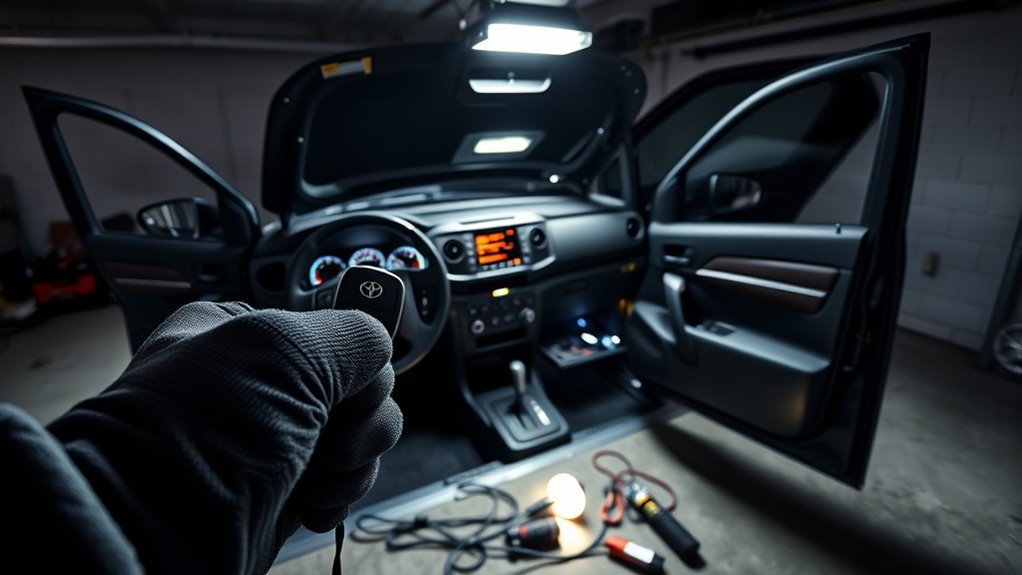
Before you open the hood, confirm the start conditions. On an automatic Tacoma, shift to Park, press the brake pedal firmly, and press the START button once. If Park does not work, try Neutral with your foot on the brake. On a manual-transmission Tacoma, shift to Neutral and press the clutch pedal fully. Toyota notes that the clutch start system keeps the starter from operating unless the clutch pedal is fully depressed. The clutch-start cancel switch is intended for specific off-road situations, not routine starting. Toyota: 2024 Tacoma clutch start cancel switch
If the truck consistently starts in Neutral but not Park, stop repeating the test and have the park/neutral position input, shift adjustment, or related interlock diagnosed. Do not bypass the start interlock.
Next, check the Smart Key. Make sure the key is inside the cabin, not in the bed, and not pressed against a phone, active wireless charger, laptop, or other electronic device. Toyota’s Smart Key system allows starting only when the registered electronic key is detected within the required operating area. Toyota: 2024 Tacoma Smart Key system
If the dash shows a key warning or says the key is not detected, try the spare key. Replace the key-fob battery if its range has dropped, or use Toyota’s emergency recognition method from the owner’s manual. Toyota notes that a depleted electronic-key battery can reduce Smart Key and wireless remote operation. Toyota: 2024 Tacoma electronic key battery
Some 4th-generation Tacoma owners report their key-fob battery losing range well before the typical one-to-two-year lifespan, in some cases within the first several months. If your fob feels newer than its behavior suggests, don’t assume it’s fine just because of its age — test it directly with a fresh battery.
For normal operation, start with the dedicated Toyota Tacoma push-button-start guide. Return to this page when the correct starting sequence still produces a no-crank, crank-no-start, or no-READY condition.
Pro Tip: If one registered key starts the truck and another does not, focus on the nonworking key, its battery, physical damage, interference, or key registration before testing the starter or fuel system.
[Products Worth Considering]

This automotive circuit tester checks low-voltage DC systems from 3-65V, making it useful for diagnosing headlights, taillights, fuses, sockets, and other vehicle wiring issues. The digital backlit display provides clear voltage readings with fine accuracy, while the bidirectional polarity indicator helps you test from either ground or positive. Built with a durable probe, insulated tip, and extra-long spring wire, it is designed for dependable everyday use in automotive and household electrical work.

The TOPDON BT100 helps you quickly check the health and charge status of 12V lead-acid batteries with clear analytical results, including state of health, state of charge, voltage, and cranking performance. It supports a wide range of battery types and vehicles, making it a practical tool for diagnosing starting and charging issues at home or in the shop. Compact and easy to use, it provides fast, reliable testing without needing to charge the device first.

The KONNWEI KW208 is a versatile 12V battery tester designed to quickly analyze battery health, cranking performance, and charging system status for cars, trucks, boats, motorcycles, and more. It supports multiple battery types and provides clear guidance on whether a battery should be recharged or replaced, helping you diagnose issues before they become failures. With plug-and-play use, high accuracy, and multilingual support, it offers a convenient way to test batteries in-vehicle or out-of-vehicle.
Is It No-Crank or Cranks-but-Won’t-Start?
Listen and watch the dashboard during one controlled start attempt. The exact symptom determines the next test.
| What Happens | Diagnostic Direction | Start Here |
|---|---|---|
| No sound or one click | Battery, cable, ground, relay, interlock, starter control, or starter | 12V battery and terminal screening |
| Rapid clicking or dashboard resets | Low system voltage or excessive connection resistance | Charge/load-test the battery and inspect cables |
| Starter turns the engine normally | Fuel, ignition, immobilizer, engine-control, air, or sensor issue | Fuel level, OBD-II scan, warnings, and crank-no-start diagnosis |
| Hybrid does not show READY | 12V supply, Smart Key, fuel level, hybrid-control warning, or high-voltage-system issue | 12V screening, warnings, and qualified scan diagnosis |
What Does a Successful Test Tell You?
| Result | What It Suggests | Next Step |
|---|---|---|
| Starts in Neutral but not Park | Park-position input, shifter adjustment, or interlock concern | Arrange diagnosis; do not bypass the interlock |
| Starts with the spare key | Primary key battery, interference, damage, or registration concern | Service the nonworking key |
| Starts after terminal cleaning | Battery-terminal resistance affected the start circuit | Inspect cable condition and load-test if the problem returns |
| Starts with a jump, then fails again | Battery charge, battery health, charging output, connection, or parasitic-draw concern | Test the complete low-voltage system |
| Cranks normally but never runs | The starter circuit is performing its main function | Move to fuel, ignition, immobilizer, and sensor diagnosis |
Why Does My Tacoma Have Power but Not Crank?
The 12V battery is a high-priority first check because lights, screens, and door locks require much less current than the starter and vehicle control modules need during a start attempt.
Battery Voltage Check
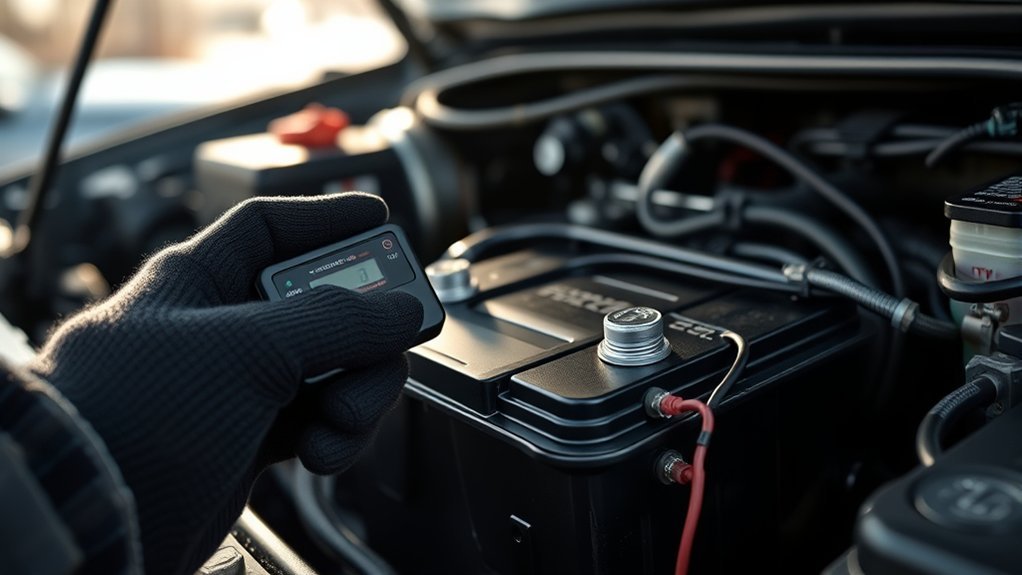
Use a digital multimeter with the vehicle switched off. Follow the battery or tester manufacturer’s rest-time instructions before treating the reading as open-circuit voltage. Touch the red lead to the positive terminal and the black lead to the negative terminal. Yuasa’s maintenance guidance uses at least 12.6 volts as a state-of-charge screening value, but voltage alone cannot confirm that a battery will pass a cranking load. Yuasa: battery maintenance and voltage guidance
| Observed Result | What It Means as a Screening Check | Next Step |
|---|---|---|
| About 12.6V or higher after the required rest period | Charge may be adequate, but the battery can still fail under load | Load-test if the no-start continues |
| Below about 12.6V after rest | The battery is not fully charged under the test conditions | Charge fully, allow the required rest period, and retest |
| Voltage falls sharply or electronics reset during START | The battery or cable path may not maintain system voltage under load | Request battery load and cable voltage-drop tests |
| Resting voltage appears adequate, but rapid clicking continues | A resting reading has not ruled out battery, terminal, cable, or ground resistance | Inspect connections and perform a controlled load test |
Do not replace the starter based only on resting battery voltage. Ask for a printed battery test showing state of charge, available cranking performance, and the tester’s result. If the battery passes, a technician can perform voltage-drop tests across the positive and ground sides of the start circuit.
Terminal Cleaning and Tightening
Inspect the terminals and cables. White, blue, or green residue can add resistance. Check whether either clamp moves on its battery post, and inspect the cable ends for swelling, broken strands, heat damage, or corrosion beneath the insulation.
- Switch the vehicle off and keep the Smart Key away from the truck.
- Wear eye protection and gloves.
- Disconnect the negative cable first, then the positive cable, if cleaning is required.
- Clean the posts and clamps with a battery-terminal brush. A baking soda and water mixture can help neutralize acid residue, but keep liquid away from electrical connectors and battery openings.
- Reconnect the positive cable first, then the negative cable.
- Tighten the clamps securely without damaging the posts or terminals.
- Retest the system and document whether the symptom changed.
Note: If the truck starts only after a jump, test the battery, charging system, terminals, cables, and possible parasitic draw if the failure returns after the truck sits.
Starter and Starter-Relay Checks for a No-Crank Tacoma
If the 12V battery is charged and the terminals are secure, the no-crank path continues through the start interlocks, fuses, relay, control wiring, grounds, starter solenoid, and starter motor.
[Products Worth Considering]

This 3-in-1 car phone mount offers dashboard, windshield, and air vent installation for flexible placement in nearly any vehicle. Built with powerful N52 magnets, a strong suction cup, and a twist-lock vent base, it keeps your phone secure while allowing easy one-hand use and adjustable viewing for safer driving.

This EL-50448 TPMS relearn tool helps quickly activate and reset tire pressure sensors so your vehicle’s monitoring system stays accurate after tire rotations, sensor replacement, or seasonal tire changes. Designed for many GM-related vehicles and compatible with common 315 and 433 MHz TPMS systems, it offers simple one-button operation and reliable performance for clearing warning lights and relearning sensor positions.

Reliable Starting Power: The Starter Relay 28300-10020 is designed to provide reliable starting power to your vehicles, it is compatible for Toyota, Lexus, Camry, or Corolla vehicle. It ensures smooth ignition sequence and consistent starting performance.
Check Fuses, Relays, and Grounds First
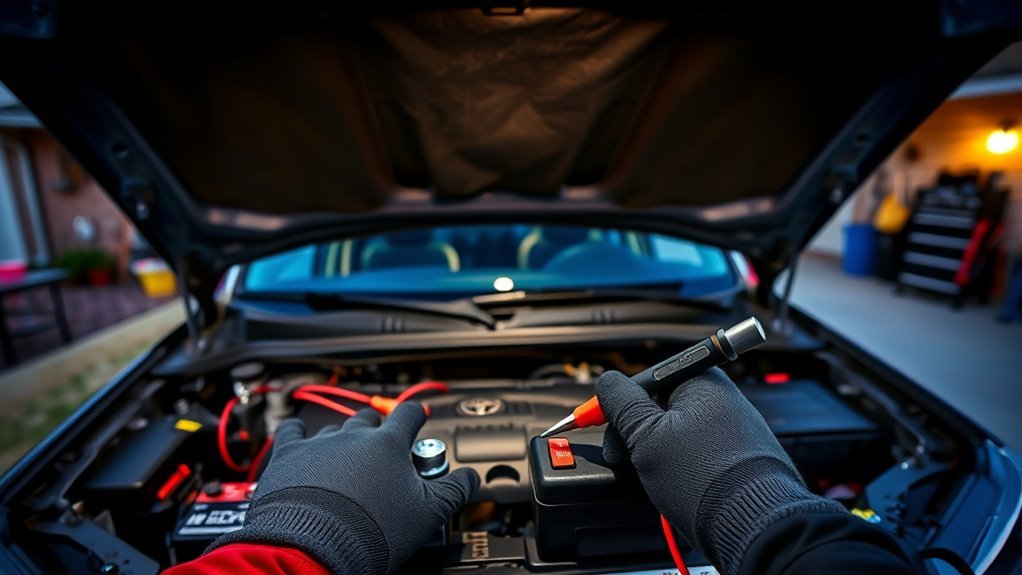
Use the fuse-box diagram and owner’s manual for your exact model year. Fuse and relay labels can differ by engine, transmission, and generation. Look only for the starting, ignition, ECU, and control circuits identified by your vehicle information. Do not install a higher-amperage fuse. A replacement fuse that opens again indicates a circuit fault that needs diagnosis.
Use the site’s Toyota Tacoma relay-location guide as an orientation aid, then verify every location against the truck’s fuse-box legend. Do not assume that two identical-looking relays are interchangeable. Part number, terminal arrangement, rating, and the circuit being interrupted must match.
Inspect visible engine and chassis grounds for looseness, corrosion, broken strands, or heat damage. Disconnect the 12V battery before cleaning or tightening a ground connection when the applicable service procedure requires it.
When Starter-Circuit Testing Requires a Technician
The starter feed is a high-current circuit. Do not probe an exposed starter terminal, bridge terminals, crawl beneath an unsupported truck, or place tools near moving engine parts unless you have the correct training, equipment, and model-specific procedure.
- Confirm that the battery has been charged and load-tested.
- Confirm that the battery terminals and visible grounds are secure.
- Record whether you hear no click, one click, repeated clicks, grinding, or normal cranking.
- Check only the fuses and relays identified by the vehicle’s manual.
- If the Tacoma still will not crank, request a start-command, voltage-drop, wiring, solenoid, and starter test.
If testing confirms starter failure, review the Toyota Tacoma starter-replacement guide before deciding whether the job matches your experience, tools, and vehicle layout.
Inspect the Starter Relay
The starter relay switches the control circuit that allows the starter solenoid to operate. Locate it only with the fuse-box legend or model-specific service information. Check for looseness, corrosion, water entry, or visible heat damage. A click does not prove that the relay contacts are carrying current, and silence does not prove that the relay alone has failed.
What If the Tacoma Cranks but Will Not Start?
If the starter turns the engine at a normal speed but the engine never runs, the starter circuit has performed its main job. Move to fuel level and delivery, ignition, air, immobilizer authorization, engine-speed signals, communication faults, and other control inputs. For a more detailed branch-by-branch process, use the dedicated Tacoma cranks-but-won’t-start guide.
Warning: Do not loosen a fuel line to “check for fuel.” A pressurized fuel system can release fuel onto your skin, eyes, hot surfaces, or an ignition source. Use model-specific test equipment and procedures, or let a qualified technician perform fuel-pressure testing.
- Confirm the fuel level. Add fuel if the gauge is low or if the symptom began while the truck was parked on a steep slope. Do not rely only on the displayed level when the vehicle is sitting at a severe angle.
- Scan before clearing anything. Record stored, pending, and permanent codes. Save the exact code numbers, status, freeze-frame data, warning messages, and communication errors before clearing codes or disconnecting the battery when practical.
- Check the intake path. Look for a disconnected intake tube, damaged airbox, rodent damage, loose connector, or visibly unplugged sensor.
- Observe the security indicators. Record any key, immobilizer, security, check-engine, or hybrid warning that remains on or flashes during the attempt.
- Use controlled fuel and ignition tests. Fuel pressure, injector command, spark, engine-speed data, and sensor signals require proper tools and model-specific specifications.
A brief fuel-pump sound may be audible under some conditions, but hearing or not hearing a sound is not a final diagnosis. Do not replace the pump from sound alone.
If the engine starts and immediately stalls, take a short video showing the instrument panel from before the button is pressed until after the stall. Include the security indicator, key message, check-engine light, hybrid warning, and any chime sequence.
Smart Key, Immobilizer, and Key-Fob Troubleshooting
Smart Key and immobilizer concerns can resemble battery or starter problems. Try the spare registered key, replace a weak key-fob battery, move the key away from phones and chargers, and use the owner’s manual emergency-recognition method by holding the fob near the START button when instructed.
Toyota Tech Tip T-TT-0751-24 described a narrow condition on certain 2023–2024 Tacoma models in which key-fob buttons and LEDs could stop responding after the fob was placed near an active wireless charger, while the vehicle could still start when the fob was held against the start button. The document was marked to expire on September 5, 2025, so treat it as historical symptom-matching context, not as a current universal repair. Toyota T-TT-0751-24: wireless-charger signal interference
If one key works and another does not, focus on the nonworking key. If no registered key is recognized, document the exact message and indicator behavior. Dealer-level key registration, immobilizer diagnosis, or control-module communication testing may be required.
Toyota T-SB-0013-24, available through the NHTSA manufacturer-communications database, includes immobilizer reset and add/remove-key procedures for 2024 Tacoma and Tacoma Hybrid models. It is a dealer-level key-registration procedure, not a universal repair for every no-start condition. Toyota T-SB-0013-24: Smart Key Immobilizer Reset and Add/Remove Key
Why Won’t a Tacoma Hybrid Enter READY?
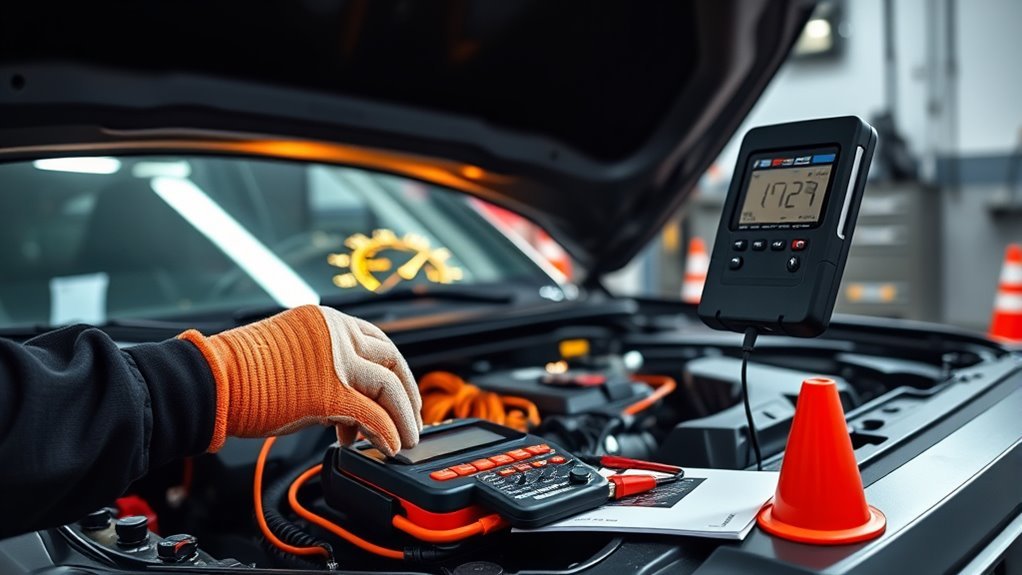
A Tacoma Hybrid is ready to drive only after the vehicle successfully boots its control systems and displays READY. The gasoline engine does not need to remain running for READY mode to be active. A weak 12V battery can prevent the control systems from starting correctly, so the 12V battery and terminals remain part of the first diagnostic path.
Keep owner-level checks limited and safe:
- Confirm the Smart Key is recognized and the vehicle is in Park with the brake pedal pressed.
- Confirm there is enough fuel. Toyota notes that adding only a very small amount after running out of fuel may be insufficient when the vehicle sits on a slope or uneven surface.
- Record the READY indicator and every “Check Hybrid System,” battery, key, and warning-light message.
- Test the 12V battery and inspect its terminals.
- Do not touch orange high-voltage cables, high-voltage parts, connectors, service plugs, inverter components, or hybrid battery components.
- If READY does not appear or hybrid warnings remain, arrange qualified diagnosis or towing rather than attempting high-voltage work.
Toyota warns that Tacoma Hybrid high-voltage DC and AC systems can cause severe burns, electric shock, serious injury, or death. Toyota: 2024 Tacoma Hybrid high-voltage precautions
2024+ Tacoma Notes: Battery Tests, TSBs, Recalls, and Warranty Steps
Do not diagnose a 2024 or newer Tacoma by battery age, brand, or mileage alone. Request test results that show what the truck and battery did during the failure.
Recall and service-campaign status can change and may apply only to specific VINs, production ranges, equipment, or software configurations. Check the Toyota recall and service-campaign lookup and the NHTSA recall lookup, then ask the dealer to document the VIN-level result.
Before approving repairs, ask the dealer for:
- A printed 12V battery test showing state of charge, available cranking performance, and the tester’s result.
- A scan report showing stored, pending, permanent, history, network, and relevant manufacturer-specific codes.
- Available freeze-frame or failure-record data connected to the no-start event.
- A VIN check for open recalls, service campaigns, and symptom-relevant service bulletins.
- Written notes showing whether the concern falls under factory warranty, an applicable campaign, goodwill assistance, or customer-pay diagnosis.
- A copy or identifier for any bulletin or campaign used to guide the repair.
Do not state that a Tacoma has “no recalls” based on a general article, model-year list, or previous lookup. Use the VIN and repeat the search when a new concern appears.
Note: A TSB is not the same as a recall. A recall addresses a safety defect or compliance issue for affected vehicles. A TSB provides service information for technicians. Warranty coverage still depends on the vehicle, diagnosis, mileage, time, campaign terms, and applicable policy.
[Products Worth Considering]

Catch Battery Problems Early: Featured in two videos by Project Farm, a popular YouTube channel with millions of subscribers, the ANCEL BA101 helps you quickly spot battery issues before they leave you stranded. It provides easy-to-understand readings for State of Health (SOH), State of Charge (SOC), voltage, current, CCA, plus cranking and charging system tests, so you can better understand your battery and help avoid unexpected breakdowns

【Reliable Car Battery Tester】: The alternator tester can accurately determine whether the car battery needs to be replaced or if there is a power outage, and at the same time evaluate the output status of the alternator, clearly presents real-time voltage data, battery health and charging status. It can effectively prevent the battery from being damaged due to overcharging or undercharging, and extend the battery's service life.
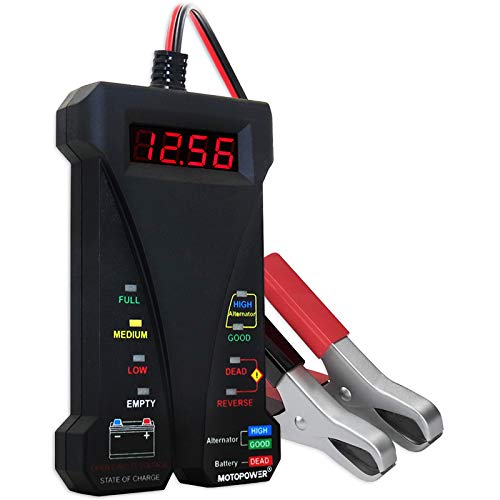
Effortless Operation - Boasting a “plug-and-test” design, there's no need for complex set-up procedures. Just connect it to the battery following simple steps. Without starting the vehicle, you can read the battery status, and after starting, quickly obtain the alternator status. Whether you're a professional mechanic or an ordinary car owner, you can easily use it to quickly determine if the battery needs jump - starting, replacement, or if the alternator output is normal.
When Should You Stop DIY Testing?
Stop owner-level testing when the basic checks do not identify the cause or when the next step requires exposed high-current testing, fuel-pressure measurement, immobilizer programming, wiring disassembly, control-module programming, or hybrid-system diagnosis.
If the truck needed a jump start and the cause hasn’t been diagnosed yet, don’t count on driving it any real distance. A jump gets the engine running once; it doesn’t confirm the battery or charging system will hold up for the trip. Arrange towing, or have the battery and charging system tested before relying on the truck for anything beyond a short drive straight to a shop.
Bring the dealer or repair shop a clear evidence packet:
- Record the symptom: no crank, one click, rapid clicking, slow cranking, normal cranking without starting, starts then stalls, or hybrid will not enter READY.
- Record the conditions: date, time, outside temperature, displayed fuel level, parking slope, mileage, and how long the truck sat.
- Record the warnings: key messages, security indicator, check-engine light, hybrid messages, battery light, and chimes.
- Record the tests: resting voltage, charging or jump result, terminal condition, fuse observations, scan codes, code status, and freeze-frame information.
- Capture proof: video of the complete start attempt and clear photos of warnings, battery terminals, cable damage, or corrosion.
- Preserve evidence: avoid clearing codes or repeatedly disconnecting the battery before the information has been saved when practical.
This information helps a technician reproduce an intermittent problem and reduces the chance of a “could not duplicate” visit.
Frequently Asked Questions
Why do I have power but my Tacoma won’t start?
Dash lights and screens can operate even when the 12V battery, terminals, cables, or grounds cannot maintain enough voltage during a start attempt. Other possibilities include a start-interlock input, starter relay, starter-control circuit, Smart Key, starter solenoid, or starter motor problem.
Why does my Tacoma click but not start?
Rapid clicking usually directs the diagnosis toward low system voltage or excessive resistance at a battery terminal, cable, or ground. One solid click with a charged, load-tested battery can also point toward the starter relay, solenoid, starter motor, control wiring, or a poor high-current connection.
How do you diagnose a Tacoma no-start problem?
First decide whether the engine does not crank or cranks normally but will not run. For no-crank, check start permission, the 12V battery, terminals, cables, grounds, fuses, relays, and starter circuit. For crank-no-start, confirm fuel, save codes and freeze-frame information, document immobilizer warnings, and test fuel, ignition, and sensor inputs with proper equipment.
Why will my Tacoma start in Neutral but not Park?
A repeatable Neutral-only start can indicate that the truck is not reliably recognizing the Park position. The cause may involve the park/neutral position input, shift adjustment, wiring, or another interlock component. Do not bypass the interlock; arrange model-specific diagnosis.
Can a weak key-fob battery stop a Tacoma from starting?
A weak electronic-key battery can reduce Smart Key range and cause key-detection problems. Try the spare registered key, replace the fob battery when its range has dropped, and use the owner’s manual emergency-recognition method. If one key works and another does not, focus on the nonworking key before replacing starter or fuel-system parts.
Should I replace the battery or starter first?
Do not replace either part without testing. Inspect the terminals, charge and load-test the battery, and check cable voltage loss first. If the low-voltage system passes and the correct start command reaches the starter circuit, the solenoid or starter becomes more likely. If the command is missing, diagnose the relay, interlocks, wiring, fuses, and control inputs.
What should I do if my Tacoma Hybrid will not enter READY mode?
Check the 12V battery, terminals, fuel level, Smart Key recognition, brake input, Park position, and warning messages. Do not touch orange high-voltage cables or hybrid components. If READY does not appear or a hybrid warning remains, arrange dealer or hybrid-qualified diagnosis.
Conclusion
When a Toyota Tacoma won’t start, begin with one decision: does it crank? Verify the key, pedal input, and gear position before testing the 12V battery and connections. Follow the no-crank path for relay, interlock, ground, and starter concerns. Follow the crank-no-start path for fuel, ignition, immobilizer, sensor, and control issues.
Save codes, freeze-frame data, dashboard warnings, and a video before clearing evidence. For a Tacoma Hybrid, stop at the low-voltage and owner-level checks. For 2024 and newer trucks, complete a VIN-level recall and campaign lookup before approving expensive repairs.
Sources
- Toyota — 2024 Tacoma Quick Reference Guide — supports the Smart Key, Park, brake-pedal, power-button, and READY starting sequence.
- Toyota Owners — 2024 Tacoma Smart Key System — supports Smart Key detection and operating-range guidance.
- Toyota Owners — 2024 Tacoma Electronic Key Battery — supports key-fob battery symptoms and replacement context.
- Toyota Owners — 2024 Tacoma Clutch Start Cancel Switch — supports manual-transmission clutch-interlock guidance.
- Yuasa Battery — Battery Maintenance Guidelines — supports the 12V state-of-charge screening guidance.
- Toyota Owners — 2024 Tacoma Hybrid System Precautions — supports high-voltage safety cautions.
- Toyota T-SB-0013-24 via NHTSA — Smart Key Immobilizer Reset and Add/Remove Key — supports dealer-level immobilizer and key-registration context.
- Toyota T-TT-0751-24 via NHTSA — Smart Key Signal Interference From Wireless Charger — supports the narrow 2023–2024 wireless-charger interference example and its expiration date.
- Toyota — Safety Recall and Service Campaign Lookup — provides VIN and license-plate lookup for current Toyota campaigns.
- NHTSA — Vehicle Recall Lookup — provides the federal VIN recall search.