If you’re facing Bluetooth issues in your Toyota Supra, start by deleting your phone from the car’s list of mobile devices and forgetting the car in your phone’s Bluetooth settings. Then reboot the infotainment system (with the car parked, press and hold the volume/power knob for about 30 seconds until the screen goes dark and the system reboots). Re-pair with your phone’s Bluetooth screen open and confirm the matching code on both devices. Keeping your phone’s operating system and the car’s software up to date prevents many repeat problems.
Key Troubleshooting Steps for Bluetooth Issues in Toyota Supra
When you encounter Bluetooth connectivity issues in your Toyota Supra, work through these steps in order. Delete your phone from the Supra’s mobile devices list and remove the Supra from your phone’s Bluetooth settings. Reboot the infotainment system to clear temporary glitches: press and hold the volume/power knob for about 30 seconds until the screen goes dark and the system reboots. When re-pairing, keep your phone’s Bluetooth screen open so it stays discoverable, and confirm the pairing code on both devices. Finally, ask your dealer whether newer infotainment software is available, since updates often improve phone compatibility.
Real-Life Bluetooth Issues Reported by Toyota Supra Owners
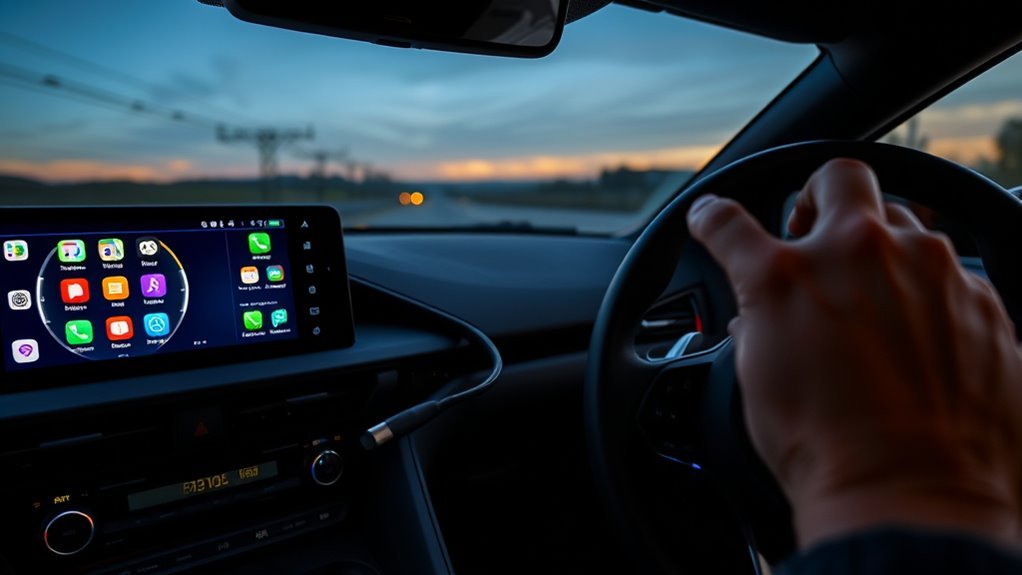
Many Toyota Supra owners face common disconnection problems with Bluetooth and CarPlay, often needing to restart their vehicles to regain functionality. You might also notice audio performance concerns, including freezing and skipping issues, which can disrupt your driving experience. These glitches, compounded by compatibility speculations with newer iOS versions, highlight the ongoing challenges with the Supra’s infotainment system.
Common Disconnection Problems
Have you found yourself frustrated by unexpected Bluetooth disconnections while driving your Toyota Supra? Owners report dropouts during drives, audio that freezes, and track controls that stop responding until the car is restarted. These problems usually trace back to corrupted pairing data, a phone OS update that changed Bluetooth behavior, or outdated infotainment software. A clean re-pair and a system reboot fix most cases; if the problem returns after every phone update, ask your dealer about a software update for the car.
Audio Performance Concerns
If your Supra has the JBL audio system, some owners note that streamed audio sounds thinner than expected, especially in the mid-range. Bluetooth audio is compressed, so check that your phone’s EQ is off, set the phone volume near maximum and adjust level with the car’s knob, and fine-tune the Supra’s tone settings. Freezing audio or tracks that won’t skip usually point to a connection glitch rather than the speakers, and a reboot of the infotainment system typically clears it.
Effective Solutions for Persistent Bluetooth Issues
To resolve persistent Bluetooth issues in your Toyota Supra, start by rebooting the infotainment system: press and hold the volume/power knob for about 30 seconds until the screen goes dark and the system reboots. If problems continue, try the following:
- Delete your phone from the car’s Bluetooth settings and vice versa, then re-pair the devices.
- Turn off Personal Hotspot and VPN apps while driving, as they can interfere with the connection (keep Wi-Fi on if you use wireless CarPlay, since it depends on Wi-Fi).
- Keep your phone’s operating system updated; Apple and Google regularly release Bluetooth fixes.
- Regularly check for firmware updates from Toyota to address connectivity problems.
- Verify your phone’s Bluetooth settings are optimized for seamless integration.
Working through these steps resolves most Bluetooth problems without a dealer visit.
How to Delete Your Phone From Toyota’s Bluetooth Settings
To delete your phone from the Supra, open the infotainment menu and go to the Mobile devices list (found under the Communication or settings menu, depending on your software version). Select the phone you want to remove and choose the option to delete or remove the device, then confirm.
Next, delete the car from your phone. Open your phone’s Bluetooth menu, select the Supra, and choose “Forget This Device” (iPhone) or “Unpair” (Android). Removing the pairing on both sides gives you a clean slate for re-pairing.
Perform a Soft Reset on the Infotainment System

A soft reset (reboot) of your Toyota Supra’s infotainment system can resolve many Bluetooth and connectivity issues without affecting your saved settings. It can help:
- Restores frozen infotainment functions
- Clears audio that stops or skips
- Addresses Bluetooth connectivity problems
- Resolves CarPlay issues
- Improves overall system performance
To perform the reset with the car parked, press and hold the volume/power knob for about 30 seconds until the screen goes dark and the system reboots. The Supra logo will reappear once the system restarts. It’s a quick fix that saves you from restarting the whole vehicle and is often the first thing a dealer will try.
Re-Pair Your Phone for Better Bluetooth Connection
If you’re experiencing Bluetooth connectivity issues in your Toyota Supra, re-pairing your phone often solves the problem. Delete the phone from the Supra’s mobile devices list, then forget the Supra in your phone’s Bluetooth settings. Reboot the infotainment system, then start pairing from the car’s menu while your phone’s Bluetooth screen is open. Confirm the code on both devices and allow contact and message access if you want calls and texts to work fully. See our full guide on how to pair Bluetooth in a Toyota Supra.
Firmware Updates Affecting Bluetooth Connectivity
While recent firmware updates for Toyota vehicles aim to enhance overall system performance, many users have encountered Bluetooth connectivity issues as a result. These updates can lead to frustrating disconnections and challenges in reconnecting devices.
Consider these key points regarding firmware compatibility and update impacts:
- Phone OS updates can change Bluetooth behavior, so a re-pair after a major update is often needed.
- Persistent Bluetooth issues have sparked calls for targeted updates from Toyota.
- Frustration among users is evident in forums, highlighting inadequate resolutions.
- Stability in Bluetooth and CarPlay remains a significant concern.
Stay informed about firmware changes, as they can directly affect your driving experience.
Related Guides
- Pair Bluetooth in a Toyota Supra: 2026 Step-by-Step
- Supra Infotainment Reset: 2026 GR Reboot & Fix Guide
- Toyota Supra CarPlay Disconnecting: How to Fix
- Supra Infotainment Screen Freezing: Fix It Now
- Supra Infotainment Update Guide for 2020–2024
Frequently Asked Questions
What Bluetooth Versions Are Supported by Toyota Supra?
The Supra’s system supports standard Bluetooth hands-free calling and audio streaming profiles and works with current iPhone and Android phones. Toyota doesn’t widely publish the exact Bluetooth version, so focus on keeping your phone’s software current rather than on version numbers.
Can I Connect Multiple Devices to My Supra’s Bluetooth?
Yes. The Supra can store several phones, and it can typically keep two connected at once (for example, one for calls and one for audio). Only one device can stream audio at a time.
Why Does My Phone Disconnect Intermittently From the Supra?
Your phone disconnects intermittently due to connection stability issues, often caused by interference sources like other devices or physical obstacles. Try minimizing these interferences to enhance your Bluetooth experience and maintain a stable connection.
Are There Any Compatibility Issues With Specific Phone Models?
Most current iPhone and Android phones pair without trouble. Problems are more often caused by a phone software update or stale pairing data than by the phone model itself, so re-pair after major updates and keep both phone and car software current.
How Can I Improve Bluetooth Audio Quality in My Supra?
Turn off any EQ or volume limiter on your phone, set the phone volume near maximum and control loudness with the car’s knob, and adjust the Supra’s tone settings. Streaming services that offer a high-quality setting can also help, and keeping the phone away from other active Bluetooth devices reduces dropouts.
Conclusion
In managing Bluetooth issues with your Toyota Supra, remember that persistence pays off. Like tuning a fine instrument, minor adjustments can lead to harmonious connectivity. By following the troubleshooting steps and implementing the suggested solutions, you’ll likely restore seamless communication between your phone and vehicle. Stay proactive with updates and re-pairing to keep the connection strong. Once you’ve fine-tuned your settings, you can enjoy the drive without the distraction of tech troubles.