If your Toyota GR Supra infotainment screen freezes, Bluetooth drops, Apple CarPlay will not connect, or the audio system acts slow, start with the least destructive reset first. A soft reboot or full vehicle sleep cycle usually fixes temporary glitches without deleting anything. Use Delete Personal Data only when you want a true factory-style reset, because it removes saved phones, profiles, destinations, and custom settings.
Quick Answer
To reset a Toyota Supra infotainment system, first park safely and try a soft reboot by holding the audio power/volume button until the screen restarts. If that fails, shut the car off, lock it, and wait 10–15 minutes. For a full data reset, use My Vehicle → System settings → Data privacy → Delete personal data.
Key Takeaways
- A soft reboot is the safest first fix because it restarts the screen without erasing your saved settings.
- Toyota’s official Supra manual lists Delete personal data under My Vehicle → System settings → Data privacy; the deletion process can take about 15 minutes after you exit and lock the vehicle.
- A battery or fuse power-cycle is a last DIY step, not a normal factory reset. Do it only if you can identify the correct fuse or safely access the 12-volt battery.
- For Bluetooth or Apple CarPlay issues, forget the phone on both the Supra and the phone, restart both, then pair again while parked.
- Use Toyota’s official software update portal or a Toyota dealer for updates. Do not install firmware files from forums or unknown websites.
At a Glance
| Time Required | 1–3 minutes for a soft reboot; about 15 minutes for Delete Personal Data or a power-cycle |
| Difficulty | Easy for menu resets; moderate for fuse or battery steps |
| Tools Needed | None for soft/menu reset; fuse puller or wrench only for advanced power-cycle steps |
| Cost | Usually free; dealer diagnosis or software service may cost money outside warranty or campaign coverage |
Warning: Never reset the infotainment while driving. Park safely, set the parking brake, and keep your attention off the screen until the vehicle is stopped.
How to Reset Supra Infotainment: Quick First-Aid Steps
Use this order so you fix the common problem without deleting more than necessary:
- Park the Supra safely. Put the car in Park, keep the brake set, and stop using the screen while driving.
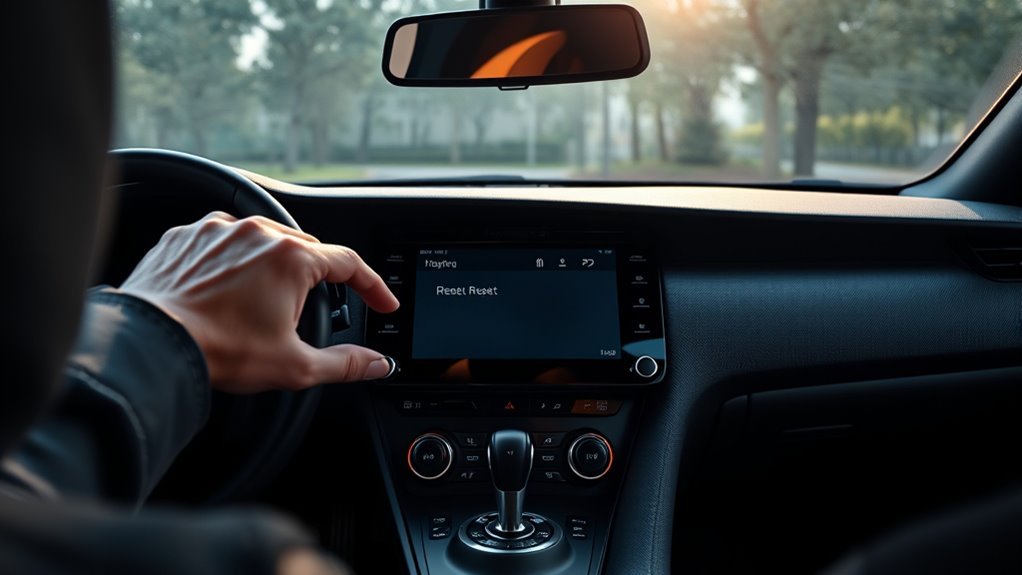
- Try a soft reboot. Hold the audio power/volume button until the screen goes dark or restarts. If nothing happens after a reasonable hold, stop and move to the next step instead of forcing buttons.
- Let the car sleep. Turn the car off, exit, lock it, keep the key away, and wait 10–15 minutes before restarting.
- Reset phone connections. For Bluetooth or Apple CarPlay problems, forget the phone from the Supra and forget the Supra from the phone, then pair again.
- Use Delete Personal Data only when needed. This is the real factory-style reset and it removes saved personal information.
- Check for updates or dealer campaigns. If the problem returns, check Toyota’s official software update portal and your VIN for recalls or service campaigns.
Soft Reboot vs. Factory Reset vs. Power-Cycle
These resets sound similar, but they do different things. Choosing the wrong one can waste time or erase data you meant to keep.
| Reset Type | Best For | What It Deletes |
|---|---|---|
| Soft reboot | Frozen screen, temporary lag, no audio, brief CarPlay hiccup | Nothing |
| Vehicle sleep cycle | Modules that stay confused after a quick reboot | Nothing |
| Delete Personal Data | Selling the car, repeated pairing issues, corrupted profiles, privacy cleanup | Profiles, paired phones, navigation destinations, contacts, presets, and personal settings |
| Fuse or battery power-cycle | Screen will not respond and menu reset is not possible | Usually no personal data, but some settings may need to reinitialize |
Note: Toyota’s current digital Supra manual lists the official personal-data reset path as My Vehicle → System settings → Data privacy → Delete personal data. Older screens or different markets may use slightly different wording, so follow the labels shown on your exact car.
Try a Safe Soft Reboot First
A soft reboot is the best first step because it does not wipe your Supra’s saved data. Use it when the screen is frozen, audio controls lag, CarPlay stops responding, or the interface briefly locks up.
- Park the car safely and leave the infotainment system on.
- Press and hold the audio power/volume button.
- Keep holding until the screen goes black, restarts, or the Toyota Supra Command interface begins to reload.
- Release the button and wait for the system to fully boot.
- Test the problem again: touchscreen response, radio, navigation, Bluetooth, and Apple CarPlay.
If the screen does not restart, do not keep pressing random button combinations. Shut the vehicle down and do a full sleep cycle next.
Let the Supra Complete a Full Sleep Cycle
Modern vehicle modules can stay awake for several minutes after you shut the car off. A full sleep cycle gives the infotainment, Bluetooth, and connected-service modules time to power down cleanly.
- Turn the Supra off completely.
- Remove phones, USB drives, and aftermarket wireless CarPlay adapters.
- Exit the vehicle and lock it.
- Keep the key fob away from the car so the vehicle does not keep waking up.
- Wait 10–15 minutes.
- Unlock the car, start it, and test the infotainment again.
Pro Tip: If your issue only happens with one phone, restart the phone before blaming the Supra. Toyota’s Bluetooth support guidance also recommends updating the phone, deleting the pairing, restarting, and pairing again.
Use “Delete Personal Data” for a Factory Reset
Use Delete Personal Data when you want a clean infotainment setup or when profiles, phone pairings, contacts, or navigation data appear corrupted. This is also the step to use before selling or trading the car.
Before You Delete Personal Data
Write down or screenshot anything you want to rebuild later:
- Radio presets and favorite stations
- Navigation favorites and recent destinations
- Bluetooth device names
- Sound settings, shortcuts, display settings, and driver profile preferences
- Any error messages or symptoms you want to show a technician
Exact Delete Personal Data Steps
For the current Toyota digital Supra manual path, use Toyota Supra Command:
- Select My Vehicle.
- Select System settings.
- Select Data privacy.
- Select Delete personal data.
- Select Delete personal data again.
- Confirm with OK.
- Exit and lock the vehicle.
- Allow about 15 minutes for the deletion process to complete.
After the system restarts, check that old phones, contacts, profiles, and destinations are gone. If the manual’s deletion process does not remove everything, repeat the deletion once. If data still remains or the menu freezes, schedule dealer diagnosis.
Power-Cycle the Supra Infotainment: Remove the Stereo Fuse
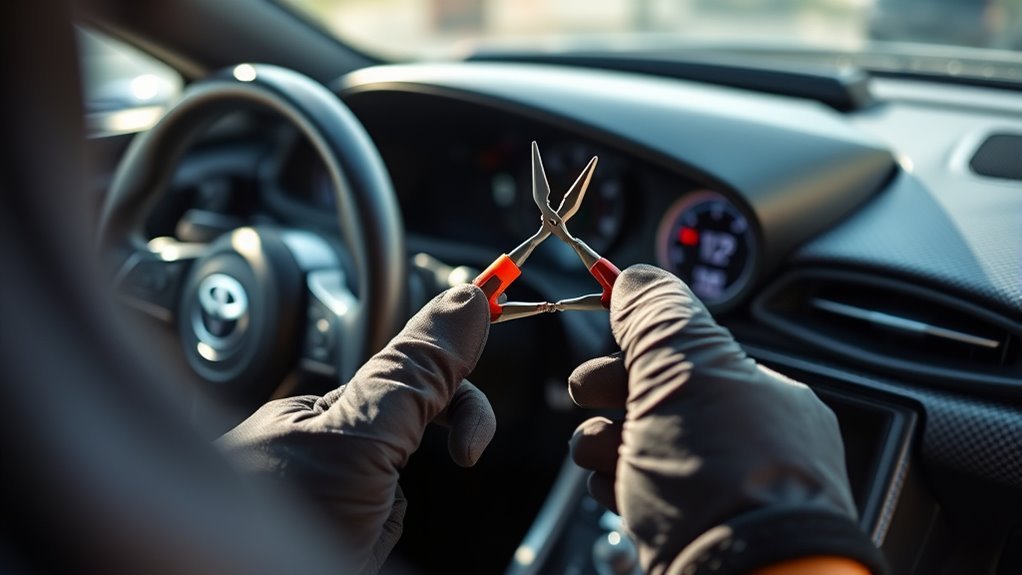
Removing the stereo or infotainment fuse can force a deeper power-cycle, but it should come after the soft reboot, sleep cycle, and menu reset steps. Only do this if you can identify the correct fuse from the owner’s manual or fuse-box diagram.
Locate the Correct Fuse
Do not guess. The Supra has multiple electronic modules, and pulling the wrong fuse can create extra warning lights or disable unrelated systems. Check the fuse chart for the audio, multimedia, display, or head-unit circuit, then use a fuse puller.
| Step | Action |
|---|---|
| 1 | Turn the car off and keep the key away from the vehicle. |
| 2 | Find the correct fuse using the fuse-box cover or owner’s manual. |
| 3 | Remove the fuse with a fuse puller, not metal tools that can slip. |
| 4 | Wait about 10 minutes. |
| 5 | Reinstall the fuse firmly, start the car, and test the screen, radio, Bluetooth, and Apple CarPlay. |
When to Skip the Fuse Method
Skip the fuse method if the fuse box is difficult to access, the fuse labels are unclear, the vehicle is still under warranty and you are worried about documentation, or warning lights appear after a previous power-cycle. A Toyota dealer can power-cycle and diagnose the system with factory tools.
Safely Disconnect the Car Battery to Reset the System
A 12-volt battery disconnect is another last-resort power-cycle. It can help when the screen is completely frozen and you cannot reach the settings menu, but it also carries more risk than a soft reboot.
Warning: Do not disconnect the battery if you are not comfortable working around 12-volt electrical systems. Keep metal tools away from both terminals, make sure you can still access the battery area, and do not close yourself out of a trunk or hatch that needs power to open.
- Turn the vehicle off, switch off lights and accessories, and keep the key away.
- Open the battery access area and make sure it will stay accessible while power is disconnected.
- Loosen and remove the negative 12-volt battery terminal only.
- Secure the negative cable so it cannot spring back onto the battery post.
- Wait at least 10 minutes.
- Reconnect the negative terminal firmly.
- Start the vehicle and let the infotainment boot completely before testing features.
If new warning messages appear and do not clear after a normal restart, stop troubleshooting and contact a Toyota dealer.
Fix Supra CarPlay & Bluetooth: Reset Connections and Adapters
Many “infotainment” problems are really phone-pairing problems. Toyota’s support guidance for Bluetooth connection issues recommends updating the phone, deleting the device from the vehicle, restarting the device, and pairing again.
- Update your iPhone or smartphone software.
- In the Supra, open the Bluetooth or mobile-device menu and forget/delete the phone.
- On the phone, open Bluetooth settings and forget the Supra.
- If you use an aftermarket wireless CarPlay adapter, unplug it and test a direct connection first.
- Restart the phone.
- Turn the Supra off, wait a few minutes, then restart it.
- Pair the phone again while the vehicle is parked.
- For Apple CarPlay, make sure Siri and CarPlay are enabled on the iPhone before reconnecting.
Toyota’s Apple CarPlay setup guidance says first-time setup should be completed while the vehicle is in Park. If your phone still will not connect, try a different certified cable, remove VPN or screen-time restrictions, and test another phone to separate a vehicle issue from a phone issue.
[Products Worth Considering]

This wireless CarPlay screen adds modern smartphone connectivity to almost any vehicle with easy plug-and-play installation. It supports Apple CarPlay and Android Auto, online maps, voice control, phone mirroring, and multiple audio output options for safer, more convenient driving. The included night vision backup camera and OTA updates help improve visibility, compatibility, and long-term performance.

This compact adapter upgrades compatible factory wired CarPlay or Android Auto systems to wireless convenience for both iPhone and Android users. It uses WiFi 6 and Bluetooth 5.4 for fast, stable connections with quick auto-connect startup and reliable voice, navigation, and music performance. Its mini plug-in design helps keep the dashboard tidy while supporting easy setup and broad vehicle compatibility.

Teeran’s 2-in-1 wireless adapter turns compatible factory wired CarPlay or Android Auto systems into a cable-free experience for both iPhone and Android users. It offers fast setup, automatic reconnection, and full support for your vehicle’s original controls so navigation, music, calls, and voice assistants work seamlessly. Its compact flush-fit design helps reduce clutter, while built-in protection and broad compatibility make it a practical everyday upgrade.
Check for Software Updates Before Firmware Reinstallation
Do not download random firmware files. Use Toyota’s official Audio Multimedia System Updates portal or ask a Toyota dealer to check your VIN. Toyota notes that eligible vehicles may require a compatible USB drive for software installation, and that navigation and map updates are not handled through that software download site.
| Situation | Best Next Step |
|---|---|
| Bluetooth disconnects, low Bluetooth audio, or slow pairing | Check Toyota’s software portal or ask a dealer to verify available updates. |
| Navigation map data is outdated | Contact a Toyota dealer because Toyota says navigation and map updates are not available from the software download site. |
| Connected services, SOS, or Supra Connect features fail | Check your VIN for recalls and service campaigns, including DCM-related campaigns where applicable. |
| The screen went blank during an update | Do not retry with unofficial files. Schedule dealer diagnosis. |
Reinstall Firmware After Failed Software Updates
For owner-available audio multimedia updates, follow Toyota’s download instructions exactly. In general, the safe process is to verify the update by VIN, use the required USB drive format, keep the vehicle parked, and avoid interrupting power during installation.
- Check eligibility through Toyota’s official software update portal or your dealer.
- Read Toyota’s download and USB instructions before copying any files.
- Use only the update files Toyota provides for your vehicle.
- Keep the vehicle parked and do not drive during the update.
- Do not turn the car off, remove the USB drive, or disconnect the battery during installation unless the official instructions say to.
- After the update completes, restart the system and test radio, Bluetooth, navigation, Apple CarPlay, and connected services.
If an update fails twice, the system loops, or connected-service features remain unavailable, let a Toyota dealer reflash or diagnose the module. For example, NHTSA-posted Toyota campaign documents describe a Data Communication Module update for certain 2020–2023 GR Supra vehicles, so a VIN check matters more than guessing.
Troubleshoot Persistent Issues: Logs, Tests, and Next Steps
If resets do not fix the problem, gather useful evidence before service. Clear notes help the technician reproduce the fault instead of returning the car with “could not duplicate” on the invoice.
- Record the model year, trim, VIN, and current software version if you can find it in the settings menu.
- Write down the exact symptom: black screen, frozen Toyota Supra Command, no audio, Bluetooth disconnect, CarPlay failure, navigation crash, or connected-service issue.
- Note when it happens: startup, after a phone connects, after using reverse camera, after hot weather, after a USB drive is plugged in, or after a software update.
- Take a short video of the failure while parked.
- List your phone model, operating-system version, cable type, and whether an adapter is involved.
- Check Toyota’s Safety Recalls & Service Campaigns by VIN page and the NHTSA recall lookup.
The fastest dealer visit is the one where you bring the symptom, the timing, the phone model, and a video. That gives the technician a repeatable path instead of a vague “screen glitches sometimes” complaint.
[Products Worth Considering]

This portable car stereo adds wireless Apple CarPlay and Android Auto to nearly any vehicle without replacing the factory head unit. The 7-inch HD touchscreen supports voice control, GPS navigation, mirror link, Bluetooth calling, and multiple audio output options for a safer, more connected drive. It also includes backup camera support and flexible mounting for easy installation and removal.

This 2-in-1 wireless adapter converts factory wired CarPlay into a convenient wireless connection for compatible vehicles, making every drive simpler and more flexible. It supports quick auto-connect, easy phone switching, and stable audio and navigation performance for iPhone and Android Auto users. Designed for plug-and-play use, it helps reduce cable clutter while keeping calls, maps, and music running smoothly.

This portable car stereo brings wireless Apple CarPlay and Android Auto to your vehicle for easier access to navigation, music, calls, and messages. The large HD touch screen supports mirror link and multiple audio output options, while voice control adds safer hands-free use on the road. An included backup camera and simple dashboard mount make installation quick and convenient without replacing your original radio.
What Dealers Usually Fix: Diagnostics and Typical Updates
A Toyota dealer can do more than reset the screen. Technicians can connect factory diagnostic equipment, read stored faults, check service campaigns, verify module communication, and install software updates that are not practical to handle at home.
[Products Worth Considering]

This compact adapter converts factory-wired CarPlay and Android Auto systems to wireless for a cleaner, more convenient driving experience. It offers fast auto-connect, stable performance, and plug-and-play setup so you can enjoy navigation, music, calls, and voice control without extra cables. The included USB-to-USB-C converter helps it fit a wide range of vehicle ports.

This wireless adapter upgrades factory wired Apple CarPlay and compatible Android Auto systems into a seamless cordless experience without replacing your original infotainment system. After a quick one-time setup, it reconnects automatically for navigation, music, calls, messages, and voice control, while compact plug-and-play design helps keep your dashboard clean and your driving experience more convenient.

The HEYINCAR+ H-Air adapter upgrades compatible factory wired CarPlay and Android Auto systems to wireless convenience with a compact plug-and-play design. It connects automatically after setup, delivering fast startup, stable performance, and support for your car’s original touchscreen, steering wheel controls, and voice commands. Built for broad vehicle compatibility and ongoing firmware updates, it offers a simple way to enjoy cable-free driving with minimal clutter.
Dealer Diagnostics Procedure
- Read infotainment, communication, and connected-service fault codes.
- Check Toyota service bulletins and VIN-specific campaigns.
- Test touchscreen response, physical buttons, audio output, USB ports, microphones, Bluetooth, and connected-service modules.
- Verify whether the problem follows one phone or happens with multiple devices.
- Apply software updates, reinitialize modules, or recommend hardware replacement if a module fails testing.
Software and Firmware Updates
Software updates can address bugs, Bluetooth behavior, connected-service issues, and system stability, but they are not magic fixes for every symptom. Toyota also notes that applying an update may or may not resolve a Bluetooth issue, and dealer charges may apply depending on warranty, campaign, and dealer policy.
Prepare Your Supra for Service: Backup, Presets, and Notes
Before handing your Supra over for service, back up the settings that might be lost during a reset or module reflash.
- Write down radio presets and favorite stations.
- Save navigation favorites somewhere outside the vehicle.
- Take photos of sound, display, and shortcut settings.
- Remove personal information if you are concerned about privacy.
- Bring your main phone and cable so the technician can test your real setup.
- Ask the service adviser to check for software updates, DCM campaigns, and open recalls by VIN.
Frequently Asked Questions
Will a soft reboot erase my navigation saved locations?
No. A soft reboot only restarts the infotainment system. It should not erase saved destinations, paired phones, radio presets, or driver profiles.
Will Delete Personal Data erase my saved locations and radio presets?
Yes. Treat Delete Personal Data as a factory-style privacy reset. It can remove saved phones, contacts, navigation destinations, driver profile data, presets, and custom settings. Back up anything important first.
Does resetting the infotainment affect my vehicle warranty?
Using normal menu options or dealer-approved reset procedures should not void your warranty by itself. Damage caused by improper fuse removal, battery shorting, or unofficial firmware installation can create problems, so document what you did and use a dealer for uncertain steps.
Can I reset the system while driving?
No. Pull over safely first. Resetting the infotainment while driving can distract you, interrupt navigation or audio prompts, and make a minor screen issue more dangerous than the original problem.
Will Apple CarPlay or Android Auto need to be paired again after a reset?
After a soft reboot, usually no. After Delete Personal Data, yes. Apple CarPlay will need to be set up again. Android Auto only applies if your specific market, model year, and head unit support it.
How long does Delete Personal Data take on a Toyota Supra?
Toyota’s current digital Supra manual says to exit and lock the vehicle after confirming Delete personal data, and that the deletion process takes about 15 minutes to complete.
Should I disconnect the battery or remove the fuse first?
No. Try the soft reboot, vehicle sleep cycle, phone-pairing reset, and Delete Personal Data first. Use fuse or battery steps only when the screen is unresponsive and you can safely identify the right component.
Conclusion
Resetting a Toyota Supra infotainment system is easiest when you work from safe to aggressive. Start with a soft reboot, then a full sleep cycle, then phone-pairing cleanup. Use Delete Personal Data when you need a true factory-style reset or privacy wipe. Save fuse, battery, and firmware work for last, and use Toyota’s official update tools or a dealer when software or connected-service modules are involved.
Sources
- Toyota Owners — 2026 Supra Personal settings — official Delete personal data path and 15-minute deletion note.
- Toyota Audio Multimedia System Updates — official software update portal and USB update guidance.
- Toyota Support — Paired device not connected — Bluetooth troubleshooting sequence.
- Toyota Support — Apple CarPlay setup — CarPlay setup requirements and pairing guidance.
- Toyota — Audio Multimedia GR Supra Support — GR Supra multimedia features, Bluetooth pairing, navigation, and Supra Connect support.
- NHTSA Recall Lookup — official VIN recall and safety campaign lookup.