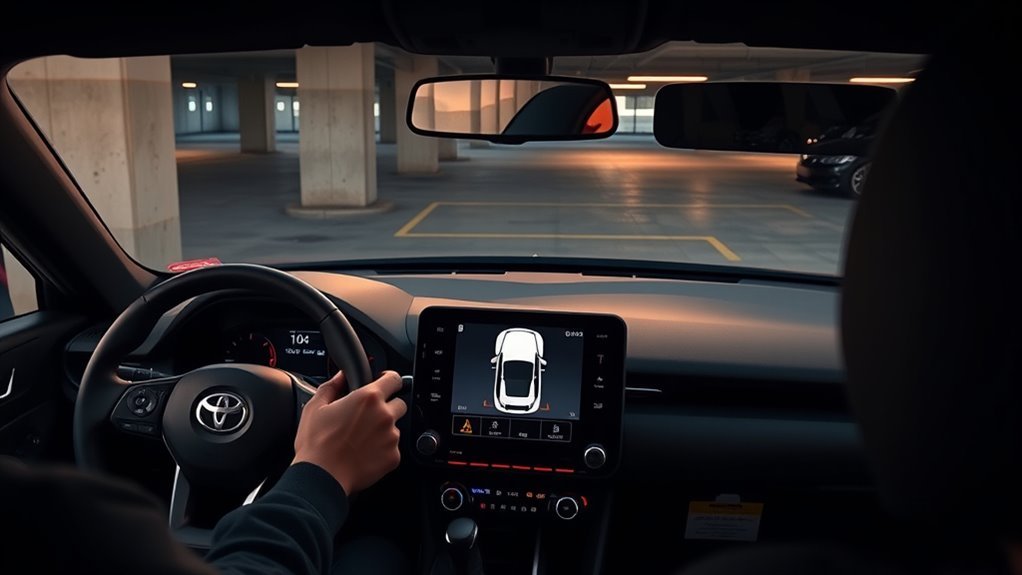
Toyota Supra parking sensors switch on automatically when an equipped GR Supra is placed in Reverse with the engine running. You can also use the park-assistance button for manual control. Depending on model year, equipment, and settings, the system may activate automatically when you approach an obstacle below about 2.5 mph (4 km/h). Warning behavior and package content can vary by model year, so use the owner’s manual for your exact GR Supra when a distance or menu path matters.
Last updated: August 31, 2026. Activation behavior, warning distance, emergency-braking information, and troubleshooting guidance were rechecked against Toyota GR Supra documentation and current safety sources.
Quick Answer
On an equipped Toyota GR Supra, shift into Reverse to activate the rear Parking Sensors automatically. Press the park-assistance button for manual control. Depending on equipment, the system can also activate automatically at very low speed when you approach an obstacle. In later GR Supra manuals, the warning beeps become faster as clearance shrinks and a continuous tone is specified at about 8 in (20 cm); check the manual for your exact model year before treating any distance as a threshold. Stop and verify the actual clearance yourself.
Key Takeaways
- Parking sensors are an available GR Supra feature, so first confirm your car is equipped.
- Selecting Reverse automatically activates the rear Parking Sensors on an equipped car with the engine running.
- The park-assistance button provides manual control; depending on equipment, low-speed obstacle detection can also activate the system automatically.
- Later GR Supra manuals specify a continuous tone at about 8 in (20 cm); model-year wording can vary, and the system is not a precision measuring device.
- Dirty sensors, bumper damage, paint or wrap work, weather, and sensor misalignment can cause missed objects or false warnings.
- Some equipped versions include a Parking Sensors emergency-braking function, but it cannot prevent every collision.
At a Glance
| Time Required | 1–3 minutes to activate and test; 10–20 minutes for cleaning and basic troubleshooting |
| Difficulty | Easy for normal use and cleaning; advanced diagnosis may require a Toyota-compatible scan tool |
| Tools Needed | Soft damp cloth, good lighting, open parking area, Toyota-compatible diagnostic scanner if faults remain |
| Cost | Free for normal use and cleaning; diagnostic or repair cost varies with the fault and required parts |
Toyota Supra Parking Sensor Model-Year Differences
Parking-sensor availability and the emergency-braking function are not identical across every GR Supra. Toyota’s U.S. materials show the feature as package-dependent, and the exact combination can vary by year, grade, transmission, and market.
| Model-Year Example | Toyota-Documented Configuration | What It Means for Owners |
|---|---|---|
| 2020 U.S. | Toyota listed parking sonar in the available Driver Assist Package. | Do not assume every 2020 Supra has parking sensors; confirm the original equipment. |
| 2023 U.S. | Toyota’s brochure lists Parking Sensors in manual-transmission driver-assist packages and Parking Sensors with Emergency Braking Function in applicable automatic-transmission packages. | Sensor presence does not always guarantee the same braking function on every package. |
| 2025–2026 U.S. | Toyota lists Parking Sensors with Emergency Braking Function in the available Safety & Technology/Driver Assist packages on applicable grades. | Check the window sticker, VIN build data, or Toyota/dealer records for your exact car. |
Model-year check: The operating steps below match later MkV GR Supra documentation, but menu labels, warning distances, and emergency-braking availability can differ. Use the owner’s manual for your exact year when a setting or threshold does not match what you see in the car.
Activate Toyota Supra Parking Sensors (Quick Steps)
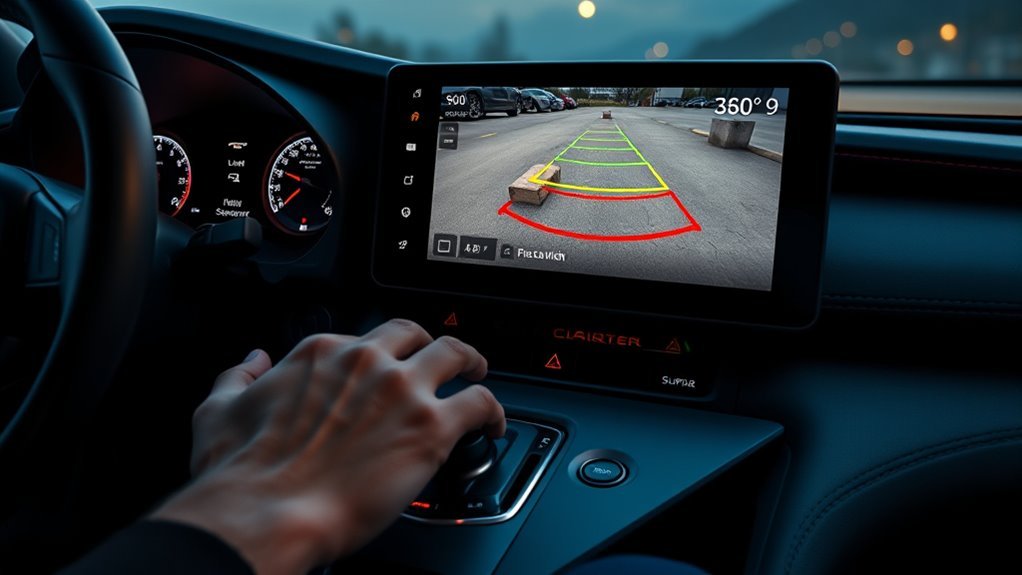
Start by confirming that your Supra has the parking sensor feature. Toyota lists available front and rear parking sensors for the 2026 GR Supra, and equipment can vary by model year, trim, package, and market. If your car has the system, use these steps:
- Start the vehicle and clear the area. Make sure people, pets, curbs, posts, tools, and low objects are not close to the bumpers.
- Clean the sensor faces. Wipe the small round sensor areas in the front and rear bumpers if they are dusty, icy, muddy, or wet.
- For rear sensors, shift into Reverse. Toyota GR Supra documentation says Parking Sensors switch on automatically when selector position R is engaged with the engine running.
- Use the park-assistance button for manual control. Press the button to switch the system on or off. When it is on, the button indicator illuminates.
- For front checks, move only at very low speed. Depending on equipment and settings, Parking Sensors can activate automatically when the car approaches a detected obstacle below about 2.5 mph (4 km/h).
- Watch and listen together. Use the Control Display, warning tones, camera guidelines, mirrors, and direct visual checks before steering.
- Stop at a continuous tone. Later GR Supra manuals describe a continuous tone at roughly 8 in (20 cm) from a detected object. Treat that as a stop warning, not a guaranteed measurement of bumper clearance, and check the manual for your exact model year.
Note: If the system does not activate in Reverse, first confirm that your Supra actually has Parking Sensors. If equipped, clean the sensor faces and check the display for a warning message before assuming a sensor has failed.
[Products Worth Considering]

The ANCEL AD410 PRO combines engine diagnostics and 12V battery testing in one easy-to-use tool, helping you read and clear check engine codes while checking battery health, cranking, and charging performance. It also provides live data, freeze frame details, and I/M readiness checks to help you diagnose issues faster and prepare for emissions testing. With plug-and-play operation, a clear screen, and broad vehicle compatibility, it is a practical solution for home mechanics and everyday drivers.
Do Toyota Supra Parking Sensors Turn On Automatically?
Yes. On an equipped GR Supra, selecting Reverse with the engine running automatically switches on Parking Sensors for the backing maneuver. Depending on the equipment version, the system can also activate while you approach a detected obstacle at less than about 2.5 mph (4 km/h). On versions that provide the setting, low-speed automatic activation can be turned on or off through Toyota Supra Command.
The system also switches itself off during forward driving after a certain speed or driving distance is reached. If you need it again for another parking maneuver, use the park-assistance button or allow the automatic activation conditions to trigger it.
Use Sensors When Reversing and Parking (Step-by-Step)
When backing into a space, shift into Reverse, pause, scan your surroundings, and then begin moving slowly. The rear parking sensors estimate proximity to detected objects, while the camera helps show alignment and the area behind the car.
- Before moving: check the camera view, mirrors, side windows, and both bumper corners.
- While reversing: keep your foot ready on the brake and make short, controlled movements.
- As beeps increase: slow down and recheck the camera guidelines, especially near curbs, walls, garage shelves, and parking stops.
- If the tone becomes continuous: stop and visually confirm the remaining space. Later GR Supra manuals specify about 8 in (20 cm), but the exact model-year manual controls; the tone is not a substitute for checking the actual clearance.
- If the system is silent: do not assume the path is clear. Low, narrow, soft, angled, or extremely close objects can be difficult for ultrasonic sensors to detect.
Warning: Parking sensors and backup cameras are driver-assistance tools only. NHTSA states that backup cameras do not replace mirrors or turning around to look, so make a direct visual check before and during reversing.
Read the Beeps and Backup Camera Cues
Use the beep cadence as a proximity warning rather than an exact measuring tool. GR Supra Parking Sensors use ultrasonic sensors in the bumpers to detect nearby objects. As the detected distance decreases, the intervals between warning tones become shorter. Later GR Supra manuals specify a continuous tone at roughly 8 in (20 cm); check the manual for your exact model year if the warning behavior differs.
How Far Do Toyota Supra Parking Sensors Detect?
For the 2026 GR Supra, Toyota’s owner information describes an ultrasonic sensing range of about 6 ft (2 m), depending on the obstacle and environmental conditions. It says an acoustic warning can begin at about 27 in (70 cm) when a collision risk is detected, while an object behind the car can trigger a warning at about 5 ft (1.5 m). The continuous tone is specified below about 8 in (20 cm). These are system thresholds, not guaranteed bumper-clearance measurements, because object shape, surface, angle, weather, and sensor condition affect detection.
| Cue | What It Usually Means | What To Do |
|---|---|---|
| No beep | No object detected, system inactive, object outside the detection area, or an object the sensors cannot reliably detect | Keep checking visually; never treat silence as proof that the path is clear |
| Slow intermittent beep | An object has been detected with more clearance remaining | Continue only at very low speed while checking the display and mirrors |
| Fast intermittent beep | The detected object is getting close | Brake and move only in short, controlled increments |
| Continuous tone | Later GR Supra manuals specify roughly 8 in (20 cm); exact model-year guidance can vary | Stop and verify the real clearance yourself |
| Intermittent beep stops while stationary | This can be normal; the intermittent warning may pause after the car has been stationary for a short time | Keep watching the surroundings; the warning can reactivate if an object approaches |
Pro Tip: When backing into the same garage regularly, stop when the warning first becomes rapid and visually check the actual clearance once. That gives you a useful reference for the space without treating the sensor display as an exact ruler.
How Do You Adjust Toyota Supra Parking Sensor Volume?
GR Supra documentation allows the Parking Sensors signal-tone volume to be adjusted. On later versions, the path is My vehicle → System settings → Tone → Volume settings → Parking Sens., then set the desired level. Toyota navigation/audio manuals for some years also expose Parking Sens. under the audio volume-settings menu, so use the owner’s manual for your exact model year if the labels differ.
Do Toyota Supra Parking Sensors Apply the Brakes?
Yes, on equipped configurations. Toyota’s U.S. materials for the 2025 and 2026 GR Supra list Parking Sensors with Emergency Braking Function in applicable Safety & Technology and Driver Assist packages. When the system anticipates a collision, Toyota says it can issue an audible warning, reduce engine output, and automatically apply the brakes. Earlier model-year package content varies, and the system cannot prevent every collision, so you still need to control the brake pedal and watch the vehicle’s surroundings yourself.
When Parking Sensors May Not Warn You
Parking Sensors work best when an ultrasonic signal can reflect clearly from an object. Toyota GR Supra owner information identifies several conditions that can reduce detection accuracy or cause false warnings. Be extra careful around:
- Thin poles, chains, wire fences, trailer hitches, and bicycle racks
- Low curbs, parking blocks, steep driveway edges, and other objects below the main sensing area
- Soft, porous, narrow, wedge-shaped, or sharply angled objects that may reflect ultrasonic waves poorly
- People, animals, plants, or objects positioned near the edge of the detection zone
- Objects already extremely close to the bumper
- Dirty, frozen, covered, damaged, or misaligned sensor faces
- Recent bumper paint, wrap, repair, or impact around a sensor
- Heavy rain, snow, wet conditions, strong wind, and nearby ultrasonic interference
- Automatic car washes, where nearby equipment and moving surfaces can trigger false warnings
Evidence note: An IIHS study of late-model General Motors vehicles found that combining a rearview camera with parking sensors was associated with a 42% lower backing crash-involvement rate than having neither system. The result was not a GR Supra-specific test, but it supports using camera and sensor information together rather than depending on either one alone.
How Do You Troubleshoot Toyota Supra Parking Sensors?
If your Supra’s Parking Sensors do not activate, show false alerts, or display a warning message, separate normal behavior from a likely fault before replacing parts. Dirt, ice, environmental interference, bumper impact, connector problems, and incorrect sensor alignment can all affect the system.
- Confirm normal activation first. With the engine running, select Reverse. An equipped system should activate automatically.
- Clean each sensor face. Use a soft damp cloth. Do not scrape the sensors with a sharp tool or use harsh chemicals on their painted surfaces.
- Restart and retest in a safe area. Slowly approach a large, clearly visible object while monitoring the Control Display and warning tones.
- Check manual activation. Press the park-assistance button and confirm that its indicator shows the system is on.
- Inspect the bumpers. Look for impact damage, loose trim, recent paintwork, vinyl wrap, or a sensor sitting at an unusual angle.
- Distinguish normal silence from a fault. An intermittent beep may stop after the car remains stationary. That alone does not prove the system is malfunctioning.
- Consider the environment. If false alerts occur only in an automatic car wash or around strong ultrasonic interference, retest in an open, dry area before treating the symptom as a hardware failure.
- Use a capable diagnostic tool if a warning remains. An engine-only OBD-II reader may not expose parking-assistance or body-module faults. Use a diagnostic system that can communicate with the relevant vehicle modules.
- Escalate persistent faults. If the problem remains after cleaning and a controlled retest, have the sensor installation, wiring, related control modules, and required calibration procedures checked by a qualified technician.
| Symptom | What It May Mean | Best Next Step |
|---|---|---|
| No Parking Sensors display or warning in Reverse | Vehicle not equipped, blocked sensors, system fault, or electrical problem | Confirm equipment, clean sensors, then diagnose if still inactive |
| Beep stops while the vehicle is stationary | Can be normal intermittent-tone behavior | Retest while moving very slowly rather than replacing a sensor |
| Constant warning with no obvious obstacle | Dirt, ice, water, nearby interference, bumper damage, or sensor misalignment | Clean and dry the sensors and inspect the bumper area |
| Intermittent false alerts in bad weather | Ultrasonic measurement affected by rain, snow, spray, wind, or interference | Retest in dry conditions before diagnosing a hardware failure |
| Warning started after bumper, paint, or wrap work | Sensor covered, displaced, misaligned, or connector disturbed | Have the recent work and sensor installation inspected |
Note: Do not sand, repaint, wrap, or replace a parking sensor based only on a false alert. Sensor coverage and alignment can affect ultrasonic performance, and the correct repair procedure depends on the vehicle and fault.
[Products Worth Considering]

OBD2 SCANNER & BATTERY TESTER IN ONE – The INNOVA 5210 OBD2 scanner not only reads and clears check engine light and ABS codes (coverage may vary) but also functions as a car battery tester to check alternator health and prevent unexpected breakdowns.

[ Wide Vehicle Compatibility ] This OBD2 diagnostic scanner works for all vehicles after 1996 (US-based) / 2002 (EU-based) / 2008 (Asia-based) that have a standard 16PIN OBD2 port. Supports all OBDII protocols including KWP2000, ISO9141, J1850 VPW, J1850 PWM, and CAN. If your car has a check engine light and an OBD2 port, this car code reader is designed to work. Please confirm vehicle compatibility before purchase. ZM201 OBD2 scanner diagnostic tool powered directly from the OBDII port — no battery or charging required.
Retrofit, Upgrades, and Dealer Installation Options
If your Supra did not come with Parking Sensors, switching on a menu option cannot create the feature because the vehicle also needs physical sensing hardware. Factory equipment varies by model year, trim, package, and market, so confirm the original build configuration before buying parts.
For an OEM-style retrofit, have a Toyota dealer or qualified Supra specialist check VIN-specific compatibility and the required installation procedure before parts are ordered. An aftermarket parking-sensor kit can operate independently, but its display, warning sounds, and integration may differ from the factory system.
- Confirm the original equipment first using the VIN, build information, or dealer records.
- Use professional installation when bumper drilling, sensor positioning, wiring, or module work is required.
- Protect sensor alignment because incorrect positioning can reduce ultrasonic detection accuracy.
- Do not assume OEM integration when buying an aftermarket kit; verify exactly how its buzzer, display, and controls operate before installation.
Frequently Asked Questions
How do you turn on parking sensors on a Toyota Supra?
On an equipped GR Supra, selecting Reverse with the engine running automatically turns on Parking Sensors. You can also press the park-assistance button to control the system manually.
Do Toyota Supra parking sensors turn on automatically?
Yes. Reverse automatically activates Parking Sensors on an equipped GR Supra with the engine running. Depending on equipment and settings, the system may also activate when approaching an obstacle below about 2.5 mph (4 km/h).
Are parking sensors standard on every Toyota GR Supra?
No. Toyota describes front and rear Parking Sensors as an available feature, and equipment varies by model year, trim, package, and market. Check the VIN build information or dealer records if you are unsure whether your car has them.
How close is a continuous Supra parking sensor beep?
Later GR Supra manuals describe a continuous Parking Sensors tone at roughly 8 in (20 cm). Treat that as an approximate warning point rather than an exact bumper-clearance measurement, and check the manual for your exact model year.
How do Toyota Supra parking sensors work?
The system uses ultrasonic sensors in the bumpers to detect nearby objects. The Control Display provides visual warnings while the signal tones become more frequent as the detected clearance gets smaller.
Why are my Supra parking sensors not beeping?
First confirm the car is equipped and test the system in Reverse. Dirty or frozen sensors, bumper damage, environmental interference, wiring faults, or sensor misalignment can prevent normal warnings. An intermittent beep can also stop temporarily when the vehicle remains stationary, which may be normal.
How far do Toyota Supra parking sensors detect?
For the 2026 GR Supra, Toyota owner information describes a sensor range of about 6 ft (2 m), depending on the obstacle and conditions. Rear warnings can begin around 5 ft (1.5 m), while the continuous tone is specified below about 8 in (20 cm).
Can you change Toyota Supra parking sensor volume?
Yes. Parking Sensors volume is adjustable, but the exact menu path can vary by model year and multimedia version. Later documentation uses My vehicle, System settings, Tone, Volume settings, and Parking Sens.
Can parking sensors replace the backup camera or mirrors?
No. Parking Sensors, the backup camera, mirrors, and direct visual checks should be used together. Ultrasonic sensors can miss low, thin, soft, angled, or extremely close objects, while camera visibility can be reduced by dirt, glare, darkness, and weather.
Conclusion
To use Toyota Supra parking sensors, first confirm your GR Supra is equipped. Selecting Reverse automatically activates the rear Parking Sensors with the engine running, while the park-assistance button gives you manual control. Depending on equipment, the system can also activate automatically during very slow forward parking. Slow down as the beeps accelerate, stop when the warning becomes continuous, and always verify the real clearance with the camera, mirrors, and your own view. Because package content, warning thresholds, and menu wording vary by model year, use the manual for your exact Supra when the car behaves differently from this guide. If the system remains inactive or produces persistent false warnings after the sensors are cleaned, have the parking-assistance system properly diagnosed.
Sources
- Toyota 2026 GR Supra Brochure — supports current GR Supra front/rear Parking Sensors availability and equipment-dependent warning/braking behavior.
- Toyota USA Newsroom: 2026 GR Supra MkV Final Edition — supports 2026 U.S. package availability for Parking Sensors with Emergency Braking Function.
- Toyota USA Newsroom: 2020 GR Supra Product Information — supports the earlier Driver Assist Package/parking-sonar availability example.
- Toyota 2023 GR Supra eBrochure — supports model-year/package differences in parking-sensor and emergency-braking availability.
- Toyota 2026 GR Supra Owner’s Manual — primary model-specific reference for operation, system limitations, and driver responsibility.
- Toyota GR Supra Quick Reference Guide — supports automatic activation in Reverse, equipment-dependent low-speed activation, and manual park-assistance-button operation.
- NHTSA Driver Assistance Technologies — supports backup-camera safety guidance and the warning that cameras do not replace mirrors or direct observation.
- IIHS: Park Assist Helps Drivers Avoid Backing Crashes — supports the 42% backing-crash result for rearview cameras combined with parking sensors in the vehicles studied.