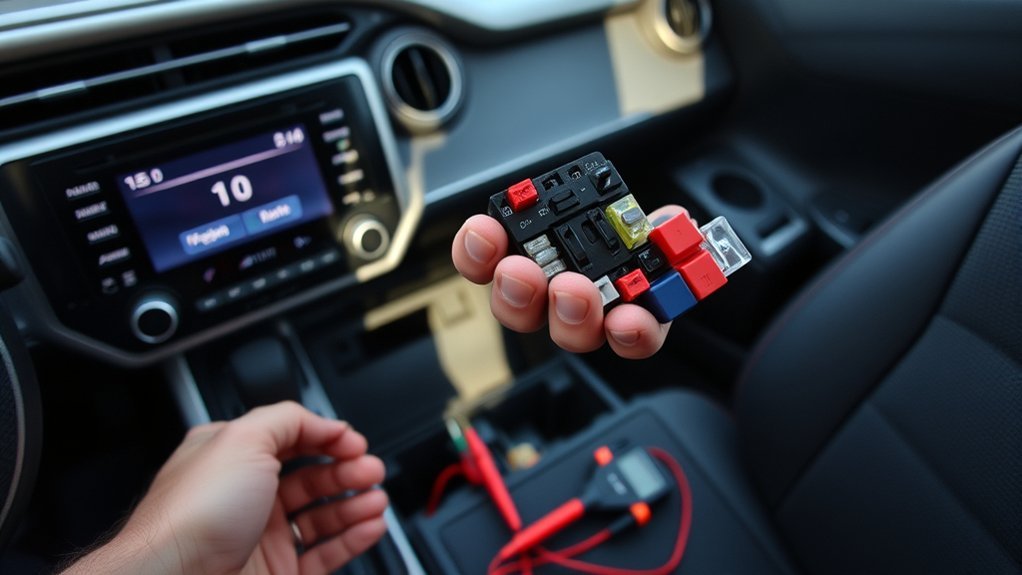
If your Toyota RAV4 radio turns on but has no sound, first determine whether the silence affects every source or only Bluetooth, CarPlay, or one speaker. Clear mute, raise the vehicle and phone media volume, recenter balance and fade, and test AM/FM plus a second source. If every speaker stays silent on every source, check the correct audio and amplifier fuses, then test amplifier power, ground, and input signal before replacing the head unit. Certain 2026 RAV4 Hybrid and Plug-in Hybrid vehicles also have a documented intermittent JBL no-sound-at-startup software condition.
Last updated: July 31, 2026. This revision adds Toyota Tech Tip T-TT-0803-26, safer voltage-drop guidance, and a model-specific diagnostic path.
Quick Answer
If your RAV4 radio has no sound, test a second source before touching wiring. If Bluetooth alone is silent, fix the phone’s media route or pairing. If every source is silent through every speaker, check the correct fuses and amplifier power, then verify ground with a voltage-drop test and confirm the head unit is sending a signal. On affected 2026 RAV4 Hybrid and Plug-in Hybrid vehicles with JBL audio and head-unit version 1136 or older, Toyota says replacing the head unit will not repair the documented intermittent startup condition.
Key Takeaways
- Confirm volume, mute, source, balance, fade, and phone media output before testing parts.
- Do not rely on a visual fuse check; verify power on both test points and inspect the fuse terminals for poor contact.
- RAV4 audio layouts, fuse labels, reset methods, and amplifier locations vary by year, trim, market, and JBL or non-JBL sound system.
- Use a Toyota-capable scanner for multimedia, amplifier, body, or communication codes.
- Check current Toyota service information before buying parts, especially for intermittent software symptoms.
- Match any replacement amplifier or head unit by VIN, part number, trim, and sound system type.
At a Glance
| Time Required | 10 to 30 minutes for basic checks; longer for wiring, amplifier, or software diagnostics. |
| Difficulty | Easy for settings and fuses; moderate for trim removal and multimeter testing; advanced for module diagnostics. |
| Tools Needed | Owner’s manual, flashlight, plastic trim tools, multimeter, fuse puller, and a Toyota-capable scan tool for deeper checks. |
| Cost | Basic checks are usually free. Fuses are low-cost. Diagnostics, amplifiers, speakers, and head units vary by year and trim. |
What’s in This Article
- Symptom Map: What Kind of RAV4 No-Sound Problem Do You Have?
- What Should You Check First When a RAV4 Radio Has No Sound?
- Why Does a RAV4 Radio Have No Sound?
- How Can You Test the RAV4 Audio System Safely?
- How Do You Test a RAV4 No-Sound Problem?
- Why Does Bluetooth Connect but Play No Sound?
- Does the 2026 RAV4 Have a JBL No-Sound Software Issue?
- Is It the Amplifier or Head Unit? How to Tell
- When Dealer Diagnostics Make Sense for a RAV4 No-Sound Issue
- RAV4 Radio Repair Options: DIY, Aftermarket, or Dealer
- Preventive Maintenance to Avoid Future RAV4 Audio Failures
Symptom Map: What Kind of RAV4 No-Sound Problem Do You Have?
Before you test wires or remove the radio, identify the exact symptom. A RAV4 that has no sound from every speaker needs a different test path than a RAV4 with only Bluetooth audio missing.
| Symptom | Most likely area to check first |
| No sound from any speaker on every source | Mute, fuses, amplifier power, ground, head unit output, software, or module communication. |
| Only one speaker is silent | Balance/fade, speaker wiring, door harness, speaker terminal, or the speaker itself. |
| Bluetooth or phone audio is silent only | Phone volume, media output route, Bluetooth pairing, app volume, cable, or source selection. |
| Sound cuts out after driving or on hot days | Loose connector, weak ground, overheating amplifier, failing electronics, or moisture damage. |
| Radio audio is gone but warning chimes still work | Source, head unit software, audio routing, amplifier input, or multimedia module issue. |
| 2026 Hybrid or Plug-in Hybrid JBL audio is silent only at startup | Check head-unit software version and Toyota Tech Tip T-TT-0803-26 before replacing the head unit. |
RAV4 audio systems vary by model year, market, trim, and sound package. Some trims use a separate JBL amplifier, while others route speaker output more directly from the head unit. Fuse labels, amplifier locations, reboot methods, and connector pinouts are not universal. Confirm your exact layout with the owner’s manual, wiring diagram, VIN, and part numbers before you test or replace anything.
What Should You Check First When a RAV4 Radio Has No Sound?
Start with checks that separate a source problem from a whole-system failure. Toyota provides year-specific owner manuals and multimedia resources, so use the manual for your exact RAV4 when checking sound controls, fuse labels, reboot methods, and update options.
- Confirm the head unit settings. Turn the volume up, turn mute off, recenter balance and fade, and select a known working source.
- Switch audio sources. Test AM/FM radio, Bluetooth, USB, phone audio, and built-in apps if your RAV4 supports them.
- Check the phone. Raise the phone media volume, confirm the phone is sending audio to the RAV4, and test a second phone if possible.
- Inspect visible wiring. Look for loose plugs, frayed speaker leads, corrosion, water marks, or trim areas that were recently removed.
- Check audio-related fuses. Use your owner’s manual fuse list. With the circuit powered as the manual directs, verify voltage at both fuse test points and inspect the fuse socket for looseness or heat damage.
If one source works, the speakers and at least part of the audio path are functioning; focus on the silent source. If every source is silent through every speaker, move to fuse, amplifier-power, ground, signal, and module checks. This split is more useful than replacing parts based only on a working screen.
15-Minute Decision Path
| What you find | What it means | Next check |
|---|---|---|
| AM/FM works, but phone audio does not | The speakers and main audio path can produce sound. | Phone media route, Bluetooth Audio source, app volume, pairing, cable, or CarPlay/Android Auto settings. |
| Only one speaker or one side is silent | A total head-unit failure is less likely. | Balance/fade, door-jamb harness, speaker connector, speaker circuit, or one amplifier channel. |
| Every source and every speaker are silent | Focus on a shared power, signal, amplifier, software, or communication fault. | Audio/amp fuses, amplifier power and ground, head-unit signal, stored multimedia codes, and current Toyota service information. |
| Sound returns after cycling the system | Intermittent software, power, connector, heat, or module-startup behavior is possible. | Record the model year, source, temperature, startup state, software version, and exact recovery step. |
[Products Worth Considering]
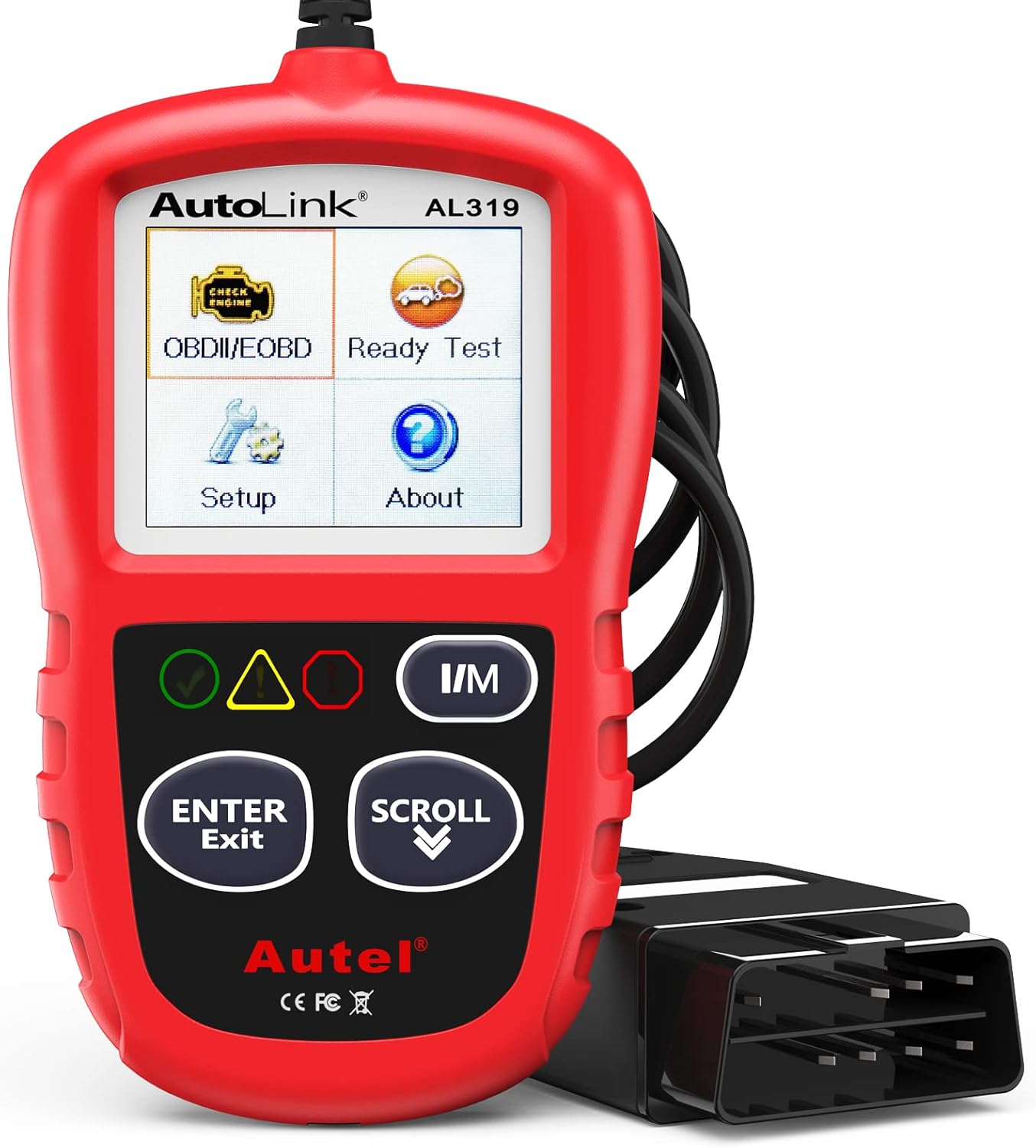
The Autel AL319 is a user-friendly OBD2 scan tool designed to help drivers quickly diagnose check engine light issues and understand vehicle fault codes. It supports reading and clearing DTCs, live data, freeze frame, I/M readiness, and vehicle information, making it a practical choice for DIYers and everyday car owners. With plug-and-play operation, a color display, built-in speaker, and broad vehicle compatibility, it delivers fast, reliable diagnostics without complicated setup.

This automotive circuit tester checks low-voltage DC systems from 3-65V, making it useful for diagnosing headlights, taillights, fuses, sockets, and other vehicle wiring issues. The digital backlit display provides clear voltage readings with fine accuracy, while the bidirectional polarity indicator helps you test from either ground or positive. Built with a durable probe, insulated tip, and extra-long spring wire, it is designed for dependable everyday use in automotive and household electrical work.

This portable tire inflator delivers fast, convenient inflation for cars, bikes, motorcycles, and balls with dual power options from a rechargeable battery or a 12V car cord. Its digital LCD pressure gauge and automatic shutoff help prevent over-inflation, while multiple preset modes and a custom setting make it easy to use for different inflation tasks. Built-in flashlight and USB power ports add extra emergency utility on the road.
Why Does a RAV4 Radio Have No Sound?
A RAV4 no-sound problem usually starts in one of five places: settings, source input, wiring, amplifier power, or the head unit. Speaker failure can also happen, but a single bad speaker rarely causes every speaker to go silent unless wiring or amplifier protection is involved.
Work from the cheapest and easiest checks toward the costly parts. This order helps you avoid buying a head unit or amplifier when a loose connector, phone setting, or blown fuse caused the silence.
Wiring and Connections
Wiring and connection problems can stop one speaker, one side of the vehicle, or the whole system. Vibration, moisture, previous stereo work, accident repair, and trim removal can loosen terminals or damage insulation.
- Inspect speaker leads and harnesses for frays, kinks, crushed insulation, and water marks.
- Check door-jamb wiring if one door speaker cuts in and out when the door moves.
- Test continuity only on a de-energized, isolated circuit after identifying the correct pins from a model-specific wiring diagram. Never use the resistance setting on a powered circuit.
- Clean corroded terminals with electrical contact cleaner made for connectors.
- Reseat plugs and confirm that locking tabs click in place.
- Use dielectric grease only where the connector type and product instructions allow it.
Amplifier Failure Signs
If your RAV4 has a separate amplifier, especially on some JBL or premium audio systems, loss of amplifier power, ground, wake-up control, input signal, or internal output can silence every speaker while the screen, buttons, navigation, and Bluetooth connection still appear normal. A working display does not prove that the amplifier or head-unit audio path is working.
Record whether sound fails only at startup, after bumps, or after the cabin heats up. Then test amplifier fuses, power supply, ground voltage drop, input signal, and output signal before replacing the amplifier. Intermittent recovery after a restart can also indicate software or module-startup behavior, not only heat damage.
| Check | Method | Action |
|---|---|---|
| Power fuse | Test both sides with a meter | Replace only with the correct fuse rating if blown |
| Ground | Perform the service-manual voltage-drop test while the circuit is operating | Inspect the ground point, terminal tension, corrosion, and cable if the drop exceeds the specified limit |
| Input signal | Use the correct test setup for your system | Confirm the head unit is sending audio before replacing the amp |
| Output signal | Test speaker outputs safely | Suspect the amplifier only if power, ground, and input are good |
Speaker and Head Unit Faults
The head unit and speakers can also cause silence. A single failed speaker usually affects one channel, but a shorted speaker wire can sometimes trigger protection behavior in an amplifier or head unit.
- Verify head unit power, ground, accessory feed, and source behavior.
- Use a test tone only when the service information and test equipment support the system; do not inject voltage into unknown amplified or data-linked circuits.
- Inspect speaker cones and terminals for damage; isolate the speaker before checking resistance or continuity.
- Check for signs of water intrusion in doors, under seats, and behind trim panels.
- Replace a speaker or head unit only after testing confirms the fault.
How Can You Test the RAV4 Audio System Safely?
Audio testing looks simple, but an incorrect probe point, meter setting, or jumper can damage a radio, amplifier, speaker, or control module. Use a wiring diagram and test procedure for your exact model year, trim, market, and sound system before you back-probe connectors. Do not assume wire colors or pin functions carry over between generations.
Warning: Follow the model-specific repair procedure before disconnecting the 12-volt battery or unplugging audio connectors. Battery disconnection can erase settings and may require initialization. Never measure resistance on a powered circuit, probe airbag/SRS wiring, or touch orange high-voltage cables on Hybrid, Prime, or Plug-in Hybrid models.
If the procedure requires live voltage readings, park securely, follow the specified ignition or READY state, use suitable back-probes, and avoid spreading connector terminals. Stop if you smell burning, see melted wiring, find standing water, repeatedly blow a fuse, or cannot identify the circuit with certainty.
[Products Worth Considering]

The AstroAI M4K0R Digital Multimeter delivers accurate TRMS measurements for AC/DC voltage, current, resistance, continuity, diode testing, and battery checks, making it a versatile tool for home and automotive troubleshooting. Its non-contact voltage detection, backlit LCD, flashlight, data hold, and auto-ranging design help simplify everyday electrical diagnostics while supporting safer use with audible and visual alarms. Built with double ceramic fuses and a protective silicone cover, it is designed for reliable performance and added protection during demanding tasks.

The ANCEL AD410 helps drivers quickly read and clear engine-related fault codes, view live data, and understand why the check engine light is on before heading to a repair shop. With built-in code definitions, readiness checks, and support for common OBD2 functions, it makes basic diagnostics straightforward for beginners and DIY users. Powered directly from the vehicle and easy to use with no app required, it offers practical value for everyday vehicle troubleshooting.

31PCS BACK PROBE KIT: The Back Probe Lead Set includes 15pcs Back Probe Pins & 5pcs Banana Plug to alligator clip circuit test wires (39.37inch), 5 pcs Wire Piercing Probes and 5 pcs Nickel-plated copper Alligator clips. Everything packaged in 1 box.
How Do You Test a RAV4 No-Sound Problem?
Start by separating power problems from signal problems. Confirm that the radio turns on, the screen responds, and the volume control changes before you test speaker circuits.
- Check fuses: Identify the correct circuit in the owner’s manual, then verify voltage at both fuse test points and inspect the terminals.
- Check ground: Use the service-manual voltage-drop method while the circuit is operating rather than relying on an unloaded resistance reading.
- Check speaker circuits: De-energize and isolate the circuit before checking continuity, resistance, an open circuit, or a short.
- Check source behavior: Compare AM/FM, Bluetooth Audio, USB, phone projection, and built-in media sources.
- Check software behavior: Record the software version, restart only by the documented method, and check current Toyota multimedia information.
How to Test a RAV4 Audio Fuse Without Guessing
Do not copy a fuse number from another model year. Use the fuse chart for your exact vehicle and identify every circuit that supplies the radio, accessory feed, or separate amplifier. Test the fuse in the state specified by the manual. Power on one test point but not the other indicates an open fuse; no power on either side means you must trace the upstream supply rather than replacing the fuse blindly.
How to Check Amplifier Ground Correctly
An ohmmeter reading on an unloaded cable can look acceptable even when the connection cannot carry current. A voltage-drop test checks the ground path while the amplifier is operating. Use Toyota’s specified test points and limit for your system. If the reading is outside specification, inspect the fastener, body contact, terminal tension, corrosion, and cable before condemning the amplifier.
Note: A basic OBD-II scanner may read engine codes but miss audio, body, amplifier, or multimedia diagnostic trouble codes. Use a Toyota-capable tool when module communication or premium audio diagnostics matter.
Write down each reading as you test. Clear notes help you avoid repeated work and give a technician useful information if you later visit a shop or dealer.
Why Does Bluetooth Connect but Play No Sound?
If AM/FM or USB plays normally but phone audio does not, the fault is usually in the selected source, phone media route, permissions, pairing record, cable, or phone-projection session rather than every speaker. Test phone audio only while parked.
- Raise the phone media volume. Phone call volume and media volume can be separate.
- Check the audio route. Confirm the phone is sending sound to the RAV4, not earbuds or another Bluetooth device.
- Try another app and source. Test a local music file, radio, USB, and Bluetooth to isolate the fault.
- Check media permissions, then re-pair. Calls and music can use different Bluetooth functions. Confirm media audio is enabled before deleting the pairing record.
- Restart the head unit only by the documented method. Reset procedures vary by multimedia generation. Start with the owner’s manual rather than disconnecting the 12-volt battery solely for an audio-routing problem.
- Check updates. Toyota provides Audio Multimedia software updates for eligible U.S.-market vehicles, and supported systems can update over the air, by USB, or through a dealer.
For a phone that connects but will not play music, use the dedicated RAV4 Bluetooth troubleshooting guide after confirming that another source works. Software updates are not a cure for a blown fuse, missing amplifier power, or damaged wiring. Toyota also notes that navigation and map updates use a different process from the multimedia software portal.
Does the 2026 RAV4 Have a JBL No-Sound Software Issue?
Yes, but the documented condition is narrow. Toyota Tech Tip T-TT-0803-26 applies to certain U.S.-market 2026 RAV4 Hybrid and RAV4 Plug-in Hybrid vehicles with head-unit software version 1136 or older. One listed symptom is intermittent no sound from JBL audio at startup. The same document also lists CarPlay, Bluetooth-after-remote-start, and SiriusXM favorite-control symptoms.
Toyota’s Temporary Recovery Step
For the documented JBL startup condition, Toyota says to press the power/volume knob twice to cycle the audio system off and back on. The tech tip states that replacing the head unit will not repair these conditions because they were still under investigation when the document was issued.
Do not apply this workaround to every RAV4 no-sound complaint. It does not replace fuse, power, ground, wiring, or speaker diagnosis on other years and systems. Record the software version and ask a Toyota dealer to check for newer guidance because the tech tip lists an August 21, 2026 expiration date.
Is It the Amplifier or Head Unit? How to Tell
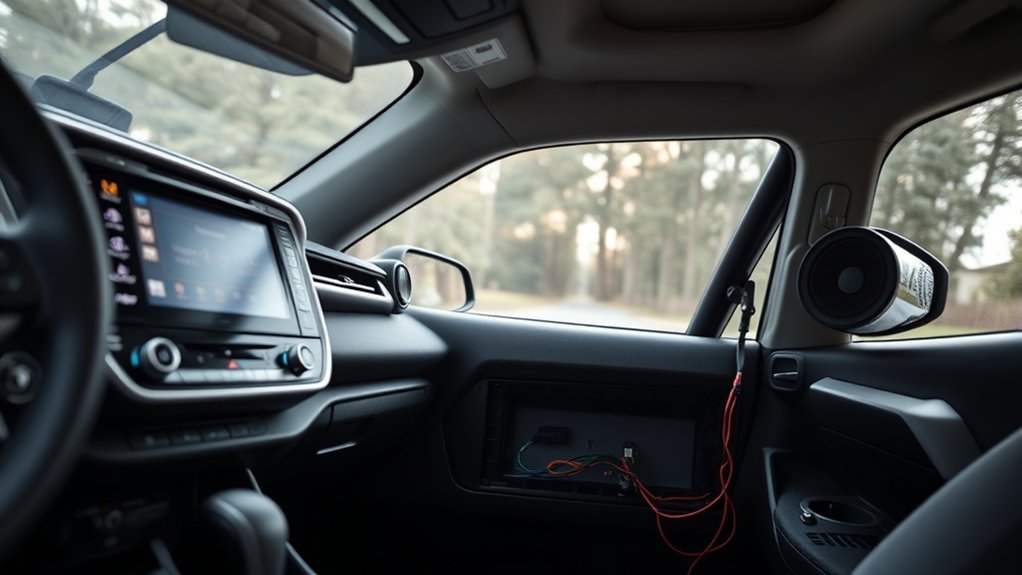
Separate the fault into three stages: head-unit operation, signal delivery to the amplifier, and amplifier output to the speakers. A responsive screen proves only that part of the head unit is powered. It does not prove that the audio signal, amplifier wake-up path, external amplifier, or speaker outputs are working.
- Turn on the radio and confirm the display, source selection, and volume control work.
- Verify amplifier power and perform the specified ground voltage-drop test before checking output.
- Inspect connectors between the head unit and amplifier for loose pins or corrosion.
- Test speaker outputs at the head unit if your trim routes audio directly from it.
- Condemn the amplifier only after the correct power, ground, control/wake-up state, input signal, load, and test conditions are confirmed.
| Test Result | Likely Direction |
| Head unit does not power on | Power, ground, accessory feed, fuse, or head unit fault. |
| Head unit works, amp has no power | Amplifier fuse, relay, wiring, power feed, or ground issue. |
| Amp has power and ground but no output | Confirm input signal; if input exists, suspect amplifier failure. |
| One channel fails only | Speaker, speaker wire, door harness, or one amplifier channel. |
Intermittent cutouts can come from heat, vibration, a loose connector, voltage loss, moisture, or software startup behavior. Steady silence across every source suggests a shared power, signal, amplifier, mute/routing, or communication fault. Treat warning chimes as one clue only because chime routing varies by generation and system.
[Products Worth Considering]
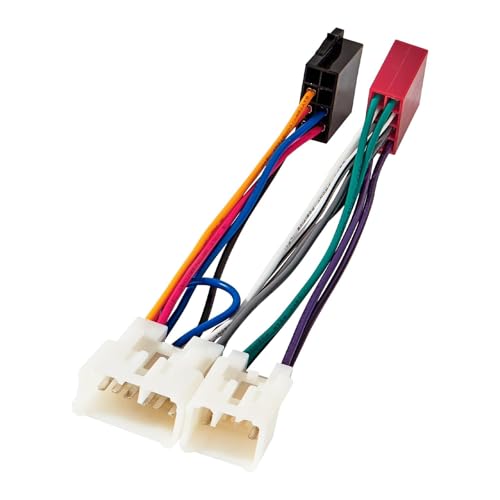
The ISO wiring fit most of aftermarket radio such as Android, Peterbilt Kenworth and Bose head unit with ISO connector; Fit for Non-JBL System only
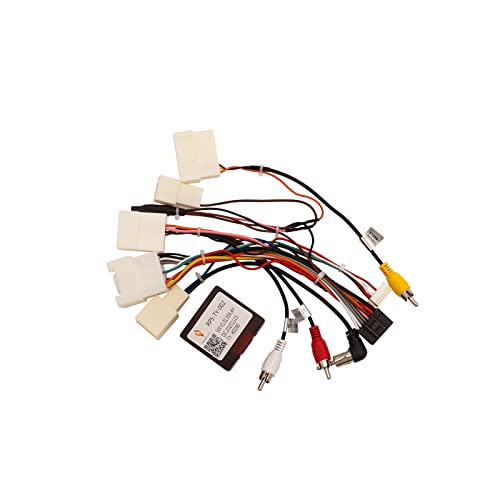
【CHOOSE CAN005-X CORRECTLY】- CAN005-X wire harness is designed for select Toyota Mid Trim OEM radios, usually 2007-2012/2013 models with JBL. Do not choose this harness if your vehicle is Base Trim, Premium Trim or Top Trim. Match your dashboard, factory radio rear ports, and Android stereo 16-pin socket before ordering.
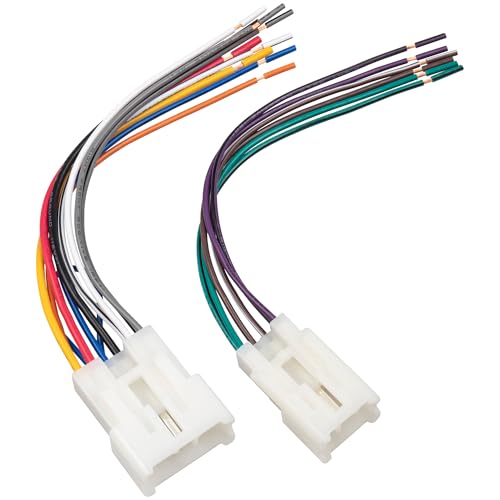
Note: Radio harness connector is not compatible with factory amplified systems and JBL stereo sound systems
When Dealer Diagnostics Make Sense for a RAV4 No-Sound Issue
A Toyota dealer or qualified shop makes sense when basic checks do not identify the cause. Toyota Techstream Lite supports factory-level diagnostics on compatible North American Toyota vehicles and requires an active professional-level subscription for Techstream software.
Dealer-level diagnosis is especially useful when the multimedia system has communication codes, the amplifier does not appear on the network, software version or calibration status matters, or current Toyota service information lists a known condition. Service-menu entry methods and available tests vary by multimedia generation, so do not use a swipe sequence or hidden menu from another model year.
Ask for the diagnostic findings, not only a replacement recommendation. Useful results include the exact symptom reproduced, battery voltage, fuse and power-feed status, ground voltage drop, multimedia and amplifier codes, software version, head-unit input/output findings, amplifier output findings, and any applicable Toyota bulletin, tech tip, warranty, or campaign check.
Pro Tip: If your RAV4 may still be under warranty, avoid buying parts first. A dealer diagnostic report can protect you from paying for an amplifier or head unit that should have been covered.
RAV4 Radio Repair Options: DIY, Aftermarket, or Dealer
Choose a repair route only after the fault is isolated. A fuse or connector problem may be suitable for an experienced DIYer, while software, module communication, factory-amplifier integration, water damage, or warranty questions are better handled by a Toyota dealer or qualified automotive electronics shop.
Toyota states that U.S. basic new-vehicle coverage is 36 months or 36,000 miles for components other than normal wear and maintenance items. Coverage depends on the vehicle, market, in-service date, cause of failure, and warranty terms, so check the warranty booklet or Toyota account before approving paid diagnosis or parts.
Parts warning: Do not buy a generic amplifier, a home-audio JBL module, or a harness merely because the listing mentions Toyota or JBL. Confirm the fault first, then match the vehicle VIN, Toyota part number, connector layout, trim, market, and factory sound system. The 2026 software condition described above is not repaired by replacing the head unit.
DIY Amplifier Replacement
If your RAV4 uses a separate factory amplifier and testing confirms an internal failure, replacement may be possible without changing the head unit. Match the VIN, Toyota part number, supersession information, connector layout, trim, market, and sound system type before ordering.
- Amplifier type: Compare OEM, used, refurbished, and remanufactured options carefully.
- Tools: Use trim tools, a socket set, a meter, and safe panel-removal methods.
- Removal: Label clips and connectors so you can reinstall panels correctly.
- Installation: Secure grounds and confirm every connector seats fully.
- Testing: Confirm every source, speaker channel, warning tone, phone function, and retained vehicle feature before reinstalling all trim panels.
DIY repair works best when you have a wiring diagram and clear test results. Guessing can turn a simple audio fault into a costly electrical problem.
Aftermarket Head Unit Options
An aftermarket head unit may make sense when the original unit is conclusively faulty or the owner wants added features. It is not a substitute for diagnosing missing amplifier power, a shorted speaker circuit, water damage, or a known software condition. Installation may require a dash kit, vehicle-specific harness, antenna adapter, steering-wheel-control interface, camera retention, USB retention, and factory-amplifier integration.
Check compatibility with your RAV4 year, trim, factory amplifier, speaker impedance, camera system, USB ports, microphone, steering-wheel controls, and retained vehicle settings. A professional installer can help when the vehicle uses a premium amplifier or data-bus integration.
Dealer Repair and Warranty
Choose dealer repair when the vehicle may still have warranty coverage, the issue involves Toyota software, or you need factory-level diagnostics. Dealer service can cost more, but it may reduce guesswork when modules, service bulletins, calibration data, or campaign checks matter.
- Dealer: Best for warranty checks, software concerns, factory diagnostics, and module communication faults.
- Warranty: May cover diagnosis and repair if the fault qualifies under the coverage terms.
- Amplifier replacement: Works only after testing confirms amplifier failure.
- Aftermarket: Can add features but needs careful integration.
- DIY: Costs less but requires wiring skill and safe testing.
Preventive Maintenance to Avoid Future RAV4 Audio Failures
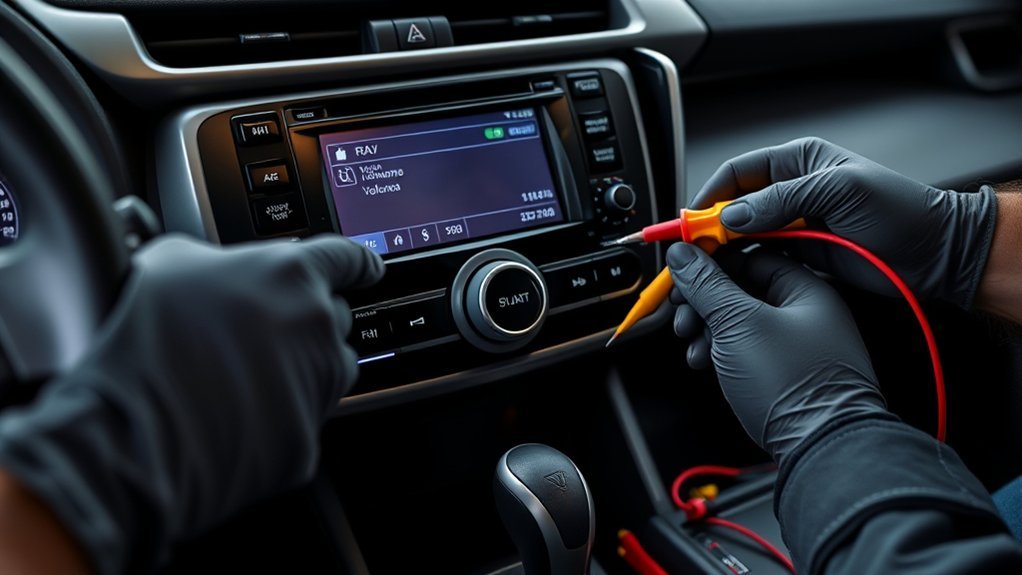
Audio systems do not need routine panel removal. The useful preventive step is to respond quickly after a water leak, battery or charging problem, trim removal, collision repair, stereo work, or the first intermittent cutout. Documenting the conditions around a failure can also shorten later diagnosis.
| Task | When to Do It |
|---|---|
| Connector inspection | After trim removal, water leaks, stereo work, or intermittent cutouts. |
| Wiring and ground checks | When sound cuts out over bumps, after repairs, or when a fuse keeps blowing. |
| 12-volt battery and charging-system check | When audio faults appear with slow starting, warning messages, resets, dimming, or other electrical symptoms. |
| Audio software update check | When Toyota releases an update or when a dealer recommends one for your system. |
Do not disturb working connectors as routine maintenance. Instead, fix leaks, secure disturbed harnesses, use the correct fuse rating, and record software versions and symptoms when a fault appears.
Frequently Asked Questions
Why does my radio turn on but have no sound on my Toyota?
Your radio can power on while the speakers stay silent if mute, source selection, balance, fade, amplifier power, speaker wiring, software, or head unit output fails. Start with settings and source checks, then test fuses and wiring before replacing parts.
Can a blown fuse cause a RAV4 radio to have no sound?
Yes. An open audio, amplifier, or accessory-power fuse can stop sound. Use the fuse chart for your exact RAV4, verify voltage at both fuse test points in the specified operating state, and inspect the terminals. Replace a fuse only with the listed rating; if it opens again, stop and find the short or overload.
Do I need Techstream to diagnose RAV4 audio problems?
You do not need Techstream for volume, mute, source, phone-routing, or basic fuse checks. Toyota Techstream or another properly supported Toyota-capable tool becomes useful for multimedia and amplifier codes, module communication, software identification, and model-specific service procedures.
Should I replace the amplifier or head unit first?
Neither part should be the default first purchase. Diagnose the shared power and signal path, then confirm the correct inputs, outputs, control state, software status, and load. Also check current Toyota service information because some intermittent software conditions are not repaired by head-unit replacement.
Why does my RAV4 Bluetooth connect but no music plays?
The phone may be connected for calls but not media, sending audio to another device, or using the wrong source. Select Bluetooth Audio, enable media audio, raise both volume controls, test another app, then delete and re-pair only if the routing checks fail.
Can a weak battery cause RAV4 radio sound problems?
Low 12-volt system voltage or excessive voltage drop can contribute to resets, failed module startup, or other electronic symptoms. Test the battery and charging system when the audio fault appears with slow starting, warning messages, dimming, repeated resets, or other electrical problems.
Which fuse controls the RAV4 radio or JBL amplifier?
There is no universal fuse number for every RAV4. Labels and fuse-box layouts vary by year, trim, market, and sound system. Use the owner’s manual or fuse-box chart for your exact vehicle and check every listed radio, audio, accessory, and amplifier supply before replacing parts.
What should I do if a 2026 RAV4 JBL system has no sound at startup?
For certain 2026 RAV4 Hybrid and Plug-in Hybrid vehicles with head-unit version 1136 or older, Toyota Tech Tip T-TT-0803-26 says to press the power/volume knob twice to cycle the system off and on. The document says head-unit replacement will not repair that condition. Ask a Toyota dealer to check for newer guidance.
Conclusion
Start by proving whether the problem affects one source, one speaker, or the entire system. A phone-only problem stays in the source and routing path. Silence from every source and speaker moves the diagnosis toward shared fuses, amplifier power, ground voltage drop, head-unit signal, software, or module communication.
Before buying an amplifier or head unit, record the model year, trim, sound system, software version, failed sources, and any recovery step. Use a qualified shop or Toyota dealer for repeated fuse failure, water damage, unknown wiring, module codes, factory-amplifier integration, warranty questions, or the documented 2026 JBL startup condition.
Sources
- Toyota Manuals and Warranties — year-specific owner resources and U.S. basic new-vehicle warranty information.
- Toyota Audio Multimedia System Updates — Toyota’s software portal for eligible U.S.-market vehicles.
- Toyota Audio Multimedia System Updates: Over the Air, USB, and Dealer Updates — update methods for supported systems.
- Toyota Techstream Lite — factory-level diagnostic support and professional subscription requirements.
- Toyota Tech Tip T-TT-0803-26 — 2026 RAV4 Hybrid and Plug-in Hybrid head-unit software conditions, including intermittent JBL no sound at startup.