Hyundai Sonata Technical Service Bulletins, often listed by NHTSA as “manufacturer communications,” help owners and technicians find known service procedures for repeated issues. They are useful when your Sonata has a warning light, drivability problem, transmission symptom, lamp condensation, software update, or other issue that may already have a Hyundai repair procedure.
Quick Answer
To find Hyundai Sonata TSBs, search your Sonata’s year, make, and model on the NHTSA vehicle page, then open the Manufacturer Communications section. For VIN-specific safety recalls or Hyundai service campaigns, use the NHTSA recall lookup and Hyundai’s official campaign tool.
Key Takeaways
- Use NHTSA for public Hyundai Sonata manufacturer communications and downloadable service bulletin PDFs.
- Use your VIN for recall and campaign checks, but use year, make, model, trim, and engine details when browsing TSBs.
- A TSB is not the same as a recall. A repair is usually free only if a recall, service campaign, warranty extension, or active warranty applies.
- Bring the bulletin number, symptoms, Diagnostic Trouble Codes, and repair history to your Hyundai dealer or qualified mechanic.
At a Glance
| Time Required | 5–15 minutes to search and save relevant bulletins |
| Difficulty | Easy |
| Tools Needed | Internet access, model year, trim/engine details, VIN, and any trouble codes |
| Cost | Free to search; repair cost depends on warranty, recall, service campaign, and diagnosis |
Why Technical Service Bulletins Matter

Technical Service Bulletins matter because they explain known issues and recommended service procedures for specific vehicles. NHTSA says manufacturers submit communications such as notices, bulletins, warranty extensions, policy updates, and product improvement communications when they relate to defects, malfunctions, performance issues, or deviations from design specifications, whether safety-related or not.
For a Hyundai Sonata owner, that can mean finding a documented repair path for symptoms such as a Check Engine light, transmission range sensor code, software update, abnormal drivability concern, lighting condensation, or campaign-related inspection. A good bulletin can save diagnostic time because the technician can compare your symptoms with Hyundai’s published procedure.
Warning: A TSB is not an automatic free repair and is not the same as a safety recall. Ask the dealer whether the bulletin is covered by an open recall, Hyundai service campaign, warranty extension, emissions campaign, or your remaining warranty before approving work.
Hyundai Sonata TSB vs. Recall: Know the Difference
A Technical Service Bulletin is guidance from the manufacturer to dealers or technicians. It usually explains a known condition, affected vehicles, diagnostic steps, parts, software updates, warranty coding, or repair procedures.
A safety recall is different. Recalls address safety defects or noncompliance with federal standards, and recall remedies are performed at no charge to the owner. Hyundai’s official recall and service campaign page also lets owners look up safety recalls and service campaigns by VIN and states that preferred Hyundai dealers complete covered campaign repairs free of charge.
| Item | Technical Service Bulletin | Safety Recall |
|---|---|---|
| Purpose | Helps diagnose or repair a known condition | Fixes a safety defect or federal standards issue |
| Cost | May be covered, but not always | Recall remedy is free |
| Best lookup method | NHTSA Manufacturer Communications by year/make/model | VIN lookup through NHTSA or Hyundai |
| Who uses it? | Dealers, technicians, and informed owners | Owners, dealers, manufacturers, and regulators |
How to Access Hyundai Sonata TSBs on NHTSA
The most reliable public place to start is the NHTSA vehicle search. NHTSA publishes many manufacturer communications it receives, including Hyundai communications, in a public database. The exact number of bulletins can change over time, so avoid relying on a fixed count from an older article.
- Go to the NHTSA vehicle search page.
- Enter the Hyundai Sonata’s year, make, and model. Add body style, trim, drivetrain, or engine details when NHTSA asks for them.
- Open the Manufacturer Communications section on the vehicle results page.
- Scan bulletin titles for your symptom, system, Diagnostic Trouble Code, software update, or component name.
- Open or download the PDF for the bulletin that appears relevant.
- Check the bulletin’s affected model years, production dates, engine, transmission, VIN range, and superseded bulletin notes before assuming it applies to your car.
Pro Tip: Search more than one way. Try terms such as “Sonata P0451,” “Sonata P070500,” “Sonata headlamp condensation,” “Sonata software update,” or the exact warning message shown on your dash.
Use Your VIN for Recalls and Hyundai Service Campaigns
Your VIN is the best tool for checking whether your specific Sonata has an open safety recall or Hyundai service campaign. You can find the 17-character VIN on the driver-side dashboard near the windshield, inside the driver-side door jamb, on your vehicle registration, on your insurance card, or on your title.
Use these two official lookup tools:
- NHTSA Recalls — checks safety recalls by VIN or by vehicle details.
- Hyundai Safety Recalls and Service Campaigns — checks Hyundai recalls and service campaigns by VIN.
Note: NHTSA’s VIN recall lookup is for recalls, not every TSB. If no recall appears, your Sonata may still have a relevant manufacturer communication or TSB that a technician can use during diagnosis.
Common Problems Covered in Hyundai Sonata TSBs
Hyundai Sonata TSBs and manufacturer communications vary by model year, engine, transmission, production date, and market. The examples below show the kind of issues you may see in public bulletin searches, but they are not a substitute for checking your exact vehicle.
| Problem Area | Example Code or Symptom | What the Bulletin May Cover |
|---|---|---|
| Fuel or emissions system | P0451 or related fuel pressure/EVAP concerns | ECU updates, check valve inspection, fuel tank inspection, emissions-related campaign procedures, or diagnostic steps for certain model years. |
| Transmission or range sensor | P070500, P070512, P070514, P070600, or similar codes | Transmission range sensor diagnosis, wiring checks, sensor procedures, and conditions that apply to certain 8-speed front-wheel-drive vehicles. |
| Exterior lighting | Headlamp, rear lamp, DRL, fog lamp, or moisture concern | How to distinguish normal condensation from water intrusion, when lamp replacement is unnecessary, and what covers or seals should be checked. |
| Engine drivability | Misfire, rough running, reduced power, or Check Engine light | Software updates, injector checks, inspection procedures, and model-specific repair guidance. |
| Hybrid system | Coolant leak, overheating, hybrid warning, or exhaust heat recovery concern | Hybrid-specific diagnostic and repair procedures for affected Sonata Hybrid model years. |
When reviewing a bulletin, focus on the applicable vehicles section first. A bulletin that mentions “Sonata” may still apply only to certain model years, engines, plants, production ranges, or trims.
[Products Worth Considering]

HAFIDI floor mats are custom-fit for select Kia Optima and Hyundai Sonata Hybrid models, using 3D laser scanning for precise coverage of the front and rear rows. Built from durable TPE with raised edges and anti-slip backing, they help contain dirt, water, snow, and spills while staying secure and easy to clean.

This cabin and engine air filter kit is designed for compatible Hyundai Sonata gas models from 2015 to 2019 with a 2.4L engine. It helps improve airflow, capture dust and impurities, and support cleaner cabin air and efficient engine performance. The kit is engineered for long service life and simple installation, making routine maintenance easier.

This filter combo is designed for Hyundai Sonata gas models from 2015 to 2019, including non-hybrid 2.4L vehicles, and replaces both the engine and cabin air filters in one convenient set. It helps improve engine airflow while also refreshing the cabin environment with activated carbon odor control and high-efficiency particle filtration for cleaner, quieter driving.
How to Read a Hyundai Sonata TSB
Once you open a bulletin PDF, scan it in this order:
- Date and supersession: Check whether the bulletin replaces an older version. The newest version usually has revised steps or updated warranty information.
- Applicable vehicles: Confirm the model year, engine, transmission, production date, and VIN range.
- Condition or description: Compare the bulletin’s symptoms with what your Sonata is doing.
- DTC list: Match any stored Diagnostic Trouble Codes from a scan tool.
- Service procedure: Review what the technician is asked to inspect, update, replace, or test.
- Warranty or campaign notes: Look for warranty operation codes, service campaign references, or instructions to check Hyundai’s vehicle information screen.
The most important line in any TSB is the applicability section. If your Sonata’s year, engine, production range, or VIN does not match, the bulletin may not apply even if the symptom sounds familiar.
How to Stay Updated on TSBs and Recall Alerts

For recall alerts, NHTSA offers an official recall email notification system and the SaferCar app. The app lets you save vehicles and related equipment in a virtual garage and receive alerts when a safety recall is issued.
For TSBs and other manufacturer communications, the better habit is to check NHTSA’s Manufacturer Communications section whenever you notice a new symptom, before a dealer visit, or before paying for a major diagnosis. You can also ask your Hyundai dealer to check for open campaigns, warranty extensions, and updated service procedures tied to your VIN.
Note: Recall alerts are not the same as TSB alerts. A recall alert tells you about safety recalls. A TSB may still exist even when no recall alert is issued.
Next Steps After Finding Hyundai Sonata TSBs
After you find a bulletin that may match your Sonata, save the PDF or write down the bulletin number, date, subject, and any listed DTCs. Then compare it with your own symptoms and repair history.
Before scheduling service, gather:
- Your VIN, mileage, model year, trim, engine, and transmission.
- The exact warning light, message, sound, smell, leak, shift issue, or drivability symptom.
- Any Diagnostic Trouble Codes from a scan tool.
- Photos or videos of the problem, especially if it is intermittent.
- The TSB or manufacturer communication number and PDF link.
- Receipts from previous related repairs.
When you contact the service department, say something like: “I found Hyundai manufacturer communication [bulletin number] on NHTSA that appears to match my symptoms. Can you confirm whether it applies to my VIN and whether it is covered by a recall, campaign, warranty extension, or my warranty?”
[Products Worth Considering]

Turn your iPhone, Android device, or Windows PC into a professional-grade diagnostic scan tool with this Bluetooth OBD2 adapter. It is designed for broad vehicle compatibility and supports popular apps for deeper diagnostics, live data, and code clearing. Built-in protections and firmware updates help keep your vehicle and scanner safe while delivering reliable performance.
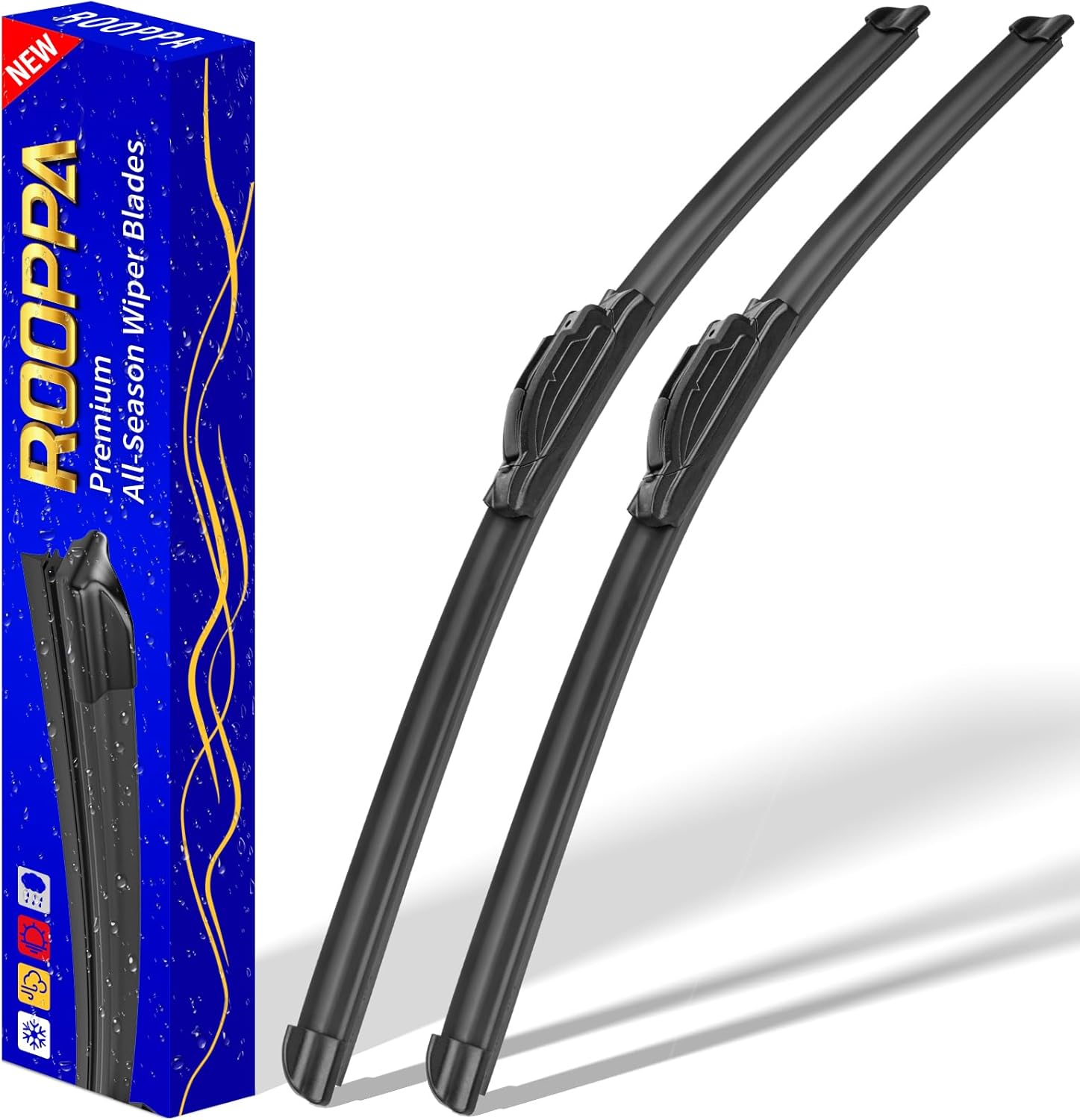
These front windshield wiper blades are designed as a direct replacement for compatible Hyundai models, helping restore clear visibility in rain and road grime. The hard-molded frame and stronger spring support smooth, reliable wiping performance, while the easy plug-and-play installation makes replacement simple. Included as a two-piece set, they are built for dependable everyday use with a one-year warranty for added confidence.

This brake bleeder hose kit helps remove old brake fluid and air from motorcycle brake and clutch systems quickly and efficiently. Its one-way check valve prevents air from being drawn back into the system, while the easy-to-connect clips make bleeding simple for routine maintenance. Built for reliable use, it is a practical tool for keeping motorcycle braking performance responsive.
When to Contact a Dealer Instead of DIY
Many Hyundai Sonata TSBs involve software updates, campaign claims, diagnostic scan tools, wiring checks, emissions documentation, or warranty coding that require dealer equipment and access to Hyundai systems. A qualified independent mechanic can still help with general diagnosis, but dealer support is often best when the bulletin involves:
- ECU, TCU, HCU, or other control-module software updates.
- Open safety recalls or service campaigns.
- Emissions-related campaigns or proof-of-correction paperwork.
- Hybrid system warnings, high-voltage components, or coolant issues.
- Warranty extensions or goodwill coverage decisions.
- Intermittent electrical, transmission, or advanced driver-assistance concerns.
Warning: Do not use a TSB as a parts-replacement shortcut. A bulletin is a diagnostic guide, not proof that one part has failed on your vehicle.
[Products Worth Considering]

The ANCEL AD310 is a compact, easy-to-use OBD II code reader designed to help drivers quickly identify check engine light causes, read and clear fault codes, and review key vehicle data. It supports major OBD2 protocols and works with many 1996-and-newer cars, light trucks, SUVs, and other OBD2 vehicles. Built for fast diagnostics at home or on the go, it runs directly from the vehicle and provides clear results on a large screen.

This replacement gas cap is designed for a wide range of Toyota and Lexus models, offering a direct-fit solution for restoring a proper seal at the fuel tank. It helps address check engine light issues related to the fuel cap while providing easy installation and dependable performance. Built from durable materials and rigorously tested before shipping, it is a practical replacement for worn or damaged fuel caps.

This EL-50448 TPMS relearn tool helps quickly activate and reset tire pressure sensors so your vehicle’s monitoring system stays accurate after tire rotations, sensor replacement, or seasonal tire changes. Designed for many GM-related vehicles and compatible with common 315 and 433 MHz TPMS systems, it offers simple one-button operation and reliable performance for clearing warning lights and relearning sensor positions.
Frequently Asked Questions
How do I look up Hyundai Sonata Technical Service Bulletins?
Go to the NHTSA vehicle search page, enter your Sonata’s year, make, and model, then open the Manufacturer Communications section. Search the bulletin titles and PDFs for your symptom, component, or Diagnostic Trouble Code.
Where can Hyundai Sonata TSBs be found?
The best public source is NHTSA’s Manufacturer Communications database. You can also ask a Hyundai dealer to check Hyundai’s internal service information, open campaigns, and warranty coverage for your VIN.
What is a Hyundai Technical Service Bulletin?
A Hyundai Technical Service Bulletin is a manufacturer communication that gives technicians guidance on diagnosing or repairing a known condition. It may include affected vehicles, symptoms, DTCs, service steps, parts, software updates, and warranty coding.
Are Hyundai Sonata TSB repairs free?
Not always. TSB repairs may be free if your vehicle is under warranty, covered by a service campaign, covered by a warranty extension, or tied to a recall. If none of those apply, you may have to pay for diagnosis and repair.
Can I use my VIN to find every Hyundai Sonata TSB?
Your VIN is best for recalls and Hyundai service campaigns. Public TSB searches are often done by year, make, model, trim, engine, and component. A Hyundai dealer can use your VIN to confirm whether a specific bulletin, campaign, or warranty extension applies.
Conclusion
Finding Hyundai Sonata technical service bulletins is one of the smartest steps you can take before paying for diagnosis or repairs. Start with NHTSA’s Manufacturer Communications section, use your VIN for recall and campaign checks, and bring the bulletin number, symptoms, and trouble codes to your service visit. With the right bulletin and VIN confirmation, you can avoid guesswork, understand your coverage, and keep your Sonata safer and more reliable.
Sources
- NHTSA Manufacturer Communications — explains manufacturer communication reporting and public access to notices, bulletins, warranty extensions, and related communications.
- NHTSA Vehicle Search — official vehicle lookup used to access recalls, complaints, investigations, and manufacturer communications by vehicle.
- NHTSA Recalls — official VIN and vehicle recall lookup for safety recalls.
- Hyundai Safety Recalls and Service Campaigns — Hyundai’s official VIN lookup for recalls and service campaigns.
- NHTSA SaferCar App — official app for saving vehicles and receiving safety recall alerts.
- NHTSA Recall Notification Email System — official email notifications for vehicle and vehicle equipment recalls.