
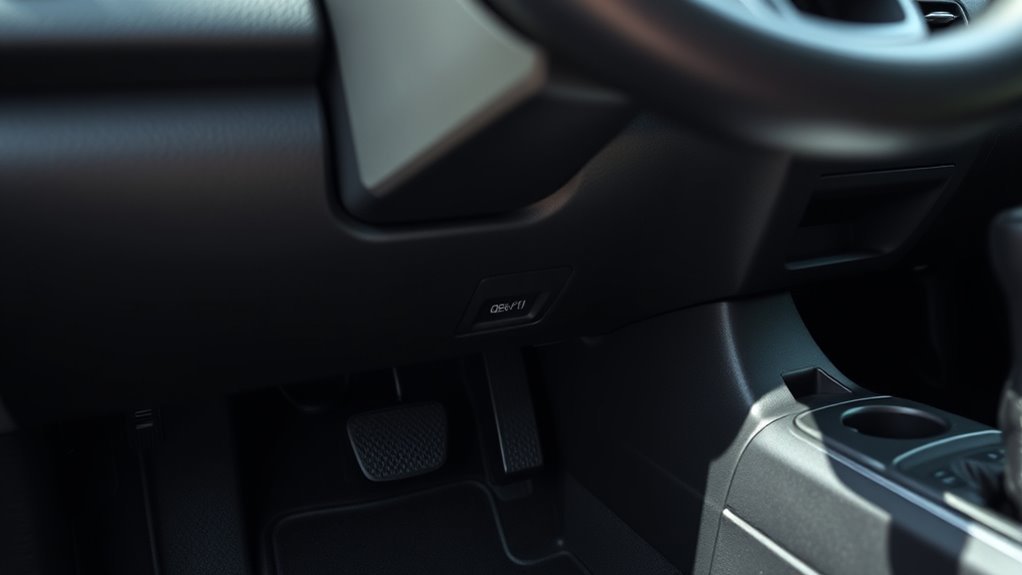
The Toyota RAV4 OBD-II port is usually under the driver-side dashboard, within the left side of the footwell. Look near the hood-release lever, steering column, pedals, or left footrest. Most owners can reach it without removing trim. This guide maps the port by model-year group, explains how to connect a scanner safely, and separates a no-power problem from a no-communication problem.
Last updated: July 31, 2026
Editorial note: This guide is based on Toyota diagnostic documentation and photo-based RAV4 port-location references. It does not claim hands-on verification of every trim, market, or right-hand-drive layout.
Affiliate disclosure: This page may contain affiliate links. If you buy through them, we may earn a commission at no extra cost to you.
Quick Answer
You’ll usually find the Toyota RAV4 OBD-II port under the driver-side dashboard. On documented 2003-2006 examples, look under the steering wheel near the hood-release area. On documented 2006-2013 examples, look left under the steering wheel and above the footrest near the hood-release lever. On 2013-2018 models, check above the pedals on the left. On 2019 and newer models, check below the hood-release lever on the driver’s left side.
Key Takeaways
- Check the lower driver-side dash first, especially near the hood-release lever, steering column, pedals, and left footrest.
- Look for a 16-pin trapezoid connector that may be white, black, or dark gray.
- Use a scanner that supports your RAV4 model year, and use a CAN-capable scanner for 2008 and newer U.S.-market vehicles.
- If the scanner stays dark, check connector fit, pin 16 power, and the correct fuse before replacing anything.
- Stop and call a trained technician if you see damaged wiring, repeated fuse failure, airbag warnings, or hybrid-system warnings.
At a Glance
| Time Required | 2-5 minutes to locate the port; 5-10 minutes for basic scanner troubleshooting |
| Difficulty | Easy for locating and plugging in; moderate if checking fuses or power |
| Tools Needed | Flashlight, compatible OBD-II scanner, and your owner’s manual or fuse diagram if the scanner has no power |
| Cost | Free to locate; scanner cost varies if you do not already own one |
What’s in This Article
Quick Find: RAV4 OBD-II Port Location
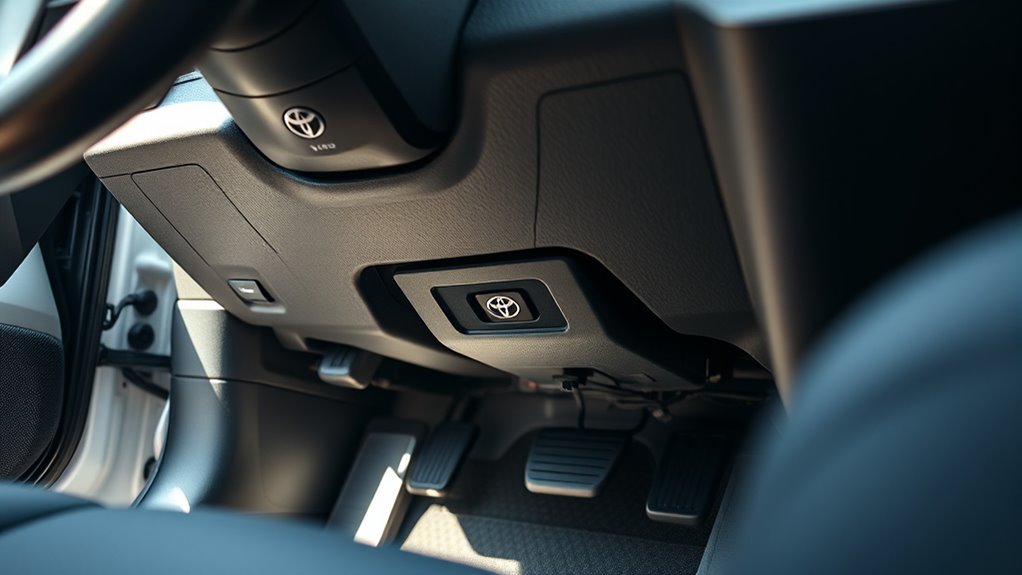
You’ll find the RAV4’s OBD-II port under the driver-side dashboard in most model years. Start low on the left side, near the hood-release lever, steering column, pedals, or left footrest. Toyota calls this connector the Data Link Connector 3, or DLC3. Toyota Techstream Lite supports DLC3/J1962 diagnostic functions on 1996 and later Toyota, Scion, and Lexus vehicles marketed in North America.
The connector uses the familiar 16-pin trapezoid shape. Most basic OBD-II scanners can plug into it, read many emission-related diagnostic trouble codes, clear supported codes, and show live data when your scanner and vehicle support those functions. Follow your scanner’s prompts for ignition OFF, ACC, ON, or READY mode.
Note: Port location can vary by market, trim, and right-hand-drive layout. If your dash panel looks different, stay in the driver footwell and scan the nearby lower trim before removing anything.
Keep the lower dash and pedal area clear before you connect. A clean, straight plug-in helps you avoid bent pins, poor contact, and false connection errors.
RAV4 OBD Port Location by Model Year
RAV4 OBD-II port placement can shift slightly by model year, market, and trim. The connector still stays in the driver’s area. Use this table as a fast starting point, then match the dashboard layout to the detailed section below.
| Model-Year Reference | Where to Look First | Useful Landmark |
|---|---|---|
| 2003-2006 examples | Under the steering wheel on the driver’s left side | Near the hood-release lever |
| 2006-2013 examples | Left under the steering wheel | Above the footrest, near the hood-release lever |
| 2013-2018 examples | Above the pedals on the left | Above or beside the left footrest |
| 2019 and newer examples | Below the hood-release lever | Lower-left edge of the driver-side dash |
Transition-year note: Published photo guides use overlapping 2006 and 2013 ranges because body styles and market launches do not always change on the same date. Match the dashboard layout and nearby landmarks instead of relying on the year alone.
2003-2006 RAV4 Models
On many early-2000s RAV4 models, check low under the driver-side dash first. For documented 2003-2006 examples, the OBD-II plug sits under the steering wheel area and near the hood-release lever area. Bend down from the driver seat and look upward with a flashlight.
- First place to check: Under the steering wheel on the driver’s left side.
- Nearby landmark: Hood-release lever area.
- Access tip: Slide the driver seat back so you can look upward without pulling on trim.
You should not need to remove major trim for a normal scan. If the connector looks hidden by a panel, use gentle hand pressure only and avoid yanking on lower-dash parts.
2006-2013 RAV4 Models
On documented 2006-2013 RAV4 examples, the OBD-II connector sits left under the steering wheel, above the footrest, and near the hood-release lever. Move the seat back and look upward from the driver footwell.
- First place to check: Left under the steering wheel.
- Nearby landmark: Above the footrest and close to the hood-release lever.
- Access tip: Use the dashboard layout and landmarks if your transition-year vehicle does not match the expected body style.
The connector should be reachable without removing major trim. If a scanner plug fits but will not communicate, confirm the vehicle’s original market and the scanner’s protocol coverage before assuming the port is faulty.
2013-2018 RAV4 Models
On many 2013-2018 RAV4 models, the OBD-II port sits above the pedals on the left side, near the footrest or lower dash edge. Look for a small 16-pin connector that may be white or dark depending on lighting and trim.
- Location: Driver’s side, below the dashboard, above the pedals or near the left footrest.
- Connector: Standard 16-pin trapezoid OBD-II connector.
- Access: A flashlight and low viewing angle make the port easier to spot.
A compact scanner or short OBD-II extension cable can make access easier in tight footwell space. Use an extension only if it does not hang near the pedals while you drive.
2019 and Newer RAV4 Models
On many 2019 and newer RAV4 models, the OBD-II 16-pin connector sits below the hood-release lever on the driver’s left side. Check the lower left dash area first, then scan nearby lower trim if your trim layout differs.
- First place to check: Below the hood-release lever on the driver’s left side.
- Connector color: Often white, but lighting and trim can make it look darker.
- Scanner fit: Align the plug to the trapezoid shape before applying pressure.
For 2008 and newer U.S.-market vehicles, choose a scanner that supports CAN communication. If you want more than basic code reading, choose a Toyota-capable scanner that lists enhanced data coverage for your RAV4 model year.
Before You Plug In a Scanner
Take a few quick checks before you connect a scanner. Park on level ground, set the parking brake, and keep your feet clear of the pedals. Move loose floor mats, charging cables, and bags away from the driver footwell.
- Use a flashlight so you can see the connector shape and pin area.
- Check for dust, corrosion, bent pins, or broken plastic before you insert the scanner plug.
- Match the scanner plug to the trapezoid shape before you apply pressure.
- Follow the scanner’s prompt for ignition OFF, ACC, ON, or READY mode.
- Remove low-hanging scanners or cables before normal driving if they sit near your feet.
Warning: Never force the scanner plug into the port. A proper fit should feel firm, not harsh. If the connector resists, pull the plug back, check the shape, and inspect the pins.
[Products Worth Considering]

The ANCEL AD410 PRO combines engine diagnostics and 12V battery testing in one easy-to-use tool, helping you read and clear check engine codes while checking battery health, cranking, and charging performance. It also provides live data, freeze frame details, and I/M readiness checks to help you diagnose issues faster and prepare for emissions testing. With plug-and-play operation, a clear screen, and broad vehicle compatibility, it is a practical solution for home mechanics and everyday drivers.

The ANCEL AD410 helps drivers quickly read and clear engine-related fault codes, view live data, and understand why the check engine light is on before heading to a repair shop. With built-in code definitions, readiness checks, and support for common OBD2 functions, it makes basic diagnostics straightforward for beginners and DIY users. Powered directly from the vehicle and easy to use with no app required, it offers practical value for everyday vehicle troubleshooting.
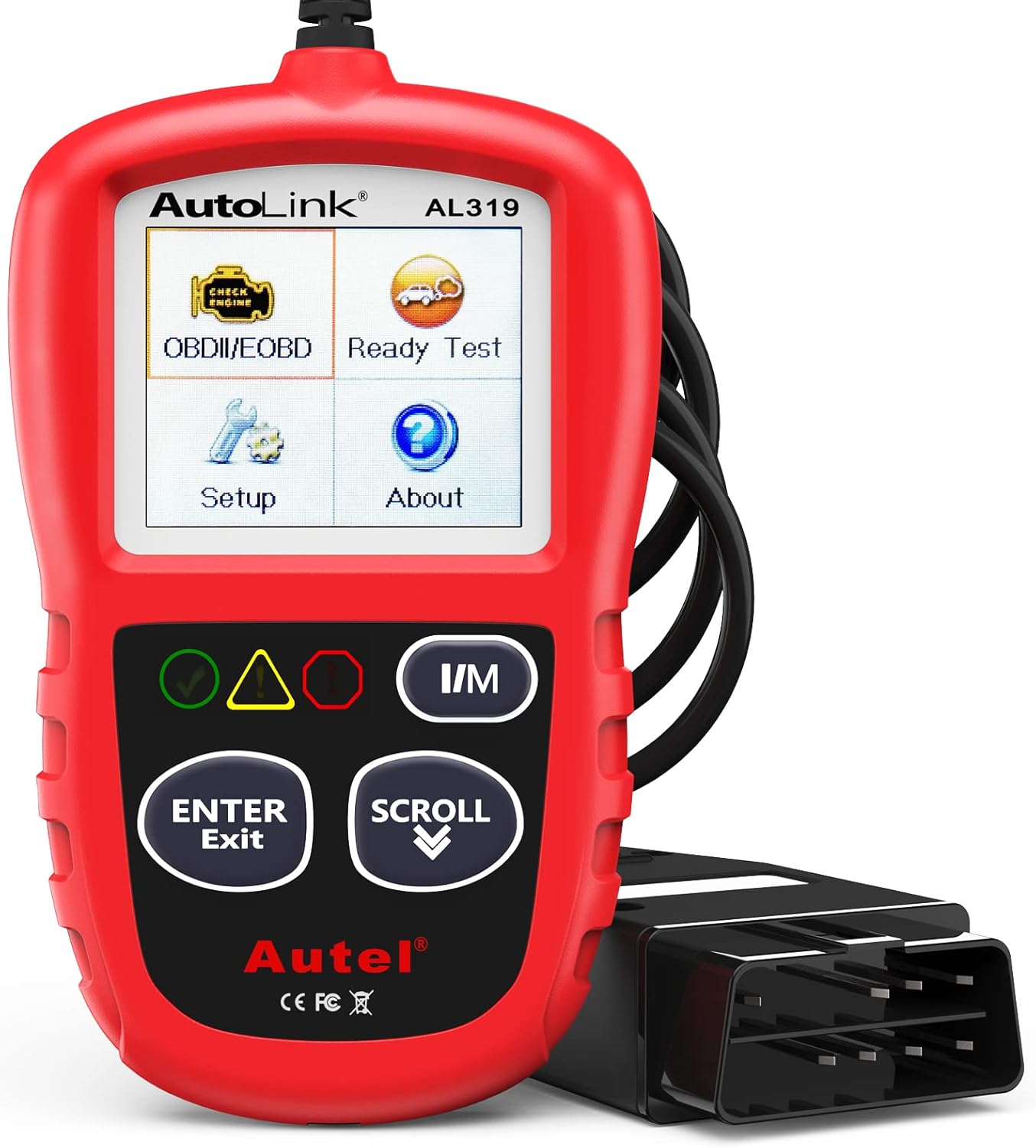
The Autel AL319 is a user-friendly OBD2 scan tool designed to help drivers quickly diagnose check engine light issues and understand vehicle fault codes. It supports reading and clearing DTCs, live data, freeze frame, I/M readiness, and vehicle information, making it a practical choice for DIYers and everyday car owners. With plug-and-play operation, a color display, built-in speaker, and broad vehicle compatibility, it delivers fast, reliable diagnostics without complicated setup.
How to Access the RAV4 OBD-II Port
- Park safely and open the driver door. Give yourself enough room to bend down and look under the lower dash.
- Move the driver seat back. More space helps you see the hood-release lever, pedals, and left footrest area.
- Look below the driver-side dashboard. Start near the hood-release lever, steering column, pedal area, and lower left trim.
- Find the trapezoid connector. The OBD-II port has 16 holes and may look white, black, or dark gray.
- Align the scanner plug straight. Match the wider and narrower sides before you push the plug in.
- Power the vehicle as instructed. Turn the ignition to ON or press the start button without pressing the brake if your scanner asks for ignition power. Follow your tool’s directions if it asks for READY mode.
You’ll connect a scanner more easily when you keep the plug straight and use steady hand pressure. Don’t twist the scanner or pry on nearby trim. If access feels tight, adjust your body position instead of pulling on panels.
Pro Tip: Take a quick phone photo of the lower dash area with flash on. The connector often appears in the photo even when it is hard to see from the driver seat.
[Products Worth Considering]

Turn your iPhone, Android device, or Windows PC into a professional-grade diagnostic scan tool with this Bluetooth OBD2 adapter. It is designed for broad vehicle compatibility and supports popular apps for deeper diagnostics, live data, and code clearing. Built-in protections and firmware updates help keep your vehicle and scanner safe while delivering reliable performance.

The ANCEL AD310 is a compact, easy-to-use OBD II code reader designed to help drivers quickly identify check engine light causes, read and clear fault codes, and review key vehicle data. It supports major OBD2 protocols and works with many 1996-and-newer cars, light trucks, SUVs, and other OBD2 vehicles. Built for fast diagnostics at home or on the go, it runs directly from the vehicle and provides clear results on a large screen.
Identify the Connector and Choose a Scanner
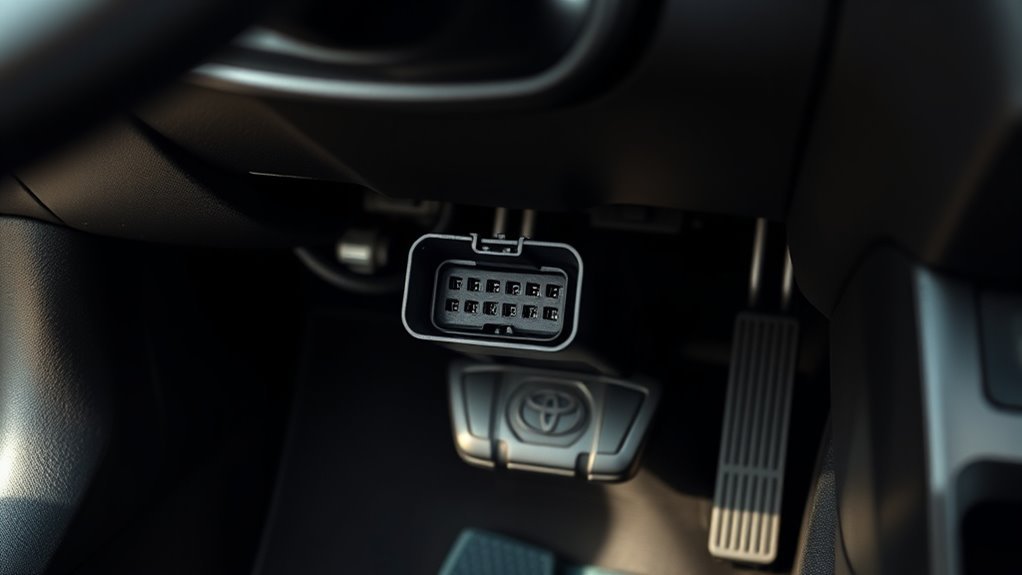
You’ll find the RAV4’s standard 16-pin OBD-II connector near the driver-side lower dash. The OBD-II connector is specified by SAE J1962 / ISO 15031-3, and CSS Electronics notes that pin 16 supplies battery power while CAN communication commonly uses pins 6 and 14 on modern vehicles.
Before you buy a scanner, confirm that it supports your RAV4’s model year and protocol. A basic reader can handle many check-engine codes, but an advanced Toyota-capable scanner can read more control modules and live data.
[Products Worth Considering]

⚠️【Important Tips Before Purchase】1️⃣ Compatible with standard OBD II vehicles manufactured from 1996 onward in the US market. 2️⃣ Due to the Secure Gateway (SGW) / FCA AutoAuth security system, this tool is unable to access OBDII modules or clear codes for FCA vehicles (including Chrysler, Dodge, Jeep, etc.) produced after 2017. ⚠️3️⃣Vehicles equipped with an SGW module are also not supported. 4️⃣Functions are not universal. Please send a mes-sage via 📞auteldirect @ outlook . com📞 to check compatibility before ordering. Need any help? Please don't histate to con-tact us via above em-ail.

【Diagnose Check Engine Light in Seconds – No Mechanic Needed】The FOXWELL NT301 OBD2 scanner instantly reads & clears engine fault codes (DTCs) with one click. Simply plug into the 16-pin DLC port, turn ignition on, and get accurate results within seconds—No prior car knowledge required. Save hundreds on dealership fees by knowing exactly what’s wrong before you visit a shop. The #1 choice car scanner for DIYers and car owners who want to take control of their vehicle’s health
Pinout and Protocols
Use the connector shape and your scanner documentation to confirm compatibility. In many modern vehicles, CAN uses pins 6 and 14. Pin 4 and pin 5 serve ground roles, and pin 16 provides battery power to the scan tool.
- Check the 16-pin shape before you connect the scanner.
- Use a CAN-capable scanner for 2008 and newer U.S.-market RAV4 models.
- Choose Toyota-capable software when you need hybrid data, ABS data, airbag data, or module-level diagnostics.
- Use Toyota service information or a trained technician before probing pins with a meter.
Scanner Compatibility Guide
Choose a scanner that lists ISO 15765-4 CAN support for modern RAV4 models. Look for live data, DTC read and clear, freeze-frame data, readiness monitor status, and Toyota-enhanced coverage if you want deeper checks. A small Bluetooth dongle can work for simple checks, but a handheld tool often gives you easier prompts and fewer app issues.
| Feature | Protocol or Support | Why It Matters |
|---|---|---|
| Live data | CAN, ISO 15765-4 | Shows supported sensor values while the vehicle runs |
| DTC read and clear | Standard OBD-II | Handles many emission-related check-engine codes |
| Readiness monitors | Standard OBD-II | Shows whether emissions self-tests have completed |
| Toyota-enhanced data | Toyota-specific support | Reads more modules and deeper data when the tool supports it |
Scanner Won’t Connect? Quick Troubleshooting
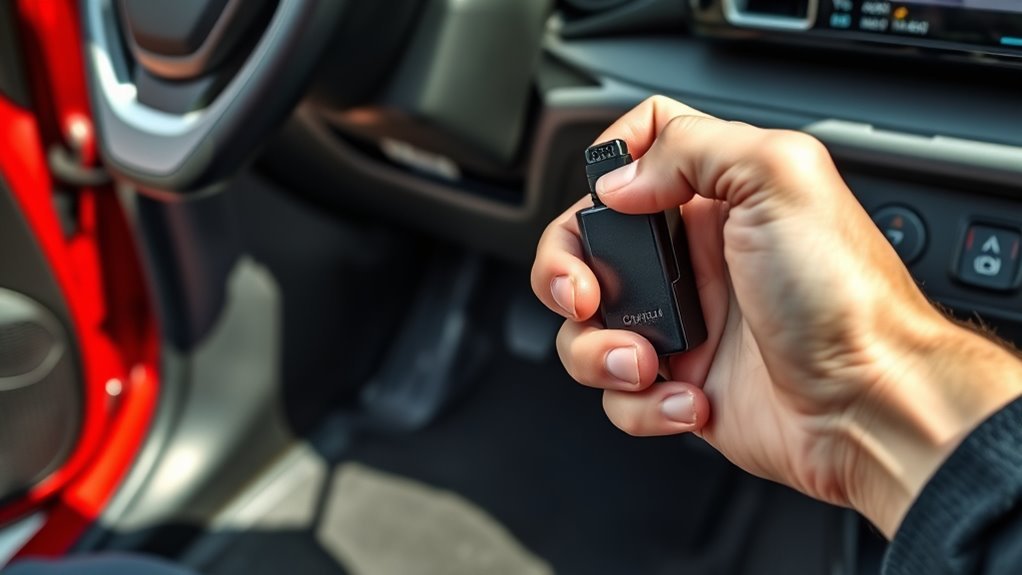
If your scanner won’t connect, start with the symptom instead of replacing parts. Make sure the plug sits fully in the port, then follow the scanner prompt for ignition mode. Inspect the OBD-II connector for dust, corrosion, bent pins, broken plastic, or a loose fit.
| Symptom | Start With | Next Check |
|---|---|---|
| Scanner stays dark | Plug fit, scanner condition, and ignition instructions | Pin 16 power and the exact model-year fuse diagram |
| Scanner powers on but will not link | Ignition mode and scanner protocol support | App connection, CAN support, and a second scan tool |
| Scanner reads engine data only | Tool coverage, not the port location | Toyota-enhanced support for ABS, SRS, hybrid, body, or transmission modules |
| Connection drops when the cable moves | Loose plug, damaged plastic, or a worn cable | Remove splitters or aftermarket devices and retest |
If the Scanner Does Not Power On
- Confirm the scanner plug is straight and fully seated.
- Try the ignition mode your scanner requests.
- Check whether the same scanner powers on in another vehicle.
- Check the RAV4’s OBD or related fuse using the fuse diagram for your exact model year.
- Replace a blown fuse only with the same amperage rating.
If pin 16 has no power, the scanner may stay dark or fail to start. A blown fuse can cause that problem, but a wiring fault can do the same thing. Fuse labels and locations vary by model year, so use the owner’s manual or fuse-box diagram for your exact RAV4 instead of copying a fuse name from another year. If the replacement fuse blows again, stop testing and have the circuit inspected.
If the Scanner Powers On but Will Not Communicate
- Confirm that the scanner supports your RAV4’s model year and protocol.
- Use a CAN-capable scanner for 2008 and newer U.S.-market vehicles.
- Close and reopen the scanner app if you use a Bluetooth dongle.
- Try a second scanner to separate tool failure from vehicle failure.
- Check for loose aftermarket accessories plugged into the same diagnostic port.
A scanner that powers on but will not link usually points to a compatibility, ignition-mode, app, or communication issue. A scanner that does not power on usually points to fit, fuse, pin 16 power, or tool failure.
OBD-II Safety, Fuses, and When to Call a Pro
Work carefully around the OBD-II port. Use a compatible scan tool, keep cables away from the pedals, and avoid probing pins unless you know how to test low-voltage automotive circuits. Gloves and eye protection can help when you inspect a dirty or damaged connector.
Warning: Don’t short OBD-II pins with a test probe. You can damage modules, blow a fuse, or create a larger electrical problem.
For fuse checks, locate the driver-side fuse panel and use the diagram for your exact RAV4. Test the fuse before replacing it, and use the same amperage rating. If the fuse blows again, stop testing and call a trained technician.
Call a pro if you see damaged wiring, melted plastic, corrosion inside the port, airbag warnings, hybrid-system warnings, or repeated scanner failures. Professional diagnostic tools can test the circuit without guesswork.
Safety Disclaimer: This article gives general information only and does not replace advice from a qualified mechanic. Always consult a trained technician before probing wiring, replacing fuses repeatedly, or working near safety-related vehicle systems.
Frequently Asked Questions
Where is the OBD port on a 2003 Toyota RAV4?
On many 2003-2006 RAV4 examples, the OBD-II port sits under the steering wheel area and near the hood-release lever. Bend down from the driver seat and look under the left side of the dashboard with a flashlight.
Does Toyota have an OBD port?
Yes. Toyota supports DLC3/J1962 diagnostic functions on 1996 and later Toyota, Scion, and Lexus vehicles marketed in North America. You’ll usually find the port under the driver-side dash.
Why won’t my RAV4 scanner power on?
Your scanner may not receive power from pin 16. Check the scanner fit, ignition mode, tool condition, and related fuse. If the correct fuse keeps failing, stop and have a technician inspect the circuit.
Why does my scanner power on but fail to connect?
The scanner may not support your RAV4’s protocol, the ignition mode may be wrong, or the app may have a Bluetooth connection problem. Try the correct ignition mode, restart the app, confirm CAN support for newer vehicles, and test a second scanner if possible.
Can I drive with an OBD scanner plugged in?
You can use many scanners during short diagnostic drives, but only when the cable or dongle does not block your feet, pedals, or steering. Remove the scanner after testing if it hangs low or distracts you.
Do all RAV4 models use the same OBD-II connector?
Most RAV4 models use the standard 16-pin OBD-II connector shape. The exact lower-dash location can change by year, trim, and market, so check around the driver-side dash first.
Do I need to remove trim to reach the RAV4 OBD-II port?
Usually, no. Most RAV4 OBD-II ports are reachable from the driver footwell without removing major trim. Use a flashlight and a low viewing angle before you pull on any panel.
Where is the OBD port on a 2009 Toyota RAV4?
On documented 2006-2013 RAV4 examples, the OBD-II connector sits left under the steering wheel, above the footrest, and near the hood-release lever. Use a flashlight and look upward from the driver footwell.
Which fuse powers the RAV4 OBD-II port?
The fuse name and location can vary by model year. Use the owner’s manual or fuse-box diagram for your exact RAV4, test the listed OBD or diagnostic-circuit fuse, and replace it only with the same amperage rating. Stop if the replacement fuse blows again.
Does a 16-pin connector guarantee full scanner compatibility?
No. The plug may fit while a basic scanner still lacks the correct protocol or Toyota-enhanced module coverage. Confirm the RAV4’s model year, original market, engine type, and the scanner maker’s coverage list.
Conclusion
Your RAV4’s OBD-II port usually sits under the driver-side dash, most often near the hood-release lever, steering column, pedals, or left footrest. Start with a flashlight, plug the scanner in straight, and follow the tool’s ignition prompt. If the scanner won’t connect, separate no-power problems from no-communication problems before you blame the vehicle.
Use a compatible scanner, keep cables away from the pedals, and avoid probing pins unless you have the right training. After the tool connects, save the codes and freeze-frame data before clearing anything. Use the RAV4 fault-code scanning guide for the next steps, or check the RAV4 OBD-II code guide after you record the exact code.
Stop and call a pro when you see wiring damage, repeated fuse failure, airbag warnings, hybrid-system warnings, or damaged connector plastic.
Sources
- Toyota Techstream Lite Scantool Diagnostics — Toyota DLC3/J1962 diagnostic support for 1996 and later North American Toyota, Scion, and Lexus vehicles.
- California Air Resources Board OBD II Fact Sheet — OBD II purpose, warning light behavior, and model-year requirements.
- OBDeleven Toyota Diagnostic Port Guide — Toyota OBD2 port shape, common Toyota locations, and RAV4 2019-newer location examples.
- KLAVKARR Toyota RAV4 2003-2006 OBD2 Port Location — photo-based location guidance for early-2000s RAV4 examples.
- KLAVKARR Toyota RAV4 2006-2013 OBD2 Port Location — photo-based location guidance for 2006-2013 RAV4 examples.
- KLAVKARR Toyota RAV4 2013-2018 OBD2 Port Location — photo-based location guidance for 2013-2018 RAV4 examples.
- CSS Electronics OBD2 Explained — OBD2 connector, CAN support, pin 16 power, and pins 6/14 CAN guidance.
- 40 CFR § 86.1806-05 — starting-model-year 2008 ISO 15765-4 CAN requirements for U.S. light-duty vehicles and light-duty trucks.


[…] to Change Toyota RAV4 AWD Differential and Transfer Case […]
Beste pornosites bieden hoogwaardige inhoud voor volwassen entertainment.
Kies voor veilige sites voor eeen veilige en plezierige
ervaring.
My webpage: watch anal porn
[…] a Toyota-capable scanner for multimedia, amplifier, body, or communication […]
[…] wheel fully left and right twice, then drive slowly in a safe area. If the lights return, use a scan tool that reads Toyota ABS data before replacing […]
[…] the RAV4 OBD-II port under the driver-side […]
[…] OBD-II scanner with live data, flashlight, gloves, multimeter, exhaust leak-detection equipment, and model-specific service information; backpressure equipment may be needed for power-loss complaints […]