
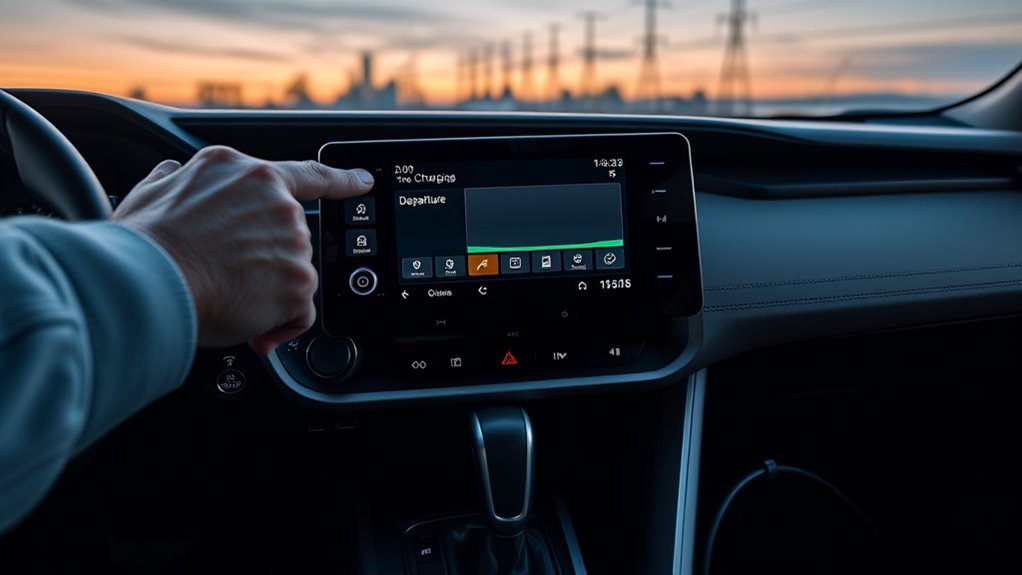
RAV4 Prime Charging Schedule: What to Do First
Last updated: July 31, 2026 · Covers U.S.-market 2021–2026 RAV4 plug-in models. This update adds verified 2021–2023 menu guidance, late-connection behavior, 2026 DC-charging context, and expanded schedule troubleshooting.
Affiliate disclosure: AutoReviewNest may earn a commission from qualifying purchases made through product links on this page, at no extra cost to you.
To set a RAV4 Prime charging schedule, identify the model year, open Charging Settings or Charging schedule, add an event, choose the charging mode, set the time and repeat days, and save it. Turn the vehicle off, then connect the AC charging cable before the scheduled event.
Most 2021–2025 models use Start or Departure scheduling. The redesigned 2026 RAV4 Plug-in Hybrid uses different wording, including Start or Start-Stop through the multi-information display and Start time or End time through the multimedia display.
Quick Answer
Use the model-year path in the table below. Add a schedule, choose Start, Departure, or the available 2026 mode, enter the time, select repeat days, and save. Turn the vehicle off and connect the AC cable before a Start event. If you connect after the Start time, the vehicle may wait for the next event, so use Charge Now or Ignore schedule when you need an immediate AC charge. The built-in schedule does not control a public DC fast-charging session.
Key Takeaways
- Identify the model year before following a menu path.
- The built-in schedule controls AC charging, not a public DC fast-charging session.
- Connect the AC cable before a scheduled Start time. Connecting after that time may cause the vehicle to wait for the next matching event.
- Toyota documents one-time, next-24-hour events when no repeat day is selected on its 2021–2023 and 2025 multimedia interfaces.
- A Departure event may begin earlier than expected because the entered time is the requested completion time.
- Use Charge Now or Ignore schedule when you need an immediate charge without deleting the saved event.
Documentation-verified scope: Menu paths and behavior were checked against Toyota’s 2021 RAV4 Prime Quick Reference Guide, 2022 RAV4 Prime Quick Reference Guide, 2023 RAV4 Prime owner’s manual, 2024 RAV4 Prime guide, 2025 RAV4 Plug-in Hybrid guide, and 2026 RAV4 Plug-in Hybrid guide. This article does not claim hands-on testing of every listed interface. Check the matching model-year owner’s manual when an icon or label differs.
Which RAV4 Prime Charging Schedule Instructions Should You Use?
| Model year | Where to open the schedule | Charging modes | Important difference |
|---|---|---|---|
| 2021–2022 RAV4 Prime | MID: Vehicle Settings → Charging Settings → Charging Schedule → Scheduled Events. Premium Audio: MENU → Info → Charging Schedule. | Start or Departure | No selected repeat day creates a one-time event for the next 24 hours on the documented audio interface. |
| 2023 RAV4 Prime | MID through Charging Settings, or power ON → vehicle icon → Charging schedule on the multimedia display. | Start or Start at set time; Departure or Departure time | No selected day creates one event for the next 24 hours. |
| 2024 RAV4 Prime | MID: Vehicle Settings → Charging Settings → Charging Schedule → Scheduled Events. An equipped multimedia display also provides Charging Schedule. | Start or Departure | Charge Now temporarily bypasses a registered event. Confirm the repeat summary before saving a one-time event. |
| 2025 RAV4 Plug-in Hybrid | MID through Charging Settings, or vehicle icon → Charging schedule on the multimedia display. | Start at set time or Departure time | Multimedia scheduling requires ON, not ACC. No selected day creates a one-time event. |
| 2026 RAV4 Plug-in Hybrid | MID through Charging Settings, or main menu → Schedules on the multimedia display. | MID: Start or Start-Stop. Multimedia: Start time or End time. | The redesigned schedule controls AC charging. Some grades support DC fast charging, which uses separate controls. |
Toyota used the RAV4 Prime name through model year 2024 in the United States. It renamed the model RAV4 Plug-in Hybrid for 2025. That name change is why current manuals and search results may not use the word “Prime.”
Before You Begin
Estimated setup time: About 5 minutes after you identify the correct interface.
- Confirm your RAV4 Prime or RAV4 Plug-in Hybrid model year.
- Decide whether you will use the steering-wheel meter control switches or the multimedia display.
- Use this guide for AC charging. Do not assume the saved schedule controls a public DC fast charger.
- Find your utility’s exact off-peak hours if you have a time-of-use electricity plan.
- Turn the power switch to ON when using the multimedia schedule menu. Do not leave a 2023–2026 interface in Accessory mode when the manual requires ON.
- If you choose Start mode, plan to connect the cable before the entered start time.
- Temporarily disable a smart-EVSE or charger-app timer while testing the vehicle’s built-in schedule.
- Create and save the event before connecting the AC charging cable if that is more convenient. Connect the cable after saving and turning the vehicle off.
[Products Worth Considering]

This replacement key fob set is designed for select Toyota RAV4 and XB models with regular key systems, offering lock, unlock, and panic functions in a convenient two-pack. Each remote comes pre-tested with battery and electronics installed, and it must be cut and programmed by a qualified dealer or locksmith for proper use. Built from durable materials and backed by warranty support, it provides a reliable solution when replacing worn or missing remotes.

This 3-piece windshield wiper set is designed for Toyota RAV4 models from 2019 to 2024 and also fits select Mazda 5 vehicles. It includes front and rear blades for a complete replacement, with Teflon-coated rubber for smooth, quiet wiping and reliable all-weather performance. The easy-install design helps match the original wiper arm structure for a simple, secure fit.
This front wiper blade set is designed as a direct replacement for select Toyota Corolla and RAV4 models, helping restore clear visibility in rain and road spray. Built for smooth, quiet performance with an easy plug-and-play installation, it includes both blades needed for the front windshield and is made to support dependable everyday driving.
How Do You Open the RAV4 Prime Charging Schedule Menu?
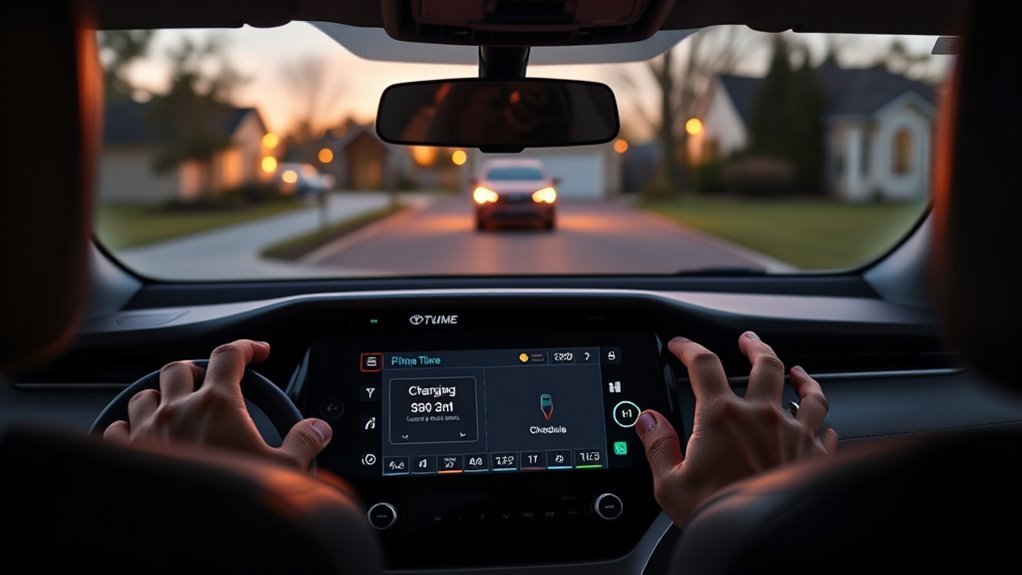
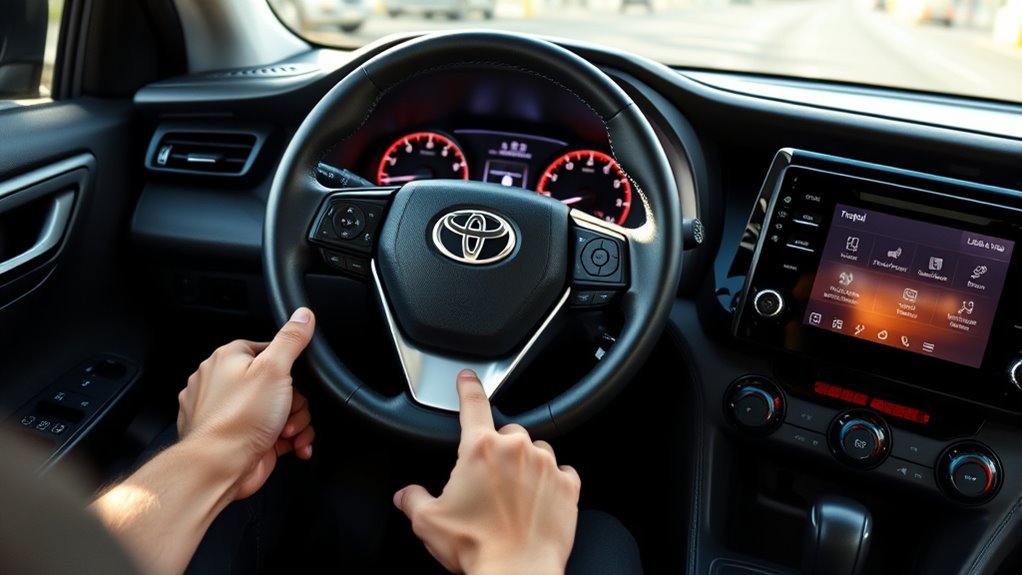
Using the Multi-Information Display
Toyota’s 2021–2026 documentation uses the following general MID path. The settings icon and confirmation-button actions can differ by display:
- Use the steering-wheel meter control switches to open the settings area on the MID.
- Select Vehicle Settings. Some displays require you to press and hold the confirmation switch.
- Select Charging Settings.
- Select Charging Schedule.
- Select Scheduled Events.
- Select the plus sign or Add to create an event.
Using the Multimedia Display
The verified multimedia path depends on the model year and installed audio system:
- 2021–2022 RAV4 Prime with Premium Audio: Press MENU, select Info, and open Charging Schedule.
- 2023 RAV4 Prime: Turn the power switch to ON, select the vehicle icon, and open Charging schedule.
- 2024 RAV4 Prime: Turn the power switch to ON, display the menu screen, select the vehicle icon, and open Charging Schedule.
- 2025 RAV4 Plug-in Hybrid: Turn the power switch to ON, confirm that the MID shows IGNITION ON, select the vehicle icon, and open Charging schedule.
- 2026 RAV4 Plug-in Hybrid: Turn the power switch to ON, open the main menu, select Schedules, and choose Create schedule or Add charge schedule.
If the menu is unavailable, confirm that the vehicle is parked and the power switch is in the mode required by the matching manual. On interfaces that require ON, Accessory mode is not enough.
How Do You Set a RAV4 Prime Charging Schedule?
Follow these steps after opening the correct Scheduled Events or Schedules screen:
- Select Add, the plus sign, Create schedule, or Add charge schedule. The exact label depends on the model year.
- Choose the charging mode. Most 2021–2025 interfaces offer Start or Departure choices. The 2026 MID offers Start or Start-Stop, while its multimedia screen offers Start time or End time.
- Set the requested time. Start begins charging at the entered time. Departure asks the vehicle to complete charging by the entered departure time. Start-Stop uses a beginning and ending time. End time tells the 2026 multimedia system when charging should stop.
- Select the repeat days. Choose each weekday on which the event should run.
- Check whether the event is repeating or one-time. Toyota documents a one-time, next-24-hour event when no weekday is selected on its 2021–2023 and 2025 multimedia interfaces. Check the event summary before saving on other interfaces.
- Set Climate Prep if it appears. Climate Prep or Climate preparation can appear when Departure mode is selected.
- Select Done, OK, or Save. Confirm that the event appears in the saved schedule list or calendar.
- Turn the vehicle off and connect the AC charging cable. For a Start event, connect before the scheduled time. The vehicle should wait when the saved event is active.
How to confirm it is waiting: A charging indicator may flash after you connect the cable when a registered schedule is waiting to run. A normal waiting indication is different from rapid flashing followed by charging stopping. If it rapidly flashes or the vehicle shows a warning, check the displayed message and the matching owner’s manual.
Check the saved event or Next Event display before leaving the vehicle. Test one complete scheduled session before depending on it for an early commute or a narrow utility-rate window.
[Products Worth Considering]
This AW6252 water pump is designed for a wide range of Toyota, Scion, and Lexus applications, helping maintain reliable engine cooling across compatible models. It features case hardened bearings for durability, a graphite-impregnated gasket for a secure seal, and 100% function and leakage testing for dependable performance. Built in TS16949 certified facilities, it offers a strong replacement option backed by service support.

This custom-fit windshield sun shade is designed for Toyota Rav4 models from 2013 to 2018, helping block harsh sunlight and reduce heat buildup inside your vehicle. It protects the dashboard, seats, and interior surfaces from UV damage while adding privacy when parked. The foldable design makes it easy to install, remove, and store in seconds.

[2026 INTELLIGENT CHARGING UPGRADE — PRECISION CONTROL MEETS SMART SCHEDULING] After surveying 100K+ U.S. EV owners, the Raylix R&D team found that nearly all drivers recognized the necessity of adjustable current and scheduled charging. Our upgraded J1772 charger features 4-level adjustable current (8A/10A/12A/16A) and a 1–12 hour smart delay timer. Whether you're charging overnight or during off-peak hours, enjoy smarter energy use, lower costs, and total convenience—on your schedule.
What Happens If You Plug In After the Scheduled Start Time?
If you connect the AC cable after a Start event has already passed, the RAV4 Prime may not begin charging immediately. A Start schedule is an event at a specific time, not an all-day charging permission. Depending on the saved repeat days and the interface, the vehicle may wait until the next matching Start event.
Use Charge Now or Ignore schedule when you arrive after the scheduled Start time and need power immediately. You can also create another Start event that better matches your routine. A Departure event behaves differently because the vehicle calculates when it must begin charging to finish by the requested departure time.
| Situation | Likely behavior | What to do |
|---|---|---|
| Cable connected before a Start event | The vehicle waits, then begins near the saved start time. | Verify the Next Event or waiting indication. |
| Cable connected after a Start event | The vehicle may wait for the next matching event. | Use Charge Now or Ignore schedule for an immediate session. |
| Departure time is close to the current time | Charging may start immediately so the vehicle can try to finish by departure. | This can be normal. Check the selected mode and departure time. |
| No repeat day is selected on a supported 2021–2023 or 2025 interface | The event runs once within the next 24 hours. | Select repeat days when you want a recurring schedule. |
| The vehicle and smart EVSE both have timers | One timer may block the other timer’s requested session. | Disable one scheduler and test the other by itself. |
| Remote climate, My Room Mode, or battery thermal control operates | Charging or power use may begin outside the expected timer behavior. | Check the active climate and battery-conditioning functions before diagnosing a fault. |
What Is the Difference Between Start and Departure?
| Mode | What the time means | Best use |
|---|---|---|
| Start or Start at set time | AC charging begins at the entered time. Connect the cable before that time. | Use it when a lower utility rate begins at a fixed time. |
| Departure or Departure time | The vehicle plans charging so it finishes by the entered departure time. It may begin early or immediately when needed. | Use it for a regular morning departure or when Climate Prep is available. |
| Start-Stop | You enter both the charging start and completion times through the 2026 MID. | Use it when charging must stay inside a defined rate window. |
| End time | You enter the time at which AC charging should stop through the 2026 multimedia display. | Use it when the end of the available charging window matters most. |
Do not look for both a start and finish control on every older RAV4 Prime. Most 2021–2025 interfaces ask you to choose either Start or Departure and enter the time associated with that mode.
How Do You Create Weekday and Weekend Charging Schedules?
Create separate repeated events when your departure time or utility rate window changes during the week.
| Use case | Suggested mode | How to configure it |
|---|---|---|
| Regular weekday commute | Departure | Select Monday through Friday and enter the time by which the vehicle should be ready. |
| Weekend off-peak charging | Start | Select Saturday and Sunday and enter the published beginning of the lower-cost rate window. |
| Strict rate window on a 2026 model | Start-Stop | Enter the beginning and completion times, then select the applicable days. |
| One-time event on a documented 2021–2023 or 2025 interface | Start or Departure | Leave every repeat day unselected and confirm that the event is scheduled within the next 24 hours. |
| Immediate charging at any arrival time on weekends | Charge Now or temporary schedule disabling | Do not treat a midnight Start event as an all-day window. Use the override or an EVSE window designed for that purpose. |
To change an event, return to Scheduled Events or Schedules and select it. Depending on the display, press and hold the confirmation control or choose Edit. Change the mode, time, or repeated days, and save the event again.
To remove an event, select it and choose Delete when that option appears. You can temporarily disable an event on interfaces that provide an on-and-off control.
How Do You Charge Immediately Without Deleting the Schedule?
Use Charge Now when you need an immediate AC charge but want to keep your saved events. On the redesigned 2026 model, the equivalent multimedia option may be labeled Ignore schedule.
- Open Charging Schedule or Schedules.
- Turn on Charge Now or Ignore schedule.
- Connect the AC charging cable and confirm that charging begins.
- Before relying on the next saved event, reopen the schedule screen and confirm that the override is no longer taking priority.
On earlier interfaces, Charge Now is intended as a temporary bypass and may turn off when the connector is removed. Still verify the schedule status before the next planned session.
If an immediate charge starts but the saved event does not, the cable and power source can deliver energy. Recheck the event time, selected days, charging mode, cable-connection time, vehicle clock, and any schedule stored in a smart EVSE.
Can a RAV4 Prime Charging Schedule Save Money?
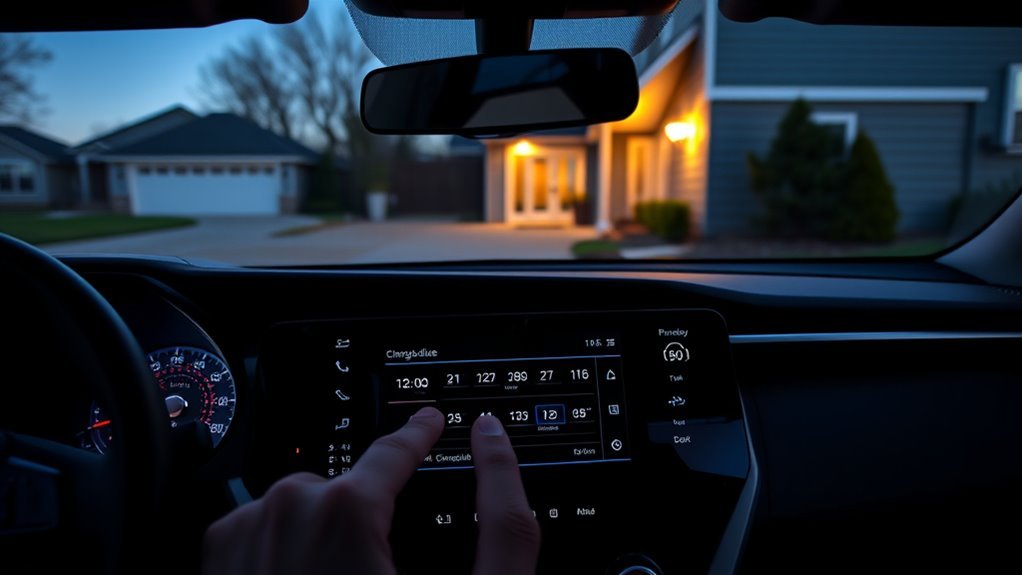
A charging schedule may reduce your electricity cost when your utility offers time-of-use pricing with a lower off-peak rate. The U.S. Department of Energy notes that charging can be especially cost-effective when drivers can use off-peak residential rates. Customers on a flat electricity rate may not receive a direct price benefit from changing the charging time.
Departure scheduling can also simplify a regular routine. You choose when the vehicle should be ready, repeat the event on selected days, and use Climate Prep where the option is available.
Pro tip: Copy the rate window directly from your utility bill or online account. Peak and off-peak periods can change by utility, season, weekday, and rate plan.
A timer alone does not prove that charging at a particular hour will extend battery life. Toyota’s schedule documentation focuses on timing, repeat days, overrides, and climate preparation. For driving and charging habits that affect usable EV miles, see the RAV4 Prime electric-range guide.
Is the Charging Schedule the Same as a Charge Limit?
No. The charging schedule controls when AC charging begins or ends. It is separate from any setting that controls how much the battery may charge.
The 2021–2025 Toyota charging guides reviewed for this article do not document a user-selected target percentage inside the charging-schedule menu. The 2026 owner’s documentation separately refers to a charge-capacity upper-limit setting. Check the 2026 charging settings rather than looking for that control inside the timer event.
Why Is the RAV4 Prime Charging Schedule Not Working?
Start with these schedule-specific checks:
- Use ON rather than ACC when required. The multimedia schedule controls on later interfaces are unavailable in Accessory mode.
- Confirm the correct model-year menu. The redesigned 2026 interface does not use all the same labels as the older RAV4 Prime.
- Check the clock, calendar, and weekday. Confirm the current date, time, time format, selected repeat days, and any daylight-saving-time change.
- Check when the cable was connected. A Start event may be missed when the cable is connected after the entered time.
- Confirm that the event was saved and enabled. Return to Scheduled Events or Schedules and make sure the event appears and is active.
- Check the charging mode. A Departure event can begin before the entered time because that time represents the requested completion time.
- Check whether a one-time event has expired. An event with no repeat days may run once and then no longer apply.
- Test one scheduler at a time. Temporarily disable a smart-EVSE or charger-app timer while testing the vehicle’s schedule.
- Check climate and battery-conditioning functions. Climate Prep, remote air conditioning, My Room Mode, Battery Heater, or Battery Cooler can affect when power is used or charging begins.
- Check the connector and charging source. Confirm that the connector is fully seated and the EVSE has no fault indication.
Use Charge Now or Ignore schedule as a control test. If charging begins immediately, review the saved event before assuming that the traction battery or onboard charger has failed.
If the multimedia screen itself does not respond, follow the RAV4 touchscreen troubleshooting guide. Do not enter an undocumented diagnostics menu merely to create a charging event.
If immediate charging works but the event still does not trigger, use the RAV4 Prime scheduled-charging troubleshooting guide. If the vehicle will not charge even with the schedule bypassed, follow the broader RAV4 Prime not-charging guide.
[Products Worth Considering]
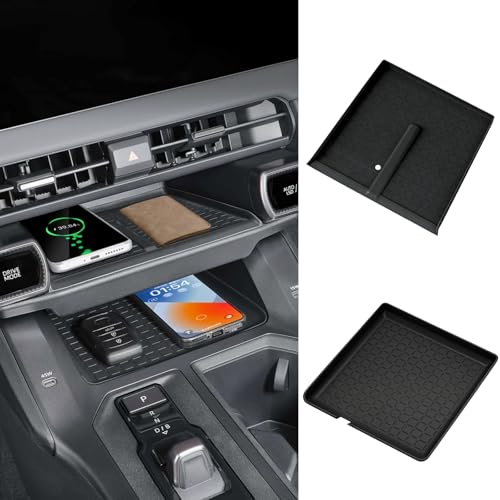
【Fits Perfectly】2 Pieces wireless charging mats designed specifically for the all-new 2026 Toyota RAV4 RAV 4 center console. It fits perfectly into your center console charging pad, adding a touch of sophistication to your car's interior.
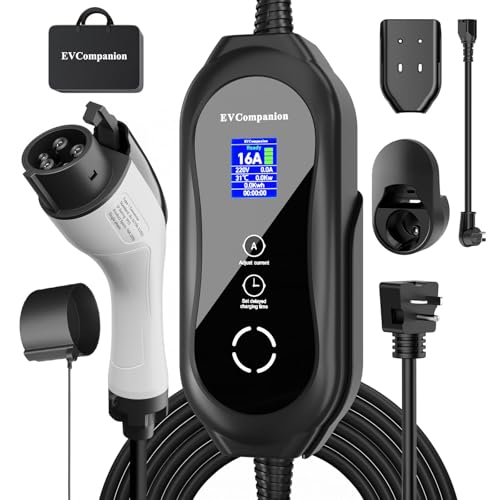
[2026 SMART CHARGING REVOLUTION — TAILORED POWER, TIMED TO PERFECTION]- Our level 2 EV charger lets you adjust current from 8A to 16A for precise power control—perfect for slow steady charges or quicker top-ups. It also features an extended 1–23 hour smart timer, fitting every lifestyle, from overnight sessions to off-peak timed charges. Save on off-peak rates or get a steady charge while sleeping—this level 2 EV charger adapts to your schedule. Avoid circuit overloads and optimize energy use with 8A-16A adjustability. No guesswork, just efficient power when you need it. Upgrade to a smarter, more flexible level 2 EV charger—always in sync with you.
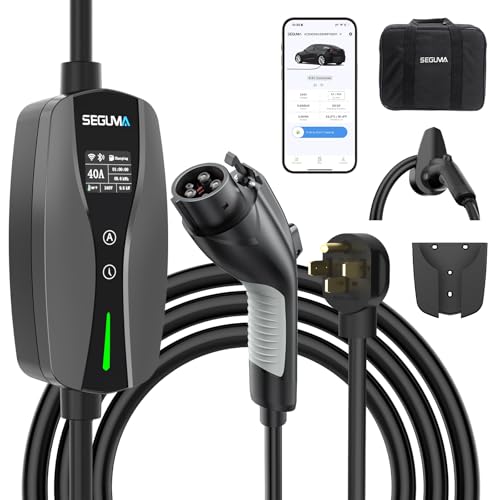
♥ ETL/FCC Certified: The electric vehicle charger has passed authoritative safety certifications such as ETL and FCC certified , Meets the Safety Criteria Defined by UL 2594 ,UL 2231-2 and CSA C22.2, provide a solid guarantee for the safety of your beloved car and family, allowing you to charge with peace of mind
Frequently Asked Questions
Can you schedule charging on a RAV4 Prime?
Yes. Toyota documents charging schedules through the multi-information display and, on equipped models, the multimedia display. Exact paths and labels vary by year. Most 2021–2025 systems use Start or Departure choices, while the redesigned 2026 system adds Start-Stop and End time wording.
What is the difference between Start and Departure on a RAV4 Prime?
Start tells the vehicle when AC charging should begin. Departure tells it the time by which charging should be completed. A Departure event may begin earlier than expected when the vehicle needs more time to finish. Climate Prep may also appear with Departure mode.
What happens if I plug in after the scheduled Start time?
The vehicle may wait for the next matching Start event instead of charging immediately. A Start time is a specific event, not an all-day charging window. Use Charge Now or Ignore schedule when you connect late and need an immediate charge.
How do I override a RAV4 Prime charging schedule?
Open the charging-schedule screen and select Charge Now. On the redesigned 2026 multimedia interface, the equivalent option may be labeled Ignore schedule. This starts an immediate AC session without requiring you to delete the saved event.
Why does the RAV4 Prime charging indicator flash after I plug it in?
A flashing charging indicator can mean that a registered schedule is active and the vehicle is waiting for its saved time. Check the Next Event or schedule screen. Rapid flashing followed by charging stopping may indicate a power-source or vehicle fault and should be checked against the displayed warning.
Does the RAV4 Prime charging schedule control DC fast charging?
No. The built-in charging schedule is an AC-charging function. Some 2026 RAV4 Plug-in Hybrid grades support DC fast charging, but the saved AC schedule does not reserve, start, or time a public DC fast-charging session.
Can I make the RAV4 Prime charge anytime on weekends?
A single midnight Start event does not create an all-day permission window. If you plug in after that event, the vehicle may wait for the next schedule. Use Charge Now, temporarily disable the vehicle schedule, or use a compatible EVSE schedule designed around an allowed charging window.
Why is my RAV4 Prime charging schedule not working?
Check the vehicle clock and calendar, selected days, event status, charging mode, and the time at which the cable was connected. Use ON rather than Accessory mode when required, and temporarily disable any EVSE or charger-app timer so only the vehicle controls the test session.
Can I set a target charge percentage in the RAV4 Prime charging schedule?
The 2021–2025 Toyota guides reviewed for this article do not document a target percentage inside the charging-schedule event. The 2026 owner’s documentation refers to a separate charge-capacity upper-limit setting, which is outside the schedule timing menu.
After saving the event, turn the vehicle off and connect the AC charging cable before a Start event. Confirm that the Next Event or waiting status appears, then test one complete scheduled session before relying on it for a commute or narrow utility-rate window.
References
- 2021 RAV4 Prime Quick Reference Guide — Toyota Motor North America
- 2022 RAV4 Prime Quick Reference Guide — Toyota Motor North America
- 2023 RAV4 Prime Owner’s Manual — Toyota Motor North America
- 2024 RAV4 Prime Quick Reference Guide — Toyota Motor North America
- 2025 RAV4 Plug-in Hybrid Charging Guide — Toyota Motor North America
- 2026 RAV4 Plug-in Hybrid Charging Guide — Toyota Motor North America
- RAV4 Prime Name Change for Model Year 2025 — Toyota USA Newsroom
- 2026 RAV4 Plug-in Hybrid Charging Hardware — Toyota USA Newsroom
- Electricity and Off-Peak Vehicle Charging — U.S. Department of Energy Alternative Fuels Data Center

[…] schedule-specific help? Follow the full guide to set a RAV4 Prime charging schedule. Use the separate scheduled-charging troubleshooting guide when the timer saves but the session […]
[…] a more detailed timer walkthrough, see the site’s RAV4 Prime / Plug-in Hybrid charging schedule guide. You can also review Toyota’s 2025 RAV4 Plug-in Hybrid owner’s […]