
Last updated: July 31, 2026 · Covers U.S.-market 2021–2024 RAV4 Prime models and 2025–2026 RAV4 Plug-in Hybrid models. Canadian owners should match all equipment and procedures to their Canadian owner’s manual.
Method: Charging procedures and specifications were checked against Toyota owner manuals, Toyota’s current Mobile Charger guide, 2025–2026 Toyota product materials, and U.S. Department of Energy charging-system guidance.
Affiliate disclosure: AutoReviewNest may earn a commission from qualifying purchases made through links on this page, at no extra cost to you.
If your RAV4 Prime won’t charge, first determine whether the failure follows the power source, the charging equipment, a saved schedule, or the vehicle. Check the EVSE indicators, select Charge Now, reseat the vehicle coupler, and test a second independent compatible AC charging source.
If charging works on the second AC source, focus on the original outlet, circuit, mobile charger, adapter, or public station. If two independent known-good AC sources fail, save the exact dashboard message and contact Toyota or a qualified EV technician. On a 2026 XSE or Woodland, record DC fast-charging results separately because AC and DC charging use different power paths.
Quick Answer
Check outlet or station power, the EVSE indicator lights, the vehicle coupler, and every active charging schedule. Select Charge Now if the vehicle is waiting for a timer. Then compare a second independent compatible AC source. Stop immediately if you find heat, burn marks, damaged contacts, exposed wiring, a pulsing red ground-leakage warning, or a breaker that trips again.
Key Takeaways
- Identify the exact model year and charging equipment before using a connector or indicator-light chart.
- Photograph the EVSE lights and dashboard message before unplugging or resetting anything.
- Use Charge Now to test whether an active schedule is delaying the session.
- Compare AC with AC when diagnosing an onboard AC-charging problem.
- Never use an extension cord, smart plug, splitter, improvised adapter, or visibly damaged outlet.
- Contact Toyota if two independent compatible AC sources fail or a vehicle warning returns.
What’s in This Article
- Quick Checklist: What to Try First If Your RAV4 Prime Won’t Charge
- Identify Your Model Year and Charging Hardware
- Symptoms and Likely Causes
- Before You Start: Safe Tools and Setup
- Verify the Cable, Connector, and Outlet
- Inspect the Charge Port
- Check Vehicle Charging Settings
- Compare Home and Public Charging
- Charging Shows but the Battery Does Not Increase
- Use Safe Resets and Alternate-Charger Tests
- Read EVSE Lights and Record Results
- When to Contact Toyota or an EV Technician
- Frequently Asked Questions
- Conclusion
Quick Checklist: What to Try First If Your RAV4 Prime Won’t Charge
Start with observations you can make without opening electrical equipment or touching connector contacts. Take a photo of the EVSE lights and any dashboard message before changing the setup.
- Confirm that the vehicle is in Park and turned off as directed by the exact model-year owner’s manual.
- Check whether the EVSE has power and whether it shows ready, charging, reduced-charge, rebooting, or trouble status.
- Make sure every approved connection is fully seated. On a 2026 dual-voltage Toyota Mobile Charger, this includes the removable adapter and control box.
- Open the vehicle’s charging menu and select Charge Now to rule out a schedule delay.
- Inspect the outside of the inlet and coupler for moisture, snow, debris, heat, discoloration, or visible damage.
- Test a second independent compatible AC charging source if the first source appears normal.
- For a 2026 XSE or Woodland, record any DC fast-charging test separately rather than treating it as the same test as AC charging.
Do not assume the traction battery or onboard charger has failed because one outlet or public station will not start. The most useful result is whether the failure follows one source, every AC source, one charging mode, or the vehicle itself.
Identify Your Model Year and Charging Hardware
Toyota changed the vehicle name, supplied charging equipment, onboard AC charger, and available connector types. Match every instruction to the exact model year, trim, connector, cable, and owner’s manual.
| Model Group | Charging Hardware | What This Means for Troubleshooting |
|---|---|---|
| 2021–2024 RAV4 Prime | J1772 AC charging with model-year-specific supplied AC cable and CCID | Use the charging-port indicator and cable-light chart in the exact model-year manual. Do not apply the newer dual-voltage Mobile Charger chart automatically. |
| 2025 RAV4 Plug-in Hybrid | J1772 AC charging with a 6.6-kW onboard charger | Toyota lists about 12 hours on 120V and about 2.5 hours on Level 2 under ideal conditions. This model does not support DC fast charging. |
| 2026 SE and GR SPORT | J1772 inlet and 7-kW onboard AC charger | Use Level 1 or Level 2 AC charging. Toyota estimates about four hours from 10% to 80% on Level 2 under ideal conditions. These trims do not support CCS1 DC fast charging. |
| 2026 XSE and Woodland | CCS1 inlet, 11-kW onboard AC charger, and DC fast-charging capability | The upper portion of the CCS1 inlet supports J1772-compatible AC charging. The additional DC pins support approximately 10% to 80% DC charging in 30 minutes under ideal conditions. |
Model-year note: Toyota began supplying its dual-voltage 120V/240V Mobile Charger with U.S. PHEVs for model year 2026. Do not use a connector diagram, indicator-light chart, adapter, current limit, or reset sequence from another model year unless Toyota identifies it as compatible.
AC versus DC: AC Level 1 and Level 2 power passes through the vehicle’s onboard AC charger. CCS1 DC fast charging sends DC power through a different path. A successful DC session does not prove that the onboard AC charger is working, and a successful AC session does not clear a repeated DC fault.
Symptoms and Likely Causes
Match the visible symptom to the first safe check. EVSE light colors vary by cable and charger, so compare the complete pattern with the label or guide supplied with that exact equipment.
| Symptom | Likely Area | First Safe Check |
|---|---|---|
| No EVSE lights | Outlet power, breaker, GFCI, adapter fit, or EVSE | Unplug safely, inspect for damage, and confirm breaker and GFCI status. |
| EVSE is ready but not charging | Vehicle coupler, charging schedule, full battery, or vehicle request | Confirm state of charge, reseat the coupler, and select Charge Now. |
| Charge-port indicator flashes while the vehicle waits | Registered charging schedule | Check the next scheduled session and select Charge Now when immediate charging is needed. |
| Charging starts, slows, or stops | Heat, circuit load, outlet fault, adapter fault, station interruption, or battery-temperature protection | Read the EVSE pattern, check for abnormal plug heat, save the vehicle message, and compare another AC source. |
| Red trouble or ground-leakage indication | EVSE, outlet grounding, utility supply, adapter, or vehicle fault | Stop using the equipment and follow the exact manufacturer fault pattern. |
| Connector will not fully seat | Ice, snow, debris, pressed latch-release button, damaged latch, or damaged inlet | Do not force it. Inspect from outside and allow ice to thaw naturally. |
| Charging complete but no additional energy is accepted | Traction battery already full or near its charging limit | Confirm the displayed state of charge and completion status before treating it as a fault. |
| Same AC warning on two independent chargers | Vehicle schedule, inlet, onboard AC charger, control system, or low-voltage support system | Save the exact message and arrange Toyota diagnosis. |
| Charging failure plus startup or multiple-system warnings | Possible 12-volt battery or low-voltage-system problem | Stop repeated charging tests and request a 12-volt battery and low-voltage-system test. |
Before You Start: Safe Tools and Setup
Keep a flashlight, phone camera, clean dry cloth, and the exact owner’s manual nearby. Use the cloth only on accessible exterior surfaces. Do not insert a cloth, brush, tool, test probe, or finger into electrical contacts.
Warning: Do not use an extension cord, smart plug, timer, splitter, improvised adapter, damaged receptacle, or opened EVSE. Stop if you smell burning, see smoke or discoloration, feel abnormal heat, find exposed wiring, or encounter a repeated breaker or GFCI trip.
Call a licensed electrician when the problem follows one household circuit, outlet, or receptacle. Contact Toyota or a qualified EV technician when the same vehicle warning appears on more than one independent compatible AC charging source.
[Products Worth Considering]
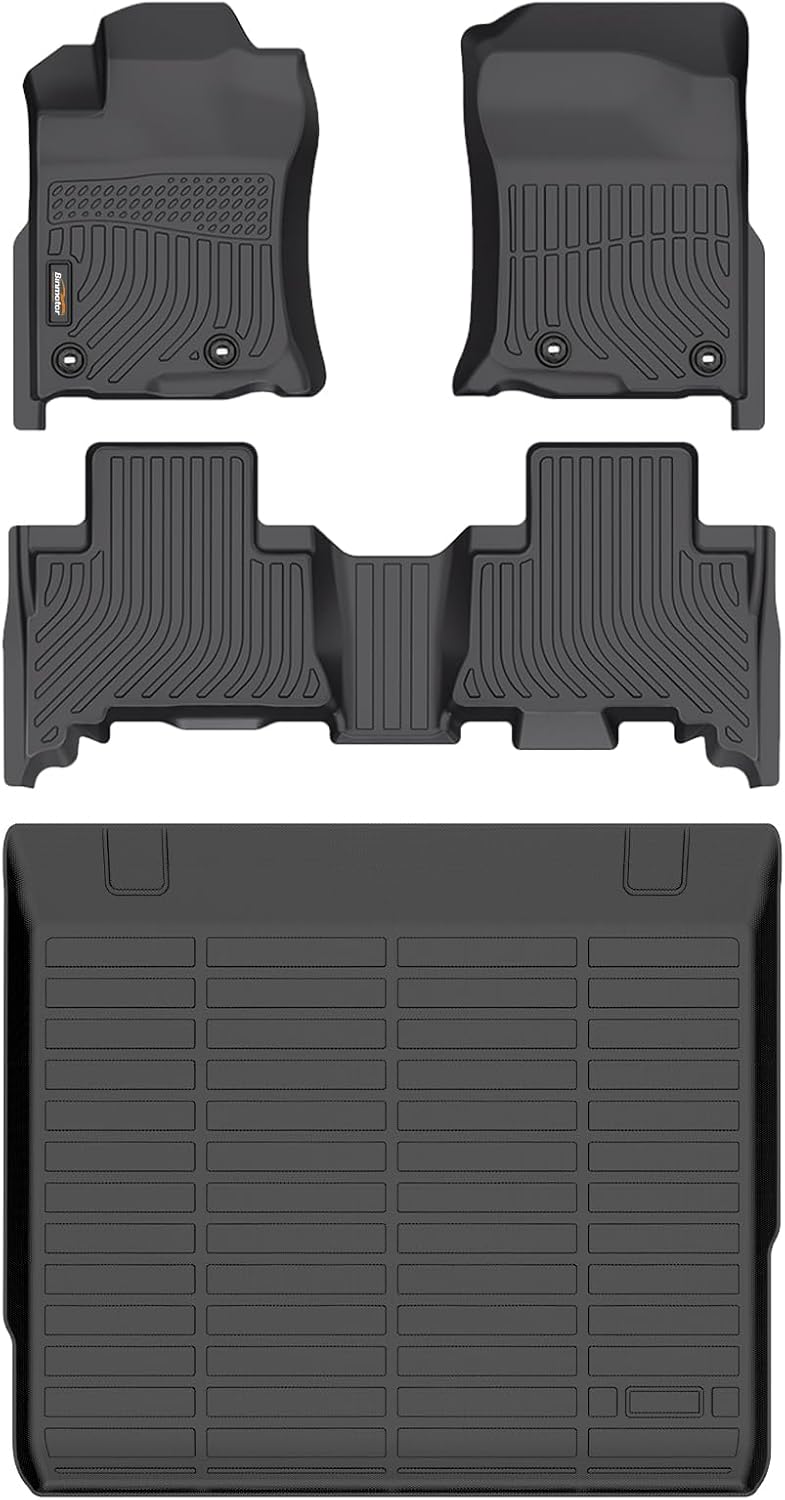
These custom-fit floor mats and cargo liner are designed for select Toyota 4Runner models and provide full-coverage protection for your interior. Made from durable TPE material with raised edges and non-slip buckles, they help contain dirt, spills, snow, and debris while staying securely in place. The waterproof design is easy to clean, making them a practical all-weather upgrade for everyday driving.

These short off-road traction boards are designed to help ATV and UTV drivers recover from mud, sand, and snow with added convenience and portability. Built with strengthened teeth and a stable bottom channel design, they help prevent wheel slip and improve traction in tough terrain. Made from durable automotive-grade polypropylene, they are lightweight, easy to clean, and suited for year-round use in extreme temperatures. Built-in shovels, ergonomic handles, and nesting storage make them practical for compact vehicle setups.

Upgrade your vehicle interior with Skechers Work seat covers designed for comfort, protection, and a clean custom look. Reinforced webbing helps the covers maintain shape and durability, while the cushioned design adds comfort for daily drives and long trips. The form-fitting front seat design works with many cars, trucks, vans, and SUVs, and advanced stitching supports airbag compatibility for added peace of mind.
Verify RAV4 Prime Charging Hardware: Cable, Connector, and Outlet
Inspect the full visible length of the charging equipment. Look for cracks, cuts, crushed areas, corrosion, discoloration, melted plastic, bent contacts, loose parts, or a plug that does not fit firmly.
[Products Worth Considering]

This all-in-one car wash kit gives you the essential tools to clean both interior and exterior surfaces with less effort. The extra-long wash mop, bucket filter, squeegee, brushes, towels, and mitt help remove dirt safely while reaching roofs, wheels, vents, and other tight spots. It is a convenient detailing set for cars, SUVs, trucks, RVs, and boats, all organized in a durable storage bag.

This portable tire inflator delivers fast, convenient inflation for cars, bikes, motorcycles, and balls with dual power options from a rechargeable battery or a 12V car cord. Its digital LCD pressure gauge and automatic shutoff help prevent over-inflation, while multiple preset modes and a custom setting make it easy to use for different inflation tasks. Built-in flashlight and USB power ports add extra emergency utility on the road.

High Charging Speed: The Seguma 32amp Level 2 EV charger equipped with NEMA 14-50 plug, provides faster charging (approx. 6 times faster) compared to standard Level 1 EV chargers, allowing you to charge your electric vehicle more quickly
Check 2021–2025 Supplied Charging Cables
For a 2021–2025 vehicle, use the supplied AC cable and the indicator chart in the exact model-year manual. Confirm that the wall plug, CCID or control box, cable, vehicle coupler, and charge inlet show no damage or abnormal heat.
For the 2025 RAV4 Plug-in Hybrid, Toyota recommends the supplied cable and a dedicated 15A GFI-protected household outlet. Toyota lists an approximately 12-hour full charge on 120V and approximately 2.5 hours on Level 2 under ideal conditions.
Check the 2026 Dual-Voltage Toyota Mobile Charger
The 2026 Toyota Mobile Charger uses a removable approved low-power or high-power adapter. With the charger de-energized, confirm that the approved adapter is fully inserted and flush with the control box. Do not connect or disconnect the adapter while the charger is plugged into the wall or connected to the vehicle.
Use only Toyota-approved adapters and a receptacle or Level 2 installation that matches the charger guide. Have a licensed electrician install or assess a 240V circuit.
Keep every cable fully unwound and position it where vehicles, doors, and people cannot crush or stress it. Support the control box as designed rather than leaving its weight hanging from a wall receptacle.
A powered outlet is not automatically a safe EV-charging outlet. The receptacle, grounding, wiring, breaker, and continuous-load capacity must all be suitable.
- Confirm that each approved connection is fully seated before charging begins.
- Do not touch, straighten, scrape, or clean electrical contacts yourself.
- A small appliance may confirm that an outlet has power, but it cannot confirm continuous-load safety.
- Stop if a wall plug is loose, discolored, damaged, or abnormally warm.
- Try a second independent compatible source instead of repeatedly reconnecting a suspect outlet.
Inspect the Charge Port for Ice, Snow, Debris, or Physical Blockage
Look at the charge inlet and coupler from outside before connecting them. Moisture, packed snow, ice, grit, foreign material, or damage can prevent the coupler from seating or latching correctly.
On applicable 2021–2024 RAV4 Prime systems, charging may not begin if the coupler’s latch-release button is pressed during insertion. Insert the coupler securely until it clicks, then confirm that the release button is not being held down.
Check for Ice
Do not force a frozen connector and do not insert a tool into the inlet. Move the vehicle or charging cable to a dry, above-freezing location and allow the ice to thaw naturally.
- Check the outer latch area and sealing surfaces without touching the contacts.
- Remove loose snow from surrounding bodywork with a dry, soft brush.
- Keep water, boiling water, chemical de-icer, heat guns, and open flames away from the inlet.
- Wait until the inlet and coupler are dry before reconnecting.
Clear Debris and Snow
Remove loose material only from accessible exterior surfaces. Do not push a cloth or brush into the connector opening. Stop and arrange service if an object is lodged near the contacts, a contact looks bent, or the coupler will not latch after the area is dry and clear.
Check Vehicle Charging Settings: Scheduled Charging, Max, and Timers
A saved departure time, delayed start, in-vehicle schedule, EVSE schedule, or charging-app schedule can keep the vehicle connected without starting immediately. Test one scheduling system at a time.
- Open the vehicle’s charging menu and check all active schedules.
- Select Charge Now or manually start charging when you are outside the saved window.
- Temporarily disable the EVSE or station-app schedule while testing the vehicle schedule.
- Confirm that the vehicle clock, date, and calendar are correct.
- Confirm that the dashboard or EVSE changes from ready or standby to active charging.
Supported older RAV4 Prime menus can include charging-current choices such as Max, 16A, and 8A. Menu choices vary by model year and market. Use only the values shown in the exact owner’s manual.
A lower current setting is not a repair for a loose outlet, overloaded circuit, defective ground, damaged receptacle, heat, or repeated breaker trip.
Need schedule-specific help? Follow the full guide to set a RAV4 Prime charging schedule. Use the separate scheduled-charging troubleshooting guide when the timer saves but the session still will not start.
Diagnose Home vs Public Charging: Breakers, Station Faults, and Load
Use a second independent compatible source to isolate the fault. At home, check the outlet, approved equipment, EVSE lights, circuit, GFCI, and shared loads. At a public station, check session activation, payment or account status, station messages, connector availability, and energy delivered.
Use a like-for-like comparison: Compare AC Level 1 or Level 2 with another independent AC source when diagnosing an AC problem. On a 2026 XSE or Woodland, log CCS1 DC tests separately because DC charging bypasses the onboard AC charger.
| Test Result | Most Likely Fault Area | Next Step |
|---|---|---|
| Home AC charging fails, but public Level 2 AC works | Home outlet, circuit, GFCI, adapter, or mobile charger | Stop using the suspect setup and have the circuit or EVSE assessed. |
| Home AC works, but one public Level 2 connector fails | Station activation, network, connector, or station hardware | Try another independently powered connector or station and report the fault. |
| Two independent compatible AC sources fail | Vehicle schedule, inlet, onboard AC charger, control system, or low-voltage support | Save the warnings and contact Toyota. |
| EVSE faults before connecting to the vehicle | Outlet power, grounding, adapter, EVSE, or utility supply | Do not connect the vehicle until the fault is resolved. |
| EVSE shows delivered energy, but estimated EV range changes little | Range-estimate variation, temperature, climate use, or display interpretation | Compare actual kWh and available state-of-charge information instead of range alone. |
| 2026 XSE or Woodland charges on DC but fails on two AC sources | AC inlet path, onboard AC charger, schedule, or AC control system | Do not clear the vehicle based on DC success. Arrange AC-system diagnosis. |
| 2026 XSE or Woodland charges on AC but fails at two independent CCS1 stations | DC station compatibility, CCS1 communication, or vehicle DC system | Save station IDs and errors, then contact Toyota. |
Toyota lists approximately 12 hours on a standard 120V outlet and 2.5 hours on Level 2 for the 2025 RAV4 Plug-in Hybrid under ideal conditions.
For 2026, Toyota lists a 7-kW onboard AC charger for SE and GR SPORT, an 11-kW onboard AC charger for XSE and Woodland, and CCS1 DC fast charging only for XSE and Woodland. Actual time varies with state of charge, temperature, equipment, available power, and battery conditions.
Charging started and then stopped? Use the separate RAV4 Prime charging-interrupted guide for sessions that begin normally and later end with a warning or incomplete charge.
[Products Worth Considering]

FAST 32A LEVEL 2 + FLEXIBLE LEVEL 1 CHARGING – Charge at up to 32A / 7.68kW from a compatible 240V NEMA 14-50 outlet for faster everyday Level 2 charging, or use the included NEMA 5-15 adapter for convenient 120V Level 1 charging when a 240V outlet is not available.

[Up to 8x Faster Charging Speed]: Provides up to 38 miles/hour charging speed via the NEMA 14-50 plug (40 amp). Professional installation recommended for optimal safety and performance. [Install The Power Outlet Cord]: No smaller than 8AWG if charge 40-48A, we suggest 6AWG cord.(1.The input side is belongs to the electrician electric automobile regulation scope, need to use three 6AWG cable wires for 48A; 2.The charging cable belongs to the automotive connector certification standard, so the 8AWG cable can meet the 48A.)
Charging Shows but Battery Doesn’t Increase: Step-by-Step Tests
A connected icon or solid status light does not always mean energy is flowing. Some EVSEs use one state for ready or standby and another pattern for active charging.
- Photograph the EVSE lights and dashboard before changing anything.
- Check whether the EVSE identifies the session as charging, ready, paused, complete, reduced, rebooting, or faulted.
- Confirm that the traction battery is not already fully charged.
- Select Charge Now and check whether estimated completion information changes.
- Record the available state-of-charge or EV-range display at the start.
- Check whether the station or EVSE reports active power or accumulated kWh.
- Compare the display again after a meaningful charging interval.
- Repeat the test on a second independent compatible AC source if no energy was added.
Estimated EV range can change with temperature, climate-control use, recent driving, and vehicle calculations. A station that records added kWh while the range estimate moves little may indicate range-estimation behavior rather than a complete charging failure.
If neither independent AC source delivers energy, save the exact warning text, EVSE state, session duration, model year, trim, and starting and ending readings for Toyota.
Safe Temporary Resets and Alternate-Charger Tests
The RAV4 Prime does not have one universal charging reset button. A safe disconnect and reconnect may clear a temporary communication problem, but it should not be repeated when heat, damage, a ground fault, or a breaker trip is present.
- Stop the charging session and disconnect the vehicle coupler as directed by the owner’s manual or station.
- For a portable charger, unplug it from the wall outlet. Do not attempt to de-energize or open a hardwired or public EVSE.
- Inspect the visible cable, control box, approved adapter where equipped, wall plug, coupler, and inlet.
- On the 2026 Mobile Charger, confirm the approved adapter is fully seated only while the unit is unplugged from the wall and vehicle.
- Reconnect the wall plug, allow the EVSE self-check to finish, and read the complete light pattern.
- Reconnect the vehicle coupler and select Charge Now.
If a breaker tripped once, unplug the charger and other loads before checking the circuit. Reset the breaker only when you know how to do so safely and no heat, odor, discoloration, or damage is present. If it trips again, stop and call a licensed electrician.
If ice blocks the connection, allow it to thaw in a dry, warmer location. Do not force the coupler or apply water, chemical de-icer, an open flame, or concentrated external heat.
Tracking and Prevention: Logs, Charging History, and EVSE Indicators
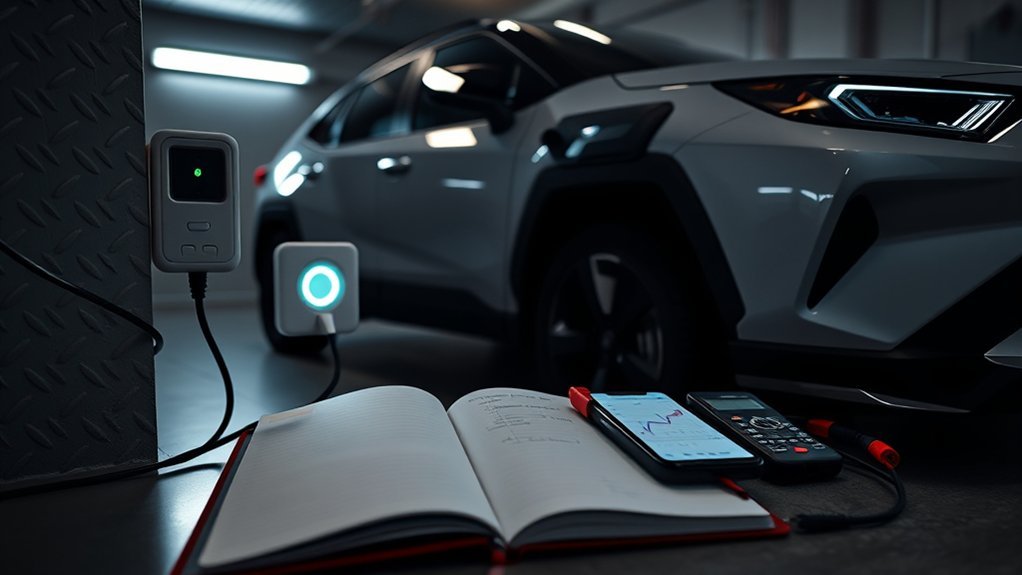
Record what the charging equipment reports instead of placing a smart plug or timer between the charger and outlet. Use the vehicle display, EVSE lights, charging-station receipt, station app, or utility data that does not require an added inline device.
The following patterns apply to Toyota’s newer dual-voltage Mobile Charger covered by Toyota User Guide 5913690 A01. They do not automatically apply to the fixed cable or CCID supplied with every 2021–2025 RAV4 Prime.
| Amber | Blue | Red | Toyota Mobile Charger State | Action |
|---|---|---|---|---|
| Off | Off | Off | Unpowered | Check outlet power, breaker position, adapter fit, and visible plug condition. |
| Off | Pulsing | Off | Active charging | No action is needed unless charging is unusually slow or stops. |
| Off | Solid | Off | Ready, standby, disconnected, or charging complete | Check the coupler, schedule, dashboard, state of charge, and completion status. |
| On | On | On | Rebooting after an error | Wait for standby. If cycling continues beyond the guide’s stated recovery period, discontinue use and contact Toyota support. |
| On | Pulsing | Off | Charging at a reduced rate because of overheating | Check adapter fit, move the equipment out of excessive heat, and try another suitable outlet. Stop if the plug or outlet is abnormally hot. |
| One flash | Pulsing | Off | Reduced charging because the adapter or wall outlet is overheating | Discontinue use of a hot or damaged outlet. Have the circuit assessed if the condition returns. |
| On | Off | Off | User-troubleshooting fault | With the charger de-energized, check approved adapter fit and temperature. Try another suitable outlet or approved adapter. |
| Off | Off | Solid | Non-recoverable Mobile Charger fault | Discontinue use and contact Toyota support. |
| Off | Off | One flash | Non-recoverable adapter fault | Use another Toyota-approved adapter only if available and permitted. Otherwise contact Toyota support. |
| Off | Off | Pulsing | Ground-leakage fault | Potential shock hazard. Turn off the circuit breaker if you can do so safely, discontinue use, and contact Toyota support or a licensed electrician. |
- Session details: start time, end time, duration, starting display, ending display, and kWh delivered.
- Vehicle details: model year, trim, inlet type, mileage, and recent repair history.
- Equipment details: EVSE model, approved adapter where equipped, outlet, circuit, station ID, and charging mode.
- Fault evidence: dashboard text, complete EVSE light pattern, station message, breaker or GFCI trip, heat, and weather.
- Comparison result: whether the same vehicle charged on another independent AC source and, for eligible 2026 trims, whether AC and DC results differed.
When to Contact Toyota or an EV Technician: What Info to Collect
Stop troubleshooting immediately if you see smoke, melting, burn marks, exposed conductors, damaged contacts, a pulsing red ground-leakage indication, or abnormal heat. Do not open the EVSE, vehicle inlet, onboard charger, or any high-voltage component.
Call a licensed electrician when the fault follows one household outlet or circuit. Contact Toyota or a qualified EV technician when the warning follows the vehicle across two independent compatible AC sources.
When to Call
- The same AC charging failure occurs on two independent compatible chargers or circuits.
- The vehicle displays a charging-system warning after a known-good source is tested.
- The connector will not latch after the inlet and coupler are dry and clear.
- The vehicle also has startup, low-voltage, or multiple-system warnings.
- The EVSE reports a persistent internal, adapter, thermal, or ground-leakage fault.
- A breaker or GFCI trips again after charging is stopped and other loads are removed.
- A 2026 XSE or Woodland fails on two independent compatible CCS1 stations.
What to Record
| Item | What to Record |
|---|---|
| Vehicle | Model year, trim, inlet type, mileage, and recent repair history |
| Session timing | Start time, stop time, duration, and whether Charge Now was selected |
| Charging mode | 120V AC, Level 2 AC, or CCS1 DC on an eligible 2026 trim |
| Energy | kWh delivered and change in available state of charge or EV-range display |
| Errors | Exact dashboard text, complete EVSE light pattern, error code, and station message |
| Power source | Outlet, circuit, approved adapter, charger model, public station ID, and comparison test |
| Conditions | Temperature, moisture, snow, direct sun, plug heat, and breaker or GFCI trips |
Ask the technician to retain and report diagnostic trouble codes before clearing them. If the vehicle also shows startup or low-voltage symptoms, ask for a 12-volt battery and low-voltage-system test as part of the diagnosis.
Frequently Asked Questions
Why is my RAV4 Prime plugged in but not charging?
The vehicle may be waiting for a saved schedule, the EVSE may be in standby, the traction battery may already be full, the coupler may not be fully seated, or the power source may have a fault. Photograph the charger lights, select Charge Now, confirm the state of charge, reseat the coupler, and test a second independent compatible AC source.
What do the Toyota Mobile Charger lights mean?
On Toyota’s newer dual-voltage Mobile Charger, pulsing blue means active charging and solid blue means ready, standby, disconnected, or complete depending on the connection state. Amber patterns identify rebooting, reduced charging, heat, or a user-troubleshooting condition. Solid or flashing red identifies a trouble condition. Match all three indicators to the Toyota Mobile Charger guide.
What does a charging system malfunction mean on a Toyota RAV4?
Photograph the exact message because similar wording can refer to different systems. A “12-Volt Battery Charging System Malfunction” is different from an external plug-in charging fault. Follow the exact owner’s-manual instruction and contact Toyota when the message remains or returns.
Where is the charging reset button on a Toyota RAV4 Prime?
The RAV4 Prime does not have one universal charging reset button for every failure. Use Charge Now, check the schedule, and follow the safe disconnect and reconnect order in the model-year manual. Do not disconnect the 12-volt battery merely to erase a charging warning.
Why does my RAV4 Prime show charging but the battery does not increase?
The display may show a connection while the EVSE remains in standby, delivers reduced power, pauses for a schedule, stops after a fault, or finds the traction battery already full. Check whether the EVSE reports active power or added kWh. Test another independent compatible AC source if no energy is delivered.
Can I use an extension cord or smart plug to charge a RAV4 Prime?
No. Connect the approved charger directly to a suitable grounded outlet or use a correctly installed Level 2 EVSE. Do not add an extension cord, smart plug, timer, splitter, or improvised adapter between the charger and power source.
Can I drive a RAV4 Prime if external charging is unavailable?
A RAV4 plug-in hybrid can normally operate using its hybrid system when the traction battery is not externally charged. Drive only if the vehicle enters Ready mode normally and shows no instruction to stop or seek immediate service. Follow the owner’s manual when any warning remains.
Can every 2026 RAV4 Plug-in Hybrid use DC fast charging?
No. Toyota lists CCS1 DC fast charging for the 2026 XSE and Woodland. The SE and GR SPORT use J1772 AC Level 1 and Level 2 charging only. XSE and Woodland can also use compatible J1772 AC charging through the upper portion of the CCS1 inlet.
Why does RAV4 Prime charging stop in hot or cold weather?
Charging may slow or stop when the vehicle, battery, mobile charger, adapter, or outlet becomes too hot. Very low temperatures can also lengthen charging while the vehicle manages battery temperature. Save the exact message and light pattern. Stop using any plug or outlet that becomes abnormally hot.
Safety Disclaimer: This article provides general troubleshooting information. It does not replace your exact owner’s manual, Toyota service, a qualified EV technician, or a licensed electrician. Stop charging and get professional help when you see smoke, heat, melting, burn marks, exposed wiring, damaged contacts, repeated breaker trips, ground-leakage indications, or vehicle warning messages.
Conclusion
When your RAV4 Prime won’t charge, identify the model year and equipment first. Read the EVSE lights, check Charge Now and saved schedules, inspect the connection from outside, and compare the result with a second independent compatible AC source.
Keep 2026 AC and DC results separate. Stop DIY troubleshooting when the equipment shows heat, damage, a ground-leakage fault, or a repeated circuit trip. If the same AC failure appears on two known-good sources, take your photos and session log to Toyota or a qualified EV technician.
References
- 2023 RAV4 Prime Owner’s Manual: Power sources that can be used – Toyota Motor Sales, U.S.A., 2023
- 2023 RAV4 Prime Owner’s Manual: When charging cannot be carried out – Toyota Motor Sales, U.S.A., 2023
- Does my charging schedule impact my on-the-go charging? – Toyota Customer Support
- New Name, Same Great Powertrain for the 2025 Toyota RAV4 Plug-in Hybrid – Toyota USA Newsroom, 2024
- The Next Adventure Begins: 2026 RAV4 Arrives This Winter – Toyota USA Newsroom, 2025
- Toyota and Lexus Introduce Dual-Voltage Home Charging Support – Toyota USA Newsroom, 2026
- Toyota Mobile Charger User Guide – Toyota Motor Sales, U.S.A.
- 2026 Toyota RAV4 Plug-in Hybrid – Toyota Motor Sales, U.S.A., 2026
- Electric Vehicle Supply Equipment Infrastructure – U.S. Department of Energy
- How Do Plug-in Hybrid Electric Cars Work? – U.S. Department of Energy Alternative Fuels Data Center

[…] the charging schedule, breaker, outlet, connector seating, and dashboard message. The separate RAV4 Prime not-charging guide covers fault isolation and troubleshooting in more […]
[…] If Charge Now also fails, the problem is no longer schedule-only. Continue with the physical charging checks below or use the broader guide for a RAV4 Prime that will not charge manually. […]