
Clearing diagnostic trouble codes (DTCs) on a Hyundai Sonata is simple with an OBD-II scanner, but the code should only be erased after you understand and fix the cause. A reset can turn off the check engine light for the moment, yet it will not repair a misfire, emissions leak, bad sensor, or Hyundai-specific engine warning.
Quick Answer
To clear codes on a Hyundai Sonata, plug an OBD-II scanner into the diagnostic port under the driver-side dashboard, turn the ignition to ON without starting the engine, read and record the codes, fix the problem, then choose the scanner’s “Erase” or “Clear Codes” option.
Key Takeaways
- Use an OBD-II scanner whenever possible; it is safer and more precise than disconnecting the battery.
- Always read, save, and diagnose codes before erasing them so you do not lose useful repair clues.
- Clearing codes resets emissions readiness monitors, so your Sonata may not pass an emissions test right away.
- If the check engine light flashes, the car runs poorly, or a Hyundai-specific code such as P1326 appears, stop guessing and get professional diagnosis.
At a Glance
| Time Required | 5–15 minutes to read and clear codes; longer if repairs are needed |
| Difficulty | Easy for reading and clearing codes; moderate to advanced for diagnosis |
| Tools Needed | OBD-II scanner, owner’s manual, phone or notepad for saving codes |
| Cost | Free if you already have a scanner; basic DIY scanners commonly cost less than a shop diagnostic visit |
Warning: Do not erase codes just to hide a warning light. If the check engine light is flashing, the engine is shaking, the oil pressure light is on, the vehicle overheats, or power is reduced, avoid driving and have the Sonata inspected.
Before You Clear Diagnostic Trouble Codes
An OBD-II code is a clue, not a repair. The Sonata’s onboard diagnostic system stores codes when it detects a fault in an emissions, engine, powertrain, body, chassis, or communication system. Hyundai describes the malfunction indicator lamp as a warning that may point to an emissions control, engine, or powertrain problem, so the first step is to read the code and understand what triggered it.
Before you erase anything, write down the exact code, the code description, whether the code is active or pending, and any freeze-frame data shown by the scanner. Freeze-frame data can include engine speed, coolant temperature, vehicle speed, and load at the moment the fault was recorded. That information is useful if the light comes back.
Note: Clearing codes may also reset OBD-II readiness monitors. If you need an emissions inspection soon, the vehicle may need normal driving time before the monitors show “ready” again.
Step-by-Step: Connecting Your OBD-II Scanner to Your Sonata
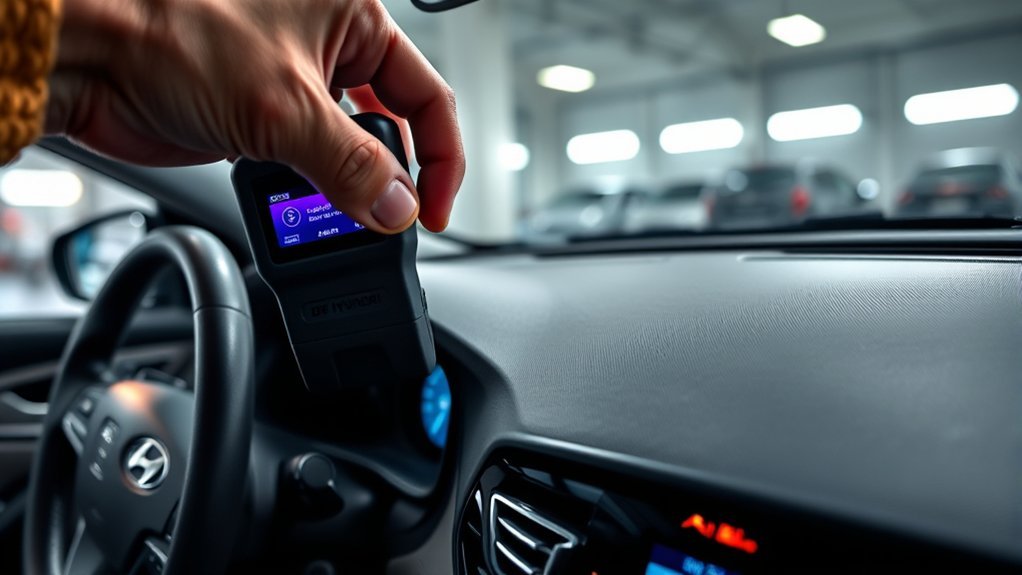
Most U.S.-market gasoline passenger vehicles from 1996 and newer use OBD-II, and a Hyundai Sonata’s diagnostic link connector is typically under the driver-side dashboard near the steering column or above the pedals. You may need to kneel near the driver footwell and look upward under the lower dash panel.
- Park safely. Put the Sonata in Park, set the parking brake, and turn off accessories such as headlights, climate control, and the radio.
- Find the OBD-II port. Look under the driver-side dashboard near the steering column. The port is a 16-pin trapezoid-shaped connector.
- Plug in the scanner. Align the scanner connector with the port and push it in firmly without forcing it.
- Turn the ignition to ON. For a key ignition, turn the key to ON without starting the engine. For a push-button Sonata, press the Start/Stop button without pressing the brake pedal until the dash powers on.
- Let the scanner connect. Choose Hyundai if your scanner asks for a make, or choose generic OBD-II if it does not.
Pro Tip: A basic scanner can usually read engine and emissions codes. To read ABS, airbag/SRS, transmission, or body-control codes, use a scanner that specifically supports those Hyundai systems.
[Products Worth Considering]
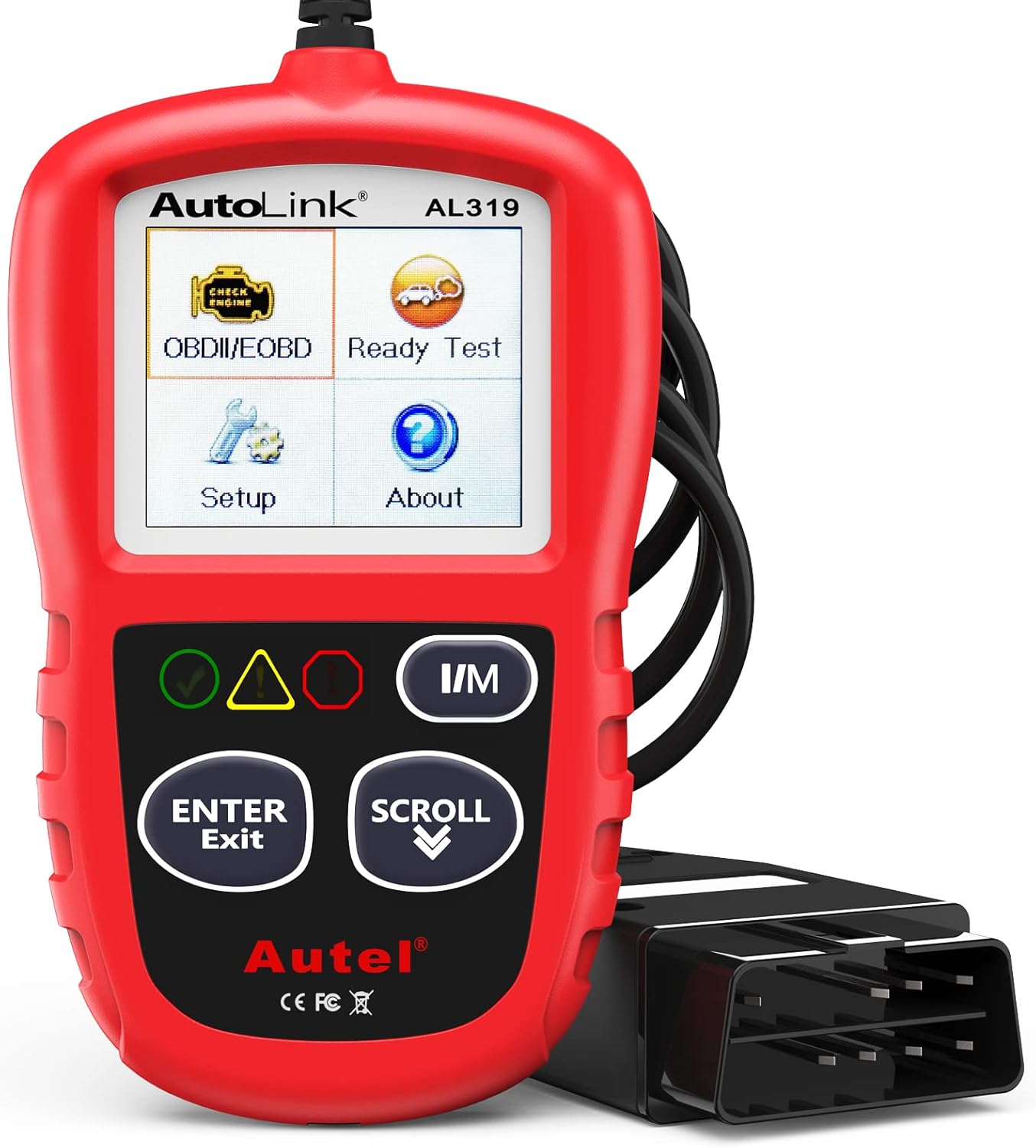
The Autel AL319 is a user-friendly OBD2 scan tool designed to help drivers quickly diagnose check engine light issues and understand vehicle fault codes. It supports reading and clearing DTCs, live data, freeze frame, I/M readiness, and vehicle information, making it a practical choice for DIYers and everyday car owners. With plug-and-play operation, a color display, built-in speaker, and broad vehicle compatibility, it delivers fast, reliable diagnostics without complicated setup.

The ANCEL AD410 helps drivers quickly read and clear engine-related fault codes, view live data, and understand why the check engine light is on before heading to a repair shop. With built-in code definitions, readiness checks, and support for common OBD2 functions, it makes basic diagnostics straightforward for beginners and DIY users. Powered directly from the vehicle and easy to use with no app required, it offers practical value for everyday vehicle troubleshooting.

The ANCEL AD410 PRO combines engine diagnostics and 12V battery testing in one easy-to-use tool, helping you read and clear check engine codes while checking battery health, cranking, and charging performance. It also provides live data, freeze frame details, and I/M readiness checks to help you diagnose issues faster and prepare for emissions testing. With plug-and-play operation, a clear screen, and broad vehicle compatibility, it is a practical solution for home mechanics and everyday drivers.
Reading Diagnostic Trouble Codes: What You Need to Know
Diagnostic trouble codes are standardized by systems such as SAE J2012, but not every scanner explains them with the same detail. Most common OBD-II codes begin with one letter and four characters:
- P codes relate to the powertrain, including the engine, transmission, fuel, and emissions systems.
- B codes relate to body systems, such as airbags or climate controls, depending on the vehicle and scanner.
- C codes relate to chassis systems, such as ABS, steering, or suspension controls.
- U codes relate to network or communication faults between control modules.
The first number after the letter matters too. Codes beginning with P0 are generally standardized generic powertrain codes, while P1 codes are manufacturer-specific. On a Hyundai Sonata, a manufacturer-specific code may need Hyundai service information or a Hyundai-capable scanner for accurate diagnosis.
Clearing a code turns off the warning only if the fault is fixed. If the problem is still present, the Sonata’s computer can store the same code again after the next self-test.
How to Clear Diagnostic Trouble Codes Successfully
Once you have read and saved the codes, use the scanner to clear them only after the underlying issue has been corrected. For example, tighten or replace a loose fuel cap, repair damaged wiring, replace a confirmed failed sensor, or fix the misfire before erasing the stored fault.
| Step | Action | Why It Matters |
|---|---|---|
| 1. Connect Scanner | Plug the OBD-II scanner into the diagnostic port. | This lets the scanner communicate with the vehicle computer. |
| 2. Read Codes | Select “Read Codes” or “Diagnostic Trouble Codes.” | You need the code before it is erased. |
| 3. Save Details | Record active, pending, stored, and permanent codes if shown. | This helps if the light returns. |
| 4. Fix the Cause | Repair the issue before clearing the code. | A reset alone does not repair the fault. |
| 5. Clear Codes | Choose “Erase Codes,” “Clear DTCs,” or a similar scanner option. | This clears stored codes and turns off the light if no active fault remains. |
| 6. Drive and Recheck | Drive normally and scan again after one or more trips. | This confirms whether the repair held and monitors are resetting. |
After clearing the codes, start the engine and check whether the warning light returns immediately. Then drive the Sonata through a mix of city and highway conditions if it is safe to do so. Some monitors may complete quickly, while others need specific fuel level, temperature, speed, and driving conditions.
[Products Worth Considering]

CEL Doctor: The ANCEL AD310 is one of the best-selling OBD II scanners on the market and is recommended by Scotty Kilmer, a YouTuber and auto mechanic. It can easily determine the cause of the check engine light coming on. After repairing the vehicle's problems, it can quickly read and clear diagnostic trouble codes of emission system, read live data & hard memory data, view freeze frame, I/M monitor readiness and collect vehicle information

Multi-Functions - Practical Multi-Functions OBD2 code reader features built-in OBD2 DTC lookup library, which help you to determine the cause of the engine light, read code, erase code, view freeze frame, I/M ready, vehicle information, data flow, real-time curve, get vehicle speed information, calculate load value, engine coolant temperature, get engine speed.
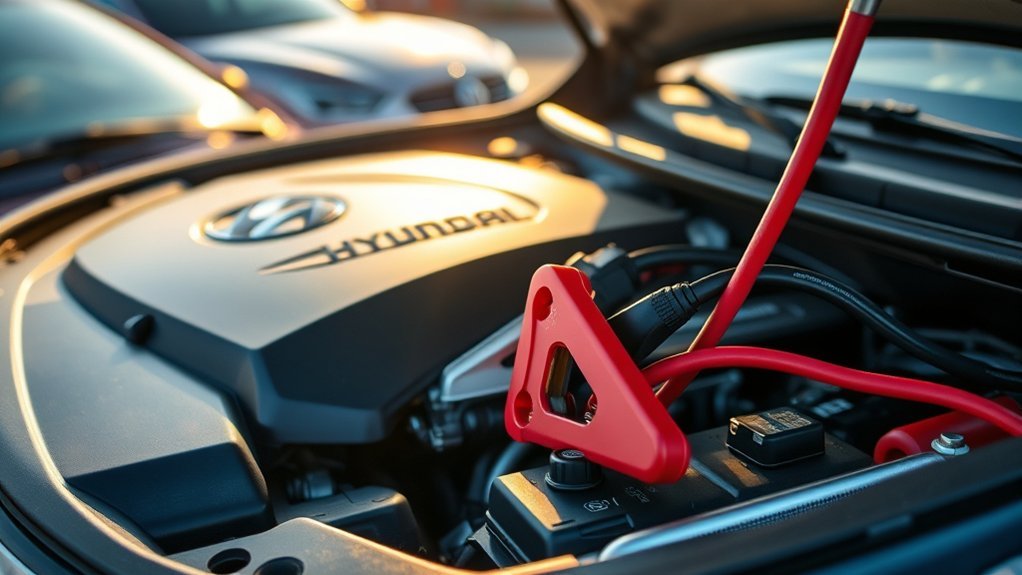
Can You Clear Codes by Disconnecting the Battery?
Disconnecting the negative battery cable may reset some stored information, but it is not the best first choice. It can erase clock settings, radio presets, learned idle behavior, and emissions readiness data. On newer vehicles, it may also create extra warning messages until systems relearn or recalibrate.
If you still choose this method, consult the Hyundai owner’s manual for your exact Sonata model year first. Turn the vehicle fully off, remove the key or keep the smart key away from the vehicle, and disconnect only the 12-volt negative battery cable. Wait about 15 minutes, reconnect it securely, then start the vehicle and let it idle normally.
Warning: Do not touch orange high-voltage cables or hybrid battery components on a Sonata Hybrid or Plug-In Hybrid. High-voltage systems should only be serviced by trained technicians.
Understanding Common Error Codes in the Hyundai Sonata
Common Hyundai Sonata codes can point to anything from a loose fuel cap to a serious engine or safety-system issue. Use the table below as a starting point, not a final diagnosis.
| Code | Common Meaning | What to Check First |
|---|---|---|
| P0100 | Mass air flow circuit problem | Loose intake hose, dirty MAF sensor, wiring damage, air leaks |
| P0300 | Random or multiple cylinder misfire | Spark plugs, ignition coils, fuel delivery, vacuum leaks, compression |
| P0420 | Catalyst efficiency below threshold | Exhaust leaks, oxygen sensor data, misfire history, catalytic converter condition |
| P0442 | Small EVAP system leak | Fuel cap seal, loose cap, EVAP hoses, purge valve |
| P0455 | Large EVAP system leak | Missing fuel cap, damaged cap seal, disconnected EVAP hose |
| P1326 | Hyundai knock sensor detection or engine bearing warning on affected vehicles | Do not clear and ignore it; check Hyundai campaign/warranty status and seek dealer diagnosis |
| B1346 | Airbag/SRS-related fault on some Hyundai scan reports | Use an SRS-capable scanner and have the restraint system inspected |
[Products Worth Considering]

【Diagnose Check Engine Light in Seconds – No Mechanic Needed】The FOXWELL NT301 OBD2 scanner instantly reads & clears engine fault codes (DTCs) with one click. Simply plug into the 16-pin DLC port, turn ignition on, and get accurate results within seconds—No prior car knowledge required. Save hundreds on dealership fees by knowing exactly what’s wrong before you visit a shop. The #1 choice car scanner for DIYers and car owners who want to take control of their vehicle’s health

【A MUST-HAVE SCANNER TOOL FOR DIYERS】 - VDIAGTOOL VD10 car code reader is an incredibly useful, handheld obd2 scanner for each car owner or hobbyist, even for those with little to no experience when it comes to vehicle mechanics! Similar to a fixd car diagnostic tool, using this car diagnostic scanner is extremely easy. All you have to do is attach it to your car OBDII port and you can diagnose car problems in seconds! Read Codes (DTCs); Clear Codes; Live Data; View Freeze Frame; I/M Readiness; Vehicle Information.

OBD2 SCANNER & BATTERY TESTER IN ONE – The INNOVA 5210 OBD2 scanner not only reads and clears check engine light and ABS codes (coverage may vary) but also functions as a car battery tester to check alternator health and prevent unexpected breakdowns.
Common Error Triggers
A loose or damaged fuel cap is one of the easiest items to check when you see an EVAP-related code such as P0442 or P0455. Remove the cap, inspect the seal for cracks, reinstall it until it clicks, and drive normally. If the code returns, the leak may be in another part of the EVAP system.
Misfire codes such as P0300 deserve more urgency. A misfire can cause rough idle, poor acceleration, fuel smell, poor fuel economy, and possible catalytic converter damage if you keep driving. If the check engine light flashes, treat it as a stop-driving warning and get the vehicle inspected.
Hyundai-specific P1326 needs special care. Hyundai’s Knock Sensor Detection System campaign information explains that KSDS software is designed to detect abnormal engine bearing noise before severe engine damage occurs. If your Sonata shows P1326 or enters reduced-power mode, do not simply erase the code and continue driving.
Importance of Timely Diagnosis
Timely diagnosis protects the engine, emissions system, and safety systems. Clearing a code without fixing the cause can delay the real repair and make troubleshooting harder because freeze-frame data may be lost. It can also leave you stranded if the original fault becomes worse.
A good diagnostic process starts with the code but does not end there. Check for obvious issues, inspect wiring and connectors, compare live data when possible, and confirm repairs with a follow-up scan. If your scanner shows only a generic definition, a Hyundai-capable scan tool or technician can give more detail.
What Should You Do If Your Check Engine Light Doesn’t Turn Off?
If the check engine light stays on after clearing codes, the Sonata still sees an active fault, the repair did not fix the root cause, or the scanner did not communicate with the correct module. Scan the vehicle again and compare the new results with the codes you saved before the reset.
- If the same code returns immediately, the fault is likely still active.
- If the code returns after a few trips, the fault may need certain driving conditions before the monitor detects it again.
- If a pending code appears, the system has seen a possible fault but may need another failed test before turning the light back on.
- If a permanent code remains, the vehicle may need to complete its own verification drive cycle before the code disappears.
Also check whether the fuel cap is tight, the air intake hose is connected, the battery terminals are secure, and no obvious vacuum hoses or wiring connectors were left loose after recent maintenance.
How Long Before Readiness Monitors Reset?
When you clear codes or disconnect the battery, emissions readiness monitors may change to “not ready.” These monitors are self-tests that the vehicle completes during normal operation. The California Bureau of Automotive Repair’s OBD test reference explains that readiness status is part of OBD inspection procedures, which is why clearing codes right before a smog or emissions test can create a problem.
There is no single mileage number that works for every Sonata, engine, climate, and fault. Some monitors may complete in one drive, while EVAP and catalyst monitors can take longer because they need specific conditions. A practical approach is to drive normally for several trips with the fuel level between roughly one-quarter and three-quarters full, then recheck readiness with your scanner.
Note: “Not supported” is different from “not ready.” If your Sonata does not use a certain monitor, your scanner may show it as not supported, and that does not mean the vehicle has failed a test.
When to Get Professional Help for Persistent Code Issues
Get professional help when a code comes back after a proper repair, the vehicle has drivability symptoms, or the code involves a safety system. Hyundai also advises owners to consult the owner’s manual and schedule service when warning lights remain on or illuminate while driving.
A certified technician or Hyundai dealer is the better choice when you see:
- A flashing check engine light
- Reduced power or limp mode
- Engine knocking, rattling, overheating, or oil-pressure warnings
- Repeated misfire codes such as P0300
- Hyundai-specific codes such as P1326
- Airbag, ABS, steering, or brake warning lights
- Codes that return immediately after clearing
- Readiness monitors that will not complete after several normal drive cycles
You should also check for open safety recalls using the NHTSA recall lookup, especially if your Sonata has engine, fuel, airbag, or powertrain symptoms. Recall status depends on the exact VIN, model year, engine, and repair history.
Frequently Asked Questions
How do you clear the code on a Hyundai?
Connect an OBD-II scanner to the diagnostic port, turn the ignition to ON without starting the engine, read and save the trouble codes, repair the cause, then select the scanner’s erase or clear-code function.
How do you clear a check engine light on a Hyundai Sonata?
Use an OBD-II scanner to erase the stored codes after the issue has been fixed. If the light comes back, scan again and diagnose the returning code instead of repeatedly clearing it.
Can I clear Hyundai Sonata codes without disconnecting the battery?
Yes. The preferred method is to use an OBD-II scanner. A scanner lets you read, save, and erase codes without resetting unrelated vehicle settings or disturbing the battery connection.
Will disconnecting the battery clear the check engine light?
It may clear some stored codes temporarily, but it can also reset readiness monitors and vehicle settings. It will not fix the underlying problem, and the light can return if the fault is still present.
Why did my check engine light come back after I cleared it?
The light came back because the Sonata detected the fault again or completed a self-test that failed. Read the code again, compare it with the original code, and repair the cause before clearing it another time.
Is it safe to drive after clearing diagnostic trouble codes?
It depends on the fault. If the car drives normally and the light stays off, a short verification drive is usually reasonable. Do not drive with a flashing check engine light, reduced power, overheating, oil-pressure warnings, heavy misfires, or engine knocking.
Can a basic OBD-II scanner read every Hyundai Sonata code?
No. A basic scanner usually reads engine and emissions codes. For ABS, airbag, transmission, steering, and body-control systems, you may need a scanner that supports Hyundai enhanced diagnostics.
Conclusion
Clearing diagnostic trouble codes in a Hyundai Sonata is easy when you use the right process: connect an OBD-II scanner, read and save the codes, fix the cause, clear the codes, then drive and recheck the vehicle. The reset itself is not the repair. If the warning light returns, the vehicle is telling you the problem still needs attention.
For minor issues such as a loose fuel cap, a careful DIY check may solve the problem. For flashing lights, misfires, P1326, airbag/SRS faults, reduced power, or codes that keep returning, professional diagnosis is the safest path.
Sources
- Hyundai USA Warning Lights — backs up Hyundai guidance on malfunction indicator lamps and when to seek dealer inspection.
- Hyundai Digital Owner’s Manual — reference for model-specific vehicle procedures, warning lights, and battery guidance.
- SAE J2012 Diagnostic Trouble Code Definitions — supports standardized DTC structure and manufacturer-specific code ranges.
- California Bureau of Automotive Repair OBD Test Reference — supports OBD readiness monitor and inspection guidance.
- NHTSA Recall Lookup — official source for checking recalls by VIN, year, make, and model.
- Hyundai Service Campaign 966 — supports KSDS information related to Hyundai engine bearing-noise detection.


[…] swap, check the owner’s manual for the correct programming method. Some Tundra models need a scan tool or dealer-level […]