Auto Review Nest Editorial Team · Last updated: August 21, 2026 · Reviewed against Toyota’s current U.S. Tundra materials and owner information
Use Toyota Tundra Multi-Terrain Select (MTS) only on loose, slippery, or uneven off-road surfaces in a truck equipped with the system. Choose 4H for moderate loose terrain and 4L for slow, technical obstacles, then turn the dial to Mud, Sand, Rock, or the fourth mode your Tundra shows — Mogul on gas-only i-FORCE models, or Auto on hybrid i-FORCE MAX models. MTS can adjust power delivery, wheel-slip control, and brake intervention to make the truck more predictable, but it does not create grip or replace safe speed, suitable tires, and a clear line.
Quick Answer
Use Toyota Tundra Multi-Terrain Select off pavement when mud, sand, rocks, ruts, deep snow, or another loose surface causes wheel slip. Use 4H for moderate terrain and 4L for slow technical obstacles. Turn the dial to Mud, Sand, or Rock, or to the fourth mode your Tundra offers — Mogul on i-FORCE (gas) models, Auto on i-FORCE MAX (hybrid) models — and confirm the MTS indicator before moving into the obstacle.
Key Takeaways
- MTS is for off-road use on equipped Tundras. Do not use it as a normal pavement drive mode.
- Use 4H for moderate loose surfaces such as dirt, sand, mud, or snow-covered trails when speed is still low and controlled.
- Use 4L for slow technical terrain such as rocks, ledges, moguls, steep climbs, or deep ruts.
- Your fourth mode depends on your engine, not your trim. i-FORCE (gas) Tundras show Mogul; i-FORCE MAX (hybrid) Tundras show Auto instead. Mud, Sand, and Rock are common to both.
- Crawl Control is separate from MTS. It can work with MTS, but it is mainly for very slow 4L driving where you want the truck to manage throttle and braking.
At a Glance
| Time Required | A few seconds once the correct 4WD range and operating conditions are selected |
| Difficulty | Easy, but terrain judgment matters |
| Tools Needed | No tools; use the MTS switch, mode selector, and multi-information display |
| Cost | No added cost to use once your truck has the TRD Off-Road Package or TRD Pro trim |
Warning: Multi-Terrain Select can help improve drivability, but it cannot overcome poor tire choice, excessive speed, deep water, hidden obstacles, or unsafe driving. Use MTS only where appropriate, confirm the selected mode indicator is on, and follow your owner’s manual for your exact model year.
Does Every Toyota Tundra Have Multi-Terrain Select?
No. Multi-Terrain Select is equipment-dependent. For the 2026 U.S. Tundra, Toyota lists MTS with the TRD Pro and trucks equipped with the TRD Off-Road Package, which is available on SR5, Limited, Platinum, and 1794 Edition trims. Availability can differ by model year, trim, drivetrain, package, and market, so check your build sheet, dashboard controls, and owner’s manual before following the steps below.
This guide applies only when your truck’s display and controls show MTS. If the switch or menu is absent, do not assume the feature can be enabled through a hidden setting or software change.
When to Use Multi-Terrain Select on a Tundra

Use Multi-Terrain Select when the surface is loose enough that normal throttle inputs make the tires spin, hop, or dig. Good examples include sandy trails, muddy ruts, rocky climbs, bumpy mogul sections, dirt roads with washouts, and deep snow on an unpaved route.
Do not think of MTS as a power booster. Think of it as a traction manager. It helps the truck apply power in a way that fits the terrain, so your job becomes easier: pick a good line, keep your speed low, steer smoothly, and let the system reduce unnecessary wheelspin.
MTS is most useful when you notice one of these signs:
- The rear tires are spinning before the truck moves forward.
- The truck surges or bogs because your throttle inputs are too sharp for the surface.
- You need smoother control over rocks, ledges, or ruts.
- You are switching from firm trail to sand, mud, or snow and need a different traction strategy.
- You want Crawl Control to manage very slow throttle and braking while you focus on steering.
A 10-Second MTS Decision Rule
- Do the tires have normal grip? Stay in 2H with MTS off.
- Is the surface loose but still flowing? Select 4H and the closest available terrain mode.
- Is the obstacle slow, steep, crossed-up, or rocky? Select 4L, then use the matching mode and Crawl Control if equipped and appropriate.
If the surface changes, reassess the range and mode before the next obstacle. Do not wait for the tires to dig in before changing your setup.
What MTS Is and How It Works on the Tundra
Toyota describes Multi-Terrain Select as a system that helps regulate wheelspin through engine and brake control. Depending on the model year and configuration, Toyota owner information may also describe changes to drive-force control and steering assistance. Treat your truck’s display and manual as the final authority.
In plain language, MTS changes how the truck reacts when the tires start to slip. Instead of giving you one all-purpose throttle and traction-control setting, it gives the truck a terrain-specific target. Sand needs momentum. Rocks need slow precision. Mud needs controlled wheelspin without digging. The right mode helps the Tundra behave more predictably.
[Products Worth Considering]

These off-road traction boards are designed to help vehicles recover from mud, sand, and snow with reliable grip and easier ramp-up. Their double-sided diamond construction, cross-shaped teeth, and contoured ramps improve traction while the durable polypropylene build stays flexible in harsh conditions. Convenient mounting points, ergonomic handles, and a visible leash make them practical to carry, store, and retrieve when recovery is needed.
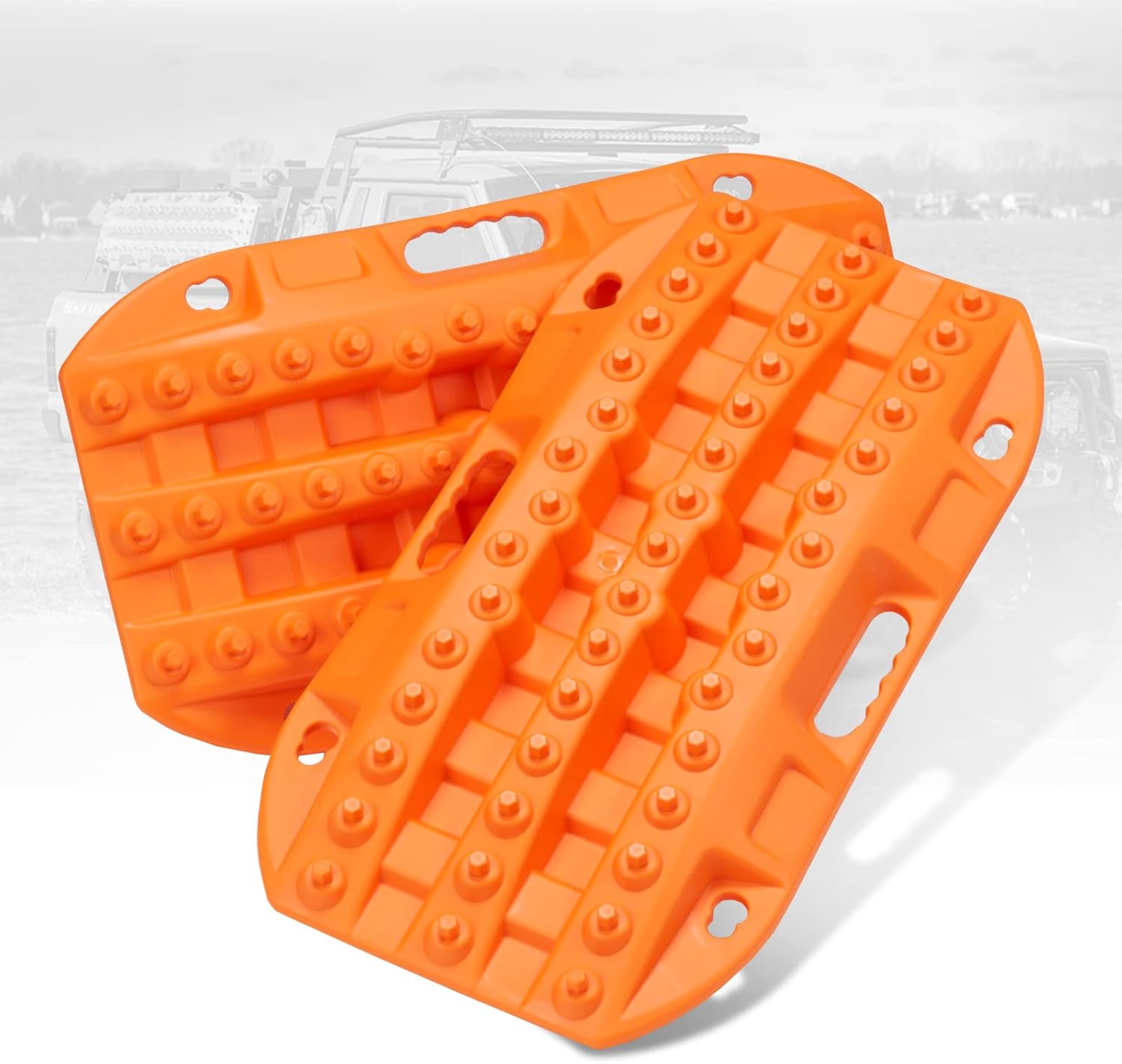
These short off-road traction boards are designed to help ATV and UTV drivers recover from mud, sand, and snow with added convenience and portability. Built with strengthened teeth and a stable bottom channel design, they help prevent wheel slip and improve traction in tough terrain. Made from durable automotive-grade polypropylene, they are lightweight, easy to clean, and suited for year-round use in extreme temperatures. Built-in shovels, ergonomic handles, and nesting storage make them practical for compact vehicle setups.

These X-BULL recovery traction tracks help drivers get unstuck from sand, snow, mud, or ice with a stable U-shaped elastic design and a wavy ramp that makes tire entry easier. Built from reinforced nylon, they are flexible, impact-resistant, and designed to perform in extreme temperatures while providing reliable emergency traction for a wide range of vehicles.
How MTS Works
When you press the MTS switch and choose a terrain mode, the truck uses its sensors and control systems to manage power delivery and wheel slip. Depending on your model year and powertrain, the selected mode can affect:
- Throttle response: how quickly the truck responds when you press the accelerator.
- Traction control: how much wheelspin the truck allows before it intervenes.
- Brake control: how the system uses brake intervention to control wheel slip.
- Drive-force control: how the truck meters torque to maintain forward motion.
- Steering feel: how the truck’s steering assistance is tuned in some modes.
The result is not magic traction. It is better-matched control. You still need proper tires, correct tire pressure for the trail, low speed, smooth inputs, and a safe line. If you air down for a rocky or sandy section, remember that lower pressure changes the wheel-speed readings traction and stability systems rely on, so MTS may behave slightly differently than it does on street pressure — reinflate to your door-placard rating before returning to pavement.
MTS vs. Drive Modes vs. Crawl Control
These systems are related, but they are not the same thing:
| System | What it does | Best use |
|---|---|---|
| Drive Mode Select | Changes everyday driving feel, such as throttle and transmission behavior. | Pavement, towing, comfort, sport, or economy driving. |
| Multi-Terrain Select | Matches traction control, throttle, and brake behavior to off-road terrain. | Mud, sand, rocks, ruts, moguls, and other loose surfaces. |
| Crawl Control | Automatically controls low-speed throttle and braking across five selectable speeds. | Very slow 4L crawling where you focus mainly on steering. |
| Multi-Terrain Monitor | Uses cameras to show nearby obstacles around the truck. | Spotting rocks, ruts, drop-offs, and tight trail obstacles. |
MTS Modes Explained: Mud, Sand, Rock, Mogul, and Auto
Tundra’s Multi-Terrain Select uses four terrain modes, and Toyota’s current Tundra materials are consistent across recent model years on which four: Mud, Sand, and Rock appear on every MTS-equipped Tundra, and the fourth mode is decided by your engine, not your trim or package: Mogul on i-FORCE (twin-turbo gas) models, or Auto on i-FORCE MAX (hybrid) models. You will not see both Mogul and Auto on the same truck, and you will not see Dirt or Deep Snow labels on a Tundra — those belong to other Toyota off-roaders like Land Cruiser, not Tundra.
The safest rule is simple: use only the modes shown on your truck’s display and match the selection to the surface directly under the tires. The table below explains the practical intent of each confirmed mode.
| Mode shown on display | Best terrain | Driver tip |
|---|---|---|
| Mud | Muddy roads, ruts, wet soil, slick two-track trails. | Keep steady momentum. Avoid sudden throttle that digs the tires deeper. |
| Sand | Soft sand, dunes, beach approaches where legal, loose dry washes. | Maintain momentum and avoid sharp steering that plows the front tires. |
| Rock | Rock gardens, ledges, uneven hard obstacles. | Use 4L, go slowly, and let the truck climb without bouncing. |
| Mogul (i-FORCE gas models) | Bumpy roads with large inclines, crossed-up ruts, alternating wheel compression. | Keep the wheel straight when possible and avoid stabbing the throttle. |
| Auto (i-FORCE MAX hybrid models) | Mixed terrain where the surface changes often within one obstacle. | Lets the system judge the surface on the fly; still slow down and use a good line yourself. |
Note: Your display and owner’s manual are the final authority for your specific truck — Toyota has revised MTS labeling on other models over the years, so confirm against your model-year manual if anything here doesn’t match what you see.
[Products Worth Considering]

These foldable emergency tire traction pads help give your vehicle the grip it needs to get unstuck from snow, ice, mud, or sand. Each lightweight pad is easy to carry and designed with a honeycomb surface and adjustable angle to improve traction across different road conditions. Built to support heavy loads, they make a practical roadside recovery tool for unexpected driving emergencies.

This extendable snow brush and ice scraper helps clear windshields, roofs, and windows quickly in harsh winter conditions. Its 360° pivoting brush head, wide ice scraper blade, and comfortable foam grip make snow removal easier, while the detachable design stores compactly in your vehicle.
Choose 2HI, 4HI, or 4LO Before Using MTS

The 4WD range matters as much as the MTS mode. Choosing the wrong range can make the truck feel jumpy, sluggish, or hard to control. Here is the practical breakdown:
| Range | Use it for | MTS guidance |
|---|---|---|
| 2HI | Dry pavement, normal roads, and very mild firm dirt roads. | Do not rely on MTS in 2HI. Use 2HI when you do not need off-road traction modes. |
| 4HI | Loose dirt, gravel, mud, sand, snow-covered trails, and moderate off-road driving. | Use MTS here when you need traction help but still have moderate trail speed. |
| 4LO | Rocks, ledges, steep climbs, steep descents, deep ruts, and very slow technical terrain. | Use MTS and Crawl Control here when low-speed precision matters more than speed. |
Start in 2HI When Traction Is Normal
Use 2HI on normal roads and firm surfaces where the tires are not slipping. This reduces drivetrain bind, avoids unnecessary 4WD use, and keeps the truck in its normal driving setup. If the trail becomes loose, slick, or uneven, shift to the correct 4WD range before using MTS.
Use 4HI for Moderate Loose Terrain
Choose 4HI when the trail is slippery but not technical enough for crawling. Examples include sandy roads, muddy farm tracks, gravel climbs, snow-covered forest roads, and rutted dirt trails where you still need some momentum.
In 4HI, choose the MTS mode that most closely matches the surface. Keep your inputs smooth. MTS works best when you give the truck a steady request, not sudden throttle spikes.
Shift to 4LO for Slow Technical Obstacles
Shift to 4LO when you need maximum low-speed control. This is the right range for rock crawling, steep ledges, large moguls, deep ruts, or careful downhill control. Follow your owner’s manual for the exact shifting procedure, because 4LO engagement usually requires a specific speed, transmission, and switch sequence.
Once in 4LO, choose Mud, Sand, Rock, or your truck’s fourth mode (Mogul or Auto). Use gentle throttle and let the truck walk through the obstacle. If equipped, add Crawl Control when you want the truck to manage very low-speed throttle and braking.
Activate MTS Step-by-Step and Pick the Right Mode
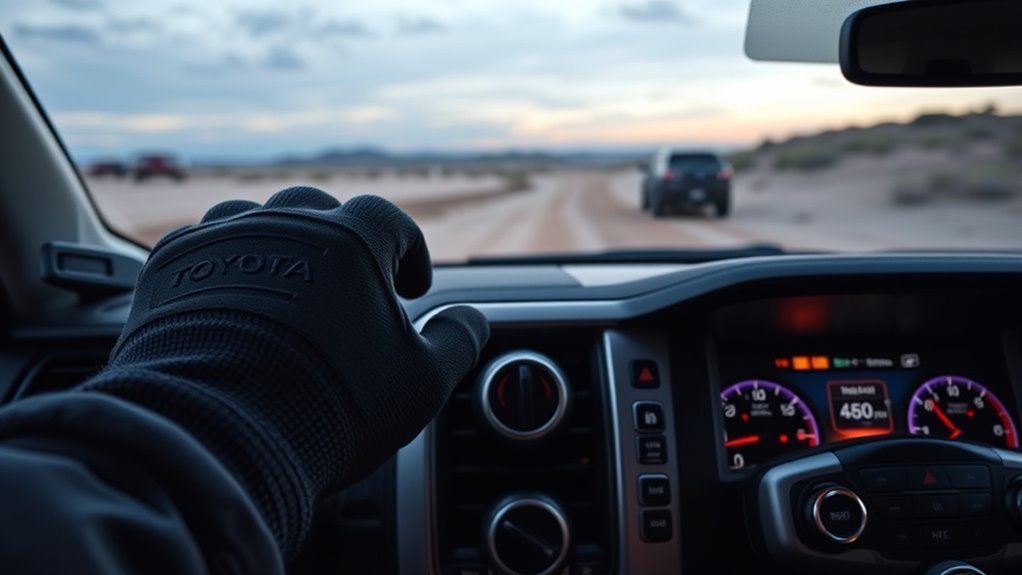
Use this sequence when you are approaching terrain where MTS will help:
- Confirm that MTS is equipped and available. Check for the MTS control or menu and review the operating conditions for your model year.
- Slow down and assess the surface. Identify whether the main challenge is mud, sand, rock, moguls, or mixed terrain.
- Select the right 4WD range. Use 4H for moderate loose surfaces and 4L for very slow technical obstacles. Follow the dashboard prompts and owner’s manual when shifting ranges.
- Press the MTS switch. Confirm that the MTS indicator appears on the display.
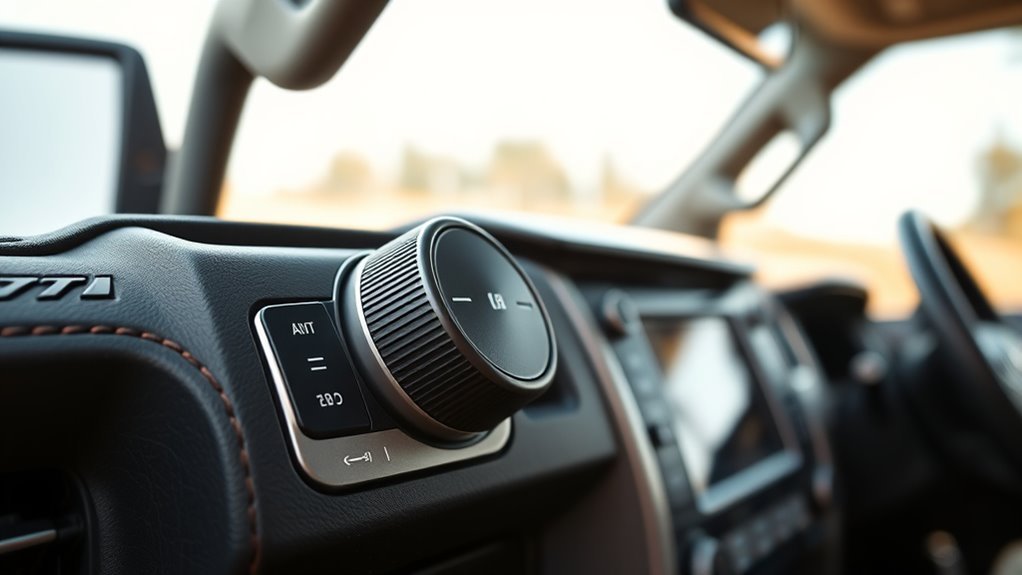
- Turn the mode selector. Choose the mode that best matches the terrain under the tires.
- Confirm the selected mode indicator. Do not assume the system is active if the indicator is off.
- Drive in smoothly. Use gradual throttle, steady steering, and low speed.
- Change modes when the terrain changes. Sand, mud, and rock need different driving inputs.
- Turn MTS off when you return to normal pavement. Go back to the appropriate normal drive range for road driving.
Pro Tip: Choose the mode before the obstacle, not halfway through it. It is easier for the system to help when the truck is settled, pointed straight, and moving slowly before the tires start spinning.
Use MTS With Crawl Control, 4WD, and Other Tundra Systems
MTS works best when you understand what the surrounding off-road systems do. In its 2026 Tundra model information, Toyota lists Multi-Terrain Select, Crawl Control, Downhill Assist Control, an electronically locking rear differential, and Multi-Terrain Monitor on TRD Pro and TRD Off-Road Package-equipped trucks. Earlier model years and packages can differ.
MTS and Crawl Control
Toyota’s Tundra Crawl Control owner information says Crawl Control can be used with Multi-Terrain Select on or off, where equipped. Crawl Control automatically modulates throttle and braking across five low-speed settings, and is best for very slow 4L driving because it lets you focus entirely on steering.
Use Crawl Control when you are creeping over rocks, easing down a loose descent, or crossing uneven ruts where pedal modulation is difficult. Do not use it when you need wheel speed, such as carrying momentum through sand.
MTS and the Rear Differential Lock
If your Tundra has an electronically locking rear differential, use it only under the operating conditions listed for your truck. Toyota describes the locker as an added-traction tool for 4WD Low applications on current equipped models. Locking the rear axle can change how the truck turns, so disengage it after the obstacle and confirm the indicator goes out.
MTS and the Multi-Terrain Monitor
Multi-Terrain Monitor does not create traction. It gives you visibility. Use it to see rocks, ruts, drop-offs, and tight obstacles near the front, sides, or rear of the truck. It is especially useful before committing to a line where the hood blocks your view.
The best off-road setup is not one magic button. It is the right 4WD range, the right MTS mode, steady throttle, proper tires, and a safe line.
Mode-Selection Checklist: Real-World Trail Scenarios
Use this checklist to make the decision faster on the trail:
| Scenario | Suggested range | Suggested MTS approach |
|---|---|---|
| Dry pavement or highway | 2HI | MTS off. |
| Gravel road with light washboard | 2HI or 4HI, depending on traction | Use Mud or the closest available loose-surface mode if traction drops. |
| Soft sand | 4HI for momentum, 4L only for slow recovery | Use Sand. Keep momentum smooth and avoid sharp turns. |
| Muddy ruts | 4HI or 4L if deep and slow | Use Mud. Keep throttle steady and avoid digging. |
| Rock ledges | 4L | Use Rock. Add Crawl Control if you need slower pedal-free control. |
| Large moguls or crossed-up ruts | 4L | Use Mogul (i-FORCE) or Auto (i-FORCE MAX) — whichever your truck shows. Move slowly and keep the truck settled. |
| Snow-covered trail | 4HI for most conditions, 4L for steep slow sections | Use Mud or the closest available mode; MTS does not make ice safe, so keep extra braking distance regardless of mode. |
When Should You Stop Using MTS and Use Recovery Gear?
Stop driving forward when the truck is no longer making progress, the tires are digging deeper, the selected mode will not stay active, or a warning message appears. More throttle is not a recovery plan. Continuing can bury the truck, damage a tire, or turn a manageable obstacle into a harder extraction.
Back up only if the path is clear and controlled. Then reassess the line, range, mode, tire condition, and available traction. Use a spotter, traction boards, or properly rated recovery equipment when appropriate. Never attach a strap or winch line to an unapproved suspension, steering, bumper, or tie-down point.
Common Mistakes to Avoid
- Using MTS on normal pavement: MTS is intended for off-road driving, not daily road use.
- Leaving the truck in 2HI and expecting MTS to help: Select the correct 4WD range first.
- Choosing the mode by name only: Match the mode to what the tires are actually touching, not what the trail looked like a mile ago.
- Using too much throttle: MTS works best with smooth inputs. Spinning tires faster usually makes traction worse.
- Forgetting tire pressure and tire type: The system cannot replace suitable tires, safe inflation for the load, or proper recovery gear. Airing down changes the wheel-speed readings MTS and stability control rely on. Do not reduce pressure unless you understand the tire and load limits and can reinflate before road driving.
- Continuing after the truck stops making progress: Stop before the tires dig deeper, then reassess the line or use suitable recovery equipment.
- Confusing Crawl Control with MTS: MTS tunes traction behavior; Crawl Control manages very low-speed throttle and braking.
Troubleshooting MTS: Common Issues and Fixes
If Multi-Terrain Select does not engage or does not seem to work, start with the simple checks before assuming something is broken.
| Problem | Likely cause | Fix |
|---|---|---|
| MTS indicator does not turn on | Truck is not in a compatible 4WD range, or a required operating condition (such as full stop or correct gear) is not met. | Come to a full stop, shift to the required gear or neutral, confirm the correct 4WD range, and reattempt per your owner’s manual procedure. |
| Mode disappears from display | The system may have canceled because the truck returned to 2H or another required operating condition is no longer met. | Follow the dashboard message, restore the required operating conditions, and reselect MTS. |
| Crawl Control will not activate | Crawl Control has stricter operating conditions than MTS, including 4L operation on Tundra owner information. | Confirm 4L, door closed, gear selection, and other requirements in the manual. |
| Truck still spins or digs | Wrong mode, too much throttle, poor tire pressure, or terrain too severe. | Stop, reassess, choose a better line, reduce throttle, check tire condition and safe inflation, or use properly rated recovery gear. |
| Warning light or message stays on | Sensor, brake, traction-control, or 4WD system fault. | Stop using the system, record the message, and have the truck inspected by a Toyota dealer or qualified technician. |
Note: Some MTS modes may automatically change stability-control behavior. Do not randomly turn systems off to “make MTS work.” Follow the dashboard prompts and the procedure in your owner’s manual.
Frequently Asked Questions
When should I use Multi-Terrain Select on a Toyota Tundra?
Use MTS when you are off-road on loose, slippery, or uneven terrain and need better wheelspin control. Good examples include sand, mud, rocks, moguls, ruts, and mixed dirt trails. Turn it off when you return to normal pavement.
What MTS modes does the Tundra have?
Every MTS-equipped Tundra offers Mud, Sand, and Rock. The fourth mode depends on the engine: gas-only i-FORCE models show Mogul, while hybrid i-FORCE MAX models show Auto instead. You will not see both on the same truck, and Tundra does not use the Dirt or Deep Snow labels found on some other Toyota off-roaders.
Can I use MTS in 2HI?
Use 2HI for normal roads and mild firm surfaces, but do not treat it as an MTS range. On Tundra owner information, Multi-Terrain Select is tied to 4WD operation and can cancel when the truck is in 2H. Select the proper 4H or 4L range before using MTS.
Should I use 4HI or 4LO with Multi-Terrain Select?
Use 4HI for moderate loose terrain where you still need some momentum, such as sand, dirt, mud, gravel, or snow-covered trails. Use 4LO for very slow technical obstacles such as rocks, ledges, steep grades, and deep ruts.
Is Multi-Terrain Monitor worth it?
Yes, if you drive tight or technical trails. Multi-Terrain Monitor does not add traction, but it helps you see obstacles near the front, sides, and rear of the truck. That visibility is useful when the hood blocks your view of rocks, ruts, ledges, or drop-offs.
Is Crawl Control the same as Multi-Terrain Select?
No. Multi-Terrain Select tunes the truck for the surface. Crawl Control manages very low-speed throttle and braking so you can focus on steering. They can work together on equipped Tundras, but they solve different problems.
Does every Toyota Tundra have Multi-Terrain Select?
No. MTS is equipment-dependent. Toyota lists it on the 2026 Tundra TRD Pro and trucks with the TRD Off-Road Package, but availability varies by model year, trim, drivetrain, package, and market. Confirm the feature on your truck before using this guide.
Can I change MTS modes while the Tundra is moving?
Some mode changes may be available while the truck is moving slowly and the operating conditions are met, but changing between 4H and 4L requires the procedure for your model year. Follow the dashboard prompts and owner’s manual instead of changing settings during an obstacle.
Conclusion
Use Multi-Terrain Select when your Tundra is off-road and the surface calls for smarter traction control than normal driving mode provides. Start with the right 4WD range: 2HI for normal roads with MTS off, 4HI for moderate loose terrain, and 4LO for slow technical obstacles. Then choose the mode that matches what your tires are touching — Mud, Sand, Rock, or your truck’s fourth mode, Mogul on i-FORCE or Auto on i-FORCE MAX.
The best results come from pairing the system with good judgment. Slow down before the obstacle, confirm the mode indicator, use smooth throttle, choose a safe line, and switch MTS off when you return to pavement. Before your next trail drive, open the MTS section of your owner’s manual and confirm the exact 4H, 4L, mode-selection, and cancellation procedures for your truck.
Sources
- Toyota Support: Multi-Terrain Select and Crawl Control — backs up MTS wheelspin regulation and Crawl Control basics.
- Toyota Owners: 2025 Tundra Multi-Terrain Select — backs up MTS operation, mode selection, warnings, and cancellation behavior.
- Toyota Owners: 2025 Tundra Crawl Control — backs up Crawl Control conditions and use with MTS.
- Toyota: 2026 Tundra — backs up current Tundra trim, feature, and capability context, and the Mud/Sand/Rock/Mogul-or-Auto mode set.
- Toyota Pressroom: 2026 Toyota Tundra — backs up TRD Pro/TRD Off-Road trail features, MTS, Crawl Control, rear locker, and Multi-Terrain Monitor availability context.