

Use Downhill Assist Control (DAC) on a Toyota Land Cruiser when you need help holding a slow, steady speed on a steep, loose, or slippery descent. The exact setup depends on your model year and market, so check your Toyota owner’s manual before relying on one generic sequence. On many DAC-equipped Land Cruisers, the basic idea is simple: slow to walking pace, select the required low-speed off-road range, press the DAC switch, release the pedals, and steer carefully while the system helps manage descent speed.
Quick Answer
Use DAC when your Land Cruiser is descending a steep, loose, muddy, snowy, or rocky trail at very low speed. Set the vehicle up as your owner’s manual requires, press the DAC switch, take your feet off the pedals, and steer. Brake or accelerate anytime you need to override it.
Key Takeaways
- DAC is for slow, controlled off-road descents, not normal pavement braking.
- Your model year matters. Some Land Cruisers use a DAC button, while newer models may rely more on Crawl Control and Multi-Terrain Select.
- Do not treat Crawl Control as a required first step unless your manual says both systems work together on your vehicle.
- DAC helps manage descent speed, but you still steer, choose the line, watch obstacles, and override when needed.
At a Glance
| Time Required | 30 to 60 seconds once you know the switch location and required drive mode |
| Difficulty | Easy, but only after you confirm your vehicle’s exact DAC instructions |
| Tools Needed | No tools; use the DAC switch, transfer case controls, gear selector, and dashboard indicators |
| Cost | $0 if your Land Cruiser is already equipped with DAC or a related low-speed off-road control system |
When Should You Use Downhill Assist Control (DAC)?
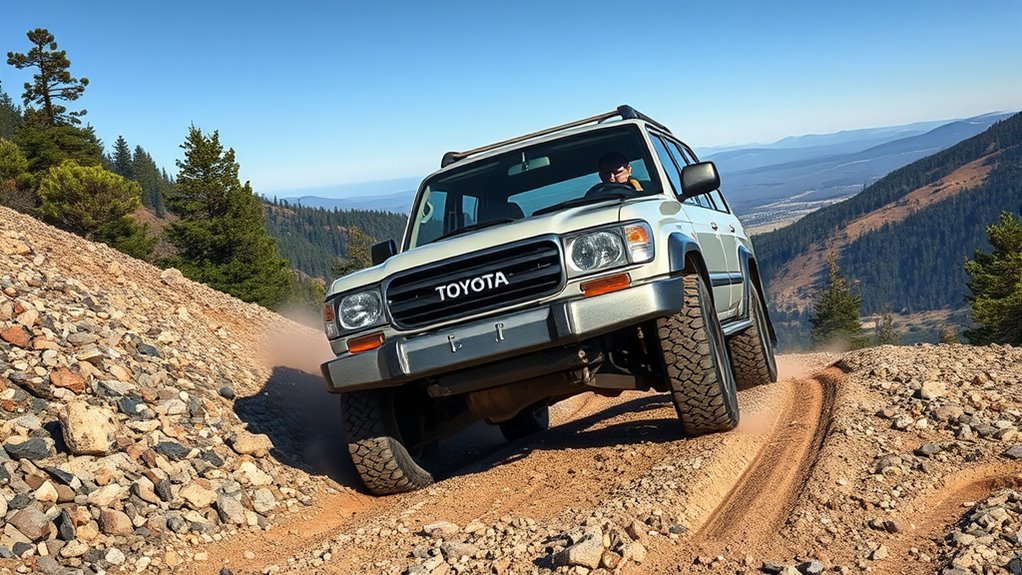
Use DAC when the trail is steep enough that normal brake pressure could make the wheels slide, lock, or dig into loose ground. It is most useful on loose gravel, wet clay, mud, snow, sand, ruts, and rocky descents where you want the Land Cruiser to move slowly while you focus on steering.
DAC is not for every hill. Do not use it as a substitute for careful braking on normal roads, highway grades, or fast descents. If the hill is crowded, narrow, badly washed out, or blocked by obstacles, stop first and plan your line before you start down.
Warning: DAC does not steer, judge the trail, avoid rocks, or stop the vehicle instantly. Stay belted, keep both hands on the wheel, and be ready to brake or accelerate if the system does not match the terrain.
Confirm Your Land Cruiser Has DAC
Before you follow a DAC guide, confirm your exact Land Cruiser has a DAC button or menu item. Land Cruiser equipment changes by generation, country, trim, and year. Older 100-series, 200-series, Prado-based, and Lexus/Toyota related off-road models may have a separate DAC control. Newer Toyota Land Cruiser pages highlight Crawl Control and available Multi-Terrain Select, so the control layout may not match older DAC instructions.
If your vehicle has no DAC switch, do not hunt for one while driving. Use the system your dashboard and owner’s manual provide, such as Crawl Control, Multi-Terrain Select, low range, or manual gear selection.
Note: The owner’s manual for your VIN or model year is the final source. Use this article as a practical guide, not a replacement for Toyota’s model-specific instructions.
Quick Start: Engage DAC in Under 60 Seconds
Once you know your Land Cruiser is DAC-equipped, use this safe sequence before the descent:
- Stop or slow to walking pace before the steep part of the hill.
- Select the required off-road range, usually low range or 4LO on DAC-equipped models that require it.
- Select a low gear or manual range if your manual calls for it, such as 1, 2, L, or a low manual gear.
- Use differential locks only when the terrain requires them and only if your vehicle allows that setup with DAC.
- Press the DAC switch and confirm the DAC indicator shows the system is ready or active.
- Release the pedals and let the system help hold a slow descent speed while you steer.
- Override when needed by using the brake or accelerator, then reset the system if it cancels.
On some Land Cruisers, DAC may not activate unless speed, gear, transfer range, and system status match the owner’s manual. If the indicator flashes, a warning appears, or the system refuses to engage, stop in a safe place and recheck the setup.
[Products Worth Considering]
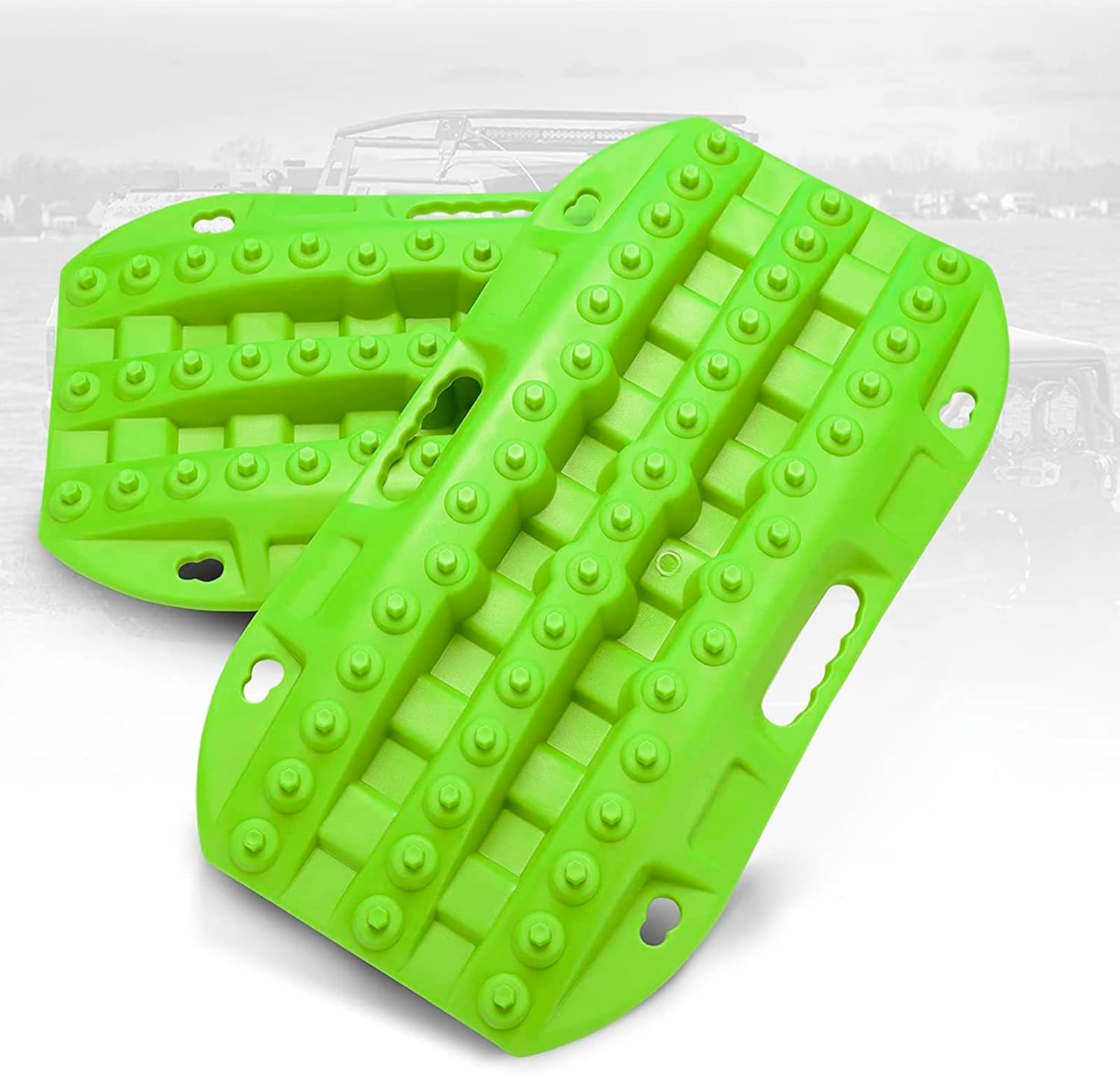
These short recovery traction boards are designed to help ATVs, UTVs, and other off-road vehicles regain grip in mud, sand, and snow. Built with strengthened teeth and a durable polypropylene construction, they provide reliable traction, easy handling, and year-round performance in tough conditions. Their nested, space-saving design and integrated shovels make them practical for carrying and using on remote adventures.

These custom floor mats are designed to fit the Toyota Land Cruiser GX550 with a 5-seat layout for a precise, secure install. Made from durable TPE, they help shield your interior from spills, mud, snow, dirt, sand, pet hair, and everyday debris while making cleanup quick and easy.

Custom-fit floor mats and cargo liner designed to provide edge-to-edge protection for the Toyota Land Cruiser Prado. Made from durable TPE material, they offer all-weather defense against rain, slush, snow, mud, and everyday dirt while remaining easy to install, clean, and maintain. The odorless, non-slip design helps keep your interior safer, cleaner, and more comfortable in every season.
Pre-Drive Checks and Vehicle Setup for DAC
Before a steep descent, make a quick vehicle and trail check. Confirm your tires are suitable for the surface, your tire pressure is appropriate for the trail, your load is secure, and your passengers are belted. Check that you have a clear view of the descent and enough runout at the bottom.
Then check the Land Cruiser’s setup:
- Transfer case: Use low range or 4LO when your manual requires it for DAC or low-speed descent control.
- Gear selection: Use a low gear, manual mode, or low range gear setting if required.
- Center and rear differential locks: Engage them only when needed for traction and only if allowed with your vehicle’s DAC logic.
- Dashboard indicators: Confirm the correct off-road mode, gear range, and DAC status before the slope gets serious.
- Brake feel: If the pedal feels soft, smells hot, or a brake warning appears, do not begin a long descent.
Pro Tip: Try DAC on a mild dirt grade before you need it on a hard trail. You will learn the normal clicking, pulsing, and low-speed feel without the stress of a steep descent.
Engaging DAC: Step-by-Step (Including Speed and Gear Limits)

Use the steps below as a general process, then adjust them to match your owner’s manual. Toyota’s exact DAC speed and gear conditions vary by model.
Slow first, set the correct low-speed off-road range, press DAC, release the pedals, and steer. Let the system help with speed, but keep your judgment in charge.
- Pause before the hill. Stop or slow on level ground if possible.
- Scan the line. Pick the smoothest path and avoid large rocks, ledges, holes, and side slopes where possible.
- Set the drivetrain. Select low range, 4LO, or the required mode for your vehicle. Some models also require a specific gear position.
- Press the DAC switch. Watch for the DAC indicator. A steady light usually means ready or active; a flashing light usually means a condition is not met.
- Ease off the pedals. Do not ride the brake unless you need to slow more or override the system.
- Steer smoothly. Avoid sudden steering inputs that can unsettle the vehicle on loose ground.
- Cancel if the trail changes. Brake, accelerate, press the switch again, or change modes as your manual describes.
Expect some brake noise, pulsing, or clicking as the system works. That can be normal, but warning lights, strong brake smell, or loss of control are not normal. Stop safely and let the brakes cool if needed.
DAC vs. Crawl Control and Multi-Terrain Select
DAC is mainly a downhill speed-control aid. It helps keep the vehicle from running away on steep descents with minimal pedal input.
Crawl Control is broader. Toyota describes Crawl Control as a low-speed off-road system that can regulate throttle and braking so you can focus on steering. On current Land Cruiser pages, Toyota lists standard Crawl Control and available Multi-Terrain Select as key capability features. On older Land Cruiser 200 information, Toyota described Crawl Control, DAC, A-TRAC, and VSC as part of a larger off-road support package.
Multi-Terrain Select helps tune traction control for surfaces such as mud, sand, moguls, or rock on equipped models. Toyota introduced advanced off-road features such as Multi-Terrain Select and a five-step Crawl Control setup on Land Cruiser 200 updates in some markets.
The practical rule is simple: use the feature your Land Cruiser provides for the job. If your vehicle has a DAC button and the manual says the setup is correct, use DAC for the descent. If your vehicle instead uses Crawl Control or MTS for low-speed downhill control, follow that system’s instructions.
[Products Worth Considering]

This EL-50448 TPMS relearn tool helps quickly activate and reset tire pressure sensors so your vehicle’s monitoring system stays accurate after tire rotations, sensor replacement, or seasonal tire changes. Designed for many GM-related vehicles and compatible with common 315 and 433 MHz TPMS systems, it offers simple one-button operation and reliable performance for clearing warning lights and relearning sensor positions.

This TPMS sensor training tool is designed for Ford, Lincoln, and Mercury vehicles with compatible tire pressure sensors, helping activate sensors after tire rotations or sensor replacement. It supports relearning and warning light reset workflows with a simple one-button operation, making tire pressure maintenance easier and faster. Built for reliable use and broad vehicle compatibility, it is a practical accessory for TPMS service and sensor activation.

This GM TPMS relearn tool helps reset tire sensors, clear warning lights, and match tire positions after rotation quickly at home. Designed for Chevrolet, GMC, Cadillac, and Buick vehicles, it offers one-button operation, fast activation, and broad compatibility with many GM models. It is best suited for OE/OEM sensors and includes paper instructions plus video guidance for easier DIY use.
DAC Tips, Limits, and Interaction With A-TRAC, Crawl Control, and VSC
DAC does not work alone. On equipped Land Cruisers, it fits into a group of off-road and stability systems:
- A-TRAC: Helps control wheel spin by using brake and throttle intervention when traction is poor.
- VSC: Helps maintain directional control when the vehicle begins to slide or rotate more than expected.
- Crawl Control: Helps manage very low-speed movement over rough terrain by automatically controlling throttle and braking on equipped models.
- Low range / 4LO: Gives the vehicle more low-speed control and engine braking for technical terrain.
Do not fight the system with constant brake pressure. If DAC is active and the vehicle feels stable, steer and let it work. If the vehicle is moving too fast, sliding sideways, approaching a ledge, or aiming toward an obstacle, override it right away and take manual control.
Troubleshooting: Why DAC Won’t Turn On
If DAC does not engage, the system is usually waiting for one of its required conditions. Check these items before assuming something is broken:
- Speed is too high: Slow to the very low speed listed in your manual.
- Wrong range or gear: Select the required low range, 4LO, L, or manual gear setting for your model.
- Wrong system selected: Some newer Land Cruisers rely on Crawl Control or MTS rather than a separate DAC switch.
- Differential lock conflict: A rear or center lock setting may change how traction systems behave. Check your manual.
- Brake temperature is high: Long downhill use can heat the brakes. Stop safely and let them cool if a warning appears.
- Warning light is active: If ABS, brake, VSC, or traction warning lights are on, do not depend on DAC until the issue is checked.
If the DAC indicator flashes or turns off during use, slow down, stop where safe, and reset the vehicle according to the owner’s manual.
[Products Worth Considering]

These X-BULL recovery traction tracks help drivers get unstuck from sand, snow, mud, or ice with a stable U-shaped elastic design and a wavy ramp that makes tire entry easier. Built from reinforced nylon, they are flexible, impact-resistant, and designed to perform in extreme temperatures while providing reliable emergency traction for a wide range of vehicles.

This proportional trailer brake controller provides smooth, responsive braking by automatically matching your tow vehicle’s stopping force for safer trailer control. The bright LED digital display makes it easy to monitor voltage output in real time, while adjustable braking and sync settings help tailor performance to different trailers and road conditions. Designed for quick installation and broad compatibility, it supports 1 to 4 axle trailers for dependable towing confidence.

This A-Premium engine air filter is designed to help maintain clean airflow for compatible Lexus and Toyota vehicles, supporting better engine performance and efficiency. It uses fine filtration media to capture debris while minimizing airflow restriction, making it a practical replacement for routine maintenance. With fitment for multiple popular models and a convenient boxed single-pack design, it offers a straightforward solution for keeping your engine protected.
Frequently Asked Questions
When should I use Downhill Assist Control?
Use Downhill Assist Control on steep, loose, slippery, or uneven off-road descents where you need slow, steady speed and careful steering. Good examples include gravel hills, muddy trails, snow-covered slopes, rutted tracks, and rocky descents.
Should downhill brake control be on or off?
Keep it on when you are descending a suitable off-road hill at the required low speed and your Land Cruiser is set up correctly. Keep it off during normal pavement driving, higher-speed descents, or any situation where you need full manual speed control.
Do I need Crawl Control before using DAC?
Not always. Crawl Control and DAC are related low-speed off-road aids, but they are not the same system. Some Toyota information describes DAC as a downhill aid and Crawl Control as a broader low-speed system that manages throttle and braking. Follow your exact owner’s manual.
Can I brake while DAC is working?
Yes. You can brake if you need to slow down more, stop, or avoid an obstacle. On some models, braking or accelerating may pause or cancel DAC, so watch the indicator and reset the system only when it is safe.
Why does DAC make clicking or pulsing sounds?
Light clicking, pulsing, or brake-system noise can happen when the system is applying brake pressure to manage speed. Stop and inspect the vehicle if you smell hot brakes, see warning lights, or feel the vehicle losing control.
Conclusion
Use Downhill Assist Control when your Land Cruiser is equipped with DAC and you need slow, steady help on a steep off-road descent. The safest process is to slow before the hill, choose the correct low-speed drivetrain setup, confirm the DAC indicator, release the pedals, and steer smoothly. Do not rely on DAC as a substitute for judgment. If the trail changes, the brakes get hot, a warning appears, or the vehicle starts to slide, override the system and take manual control.
Sources
- Toyota Manuals and Warranties — model-specific owner manual guidance and official Toyota manual access.
- Toyota Land Cruiser official page — current Land Cruiser drivetrain, Crawl Control, Multi-Terrain Select, and locking differential feature context.
- Toyota USA Newsroom: 2016 Land Cruiser — official description of A-TRAC, VSC, Crawl Control, and DAC on Land Cruiser 200.
- Toyota Global Newsroom: Land Cruiser 200 update — official Toyota information on Multi-Terrain Select and Crawl Control improvements.
- Toyota Global Newsroom: Land Cruiser 250 world premiere — newer Land Cruiser generation context and Toyota’s focus on intuitive off-road controls.





[…] rocky climbs, steep descents, deep mud, soft sand, and technical […]
[…] turn vehicle motion into heat. During steep descents, towing, repeated hard braking, or aggressive driving, some of that heat reaches the calipers and […]