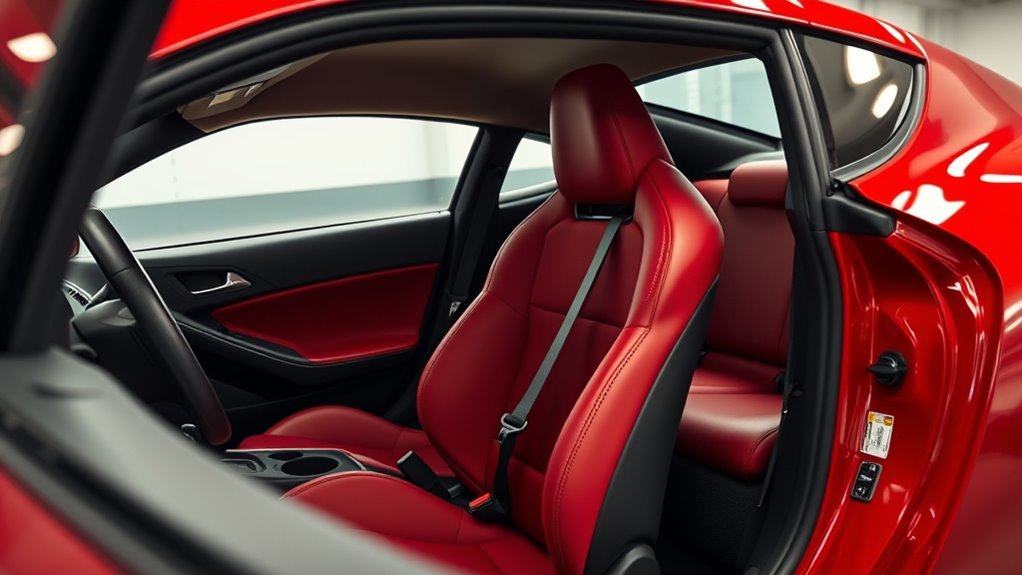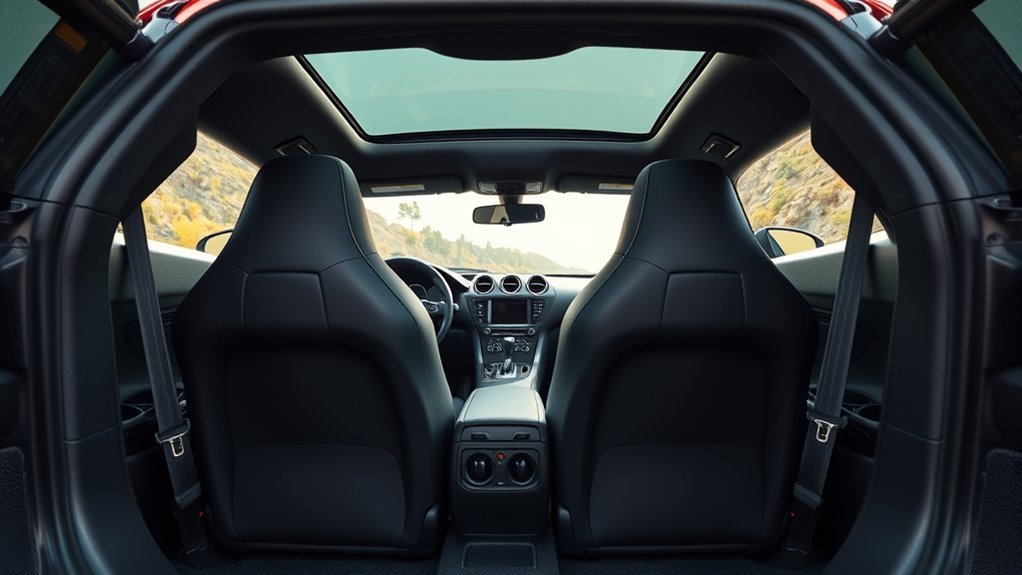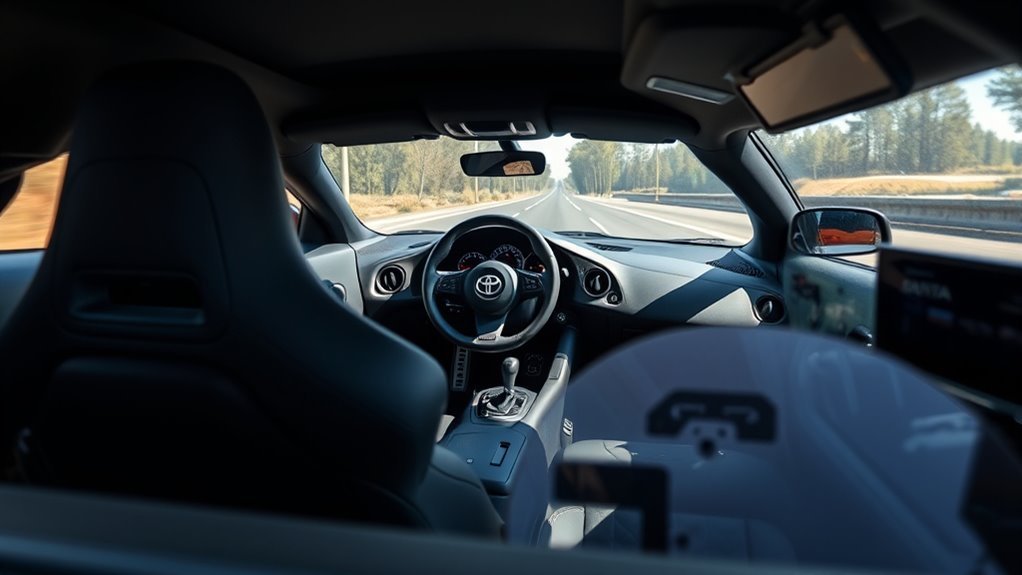
A poor seating position can make your Toyota Supra feel tighter, harder to control, and more tiring than it needs to be. Start with the seat, then adjust the wheel, pedals, mirrors, and lumbar support as one system. This guide shows you how to build a safer, more comfortable Supra driving position without changing the car’s core setup.
What’s in This Article
- What a Good Supra Seating Position Delivers: Comfort, Control, Visibility
- Before You Begin: Adjust Your Supra Seat Safely
- 5-Minute Setup: Seat, Wheel, Mirrors
- Set Supra Seat Height and Tilt for Clear Sightlines
- Find the Ideal Fore-Aft Position for Pedal Control
- Adjust Backrest and Lumbar for Comfort and Control
- Position the Steering Wheel: Reach, Height, and Hand Placement
- Supra Pedal Technique and Right-Leg Comfort Tips
- Check Visibility: Hood, Mirrors, Blind Spots, Sightlines
- Small Ergonomic Mods and Accessories That Reduce Fatigue
- Quick Stretches and Micro-Adjustments to Prevent Leg Fatigue
- Frequently Asked Questions
- Conclusion
Quick Answer
Set your Toyota Supra seat so your hips sit level with or slightly above your knees. Slide the seat until your right knee stays slightly bent when you press the brake fully. Keep the backrest near upright, adjust lumbar support to fill your lower back, then set the wheel and mirrors so you can steer and see without strain.
Key Takeaways
- Set seat height first because it affects your road view, pedal reach, and mirror setup.
- Keep your knees and elbows slightly bent so you can brake and steer without stretching.
- Use lumbar support to hold your lower back instead of pushing your body forward.
- Adjust mirrors after your seat position feels final to reduce blind spots.
- Recheck your setup during long drives if your legs, back, or shoulders feel tired.
What a Good Supra Seating Position Delivers: Comfort, Control, Visibility
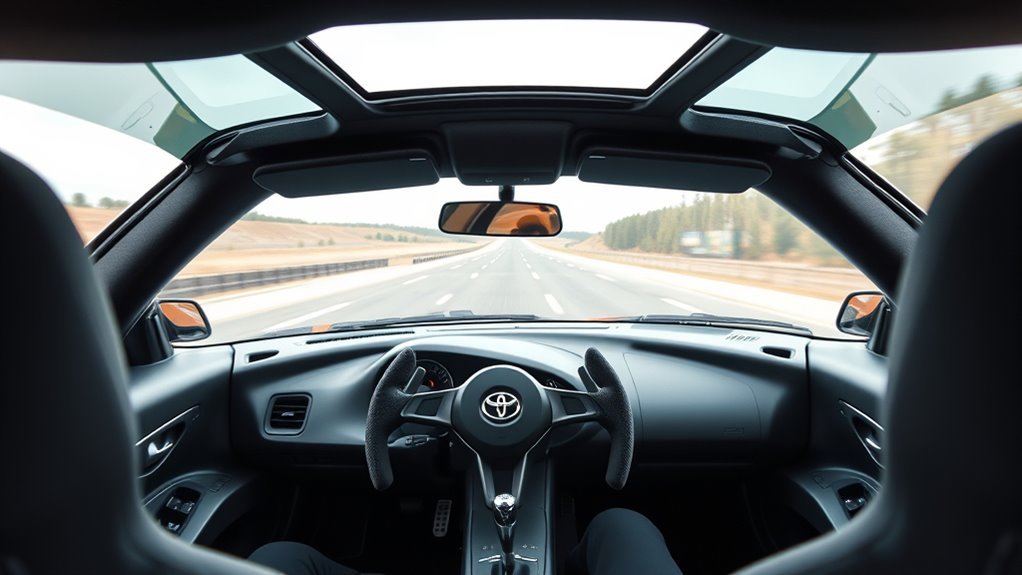
When you set the Supra’s seat correctly, you gain comfort, sharper control, and a clearer road view. Slightly bent knees reduce pedal strain, while relaxed elbows help you steer with smoother inputs.
Good seat height also improves thigh support and keeps your eyes in a stable position. That stable position helps you judge traffic, mirrors, and road edges with less effort.
Tilt the backrest enough to support your body without slouching. Your wrists should reach the top of the steering wheel while your shoulders stay against the seat.
Before You Begin: Adjust Your Supra Seat Safely
Estimated setup time: about 5 minutes for a basic adjustment and 10 minutes for fine tuning.
Park on level ground before you adjust the seat, wheel, or mirrors. Keep the vehicle stationary, set the parking brake, and avoid making large seat changes while driving.
- Wear the shoes you normally use for driving.
- Remove thick items from your back pockets.
- Check that floor mats sit flat and do not touch the pedals.
- Adjust mirrors only after the seat and wheel feel correct.
Warning: Never use loose or stacked floor mats because they can interfere with pedal movement.
5-Minute Setup: Seat, Wheel, Mirrors
Fine-tune three main areas after you set the basic posture: seat position, steering wheel reach, and mirror alignment. These ergonomic adjustments help your body stay relaxed while your eyes stay focused.
Set seat height so your hips sit level with or slightly above your knees. Move the seat close enough that your elbows stay slightly bent when you hold the wheel at 3 and 9 o’clock.
Tilt the backrest to support your lower back while keeping your shoulders in contact with the seat. Adjust the wheel for a relaxed grip and a clear view of the dash.
- Set the seat height and fore-aft position.
- Adjust the backrest and lumbar support.
- Set steering wheel angle and reach.
- Align the rearview and side mirrors.
[Products Worth Considering]

AUXITO H11/H8/H16 LED fog light bulbs deliver bright cool white illumination to improve nighttime visibility and help you see farther in poor weather. Designed with CSP LED chips, a fanless aluminum body, and a safe 1:1 beam pattern, they offer easy plug-and-play installation, strong waterproofing, and broad vehicle compatibility for fog lights and DRL use.

MAXLONE Car Spray with Triphene is a waterless detailer that makes quick cleaning and shine simple with just spray and wipe use. It helps repel water, dirt, and grime while adding a deep glossy finish and durable protection for paint, glass, plastic, and metal. Designed for versatile use and easy application, it offers long-lasting results with a concentrated formula that is eco-friendly and made for home or professional-style detailing.

Armor All Extreme Wheel and Tire Cleaner is a powerful spray designed to cut through stubborn dirt, grease, tar, and brake dust on wheels and tires. It is safe for use on factory and aftermarket finishes, including alloy, steel, chrome, and plastic wheel trims, while its fast-acting formula works in just seconds. The deep-cleansing action helps reach hard-to-clean areas and leaves wheels looking clean and shiny.
Set Supra Seat Height and Tilt for Clear Sightlines
Raise or lower the seat so your line of sight sits just above the steering wheel. You should see the road and instruments without lifting your chin or leaning forward.
Tilt the cushion only enough to support your thighs without lifting pressure off your hips. Recheck pedal reach and headrest position after each height or cushion change.
Seat Height for Visibility
The Supra’s compact cockpit needs careful seat height adjustment. Set the seat high enough for clear sightlines while keeping a slight bend in your knees.
Raise the seat if you struggle to see the hood edge or road close to the car. Lower it if the windshield feels cramped or the roofline limits your forward view.
Check the hood edge, mirrors, and instrument cluster after each small change. Re-adjust during long trips if your posture drops or your legs feel tense.
- Raise the seat for better sightlines.
- Lower the seat if the windshield view feels cramped.
- Keep a slight knee bend at full brake travel.
- Recheck height on long trips if fatigue appears.
Cushion Tilt for Sightlines
A slight forward cushion tilt can help your eyes settle naturally over the hood. It can also keep your knees soft at the pedals.
Use small cushion changes because too much tilt can add thigh pressure. Shorter drivers often benefit from a small height increase plus a light forward tilt.
| Action | Effect | When to Use |
|---|---|---|
| Tilt forward | Improves sightline angle | City driving or short trips |
| Raise height | Clears hood view | Shorter drivers |
| Re-adjust | Reduces fatigue | Long drives |
Find the Ideal Fore-Aft Position for Pedal Control
Slide the seat forward or back until your right knee stays slightly bent at full brake travel. If you drive a manual Supra, use the same check with the clutch fully pressed.
Your feet should pivot smoothly between throttle and brake without ankle strain. You should also rest your feet flat when you are not using the pedals.
Slide forward until your right knee stays slightly bent at full pedal travel. This improves pedal feel and reduces fatigue.
- Set the fore-aft position so your knee stays slightly bent at full pedal travel.
- Verify a smooth pivot from throttle to brake without ankle strain.
- Confirm your feet can rest flat when you are not pressing pedals.
- Reassess the position if leg fatigue or numbness appears.
This setup helps you control inputs with more precision. It also keeps your lower body better connected to the car.
Adjust Backrest and Lumbar for Comfort and Control
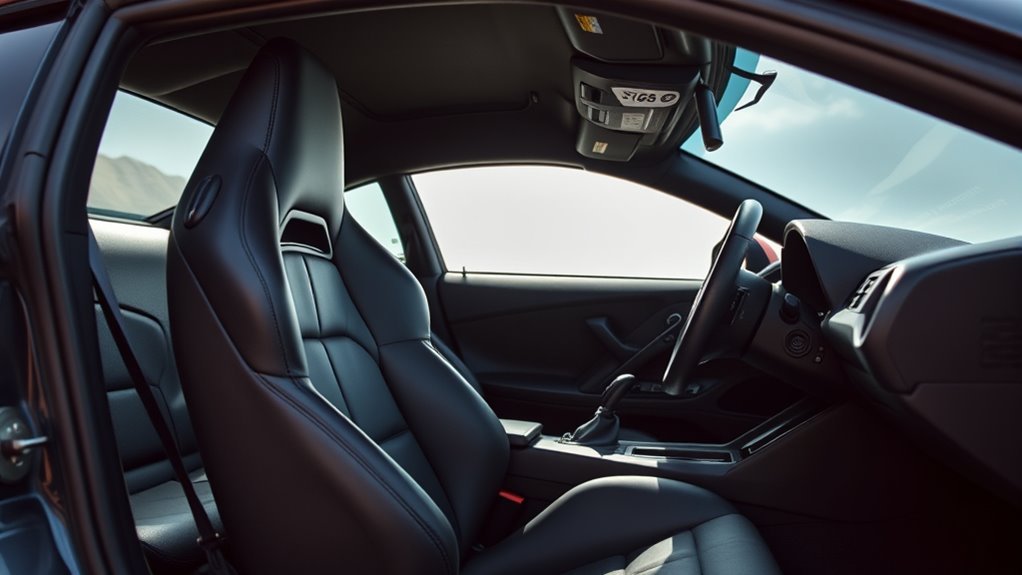
Set the backrest slightly reclined, but keep it upright enough for clear vision and control. Your shoulders should touch the seat while your arms reach the wheel without stretching.
Fine-tune lumbar support so it fills the small curve of your lower back. It should support your spine, not push your upper body forward.
Adjust Recline Angle
Start with the backrest near upright, then make small changes until your shoulders relax. A range near 90 to 100 degrees works well for many drivers, but body shape matters.
Small recline changes affect pedal clearance, steering reach, and sightlines. Test each change with your hands on the wheel and your foot on the brake.
- Start near upright for a stable baseline.
- Move the backrest in small steps.
- Check pedal reach after each change.
- Re-evaluate posture every 60 to 90 minutes on long drives.
Fine-Tune Lumbar Support
Position the lumbar support so it fills the hollow of your lower back. It should preserve your spine’s natural curve without forcing your chest forward.
If your Supra seat has adjustable lumbar support, move or inflate it in small steps. Aim for support between the top of your pelvis and the lower part of your ribs.
Recheck the setting after long drives. A good lumbar setup reduces back fatigue and helps you keep steady control.
Prevent Lower-Back Slouch
A good backrest setting keeps your lower spine from collapsing into the seat. Keep your shoulders against the seat and support your mid-back.
Use lumbar support to hold the natural curve of your lower back. If you start slouching, adjust the backrest or lumbar before fatigue builds.
- Set the backrest upright enough to prevent slouching.
- Use lumbar support to fill the lower-back curve.
- Position the backrest for steady mid-back contact.
- Re-adjust during long drives to reduce fatigue.
Position the Steering Wheel: Reach, Height, and Hand Placement
Set the steering wheel so your elbows stay slightly bent at 3 and 9 o’clock. Your wrists should rest on top of the rim while your shoulders remain against the seat.
Use the tilt and telescoping adjustments to align the wheel with your chest. Keep it low enough for clear sightlines, but high enough to avoid knee contact.
The wheel should not block your instrument view. It should also leave enough room for quick steering input without shoulder strain.
Pro tip: Adjust the wheel after the seat position feels final, not before.
[Products Worth Considering]

Keep your vehicle neat with this versatile car trash can designed to hang easily from a headrest and fit a wide range of vehicles. Its waterproof, leak-proof lining helps contain spills, while the large capacity and extra pockets make it useful for storing small essentials or keeping drinks and snacks cool on the go. When not in use, it folds flat for convenient storage.
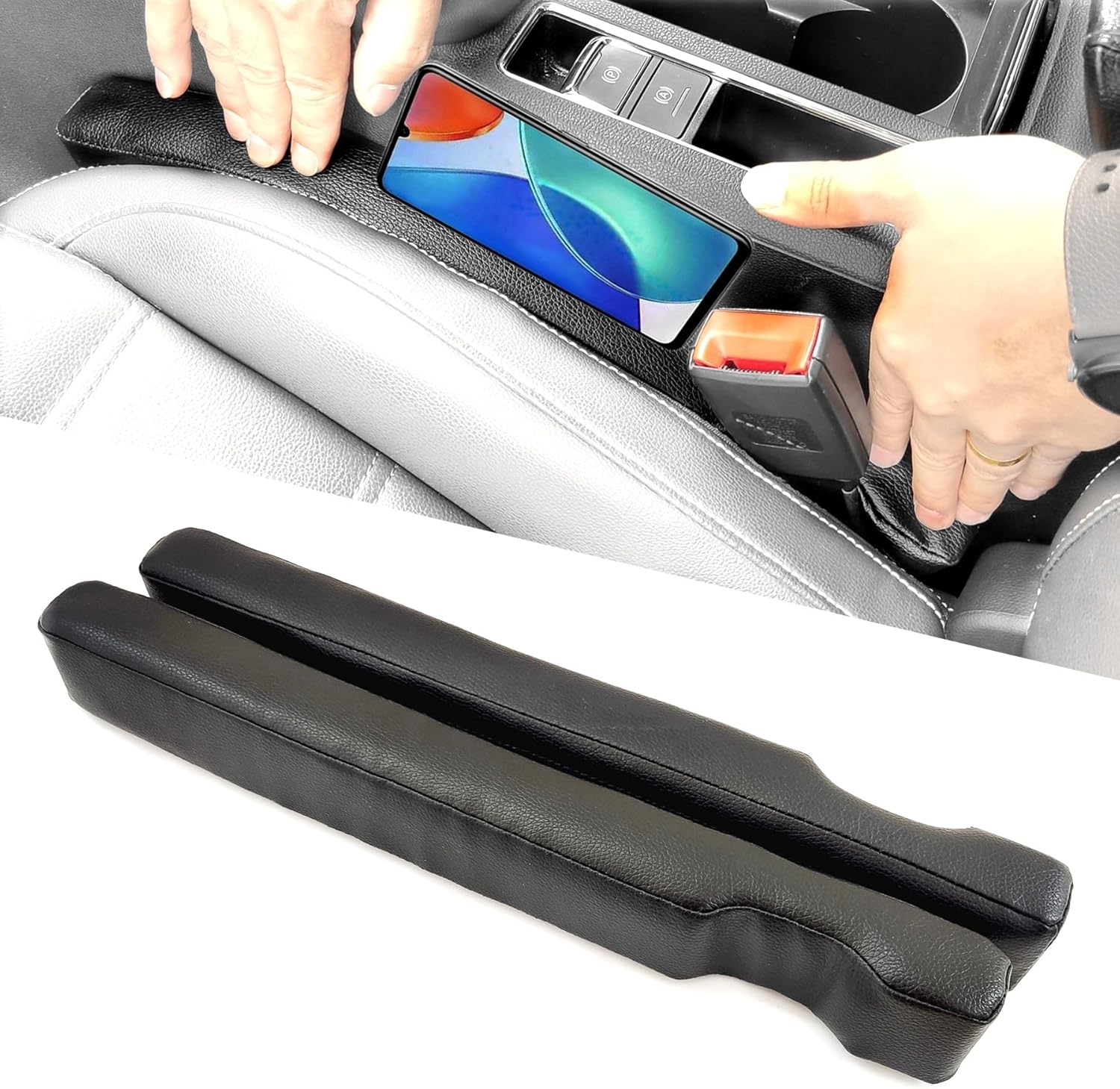
This universal car seat gap filler helps block the space between your seat and console to stop keys, phones, food, and small items from falling through. Made with durable PU leather and a sponge core, it offers a premium look, waterproof protection, and easy installation for most cars, SUVs, and trucks.
Supra Pedal Technique and Right-Leg Comfort Tips
Place the ball of your right foot comfortably on the accelerator. Keep your knee slightly bent so you can modulate pedal pressure without locking your leg.
Check seat and pedal alignment if your right leg feels twisted or stretched. Raise, lower, or tilt the seat in small steps until the leg position feels neutral.
Right-Foot Positioning
Set your right foot so the ball rests comfortably on the throttle. A slight outward foot angle can reduce pressure during longer drives.
Watch floor-mat thickness because thick mats can change foot placement. Move the seat closer if your ankle stretches too far for smooth pedal use.
- Check ball-of-foot contact for steady pedal feedback.
- Use a slight outward toe angle to reduce pressure.
- Inspect mats and remove anything that affects pedal travel.
- Pause during long drives to flex and reposition your right foot.
Seat and Pedal Alignment
Correct seat and pedal alignment keeps your right leg slightly bent during normal driving. It also helps you apply brake and throttle pressure more smoothly.
Adjust seat height and backrest angle until you can see well without locking your knees. Then test your foot angle and pedal reach during a short, safe drive.
If knee tension appears, change one setting at a time. Small changes make it easier to find the exact source of discomfort.
Check Visibility: Hood, Mirrors, Blind Spots, Sightlines
Raise or lower your seat until you can see the road over the hood without strain. Then adjust mirrors to reduce blind spots and improve rear awareness.
Set the rearview mirror first, then adjust both side mirrors. Your side mirrors should show the lanes beside you more than the side of your car.
Set your seat first, then fine-tune mirrors. This order gives you the most consistent view.
- Set seat height so you can see the hood edge and horizon clearly.
- Align side and rearview mirrors to reduce lateral blind spots.
- Confirm the steering column and pillars do not block key sightlines.
- Use natural sightlines to judge closing speeds and distances.
Clear sightlines help you make earlier decisions. They also reduce the need for sudden corrections in traffic.
Small Ergonomic Mods and Accessories That Reduce Fatigue

Small ergonomic changes can reduce fatigue on long drives. Choose reversible accessories that improve comfort without blocking pedals, seat controls, or airbags.
A footrest or pedal extender can reduce leg strain if reach feels awkward. A thin gel cushion may help pressure points, but avoid thick cushions that raise you too much.
A steering wheel spacer can refine reach for some drivers, but it may affect safety systems or legality. Use professional guidance before changing steering hardware.
| Mod | Effect |
|---|---|
| Footrest or pedal extender | Reduces leg strain |
| Thin gel cushion | Improves pressure relief |
Note: Any accessory near the pedals must stay secure and must not reduce pedal travel.
Quick Stretches and Micro-Adjustments to Prevent Leg Fatigue
Long drives can stiffen your legs and reduce focus. Brief stretches and small seat changes help keep circulation moving.
Use ankle mobility drills at safe stops, not while the car moves. Adjust seat height and tilt in small steps if knee pressure changes.
Brief stretches, ankle drills, and small seat or pedal tweaks help keep long drives more comfortable.
- Draw the alphabet with your toes at stops to improve ankle mobility.
- Shift the seat forward or back slightly to rebalance pressure.
- Angle your foot slightly outward to relieve throttle-leg tension.
- Take short walking breaks to restore circulation and focus.
These habits help you stay alert. They also make the Supra feel easier to control over longer trips.
Frequently Asked Questions
What is the best driving position for a Toyota Supra?
The best position keeps your hips level with or slightly above your knees. Your knees and elbows should stay slightly bent, and your shoulders should remain against the seat.
How high should I set the seat in a Supra?
Set the seat high enough to see the road, hood edge, mirrors, and gauges without leaning forward. Lower it if your head feels too close to the roof or your windshield view feels cramped.
Should my backrest be upright or reclined?
Use a mostly upright backrest with a slight recline for comfort. Your shoulders should stay supported while your wrists can reach the top of the steering wheel.
How do I reduce right-leg fatigue in a Supra?
Move the seat close enough so your right knee stays slightly bent at full brake travel. Check foot angle, floor mats, and cushion tilt if your ankle or knee feels strained.
What is the weakness of the Toyota Supra?
The Supra trades some daily practicality for a low, sporty cockpit. You may notice tight cabin space, limited rear visibility, and less long-drive comfort if your seating position is not well adjusted.
Conclusion
Your Supra will feel better when your seat, pedals, wheel, and mirrors work together. Start with seat height, then set pedal reach, backrest support, steering wheel position, and mirror alignment in that order.
Make one change at a time, then test how your body feels during a short drive. Small adjustments can give you better control, clearer sightlines, and more comfort on every trip.