Use Adaptive Cruise Control in your Toyota GR Supra when the road is predictable: open highways, steady traffic, clear weather, and smooth pavement. It can make a long drive feel easier by helping hold your speed and following distance, but it is still only a driver-assistance feature. You stay responsible for braking, steering, watching traffic, and taking over the moment conditions change.
Quick Answer
Use Adaptive Cruise Control in your Supra mainly on highways or divided roads in clear weather, with light to moderate traffic and good lane visibility. Avoid using it in heavy rain, fog, snow, sharp curves, stop-and-go urban streets, construction zones, slippery conditions, or any situation where you need quick manual control.
Key Takeaways
- Adaptive Cruise Control works best on highways with steady traffic and clear weather.
- Toyota calls the Supra system Dynamic Radar Cruise Control, or DRCC, on equipped automatic-transmission models.
- Keep your hands on the wheel and your eyes on the road; ACC does not make the Supra self-driving.
- Turn it off in poor visibility, heavy traffic, sharp curves, slippery roads, construction zones, and any situation that feels unpredictable.
- Use the longest following-distance setting when traffic, weather, or visibility is less than ideal.
At a Glance
| Best Use | Highway cruising in clear, steady conditions |
| Avoid Using It | Bad weather, sharp curves, slick roads, heavy traffic, city streets, construction zones |
| Tools Needed | No tools; use the steering-wheel cruise and distance controls |
| Driver Role | Stay alert, steer, monitor traffic, and take over when needed |
What Is Adaptive Cruise Control and How Does It Work in the Supra?
Adaptive Cruise Control is a driving-assistance feature that helps keep a set speed and a preset gap from the vehicle ahead. In Toyota language, the Supra’s equipped system is called Dynamic Radar Cruise Control, often shortened to DRCC. The National Highway Traffic Safety Administration describes adaptive cruise control as a system that automatically adjusts vehicle speed to keep a preset distance from the vehicle in front of it. NHTSA
On recent GR Supra models, DRCC availability depends on configuration. Toyota states that automatic-transmission GR Supra models can be equipped with Dynamic Radar Cruise Control, while manual-transmission models use a traditional cruise control system. Some grades include it through a safety or driver-assist package, so check your model year and trim before assuming your Supra has it. Toyota Pressroom
When active, the system uses forward sensing to help detect a vehicle ahead, then reduces or increases speed within its operating limits. If traffic opens up, it can return toward your set speed. If traffic slows, it can reduce speed to help maintain the selected following distance.
Note: Your Supra’s exact buttons, displays, operating speeds, and limitations can vary by model year and equipment. Always follow the Owner’s Manual for your specific vehicle.
[Products Worth Considering]

Compatible with 2020-up Toyota Supra A90; also compatible with 2019-up BMW G29 Z4

APPLICABLE MODELS: The dash board trim ring cover compatible with Toyota Supra GR A90 A91 MK5 2019-2026, The size of the original car is customized.

Applicable Models: The rear side window louver cover compatible with Toyota Supra GR A90 A91 MK5 2019-2026, The size of the original car is customized.
Best Times to Use Adaptive Cruise Control in a Supra
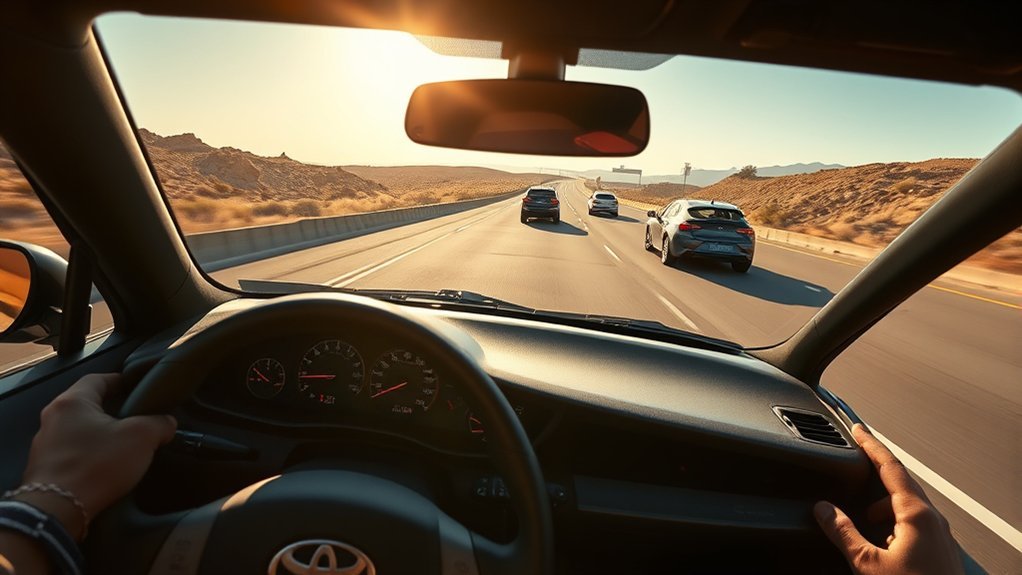
The best time to use Adaptive Cruise Control in a Supra is when the driving environment is calm and predictable. That usually means a highway or divided road, clear weather, good visibility, and traffic that is moving smoothly.
Highway Driving
ACC is most helpful on long highway stretches where speeds stay fairly steady. It reduces the need to keep adjusting the throttle every few seconds, which can make long trips less tiring. Toyota’s GR Supra brochure describes available Dynamic Radar Cruise Control as a feature that helps with highway driving by keeping the vehicle at a preset distance from the vehicle ahead and automatically accelerating or braking as needed. Toyota GR Supra Brochure
Light to Moderate Traffic
Use it when traffic is moving consistently and vehicles are not cutting in and out of your lane. Light to moderate traffic gives the system enough time to react smoothly. If cars are merging aggressively or braking suddenly, your foot should be ready over the brake and you should consider turning ACC off.
Clear Weather and Good Visibility
ACC depends on sensors. Rain, fog, snow, road spray, dirt, and glare can reduce what those sensors can detect. Clear weather gives the system its best chance to work smoothly and predictably.
Smooth, Well-Marked Roads
Straight, open roads with a steady traffic flow are ideal. Curvy roads, hills, rough pavement, and construction zones can make the system less comfortable and less predictable.
When Not to Use Adaptive Cruise Control
Knowing when to turn ACC off is just as important as knowing when to use it. The system can help with speed and following distance, but it does not read the whole driving scene like an attentive driver can.
Warning: Do not treat ACC as autopilot. It does not replace steering, judgment, braking readiness, mirror checks, or safe following-distance decisions.
Avoid using Adaptive Cruise Control in these situations:
- Heavy rain, fog, snow, or road spray: Reduced visibility and sensor blockage can affect detection.
- Sharp curves or winding roads: The system may not respond the way you expect when the lane or lead vehicle changes direction.
- Slippery roads: Ice, snow, standing water, gravel, or oil can reduce traction and make automatic speed changes risky.
- Heavy stop-and-go city traffic: Frequent cut-ins, pedestrians, cyclists, and sudden braking call for full manual control.
- Construction zones: Barriers, temporary lanes, uneven markings, workers, and changing traffic patterns can confuse driver-assist systems.
- Steep downhill roads: You may need engine braking or manual brake control to manage speed safely.
- Dirty or blocked sensors: If the front sensor area or windshield camera area is dirty, iced over, or damaged, do not rely on ACC.
- Any time you feel unsure: If the system feels late, harsh, or uncomfortable, cancel it and drive manually.
How Adaptive Cruise Control Makes Long-Distance Travel Easier
Long drives can be tiring because you constantly adjust speed for small changes in traffic. ACC reduces that workload by helping hold a steady pace and gap. You still need to steer and supervise, but the repetitive speed adjustments become easier.
Enhanced Comfort During Journeys
On a long highway trip, ACC can make the Supra feel more relaxed without taking away your control. Set a comfortable speed, choose a following distance, and let the system help with small speed changes as traffic flows. This is especially useful on open interstates where traffic speed rises and falls gradually.
Reduced Driver Fatigue
ACC can reduce fatigue by limiting constant throttle and brake inputs. A NHTSA survey of early ACC users found that nearly half of respondents felt ACC reduced stress while driving, while also noting that many drivers misunderstood system limitations. NHTSA Traffic Safety Facts
| Feature | How It Helps | Driver Still Must |
|---|---|---|
| Set speed control | Holds a steady cruising speed | Watch speed limits and road conditions |
| Following-distance control | Helps maintain a preset gap | Choose a safe gap for traffic and weather |
| Automatic acceleration and braking | Smooths small changes in traffic flow | Brake immediately if needed |
| Resume function | Returns to the previous set speed when appropriate | Confirm the old speed is still safe first |
A NHTSA survey found that many ACC users were unaware of system limitations, including situations involving stopped vehicles, stop-and-go traffic, and curvy roads.
How to Use Adaptive Cruise Control Safely
The basic process is simple, but the safest use comes from setting it up deliberately instead of turning it on and forgetting about it.
- Confirm your Supra is equipped with DRCC. Recent automatic-transmission models may have it, while manual-transmission models use conventional cruise control.
- Choose the right road. Wait until you are on a highway or open road with steady traffic and clear weather.
- Reach a safe cruising speed. Match traffic flow and obey the posted speed limit.
- Set the cruise speed. Use the steering-wheel cruise control switch to set your current speed.
- Select the following distance. Start with a longer gap, especially if traffic is changing or visibility is not perfect.
- Keep supervising. Watch the road, mirrors, traffic ahead, and the instrument display.
- Cancel when conditions change. Tap the brake, use the cancel switch, or turn the system off when the road becomes unpredictable.
Pro Tip: Use a longer following-distance setting than you think you need. It gives you more time to react and makes ACC feel smoother when traffic speed changes.
[Products Worth Considering]

[Vehicle Fitment]: Compatible with Toyota Yaris 2007-2009, Venza 2009 & 2014-2015, Tundra 2005-2010 & 2014-2021, Tacoma 2005-2009 & 2014-2023, Solara 2004-2008, Sienna 2004-2010 & 2013-2015, RAV4 2004-2009, Prius 2004-2022, Matrix 2009-2010, Land Cruiser 2003-2009 & 2014-2021, Highlander 2005-2009, FJ Cruiser 2007-2009, Corolla 2009-2010 & 2014-2016, Camry 2005-2010 & 2014-2017, Avalon 2005-2013, 4Runner 2003-2009 & 2014-2019 --- without Adaptive Cruise Control & Collision Mitigation Braking

OEM Number: 84632-34011. Manufacturer Part Number: 84632-34011/84632-08021/84632-34017
Ideal Driving Conditions for Using ACC
Adaptive Cruise Control performs best when the road gives it simple, consistent information. Think open freeway, steady flow, clean sensors, and good visibility.
Highway Travel Efficiency
Highway driving is where ACC makes the most sense. A steady lane, predictable traffic, and limited cross traffic help the system maintain speed and distance without frequent interruptions. It may also help smooth out unnecessary acceleration and braking, although fuel economy still depends heavily on speed, terrain, traffic, tires, and driving style.
Light Traffic Scenarios
In light traffic, ACC can track the vehicle ahead without constant braking and accelerating. It is useful when traffic is present but not chaotic. If vehicles are cutting in often, traffic is compressing quickly, or drivers are braking hard, turn the system off and control speed yourself.
Smooth Road Conditions
Smooth pavement and gentle curves help ACC feel natural. Bumpy roads, short hills, sharp bends, and uneven surfaces can make automatic speed control less comfortable. In a performance car like the Supra, keep your focus on traction and road feel, especially on unfamiliar roads.
Safety Considerations When Engaging ACC
ACC is a convenience system, not a collision-avoidance guarantee. NHTSA advises drivers to review the owner’s manual and understand what driver-assistance technologies can and cannot do. NHTSA
Before engaging ACC, check these points:
- Road: Is it straight, open, and predictable enough?
- Weather: Is visibility clear and the road surface dry or stable?
- Traffic: Are vehicles moving smoothly without sudden stops?
- Sensor area: Is the front sensor area and windshield camera area clean?
- Your attention: Are you alert enough to take over instantly?
Be extra careful around motorcycles, vehicles partly outside your lane, stopped vehicles, vehicles entering your lane, and traffic at the end of a backup. These situations can require faster judgment than ACC is designed to provide.
Tips for Smooth Speed Adjustments

Small adjustments are the secret to using ACC smoothly. Set a realistic speed, leave enough room, and avoid using ACC to rush into traffic gaps.
- Set speed after traffic stabilizes. Do not set ACC while traffic is actively braking or bunching up.
- Use gentle speed changes. Increase or decrease the set speed in small steps instead of making large changes at once.
- Pick the right distance setting. Use a longer setting in traffic, rain, glare, or unfamiliar areas.
- Do not resume blindly. The previous set speed may no longer be safe after traffic, weather, or speed limits change.
- Cancel early. If you see brake lights far ahead, a lane closure, or merging traffic, take over before the system reacts.
Note: Pressing the accelerator can override cruise behavior temporarily, but it does not mean the system will manage the gap exactly the way you expect. Stay ready to brake.
[Products Worth Considering]

Replacement Part Number: 6WR86XXXAA; 6UZ25RXFAA
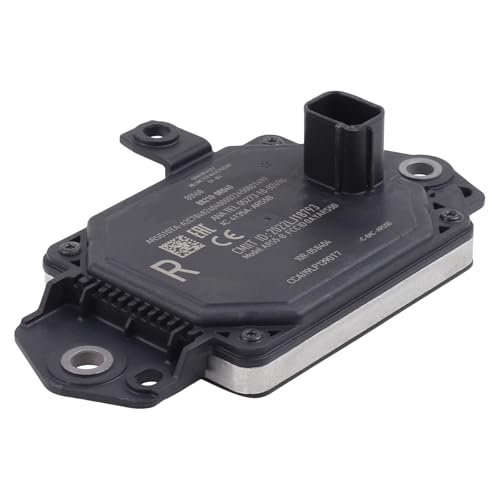
Compatible with Toyota RAV4 2019-2025
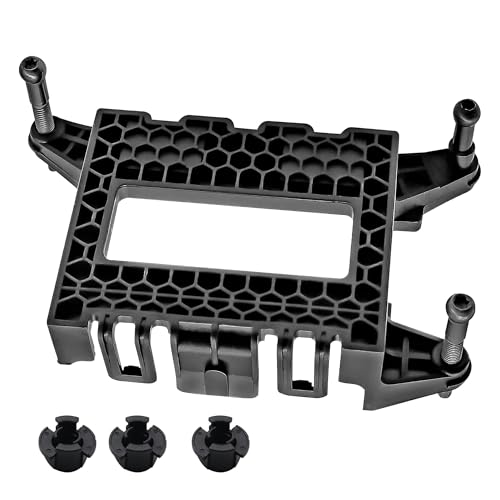
【Part Number】Replace 36801TVAA17,36806TLAA01,36801-TVA-A17.Please note the product model before purchasing and avoid buying accessories that are not suitable for your vehicle
How to Know When to Take Control in Traffic
Take control as soon as the road stops being predictable. Do not wait for the system to surprise you. If your instincts say the situation needs a human driver, cancel ACC immediately.
Take over when you notice:
- Brake lights building ahead
- A vehicle cutting into your lane
- A stopped or slow vehicle ahead
- A sharp curve, exit ramp, or lane split
- Road work, cones, barriers, or temporary markings
- Heavy spray, fog, snow, glare, or dirty sensors
- The Supra accelerating when you expected it to slow down
- The Supra braking later or harder than feels comfortable
The safest habit is simple: use ACC only when it reduces your workload without reducing your attention.
Customizing Your Cruise Control Experience
You can make the system feel better by adjusting it to the road instead of leaving it on one setting everywhere.
- Choose the proper following distance. Longer gaps are smoother and safer in most real-world conditions.
- Use conventional cruise only when appropriate. If your Supra has a mode that holds a fixed speed without distance control, use it only where fixed-speed cruising is safe.
- Match the speed limit and traffic flow. ACC does not make speeding safe or legal.
- Reset after interruptions. After braking, exiting, merging, or changing weather, confirm the set speed and gap before resuming.
Think of ACC settings as active driving choices, not one-time preferences. The best setting on an empty freeway may be the wrong setting in heavier traffic.
What People Often Get Wrong About Adaptive Cruise Control
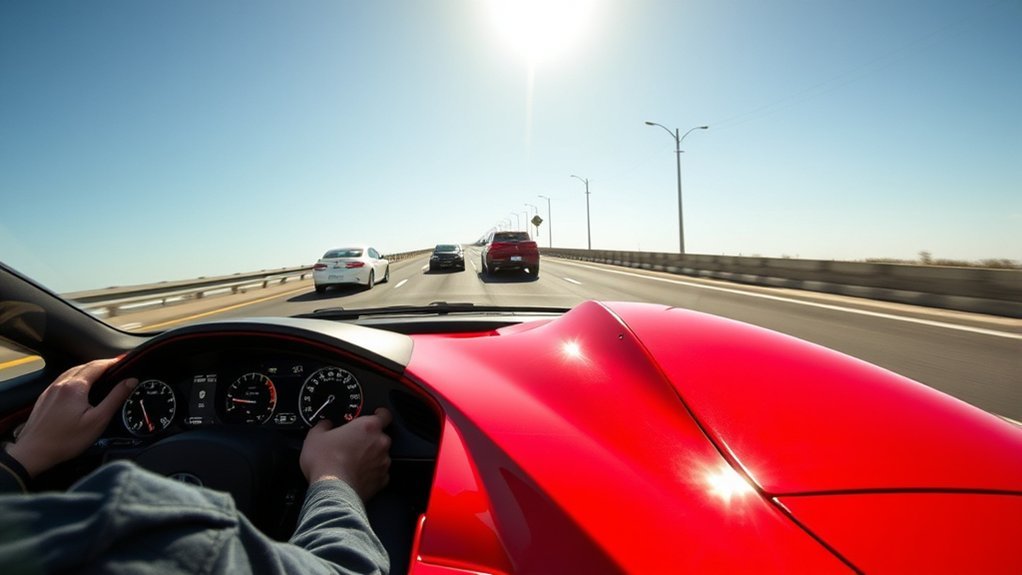
Most ACC mistakes come from expecting too much. The system helps with speed and distance, but it does not understand every hazard, predict every driver, or guarantee a safe stop.
| Misconception | Reality |
|---|---|
| ACC makes the Supra self-driving | It is driver assistance only; you must steer, watch, and take over |
| It can handle every highway situation | Cut-ins, stopped traffic, bad weather, and curves can require manual control |
| The closest gap is always fine | A longer gap is usually safer and smoother |
| Resume is always safe | Only resume after checking that the stored speed still fits conditions |
| Sensors work the same in all weather | Rain, fog, snow, dirt, glare, and spray can reduce performance |
Quick Decision Guide: Should You Use ACC Right Now?
Use this quick check before turning ACC on:
| Condition | Use ACC? | Why |
|---|---|---|
| Open highway, dry road, clear weather | Yes | This is the system’s ideal use case |
| Light traffic moving steadily | Usually yes | Good for reducing fatigue |
| Heavy traffic with frequent cut-ins | No | Manual judgment is safer |
| Rain, fog, snow, or road spray | No | Visibility and sensor performance may be reduced |
| Curvy back road | No | ACC may not manage curves the way you expect |
| Construction zone | No | Temporary lanes and barriers can create unpredictable hazards |
Frequently Asked Questions
How do you properly use Adaptive Cruise Control in a Supra?
Use it on a suitable highway, reach a safe cruising speed, set the speed with the steering-wheel cruise control, choose a following distance, and keep supervising the road. Cancel it when traffic, weather, or road conditions become unpredictable.
In which situation is it helpful to use ACC?
ACC is most helpful on highways with steady traffic, clear weather, and good visibility. It can reduce fatigue by helping maintain speed and distance during long drives.
Does every Toyota GR Supra have Adaptive Cruise Control?
No. Availability depends on model year, transmission, grade, and package. Toyota states that recent automatic-transmission GR Supra models can be equipped with Dynamic Radar Cruise Control, while manual-transmission models use traditional cruise control.
Can Adaptive Cruise Control stop the Supra for me?
If your Supra has full-speed range DRCC, it may help slow the vehicle and manage low-speed following within its limits. You should never rely on it to stop in every situation. Always be ready to brake.
Should I use ACC in rain?
Avoid using ACC in heavy rain, fog, snow, or road spray. Bad weather can reduce visibility, traction, and sensor performance. Drive manually when conditions are wet, slippery, or hard to see through.
Conclusion
Adaptive Cruise Control can make your Supra easier to drive on long highway trips, but only when the road is calm, clear, and predictable. Use it as a comfort tool, not a safety net. The best approach is to set a sensible speed, choose a generous following distance, keep your attention forward, and cancel the system early whenever traffic, weather, or road shape demands full control.
Sources
- Toyota Pressroom: 2025 Toyota GR Supra — DRCC availability by transmission and package
- Toyota 2025 GR Supra Brochure — Toyota description of available DRCC for highway driving
- Toyota Safety Sense 2.5 and 2.5+ Overview — DRCC function and full-speed range explanation
- NHTSA Driver Assistance Technologies — ACC definition and driver-assistance safety context
- NHTSA Traffic Safety Facts: Adaptive Cruise Control Systems — driver use, stress, and limitation-awareness findings
- Toyota Owners Manuals and Warranties — official source for model-specific owner’s manual access