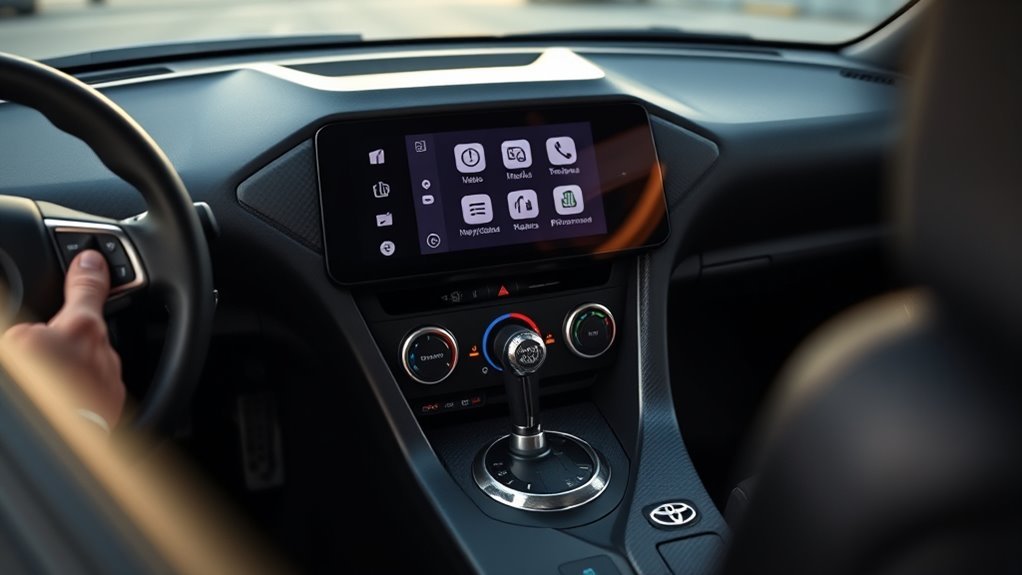
The Toyota GR Supra infotainment system combines an in-dash display, Bluetooth, available wireless Apple CarPlay, available integrated navigation, and Toyota Supra Connect services, but the exact feature set depends on the model year, trim, and option package. For the 2026 U.S.-market GR Supra, Toyota lists an 8.8-inch touchscreen while factory Android Auto remains unavailable. Before troubleshooting a missing feature or attempting coding changes, first confirm what equipment your specific Supra actually has.
Last updated: September 1, 2026
Quick Answer
The Toyota GR Supra uses an 8.8-inch infotainment touchscreen on current U.S. models, but Apple CarPlay, navigation, premium audio, and Supra Connect availability can depend on the trim and package. Wireless Apple CarPlay is available on equipped cars; factory Android Auto is not offered on the 2026 U.S. GR Supra. If a feature is missing, verify your vehicle’s equipment before treating it as a software problem.
Toyota Supra Infotainment: Key Features
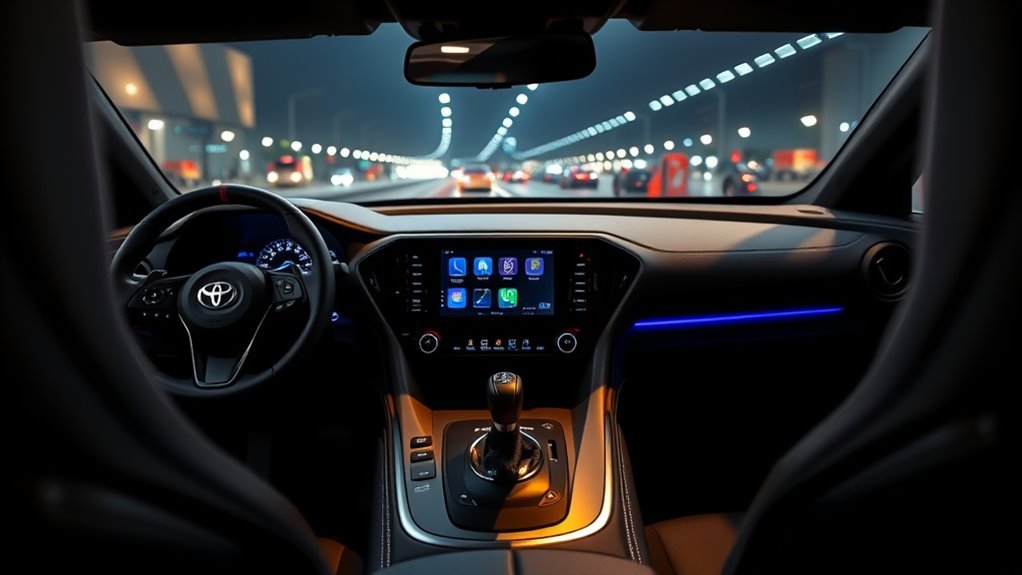
The GR Supra’s multimedia equipment varies more than the original article suggested. Toyota’s current 2026 GR Supra brochure describes an 8.8-inch high-resolution touchscreen, available integrated navigation, wireless Apple CarPlay compatibility, Supra Command controls, and Supra Connect features. However, you should not assume every model year and trim includes every function.
| Feature | What to Know |
|---|---|
| Touchscreen | Current 2026 U.S. models use an 8.8-inch touchscreen. Earlier Supras can have different equipment, so check the model year and package. |
| Apple CarPlay | Wireless Apple CarPlay is available on equipped models. Availability varies by trim and package. |
| Android Auto | Factory Android Auto is not available on the 2026 U.S.-market GR Supra. |
| Navigation | Integrated navigation is available on equipped configurations rather than being universal across every Supra. |
| Supra Connect | Connected-service availability depends on vehicle equipment, enrollment, service status, and network coverage. |
The Supra Command controller provides another way to move through multimedia functions without relying only on the touchscreen. Equipped systems also support Bluetooth calling and audio streaming, while Toyota’s owner documentation describes voice-control functions for compatible menus.
Setting Up Smartphone Integration and Navigation
Start by identifying what your Supra actually supports. A missing CarPlay or navigation icon does not automatically mean the infotainment system is malfunctioning. On some model years and trims, those features require a specific equipment package.
[Products Worth Considering]

This portable 9-inch CarPlay screen brings wireless Apple CarPlay and Android Auto to almost any vehicle, making navigation, calls, music, and messaging easier on the road. It features a crisp HD touchscreen, voice control, multiple audio output options, and a backup camera to improve convenience and safety. With plug-and-play installation and OTA firmware updates, it is designed for simple setup and long-term compatibility.

These black license plate screws are designed to securely fasten rear metal plates on compatible Lexus, Toyota, and Honda vehicles. Made from rust-resistant 18-8 stainless steel with a black oxidized finish, they offer durable protection against corrosion while maintaining a clean, low-profile look. The M6-1.0 x 16 mm pan-head design fits many vehicles with a metal threaded screw retainer and comes in a convenient pack for easy installation.

This 2-in-1 wireless adapter converts factory-wired CarPlay into a cable-free experience for compatible vehicles, helping you enjoy seamless phone integration with less clutter. It supports automatic reconnection, stable Bluetooth and Wi-Fi pairing, and broad compatibility with many factory-installed CarPlay systems. Built with a durable metal and acrylic design, it also includes firmware updates and lifetime technical support for continued convenience.
Does the Toyota GR Supra Have Apple CarPlay?
Yes, equipped U.S.-market GR Supras support wireless Apple CarPlay. Toyota’s current documentation describes wireless connectivity rather than a normal wired CarPlay setup. If your car includes CarPlay, begin by enabling Bluetooth and Wi-Fi on your compatible iPhone and pairing the phone with the vehicle.
For a detailed model-specific walkthrough, see the Toyota Supra Apple CarPlay setup guide.
Does the Toyota GR Supra Have Android Auto?
No. Toyota lists Android Auto as unavailable on the 2026 U.S. GR Supra. Android-phone owners can still use normal Bluetooth functions such as compatible hands-free calling and audio streaming, but that is not the same as Android Auto screen projection.
If you see a third-party retrofit advertised as adding Android Auto, treat it as an aftermarket modification. Confirm compatibility with your exact model year, head unit, existing options, and software before purchasing anything.
Does Every GR Supra Have Built-In Navigation?
No. Integrated navigation is equipment-dependent. Toyota lists navigation as available on current U.S. GR Supra configurations, but it should not be described as standard on every car. If your Supra has integrated navigation, you can enter destinations through the infotainment system and use compatible real-time traffic functions when the required connected services are active.
On a CarPlay-equipped Supra, an iPhone can also provide navigation through compatible iOS mapping apps. That gives you another route-planning option without suggesting Android Auto is supported.
Understanding ECU Compatibility and Coding
Do not use a simple model-year cutoff to decide whether a GR Supra can be coded. Coding compatibility depends on the control module, head unit, installed software, and integration level. There is no reliable rule that every pre-2022 ECU supports a particular change while every 2022-or-newer ECU blocks it.
For example, third-party coding tools have historically offered settings such as Auto Start/Stop memory on some A90/A91 Supras, yet owner reports show that the same change can behave differently after later software revisions. Some newer cars accept the coding operation but do not apply the requested behavior.
Coding Caution
Verify support for your exact vehicle and current software before buying an adapter, coding credits, or a retrofit. Back up the original configuration where the tool supports it, maintain stable vehicle voltage, and avoid changes that disable safety warnings or safety systems.
If you use BimmerCode or another third-party coding platform, choose an adapter that the software provider specifically lists as compatible. Toyota does not need to support aftermarket coding simply because a setting appears inside a third-party app.
[Products Worth Considering]

The HEYINCAR+ H-Air adapter upgrades compatible factory wired CarPlay and Android Auto systems to wireless convenience with a compact plug-and-play design. It connects automatically after setup, delivering fast startup, stable performance, and support for your car’s original touchscreen, steering wheel controls, and voice commands. Built for broad vehicle compatibility and ongoing firmware updates, it offers a simple way to enjoy cable-free driving with minimal clutter.
Customizing Startup, Display, and Video Playback
Some GR Supra owners use third-party coding tools to change infotainment and convenience settings. Commonly documented A90/A91 coding targets include startup-animation choices, display settings, warning behavior, and other BMW-derived head-unit options. What appears in your coding app can change with the vehicle’s hardware and software.
- Startup animation: Some compatible head units expose alternate startup-animation settings through third-party coding.
- Sport display settings: Certain software versions expose additional sport-display configuration choices.
- USB video playback: Treat this as a third-party coding function rather than a standard Toyota infotainment feature. Availability varies, and video should never be used in a way that distracts the driver or violates local law.
Do not code a setting merely because an online guide shows it on another Supra. A 2020 car, a 2023 car, and a 2026 car may have different software behavior even when their dashboards look similar.
Using Supra Connect for Remote Management
Toyota Supra Connect adds connected functions on eligible vehicles. Toyota’s current GR Supra material describes services such as Automatic Emergency Call, Real-Time Traffic Information, Roadside Assistance, Remote Services, and other connected functions. Availability can depend on the vehicle, account enrollment, subscription or trial status, cellular service, and GPS reception.
Managing Remote Locks
Eligible Supra Connect configurations can provide remote door locking and unlocking. Toyota’s 2026 brochure also describes remote ventilation functions. Because connected-service interfaces can change, use the current Toyota/Supra Connect portal or app flow associated with your VIN rather than relying on an old screenshot or menu path.
Vehicle Status and Maintenance Alerts
Supra Connect includes connected-service and Remote Maintenance functions on eligible vehicles, but do not assume every status item is available on every Supra. If a connected service disappears, first check your service enrollment, account, network connection, and vehicle eligibility before assuming the infotainment hardware has failed.
For battery-specific ownership guidance, see the Toyota Supra battery maintenance guide. If the car will sit unused, the Toyota Supra long-term storage checklist covers additional preparation.
Safe Use and Optimization Tips
Set up destinations, playlists, and phone connections before driving whenever possible. The touchscreen is convenient when parked, but the physical Supra Command controller, steering-wheel controls, and supported voice functions can reduce the amount of time you spend reaching toward the display.
- Pair your phone before moving: Complete initial Bluetooth and CarPlay setup while parked.
- Use physical or voice controls: Where supported, use steering-wheel controls, Supra Command, or voice commands for routine tasks.
- Save frequent destinations: Configure common routes before starting a trip.
- Use official update paths: Check Toyota support resources or a Toyota dealer for software, navigation, and map-update options applicable to your vehicle.
- Do not watch video while driving: Keep entertainment functions from distracting the driver even if aftermarket coding exposes additional playback options.
Why Is Apple CarPlay Missing or Not Connecting?
The first step is to determine whether your Supra was built with Apple CarPlay. A car that never had the required feature or option package cannot be fixed by repeatedly pairing the phone.
If your Supra is CarPlay-equipped but the connection stopped working, try these steps in order:
- Confirm Bluetooth and Wi-Fi are enabled on the iPhone.
- Check that CarPlay is allowed in the iPhone’s settings.
- Remove the Supra from the iPhone’s saved Bluetooth, Wi-Fi, and CarPlay connections if it is already stored.
- Remove the phone from the vehicle’s saved-device list.
- Restart the iPhone, then pair it with the Supra again.
- Install applicable iOS updates if a known phone-side issue is suspected.
Toyota owner-manual guidance for connection problems similarly recommends deleting an existing iPhone/vehicle pairing and pairing the device again. If the screen itself freezes, goes black, or remains unresponsive after normal phone troubleshooting, use the dedicated Toyota Supra infotainment reset guide before moving to dealer diagnosis.
[Products Worth Considering]

Upgrade to Wireless CarPlay & Android Auto The 2 in 1 Wireless CarPlay and Android Auto Adapter converts your factory wired system into a wireless experience. It’s perfect for families using both iPhone and Android phones, allowing effortless switching without unplugging or swapping cables. This adapter is compatible with over 1,000 vehicle models—supporting 800+ with wired CarPlay and 500+ with wired Android Auto. Works with iPhone 6 or later and Android 11 or above devices.
Frequently Asked Questions
What are the primary Toyota Supra infotainment features?
Current GR Supra equipment centers on an 8.8-inch touchscreen, Bluetooth, Supra Command controls, available wireless Apple CarPlay, available integrated navigation, audio functions, and eligible Supra Connect services. The exact combination depends on the model year, trim, and package.
Does the Toyota GR Supra have Android Auto?
No. Toyota lists Android Auto as unavailable on the 2026 U.S.-market GR Supra. Android phones can still use compatible Bluetooth calling and audio functions.
Does the Toyota GR Supra have wireless Apple CarPlay?
Yes, wireless Apple CarPlay is available on equipped GR Supras. It is not safe to assume that every model year and trim includes it, so verify your vehicle’s original equipment if CarPlay does not appear.
Does every Toyota Supra have built-in navigation?
No. Integrated navigation is trim- and package-dependent. Check your vehicle’s original equipment or VIN-specific documentation before troubleshooting a missing navigation menu.
How do I access Supra Connect remote features?
Use the current Toyota/Supra Connect account and application flow associated with your eligible vehicle. Available services can include remote lock and unlock, ventilation, emergency and maintenance-related connected functions, but service availability depends on the vehicle, enrollment, network coverage, and current service terms.
Can BimmerCode change Toyota Supra infotainment settings?
Some A90/A91 GR Supras expose configurable settings through third-party coding tools, but support varies with control modules and software versions. Confirm compatibility with your exact vehicle before making a change or buying coding hardware.
Why is Apple CarPlay not showing on my Supra?
Your car may not be equipped with CarPlay, or an existing wireless pairing may have failed. Verify the vehicle’s equipment first. If CarPlay is included, remove the saved vehicle and phone connections, restart the phone, and pair the devices again.
Conclusion
The Toyota GR Supra infotainment system is straightforward once you separate standard hardware from trim-dependent features. Current U.S. cars use an 8.8-inch touchscreen, equipped models can offer wireless Apple CarPlay and integrated navigation, and factory Android Auto is not available on the 2026 U.S. GR Supra. Supra Connect adds useful remote and connected functions on eligible vehicles. If something is missing, verify your original equipment before troubleshooting it; if you plan to code the car, confirm compatibility with the exact software installed rather than relying on a model-year cutoff.