By Merrick Vaughn · Last updated: July 31, 2026
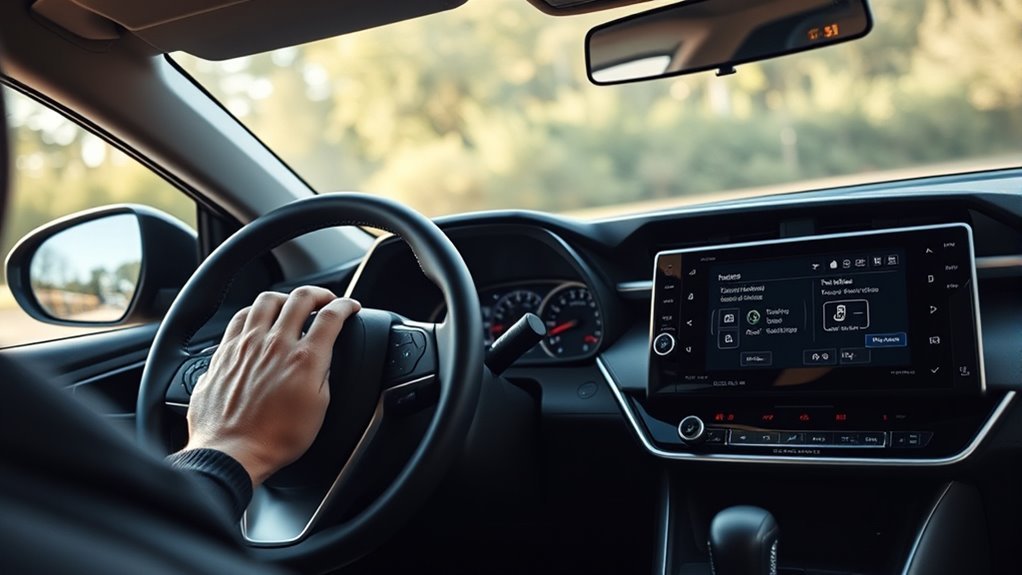
To turn Lane Departure Alert (LDA) or Lane Tracing Assist (LTA) on or off in a U.S.-spec 2021 Toyota RAV4, press the LTA switch once on the right side of the steering wheel. The button features a vehicle icon between two lane lines. Look at the Multi-Information Display (MID) to confirm: a white LTA icon indicates standby mode, green means Steering Assist or Lane Centering is actively assisting, and flashing orange indicates an active lane-departure warning.
To customize individual features, park the vehicle, navigate to the Settings (gear icon) on the MID using the left steering-wheel directional keypad, highlight LTA, and press and hold OK. This settings menu lets you independently toggle Lane Center, Steering Assist, Alert type (buzzer vs. steering vibration), Sensitivity, Sway Warning, and Sway Sensitivity. Lane Departure Alert operates at speeds above approximately 32 mph when lane markings or road edges are visible, while continuous Lane Centering requires Full-Speed Range Dynamic Radar Cruise Control (DRCC) to be active.
Quick Answer
Press the dedicated LTA button on the right steering wheel spoke once to toggle the complete lane system on or off. For custom preferences, access MID Settings (gear icon) → LTA → press and hold OK. Use Lane Center for active centering under DRCC, Steering Assist for brief corrective nudges, Alert to switch between beeping and steering vibration, and Sensitivity to adjust warning distance. See our detailed guide to Toyota Safety Sense features for additional TSS 2.0 system capabilities.
Key Takeaways
- The right-side steering wheel button provides immediate master on/off control.
- Lane Departure Alert (LDA) provides warnings and brief nudges; Lane Tracing Assist (LTA) adds continuous lane centering.
- Lane Centering requires both Lane Center and Steering Assist to be turned on, along with active Full-Speed Range DRCC.
- Activating your turn signal temporarily suppresses departure alerts and corrective steering intervention during lane changes.
- TSS 2.0 detects driver hands via steering wheel resistance (torque), not surface touch sensors.
- The system remembers its last on/off state even after you turn off and restart the engine.
Before You Begin
Estimated time: 2 to 5 minutes.
Always park safely before browsing or modifying settings in the Multi-Information Display. While the physical steering wheel toggle can be pressed while driving, never look away from the road to navigate dashboard menus.
The U.S.-spec 2021 RAV4 is equipped with Toyota Safety Sense 2.0 (TSS 2.0), combining a forward-facing windshield camera and a front grille millimeter-wave radar. Lane Departure Alert with Steering Assist operates at approximately 32 mph or higher when detecting clear lane markings or road edges (such as grass, dirt, or curbs). It delivers an audible buzzer or wheel vibration, applying subtle corrective steering torque if you begin to drift.
Lane Tracing Assist builds on this by actively centering the vehicle in its lane when Full-Speed Range Dynamic Radar Cruise Control is active in vehicle-to-vehicle distance control mode. Learn more about how this works in our comparison between lane keeping assist and Lane Tracing Assist.
Instrument Cluster Note: The 2021 RAV4 features either a 4.2-inch MID (standard on LE/XLE) or a 7.0-inch digital display (XLE Premium, Limited, TRD Off-Road, XSE, and Prime). While the visual graphic positioning differs slightly between screens, menu navigation using the left-hand steering wheel controls is identical.
What Is the Difference Between LDA and LTA in a 2021 RAV4?
Lane Departure Alert (LDA) is a reactive safety system that warns you and provides a momentary steering nudge if the vehicle drifts out of its lane. Lane Tracing Assist (LTA) is an active convenience system that continuously steers to keep the vehicle centered between detected lane lines while radar cruise control is engaged.
| Feature | What It Does | Main Operating Condition | MID Setting Location |
|---|---|---|---|
| Lane Departure Alert | Warns when the vehicle unintentionally leaves a detected lane or road boundary. | Speeds above ~32 mph with visible white/yellow lines or distinct road edges. | Sensitivity / Alert |
| Steering Assist | Applies brief corrective steering torque during an unintended departure. | LDA operating conditions met and Steering Assist toggled ON. | Steering Assist |
| Lane Tracing Assist | The overarching suite providing both departure prevention and path-following support. | LTA master button ON and clear road markings detected. | LTA Menu |
| Lane Center | Provides continuous automated steering support to keep the RAV4 in the center of the lane. | Lane Center ON, Steering Assist ON, and Full-Speed Range DRCC actively tracking. | Lane Center |
System Status Distinction: A white LTA icon confirms the system is armed and monitoring the road, but not actively applying steering torque. A green icon indicates active steering assistance (Steering Assist or Lane Centering). Outlined hollow lane graphics indicate that the system cannot detect clear road markings or has temporarily paused assistance.
Quick Steps: Turn LTA/LDA On or Off in a 2021 RAV4

- Locate the LTA switch: Find the dedicated button on the right spoke of the steering wheel showing a vehicle icon positioned between two dashed lane lines.
- Press the switch once: This immediately turns the entire LTA/LDA system on or off.
- Verify the Multi-Information Display: Check the instrument cluster. A white or green LTA indicator confirms the system is active; the indicator disappears when the system is off.
- Press again to toggle: Pressing the switch a second time immediately restores the previous operating state.
The 2021 RAV4 stores the LTA on/off state in its electronic memory. If you turn LTA off, it will remain off the next time you start the vehicle until you press the switch again.
Warning: LDA and LTA are driver-assist tools, not an autonomous driving system. Always keep your hands firmly on the steering wheel, maintain full attention on traffic, and be prepared to take manual control at all times.
[Products Worth Considering]

🚗【Compatibility】This automotive window switch compatible with 2019 2020 2021 Toyota RAV4 XA50, 2018 2019 2020 2021 Toyota CHR.

【Exclusive Compatibility】Designed specifically for Toyota RAV4 models from 2020 to 2025. Please note: this product is not compatible with RAV4 vehicles manufactured before 2020.
How Do You Open the 2021 RAV4 LTA Settings Menu?
Use the directional keypad on the left spoke of the steering wheel to adjust specific operational behaviors rather than disabling the whole system.
- Press the Left / Right arrows to scroll across the MID top menu to the Settings (gear icon).
- Press the Up / Down arrows to scroll through the list and highlight LTA.
- Press and hold the OK button on the steering wheel until the sub-menu opens.
- Use the Up / Down arrows to highlight the specific setting you wish to modify (e.g., Lane Center, Steering Assist, Alert, Sensitivity, Sway Warning).
- Press OK to toggle the setting on/off or cycle through available levels.
- Press the Back button (curved arrow) to exit and return to the main display.
| Action | Control Keypad | Display Result |
|---|---|---|
| Navigate to Settings | Left / Right arrows | Selects the Gear Icon menu tab |
| Select Lane Assist Suite | Up / Down arrows | Highlights the LTA option |
| Open Custom Settings | Press and hold OK | Opens Lane Center, Alert, and Sensitivity options |
| Toggle or Adjust Value | OK button (single press) | Updates selected feature state or sensitivity |
Which 2021 RAV4 Lane-Assist Setting Should You Change?
You can eliminate specific annoying alerts or unwanted steering inputs without shutting down the entire safety system.
| Desired Result | Setting to Modify | Operational Effect |
|---|---|---|
| Disable all lane assistance and warnings | Physical LTA button | Shuts off the complete LTA/LDA system entirely. |
| Keep audio warnings but stop wheel nudges | Steering Assist | Disables corrective steering input while retaining audible/visual departure alerts. |
| Stop continuous lane centering on highways | Lane Center | Disables automated centering during Dynamic Radar Cruise Control. |
| Switch warning between beeping and vibration | Alert | Toggles alert type between an audible buzzer and steering wheel vibration pulses. |
| Change how early departure warnings trigger | Sensitivity | Selects High (earlier warning) or Normal (closer to lane boundary). |
| Turn off driver fatigue / sway alerts | Sway Warning | Disables the “Take a Break” coffee cup alert and buzzer. |
| Adjust fatigue detection responsiveness | Sway Sensitivity | Adjusts sway detection algorithm to High, Standard, or Low. |
Lane Center: Controls automated, continuous centering. To function, the physical LTA switch must be ON, both Lane Center and Steering Assist must be enabled in the MID, and Full-Speed Range DRCC must be active with detected lane lines or a preceding vehicle.
Steering Assist: Controls the momentary corrective steering torque applied when drifting. Disabling Steering Assist also deactivates Lane Center, as Toyota Safety Sense requires Steering Assist enabled as a prerequisite for lane centering.
Alert Type: Allows drivers who dislike audible beeps to select haptic steering wheel vibration instead. Note that this changes notification style, not alert volume.
Turn Signal Override: When changing lanes intentionally, activating your turn signal automatically suppresses all LDA warnings and Steering Assist corrections. The system will not fight your turn.
Sway Warning: Evaluates steering micro-corrections and vehicle wandering patterns that indicate drowsiness. When triggered, it displays a coffee cup icon on the MID with the message *”Take a break?”* accompanied by a chime.
[Products Worth Considering]

[Vehicle Fitment]: Compatible with Toyota RAV4 2019 2020 2021 2022 --- Front Side

【 Please Confirm Before Purchase】This dash cam power adapter is suitable for Toyota : RAV4 2019-2024/Venza 2021+/Highlander 2020+/4Runner 2020-2024/Sienna 2021-2024/Tundra 2018-2021/ Lexus : LX600, LX500D 2022-2024/GX460 2020-2023/LX570 2017-2021/, and etc.Important Note: Vehicle must be equipped with lane assist. Please double-check your car model, year, and whether it has the lane assist system before purchasing. If unsure, kindly refer to our detailed compatibility list or contact us.

[Vehicle Fitment]: Compatible with Toyota Highlander 2020-2022 (Front and Rear), Compatible with RAV4 2019-2020 (Front Outer), Compatible with RAV4 2021-2022 (Front Outer/Rear)
What Do the 2021 RAV4 LTA/LDA Dashboard Symbols Mean?
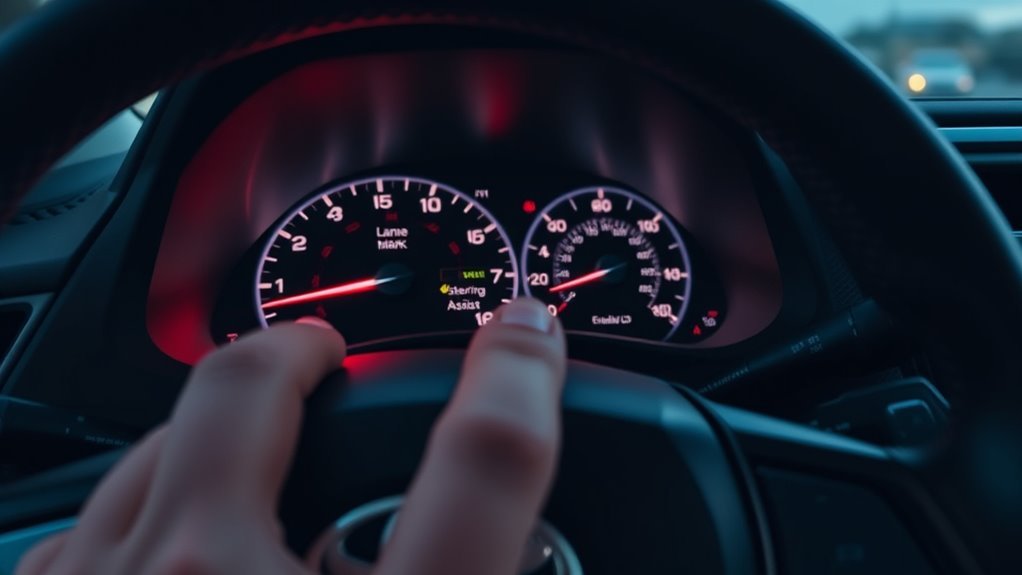
The instrument cluster provides real-time feedback regarding camera tracking, system readiness, and active torque input. Always verify display indicators rather than relying solely on steering feel:
- White LTA indicator: Master system is switched on and standing by, waiting for operational speed or clear lane markings.
- Green LTA indicator: Steering Assist or Lane Centering is actively providing steering torque to the wheels.
- Flashing orange indicator / orange lane line: Lane Departure Alert is actively warning that the vehicle is drifting over a boundary.
- Solid white lane lines: The camera successfully recognizes the lane boundaries or road edges.
- Outlined (hollow) lane lines: The camera cannot detect lane lines, or lane tracking is temporarily suspended.
- Green steering wheel icon displayed: Lane Center active steering assistance is engaged.
- No LTA indicator: The master LTA system is completely turned off.
Driver Engagement Monitoring: If you remove your hands or hold the steering wheel too loosely during Lane Centering, the MID will flash a *”Hold Steering Wheel”* warning. Because TSS 2.0 uses steering column torque sensors (rather than capacitive touch sensors), you must apply slight rotational resistance to the wheel to satisfy the system.
For more on radar cruise operations and combined system displays, consult our dedicated guide on RAV4 radar cruise control.
Warning: Inclement weather, direct sun glare, worn road markings, and heavy rain can instantly suspend LTA assistance without an audible chime. Always maintain manual control.
Why Is 2021 RAV4 LTA or Steering Assist Not Working?
When lane assistance behaves unexpectedly, check whether the system is simply waiting for required operational thresholds or experiencing a sensor fault:
| Observed Symptom | Underlying Cause | Recommended Resolution |
|---|---|---|
| No LTA light on cluster | Master LTA system is turned off. | Press the LTA button on the right steering wheel spoke once. |
| White icon shows, but no green steering icon | System armed, but operating conditions (speed, lines, DRCC) not met. | Ensure speed is above 32 mph (for LDA) or activate DRCC (for Lane Centering). |
| Lane lines appear hollow / outlined | Windshield camera cannot distinguish road markings. | Drive manually until clear road markings appear; clean windshield glass if dirty. |
| “LTA Unavailable” | Temporary suspension due to sensor temperature or radar obstruction. | Clean the front Toyota grille emblem; turn LTA off and back on after restarting. |
| “LTA Unavailable at Current Speed” | Vehicle is moving too slowly without active DRCC. | Increase speed above ~32 mph or engage DRCC vehicle-to-vehicle mode. |
| “LTA Malfunction Visit Your Dealer” | Diagnostic fault in camera, millimeter-wave radar, or CAN bus. | Have the vehicle inspected and scanned by a certified Toyota technician. |
- Vehicle speed below 32 mph: Lane Departure Alert remains in standby below ~32 mph unless Lane Centering is active under DRCC control.
- Lane Centering inactive during cruise: Verify that both Lane Center and Steering Assist are set to ON in the MID settings menu.
- Internal camera housing fogged: Temperature swings can trap moisture inside the windshield camera enclosure behind the rearview mirror. Turn on the Front Windshield Defroster with A/C ON to clear internal condensation.
- Dirty front Toyota emblem: The millimeter-wave radar behind the front grille badge must be kept free of snow, mud, and heavy road grime.
- Low sun glare: Driving directly into rising or setting sunlight can temporarily blind the forward camera, causing lane lines to outline until light angles improve.
If recurring sensor errors persist alongside cruise control warnings, consult our diagnostic walkthrough for RAV4 adaptive cruise unavailable warnings to isolate shared camera and radar sensor issues.
Frequently Asked Questions
What Is the Difference Between LDA and LTA?
Lane Departure Alert (LDA) is a safety alert system that warns you and provides a momentary steering correction if you drift out of your lane. Lane Tracing Assist (LTA) is the complete suite that includes continuous Lane Centering to keep the vehicle tracked between road lines while radar cruise control is active.
Does LTA Work Without Radar Cruise Control?
Lane Departure Alert, Steering Assist, and Sway Warning all function during regular driving without cruise control engaged. However, continuous Lane Centering will only operate when Full-Speed Range Dynamic Radar Cruise Control is actively engaged in vehicle-to-vehicle distance mode.
Why Does My RAV4 Say “LTA Unavailable”?
According to Toyota, an exact “LTA Unavailable” message indicates a temporary system suspension caused by extreme sensor temperatures, direct sun glare, or radar obstruction. Turn LTA off, clear the front emblem and windshield glass, and toggle the system back on. If the warning persists across ignition cycles, schedule a dealer service scan.
At What Speed Does 2021 RAV4 LDA Work?
Lane Departure Alert generally operates at speeds above approximately 32 mph (50 km/h) on roads with detectable lane lines or visible road edges. When Lane Centering is active alongside Full-Speed Range DRCC, lane tracking can operate all the way down to a complete stop.
Can You Disable Steering Assist but Keep the Warning?
Yes. Access the MID Settings menu (gear icon), select LTA, press and hold OK, and toggle Steering Assist to OFF. You will continue to receive audible buzzer or steering vibration warnings during lane departures without receiving physical steering corrections.
Can You Change the Lane-Departure Alert From a Beep to Vibration?
Yes. In the MID LTA settings menu, select Alert and choose between the audible buzzer or steering wheel vibration pulse. This modifies the alert mechanism without altering the warning volume.
Will LTA Stay Off After Restarting the RAV4?
Yes. The 2021 Toyota RAV4 retains the last selected LTA on/off switch position across vehicle ignition cycles until you physically toggle the steering wheel switch again.
Safety Disclaimer: This guide is for informational purposes only and does not replace your official Toyota Owner’s Manual. Always follow local traffic laws and maintain full operational control of your vehicle. Contact an authorized Toyota service center if driver assistance systems display persistent malfunctions.
Conclusion
Managing lane assist in a 2021 Toyota RAV4 is straightforward. Use the single-press LTA button on the right steering wheel spoke for master on/off control. To customize individual settings without losing departure protection, navigate to MID Gear Icon → LTA → press and hold OK to toggle Lane Centering, turn off Steering Assist corrections, or switch departure beeps to steering wheel vibrations.
Always distinguish between a white standby icon (system armed) and a green icon (active steering torque applied). If temporary sensor messages like “LTA Unavailable” appear, run your front defroster to clear internal camera condensation and clean the front grille radar badge before seeking dealer diagnostic support.
Editorial Method: This guide was verified against official Toyota technical documentation, including the 2021 RAV4 Owner’s Manual (OM0R028U) and Toyota Safety Sense 2.0 technical specifications.
References
- 2021 Toyota RAV4 Owner’s Manual — Toyota Motor Corporation, 2021
- 2021 Toyota RAV4 Quick Reference Guide — Toyota Motor Corporation, 2021
- 2021 Toyota RAV4 eBrochure — Toyota Motor Sales, U.S.A., Inc., 2021