A 2011 Toyota RAV4 does not register replacement TPMS sensor IDs by simply driving or pressing a reset button. After new sensors or sensor-equipped wheels are installed, the IDs must be registered in the tire pressure warning computer with Toyota Techstream or a compatible TPMS tool that supports OBD relearn. If the warning light is steady, check tire pressure first. If it flashes for about one minute and then stays on, diagnose a system fault.
Last updated: July 15, 2026
Quick Answer
To relearn replacement TPMS sensors on a 2011 RAV4, inflate every monitored tire to the door-jamb placard pressure, activate and read each sensor with a compatible TPMS tool, connect the tool through the OBD-II port, and register the captured IDs in the tire pressure warning computer. Correcting pressure can clear a steady low-pressure light, but it cannot register a new sensor ID.
Key Takeaways
- A steady TPMS light usually means one or more monitored tires are low. A light that flashes for about one minute and then stays on indicates a TPMS malfunction.
- Toyota’s 2011 RAV4 manual says new tire pressure warning valve and transmitter ID codes must be registered in the tire pressure warning computer.
- Toyota lists 32 psi cold for the stock tire sizes shown in the U.S. owner’s manual, including the spare on the listed setup. Always follow the placard on your own driver’s door jamb.
- A normal tire rotation with the same registered sensors usually does not require new ID registration, but every monitored tire still needs a pressure check.
- The U.S. owner’s manual does not provide an owner reset-button procedure for registering replacement sensor IDs. It directs owners to have the IDs registered.
At a Glance
| When Registration Is Needed | After replacing a sensor or installing sensor-equipped wheels whose IDs are not already stored |
| Difficulty | Moderate to advanced DIY because the tool must support Toyota TPMS ID registration |
| Core Tools | Toyota-compatible TPMS scan tool, OBD-II cable, and accurate tire pressure gauge |
| Service Time | Varies by tool coverage and sensor condition; diagnosis takes longer if a sensor does not respond |
| Main Failure Clue | The warning light flashes for about one minute, then remains on |
Quick RAV4 TPMS Relearn Overview
The 2011 Toyota RAV4 uses a direct tire pressure warning system with a valve and transmitter in each monitored wheel. Toyota states that when new transmitters are installed, their unique ID codes must be registered in the tire pressure warning computer and the system must be initialized. A basic engine-code reader cannot do that job. You need Toyota Techstream or a TPMS platform that supports Toyota OBD relearn for this exact model and market.
Do not confuse these four TPMS tasks:
- Correcting low pressure: Inflate each monitored tire to the cold pressure on the vehicle placard. This addresses a steady low-pressure warning.
- Programming a blank universal sensor: Write compatible sensor data to a programmable replacement sensor before registration, when that sensor design requires it.
- Registering sensor IDs: Store the installed transmitters’ unique IDs in the RAV4’s tire pressure warning computer.
- Initializing the system: Complete the tool-guided setup after registration. Do not assume a newer RAV4 menu procedure or a generic reset-button sequence applies to a 2011 model.
For a 2011 RAV4, replacement-sensor service centers on ID registration. The 2011 Toyota RAV4 Owner’s Manual says an unregistered ID prevents the system from working properly and can trigger a malfunction warning after driving.
Warning: TPMS is a backup warning system, not a substitute for checking tire pressure. If the light comes on while driving, stop in a safe place, inspect the tires, and correct the pressure before continuing.
When to Relearn RAV4 TPMS
You need TPMS ID registration when the vehicle no longer recognizes one or more installed transmitters. Common triggers include replacing a sensor, installing a different sensor-equipped wheel set, replacing the tire pressure warning computer, or seeing a flashing malfunction light after tire service.
After Tire Rotation
A tire rotation alone usually does not require new TPMS ID registration on a 2011 RAV4 when the same registered sensors stay on the vehicle. Toyota’s owner’s manual requires registration when transmitters are replaced, not simply when the same wheels change positions.
After any rotation, you should:
- Set every monitored tire to the cold pressure on the tire and load information label.
- Check the spare because Toyota states that the spare is also monitored on vehicles equipped with this system.
- Drive normally and confirm the warning light remains off.
- Use a TPMS tool if the light flashes for about one minute and then stays on.
Replacing Sensors or Sensor Batteries
Most original-style direct TPMS sensors use an internal battery that is not serviced separately. When a sensor stops transmitting because its battery has failed, the usual repair is to replace the sensor, service the valve hardware as required, and register the new ID.
Use Toyota Techstream, a Toyota-compatible TPMS scan tool, or qualified tire-shop equipment to read the installed sensors and write their IDs through the OBD-II port. If you use a blank programmable sensor, program it first and then register it to the vehicle.
Including the Full-Size Spare
For U.S.-spec 2011 RAV4 models covered by Toyota’s manual, the spare tire is also equipped with a tire pressure warning valve and transmitter. A low, missing, damaged, or unregistered spare sensor can keep the warning light on even when the four road tires are correct.
- Confirm that the spare wheel still has its TPMS valve and transmitter.
- Inflate the spare to the pressure specified on the vehicle placard or in the owner’s manual.
- Include the spare whenever the vehicle-specific tool procedure asks for it.
- After using the spare for a flat, reinstall the repaired road tire and recheck all pressures.
Tools You Need
Before starting, confirm that your diagnostic platform specifically supports Toyota TPMS OBD relearn or ID registration for a 2011 RAV4. Brand name alone is not enough because vehicle coverage, market selection, adapters, and software versions vary.
| Tool | Purpose |
|---|---|
| Compatible TPMS scan tool | Activate sensors and display available ID, pressure, frequency, and battery data |
| OBD-II cable or adapter | Connect the TPMS tool to the vehicle so it can register sensor IDs |
| Toyota Techstream or equivalent | Perform Toyota-specific ID registration and read TPMS diagnostic trouble codes |
| Valve service kit | Replace the sensor’s seals, nut, valve core, and cap when required |
| Calibrated pressure gauge | Confirm accurate cold tire pressure before registration |
| Torque wrench | Torque wheel nuts and sensor hardware to their separate specifications |
Autel explains that an OBD relearn writes sensor IDs to the vehicle ECU. Confirm your tool’s current vehicle coverage before dismounting a tire. A scanner that only reads emissions or engine codes will not register TPMS IDs.
Pro Tip: Save or photograph the old sensor IDs before replacement. That record can help you spot a duplicate ID, wrong sensor, or failed write if the new registration does not complete.
[Products Worth Considering]

This heavy-duty car ramp set provides a stable, reliable lift for routine maintenance like oil changes, tire rotations, brake work, and undercarriage inspections. Built from high-impact poly with a non-skid tread and rubber feet, it helps keep vehicles secure while offering a lightweight, corrosion-resistant alternative to steel ramps. The wide, gradual design supports a broad range of vehicles, from compact cars to trucks, SUVs, and vans.
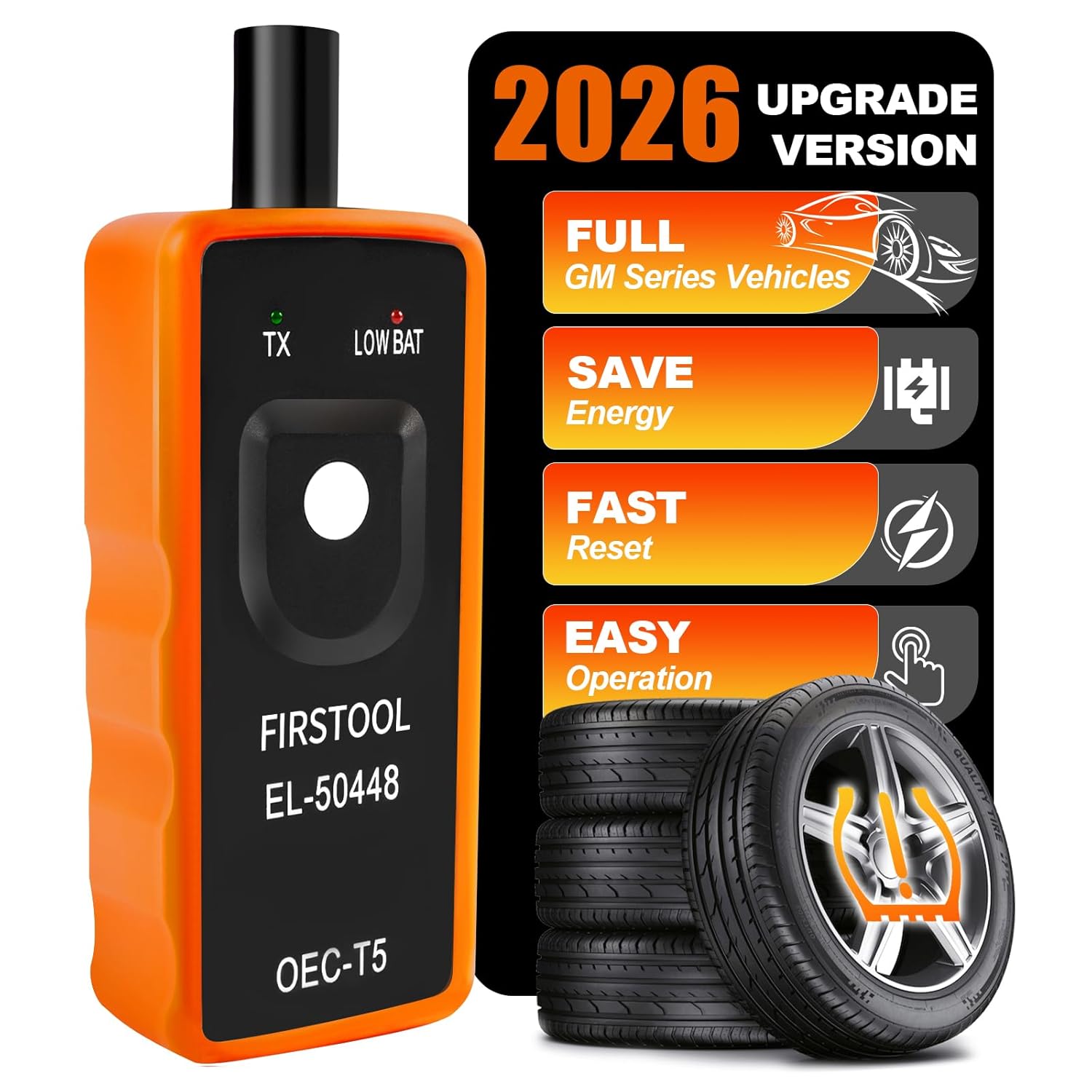
This EL-50448 TPMS relearn tool helps quickly activate and reset tire pressure sensors so your vehicle’s monitoring system stays accurate after tire rotations, sensor replacement, or seasonal tire changes. Designed for many GM-related vehicles and compatible with common 315 and 433 MHz TPMS systems, it offers simple one-button operation and reliable performance for clearing warning lights and relearning sensor positions.

The AICEL TPMS Relearn Tool helps quickly reset and relearn tire pressure sensors on compatible GM vehicles after tire rotation, sensor replacement, or warning light issues. Designed for easy handheld use, it works with most cars, SUVs, and pickup trucks and can save time by eliminating unnecessary trips to the auto store. Its durable ABS housing and simple activation process make it a practical tool for keeping the tire pressure monitoring system operating properly.
Prepare the Vehicle: Pressures, Ignition, and Spacing

Start with pressure, not the scan tool. Toyota lists 32 psi cold for the stock 2011 RAV4 tire sizes shown in the U.S. owner’s manual, including the spare on the listed setup. The tire and load information label on your driver’s door jamb remains the controlling source for your vehicle.
- Park on level ground and set the parking brake.
- Check pressure when the tires are cold, including the spare.
- Verify the tire size and pressure against the door-jamb placard.
- Move loose sensors or spare wheel sets away from the vehicle so the tool does not activate the wrong transmitter.
- Confirm that every installed sensor responds before connecting through OBD-II.
- Follow the tool’s ignition prompts exactly when connecting, writing IDs, and cycling the ignition.
Do not start registration with a sensor that will not activate. First confirm the sensor is compatible, installed correctly, and transmitting. Writing a partial or incorrect ID set can leave the warning system inoperative.
OBD TPMS Relearn for a 2011 RAV4: Step-by-Step
Use this workflow with Toyota Techstream or a compatible professional TPMS platform. Menu names and ignition prompts differ by tool, so the vehicle-specific instructions on your screen take priority over any generic sequence.
- Read the warning-light pattern. A steady light calls for a pressure check first. A light that flashes for about one minute and then stays on indicates a malfunction.
- Set cold tire pressures. Inflate every monitored tire to the door-jamb placard value. Toyota lists 32 psi for the stock configurations shown in the U.S. manual.
- Select the exact vehicle profile. Choose Toyota, RAV4, 2011, and the correct market or TPMS system when prompted.
- Activate every sensor. Read each transmitter and confirm the available ID, pressure, frequency, and battery information. Many TPMS tools use left front, right front, right rear, and left rear, but follow the order shown by your tool. Include the spare when the vehicle-specific procedure requires it.
- Stop if a sensor fails to respond. Check compatibility, sensor programming, installation, and battery status before writing IDs.
- Connect through OBD-II. Attach the approved cable or adapter and follow the tool’s ignition instructions.
- Register the IDs. Run the OBD relearn or ID-registration function so the captured sensor IDs are written to the tire pressure warning computer.
- Complete initialization. Follow the tool’s prompts for ignition cycling, clearing TPMS codes, or any additional Toyota-specific step.
- Verify the result. Confirm the malfunction light is off, then drive and recheck. Toyota says an unregistered ID may cause the light to flash for one minute and remain on after about 20 minutes of driving.
- Record the service. Save the sensor IDs, tire pressures, date, and wheel-set details for future troubleshooting.
Note: The OBD-II port is only the communication path. The connected tool still needs software that can access Toyota tire pressure warning functions. A generic emissions scanner cannot perform this registration.
[Products Worth Considering]

This automotive circuit tester checks low-voltage DC systems from 3-65V, making it useful for diagnosing headlights, taillights, fuses, sockets, and other vehicle wiring issues. The digital backlit display provides clear voltage readings with fine accuracy, while the bidirectional polarity indicator helps you test from either ground or positive. Built with a durable probe, insulated tip, and extra-long spring wire, it is designed for dependable everyday use in automotive and household electrical work.

Veepeak OBDCheck BLE+ is a Bluetooth OBD-II scanner designed to help drivers read and clear check engine codes, view freeze frame data, check readiness monitors, and monitor live sensor data. It works with compatible third-party apps on iOS and Android, making it a versatile tool for standard vehicle diagnostics and routine car health checks. Advanced features may be available through supported apps on select vehicles, but special service functions are not supported.
Why Newer RAV4 Reset Instructions May Not Apply
Online instructions often mix pressure correction, system initialization, automatic relearn, and sensor-ID registration. The 2011 RAV4 owner’s manual specifically requires new transmitter IDs to be registered in the tire pressure warning computer. Do not assume that driving alone, disconnecting the battery, or following a newer dashboard-menu procedure will register a replacement sensor.
| Situation | Correct first action | What not to assume |
|---|---|---|
| Steady light with the original sensors | Check all cold pressures, including the spare, and inspect for a leak. | Do not start by replacing or programming sensors. |
| New sensor or different sensor-equipped wheel set | Activate the sensors and register their IDs with a compatible Toyota TPMS tool. | Driving alone does not write a brand-new ID into the computer. |
| Light flashes for about one minute, then stays on | Scan every sensor and read TPMS diagnostic trouble codes. | Adding air alone will not correct a system malfunction. |
| Instructions written for a newer RAV4 | Verify the procedure against the 2011 owner’s manual and your tool’s vehicle coverage. | A menu-based initialization procedure may not apply to this generation. |
RAV4 TPMS Troubleshooting: Sensor IDs, Interference, and Warning Lights
Use the warning-light behavior to separate a pressure problem from a system fault. Toyota’s warning table treats a steady light as low tire inflation pressure. A light that flashes for about one minute and then remains on indicates a malfunction in the tire pressure warning system.
| Symptom | Likely cause | What to do |
|---|---|---|
| Light is steady | One or more monitored tires, including the spare, may be low. | Check cold pressure with a gauge, inflate to the placard value, and inspect for a leak. |
| Light flashes for about one minute, then stays on | Unregistered ID, failed sensor, incompatible sensor or wheel, or another TPMS fault. | Read all sensors and TPMS trouble codes, then register IDs if components were changed. |
| Tool reads three road-wheel sensors but not one | Dead sensor, incompatible protocol, damaged sensor, or failed activation. | Retry at the valve stem, confirm the vehicle profile, and replace or program the sensor if needed. |
| Four road tires read correctly but the light stays on | The monitored spare may be low, missing, damaged, or not registered. | Scan and inflate the spare, then confirm its ID is included when required. |
| Tool reads sensors but the vehicle rejects registration | Wrong vehicle or market selection, duplicate IDs, incompatible sensors, or OBD communication failure. | Recheck the profile, IDs, sensor protocol, cable connection, and vehicle battery condition. |
| Light returns after driving | Pressure loss, an unregistered ID, intermittent transmission, or a spare-tire issue. | Recheck pressure cold, rescan every sensor, and read stored TPMS codes. |
Toyota also lists conditions that can interfere with the system, including nearby radio-frequency equipment, certain window tint, snow or ice around the wheels, tire chains, some wheel and tire combinations, poor spare-tire signal reception, and large metallic objects in the luggage area.
A TPMS relearn cannot repair an actual pressure loss. Confirm cold tire pressure and inspect for leaks before treating the warning as an electronic problem.
[Products Worth Considering]
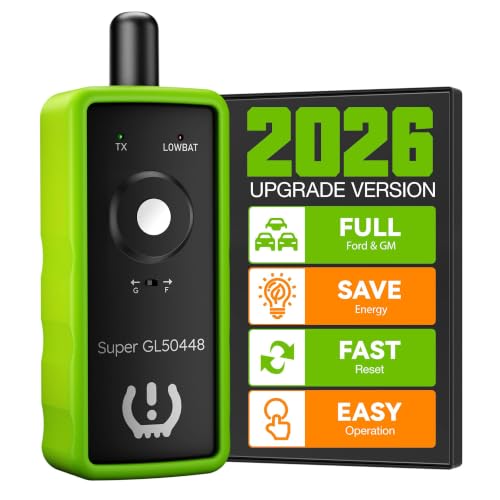
INNOVATIVE 2-IN-1 DESIGN: VXDAS TPMS relearn tool supports for GM and Ford series vehicles, (Buick, Cadillac, Chevrolet, GMC, Lincoln, Mazda, F150, F250, Focus, Fusion, and more). The added "G" and "F" model switch button on top makes it more convenient to use

2024 Updated GL-50448:Equipped with a round antenna and Switch button,let Open Signal Faster and Stronger than other TPMS Relearn Tool.also More sensitive and Suitable for your fingers operation
TPMS Maintenance: Sensor Life, Installation Tips, and Record-Keeping
Toyota recommends checking tire pressure every two weeks or at least once a month, including the spare. TPMS sensors also face heat, vibration, moisture, road salt, and handling during tire service. When an internal sensor battery fails, the practical repair is usually sensor replacement followed by ID registration.
Sensor Lifespan Guidance
Replace a TPMS sensor when it stops responding, reports erratic data, has a failed internal battery, or has physical damage. If one original sensor fails on an older vehicle, scan every road wheel and the spare before replacing parts. Sensors installed at the same time may be in similar condition, but each one should be tested rather than replaced by assumption.
Installation Best Practices
Use the new seal, grommet, nut, valve core, and cap specified for the sensor. Torque the sensor hardware to the sensor manufacturer’s specification, not by feel. Toyota lists the 2011 RAV4 wheel nut torque at 76 ft-lbf, but that value does not apply to the much smaller TPMS valve hardware.
Toyota also warns against liquid puncture sealants and puncture-repair sprays because they may damage the tire pressure warning valves and transmitters.
| Task | When to Do It | Why It Matters |
|---|---|---|
| Replace required valve service parts | When removing or installing a sensor, as specified by the sensor maker | Helps prevent slow leaks and corrosion |
| Scan all sensors | Before and after sensor replacement | Confirms ID, pressure data, response, and compatibility |
| Register IDs | Whenever new sensors or unregistered sensor-equipped wheels are installed | Lets the RAV4 recognize the installed transmitters |
| Log sensor data | After replacement, registration, or wheel-set changes | Makes future troubleshooting faster |
Frequently Asked Questions
How do you relearn TPMS sensors on a 2011 Toyota RAV4?
Inflate every monitored tire to the placard pressure, activate and read each sensor with a Toyota-compatible TPMS tool, connect through OBD-II, and register the captured IDs in the tire pressure warning computer. Follow the tool’s vehicle-specific wheel order and ignition prompts.
Does a 2011 RAV4 have a TPMS reset-button procedure?
The U.S. owner’s manual does not provide an owner reset-button method for registering replacement sensor IDs. It says new tire pressure warning valve and transmitter IDs must be registered in the tire pressure warning computer. Use Toyota Techstream, a compatible TPMS tool, or a qualified service shop.
How long does a 2011 RAV4 TPMS relearn take?
The ID-writing step is usually brief once every sensor responds, but total service time varies by tool coverage and sensor condition. A failed activation, incompatible sensor, duplicate ID, or stored TPMS fault can extend the job.
What pressure should a 2011 RAV4 use before TPMS relearn?
Toyota lists 32 psi cold for the stock tire sizes shown in the U.S. owner’s manual, including the spare on the listed setup. Always use the tire and load information label on your driver’s door jamb because your wheel, tire, or market configuration may differ.
Why does the TPMS light flash for one minute and then stay on?
That pattern indicates a malfunction in the tire pressure warning system, not only low pressure. Common causes include an unregistered ID, failed or incompatible sensor, missing transmitter, incompatible wheel or tire, or another TPMS communication fault.
Does rotating the tires require a TPMS relearn?
Usually not when the same registered sensors remain on the vehicle. Check every tire and the spare after rotation. Perform ID registration when a sensor or sensor-equipped wheel set is replaced or the system no longer recognizes an installed transmitter.
Can a tire shop relearn a 2011 RAV4 TPMS?
Yes, when the shop has a Toyota-compatible TPMS tool that can activate the sensors and register IDs through OBD-II. Confirm that the quoted service includes sensor activation, ID registration, and a final warning-light check.
Can I drive with the TPMS light on?
Stop safely and check every tire as soon as possible. If a tire looks low, the vehicle pulls, or pressure is dropping, do not continue until the tire is repaired or replaced. A flashing-then-steady light also means the system may not warn you about low pressure correctly.
Conclusion
A successful 2011 RAV4 TPMS relearn starts by identifying the warning correctly. Check pressure first when the light is steady. When replacement sensors or unregistered sensor-equipped wheels are installed, activate every transmitter and register the IDs through OBD-II with Toyota Techstream or a compatible TPMS tool. Include the spare, follow the tool’s prompts, and verify the light stays off after driving. If the light flashes for about one minute and remains on, read the sensor data and TPMS fault codes before replacing more parts.
Sources
- 2011 Toyota RAV4 Owner’s Manual — Sensor ID registration, warning-light behavior, spare-tire monitoring, pressure specifications, pressure-check intervals, sealant cautions, and wheel-nut torque.
- Toyota Support: Tire Pressure Monitor — Toyota’s reminder that TPMS does not replace routine pressure checks with a gauge.
- 49 CFR § 571.138, Tire Pressure Monitoring Systems — U.S. TPMS warning and malfunction-indicator requirements.
- Autel TPMS Relearn Explanation — OBD relearn and sensor-ID writing overview.
- Autel MaxiTPMS TS508WF User Manual — Sensor activation, OBD relearn workflow, duplicate-ID checks, and tool operation.