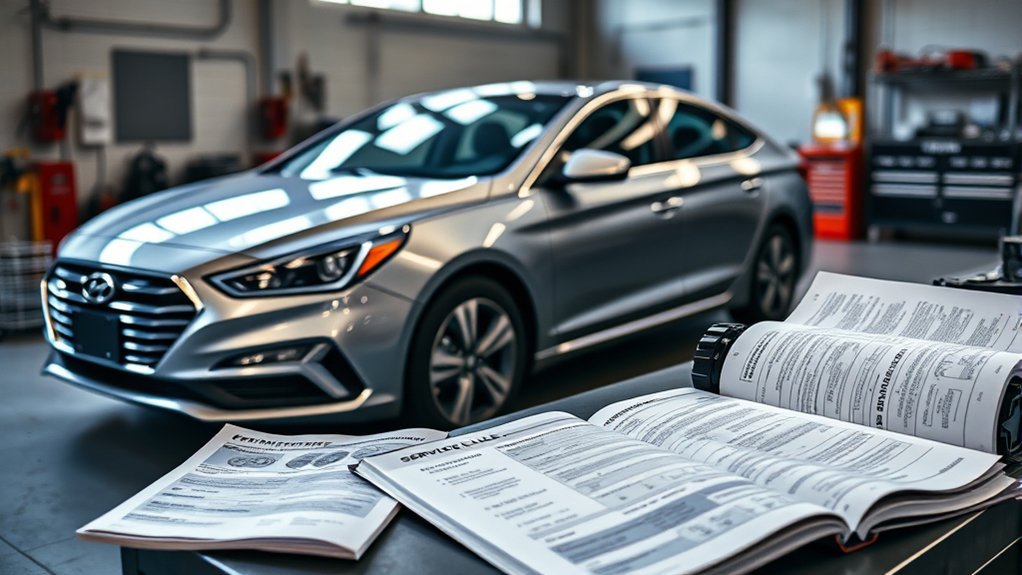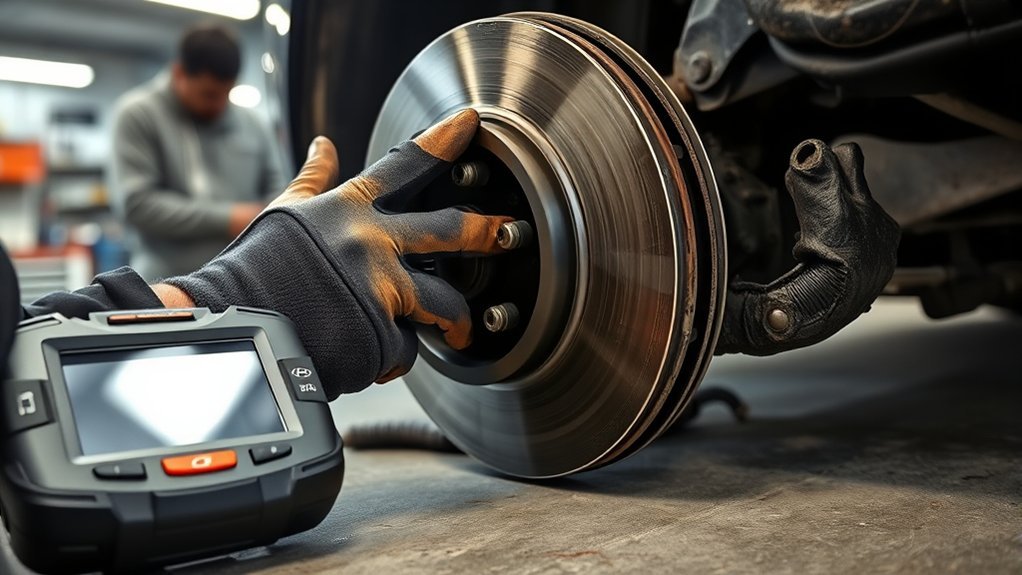
Brake noise and vibration in a Hyundai Sonata usually come from worn pads, rotor thickness variation, rotor runout, rust on the rotor face, sticking caliper hardware, or loose/improperly torqued wheel fasteners. The sound matters: grinding, squealing, thumping, and pedal pulsation each point to a different part of the brake system. Because brakes are safety-critical, treat any new noise or shake as a reason to inspect the pads, rotors, calipers, fluid, and tires before the problem gets worse.
Quick Answer
A Hyundai Sonata that grinds, thumps, or vibrates while braking most often has worn brake pads, uneven rotor surfaces, rotor runout, rust buildup, or a sticking caliper. Stop driving if braking feels weak, the pedal pulses severely, a warning light appears, or the noise sounds like metal scraping metal.
Key Takeaways
- Grinding usually means the brake pads are worn, contaminated, rusted, or contacting the rotor unevenly.
- A shaking steering wheel or pulsating brake pedal often points to rotor runout, rotor thickness variation, or uneven pad deposits.
- A single thump, clunk, or knock can come from loose hardware, worn suspension parts, or caliper movement—not only the rotors.
- Hyundai recommends regular brake inspections, especially when tires are rotated, because early pad wear can damage rotors.
- Check your VIN for open recalls before paying for any brake-related repair, especially if you own a Sonata Hybrid.
At a Glance
| Time Required | 15–30 minutes for a basic visual check; 1–2 hours for a full wheel-off inspection |
| Difficulty | Beginner for symptom checks; intermediate for pad/rotor measurement |
| Tools Needed | Flashlight, jack stands, lug wrench, torque wrench, brake cleaner, micrometer, dial indicator |
| Cost | Free for a visual check; usually diagnostic labor if inspected by a shop |
Warning: Do not keep driving if the brake pedal sinks, the car pulls hard to one side, the brake warning light comes on, you smell burning, or you hear loud metal-on-metal grinding. Have the Sonata towed or inspected immediately.
Common Brake Noise Issues in the Hyundai Sonata
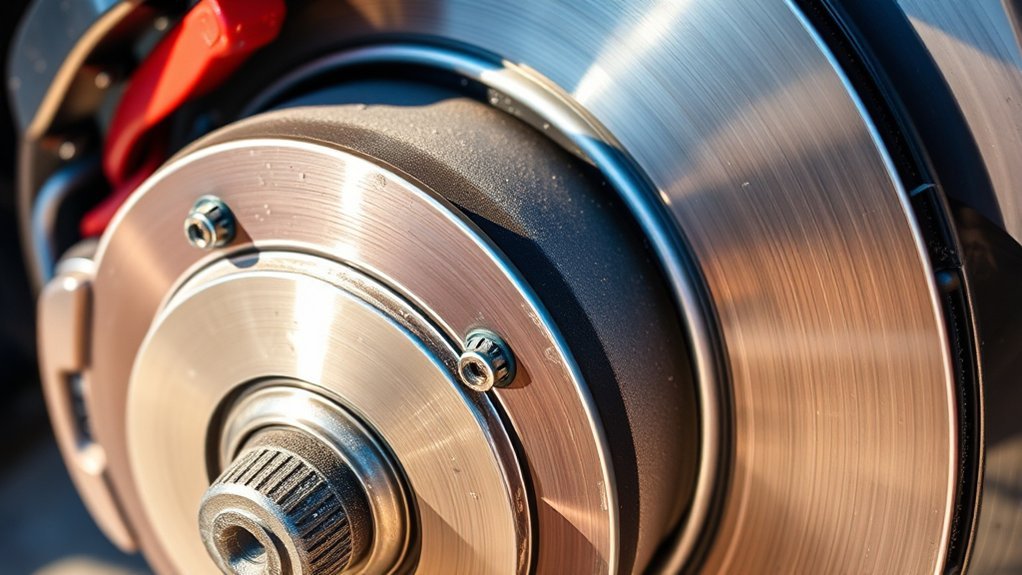
Brake noise in a 2013 Hyundai Sonata can happen for several reasons, and the exact sound helps narrow the cause. A light squeal often comes from pad wear indicators, glazed pads, missing shims, or dry contact points. A harsh grinding sound can mean the pad friction material is badly worn, rust is trapped between the pad and rotor, or the rotor surface is scored. A muted honk or groan can come from pad vibration, moisture, pad material, or caliper hardware that is not moving smoothly.
If the noise is most noticeable after the car has been parked, light rotor surface rust may be involved. Thin surface rust can scrape off after a few stops, especially in humid climates or after rain. However, rust that returns quickly, heavy scoring, deep grooves, or noise that continues after several stops needs a full inspection.
Hyundai’s own brake maintenance guidance says warning signs include abnormal noises, smells, vibration when braking, and metal-scraping sounds that get louder when the brakes are used. Hyundai also recommends brake checks during tire rotations, about every six months or 7,500 miles, to catch pad and rotor problems early.
Note: A short scrape after overnight parking can be normal surface rust. A repeated grind, pedal vibration, burning smell, or reduced braking power is not normal and should be inspected.
How to Identify Symptoms of Brake Vibration and Thumping
Brake vibration is usually felt in one of two places: the brake pedal or the steering wheel. A pulsating brake pedal often points to rotor runout or thickness variation. A shaking steering wheel under braking often points to a front brake or front suspension issue. A vibration felt through the seat or body may come from rear brakes, tires, wheel bearings, or suspension components.
Common Brake Symptoms
- Grinding while braking: Worn pads, scored rotors, trapped debris, heavy rust, or metal-to-metal contact.
- Squealing or chirping: Pad wear indicator, glazed pads, missing anti-rattle clips, or dry contact points.
- Thumping or knocking: Rotor thickness variation, loose caliper hardware, uneven pad deposits, suspension looseness, or wheel fastener issues.
- Pedal pulsation: Rotor runout, rotor thickness variation, hub rust, or uneven lug nut torque.
- Pulling to one side: Sticking caliper, uneven pad wear, contaminated pads, tire issue, or hydraulic imbalance.
- Burning smell after braking: Dragging caliper, overheated pads, seized slide pins, or parking brake drag.
Causes of Thumping Noise
A thumping sound during braking is often blamed on “warped rotors,” but that phrase is sometimes too simple. In many cases, the rotor is not visibly bent. The real problem may be lateral runout, uneven rotor thickness, uneven pad deposits, rust on the hub face, or wheel lug nuts tightened unevenly. A technician should measure the rotor instead of guessing from the sound alone.
Other causes can mimic rotor problems. Loose caliper bracket bolts, worn control arm bushings, worn ball joints, wheel bearing play, tire belt separation, or a bent wheel can all create a thump or shake that appears only when braking. That is why a proper diagnosis includes the brakes, hubs, tires, and suspension.
Brake pedal pulsation is a symptom, not a diagnosis. The fix depends on measured rotor runout, rotor thickness variation, hub condition, pad wear, and wheel torque—not guesswork.
Understanding How Rotor Runout and Thickness Variation Cause Brake Problems
Brake rotors must stay flat, clean, and within thickness limits. When a rotor has too much side-to-side movement, technicians call it lateral runout. When one part of the rotor is thicker than another, they call it disc thickness variation. Both conditions can push the brake pads back and forth as the wheel turns, causing pedal pulsation, steering shake, noise, or uneven braking.
Common causes include:
- Overheated rotors from hard braking or dragging calipers
- Uneven lug nut torque after tire or brake service
- Rust or debris between the rotor and wheel hub
- Uneven pad deposits on the rotor face
- Rotors machined too thin or replaced with low-quality parts
- Caliper slide pins that stick and keep the pad pressed against the rotor
Hyundai service guidance for rotor work says the rotor surface should be cleaned before measurement, thickness should be checked at multiple points, runout should be measured with a dial indicator, and wheel lug nuts should be tightened in a star pattern to the correct specification. Those steps matter because a rotor can look acceptable but still be outside specification.
Pro Tip: If your Sonata started shaking right after a tire rotation or brake job, ask the shop to recheck wheel torque, hub cleanliness, and rotor runout before replacing more parts.
Key Steps for Diagnosing Brake Noise and Vibration Issues
Use a step-by-step approach so you do not replace good parts. A quick road test may identify the symptom, but the real answer comes from inspecting and measuring the brake system.
| Step | Action | What It Helps Find |
|---|---|---|
| 1 | Note when the noise happens | Cold brakes, wet brakes, highway braking, low-speed stops, or reverse-only noise |
| 2 | Check brake warning lights | Hydraulic, ABS, parking brake, or electronic brake concerns |
| 3 | Inspect pad thickness and wear pattern | Worn pads, tapered wear, stuck slide pins, or caliper issues |
| 4 | Inspect rotor condition | Scoring, cracks, heat spots, grooves, rust, or uneven deposits |
| 5 | Measure rotor thickness | Rotor wear and thickness variation |
| 6 | Measure rotor runout | Pedal pulsation and steering shake causes |
| 7 | Inspect caliper slides and hardware | Dragging brakes, uneven wear, squeal, and overheating |
| 8 | Check tires, hubs, and suspension | Brake-like vibration caused by non-brake parts |
[Products Worth Considering]

This universal brake bleeding kit lets you flush brake, clutch, and other hydraulic systems by yourself with fast, efficient vacuum-assisted operation. Built with a durable aluminum alloy pump, silicone tubing, and secure fittings, it helps maintain a tight seal for cleaner, easier service. The included blow-molded case keeps every part organized for convenient storage and transport between jobs.

This universal brake bleeder kit makes one-person brake and clutch line bleeding simple by using compressed air to create stable vacuum-assisted fluid flow. Its extra-large 3L tank helps complete full-system flushes with fewer interruptions, while the included refill bottle, flexible hose, and universal adapter support clean, efficient use on standard and ABS brake systems.
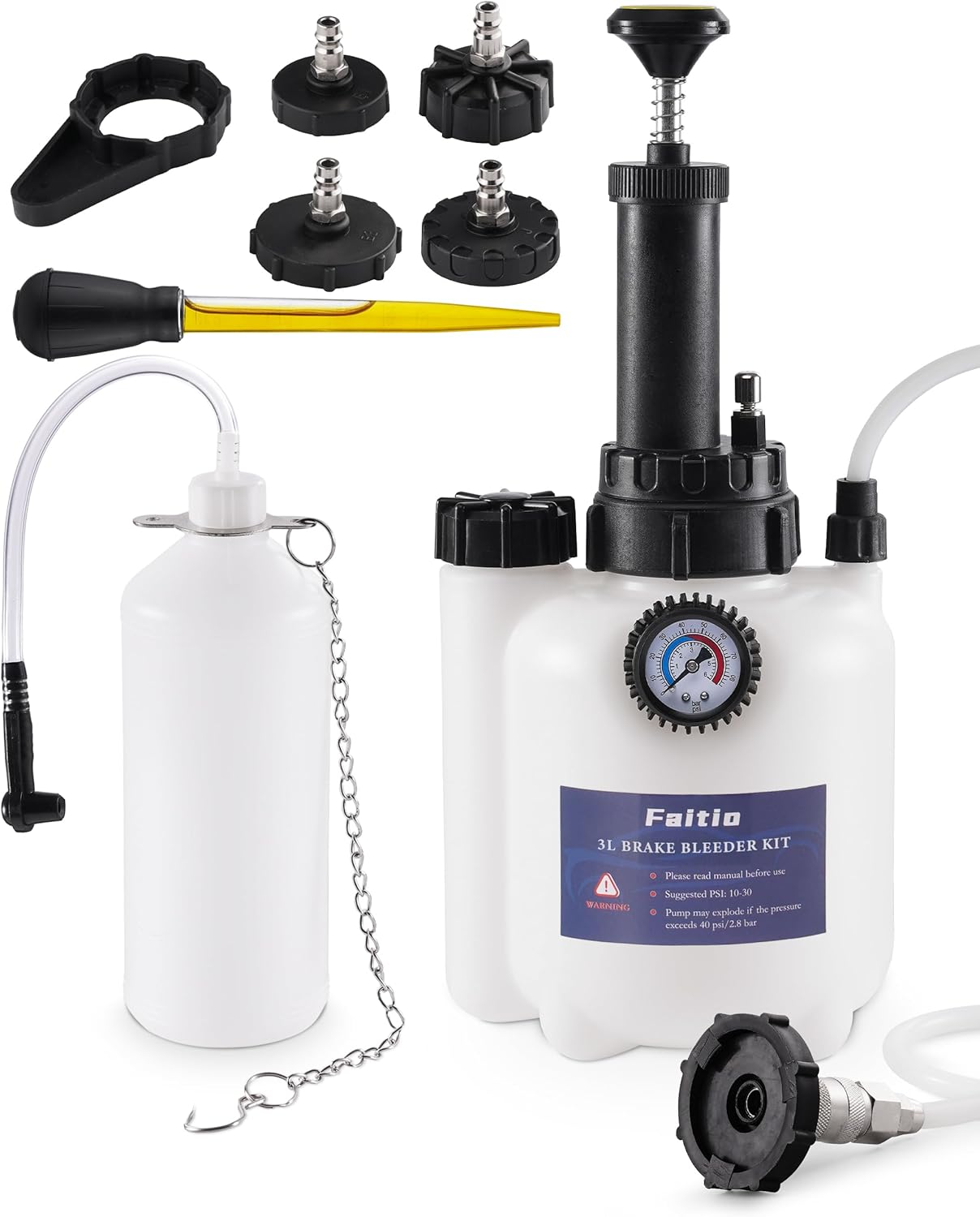
This one-man brake bleeding kit helps flush old brake fluid and remove trapped air for firmer, more responsive braking without the hassle of a second person. Its improved sealing and translucent catch bottle help prevent leaks while making fluid level checks easy during use. With multiple adapter sizes for many vehicle makes, it is a practical tool for clean, efficient brake system maintenance.
How to Road Test Safely
Choose a quiet road or parking lot where you can brake gently without traffic behind you. Start at low speed. Listen for grinding, squealing, clicking, or thumping. Then check whether the vibration appears only during braking or also while coasting. If the car shakes without touching the brakes, look at tires, wheels, bearings, and suspension before blaming the brake rotors.
Warning: Never perform repeated hard stops to “test” noisy brakes if you already hear grinding or smell burning. You can overheat the system, damage rotors, or reduce braking power.
Troubleshooting and Solutions for Brake Noise
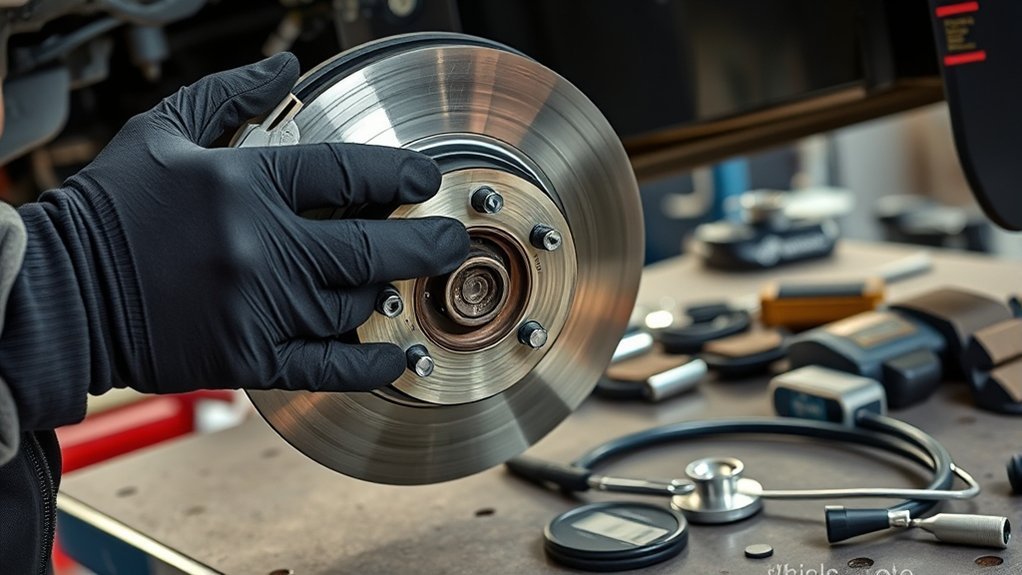
Once you know the symptom, match it to the most likely cause. The right fix may be as simple as cleaning corrosion from the hub face, or it may require pads, rotors, caliper hardware, brake fluid service, or professional diagnosis.
| Symptom | Likely Cause | Best Next Step |
|---|---|---|
| Light scrape after parking | Surface rust on rotor face | Drive gently and see if it clears after a few normal stops; inspect if it returns often |
| Constant grinding | Severely worn pads, scored rotors, or debris | Stop driving and inspect pads and rotors immediately |
| Squeal at low speed | Wear indicator, glazed pads, missing shims, or dry hardware | Inspect pad thickness, shims, clips, and caliper contact points |
| Pedal pulsation | Rotor runout or thickness variation | Measure rotor thickness and runout; correct hub/rotor fitment issues |
| Steering wheel shake | Front rotor issue, tire issue, wheel issue, or suspension play | Inspect front brakes, tires, wheels, hubs, and suspension |
| Burning smell | Dragging caliper, seized slide pin, or parking brake drag | Inspect caliper movement and avoid driving until repaired |
| Pulling while braking | Uneven brake force, stuck caliper, contaminated pad, or tire issue | Inspect both sides of the axle and compare pad wear |
[Products Worth Considering]

The Mityvac MV8500 Silverline Elite is a versatile automotive service kit for brake and clutch bleeding, diesel fuel priming, and vacuum or pressure testing. Its dual-capability pump streamlines diagnostics and maintenance across motorcycles, cars, trucks, and SUVs, while the ergonomic design supports comfortable use during longer jobs. Built with a durable zinc-aluminum die-cast body and a 4.5oz fluid reservoir, it delivers reliable performance for professional and DIY repair work.

This brake bleeder hose kit helps remove old brake fluid and air from motorcycle brake and clutch systems quickly and efficiently. Its one-way check valve prevents air from being drawn back into the system, while the easy-to-connect clips make bleeding simple for routine maintenance. Built for reliable use, it is a practical tool for keeping motorcycle braking performance responsive.

PLEASE CONFIRM YOUR FITMENT: Using the Amazon Confirmed Fit bar at the top of the page or check the Product Description to confirm your vehicle fitment. This may be delivered in multiple boxes
When Resurfacing Rotors Makes Sense
Rotor resurfacing may help if the rotor is thick enough, has correct runout after machining, and has no cracks or heavy heat damage. It is not a cure-all. If the rotor will be too thin after machining, the runout cannot be corrected, or the surface is badly damaged, replacement is safer.
When Replacing Pads and Rotors Is the Better Fix
Replacement is usually the better option when pads are near the wear limit, rotors are deeply grooved, rotors are below minimum thickness, the brake pedal pulsates after previous resurfacing, or the caliper has caused uneven pad wear. Replace brake parts in axle pairs so braking remains even from side to side.
Best Practices for Brake Inspection and Maintenance
Regular brake inspection helps prevent small issues from becoming expensive repairs. A brake pad that is caught early may only need pads and hardware. A pad that is ignored can damage the rotor, overheat the caliper, and increase stopping distance.
[Products Worth Considering]

[Perfect Fitment]: Compatible with Kia Optima 2011-2012(LX, EX, Hybrid), 2013 (LX, Hybrid LX, EX)---NOT fit EX Turbo Models, Optima 2014-2015(SX Turbo Models); Compatible with Hyundai Azera 2012-2016, 2017(With Manual Parking Brake), Sonata 2011-2014, 2015(Hybrid, with Manual Parking Brake)---Rear Left and Right, Driver and Passenger Side.

Models with 11.81 inch (300mm) Front, 11.18 inch (284mm) Rear Rotors

【Superior Fitment】 for Hyundai Sonata 4-Door 2011 2012 2013 2014 2015,for Kia Optima 4-Door 2011 2012 2013 2014 2015 2016
Routine Brake Inspections
Inspect the brakes during tire rotations, before long trips, and any time you notice noise, vibration, smell, or a change in pedal feel. Hyundai recommends brake checks every time the tires are rotated, about every six months or 7,500 miles. During inspection, check:
- Pad friction material thickness
- Inner and outer pad wear comparison
- Rotor scoring, cracks, heat spots, rust, and grooves
- Caliper slide pins, boots, clips, shims, and brackets
- Brake hose condition and fluid leaks
- Brake fluid level and appearance
- Wheel bearing play, tire condition, and suspension looseness
Proper Brake Fluid Maintenance
Brake fluid absorbs moisture over time, and contaminated fluid can reduce braking performance and damage hydraulic components. The 2013 Hyundai Sonata owner information specifies hydraulic brake fluid that conforms to DOT 3 or DOT 4. Never mix in mineral-based fluids such as engine oil, and keep the reservoir cap and surrounding area clean before opening it.
If the brake fluid is dark, murky, smells burnt, or sits at or below the minimum line, have the braking system inspected. Low fluid can mean pad wear or a leak. Do not simply top it off and ignore the cause.
Lug Nut Torque and Hub Cleanliness
Improper wheel installation can create brake vibration even when the pads and rotors are new. Dirt or rust between the rotor and hub can prevent the rotor from sitting flat. Uneven lug nut torque can also contribute to runout. After brake or tire work, lug nuts should be tightened in a star pattern with a torque wrench to the Sonata’s correct specification.
Owner Experiences With Brake Noise Issues in the 2013 Sonata
Some 2013 Hyundai Sonata owners have reported grinding, squealing, honking, thumping, or vibration during braking. These reports do not prove that every Sonata has the same defect, but they do show why diagnosis should be based on measured pad wear, rotor condition, runout, caliper movement, and brake fluid condition rather than repeated quick fixes.
If a dealer or shop resurfaces the rotors and the same noise or vibration comes back, ask for the actual measurements: pad thickness, rotor thickness, rotor runout, disc thickness variation, and whether the caliper slide pins and hub faces were cleaned. If they cannot provide measurements, consider getting a second opinion from an independent brake specialist.
Check Recalls Before Paying for Brake Repairs
Before authorizing brake-related repairs, check the vehicle’s VIN through the NHTSA recall lookup and Hyundai’s owner resources. This is especially important for Sonata Hybrid owners because NHTSA’s 23V-651 recall covered certain Hyundai vehicles, including 2011–2015 Sonata HEV models, for an anti-lock brake system module concern that could leak brake fluid internally and increase fire risk. Not every 2013 Sonata is included, so VIN verification matters.
Note: A recall check does not diagnose brake noise, but it can tell you whether your specific VIN has an open safety campaign that should be repaired by a dealer.
When to Consult a Professional Mechanic for Brake Concerns
Consult a professional mechanic if you hear grinding, feel strong vibration, notice a burning smell, see brake fluid loss, feel the pedal sink, or the car pulls during braking. A shop should also inspect the vehicle if the same noise returns after pads or rotors were replaced.
A proper brake diagnosis should include measurements, not just a visual glance. Ask the technician to check rotor thickness, rotor runout, pad thickness, caliper slide movement, hub cleanliness, brake fluid condition, and wheel torque. If the problem is intermittent, explain exactly when it happens: cold start, wet weather, after highway driving, low-speed stops, reverse, or after the car sits overnight.
Frequently Asked Questions
Why does my Hyundai Sonata shake when I brake?
A Hyundai Sonata usually shakes while braking because of front rotor runout, rotor thickness variation, uneven pad deposits, loose or unevenly torqued wheel fasteners, tire issues, or worn suspension parts. If the steering wheel shakes, focus on the front brakes, wheels, hubs, and suspension first.
Why does my car shake and vibrate when I brake?
A car shakes during braking when rotating parts are not contacting evenly. Common causes include uneven rotors, pad deposits, rust between the rotor and hub, sticking calipers, worn suspension parts, bad tires, or loose hardware. A mechanic should measure the rotors and inspect the full wheel-end assembly.
How much does it cost to replace brake calipers on a Hyundai Sonata?
Brake caliper replacement cost varies by location, parts brand, labor rate, and whether one caliper or both calipers on an axle are replaced. A typical repair can run a few hundred dollars per axle, and the final quote may increase if pads, rotors, hoses, or brake fluid service are also needed.
Can I drive my Sonata with grinding brakes?
You should avoid driving with grinding brakes. Grinding can mean the pad material is gone and metal is scraping the rotor. Continuing to drive can damage the rotor, overheat the caliper, reduce braking power, and increase repair cost.
Are warped rotors always the cause of brake pedal pulsation?
No. Pedal pulsation can come from rotor runout, uneven rotor thickness, pad deposits, hub rust, improper wheel torque, or suspension and tire problems. The rotor should be measured with the correct tools before parts are replaced.
What brake fluid does a 2013 Hyundai Sonata use?
The 2013 Hyundai Sonata uses hydraulic brake fluid that conforms to DOT 3 or DOT 4 specification. Always confirm with the reservoir cap and owner manual for your exact vehicle, and do not contaminate the brake system with engine oil or other mineral-based fluids.
Conclusion
Brake noise and vibration in a Hyundai Sonata should never be ignored. A small squeal may only need pad hardware or inspection, but grinding, thumping, pedal pulsation, pulling, or burning smells can point to worn pads, rotor runout, stuck calipers, fluid problems, or loose components. Start with a careful symptom check, then confirm the cause with real measurements. When in doubt, have the brake system inspected by a qualified technician before more damage occurs.
Sources
- Hyundai Brake Maintenance & Safety Tips — brake inspection interval and common brake warning signs
- MyHyundai Brakes Safety and Maintenance — rotor minimum thickness, brake fluid condition, and service warning signs
- NHTSA Recall Lookup — VIN-based safety recall checking
- NHTSA 2013 Hyundai Sonata Vehicle Page — recalls, investigations, complaints, and manufacturer communications
- NHTSA Consumer Alert on Hyundai/Kia Fire Risk Recalls — ABS module brake fluid leak recall context for affected Hyundai vehicles
- Hyundai Brake Rotor Service TSB Filed With NHTSA — rotor measurement, machining, runout, and wheel torque best practices