
Last updated: July 31, 2026
How this guide was checked: This guide was reviewed against Toyota Support, Toyota owner-manual guidance for 2024 and 2025 Camry models, and U.S. Consumer Product Safety Commission coin-battery guidance. It does not claim hands-on diagnosis of every Camry model year.
A Toyota Camry “Key Not Detected” warning usually means the vehicle cannot read the electronic key at that moment. Common reasons include a weak or incorrectly installed fob battery, poor key placement, radio interference, a disabled Smart Key setting, battery-saving mode, or weak vehicle power. It is not the same as “Smart Key System Malfunction See Owner’s Manual,” which points to a possible system fault that Toyota says should be inspected immediately.
Start by reading the exact dashboard wording. Then move the key away from electronics and metal objects, test your spare registered key, use Toyota’s backup-start procedure, and check for signs of a weak 12-volt battery. Dashboard wording, switch names, and emergency procedures can vary by model year, trim, and powertrain, so confirm the steps in the owner’s manual for your exact Camry.
Quick Answer
If your Camry says “Key Not Detected,” place the transmission in Park and press the brake firmly. Touch the Toyota-emblem side of the electronic key to the engine or power switch. When the recognition buzzer sounds or the display confirms detection, keep the brake pressed and press the switch shortly and firmly. If this works, replace or correctly reinstall the fob battery. If the exact message says “Smart Key System Malfunction See Owner’s Manual,” have the vehicle inspected by a Toyota dealer immediately instead of treating it as only a dead coin battery.
Key Takeaways
- Read the exact warning because “Key Not Detected” and “Smart Key System Malfunction” require different responses.
- Use the battery number printed on the removed coin cell or listed in the owner’s manual for your exact Camry.
- Touch the Toyota-emblem side of the fob to the engine or power switch when the fob battery is weak.
- If one registered key works and the other does not, focus first on the failing fob.
- If neither registered key works, check the Smart Key setting, battery-saving mode, vehicle power, and vehicle-side system.
- A routine coin-cell replacement does not usually erase an already registered Smart Key.
What Does Your Camry Smart Key Warning Point To?
Use the exact message, the behavior of your spare key, and the condition of the vehicle’s electrical system to choose the right first step.
| What You See | What It May Point To | What to Do First |
|---|---|---|
| “Key Not Detected,” and one fob has poor range | Weak fob battery, signal interference, damaged contacts, moisture, or fob damage | Remove interference, try the backup-start method, and test the spare key |
| “Key Not Detected,” and neither registered fob works | Disabled Smart Key setting, battery-saving mode, weak 12-volt battery, or a vehicle-side antenna, receiver, wiring, or registration problem | Check settings and vehicle power, then arrange diagnosis if the problem remains |
| The problem began immediately after replacing the fob battery | Wrong coin cell, reversed polarity, poor seating, bent contact, weak new battery, or disturbed internal parts | Reopen the fob and compare the new installation with the removed battery and case markings |
| The fob fails only in one parking area or near certain electronics | Radio interference or metallic shielding | Move the key away from devices and test again in another location |
| “Smart Key System Malfunction See Owner’s Manual” | A possible fault in the vehicle’s Smart Key system | Have the vehicle inspected by a Toyota dealer immediately |
| Remote buttons work, but the car will not start | Brake input, key recognition, immobilizer authorization, weak vehicle power, or another no-start condition | Press the brake firmly, use the proper backup-start sequence, and check vehicle power |
Why Does Your Camry Say “Key Not Detected”?
A Camry “Key Not Detected” message means the vehicle cannot confirm the electronic key signal at that moment. Depending on the model year and powertrain, the car may refuse to unlock, change engine or power-switch modes, display READY, or start until it recognizes the key.
The warning does not automatically mean the Smart Key system has failed. Toyota owner guidance explains that communication can be interrupted when the electronic-key battery is depleted, the key is in a poor detection position, radio interference is present, the Smart Key function has been deactivated, or battery-saving mode is active.
Key placement matters. A fob on the instrument panel, floor, inside a door pocket, inside a metal container, or beside an active phone or other wireless device may be harder for the vehicle to read. Move it into the open cabin near the engine or power switch before replacing parts.
If the fob battery is depleted, Toyota says you may still be able to start the engine or hybrid system by touching the Toyota-emblem side of the electronic key to the switch and following the brake and switch prompts. Treat this as a temporary measure and replace the coin cell after the vehicle starts.
What Does “Smart Key System Malfunction” Mean?
“Smart Key System Malfunction See Owner’s Manual” means the vehicle has detected a possible fault in the Smart Key system itself. Toyota’s owner guidance says to have the vehicle inspected by a Toyota dealer immediately.
A new fob battery may not clear this message because the fault can be inside the vehicle. Possible diagnostic areas include the Smart Key antennas, receiver, certification or body-control functions, related wiring, power supply, engine or power switch, and key-registration system. These are suspected areas, not parts that should be replaced without testing.
Warning: Do not assume a “Smart Key System Malfunction” message is only a dead coin battery. If the message remains, arrange professional inspection.
Symptoms That Point to a Smart Key Detection Problem
Compare the remote buttons, engine or power switch, spare key, warning wording, location, and vehicle electronics. The pattern is often more useful than one symptom by itself.
- The dashboard displays “Key Not Detected” or “Key Not Detected Check Key Location.”
- The doors do not unlock when you touch the exterior handle.
- The engine or power switch does not respond with the key inside the cabin.
- The lock, unlock, or trunk buttons work only at very close range.
- The spare registered key works, but your main key does not.
- Both keys fail and the dashboard lights appear dim or unstable.
- The problem occurs only in one location or near certain electronic equipment.
- The warning began immediately after the fob was opened or its battery was replaced.
- The display shows “Smart Key System Malfunction See Owner’s Manual.”
What Should You Do If the Warning Appears While Driving?
Do not search through bags or move loose objects while driving. Stop safely, then confirm that the registered key is still inside the cabin. Toyota notes that a key-not-detected message can appear when the key is removed from the vehicle after the engine or hybrid system has already been started.
Move the key away from metal containers, phones, computers, other electronic keys, and the edge of the cabin. Before turning the vehicle off, locate the key or make sure you can use the backup-start procedure. Otherwise, the vehicle may not recognize the key when you try to restart it.
Why Do the Remote Buttons Work When the Camry Will Not Start?
The lock and unlock transmitter function is not the same as start authorization. The remote buttons may still operate while the car cannot confirm the key for engine or hybrid-system starting. A brake-switch input problem, weak 12-volt battery, immobilizer issue, key-registration fault, or vehicle-side Smart Key problem can create this pattern.
Press the brake firmly and check whether the normal start indicator appears. Then use the backup-start method. If the vehicle still does not respond, stop replacing fob batteries and move to vehicle-power and professional diagnostic checks.
Common Causes of Smart Key Detection Issues
[Products Worth Considering]

This keyless entry remote replacement is designed for a wide range of Toyota, Scion, and Lexus-compatible vehicles, offering a convenient way to restore remote locking and unlocking functions. Each fob is pre-tested, comes with the battery and electronics already installed, and is ready to be programmed for supported standard-key vehicles. It is a practical replacement choice for drivers who need a reliable, compatible remote for everyday use.
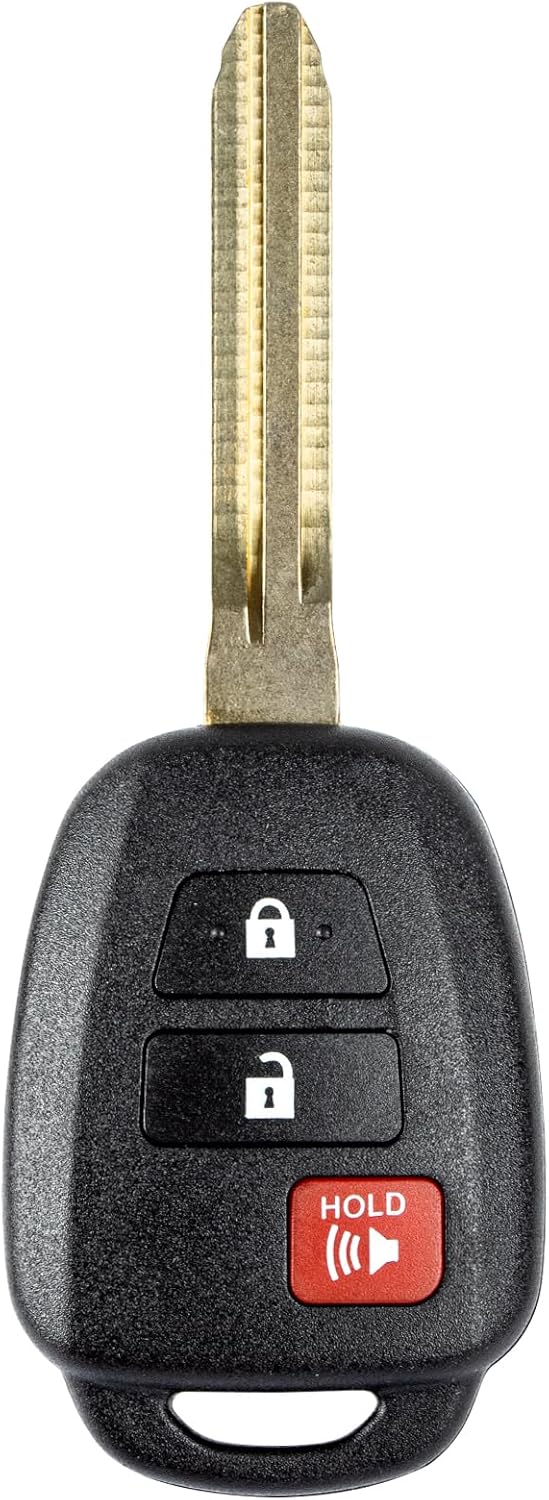
This replacement key fob is designed for select Toyota models and provides reliable keyless entry functionality with a factory-like fit and operation. It comes pre-tested with electronics and battery installed, making it a convenient solution when your original remote is lost, damaged, or worn out. Professional programming and cutting are required, and compatibility should be confirmed against the original remote and vehicle fitment details.

This keyless entry remote replacement is designed for select Toyota models and comes pre-tested with battery and electronics installed for ready-to-program convenience. It supports compatible part numbers and FCC IDs, making it a practical solution for replacing a lost or damaged fob. Programming and cutting by a qualified locksmith or dealership are required, and it is intended for regular key vehicles rather than push-start systems.
Weak or Incorrectly Installed Key Fob Battery
A weak electronic-key battery commonly causes reduced remote range and intermittent detection. Do not choose a replacement battery by Camry model name alone. Confirm the number printed on the removed battery or use the owner’s manual for your exact model year and key design.
Note: The wrong coin-cell size, reversed polarity, poor seating, or a bent contact can leave the fob inoperative after a battery change.
A normal coin-cell replacement does not usually erase an already registered Smart Key. If the problem began immediately after battery work, check the battery number, polarity, seating, contacts, circuit-board position, and case fit before paying for programming. True Smart Key registration is a separate procedure; see the guide to Camry key fob programming for the distinction between older remote programming and push-button Smart Key registration.
Signal Interference and Key Position
Phones, computers, active chargers, another vehicle’s electronic key, strong nearby radio sources, metal cases, coins, and metallic bags can interfere with communication or shield the key. The key may also be difficult to detect when it is on the floor, instrument panel, in a door pocket, or close to a window.
Move the fob into the open cabin and keep it separated from powered electronics. If the problem occurs only in one parking area, test the same key elsewhere before replacing the fob or vehicle components.
Smart Key Disabled or in Battery-Saving Mode
Some Camrys allow the Smart Key function to be disabled through a customizable setting. Electronic keys can also enter or be placed in battery-saving mode. Either condition can make a working key appear undetected.
Check the Smart Key and battery-saving instructions in the owner’s manual for your exact model year. Do not copy a button sequence from another Toyota model because available settings and cancellation methods can differ.
Weak 12-Volt Vehicle Battery
A weak, discharged, disconnected, or poorly connected 12-volt battery can prevent the Camry from starting and can make its electronics unstable. Suspect vehicle power when the headlights or interior lights are dim, the horn sounds weak, the locks move slowly, relays click rapidly, the display flickers, or several systems behave abnormally.
Inspect the battery terminals for looseness or corrosion and have the battery tested before replacing Smart Key components. Battery fitment varies by year and powertrain; use the Camry 12-volt battery guide only after confirming the exact application by VIN and existing battery label.
Vehicle-Side Smart Key or Immobilizer Fault
If both registered keys fail while vehicle power appears normal, the problem may involve a Smart Key antenna, receiver, control system, related wiring, fuse, engine or power switch, or key registration. The Camry immobilizer system can also block starting when the vehicle cannot confirm a registered key.
Do not replace an antenna, receiver, control module, or fob solely because it appears on a possible-cause list. A qualified technician should check system data, communication, power, ground, wiring, and model-specific diagnostic trouble codes first.
Step-by-Step Fixes to Try First
Follow these checks in order. Stop the DIY process if the exact warning says “Smart Key System Malfunction,” both keys fail with normal vehicle power, or the electrical system appears unstable.
- Read the exact message. Separate “Key Not Detected” from “Smart Key System Malfunction See Owner’s Manual.”
- Keep the registered key inside the cabin. Move it away from phones, computers, chargers, metal containers, coins, and other electronic keys.
- Change the key’s position. Remove it from the floor, instrument panel, door pocket, bag edge, or area close to a window.
- Test the spare registered key. If the spare works normally, focus first on the main fob.
- Check Smart Key settings. Use the exact owner’s manual to confirm that the system is not disabled and the electronic key is not in battery-saving mode.
- Use the mechanical key for entry. Remove the hidden key from the fob and follow the owner’s manual for the driver’s-door lock. Some lock cylinders are concealed behind a cover, so do not pry without checking the correct procedure.
- Try Toyota’s backup-start method. Place the transmission in Park and press the brake firmly. Touch the Toyota-emblem side of the electronic key to the engine or power switch. After recognition, keep the brake pressed and press the switch shortly and firmly.
- Replace the fob battery correctly. Install the exact battery number shown on the removed cell or specified in the owner’s manual. Match the original polarity and make sure the cell sits flat under the contacts.
- Recheck recent battery work. Inspect the battery number, polarity, seating, contacts, circuit-board position, and case closure. Do not assume a normal battery change erased Smart Key registration.
- Check vehicle power. Dim lights, a weak horn, clicking, flickering displays, slow locks, or several unrelated warnings point toward the 12-volt system.
- Retest in another location. If the key fails only near one building, parking system, transmitter, or group of electronics, suspect interference.
- Arrange diagnosis when the pattern points vehicle-side. Both keys failing with normal power, a failed backup start, or a persistent malfunction message requires model-specific testing.
What Your Test Results Mean
- One key works: Focus on the failed fob’s battery, contacts, case, moisture exposure, or internal damage.
- Both keys fail and vehicle power is weak: Test the 12-volt battery and its connections first.
- Both keys fail but vehicle power is normal: Check Smart Key settings, then arrange vehicle-side diagnosis.
- The problem occurs only in one location: Test for radio interference before buying parts.
- The Toyota-emblem backup method works: The key is still being recognized at close range; replace or reinstall the coin cell and retest normal range.
[Products Worth Considering]
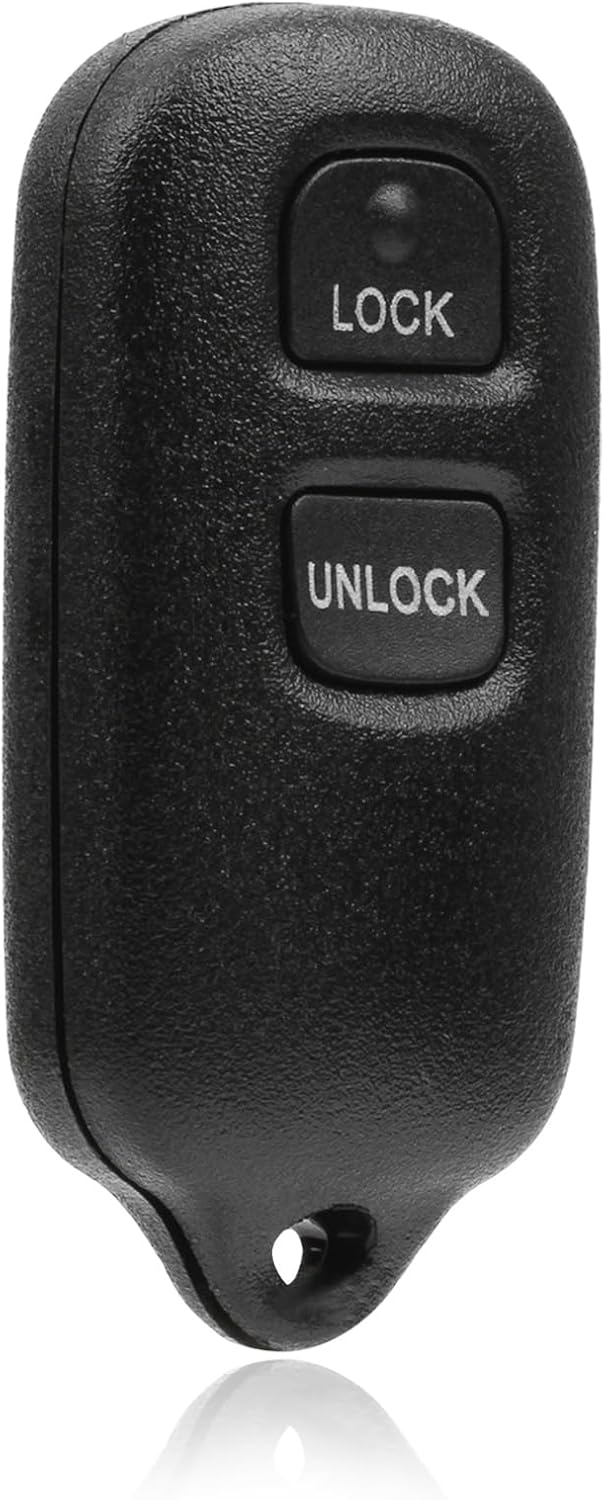
This USARemote key fob replacement provides convenient keyless entry for a wide range of Toyota and Scion vehicles. It is programmable, ready to use, and designed to help restore remote locking and unlocking functionality for compatible models. The compact black remote offers dependable everyday use for drivers needing a simple replacement solution.

This replacement key fob set is designed for select Toyota RAV4 and XB models with regular key systems, offering lock, unlock, and panic functions in a convenient two-pack. Each remote comes pre-tested with battery and electronics installed, and it must be cut and programmed by a qualified dealer or locksmith for proper use. Built from durable materials and backed by warranty support, it provides a reliable solution when replacing worn or missing remotes.

**Please confirm compatibility using the fitment guide located in the product images**
When You Should Get Professional Help
Have the vehicle inspected if the display says “Smart Key System Malfunction See Owner’s Manual,” both registered keys fail while vehicle power appears normal, the warning remains after a correctly installed battery, or the backup-start method does not work.
Warning: Stop repeated start attempts if dashboard lights flicker, relays click rapidly, the horn is weak, or several electrical systems act unstable. Test the 12-volt battery before replacing Smart Key components.
A technician can load-test the 12-volt battery, inspect model-specific fuses and wiring, and use a compatible diagnostic scan tool to access Smart Key, immobilizer, body-control, or power-source information. A basic engine-code reader may not communicate with every key-related module.
A Toyota dealer or qualified automotive locksmith may need to register a replacement key if the original fob has failed, all keys have been lost, or the vehicle no longer recognizes a known key. Bring every registered key you still have so the technician can compare their behavior and complete any required registration procedure.
Document the symptoms before the appointment. Record the exact dashboard wording, which key works, whether the remote buttons respond, whether the backup-start method succeeds, whether the electrical system appears weak, and whether the warning changes by location.
[Products Worth Considering]

[Built-in 15+ Powerful Functions]: Compared to entry-level diagnostic tools, the AD200 not only has all of their functions, but it is also more professional and powerful. This vehicle code reader supports: read/clear code, I/M readiness, EVAP/o2 sensor test, freeze frame, real-time data stream curve and more. with those function, you can quickly check the cause of the engine check light (MIL), and reset it, but also can accurately read the dtc code and clear it, let your car back to health

[Easy to Use—Work Out of the Box] + [FOXWELL 2026 New Version] FOXWELL NT604 Elite scan tool is the 2026 new version from FOXWELL, designed for car owners who want to figure out the cause of issues before fixing car problems by scanning common systems like ABS, SRS, engine, and transmission. The NT604 Elite obd2 scanner diagnostic tool comes with the latest software—no need to waste time downloading software first. Plug the scanner into the OBDII port with OBDII cable to start the diagnosis.

【Diagnose Check Engine Light in Seconds – No Mechanic Needed】The FOXWELL NT301 OBD2 scanner instantly reads & clears engine fault codes (DTCs) with one click. Simply plug into the 16-pin DLC port, turn ignition on, and get accurate results within seconds—No prior car knowledge required. Save hundreds on dealership fees by knowing exactly what’s wrong before you visit a shop. The #1 choice car scanner for DIYers and car owners who want to take control of their vehicle’s health
How to Keep Your Key Fob in Top Shape
Replace the electronic-key battery when remote range drops, button response becomes inconsistent, the key’s indicator stops responding, or your Camry displays a low-key-battery warning. Confirm the replacement number before opening the package.
Keep the fob dry and away from high heat. Moisture, impact, and heat can damage the case, circuit board, battery contacts, internal antenna, or buttons.
During a battery change, inspect the contacts for dirt, corrosion, looseness, or bending. Clean only light surface residue with care. Do not scrape the circuit board, force a contact into position, or use a battery that prevents the case from closing normally.
Store spare coin batteries at normal room temperature in their original child-resistant packaging. Keep them away from children and pets, and do not carry a loose battery beside keys, coins, or other metal objects. The U.S. Consumer Product Safety Commission warns that a swallowed button or coin battery can cause severe internal chemical burns and death.
Test your spare registered key periodically. A working spare lets you determine quickly whether a later problem is limited to one fob or affects the vehicle.
Frequently Asked Questions
Are “Key Not Detected” and “Smart Key System Malfunction” the Same?
No. “Key Not Detected” means the vehicle cannot currently confirm the electronic-key signal. “Smart Key System Malfunction See Owner’s Manual” indicates that the Smart Key system itself may have a fault, and Toyota says to have the vehicle inspected immediately.
Why Is My Smart Key Not Being Detected?
Your Camry may not detect the key because the fob battery is weak or incorrectly installed, the key is in a poor detection position, metal or electronics are interfering with the signal, the Smart Key function is disabled, battery-saving mode is active, or the vehicle has a power or Smart Key system fault.
How Do I Start My Camry With a Dead Key Fob Battery?
Place the transmission in Park and press the brake firmly. Touch the Toyota-emblem side of the electronic key to the engine or power switch. When the car recognizes the key, keep the brake pressed and press the switch shortly and firmly. Confirm the exact procedure in the owner’s manual for your model year.
Why Is My Camry Key Still Not Detected After a New Battery?
Check that you installed the exact battery number with the proper polarity and that it sits securely under the contacts. Inspect for a bent contact, weak new battery, disturbed circuit board, or case that is not fully closed. Then test the spare key. If neither registered key works, check vehicle power and the Smart Key system.
Can a Weak 12-Volt Battery Cause Smart Key Problems?
A weak or disconnected 12-volt battery can prevent starting and make the vehicle’s electronics unstable. Test vehicle power first when the dashboard or interior lights are dim, the horn sounds weak, the locks move slowly, relays click, or several warning messages appear together.
What Should I Do If “Key Not Detected” Appears While Driving?
Stop safely and confirm that the registered key is still in the cabin. Move it away from electronics, metal objects, and the edge of the vehicle. Locate the key or prepare to use the backup-start method before turning the vehicle off because it may not recognize the key during the next start attempt.
Does a Camry Key Need Reprogramming After Battery Replacement?
A normal coin-cell replacement does not usually erase an already registered Smart Key. First recheck the battery number, polarity, seating, contacts, and case assembly. True Smart Key registration is a separate process and may require a Toyota dealer or qualified automotive locksmith with compatible equipment.
Conclusion
Start with the exact warning. A Toyota Camry “Key Not Detected” message usually calls for key-position, interference, spare-key, Smart Key setting, fob-battery, and vehicle-power checks. “Smart Key System Malfunction See Owner’s Manual” points to a possible vehicle-side fault that Toyota says should be inspected immediately.
For a routine detection warning, move the key into the open cabin, test the spare, check battery-saving or disabled settings, use Toyota’s backup-start method, and verify the coin-cell installation. If neither key works, the vehicle’s electronics appear weak, the backup method fails, or the malfunction warning remains, have the 12-volt battery and Smart Key system tested before buying a replacement fob or control component.
References
- If the battery in the Smart Key dies, is there an alternate way to start the vehicle? — Toyota Support, accessed July 31, 2026
- My vehicle has a Smart Key and the engine won’t start when I press the START button — Toyota Support, accessed July 31, 2026
- While driving, the display showed “key not detected in vehicle” — Toyota Support, accessed July 31, 2026
- 2024 Camry Troubleshooting — Toyota Owners Manual, accessed July 31, 2026
- 2025 Camry Hybrid: If the Hybrid System Will Not Start — Toyota Owners Manual, accessed July 31, 2026
- How to Change the Battery in a Toyota Key Fob — AutoZone, accessed July 31, 2026
- Button Cell and Coin Battery Safety — U.S. Consumer Product Safety Commission, accessed July 31, 2026


[…] For related Smart Key checks, see the site’s Camry Smart Key not detected guide. […]
[…] is interrupted. If the dashboard shows “Key Not Detected,” use the focused Camry Smart Key not detected guide. If the power locks, dashboard, horn, and engine remain unresponsive, the vehicle’s 12-volt […]
[…] a focused push-button diagnosis, see Camry Smart Key Not Detected: Causes and Fixes. For remote lock/unlock programming on eligible older systems, see Toyota Camry key fob […]