
Last updated: July 31, 2026
Affiliate disclosure: This page may contain affiliate links in automatically displayed product modules. We may earn a commission from qualifying purchases at no extra cost to you.
You can program some Toyota Camry key fob remote buttons at home, but the correct method depends on the model year and installed keyless-entry system. Toyota’s factory procedure in Technical Service Bulletin EL009-07 covers OEM wireless remote registration for 2002–2006 Camry models. Certain 2000–2006 Camrys with a dealer- or port-installed TVIP V3 RS3200 system use a closely related sequence. Do not use this method for a push-button Smart Key, immobilizer-chip registration, key cutting, or an unverified 2007-or-newer system.
Quick Answer
First identify whether the Camry has the 2002–2006 factory wireless system or a compatible TVIP V3 RS3200 installation. With the driver’s door open and unlocked, insert and remove the ignition key twice within five seconds. Complete the door-and-key sequence, select add mode with one LOCK → ON → LOCK cycle, then remove the key. After the vehicle confirms programming mode, hold LOCK + UNLOCK together for 1 to 1.5 seconds, release them, and press LOCK for more than one second within three seconds. One lock cycle means the remote was accepted; two cycles mean it was rejected.
Key Takeaways
- The verified factory procedure applies to OEM wireless remote registration on 2002–2006 Camry models. A similar sequence applies to certain Camrys fitted with the TVIP V3 RS3200 system.
- A physical ignition key does not prove that this method applies. Confirm the year, system type, Toyota part number, and FCC ID first.
- This process programs remote lock, unlock, trunk, and panic functions only. It does not register the transponder or Smart Key that authorizes engine starting.
- Use add mode to keep existing remotes. Use rewrite mode only when every remote you want to keep is present.
At a Glance
| Verified Factory Coverage | 2002–2006 Camry OEM wireless remote registration |
| Other Compatible System | Certain 2000–2006 Camrys with TVIP V3 RS3200, after system confirmation |
| Does Not Cover | Key cutting, immobilizer registration, push-button Smart Key registration, or unverified 2007+ systems |
| Tools Needed | Working ignition key, confirmed-compatible remote, fresh fob battery |
Editorial scope: This guide reconciles Toyota service information for factory wireless and TVIP V3 RS3200 systems. It does not claim hands-on validation across every Camry trim or security-system configuration.
Can You Program a Toyota Camry Key Fob Yourself?
You can use the door-and-ignition procedure only when the vehicle has a confirmed compatible remote-keyless-entry system. Toyota used factory wireless, dealer- or port-installed security systems, transponder keys, and Smart Keys across different Camry years and trims. Identify the system before starting.
| Camry Setup | What Toyota Information Indicates | Use This Guide? |
|---|---|---|
| 2002–2006 factory wireless remote | Toyota TSB EL009-07 provides the manual transmitter-registration sequence | Yes, after confirming the remote is compatible |
| Certain 2000–2006 Camrys with TVIP V3 RS3200 | Toyota’s RS3200 guide provides a closely related manual sequence | Yes, only after identifying the installed system as RS3200 |
| 2000–2001 factory wireless remote | Toyota directs technicians to model-specific repair information | Not from this guide alone |
| 2007 or newer physical-key system | A physical key is not proof of manual-programming support; some later systems use diagnostic equipment | Only if the exact repair procedure confirms it |
| Push-button Smart Key | Smart Key registration is a different security procedure | No |
Warning: Remote-button programming is not the same as immobilizer programming. A fob can lock and unlock the doors but still fail to start the car if the transponder or Smart Key registration is incomplete.
For 2000–2006 Camrys, do not identify the system by model year or fob shape alone. Compare the replacement remote’s Toyota part number, FCC ID, button layout, and system type with the original. Toyota service information also distinguishes factory wireless systems from dealer- or port-installed security systems before programming begins.
[Products Worth Considering]

Fitment: Operation requires at least 1 working key fob, it does not support the all key fob lost. It is compatible with toyota camry 2012-2017/ avalon 2013-2016/ corolla 2015-2018 Remote control Key. This transmitter Supports Push Start Button Vehicles, It Doesn’t Supports Regular Key Vehicles. Please check the “Amazon Confirmed Fit” bar at the top of this page before purchasing to ensure this product is compatible with your vehicle

【Replacement】For FCC ID:HYQ12BBY; P/N:89070-06232, 1511A-12BBY, 4D-67; Frequency:315 MHz; Please Make Sure That Your Original Remote Has the Same Buttons on it
What Do You Need to Program a Toyota Camry Key Fob?
Prepare the key and every compatible remote before starting. The sequence uses short timing windows, and a missed door movement, key insertion, or button press requires a restart.
- A working ignition key that turns the ignition cylinder.
- A confirmed-compatible Toyota Camry remote with the correct Toyota part number or FCC ID for the vehicle and installed system.
- Every remote you want to keep, especially if you plan to use rewrite mode.
- A fresh battery in each fob. Use the battery type printed on the old cell or specified in the owner’s manual; do not assume every Camry remote uses the same battery.
- The correct Toyota procedure for the factory wireless system or confirmed TVIP V3 RS3200 installation.
System check: Stop if the vehicle year, installed system, or replacement remote cannot be confirmed. A visually identical remote may use a different transmitter or registration method.
[Products Worth Considering]

【Replacement】For FCC ID:HYQ12BDM, HYQ12BEL; P/N:89070-02880; Frequency:314 MHz; Please Make Sure That Your Original Remote Has the Same Buttons on it...
How Do You Enter Toyota Camry Key Fob Programming Mode?
Use these steps only for a confirmed 2002–2006 factory wireless remote or compatible TVIP V3 RS3200 system. Start with the driver’s door open and unlocked, all other doors closed, and the ignition key removed. The first key cycle has a five-second limit; the following phases must be completed within 40 seconds.
- Open and unlock the driver’s door. Leave it open and keep the key out of the ignition.
- Insert the key into the ignition and remove it two times within five seconds. Do not turn it.
- Within 40 seconds, close and open the driver’s door two times.
- Insert the key into the ignition and remove it one time.
- Within 40 seconds, close and open the driver’s door two times again.
- Insert the key into the ignition and leave it there.
- Close the driver’s door.
- At about one-second intervals, turn the key from LOCK to ON, then back to LOCK one time. Do not start the engine.
- Remove the key from the ignition.
- Confirm entry into add mode. A 2002–2006 factory wireless system cycles the locks once. An RS3200 system also flashes the tail and marker lights once and chirps the buzzer once.
If there is no confirmation: Do not continue pressing the remote. Recheck that the driver’s door began open and unlocked, repeat the timing exactly, and verify that the vehicle has a supported system.
How Do You Program the Lock and Unlock Buttons?
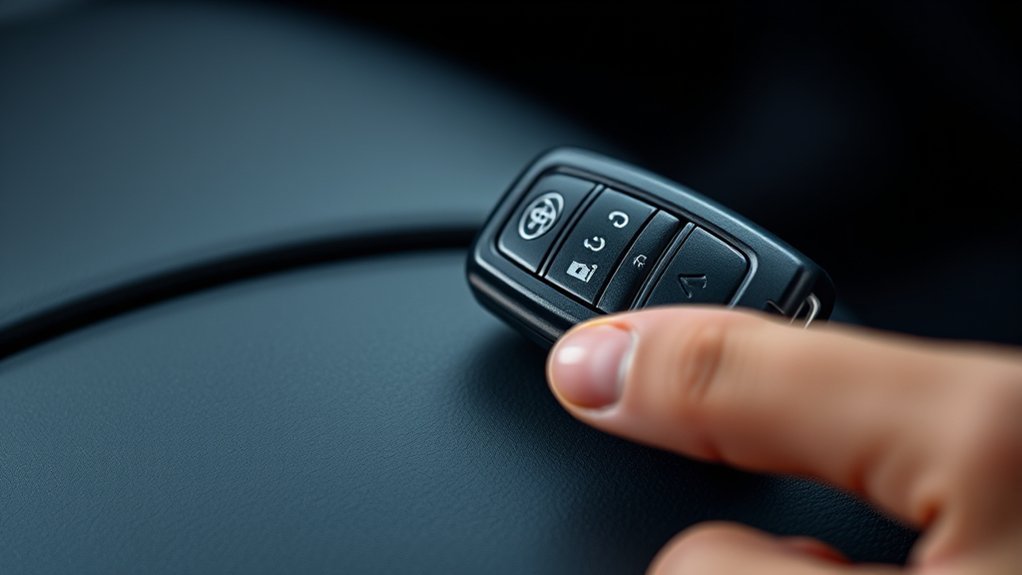
Begin the remote-button sequence only after the vehicle confirms programming mode. Program one compatible remote at a time and keep the remaining remotes within reach.
[Products Worth Considering]

fits 2007-2012 Avalon 2007-2011 Camry 2009-2013 Corolla 2007-2013 Highlander2010-2015 Prius 2007-2011 Rav4 2007-2011 Sequoia 2009-2013 Venza

High-quality: Every Single Keyless Entry Remote Control Car Key Fob Is Fully Pre-tested by Professional Locksmith Tools before Shipping. All Our Key Fobs are Pre-installed with Battery and Electronics

Complete Package Included: Each key fob comes complete with electronics and a battery pre-installed for immediate use
Remote Button Sequence
- Within 40 seconds of the vehicle’s programming-mode confirmation, press LOCK and UNLOCK together for 1 to 1.5 seconds, then release both buttons.
- Within three seconds, press and hold LOCK by itself for more than one second, then release it.
- Watch the confirmation. One lock/unlock cycle means the remote was accepted.
- Two lock/unlock cycles mean the remote was rejected. Verify the battery and compatibility, then repeat the button sequence if the vehicle remains in programming mode.
- Repeat the same timed button sequence for each additional compatible remote.
- Open the driver’s door to exit programming mode.
Toyota’s TVIP V3 RS3200 system stores a maximum of four remote controls. Do not assume that limit applies to every Camry factory wireless system; use the model-specific repair information when registering several remotes.
What Do the Lock Cycles Mean?
| When It Happens | Confirmation | Meaning |
|---|---|---|
| After removing the ignition key in add mode | One lock/unlock cycle | The vehicle entered add mode |
| After removing the ignition key in rewrite mode | Two lock/unlock cycles | The vehicle entered rewrite mode; register every remote you want to keep |
| After the timed remote-button sequence | One lock/unlock cycle | The remote was accepted |
| After the timed remote-button sequence | Two lock/unlock cycles | The remote was rejected; check battery and compatibility |
Should You Use Add Mode or Rewrite Mode?
Add mode and rewrite mode use the same basic entry sequence on the verified 2002–2006 factory procedure and TVIP V3 RS3200 procedure. The ignition-turn count selects the mode:
| Mode | Ignition Turn | Use It When | Effect |
|---|---|---|---|
| Add mode | LOCK → ON → LOCK once | Adding a compatible remote while keeping current remote codes | Existing remotes remain registered |
| Rewrite mode | LOCK → ON → LOCK twice | Replacing the stored set of remotes | A remote not registered during the session may stop working |
Warning: Do not experiment with three, four, or five ignition cycles. Toyota assigns different names and effects to those counts on factory wireless and RS3200 systems. Use only the exact model- and system-specific instructions for confirmation, function-select, prohibition, or code-clearing modes.
How Do You Confirm Successful Key Fob Programming?
The clearest acceptance signal is one door-lock cycle after the final LOCK press. On an RS3200 installation, the lights and buzzer also confirm the response. Exit programming mode, close the doors, and test every registered remote from outside the vehicle.
- Close all doors and the trunk.
- Press LOCK and confirm that the doors lock.
- Press UNLOCK once and confirm whether the driver’s door or all doors unlock, based on the vehicle’s settings.
- Press UNLOCK twice if the system uses two-step unlocking.
- Test the trunk release, panic button, and any other equipped remote buttons.
- Test every remote, including the older remotes you intended to keep.
- Insert the key and start the engine separately. Remote-button success does not prove that a replacement transponder is registered.
| Function | Action | Expected Result |
|---|---|---|
| Lock doors | Press LOCK | Doors lock; lights may flash depending on the system |
| Unlock doors | Press UNLOCK | Driver’s door or all doors unlock |
| Panic alert | Use the PANIC button if equipped | Alarm sounds according to the owner’s manual |
| Trunk release | Use the trunk button if equipped | Trunk releases according to the vehicle’s settings |
| Engine authorization | Insert the key and start the engine | Engine starts only if the transponder is already registered |
Why Won’t the Toyota Camry Key Fob Program?
Separate an entry-mode failure from a remote-acceptance failure. That distinction points to the fastest next check and prevents replacing parts before the installed system is identified.
The Car Does Not Enter Programming Mode
If the locks never cycle after you remove the ignition key, the problem occurs before the remote is tested. Check these items:
- Confirm that the driver’s door began open and unlocked and all other doors were closed.
- Complete the first two key insertions and removals within five seconds.
- Use full door close-and-open movements and do not turn the key during the first insert-and-remove steps.
- Verify that the vehicle has a 2002–2006 factory wireless system or a confirmed compatible RS3200 installation.
- Stop using this sequence if the vehicle has a Smart Key or an unverified later system.
Programming Mode Starts, but the Remote Is Rejected
If the vehicle enters programming mode but cycles the locks twice after the remote-button sequence, focus on the remote rather than the door sequence.
- Repeat the exact 1-to-1.5-second LOCK + UNLOCK press.
- Press LOCK for more than one second within three seconds of releasing both buttons.
- Install a fresh battery with the correct polarity.
- Match the Toyota part number, FCC ID, button layout, and system type to the original remote.
Battery Issues
A weak or incorrectly installed battery can prevent reliable transmission. Open the fob and use the battery type printed on the old cell or specified in the owner’s manual.
- Install the battery with the positive (+) side facing the direction shown inside the fob.
- Check the metal contacts for corrosion, looseness, or bending.
- Do not pry the fob case aggressively; wrap the tool tip with cloth to reduce cosmetic damage.
- Keep coin and button batteries away from children and pets because swallowing one can cause serious injury.
Signal Interference
Test the remote away from other wireless keys, large metal objects, and strong electronic transmitters. If it works only at very short range, replace the battery first, then inspect the case, contacts, and circuit board for damage.
Programming Errors
The first insert-and-remove pair must be completed within five seconds. The later door-and-key phases and remote-button phase each use 40-second windows. If one movement or button duration is missed, restart from the beginning.
Remote Is Not Compatible
A replacement fob can look correct and still be incompatible. Match the FCC ID, Toyota part number, button layout, and keyless-entry system. Ask a Toyota parts department or qualified automotive locksmith to verify the remote if the vehicle enters programming mode but never accepts it.
The Key Starts the Car but the Remote Does Not Work
The engine-start transponder and remote-button transmitter can be separate systems. A correctly cut and registered key may start the engine while the lock and unlock buttons still need a compatible transmitter, fresh battery, or remote registration.
When Do You Need a Toyota Dealer or Automotive Locksmith?
Use a Toyota dealer or qualified automotive locksmith when the job involves key cutting, immobilizer registration, Smart Key registration, lost-key security, or a system that does not support a confirmed DIY procedure.
- Your Camry has push-button start or a Smart Key.
- All working keys are lost.
- You need a new metal key cut.
- The remote works but the car will not start.
- The security light indicates that the immobilizer does not recognize the key.
- You need to remove a lost or stolen key from the vehicle’s memory.
- Your 2007-or-newer system requires model-specific diagnostic registration.
- You followed the confirmed procedure with a compatible remote and fresh battery, but the vehicle still rejects it.
For a push-button-start fault, see what “Smart Key not detected” means on a Toyota Camry. If the remote works but the engine will not start, review the Toyota Camry immobilizer system before arranging diagnosis.
For replacement-key assistance, ask the dealer or locksmith what identification, ownership documents, VIN details, and vehicle access they require before the appointment.
Frequently Asked Questions
Which Toyota Camry years can use this key fob programming procedure?
Toyota TSB EL009-07 documents the factory wireless remote procedure for 2002–2006 Camry models. Certain 2000–2006 Camrys with a dealer- or port-installed TVIP V3 RS3200 system use a closely related sequence. A physical ignition key on another year does not prove that this procedure applies.
Do I need to reprogram a Camry key fob after changing its battery?
Normally, replacing the fob battery does not erase the registered remote code. Install the correct battery with the correct polarity and test the buttons first. Use a programming procedure only if the remote remains inoperative and the exact vehicle system supports manual registration.
Can I program multiple Toyota Camry key fobs in one session?
You can program compatible remotes one at a time during the same session when the confirmed procedure supports it. Toyota’s RS3200 system stores up to four remotes, but a factory system may use a different limit. Repeat the timed LOCK + UNLOCK, then LOCK sequence for each remote before opening the driver’s door.
Will reprogramming erase my existing key fobs?
Add mode keeps existing remote codes. Rewrite mode replaces the stored set, so every remote you want to keep must be registered during that session. Do not use other mode counts without the exact instructions for the installed factory wireless or RS3200 system.
Why did the door locks cycle twice after I pressed the key fob buttons?
Two lock cycles after the timed remote-button step mean the remote was not accepted. Check the battery, Toyota part number, FCC ID, button timing, and system compatibility. Repeat the button sequence if the vehicle remains in programming mode; otherwise restart the full entry sequence.
What if my Toyota Camry key fob is lost or broken?
If only the remote transmitter is broken and you still have a working ignition key, a compatible replacement remote may be manually programmable on a supported system. Use a dealer or automotive locksmith when the key is lost, stolen, needed to start the car, or must be removed from vehicle memory.
Is a specific battery required for the Toyota Camry key fob?
Yes. Use the battery type printed on the old battery or listed in the owner’s manual for the exact key. Install the same or an approved equivalent with the correct polarity. Do not choose a battery only because another Camry fob uses it.
Why does the key fob unlock the doors but not start the car?
The remote transmitter and engine immobilizer perform different jobs. Remote programming can restore lock and unlock functions without registering the transponder or Smart Key that authorizes engine starting. A dealer or qualified automotive locksmith should diagnose an engine-start authorization problem.
How often should I reprogram my Toyota Camry key fob?
A working remote does not need routine reprogramming. Register it only when adding or replacing a compatible remote, restoring operation under a confirmed procedure, or changing stored remote codes after a key is lost.
Can I program a Toyota Camry Smart Key myself?
The door-and-ignition method in this guide does not register a push-button Smart Key. Use the repair information for the exact model year or contact a Toyota dealer or qualified automotive locksmith for the correct registration and security procedure.
Conclusion
Use this Toyota Camry key fob programming sequence only for a confirmed 2002–2006 factory wireless remote or compatible TVIP V3 RS3200 installation. Choose add mode to preserve existing remotes, follow every timing window, and test both remote functions and engine authorization separately. Stop and use a Toyota dealer or qualified automotive locksmith for Smart Keys, immobilizer registration, key cutting, all-keys-lost cases, stolen-key removal, or any vehicle whose system cannot be positively identified.
Sources
- Toyota TVIP V3 RS3200 System Programming Instructions: supports the time-limited entry sequence, add and rewrite modes, remote-button timing, confirmation signals, and four-remote limit. It also directs users to vehicle-specific repair information for factory wireless programming.
- Toyota Technical Service Bulletin EL010-07, Wireless Door Lock Remote Control Transmitter Programming Information: distinguishes factory wireless systems from dealer- or port-installed systems and identifies the applicable programming source by model and year.
- Toyota Technical Service Bulletin EL009-07, Wireless Door Lock Remote Control Transmitter Registration: documents the OEM wireless remote registration procedure for 2002–2006 Camry models, including the five-second initial key cycle, 40-second phases, add and rewrite modes, and final remote-button timing.
- Toyota Manuals and Warranties: provides model-specific owner information and access points for Toyota manuals before attempting a key or remote procedure.


[…] paying for programming. True Smart Key registration is a separate procedure; see the guide to Camry key fob programming for the distinction between older remote programming and push-button Smart Key […]