The Toyota Camry’s Pre-Collision System (PCS) can help warn you before some frontal crashes, but it can’t replace your attention. It uses forward-facing sensors to watch for certain vehicles, pedestrians, and other road users, depending on your Camry’s model year and Toyota Safety Sense version. This guide explains what PCS does, how alerts work, how to adjust settings, and when you should get the system checked.
Quick Answer
The Toyota Camry Pre-Collision System helps detect certain frontal crash risks and warns you with sound and display alerts. If you don’t brake in time, the system may add brake force or apply automatic emergency braking. You can usually adjust warning timing through the multi-information display, but exact settings vary by model year.
Key Takeaways
- PCS supports your driving, but you must still watch the road and brake when needed.
- The system can warn you with audio and visual alerts before some frontal collisions.
- Automatic braking may reduce speed or impact force, but it may not stop the car every time.
- Dirty sensors, bad weather, steep roads, and certain traffic situations can limit PCS performance.
- A PCS warning light or message means you should check settings, sensors, or service needs.
Understanding the Toyota Camry Pre-Collision System

Understanding the Toyota Camry Pre-Collision System (PCS) helps you use this safety feature with more confidence. PCS is part of Toyota Safety Sense, but exact features can differ by Camry year, trim, and market.
The system uses forward-facing sensors to help detect certain frontal collision risks. Depending on the version, it may detect vehicles, pedestrians, bicyclists, or motorcyclists in specific conditions.
When PCS senses a high risk, it can warn you and help with braking. If you don’t react quickly enough, the system may apply brake force to reduce speed and help lower crash severity.
Note: Check your Camry owner’s manual because PCS features and detection limits vary by model year.
How the Pre-Collision System Alerts Drivers to Risks?
When you drive, PCS can alert you if it senses a possible frontal collision. These alerts give you a chance to brake or steer before the risk becomes worse.
- Audio alerts: You may hear a warning sound when the system detects a strong crash risk ahead.
- Visual alerts: The multi-information display or instrument panel may show a PCS warning message or symbol.
- Brake assist: If you press the brake, PCS may increase braking force when it senses you need stronger braking.
- Automatic emergency braking: If you don’t react, PCS may apply the brakes to help reduce speed.
PCS usually turns on again each time you start the Camry, unless the system has a fault or your settings say otherwise. You should still check your dashboard indicators before driving.
Adjusting Your Pre-Collision System Settings
You can usually adjust PCS settings through the steering wheel controls and the multi-information display. Menu names may differ, so use your owner’s manual if you can’t find the PCS screen.
Most Camry models with PCS let you change the warning timing. You may see options such as far, middle, or near, or high, standard, and low sensitivity.
You may also find a setting to turn PCS off. If you turn it off, the instrument cluster should show a warning light or message so you know the system isn’t active.
Changing warning timing usually affects when alerts appear. It does not guarantee a different braking result, and it does not remove your duty to brake or steer.
What Can Limit PCS Performance?
PCS works best when sensors have a clear view of the road. Dirt, snow, fog, heavy rain, glare, or a blocked windshield area can make the system less reliable.
Road shape can also matter. Sharp curves, steep hills, construction zones, and unusual vehicle angles may reduce how well PCS detects risk.
The system may also struggle with objects that move suddenly into your lane. Small objects, animals, low objects, or stopped vehicles in some conditions may not trigger the system in time.
Warning: Never test PCS on people, vehicles, or objects because the system may not react as expected.
Strategies for Effective Use of the Pre-Collision System
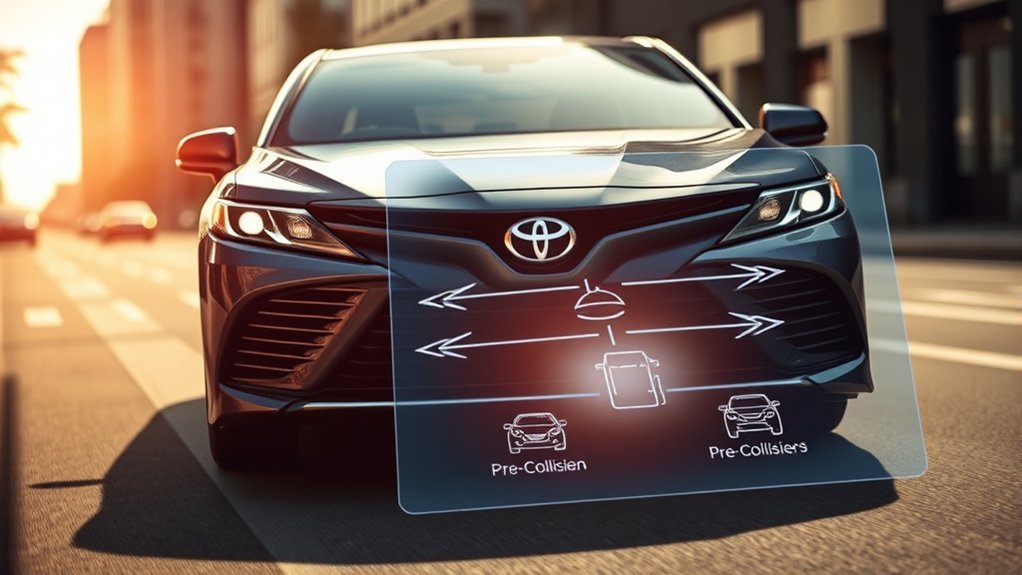
To use PCS well, start by learning its settings through the steering wheel controls. A few simple habits can help the system work as intended.
- Keep sensors clean: Clean the windshield area near the camera and the front emblem or grille area if your model uses radar.
- Choose alert timing carefully: Use an earlier warning setting if you want more time to react in busy traffic.
- Watch dashboard messages: Treat PCS warning lights, unavailable messages, or malfunction notices as important safety alerts.
- Stay ready to brake: Keep your eyes on the road and react quickly when the system gives an alert.
PCS works best when you already drive with safe following distance. It should support good habits, not replace them.
When to Get the Pre-Collision System Checked
You should inspect the sensor areas first if PCS shows an unavailable message. Clean dirt, frost, or snow from the windshield and front sensor areas before driving again.
If the warning stays on after cleaning, schedule service with a qualified technician. The camera or radar may need inspection, repair, or calibration.
You should also get PCS checked after windshield replacement, front-end collision repair, bumper work, or sensor removal. Poor calibration can affect alerts and braking support.
The Importance of safe driving With the Pre-Collision System
PCS can help reduce risk, but safe driving still matters most. You need to keep enough space, follow speed limits, and scan the road ahead.
Automatic braking may reduce impact severity, but it can’t prevent every crash. Speed, road grip, weather, and object type can all affect the outcome.
You should treat PCS as backup support. When you combine it with alert driving, you give yourself a better chance to avoid danger.
Frequently Asked Questions
What Does It Mean When the Pre-Collision System Light Comes On?
When the Pre-Collision System light comes on, the system may be off, blocked, unavailable, or malfunctioning. Check the PCS settings first, then clean the sensor areas. If the light stays on, have the vehicle inspected.
What Triggers the Pre-Collision System?
PCS may trigger when the sensors detect a high risk of a frontal collision. The system looks at factors such as distance, speed difference, and object position. It may not trigger in every risky situation.
Does Toyota Pre-Collision Assist Stop the Car Before It Crashes?
Toyota PCS may help slow the car or reduce impact force, but it doesn’t guarantee a full stop. Conditions such as speed, weather, tires, road surface, and object type can affect braking results.
Do Pre-Collision Systems Need Maintenance?
PCS doesn’t need routine maintenance like oil or brakes, but its sensors need a clear view. You should keep sensor areas clean and get calibration checked after windshield or front-end repairs.
Can You Drive With the Pre-Collision System Off?
You can usually drive if PCS is off, but you lose that extra warning and braking support. Turn it back on when conditions allow, and fix any warning message that keeps the system unavailable.
Safety Disclaimer: This article is for informational purposes only and does not replace your Toyota owner’s manual or professional vehicle service. Always follow Toyota’s instructions and contact a qualified technician for warning lights, sensor damage, or calibration concerns.
Conclusion
The Toyota Camry Pre-Collision System can help warn you and support braking, but your attention remains the main safety tool. Learn your PCS settings, keep the sensors clean, and respond quickly to alerts. If the system shows a warning or acts differently than normal, get it checked before you depend on it. Use PCS as helpful backup support, and you’ll drive with better awareness and control.
References
- Toyota Owner’s Manuals and Warranty Information — Toyota
- Toyota Safety Sense — Toyota