
Last updated: July 12, 2026
Your Toyota 4Runner dashboard lights work as a priority system, not just a collection of icons. Read them in this order: color, symbol or message, and whether the light is steady or flashing. Red usually means immediate attention, but the required action depends on the warning. Stop driving for low oil pressure, overheating, a serious brake warning, a charging-system warning, or a message telling you to stop safely. Amber or yellow usually means caution, inspection, or service soon. Green, blue, and white usually confirm that a system is active.
Quick Answer
On a Toyota 4Runner, identify a dashboard light by its color, symbol, message, and behavior. Stop safely for oil-pressure, overheating, serious brake-system, charging-system, or “stop safely” warnings. Amber lights usually mean a system needs inspection soon, while green, blue, or white lights normally show an active feature. Always check the multi-information display and the owner’s manual for your exact model year before resetting a warning.
Key Takeaways
- Critical warnings for oil pressure, the brake system, high coolant temperature, or the charging system can require you to stop immediately.
- Amber lights such as check engine, ABS, TPMS, slip indicator, PCS, LDA or LTA, BSM, and RCTA usually mean the vehicle needs inspection, repair, or a system check.
- Flashing lights can carry a different meaning from steady lights. A flashing check engine light requires immediate diagnosis, especially when the engine runs roughly or loses power.
- OBD2 scanners can read many check-engine codes, but basic readers may not access ABS, SRS, TPMS, 4WD, hybrid, or Toyota-specific body modules.
- 4Runner warning lights vary by model year, trim, powertrain, market, and 4WD system, especially between 2010–2024 models and redesigned 2025+ models.
- Certain 2025 4Runners were included in an instrument-panel recall, so check the VIN if the display goes blank or fails to show warnings at startup.
At a Glance
| Time Required | 2–5 minutes to identify the light; 10–20 minutes to scan basic codes |
| Difficulty | Beginner for identifying lights; intermediate for code diagnosis |
| Tools Needed | Owner’s manual, tire pressure gauge, OBD2 scanner, flashlight, service records |
| Cost | $0 for manual and tire checks; scanner, diagnosis, and repair costs vary by capability and fault |
Scope: This guide focuses on U.S.-market Toyota 4Runners and synthesizes Toyota owner information, federal safety rules, and diagnostic best practices. Symbols, terminology, and available systems can differ in other markets. Your exact model-year owner’s manual remains the controlling reference.
How to Read Your 4Runner Dashboard at a Glance (Colors & Priorities)
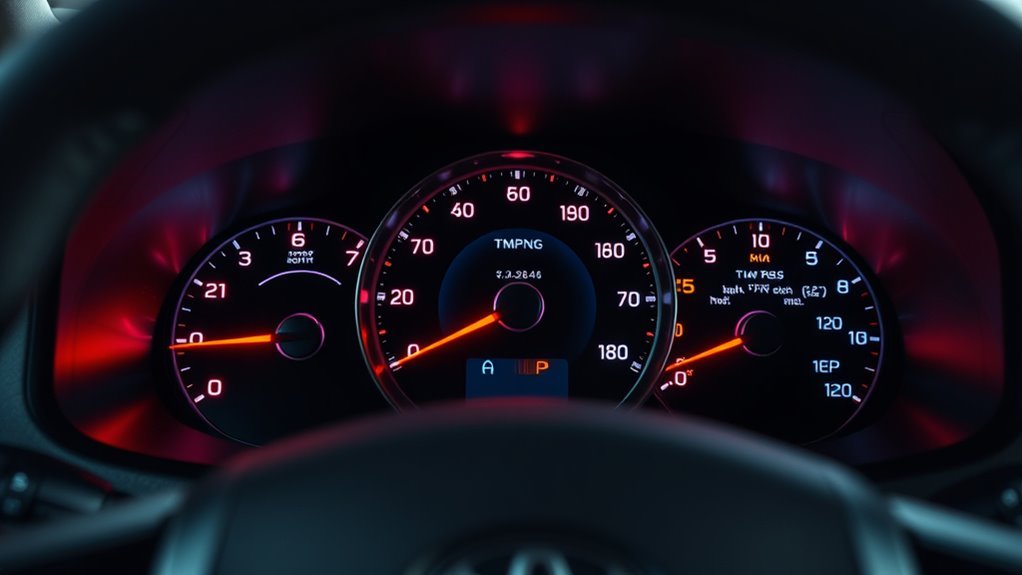
Start with color. Toyota’s official warning light guide explains that yellow icons show an item of importance but are not always fault warnings. Red icons require immediate attention, although the correct response still depends on the symbol and message. Green, blue, and white indicators generally confirm that a feature is active.
| Color | What It Usually Means | What To Do |
|---|---|---|
| Red | A condition needs immediate attention. It may be a critical mechanical or safety warning, but it can also identify a condition such as an open door or unfastened seat belt. | Read the symbol and message immediately. Stop safely for oil pressure, overheating, serious brake, charging-system, or “stop safely” warnings. |
| Amber / Yellow | An item needs attention, inspection, service, calibration, or a change in driver action. Not every amber indicator means a malfunction. | Read the message, check the vehicle’s behavior, scan codes if needed, and arrange service if the warning remains. |
| Green / Blue / White | A feature is active, such as headlights, cruise control, a drive mode, or an off-road setting. | Confirm that the selected feature or mode matches the road, trail, and driving conditions. |
Next, look at the icon and the message in the multi-information display. A steady light, a flashing light, and a light paired with a buzzer can mean different things. An amber traction or slip light may flash when the system is actively controlling wheelspin, while a warning that stays on can indicate a malfunction. Some warning lights also illuminate briefly during the startup self-check. If a light does not appear during the check or remains on afterward, read the manual and arrange inspection when required.
Note: Dashboard symbols are not identical across every 4Runner. A 2024 fifth-generation 4Runner, a redesigned 2025+ 4Runner, a hybrid model, and an off-road trim such as TRD Off-Road, TRD Pro, Trailhunter, or Limited can show different icons, messages, and drive-mode indicators.
What Do Common Toyota 4Runner Dashboard Symbols Look Like?
Use the symbol’s shape to identify the system before you decide what to do. The exact artwork can change slightly by model year and display type, so confirm the icon in your owner’s manual.
| What the Symbol Resembles | Common Meaning | First Action |
|---|---|---|
| Oil can with a drop | Low engine oil pressure | Stop safely and shut off the engine. Do not treat it as a routine oil-change reminder. |
| Thermometer over waves | High engine coolant temperature | Stop safely, avoid steam, and never open a hot radiator cap. |
| Circle with an exclamation mark, P, or brake text | Parking brake or brake-system warning | Confirm the parking brake is released. Stop if the warning remains or the brake pedal feels abnormal. |
| Battery outline with plus and minus signs | Charging-system warning | Turn off nonessential electrical loads and arrange service before the 12-volt battery is depleted. |
| Engine outline | Check engine or malfunction indicator | Scan the stored codes. Treat flashing with rough running or power loss as urgent. |
| Horseshoe-shaped tire with an exclamation mark | Low tire pressure or TPMS malfunction | Check cold tire pressure and inspect for damage or rapid air loss. |
| Car with curved skid lines | Slip, traction-control, or stability-control indicator | Ease off the throttle if it flashes on a slippery surface. Diagnose it if it stays on unexpectedly. |
| ABS letters inside or beside a circle | Anti-lock brake system warning | Drive cautiously if braking feels normal and arrange prompt brake-system diagnosis. |
| Seated person with a circle | SRS airbag or restraint-system warning | Arrange prompt diagnosis with an SRS-capable scan tool or qualified shop. |
| Triangle with an exclamation mark | Master warning or message requiring attention; color varies by model | Read the multi-information display. The message determines whether you can continue driving. |
Urgent and Safety Warnings: Stop-Now and Prompt-Service Checklist
Warning severity depends on the symbol, displayed message, buzzer, and how the vehicle behaves. Stop driving when the 4Runner has low oil pressure, overheats, displays a serious brake or charging warning, tells you to stop safely, or develops smoke, steam, severe noise, or abnormal braking. Airbag and other safety-system faults may allow the vehicle to move normally, but they still require prompt professional diagnosis.
Warning: Do not keep driving to “see if it clears” when the oil pressure light, high coolant temperature warning, serious brake-system warning, or charging-system warning appears. Pull over safely, turn on the hazard lights, and follow the owner’s manual for your exact model year.
| Warning | Likely Meaning | Best First Action |
|---|---|---|
| Low engine oil pressure | The engine may not be getting enough oil pressure. This is more urgent than a routine oil-change reminder. | Stop safely, shut off the engine, and check oil level only when safe. Do not restart if the warning remains or the engine sounds abnormal. |
| Brake system warning | The parking brake may be engaged, brake fluid may be low, or the brake system may have a malfunction. | Confirm the parking brake is released. If the warning stays on or pedal feel changes, stop driving and contact Toyota service. |
| Charging system warning | The 12-volt charging system may not be working correctly. Hybrid models use a different charging architecture, so follow the hybrid manual. | Turn off nonessential electrical loads, stop in a safe place, and arrange service before the battery is depleted. |
| High coolant temperature | The engine is overheating or the cooling system cannot control temperature. | Stop safely, keep clear of steam, do not open a hot radiator cap, and follow the overheating steps in the manual. |
| SRS airbag warning | The airbag, seat belt pretensioner, or occupant-classification system may have a fault. | Arrange prompt diagnosis. A basic OBD2 reader may not read SRS codes, so SRS-capable equipment may be needed. |
| Master warning light | A message in the multi-information display needs attention. Its color and severity vary by model and condition. | Read the message first. Treat braking, overheating, oil-pressure, charging, or “stop safely” messages as urgent. |
[Products Worth Considering]

The ANCEL AD410 PRO combines engine diagnostics and 12V battery testing in one easy-to-use tool, helping you read and clear check engine codes while checking battery health, cranking, and charging performance. It also provides live data, freeze frame details, and I/M readiness checks to help you diagnose issues faster and prepare for emissions testing. With plug-and-play operation, a clear screen, and broad vehicle compatibility, it is a practical solution for home mechanics and everyday drivers.

The AICEL TPMS Relearn Tool helps quickly reset and relearn tire pressure sensors on compatible GM vehicles after tire rotation, sensor replacement, or warning light issues. Designed for easy handheld use, it works with most cars, SUVs, and pickup trucks and can save time by eliminating unnecessary trips to the auto store. Its durable ABS housing and simple activation process make it a practical tool for keeping the tire pressure monitoring system operating properly.
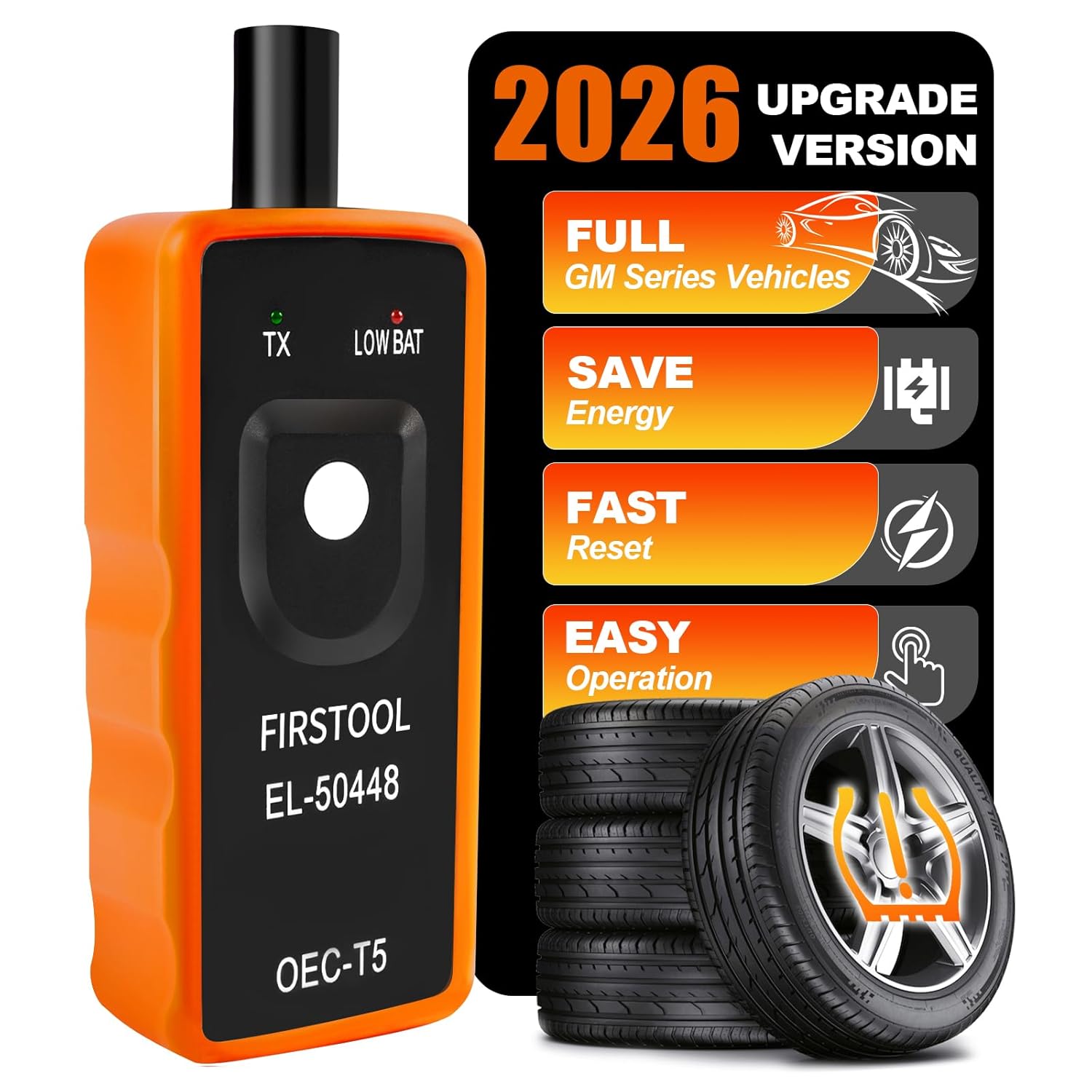
This EL-50448 TPMS relearn tool helps quickly activate and reset tire pressure sensors so your vehicle’s monitoring system stays accurate after tire rotations, sensor replacement, or seasonal tire changes. Designed for many GM-related vehicles and compatible with common 315 and 433 MHz TPMS systems, it offers simple one-button operation and reliable performance for clearing warning lights and relearning sensor positions.
Amber Alerts You Can Check or Drive to Service (Check Engine, ABS, TPMS, Traction)
Amber alerts often let you remain mobile, but they should not be ignored. Drive gently, avoid heavy towing or hard acceleration, and book diagnostics if the light stays on, returns after a repair, or comes with poor braking, rough running, steering changes, or reduced power.
| Amber Light | What It Means | What To Check |
|---|---|---|
| Check Engine / Malfunction Indicator | The engine, emissions, fuel, ignition, or powertrain-control system has stored a diagnostic trouble code. | Tighten the fuel cap if recently refueled, scan the codes, and arrange service. If flashing, reduce load and seek immediate diagnosis. |
| ABS | The anti-lock brake system or related brake-assist functions may have a malfunction. | Basic braking may remain, but anti-lock assistance may not. Drive cautiously and have the brake system inspected. |
| TPMS / Low tire pressure | One or more tires may be underinflated, or the tire-pressure warning system may need registration or service. | Check all four tires and the spare if it has a sensor. Inflate cold tires to the door-jamb placard pressure, then reset or register only when the manual calls for it. |
| Slip indicator / traction control | Flashing can mean the system is operating. A steady warning can indicate a TRAC, VSC, hill-start assist, or related fault. | If it flashes on ice, gravel, or mud, ease off the throttle. If it stays on during normal driving, scan the chassis and related modules. |
| PCS, LDA or LTA, BSM, RCTA, or parking assist | A driver-assistance system may be off, blocked, temporarily unavailable, or malfunctioning. LDA and LTA terminology varies by generation. | Clean cameras, radar areas, and parking sensors. If the message remains after normal conditions return, schedule service. |
| Maintenance required / oil maintenance | Routine service is due or the reminder was not reset after service. | Confirm the service was completed, record the mileage, and reset the reminder only after the required maintenance. |
Pro Tip: Before scanning codes, take a clear photo of the dash, the message screen, and the odometer. If the warning disappears later, the photo helps a technician confirm what happened and when.
Federal TPMS rules require the system to warn the driver when tire pressure reaches the applicable significant-underinflation threshold. The federal detection threshold is generally 25% below the manufacturer’s recommended cold pressure or the minimum pressure specified by the standard, whichever is higher.
[Products Worth Considering]

The ANCEL AD410 helps drivers quickly read and clear engine-related fault codes, view live data, and understand why the check engine light is on before heading to a repair shop. With built-in code definitions, readiness checks, and support for common OBD2 functions, it makes basic diagnostics straightforward for beginners and DIY users. Powered directly from the vehicle and easy to use with no app required, it offers practical value for everyday vehicle troubleshooting.

This 3-piece windshield wiper set is designed for Toyota RAV4 models from 2019 to 2024 and also fits select Mazda 5 vehicles. It includes front and rear blades for a complete replacement, with Teflon-coated rubber for smooth, quiet wiping and reliable all-weather performance. The easy-install design helps match the original wiper arm structure for a simple, secure fit.
Off-Road & 4WD Indicators Explained (A-TRAC, CRAWL, Multi-Terrain, Diff Locks)
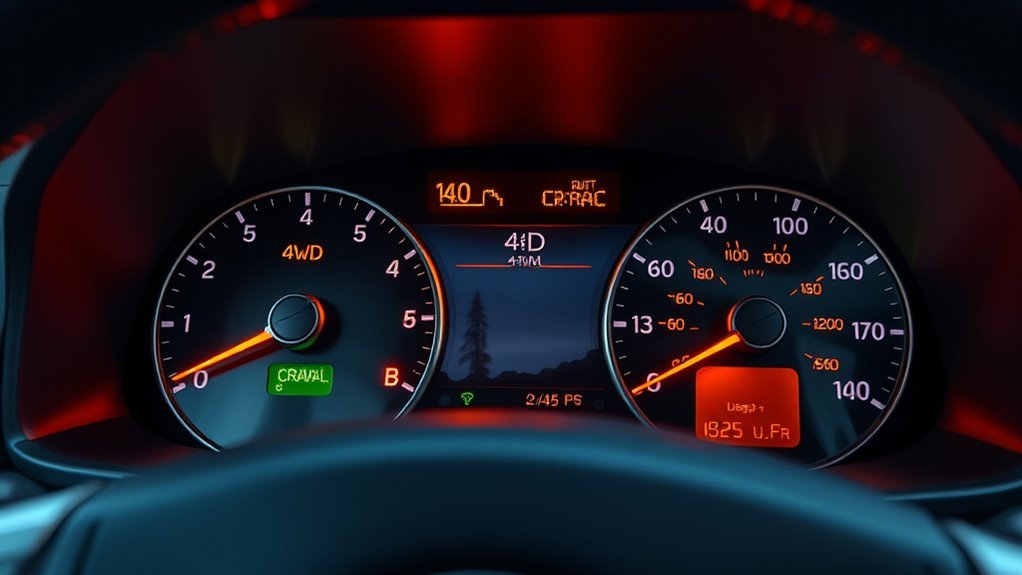
The 4Runner’s off-road indicators differ from failure warnings. They confirm which traction, crawl, terrain, and 4WD systems are selected or active. Availability depends on model year and trim, so a light shown on a TRD Off-Road, TRD Pro, or Trailhunter may not exist on every SR5, Limited, or older model.
- A-TRAC indicator: Active Traction Control helps limit wheelspin by using brake control and traction logic to help wheels with grip. If the indicator flashes on a loose surface, the system may be operating normally.
- CRAWL indicator: Crawl Control maintains a low set speed on equipped models so you can focus on steering through rocks, ruts, sand, or steep terrain.
- Multi-Terrain Select indicator: This shows the selected terrain mode. Available modes and labels vary by model year and trim.
- Rear differential lock indicator: This confirms that the rear differential lock is selected, engaging, or engaged. A flashing indicator may mean engagement is not complete.
- 4WD / 4LO / transfer-case indicators: These show the selected four-wheel-drive range or transfer-case state. Depending on the system, the display may show 2H, H4 or 4H, L4 or 4L, or a related message.
- DAC or downhill assist indicator: On equipped models, downhill assist helps control speed on steep descents when its operating conditions are met.
Warning: Do not force 4WD, low range, or a differential lock if the indicator keeps blinking and the system has not fully engaged. Follow the shift procedure in the owner’s manual, keep speed low, and avoid using locked modes on dry pavement unless Toyota permits it for your exact model.
Could a 2025 4Runner Recall Affect the Dashboard Display?
Yes. Certain 2025 Toyota 4Runners were included in NHTSA safety recall campaign 25V595000. An instrument-panel software error could prevent the display from showing important information at startup, including vehicle speed, brake-system information, and tire-pressure warnings.
If your 2025 4Runner’s instrument display is blank, delayed, or missing warning information, do not assume the vehicle has no active faults. Check the VIN through the Toyota recall lookup and the NHTSA recall database. Contact a Toyota dealer if the VIN shows an open campaign or the cluster fails to display normally.
Diagnose, Reset, and When to See a Dealer (OBD2 Steps, Maintenance Reminders)
Diagnosis should come before resetting. For 1996 and newer U.S. vehicles, OBD systems monitor emissions-related and powertrain faults, store diagnostic trouble codes, and activate the malfunction indicator when required. That makes an OBD2 scan a useful first step for a check-engine warning.
- Park safely and read the message. A dash message is often more specific than the icon alone.
- Check simple causes first. Look for low tire pressure, an open door or liftgate, low fuel, a loose fuel cap, blocked sensors, or a recently installed accessory.
- Scan and record codes. Write down every code and whether it is active, pending, permanent, or stored as history.
- Do not erase codes before diagnosis. Clearing them can remove freeze-frame data showing speed, load, temperature, and sensor values when the fault occurred.
- Test before replacing parts. A code identifies a system, circuit, or detected condition. It does not always identify the failed component.
- Repair the cause. Correct the verified fault before resetting the light or reminder.
- Recheck after driving. Some monitors need a drive cycle before the system can confirm that the repair worked.
A basic OBD2 reader usually accesses check-engine codes, but it may not read Toyota-specific ABS, SRS airbag, TPMS, 4WD, hybrid, body, or driver-assistance modules. Review the differences in this OBD2 scanner versus code reader guide, then use a tool that explicitly supports the required module or schedule diagnosis with a Toyota dealer or qualified repair shop.
[Products Worth Considering]

Compatibility: This OBD2 adapter cable is designed specifically for Toyota vehicles with a 17 pin OBD1 connector, allowing seamless connection to OBD2 diagnostic scanners and...
How to Reset Common 4Runner Reminders After Service
Reset a warning or reminder only after you have corrected the condition that triggered it. Clearing a light without diagnosis can hide useful fault information and delay a necessary repair.
Oil Maintenance Reminder
On many 2025+ 4Runner models, oil-maintenance data can be reset through the multi-information display using the steering-wheel controls and a vehicle-settings or oil-maintenance menu. Many older 4Runners use a trip-meter and ignition-button sequence instead. Because the procedure varies by year and display type, follow the maintenance-reset instructions in your exact owner’s manual.
TPMS or Tire Pressure Warning
Check tire pressure when the tires are cold and inflate them to the pressure on the driver-door placard, not the maximum pressure printed on the tire sidewall. Newer models may handle tire-pressure settings or wheel-position registration through the multi-information display. Do not initialize or reset the system while a tire is underinflated.
Check Engine Light
Scan the codes, save the freeze-frame data, diagnose the cause, and complete the repair before clearing a check engine light. After clearing it, the vehicle may need a drive cycle to rerun its readiness monitors. If the light returns, the fault or a related problem remains.
When to Keep Driving, Stop, or Call a Tow
Use this decision guide when a warning appears away from home.
| Situation | Recommended Action |
|---|---|
| Oil-pressure warning, serious brake warning, overheating, charging warning, smoke, steam, burning smell, or severe noise | Stop safely and call for help. Continuing to drive can cause damage or create a safety risk. |
| Flashing check engine light, rough running, strong fuel smell, or loss of power | Avoid hard acceleration and towing. Arrange immediate diagnosis; towing may be safer than driving. |
| Amber ABS, slip, PCS, LDA or LTA, BSM, RCTA, or parking-assist warning while the vehicle otherwise drives normally | Drive cautiously, allow more following distance, clean sensors when applicable, and schedule inspection. |
| TPMS light with normal handling | Check tire pressure as soon as safely possible. Stop if a tire is visibly low, damaged, or losing air quickly. |
| Green, blue, or white indicator only | Confirm that the feature is intentionally active. Repair is not normally needed unless the indicator behaves differently from the manual. |
| Blank or incomplete instrument display on a 2025 model | Check the VIN for recall campaign 25V595000 and contact Toyota service. Do not assume absent warnings mean the vehicle is fault-free. |
Frequently Asked Questions
How do dashboard light behaviors change with hybrid or TRD Pro models?
Hybrid 4Runner models can add READY status, hybrid-system warnings, high-voltage battery information, and power-flow displays. TRD Pro, TRD Off-Road, and Trailhunter trims may add indicators for terrain modes, Crawl Control, locking differentials, and other trail systems. Match every symbol to the manual for your exact model year and trim.
Do warning light patterns differ between model years and generations?
Yes. Warning lights vary by model year, trim, market, display type, powertrain, and installed options. A 2010–2024 4Runner may not show the same icons, terminology, or messages as a redesigned 2025+ gas or hybrid model.
Can smartphone apps read and explain dashboard warning animations?
A smartphone app can read many codes only when paired with a compatible OBD2 adapter. Basic adapters usually focus on check-engine codes and may not access ABS, SRS, TPMS, hybrid, 4WD, or Toyota-specific modules. An app is a starting point, not a final diagnosis.
Are there fuse or bulb failures that mimic dashboard warnings?
Yes, but the cause depends on the warning. An exterior-bulb fault, trailer-wiring problem, blown fuse, weak 12-volt battery, poor ground, or circuit fault can trigger lighting, charging, brake, or system messages. Modern instrument clusters rely on electronics, so scanning the affected module is usually better than guessing.
Will aftermarket accessories trigger false warning lights?
They can. Light bars, winches, remote starters, trailer brake controllers, radios, lifts, wheel-and-tire changes, and alarm systems can create warnings when wiring, grounding, sensor calibration, or CAN-bus communication is disturbed. Inspect recent modifications first when a warning begins soon after installation.
Is it safe to drive with the ABS light on?
If only the amber ABS light is on and the brake pedal feels normal, basic braking may remain, but anti-lock braking and related assistance may not. Drive cautiously and schedule service. If a serious brake-system warning also appears or pedal feel changes, stop safely and do not continue until the system is checked.
Can I reset a check engine light by disconnecting the battery?
Do not use battery disconnection as a repair. It can erase useful diagnostic information, reset readiness monitors, and leave the original fault unresolved. Scan the codes, diagnose the cause, complete the repair, and then clear the light with an appropriate scan tool.
Why did several warning lights turn on at the same time?
One fault can disable several related systems. An engine-control fault may also disable traction, stability, cruise, or driver-assistance functions. Low 12-volt voltage or a communication fault can also produce several messages. Scan every accessible module before replacing parts.
What should I do if my 2025 4Runner dashboard display goes blank?
Park safely if you cannot see speed or critical warning information. Certain 2025 4Runners were included in NHTSA campaign 25V595000 for an instrument-panel software issue. Check the VIN through Toyota and NHTSA recall tools, then contact a Toyota dealer if the display fails or the campaign remains open.
Conclusion
Read your 4Runner’s dashboard as a priority map. Identify the color, symbol, message, and flashing pattern before acting. Stop safely for oil-pressure, overheating, serious brake, charging-system, or explicit stop messages. Amber warnings usually call for cautious driving and prompt diagnosis, while green, blue, and white indicators normally confirm active features. Record codes before clearing them, use a scanner that supports the affected module, and check the VIN for recalls if a 2025 instrument display goes blank or omits warning information.
Sources
- Toyota Owners Warning Lights — official Toyota warning-light and next-step reference.
- 2026 Toyota 4Runner Owner’s Manual — Toyota manual hub for 2026 4Runner systems and warnings.
- 2025 Toyota 4Runner Hybrid Warning Lights and Indicators — Toyota hybrid warning-light and indicator reference.
- 2024 Toyota 4Runner Quick Reference Guide — indicator symbols, off-road features, TPMS, and manual caution notes.
- 49 CFR § 571.138 Tire Pressure Monitoring Systems — federal TPMS performance and underinflation-warning requirements.
- U.S. EPA On-Board Diagnostic Regulations and Requirements — OBD background and diagnostic trouble-code context.
- Toyota Safety Recall and Service Campaign Lookup — VIN-based Toyota recall status.
- NHTSA Recall Lookup — federal VIN and vehicle recall search, including campaign 25V595000.

[…] a clear symptom description. Include when the problem happens, how often it happens, and whether warning lights […]
[…] signs include dim lights, flickering dash lights, hard starts, warning lights, stalling after startup, whining from the engine bay, and odd electrical behavior. You may also […]
[…] or vibration. Also stop driving if the brake pedal feels soft, the vehicle pulls to one side, the brake warning light turns on, or you smell burning near a […]
[…] DIY checks and get help if you see a steering warning light or struggle to turn the […]
[…] a mechanic if you see warning lights, leaks, milky oil, or repeated low […]
[…] battery can cause no-start behavior, lock or keyless-entry problems, dim lighting, and confusing warning lights. Testing is more reliable than diagnosing battery condition from symptoms […]
[…] leaks, suspension wear, warning lights, transmission behavior, and recall status before you […]
[…] warning signs include a blank screen, frozen image, missing guide lines, distorted view, or a warning icon on the display. Missing guide lines often point to calibration. A completely black screen may point […]