
Last updated: August 31, 2026 · [VERIFY: reconcile this in-body author/reviewer line with the real CMS byline and credentials]
Toyota 4Runner Crawl Control is a low-speed off-road driving aid that automatically manages engine output and braking while you steer. On the referenced U.S.-market fifth- and sixth-generation systems, Crawl Control requires 4L/low range, the engine running, the transmission out of Park and Neutral, and the driver’s door closed. The main generation change is the control logic: 2010–2024 models use the older CRAWL interface and do not run Multi-Terrain Select at the same time, while the redesigned 2025–2026 system uses the DAC/CRAWL control and can operate with Multi-Terrain Select on or off. Always follow the owner’s manual and display for your exact model.
Quick Answer
4Runner Crawl Control works like low-speed off-road cruise control. On the referenced 2010–2026 systems, shift into 4L/4LO, keep the engine running, select a gear other than Park or Neutral, close the driver’s door, switch CRAWL on, choose one of the low-speed settings, then release the pedals and steer. On 2025–2026 models, use the combined DAC/CRAWL control and confirm the Crawl Control display before moving.
Key Takeaways
- Crawl Control is for slow off-road driving, not normal roads or high-speed trail use.
- It adjusts engine output and brake control so you can concentrate on steering and line choice.
- The referenced 2010–2026 systems require 4L/4LO, a gear other than Park or Neutral, and a closed driver’s door before Crawl Control can operate.
- Start with the lowest suitable setting on rocks, ledges, and steep descents. Increase it only when the surface safely needs more momentum.
- 2010–2024 Multi-Terrain Select does not operate while Crawl Control is active; the redesigned 2025–2026 system can use Crawl Control with Multi-Terrain Select on or off.
- Stop safely and follow the display message if the system limits operation, exceeds its speed condition, or shows a brake or transmission temperature warning.
At a Glance
| Time Required | Varies by model; engagement is brief once the required 4WD and gear conditions are met |
| Difficulty | Easy to turn on, intermediate to use well off-road |
| Tools Needed | No tools; use the vehicle controls and owner’s manual |
| Vehicle Requirement | A 4Runner factory-equipped with Crawl Control |
What Changes by 4Runner Generation?
The biggest source of confusion is that Toyota changed the 4Runner for 2025. The purpose stayed similar, but Toyota changed the switch layout and how Crawl Control interacts with other off-road systems. The important constant is low range: the referenced fifth- and sixth-generation owner guidance requires 4L before Crawl Control can operate.
| Model Years | What to Expect | What to Verify |
|---|---|---|
| 2010–2024 equipped models | Five selectable low-speed settings. Crawl Control operates with the engine running, the transmission out of P/N, the transfer case in L4, and the driver’s door closed. Multi-Terrain Select cannot operate at the same time. | Older switch layout, exact speed-mode recommendation, heat warnings, and the 15 mph (25 km/h) temporary-cancel threshold. |
| 2025–2026 equipped models | Next-generation, quieter CRAWL Control using the DAC/CRAWL switch and mode selector. The referenced sixth-generation manual logic still requires 4L, a gear other than P/N, and a closed driver’s door. Crawl Control can be used with Multi-Terrain Select on or off. | Display prompts, rear-differential-lock limitations, and current speed thresholds: about 6 mph (10 km/h) with the rear differential locked and about 15 mph (25 km/h) unlocked. |
Generation check: Do not copy a video or forum procedure from a different model year. Toyota’s 2010–2024 logic and 2025–2026 logic differ most in the controls and Multi-Terrain Select interaction, even though both referenced systems require low range for Crawl Control.
What Crawl Control Is and Which 4Runners Have It
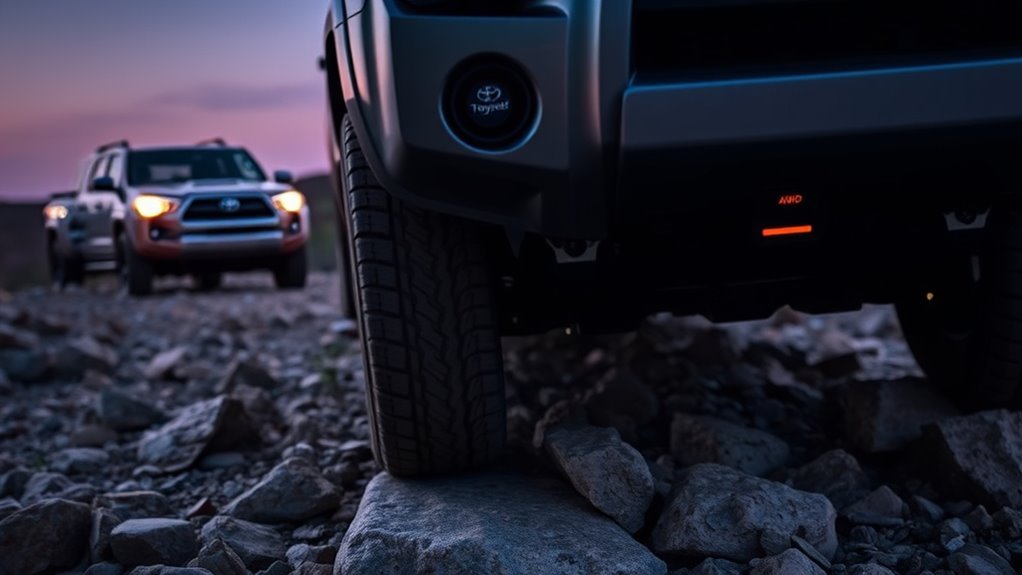
Think of Crawl Control as an automated low-speed traction manager. When conditions are rough enough that steady pedal control becomes difficult, Crawl Control can help the 4Runner travel at a controlled crawl while reducing wheelspin and sudden surges.
Toyota’s 2024 4Runner brochure says Crawl Control automatically modulates throttle and brakes on five low-speed settings. For the redesigned 2025 and 2026 4Runner, Toyota describes the newer system as a quieter, next-generation low-speed off-road cruise-control function. The referenced sixth-generation owner guidance keeps the same basic job—automatic engine-output and brake control while you steer—but changes the switch and display workflow.
Crawl Control is not on every 4Runner. Availability depends on model year, drivetrain, grade, and package. Toyota’s current 2026 4Runner information lists TRD Off-Road with Multi-Terrain Select and Crawl Control, and Toyota’s grade materials also carry that off-road system into related TRD Off-Road configurations. Do not assume that every 4WD 4Runner has the feature; confirm the exact vehicle before following this procedure.
Note: Trim names and equipment changed with the redesigned 2025 4Runner. Always confirm Crawl Control on your exact vehicle by checking the owner’s manual, window sticker, Toyota build sheet, or the CRAWL switch inside the cabin.
Quick Guide: When to Use Crawl Control
Use Crawl Control when the trail demands precise low-speed control and you want the vehicle to manage the pedal work. It is most helpful on surfaces where a small throttle mistake can cause wheelspin, bouncing, sliding, or loss of momentum.
Best Conditions for Crawl Control
- Rocky climbs: Helps the 4Runner maintain steady progress while you steer around ledges and loose stones.
- Steep descents: Helps hold a controlled crawl without riding the brake pedal.
- Mud, snow, or loose dirt: Reduces abrupt throttle input that can dig tires into the surface.
- Ruts and moguls: Helps smooth out throttle and braking as wheels gain and lose traction.
- Technical trail sections: Lets you focus on tire placement, spotter signals, and approach angles.
When Not to Use Crawl Control
Crawl Control is not meant for normal road driving, dry pavement, fast dirt roads, or any situation where you need immediate manual throttle control. Do not treat it as a water-crossing aid. If an obstacle requires deliberate wheel speed, a burst of momentum, or quick recovery from a slide, manual control may be the better choice.
Warning: Crawl Control does not increase ground clearance, tire grip, rollover resistance, or approach and departure angles. Off-roading can still damage the vehicle or cause injury. Use a spotter on blind ledges and stop if you are unsure of the line.
How Crawl Control Works: Brakes, Throttle, and Speed Settings
When Crawl Control is active, the vehicle coordinates engine output and braking to maintain a selected low-speed pace. Instead of your right foot making constant corrections, the 4Runner repeatedly adjusts power and brake pressure while you steer. Toyota describes this as a driver aid for difficult low-speed terrain, not a mechanical locker or a substitute for tire grip. For a deeper explanation of the control logic, see 4Runner Crawl Control throttle and brake logic.
Brake-Based Traction Control
Crawl Control uses the 4Runner’s brake-control hardware as part of its low-speed control strategy. Brake intervention can reduce wheelspin while engine-output control smooths the vehicle’s pace. This is different from a mechanical differential lock: Crawl Control manages motion electronically, while a locker mechanically links wheel speeds on an axle.
- Selective braking targets wheels that are slipping.
- Throttle control helps reduce sudden surges.
- The system helps the vehicle hold a steady crawl speed.
- You stay focused on steering and line choice.
- Normal clicks, pulses, or mechanical noises may occur while the system is working.
Throttle Modulation Logic
The throttle side of Crawl Control is just as important as the braking side. In loose or uneven terrain, too much throttle can spin the tires, while too little can stall progress. Crawl Control makes repeated small adjustments to help the vehicle keep moving at the selected pace.
That makes it especially useful when the trail is bumpy enough that your foot would otherwise bounce on the accelerator. By removing that uneven pedal input, Crawl Control can make the 4Runner feel more predictable over rough ground.
Speed Range and Limits
Toyota’s 2024 brochure confirms five low-speed settings for the fifth-generation system. Fifth-generation owner guidance temporarily cancels Crawl Control above approximately 15 mph (25 km/h). The referenced sixth-generation guidance uses the same approximate 15 mph threshold with the rear differential unlocked, but with the rear differential locked, engine/brake control is limited at approximately 6 mph (10 km/h).
Those figures are cancellation limits, not target trail speeds. Crawl Control works best at a deliberate crawl where tire placement matters more than speed. Follow the multi-information display and the exact owner’s manual whenever the vehicle limits control or changes the available functions.
Decision rule: Use Crawl Control when slower, steadier progress improves control. Turn it off when the obstacle needs deliberate wheel speed or immediate throttle response.
How to Engage and Tune Crawl Control in 4LO Step by Step
The exact switch layout varies by generation and trim, so treat this as a practical guide and follow the owner’s manual for your specific 4Runner. The basic process is the same: get into the correct 4WD range, turn Crawl Control on, choose a speed, and steer smoothly. For the difference between low-range gearing and the electronic pace-control function, see Crawl Control vs 4LO.
[Products Worth Considering]

This dash clock spring replacement is designed for a wide range of Toyota vehicles and helps restore reliable steering wheel control functions. It supports audio controls, cruise control, and other multi-function commands while using vehicle-specific connectors for easier installation. Built with durable materials and OEM-referenced part compatibility, it is a practical solution for repairing steering wheel signal issues.

These off-road traction boards are designed to help vehicles recover from mud, sand, and snow with reliable grip and easier ramp-up. Their double-sided diamond construction, cross-shaped teeth, and contoured ramps improve traction while the durable polypropylene build stays flexible in harsh conditions. Convenient mounting points, ergonomic handles, and a visible leash make them practical to carry, store, and retrieve when recovery is needed.

These X-BULL recovery traction tracks help drivers get unstuck from sand, snow, mud, or ice with a stable U-shaped elastic design and a wavy ramp that makes tire entry easier. Built from reinforced nylon, they are flexible, impact-resistant, and designed to perform in extreme temperatures while providing reliable emergency traction for a wide range of vehicles.
Before You Turn It On
- Check that the trail is suitable for slow technical driving.
- Fasten seat belts and secure loose cargo.
- Air down tires only if you understand the tire and load limits and can reinflate before returning to pavement.
- Know where the CRAWL switch, speed selector, 4WD selector, and rear differential lock controls are. On 2025–2026 models, identify the combined DAC/CRAWL switch and the mode selector.
- Remember the generation rule for Multi-Terrain Select: 2010–2024 MTS cannot operate while Crawl Control is active; the referenced 2025–2026 system can use MTS on or off with Crawl Control.
- Confirm the area ahead is clear of people, pets, and trail obstacles you cannot see from the driver’s seat.
Step-by-Step Crawl Control Setup
- Stop in a safe place. Avoid engaging off-road systems while the vehicle is bouncing or sliding.
- Select 4L/4LO. The referenced 2010–2024 and 2025–2026 Crawl Control operating conditions require low range. Stop and shift through Neutral when your owner’s manual requires it, then confirm the 4L indicator before continuing.
- Choose the right transmission range. Once low range is engaged, select Drive for forward movement or Reverse if you are backing out of an obstacle.
- Press the CRAWL control. On 2010–2024 models, use the CRAWL ON/OFF control; on 2025–2026 models, use the DAC/CRAWL switch and mode selector. Confirm the Crawl Control indicator/display before moving. If it refuses to engage, recheck 4L, shift position, driver’s door, speed, and warning messages.
- Select a low speed. Start with the lowest or second-lowest setting for rocks, ledges, steep drops, and tight lines.
- Ease off the pedals. Let the system manage throttle and braking while you steer. Keep your foot ready to override if needed.
- Adjust one step at a time. Increase the setting only if the vehicle needs more momentum and the terrain allows it.
- Turn it off when the obstacle is done. Return to normal manual control before faster trail driving or pavement.
Pro Tip: Practice Crawl Control on an easy dirt hill before you need it on a hard trail. The system can feel noisy or pulsing at first, but that feedback is usually the brake and traction control hardware doing its job.
Which Speed Setting Should You Pick?
For 2010–2024 4Runner Crawl Control, Toyota’s owner guidance maps the five positions from low to high to typical terrain. Treat the chart as a reference, not a guarantee: slope, tire grip, load, surface depth, and obstacle shape can make a different setting safer.
| 2010–2024 Crawl Position | Toyota-Listed Typical Terrain | Practical Use |
|---|---|---|
| 1 — L (Low) | Rock, downhill moguls, and downhill gravel | Maximum time for tire placement and controlled descents |
| 2 — Between L and M | Mogul uphill | Very slow climbing where a little more movement is useful |
| 3 — M (Medium) | Mogul uphill | Steadier uphill progress on uneven terrain |
| 4 — Between M and H | Snow, mud, uphill gravel, sand, dirt, uphill moguls, and grass | More momentum on loose surfaces where the low settings may bog |
| 5 — H (High) | Snow, mud, uphill gravel, sand, dirt, uphill moguls, and grass | Highest crawl setting for loose terrain when the line and stopping distance are safe |
2025–2026 note: The redesigned system uses five named levels shown in the multi-information display. Toyota’s current owner guidance describes them as LO, LO-Mid, Mid, Mid-Hi, and HI.
| 2025–2026 Crawl Level | Toyota-Listed Typical Terrain |
|---|---|
| LO | Rocky roads or declines |
| LO-Mid | Rocky roads, declines, or bumpy inclines |
| Mid | Bumpy inclines |
| Mid-Hi | Bumpy inclines, debris roads, snow-covered roads, muddy roads, gravel roads, and grass roads |
| HI | Bumpy inclines, debris roads, snow-covered roads, muddy roads, gravel roads, and grass roads |
Choosing Crawl Control vs Multi-Terrain Select and A-TRAC
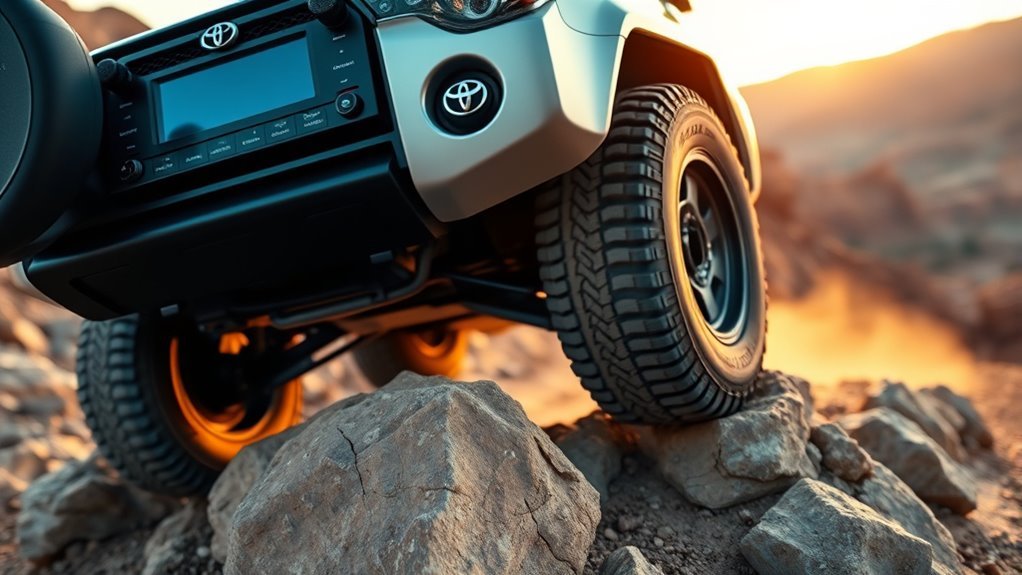
Crawl Control, Multi-Terrain Select, and A-TRAC solve different parts of the traction problem. Crawl Control manages pace, Multi-Terrain Select changes the vehicle’s response for a surface, and A-TRAC uses brake intervention to reduce wheelspin.
| System | Main Job | Use It When | Driver Still Controls |
|---|---|---|---|
| Crawl Control | Maintains a selected low-speed pace with automatic throttle and braking | Pedal control is the hardest part of a technical obstacle | Steering and line choice |
| Multi-Terrain Select | Adjusts traction response for the selected surface | Mud, dirt, sand, or another listed surface needs tailored control | 2010–2024: driver controls speed and MTS is unavailable during Crawl Control. 2025–2026: MTS can remain on or off while Crawl Control manages pace. |
| A-TRAC | Brakes a slipping wheel to help the 4WD system use available grip | A wheel unloads or spins on uneven terrain | Throttle, braking, and steering unless another system is managing them |
| Rear differential lock | Locks both rear wheels to the same speed | Rear-wheel traction is extremely limited and the terrain allows its use | Throttle, braking, and steering; turning behavior changes |
[Products Worth Considering]

This coolant thermostat is a direct replacement designed for a wide range of Toyota, Lexus, and Scion vehicles. It helps maintain proper engine temperature, supports reliable cooling system performance, and installs easily without special tools or programming. Built to meet OEM standards, it offers durable, stable operation and dependable fitment for compatible models.

This steering clock spring is designed to restore reliable steering wheel controls across a wide range of Toyota models. It supports audio, cruise control, and other multifunction commands while matching OEM part numbers for confident replacement fitment. Built for dependable signal transfer and straightforward installation, it is an effective solution for repairing steering column control issues.
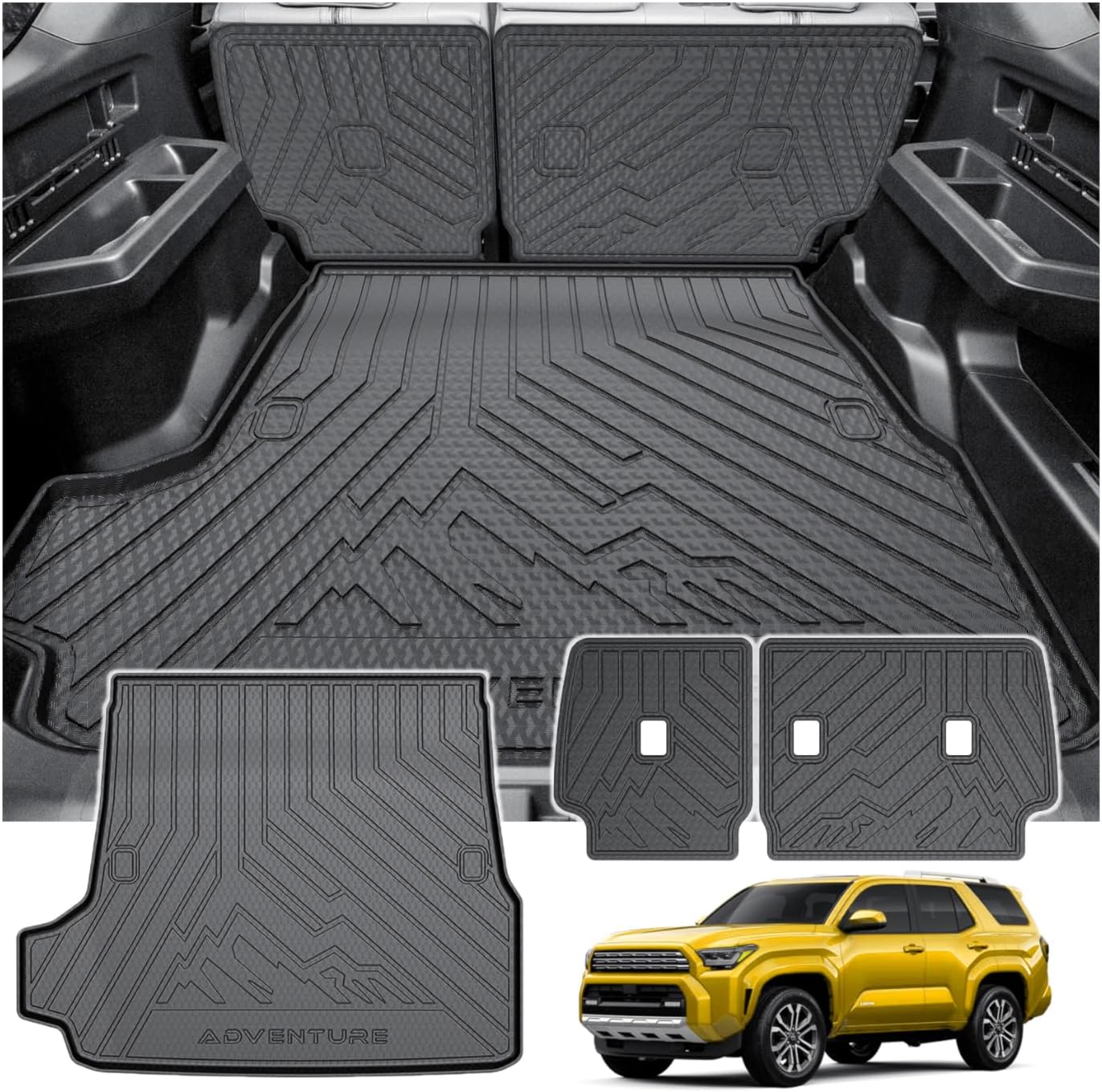
This custom-fit cargo mat is designed for 2025-2026 Toyota 4Runner gas models with 5 seats, offering full coverage for the trunk and back seat area. Made from durable TPE material with raised edges, it helps protect against mud, spills, dust, and everyday wear while staying easy to remove and clean.
Use Crawl Control When Speed Control Is the Problem
Choose Crawl Control when the hardest part of the obstacle is maintaining a slow, steady pace. This includes steep descents, rocky climbs, loose shelves, or any trail section where bouncing on the throttle would make the 4Runner harder to control.
Use Multi-Terrain Select When Surface Type Is the Problem
Toyota says newer 4Runner Multi-Terrain Select can adjust settings for surfaces such as mud, dirt, and sand. On 2010–2024 4Runners, MTS and Crawl Control are mutually exclusive. On the referenced 2025–2026 system, Crawl Control can operate with MTS on or off, so the newer truck can combine pace control with a selected terrain strategy when the display permits it.
Use A-TRAC When One or More Wheels Are Spinning
Active Traction Control, commonly called A-TRAC, uses braking intervention to reduce wheelspin and help the 4WD system make better use of available grip. It is useful when one or more wheels unload, such as on off-camber ruts, stair-step rocks, or uneven climbs.
Simple Decision Guide
- Need slow hands-off pedal control? Use Crawl Control.
- Need surface-specific traction tuning? Use Multi-Terrain Select.
- Need help with wheelspin in 4WD? Let A-TRAC work, or select it if your model requires manual activation.
- Need equal rear-wheel speed in very low-traction terrain? Use the rear differential lock if equipped and appropriate.
- Need quick throttle response or wheel speed? Turn Crawl Control off and drive manually.
Generation rule: 2010–2024 Multi-Terrain Select does not operate while Crawl Control is active. The referenced 2025–2026 system allows Crawl Control with MTS on or off. Rear-differential lock can still change the available Crawl Control functions and speed limits, so follow the display.
Limits, Overheating Risks, Safety Tips, and Troubleshooting
Crawl Control is helpful, but it cannot create traction or remove drivetrain load. Long technical sections, heavy vehicle weight, deep mud, and steep grades can make the system work harder. Treat any temperature or system-unavailable message as an instruction to stop safely and follow the owner’s manual.
[Products Worth Considering]
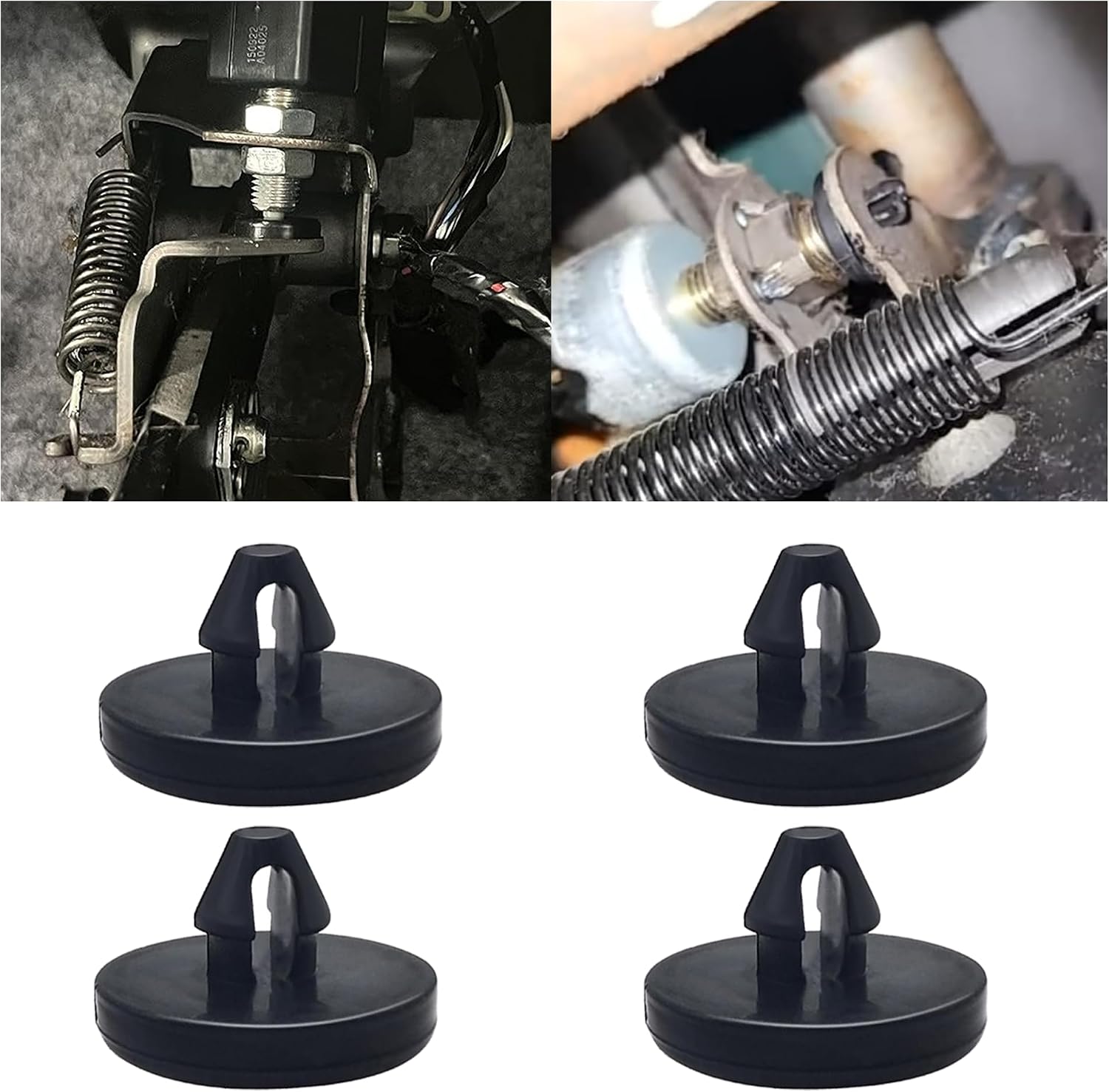
This brake pedal stop pad set is designed as an OEM replacement for compatible Toyota, Lexus, and Scion models, helping restore proper brake light switch function when the brake light stays on. Made from durable nylon, these compact stoppers are built for reliable long-term use and quick, tool-free installation. The set includes multiple pieces for convenient replacement and sharing.

This GM TPMS relearn tool helps reset tire sensors, clear warning lights, and match tire positions after rotation quickly at home. Designed for Chevrolet, GMC, Cadillac, and Buick vehicles, it offers one-button operation, fast activation, and broad compatibility with many GM models. It is best suited for OE/OEM sensors and includes paper instructions plus video guidance for easier DIY use.

This proportional trailer brake controller provides smooth, responsive braking by automatically matching your tow vehicle’s stopping force for safer trailer control. The bright LED digital display makes it easy to monitor voltage output in real time, while adjustable braking and sync settings help tailor performance to different trailers and road conditions. Designed for quick installation and broad compatibility, it supports 1 to 4 axle trailers for dependable towing confidence.
Common Risks and Responses
| Risk | What It Means | Best Response |
|---|---|---|
| Brake overheating | The system has been working hard for too long | Stop safely and let the brakes cool |
| System or drivetrain temperature warning | The vehicle has detected a temperature-related operating limit | Stop safely, follow the display message, and allow cooling time |
| Crawl Control indicator flashing | The system may be temporarily limited or unavailable | Check the display message and owner’s manual |
| No engagement | Wrong gear, range, speed, or system condition | Stop, reset the setup, and try again correctly |
| Speed above Crawl Control limit | Control can pause temporarily; the indicator may flash | Reduce speed smoothly and confirm the system resumes only when the display shows it is controlling |
| Rear differential locked on 2025–2026 | Crawl Control functions are more limited; approximately 6 mph (10 km/h) is an important threshold in the referenced sixth-generation guidance | Use the locker only when needed, keep speed very low, and follow the multi-information display |
| Unexpected wheelspin | Tires may not have enough grip for the obstacle | Back up, choose another line, air down if appropriate, or recover safely |
Why Crawl Control May Not Turn On
- The 4Runner is not in 4L/4LO.
- The transmission is in Park or Neutral.
- The driver’s door is open.
- Vehicle speed is above the system’s allowed range.
- On a 2010–2024 model, Multi-Terrain Select is active; on a 2025–2026 model, check the display because MTS can operate with Crawl Control but the rear differential lock changes Crawl Control limits.
- The brake system, automatic transmission, or hybrid/powertrain system is too hot.
- A warning light, stored fault, or system message is preventing operation.
Safety Tips for Real Trails
- Walk the obstacle first when you cannot see the exit line.
- Use a spotter for ledges, deep ruts, and blind crests.
- Keep both hands on the wheel and your foot ready to override.
- Avoid continuous heavy Crawl Control use without cooling breaks.
- Do not rely on electronics to overcome poor tires, bad line choice, or unsafe terrain.
- Stop immediately if the vehicle displays an overheating or system-unavailable warning.
Warning: If Crawl Control cancels or becomes temporarily unavailable on a steep grade, take manual control smoothly. Avoid panic braking or sudden throttle. Stop in the safest available place and let the system cool if the display tells you to do so.
Frequently Asked Questions
How does 4Runner Crawl Control work?
Crawl Control automatically manages low-speed throttle and brake inputs on equipped 4Runner models. Once activated in the proper off-road setting, you choose a crawl speed and focus on steering while the system helps control wheelspin and vehicle pace.
How fast is Toyota Crawl Control?
Crawl Control is designed for low-speed off-road use, not a road-speed target. Toyota uses five selectable crawl settings. Fifth-generation guidance temporarily pauses control above about 15 mph (25 km/h). On the referenced 2025–2026 system, the unlocked-rear-differential threshold is also about 15 mph, while a locked rear differential brings an important limit at about 6 mph (10 km/h).
Do I need 4LO to use 4Runner Crawl Control?
Yes for the referenced U.S.-market fifth- and sixth-generation systems. Toyota owner guidance lists 4L/4LO as an operating condition for Crawl Control, along with the engine running, a shift position other than Park or Neutral, and the driver’s door closed. The 2025–2026 control interface is different, but Crawl Control still uses low range.
Can I use Crawl Control on pavement?
No. Crawl Control is an off-road feature for rough, slippery, or steep terrain. Do not use it for normal road driving, dry pavement, parking lots, or high-speed dirt-road travel.
Does every Toyota 4Runner have Crawl Control?
No. Crawl Control availability depends on model year, grade, drivetrain, and package. Toyota specifically lists the feature on the 2026 TRD Off-Road, but equipment varies elsewhere in the lineup. Verify your vehicle by its VIN, window sticker, owner’s manual, and cabin controls.
Is Crawl Control the same as Downhill Assist Control?
No. Crawl Control is broader because it can help manage low-speed progress across technical terrain, including climbs and uneven surfaces. Downhill Assist Control is focused on controlled descents.
Can I use Crawl Control and Multi-Terrain Select at the same time?
It depends on the generation. On 2010–2024 4Runners, Multi-Terrain Select does not operate while Crawl Control is active. On the referenced 2025–2026 system, Crawl Control can be used with Multi-Terrain Select on or off. Confirm the selected mode on the multi-information display.
Why won’t my 4Runner Crawl Control turn on?
First check the operating conditions: 4L/4LO selected, engine running, transmission out of Park and Neutral, and driver’s door closed. Then check vehicle speed, temperature warnings, rear-differential-lock status on newer models, and any fault message. Do not keep retrying if the display reports overheating or a system malfunction.
Why does Crawl Control make noise?
Clicks, pulsing, brake sounds, and vibration can be normal because the system is rapidly applying brake and throttle corrections. If you see warning messages, smell overheated brakes, or the behavior feels abnormal, stop safely and check the owner’s manual.
Conclusion
Crawl Control gives an equipped Toyota 4Runner low-speed help when the trail is steep, loose, or technical. Use it when a steady pace will improve tire placement and reduce abrupt pedal inputs, not when the obstacle needs deliberate wheel speed or immediate throttle response.
Before the obstacle, select 4L/4LO, make sure the transmission is out of Park and Neutral, close the driver’s door, and confirm the Crawl Control indicator. On 2010–2024 models, keep Multi-Terrain Select off while Crawl Control runs; on 2025–2026 models, MTS can remain on or off as allowed by the display. Start with the lowest suitable crawl setting, watch for heat or speed-limit messages, and turn Crawl Control off when the technical section is finished.
Sources
- Toyota Customer Support: Multi-Terrain Select and Crawl Control — provides Toyota’s overview of the two off-road systems.
- Toyota USA Newsroom: 2026 Toyota 4Runner Engineered for Exploration — backs up current 4Runner trim, drivetrain, A-TRAC, Multi-Terrain Select, and Crawl Control information.
- Toyota USA Newsroom: 2025 Toyota 4Runner Refines Adventure Ready Heritage — backs up redesigned 4Runner off-road system updates.
- Toyota Owners: 2026 4Runner Crawl Control Manual Page — backs up owner-manual guidance for Crawl Control operation and limitations.
- Toyota Owners: 2025 4Runner Hybrid Crawl Control Manual Page — provides model-specific operating guidance and warnings for the hybrid system.
- Toyota 2024 4Runner eBrochure — backs up earlier 4Runner Crawl Control and off-road safety wording.
- Toyota 2026 4Runner Model Page — confirms current grade-level Crawl Control availability shown by Toyota.

[…] so confirm the downhill icon or Crawl Control display before moving. For more detail, see the 4Runner Crawl Control guide and the comparison of Crawl Control vs. […]