Editorial Team · Reviewed against Toyota Safety Sense and owner resources · Last updated: July 16, 2026
The Toyota Camry Pre-Collision System (PCS) is a driver-assistance feature that watches for certain frontal collision risks. Depending on the Camry’s model year and Toyota Safety Sense version, it uses a forward-facing camera and millimeter-wave radar to warn you, support your braking, or apply automatic emergency braking. PCS cannot detect every hazard or guarantee a stop, so you must remain ready to steer and brake. This guide explains how PCS works, what common warning messages mean, how to adjust it, and when the sensors may need service or calibration.
Quick Answer
Toyota Camry PCS can provide a forward-collision warning, add brake force after you press the pedal, or apply automatic emergency braking under certain conditions. A PCS OFF indicator usually means the feature is disabled. An unavailable message may be temporary if a sensor is blocked, while a persistent malfunction message needs professional diagnosis. Always confirm the exact message in your Camry owner’s manual.
Key Takeaways
- PCS is backup support, not a substitute for watching the road and maintaining a safe following distance.
- Its warnings, detection targets, and braking support vary by Camry model year and Toyota Safety Sense version.
- A PCS OFF indicator, temporary unavailable message, and malfunction message do not mean the same thing.
- Dirt, ice, condensation, poor visibility, road shape, and sudden cut-ins can limit detection.
- Persistent warnings or warnings after windshield, grille, bumper, camera, or radar work may require inspection and calibration.
| PCS status or function | What it usually means | What you should do |
|---|---|---|
| Forward-collision warning | PCS detects a strong frontal collision risk and gives an audio or visual alert | Look ahead and brake or steer as conditions require |
| Pre-collision brake assist | PCS may add braking force after you press the brake pedal | Keep firm, controlled pressure on the pedal |
| Automatic emergency braking | PCS may apply the brakes when the collision risk is high and operating conditions are met | Take control immediately and do not rely on a complete stop |
| PCS OFF indicator | The system has been switched off or is not active | Check the PCS setting and your owner’s manual before driving |
| Unavailable or malfunction message | A temporary sensor condition or a fault may be limiting PCS | Check sensor areas and arrange service if the message remains or returns |
Understanding the Toyota Camry Pre-Collision System
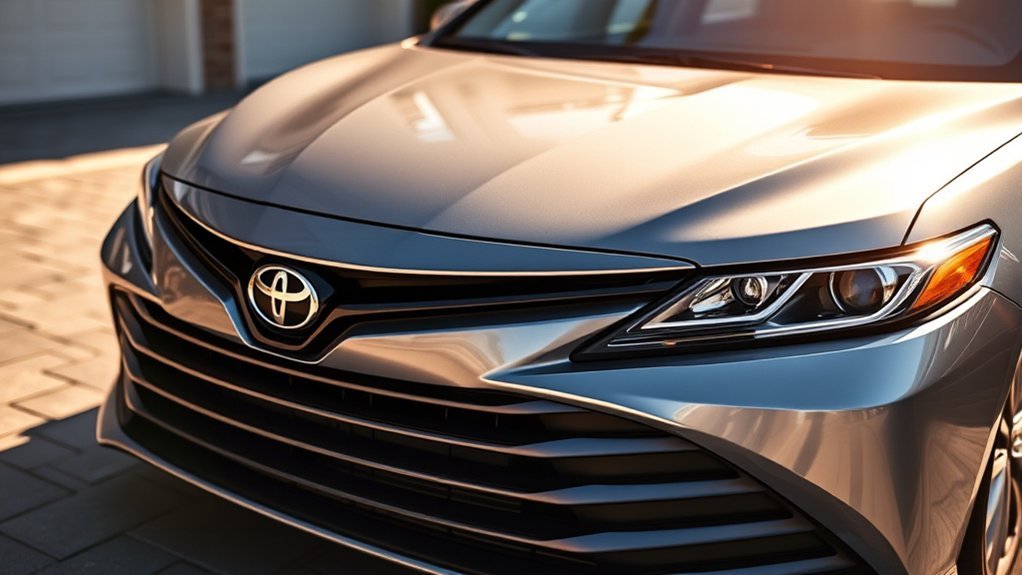
PCS is part of Toyota Safety Sense. It combines information from the forward-facing camera and, on applicable Camry versions, millimeter-wave radar. The system estimates whether you are closing too quickly on a detectable vehicle or road user. Sensor hardware, detection targets, operating speeds, and available support depend on the model year, market, and Toyota Safety Sense version.
PCS usually responds in stages. It may first provide an audio and visual forward-collision warning. If you press the brake pedal, pre-collision brake assist may add force. If you do not react and the system’s operating conditions are met, automatic emergency braking may slow the Camry.
The system cannot read every traffic situation. A warning may arrive late, fail to appear, or activate when road shape or movement looks unusual to the sensors. Keep watching the road and leave enough distance to stop without PCS.
Note: Use the owner’s manual for your exact Camry year. Toyota’s public Safety Sense descriptions cover several versions, and not every function or menu shown online applies to every Camry.
Which Toyota Safety Sense Version Does Your Camry Use?
Toyota expanded PCS detection as Toyota Safety Sense evolved. The Toyota Safety Hub describes these relevant differences:
- TSS-P: PCS may detect a vehicle or pedestrian under certain conditions.
- TSS 2.5 and 2.5+: PCS may detect a vehicle, pedestrian, or bicyclist under certain conditions.
- TSS 3.0: PCS may detect a vehicle, pedestrian, bicyclist, or motorcyclist under certain conditions.
Toyota’s current Safety Hub also lists TSS 4.0, but the 2026 U.S. Camry page lists Toyota Safety Sense 3.0. Older Camry models may use another version, so do not assume that a newer detection feature exists on an earlier car. Check the Safety Sense section of your owner’s manual for the exact detection targets and operating limits.
How Does the Pre-Collision System Alert You?
PCS can move through several levels of support as the estimated collision risk rises. The sequence and availability vary, but the system may use the following responses:
- Audio alert: A warning tone may sound when PCS detects a strong frontal collision risk.
- Visual alert: The multi-information display or instrument panel may show a warning message or symbol.
- Pre-collision brake assist: If you press the brake pedal, the system may increase braking force.
- Automatic emergency braking: If you do not react, PCS may apply the brakes when its operating conditions are met.
Do not wait to see whether the system will brake. Look ahead, create space, and respond as soon as the warning appears. Warning behavior and settings can vary by model year, so confirm the PCS indicator and menu setting before driving.
How Do You Adjust Camry PCS Settings?
You can usually adjust PCS through the steering wheel controls and the multi-information display. The menu wording changes across Camry generations, so treat these as general steps:
- Park the Camry safely and switch the ignition to ON or READY.
- Use the steering wheel buttons to open the settings or driver-support menu.
- Select the PCS or Pre-Collision System option.
- Choose the available warning-timing setting, or turn PCS on or off if your model allows it.
- Check the instrument panel for a PCS OFF indicator or confirmation message.
Warning timing may be shown as early, middle, or late, or with similar wording. Changing the warning timing affects when the alert appears; it does not guarantee a different braking outcome.
Warning: Do not disable PCS simply to silence repeated warnings. First check for blocked sensors, an incorrect setting, or a condition that needs diagnosis.
What Does a Camry PCS Warning Message Mean?
The exact wording changes by model year, but PCS messages usually fall into three groups. Use the message on your multi-information display and the matching owner’s-manual section rather than relying on the warning light alone.
| Message or indicator | Likely category | First response |
|---|---|---|
| PCS OFF | The feature has been disabled or is not active | Park safely, check the PCS setting, and confirm the indicator status |
| PCS temporarily unavailable | A sensor view or temporary operating condition may be limiting the system | Clean visible dirt, ice, snow, or condensation from the camera and radar areas, then follow the owner’s manual |
| PCS malfunction or visit dealer | A fault or condition requiring service may be present | Drive cautiously without relying on PCS and arrange qualified diagnosis |
If the warning appeared after windshield replacement, front-end repair, grille or bumper work, or camera or radar removal, tell the repair facility what work was completed. That history can help the technician identify a calibration or alignment issue faster.
What Can Limit PCS Performance?
PCS needs a clear sensor view and a traffic situation it can recognize. Dirt, ice, snow, condensation, heavy rain, fog, glare, darkness, or an obstruction near the windshield camera can reduce detection. Keep stickers, mounts, tint strips, cargo, and accessories away from the camera and radar zones.
Road shape and traffic movement also matter. Sharp curves, steep grades, construction layouts, vehicles at unusual angles, and road users that enter your path suddenly can leave the system less time to warn or brake.
Detection also changes with a target’s size, position, speed, direction, and contrast. PCS may miss a small, partly hidden, crossing, or suddenly merging road user. It may also react differently to a stopped vehicle than you expect. These limits are why Toyota directs owners to use the manual for their exact system version.
Warning: Never test PCS on people, vehicles, animals, or objects. The system may not warn or brake as expected.
[Products Worth Considering]

The ANCEL AD410 PRO combines engine diagnostics and 12V battery testing in one easy-to-use tool, helping you read and clear check engine codes while checking battery health, cranking, and charging performance. It also provides live data, freeze frame details, and I/M readiness checks to help you diagnose issues faster and prepare for emissions testing. With plug-and-play operation, a clear screen, and broad vehicle compatibility, it is a practical solution for home mechanics and everyday drivers.

Turn your iPhone, Android device, or Windows PC into a professional-grade diagnostic scan tool with this Bluetooth OBD2 adapter. It is designed for broad vehicle compatibility and supports popular apps for deeper diagnostics, live data, and code clearing. Built-in protections and firmware updates help keep your vehicle and scanner safe while delivering reliable performance.

The FOXWELL NT301 is a plug-and-play OBD2 code reader designed to help drivers and home mechanics diagnose check engine light issues with ease. It reads fault codes, clears emissions-related warnings, displays live sensor data in graph form, and shows I/M readiness so you can quickly check vehicle status before an emissions test. With broad compatibility across many OBD2 vehicles and a clear color screen, it offers a practical, user-friendly way to monitor and troubleshoot engine performance.
How Can You Help Camry PCS Work Properly?
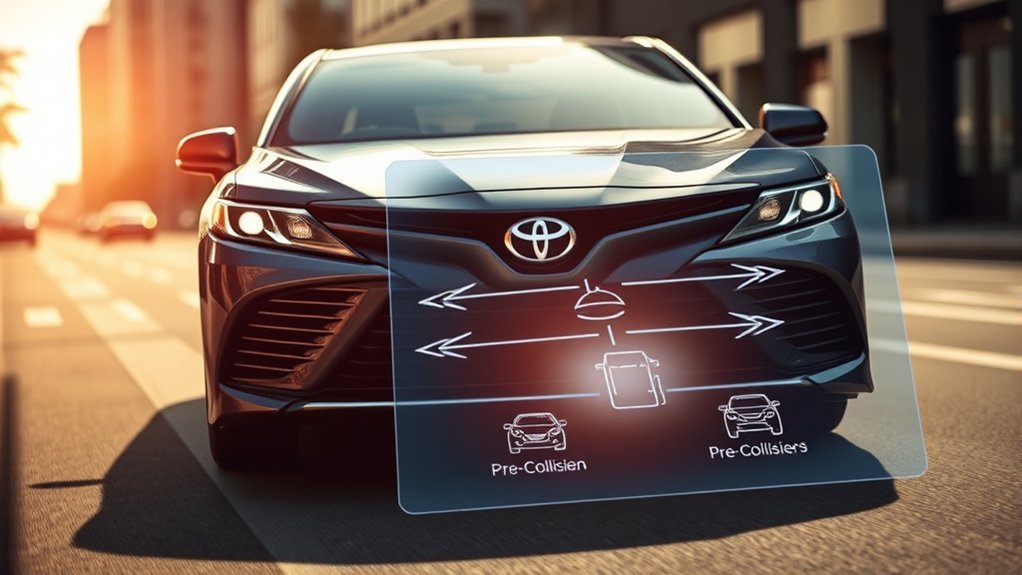
PCS works best when the camera and radar have an unobstructed view and you already use safe driving habits. Use this checklist before you depend on the feature:
- Clean the sensor areas: Keep the windshield near the forward camera and the front emblem or grille area free of dirt, ice, and snow.
- Keep accessories clear: Do not place a phone mount, dash camera, sticker, or tint strip where it can block the forward camera’s view.
- Choose warning timing carefully: Select an earlier warning if your manual offers it and you want more reaction time.
- Watch dashboard messages: Treat PCS warning lights, unavailable messages, and malfunction notices as safety information, not routine reminders.
- Maintain following distance: Leave enough room to brake without waiting for PCS.
PCS should support your decisions, not make them for you. Stay ready to brake or steer even when no warning is showing.
[Products Worth Considering]

This heavy-duty car ramp set provides a stable, reliable lift for routine maintenance like oil changes, tire rotations, brake work, and undercarriage inspections. Built from high-impact poly with a non-skid tread and rubber feet, it helps keep vehicles secure while offering a lightweight, corrosion-resistant alternative to steel ramps. The wide, gradual design supports a broad range of vehicles, from compact cars to trucks, SUVs, and vans.

This dual filter kit helps keep your vehicle running and riding cleaner by replacing both the engine air filter and cabin air filter at the same time. It is designed for a range of Toyota and Lexus hybrid models, helping support engine performance while reducing odors and airborne particles inside the cabin. Built with high-quality filtration materials, it offers a convenient maintenance solution for routine filter replacement.
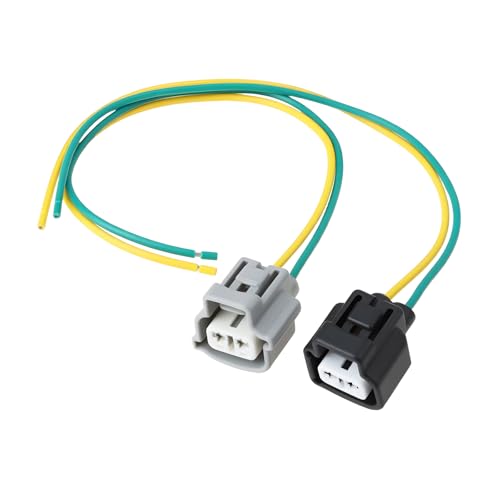
MPN: 853150R030. Compatible with Toyota Corolla, Highlander, Land Cruiser, RAV4, FJ Cruiser, Matrix,Tundra, Venza, Yaris, Sequoia, Tacoma, Prius, Sienna, 4Runner, Camry. Compatible with multiple models from 2003 to 2018.
When Should You Get the Pre-Collision System Checked?
Start with a visual check when PCS shows an unavailable message. Park safely, then remove visible dirt, frost, snow, or condensation from the windshield camera area and the front radar area. Check the owner’s manual for any model-specific recovery steps and confirm whether the message clears.
Arrange professional diagnosis if the warning remains, returns repeatedly in clear conditions, or appears with damage near the windshield, grille, emblem, bumper, camera, or radar. Do not cover the warning or assume PCS is operating normally.
PCS may also need inspection or calibration after windshield replacement, front-end collision repair, bumper or grille work, or removal of a camera or radar component. Use a repair facility with Toyota service information and the correct calibration equipment.
[Products Worth Considering]
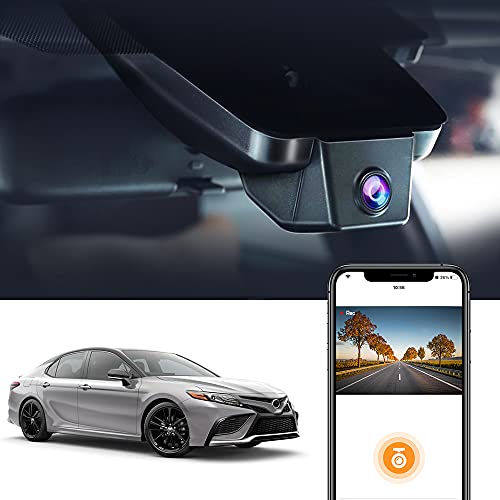
For Camry 2021-2024, Gen8: Fitcamx integrated dash camera fits gapless behind the sensor cover like OEM, very discreet as if it comes with the car. No wires to run, No tap into fuse blocks, No windshield blocking. Compatible with Toyota Camry& Camry Hybrid L/LE/XLE/TRD, XSE/SE//SE Nightshade Edition 2021-2024 vehicle styles chassis_XV70

FITMENT MODELS---Toyota parking camera is compatible with Toyota Camry 2018-2022(w/o Blind Spot Detection)

Integrated for 2025-2026 Camry: Fitcamx integrated dash cam looks very discreet like original made, No routing cables, No windshield blocking, you could hardly tell it in the car. So clean and neat! Compatible with Camry 2025 2026 vehicle styles. *NOT FITS Camry 2021-2024! Please search another asin B096TQ98P9
Why Safe Driving Still Matters With PCS
PCS can reduce risk in some situations, but safe driving remains your main protection. Keep enough following distance, adjust speed for visibility and grip, and scan beyond the vehicle directly ahead.
Automatic emergency braking may reduce speed or impact severity without preventing the collision. Vehicle speed, road grip, weather, tire condition, sensor visibility, and the detected target can all affect the result.
Treat PCS as backup support. Your eyes, judgment, steering, and braking remain responsible for controlling the Camry.
Frequently Asked Questions
What Does It Mean When the Pre-Collision System Light Comes On?
A PCS OFF indicator can mean the system has been disabled. An unavailable message can point to a blocked sensor or a temporary operating condition, while a malfunction message may require service. Check the setting and sensor areas first, then use the owner’s manual to identify the exact indicator. Arrange an inspection if the warning stays on.
What Triggers the Pre-Collision System?
PCS may trigger when its sensors estimate a high risk of a frontal collision with a detectable vehicle or road user. The system considers factors such as closing speed, distance, direction, and position. Detection targets and operating limits depend on the Toyota Safety Sense version.
Does Toyota Pre-Collision Assist Stop the Car Before It Crashes?
Toyota PCS may slow the Camry, reduce impact force, or stop it in some conditions, but it does not guarantee a complete stop. Speed, grip, weather, sensor visibility, and the type and movement of the detected road user can change the result.
Do Pre-Collision Systems Need Maintenance?
Routine PCS care mainly means keeping the camera and radar areas clear and protecting sensor alignment. Arrange inspection or calibration after relevant windshield, bumper, grille, collision, or sensor work, especially if a warning appears afterward.
Can You Drive With the Pre-Collision System Off?
The Camry may still be drivable with PCS off, but you lose its collision warning and braking support. Turn it back on when conditions allow. If a fault or unavailable message prevents activation, drive cautiously and arrange diagnosis instead of relying on the system.
How Do You Turn the Pre-Collision System Back On?
Park safely, open the driver-support settings in the multi-information display, select PCS, and enable it. Menu names vary by model year. Confirm that the PCS OFF indicator clears, and check the owner’s manual if the system will not switch on.
Can Weather Make Toyota PCS Temporarily Unavailable?
Yes. Heavy rain, fog, snow, ice, glare, darkness, or condensation can limit what the camera or radar can detect. A message may clear after conditions improve and the sensor areas are clean. If it stays on in clear conditions, arrange diagnosis.
Why Is the PCS Warning On After Windshield Replacement?
The forward camera may need inspection or calibration after windshield replacement, especially if it was removed, repositioned, or its view changed. A warning after glass or front-end work should be checked by a facility with the correct Toyota calibration procedure and equipment.
Safety Disclaimer: This article is for informational purposes only and does not replace your Toyota owner’s manual or professional vehicle service. Always follow Toyota’s instructions and contact a qualified technician for persistent warning lights, sensor damage, or calibration concerns.
Using Your Camry PCS Safely
The Toyota Camry Pre-Collision System can warn you, support your braking, and apply automatic emergency braking in some conditions. First identify whether the dashboard shows PCS OFF, temporary unavailability, or a malfunction. Then check the setting, clean the camera and radar areas, and follow the owner’s manual for your model year. If the warning remains, returns in clear conditions, or started after windshield or front-end work, arrange qualified inspection before relying on PCS again.
References
- Toyota Owner’s Manuals and Warranty Information — Toyota
- Toyota Safety Sense — Toyota
- 2026 Toyota Camry — Toyota