Last updated: September 16, 2026. Checked against Toyota’s 2026 U.S. Camry driving-support manual and current Toyota Safety Sense guidance.
Toyota Camry Lane Tracing Assist (LTA) is for hands-on steering support on highways and expressways. For the 2026 U.S. Camry, Toyota says LTA lane-centering works when LTA is on, Dynamic Radar Cruise Control is operating, and the system can detect lane lines or a usable path from preceding or surrounding vehicles. Keep a firm grip on the steering wheel, watch the road, and steer yourself whenever the display warns you, the lane path becomes unclear, or traffic and road conditions become complex.
Quick Answer
Use Toyota Camry Lane Tracing Assist on a highway or expressway when LTA is switched on, Dynamic Radar Cruise Control is operating, and the system shows that steering support is available. On the 2026 U.S. Camry, Toyota lists operating conditions that include a lane about 10–13 ft (3–4 m) wide, no turn-signal operation, no sharp curve, and no large steering input. LTA is not hands-free or self-driving; grip the wheel and take over immediately whenever conditions stop matching the system’s limits.
Key Takeaways
- For the 2026 U.S. Camry, Toyota says to use LTA only on highways and expressways.
- Lane-centering support requires Dynamic Radar Cruise Control to be operating; turning LTA on by itself does not make it steer.
- The 2026 manual lists a lane width of about 10–13 ft (3–4 m) and says the turn signal must not be operating and the car must not be in a sharp curve.
- A turn signal, strong steering input, hard acceleration or deceleration, poor lane detection, or a hands-off warning can suspend support.
- Controls and behavior can change by model year, market, and Toyota Safety Sense software version, so match the guide to your exact Camry manual.
2026 Camry Readiness Check
| Road | Highway or expressway |
| System state | LTA on; Dynamic Radar Cruise Control operating |
| Lane/path | Detected lane lines or a usable preceding/surrounding-vehicle path |
| 2026 lane-width condition | Approximately 10–13 ft (3–4 m) |
| Driver role | Grip the wheel, monitor traffic, and override steering whenever needed |
What Lane Tracing Assist Does in a Toyota Camry
Lane Tracing Assist, or LTA, is Toyota’s lane-centering support. On the 2026 U.S. Camry, the front camera and radar sensor detect lane lines plus preceding and surrounding vehicles while Dynamic Radar Cruise Control is operating. The system can then apply steering input to help maintain the Camry’s lane position.
When lane lines are hard to see or not visible in some traffic-jam situations, the 2026 manual says support can use the path of preceding and surrounding vehicles. That does not make LTA autonomous. The driver remains responsible for the road, steering, speed, braking, lane changes, and taking over whenever assistance is insufficient.
For button-by-button setup, use the site’s Toyota Camry Lane Tracing Assist how-to guide. This page focuses on the separate question of when LTA is appropriate and when you should take control.
Warning: Never use Lane Tracing Assist as hands-free driving. Toyota’s 2026 Camry manual says LTA does not reduce the attention needed for safe driving. If the Camry warns you, drifts, loses a usable path, or behaves unexpectedly, steer manually immediately.
How to Confirm Lane Tracing Assist Is Ready Before You Rely on It
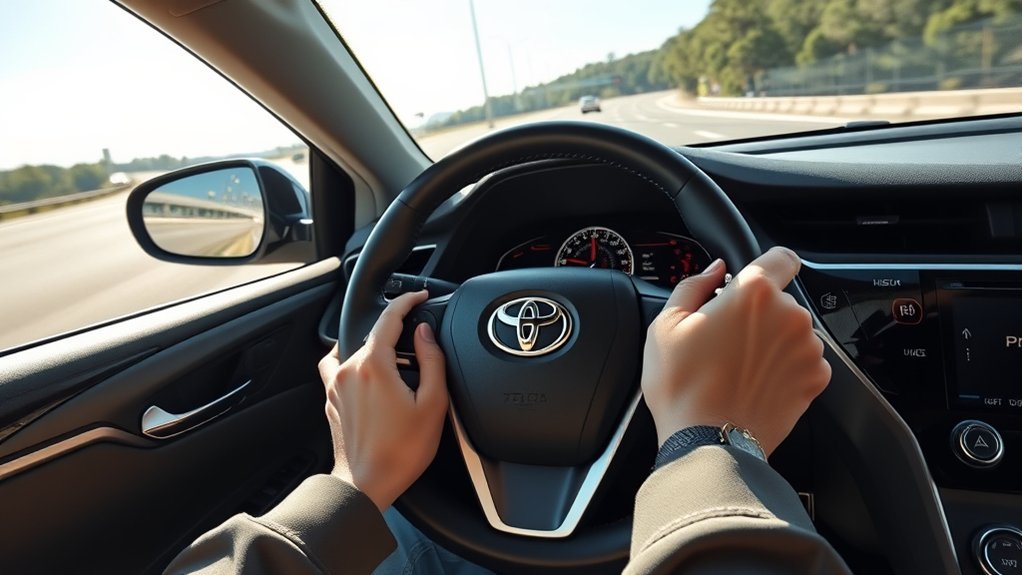
Controls vary by Camry model year, market, and Toyota Safety Sense software version. The 2026 U.S. manual says each press of the LTA switch changes LTA between ON and OFF, and lane-centering will not operate unless Dynamic Radar Cruise Control is operating. Confirm the exact symbols in your Toyota Camry Owner’s Manual.
- Before driving, make sure the windshield camera area and the radar sensor/radar-cover area shown in your manual are clean and unobstructed.
- Press the LTA switch and confirm that LTA is on.
- On a suitable highway or expressway, activate and set Dynamic Radar Cruise Control.
- Confirm on the display that LTA has the lane or vehicle-path information it needs and that steering support is active rather than merely switched on.
- Grip the steering wheel firmly and continue steering as needed; your steering input can override the assistance.
- If the system warns, temporarily cancels, or the road becomes unsuitable, steer manually without waiting for LTA to resume.
If you need the complete activation sequence and display explanation, see how to use Lane Tracing Assist in a Toyota Camry. Keeping the activation details there helps this guide stay focused on safe-use conditions.
Note: Lane Departure Alert and Lane Tracing Assist are related but not identical. Lane Departure Alert warns about unintended lane departure and may provide corrective steering on equipped Camrys. LTA provides ongoing lane-position support while Dynamic Radar Cruise Control is operating and the other LTA conditions are met.
When to Use Lane Tracing Assist on Highways and Long Trips
Use Lane Tracing Assist when you are already on a highway or expressway and the road gives the system a stable path to follow. For the 2026 U.S. Camry, Toyota specifically limits this function to highways and expressways. The best practical situation is a predictable lane, gradual road shape, usable lane or vehicle-path detection, and traffic that does not require frequent manual maneuvers.
Good situations for LTA include:
- A highway or expressway with clear, consistent lane boundaries.
- A lane that stays within the operating width and road-shape conditions listed for your Camry.
- Steady cruising where Dynamic Radar Cruise Control is already appropriate.
- Highway congestion where the system still has a usable detected path and your model’s operating conditions remain satisfied.
- Long drives where you stay fully attentive and continue to grip and operate the steering wheel as needed.
Do not confuse ordinary LTA with Traffic Jam Assist. On equipped newer Camrys, Traffic Jam Assist is a separate feature with its own operating conditions and driver-monitoring rules. The presence of that feature does not turn normal LTA into general city or hands-free driving.
The National Highway Traffic Safety Administration describes lane centering as driver-assistance technology that applies steering to help keep a vehicle centered. The driver still has to supervise and control the vehicle.
[Products Worth Considering]

This 2-in-1 wireless adapter converts factory-wired CarPlay into a cable-free experience for compatible vehicles, helping you enjoy seamless phone integration with less clutter. It supports automatic reconnection, stable Bluetooth and Wi-Fi pairing, and broad compatibility with many factory-installed CarPlay systems. Built with a durable metal and acrylic design, it also includes firmware updates and lifetime technical support for continued convenience.

This wireless CarPlay adapter upgrades compatible factory wired CarPlay or Android Auto systems with wireless connectivity and built-in entertainment apps. Enjoy navigation, calls, music, and hands-free control through Apple CarPlay, plus streaming from popular video platforms when connected to a hotspot. It also supports USB media playback and an HD media port for rear-seat entertainment on road trips and daily drives.

The HEYINCAR+ H-Air adapter upgrades compatible factory wired CarPlay and Android Auto systems to wireless convenience with a compact plug-and-play design. It connects automatically after setup, delivering fast startup, stable performance, and support for your car’s original touchscreen, steering wheel controls, and voice commands. Built for broad vehicle compatibility and ongoing firmware updates, it offers a simple way to enjoy cable-free driving with minimal clutter.
Toyota Camry LTA Operating Conditions
The table below uses the 2026 U.S. Camry manual as the concrete reference. Older Camrys can use different Toyota Safety Sense versions, displays, thresholds, and operating conditions, so use your model-year manual as the final authority.
| 2026 Condition | What It Means |
|---|---|
| Road type | Use the LTA lane-centering function only on highways and expressways. |
| System state | LTA must be on and Dynamic Radar Cruise Control must be operating. |
| Detected path | The system must detect lane lines or the path of preceding or surrounding vehicles. |
| Lane width | Approximately 10–13 ft (3–4 m). |
| Turn signal | The turn-signal lever must not be operating. |
| Road shape | The vehicle must not be traveling around a sharp curve. |
| Vehicle input | Acceleration/deceleration must not exceed the system’s limit, and the steering wheel must not be turned with large force. |
| Driver engagement | The hands-off steering-wheel warning must not be operating, and the vehicle should already be traveling near the center of the lane. |
Pro Tip: Treat the LTA indicator and road ahead as a two-part check. “LTA on” means the feature is enabled; it does not guarantee that steering assistance is active at that moment.
[Products Worth Considering]

This MagSafe car mount provides a secure, hands-free way to keep your phone visible for navigation and calls while driving. Its strong magnetic hold, adhesive dashboard base, and 360° adjustable swivel make it easy to position your device at the ideal viewing angle. Designed for iPhone MagSafe models and compatible with other phones using included metal rings, it offers stable support through bumps, turns, and sudden stops.

Multiple Fitment: This is the most amazing gift you could ever give a truck enthusiast, perfect fit for Toyota Tacoma (N400) 2024-2026 models. Note: Installing this product requires removal of the tailgate bottle opener
What Road Markings and Conditions Let Lane Tracing Assist Work Best?
LTA depends on the Camry’s forward sensing system and the road information it can recognize. Clear, consistent lane lines make the path easier to detect. On the 2026 Camry, the system can also use the path of preceding and surrounding vehicles in some traffic-jam situations when lane lines are difficult to see or not visible.
| Condition | What to Expect |
|---|---|
| Clear lane lines | Best chance of stable lane-position support |
| Usable vehicle path | May support operation in some traffic-jam situations when lane lines are difficult to see |
| Temporary or conflicting markings | Take over early because the intended path can become ambiguous |
| Poor visibility or blocked sensors | Detection can be limited or assistance can become unavailable |
If the Camry begins to wander, asks for steering input, or stops showing active support, steer the vehicle yourself. Do not wait for the system to recover before correcting the path.
When to Take Control: Merges, Curves, and Work Zones

Take manual control before the road becomes complex. LTA can temporarily cancel when its operating conditions are no longer met, and it is not designed to make judgment calls about gaps, blocked lanes, temporary cones, emergency vehicles, or sudden evasive maneuvers.
Take over before:
- Merging onto or off a highway.
- Entering a lane split, exit ramp, or sharp curve.
- Driving through construction zones or temporary lane shifts.
- Passing crash scenes, stopped vehicles, debris, or workers near the lane.
- Driving in heavy rain, snow, fog, glare, or any condition that limits your view or sensor performance.
- Following faded, missing, double, temporary, or conflicting lane markings.
- Making a lane change, turn, or quick evasive movement.
Using the turn signal is itself one of the 2026 conditions that can stop LTA lane-centering from operating. Signal, check mirrors and the blind spot, steer the lane change yourself, and expect LTA to assist again only after its operating conditions are restored.
Quick Checks to Keep Lane Tracing Assist Working Reliably
Before a drive, check the forward camera area and the radar sensor/radar-cover area identified in your Camry manual. Dirt, water, snow, ice, stickers, glass damage, or modifications around those areas can interfere with Toyota Safety Sense operation.
Check Camera and Sensors
Inspect the windshield in front of the camera and the exterior radar-cover area for safe-to-remove dirt, snow, ice, mud, leaves, or other blockage. Toyota’s 2026 manual says the radar sensors and covers must be kept clean. If a warning remains after the visible obstruction is gone, drive manually and follow the display message or owner’s manual.
If the windshield, front end, radar mounting area, or camera area has been repaired or damaged, do not adjust a sensor yourself. Ask a Toyota dealer or qualified technician whether inspection or calibration is required.
Keep Windshield Clean
Clean glass helps the camera read the road. Use suitable glass-cleaning products, replace worn wiper blades, and avoid placing stickers, tint, toll tags, or accessories where they block the camera’s field of view.
- Inspect for chips, cracks, fogging, or film near the camera area.
- Replace worn wiper blades that leave streaks across the camera’s view.
- Clean the windshield so the camera has a clear view.
- Keep stickers, tint, mounts, and accessories away from the camera area.
Verify System Settings
On the 2026 U.S. Camry, pressing the LTA switch changes the system between ON and OFF, and the LTA indicator illuminates when LTA is on. Before a long drive, confirm the system is enabled and then verify that Dynamic Radar Cruise Control is actually operating before expecting lane-centering support.
If LTA shows an unavailable or malfunction message, do not keep trying to force it to operate. Use manual steering. For a dedicated troubleshooting path, see Camry lane-assist unavailable causes and checks.
Why Lane Tracing Assist Turns Off or Feels Inconsistent
LTA may reduce or temporarily cancel steering support when an operating condition is no longer met. On the 2026 Camry, Toyota says assistance can automatically return when the required conditions return, but you should never wait for that restoration before steering the car yourself.
| What You Notice | Possible Reason | What to Do |
|---|---|---|
| Hands-on warning appears | The system is not detecting the required steering-wheel grip/input | Grip the wheel firmly and steer as needed |
| Steering support stops after signaling | The turn signal is operating | Complete the lane change manually and monitor the display afterward |
| Support stops in a curve | The curve is too sharp or another operating condition is not met | Steer manually through the curve |
| Support drops during hard input | Strong steering or acceleration/deceleration exceeds the function’s operating condition | Keep full manual control; let LTA resume only if conditions become suitable |
| Feature unavailable or malfunction message | Sensor visibility, road/weather conditions, software/system state, or a fault may be involved | Follow the displayed instruction; clean only approved exterior areas and arrange service if the message persists |
How to Stay Attentive While Using Lane Tracing Assist
Lane-centering support can reduce the number of small steering corrections you make, but supervision is still the driver’s job. The Insurance Institute for Highway Safety evaluates partial-automation safeguards partly on whether systems encourage driver attention and cooperative steering. For a Camry driver, the practical rule is simple: use LTA only while you are actively watching, steering, and ready to override it.
Maintain Hands-On Steering
Grip the steering wheel firmly as your Camry manual directs. Do not test how long LTA will steer without your input and do not use the feature to justify looking away from the road.
- Feel: notice an unexpected steering correction early.
- Watch: scan lane boundaries, traffic, mirrors, and the display.
- Act: take over before a merge, sharp curve, work zone, or unclear path.
- Reset: leave LTA off if the road or system behavior makes assistance distracting or unpredictable.
Scan Mirrors Regularly
LTA helps with lane position; it does not replace mirror checks, blind-spot checks, gap judgment, or steering during a lane change.
Before changing lanes, signal, check mirrors, check the blind spot, judge the gap, and steer the maneuver yourself. A turn signal can suspend LTA lane-centering on the 2026 Camry, so do not expect the system to perform an ordinary lane change for you.
Frequently Asked Questions
When should I use Lane Tracing Assist?
Use Lane Tracing Assist on a highway or expressway when LTA is on, Dynamic Radar Cruise Control is operating, the system has a usable lane or vehicle path, and the other operating conditions in your Camry manual are met. Keep a firm grip on the wheel and take over whenever the path or system response becomes uncertain.
Does Toyota Camry Lane Tracing Assist drive the car for you?
No. Lane Tracing Assist provides steering support, not automated driving. The driver remains responsible for watching the road, steering, speed, braking, lane changes, and taking over whenever assistance is insufficient.
Does Lane Tracing Assist work without Dynamic Radar Cruise Control?
The lane-centering function does not operate without Dynamic Radar Cruise Control operating. On the 2026 U.S. Camry, Toyota explicitly lists operating DRCC as an LTA operating condition.
Why does Lane Tracing Assist turn off?
LTA can temporarily cancel when an operating condition is no longer met. On the 2026 Camry, examples include turn-signal use, a sharp curve, strong steering input, excessive acceleration or deceleration, a hands-off warning, or loss of a usable detected path.
Can I use Lane Tracing Assist in city driving?
For the 2026 U.S. Camry, Toyota says to use the LTA lane-centering function only on highways and expressways. Do not treat ordinary LTA as a city-driving or hands-free system.
What is the difference between Lane Tracing Assist and Lane Departure Alert?
Lane Departure Alert warns about unintended lane departure and may provide corrective steering on equipped Camrys. Lane Tracing Assist provides ongoing lane-position support while Dynamic Radar Cruise Control is operating and the LTA operating conditions are met.
Can Lane Tracing Assist work when lane lines are hard to see?
On the 2026 Camry, Toyota says that in some traffic-jam situations where lane lines are difficult to see or not visible, LTA support can use the path of preceding and surrounding vehicles. The driver must still supervise and steer as needed.
Does using the turn signal cancel Lane Tracing Assist?
On the 2026 Camry, Toyota lists the turn-signal lever not being operated as an LTA operating condition. Expect lane-centering support to suspend while signaling and steer the lane change yourself.
Conclusion
Toyota Camry Lane Tracing Assist is most appropriate on highways and expressways when LTA is on, Dynamic Radar Cruise Control is operating, and the car has the lane or vehicle-path information required for steering support. For the 2026 U.S. Camry, Toyota also lists concrete conditions such as an approximately 10–13 ft (3–4 m) lane, no turn-signal operation, no sharp curve, and no large steering input.
Use those conditions as a readiness check, not as permission to relax. Grip the wheel, monitor the road and display, and take over before merges, lane changes, work zones, sharp curves, poor visibility, or any situation where the path becomes uncertain. If you need the button sequence rather than the decision rules, use the dedicated Camry LTA how-to guide.
Sources
- 2026 Toyota Camry Owner’s Manual excerpt for driving support systems — supports the highway/expressway restriction, LTA switch behavior, DRCC requirement, 10–13 ft lane-width condition, turn-signal/curve conditions, hands-on warning, and temporary cancellation behavior.
- Toyota Safety Sense — supports Toyota’s current description of LTA using lane lines and/or preceding vehicles to help keep the vehicle centered while DRCC is enabled.
- NHTSA Driver Assistance Technologies — supports the distinction between lane centering and other driver-assistance functions.
- IIHS Partial Automation Safeguards — supports the driver-attention and cooperative-steering context for partial automation.