Last updated: September 16, 2026 — checked against current 2026 U.S. Tundra information, Toyota Safety Sense documentation, and IIHS test data.
Toyota Safety Sense on the Tundra is Toyota’s standard camera-and-radar driver-assistance suite. On every 2026 U.S. Tundra grade, Toyota Safety Sense 2.5 includes Pre-Collision System with Pedestrian Detection, Full-Speed Range Dynamic Radar Cruise Control, Lane Departure Alert with Steering Assist, Lane Tracing Assist, Road Sign Assist, and Automatic High Beams. These systems can warn, brake, adjust following distance, or provide limited steering support under supported conditions, but they do not make the Tundra self-driving.
Source note: This is a documentation-based guide. It compares Toyota’s current U.S. materials with independent IIHS testing and does not claim hands-on validation of every Tundra configuration.
Quick Answer
Toyota Safety Sense 2.5 on the Tundra includes Pre-Collision System with Pedestrian Detection, Full-Speed Range Dynamic Radar Cruise Control, Lane Departure Alert with Steering Assist, Lane Tracing Assist, Road Sign Assist, and Automatic High Beams. It helps with warnings and limited braking or steering support, but it does not make the truck self-driving.
Key Takeaways
- Toyota says 2026 Tundra models come standard with Toyota Safety Sense 2.5 on every grade.
- The system uses a windshield-mounted front camera and front-grille radar sensor to support several driver-assist features.
- Pre-Collision System can warn and may apply automatic emergency braking in certain frontal-collision situations.
- Lane and cruise features reduce workload, but they require clear markings, visible sensors, and an attentive driver.
- Parking sensors, Panoramic View Monitor, Blind Spot Monitor, and Rear Cross-Traffic Alert are useful safety/convenience features, but they are separate from the core TSS 2.5 suite.
| 2026 Tundra TSS 2.5 Feature | What It Helps With | Key Limit |
|---|---|---|
| Pre-Collision System with Pedestrian Detection | Forward-collision warning and automatic emergency braking in supported situations | It may not detect every vehicle, pedestrian, cyclist, or obstacle |
| Full-Speed Range Dynamic Radar Cruise Control | Maintaining a selected following distance when cruise control is active | The driver must supervise cut-ins, curves, stopped traffic, and changing conditions |
| Lane Departure Alert with Steering Assist | Warning about an unintended lane departure and providing gentle corrective steering | Lane markings or road-edge boundaries must be detectable |
| Lane Tracing Assist | Helping center the truck while Dynamic Radar Cruise Control is operating | It is driver assistance, not hands-free driving |
| Road Sign Assist | Displaying certain detected signs in the Multi-Information Display | The displayed sign can be missed, misread, or outdated |
| Automatic High Beams | Switching between high and low beams when supported conditions are met | The driver remains responsible for correct headlight use |
What Is Toyota Safety Sense on the Tundra?
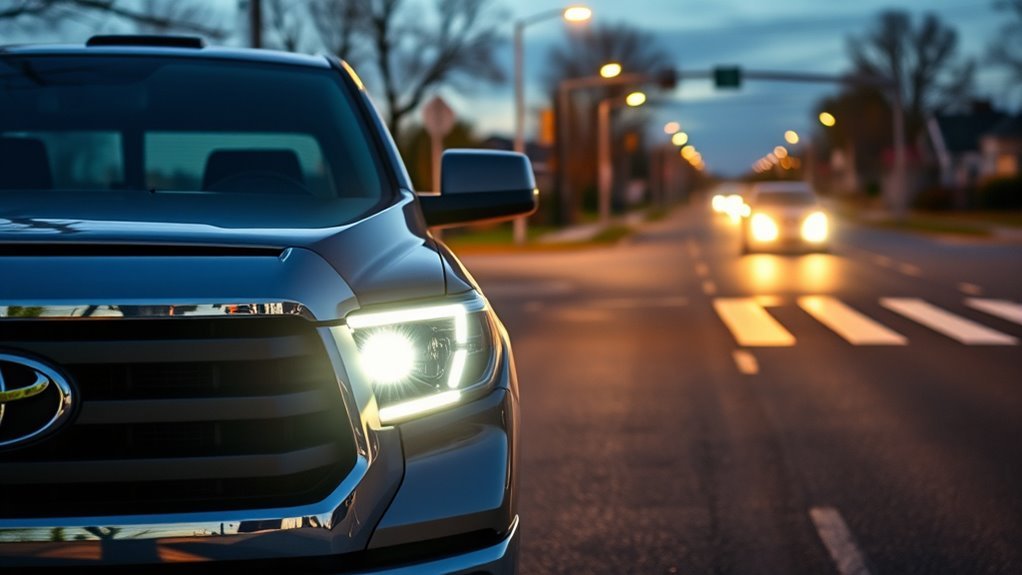
Toyota Safety Sense, often shortened to TSS, is Toyota’s bundle of active-safety technologies and advanced driver-assistance systems. In the Tundra, Toyota lists TSS 2.5 as standard on every 2026 Tundra grade. The core package includes:
- Pre-Collision System with Pedestrian Detection
- Full-Speed Range Dynamic Radar Cruise Control
- Lane Departure Alert with Steering Assist
- Lane Tracing Assist
- Road Sign Assist
- Automatic High Beams
These features are designed to support safer driving, not replace the driver. Toyota’s 2026 Tundra driving-support manual excerpt says TSS 2.5 uses two main sensors: a radar sensor behind the front grille and a front camera behind the windshield. Those sensors help the truck detect lane markings, vehicles, pedestrians, cyclists, certain road signs, and surrounding traffic under supported conditions.
Warning: Toyota Safety Sense is not autonomous driving. Keep your hands on the wheel, watch the road, and be ready to brake or steer at all times. Weather, dirt, glare, lane markings, traffic, towing, lifts, and sensor blockage can limit performance.
How TSS 2.5 Differs From Earlier Versions
TSS 2.5 builds on earlier Toyota Safety Sense packages by improving how the camera and radar support the main safety features. Compared with older TSS versions, Toyota’s TSS 2.5 overview highlights enhanced Pre-Collision System capability, including low-light pedestrian detection, daytime bicyclist detection, intersection support in some turn situations, and Emergency Steering Assist when the driver initiates an evasive steering maneuver.
Model year matters. Toyota’s 2021 U.S. Tundra used the older TSS-P package, while the redesigned 2022 Tundra moved to TSS 2.5, which remains standard on the 2026 U.S. lineup. Other Toyota vehicles may use TSS 3.0 or newer systems, so do not assume their hardware, warnings, or operating conditions apply to a Tundra.
| Feature Area | What TSS 2.5 Adds or Improves | What to Remember |
|---|---|---|
| Pre-Collision System | Pedestrian detection in daytime and low light, plus daytime bicyclist detection | Detection depends on speed, light, weather, object position, and sensor visibility |
| Intersection Support | May help detect certain oncoming vehicles or pedestrians during turns | It is a support feature, not a substitute for checking traffic |
| Emergency Steering Assist | May help stabilize the truck during an emergency steering maneuver | The driver must initiate and control the maneuver |
| Lane Support | Lane Departure Alert, Steering Assist, and Lane Tracing Assist work with detected lane lines and traffic ahead | Poor markings, construction zones, snow, curves, towing, or lifts can reduce performance |
Core Systems: Star Safety vs. Toyota Safety Sense
Toyota Safety Sense is not the same thing as Toyota’s traditional stability and braking systems. Think of the difference this way: foundational control systems help the truck respond when tires slip, brakes are applied, or the vehicle begins to lose stability; Toyota Safety Sense adds camera- and radar-based driver assistance that can warn, support braking, support lane position, or help maintain following distance.
Star Safety System Overview
Toyota’s Star Safety System is commonly described as a group of core vehicle-control technologies, including Vehicle Stability Control, Traction Control, Anti-lock Brake System, Electronic Brake-force Distribution, Brake Assist, and Smart Stop Technology. These systems focus on traction, braking, and stability. They are the foundation that helps the truck stay controllable during slippery, sudden, or hard-braking situations.
Toyota Safety Sense
Toyota Safety Sense adds detection and driver-assist logic on top of that foundation. On the Tundra, TSS 2.5 can help warn about a possible frontal collision, support emergency braking in certain cases, maintain a set distance behind another vehicle when cruise control is engaged, provide lane-departure alerts, offer limited steering support, display certain road signs, and switch high beams automatically when conditions allow.
Note: Blind Spot Monitor, Rear Cross-Traffic Alert, Panoramic View Monitor, Trailer Backup Guide, and Front and Rear Parking Assist with Automatic Braking are helpful Tundra features, but Toyota lists them separately from the core Toyota Safety Sense 2.5 package.
Pre-Collision With Pedestrian Detection: When It Helps
The Pre-Collision System with Pedestrian Detection is designed to help detect certain frontal hazards and warn you with audio and visual alerts. If you do not react in time, the system may apply automatic emergency braking under supported conditions. Toyota describes the system as helping with certain frontal collisions involving a vehicle, pedestrian, or bicyclist, depending on the situation.
Detecting Pedestrians and Bicyclists
For TSS 2.5, Toyota says the system is designed to detect a vehicle or pedestrian in daytime or low-light situations and a bicyclist in daytime situations. That distinction matters. Do not assume the truck will detect every cyclist at night, every person at the edge of the road, or every object in heavy rain, fog, glare, or snow.
When the system identifies a supported hazard and determines that a collision may be possible, it can provide warnings first. If the driver does not respond, it may add brake force or apply the brakes to reduce impact speed. This is most useful in common frontal-risk situations, such as traffic slowing suddenly, a pedestrian entering a crosswalk, or a cyclist moving into the vehicle’s path during the day.
Nighttime and Low-Light Detection
Low light makes it harder for both people and cameras to identify hazards. TSS 2.5 improves low-light pedestrian detection compared with older versions, but it still depends on the pedestrian’s visibility, clothing contrast, distance, road shape, vehicle speed, and weather. Headlight performance, windshield cleanliness, and a clear front camera view all matter.
| Situation | How PCS May Help | Driver Action |
|---|---|---|
| Traffic slows ahead | Warns and may support braking | Brake early and steer as needed |
| Pedestrian in daylight or low light | May detect and warn under certain conditions | Reduce speed and stay ready to stop |
| Bicyclist in daylight | May detect and warn under supported conditions | Leave space and do not depend on automatic braking |
| Fog, snow, glare, dirty sensors | Performance may be reduced or unavailable | Drive manually and increase following distance |
Automatic Emergency Braking
Automatic emergency braking is the last layer of support, not the first. The system is designed to help reduce impact speed or possibly avoid a collision in certain frontal scenarios. It cannot guarantee a stop, and it may not activate if the system cannot classify the hazard, the closing speed is outside its supported range, the driver is steering aggressively, the road is slick, or the sensors are blocked.
Use Pre-Collision System as a backup layer. The safest result still comes from early scanning, smooth braking, and giving yourself more space than the system needs.
Dynamic Radar Cruise Control (Full-Speed): Uses and Limits
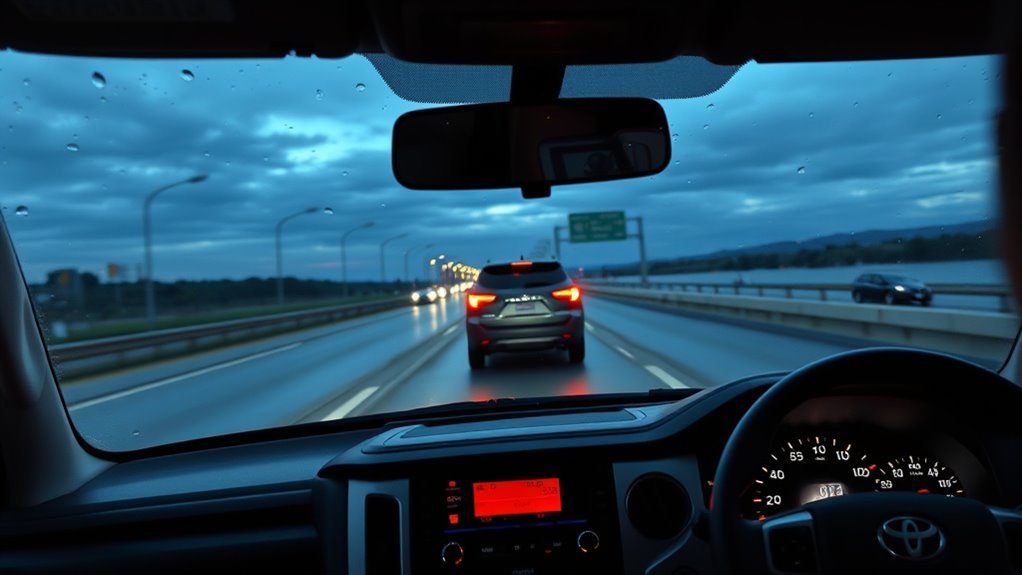
Full-Speed Range Dynamic Radar Cruise Control helps maintain a preset following distance from the vehicle ahead when cruise control is engaged. Toyota describes Full-Speed Range DRCC as intended for highway use and generally set at speeds above 20 mph. After it is engaged, full-speed-range operation can continue following traffic at lower speeds under supported conditions; exact activation, stopping, and resume behavior depends on the model year and operating conditions.
In everyday use, DRCC can reduce the constant accelerator-and-brake adjustments you make in steady traffic. You set a speed and following distance, and the truck adjusts speed when it detects a slower vehicle ahead. If traffic clears, it can accelerate back toward the set speed.
| Feature | Benefit | Limit |
|---|---|---|
| Preset speed | Helps reduce pedal workload | Driver must still control the truck |
| Following-distance control | Adjusts to traffic ahead | May not react as you expect to cut-ins, curves, or stopped objects |
| Full-speed range support | Can support low-speed following when conditions allow | System may cancel or require driver input |
| Radar and camera sensing | Tracks preceding traffic | Weather, dirt, accessories, damage, or sensor blockage can reduce performance |
Pro Tip: Before a long highway drive, clean the Toyota badge/grille area and the windshield area in front of the camera. A few minutes of cleaning can prevent many “system unavailable” warnings caused by dirt, ice, bugs, or road film.
[Products Worth Considering]

This frameless convex blind spot mirror helps expand your field of view for safer lane changes, passing, and merging. The HD glass design offers a clear, wide-angle rear view, while the swivel mount supports flexible positioning for cars, SUVs, trucks, vans, and RVs. Easy to install and built for all-weather use, it is a practical upgrade for everyday driving confidence.

This wired backup camera system makes reversing easier with a quick plug-and-play setup, stable real-time video, and a wide-angle HD view to help reduce blind spots. The adjustable parking lines, brightness, contrast, and image flip options let you customize the display for safer parking in cars, trucks, RVs, vans, SUVs, trailers, and campers.
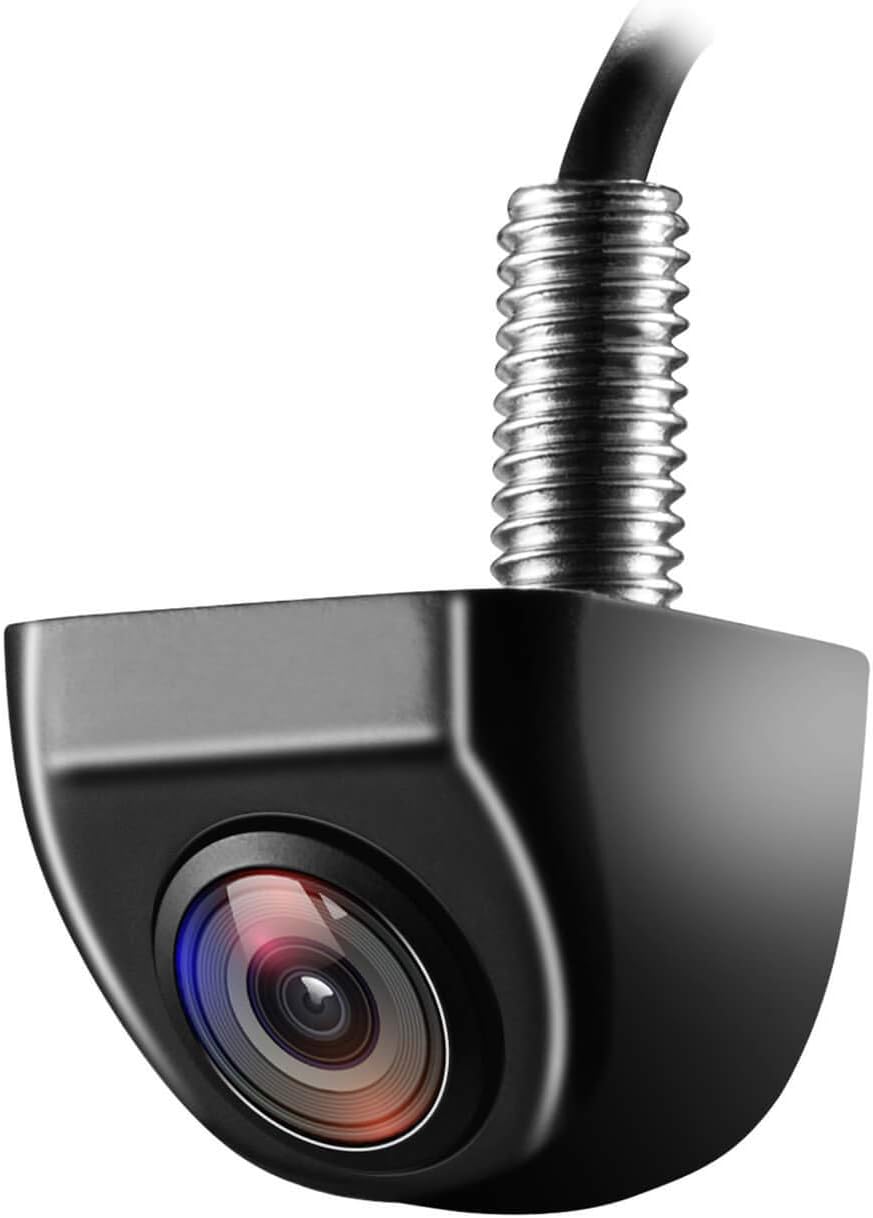
This OEM-style backup camera delivers a clear rear view with a wide-angle HD sensor to help reduce blind spots and make parking easier. Its fully sealed waterproof construction and strong low-light performance support reliable use in all weather and lighting conditions. Designed for cars, trucks, SUVs, vans, and RVs, it also supports front-view switching and selectable guide lines for flexible installation.
Lane Departure Alert, Steering Assist, and Lane Tracing
The Tundra’s lane-support features are designed to help when the truck detects lane markings or road-edge boundaries. They are most useful on well-marked roads with clear visibility. They are least reliable on snowy roads, construction zones, faded lane markings, sharp curves, narrow lanes, temporary lanes, or roads with confusing pavement edges.
[Products Worth Considering]

These round blind spot mirrors add a wider viewing angle to help improve lane changes, passing, and everyday driving safety. The frameless convex HD glass design offers a slim, clear rear view while the adjustable swivel mount makes positioning quick and easy. Compatible with cars, SUVs, vans, and trucks, this two-pack is a simple upgrade for reducing blind spots.
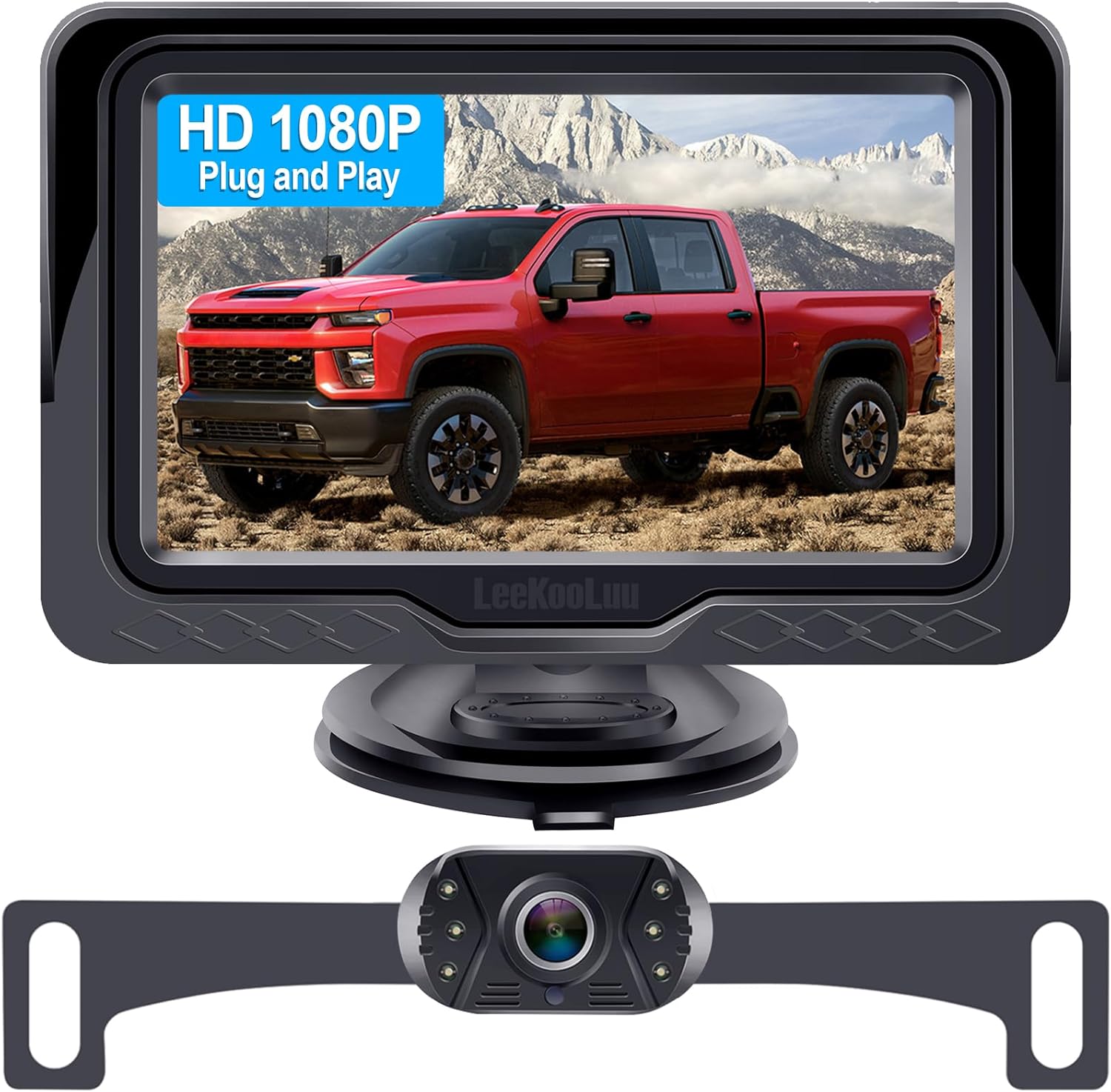
This plug-and-play backup camera system is designed for quick installation and dependable rear visibility on a wide range of vehicles. It delivers HD 1080P color images with stable signal transmission, clear night vision, and an adjustable 4.3-inch monitor for safer reversing in day or night conditions. With a waterproof all-weather design, customizable parking grid lines, and wide-angle viewing, it helps reduce blind spots and makes parking and maneuvering easier.

Designed for Toyota RAV4 models from 2013 through 2018, this three-piece windshield wiper set delivers clear, quiet performance for dependable visibility in changing weather. The precision-fit blades provide streak-free wiping, simple installation, and durable all-season use with reduced wind noise and consistent pressure across the windshield.
Lane Departure Warnings
Lane Departure Alert is designed to warn you if the truck may unintentionally leave its lane. Toyota’s TSS 2.5 information says Lane Departure Alert with Steering Assist is designed to work when visible lane markings or certain road-edge boundaries are detected at speeds above 32 mph. The warning may be visual, audible, or felt through steering-wheel vibration depending on settings and vehicle configuration.
Steering Assist Corrections
If you do not correct an unintended lane departure, Steering Assist may provide gentle steering input for a short time to help keep the vehicle in its lane. This is not strong automatic steering. Toyota’s manual warns that the driver remains responsible for steering, and the system can be overridden by normal steering-wheel operation.
Lane Tracing Assist
Lane Tracing Assist works with Full-Speed Range Dynamic Radar Cruise Control. When DRCC is operating and the system detects lane lines or the position of a preceding vehicle, LTA can help keep the truck centered in its lane. Toyota’s manual also notes that lane centering does not operate when Dynamic Radar Cruise Control is not operating.
- Turn LTA on only when conditions fit. Clear lane markings and normal highway conditions are best.
- Keep your hands on the wheel. Hands-off warnings may appear, and support may cancel if the system determines you are not holding the wheel.
- Be careful with towing and lifted trucks. Toyota warns that trailer connections and lift changes can affect lane-centering behavior.
- Do not test the system. Toyota specifically warns drivers not to attempt to test lane-departure or steering-assist operation.
Road Sign Assist and Automatic High Beams: How They Read the Road
Road Sign Assist uses the forward-facing camera to recognize certain road signs and show sign information on the Multi-Information Display. Toyota’s TSS 2.5 materials list speed limit, stop, yield, and Do Not Enter signs as supported sign types. In some cases, the system may also provide alerts, such as when it interprets that the vehicle is exceeding a posted speed limit or when a stop sign is ignored.
Automatic High Beams are designed to help with nighttime visibility. When activated and operating at a supported speed, the system detects headlights from oncoming vehicles and taillights from vehicles ahead, then switches between high and low beams automatically. Toyota’s generic TSS 2.5 overview and current regional 2026 Tundra pages publish different speed thresholds, so follow the owner’s manual for your exact model year and market rather than relying on one universal number.
Note: Road Sign Assist can miss, misread, or display outdated sign information. Always obey the actual road signs and local traffic laws, not just the Multi-Information Display.
Parking and Low-Speed Safety: Panoramic View, Parking Assist, Auto-Braking
The Tundra also offers parking and low-speed support features that can make the truck easier to place in tight spaces. These features are especially helpful because the Tundra is a large pickup with long bodywork, a tall hood, and wide blind zones around the vehicle.
- Panoramic View Monitor: Toyota says the available Panoramic View Monitor uses cameras on the front, sides, and rear to create a 360-degree view of the truck’s surroundings.
- Front and Rear Parking Assist with Automatic Braking: Toyota says this available feature can alert the driver and, in certain conditions, reduce engine power and/or apply the brakes when it detects a possibility of contact with an object or vehicle.
- Blind Spot Monitor and Rear Cross-Traffic Alert: These features can warn about vehicles in adjacent lanes or approaching from the side when backing up. Toyota’s 2026 U.S. brochure lists Blind Spot Monitor with Rear Cross-Traffic Alert and Trailer Merge Warning as available on SR and standard on SR5 and higher grades.
- Trailer Backup Guide with Straight Path Assist: Toyota describes this available driver-assistance technology as using sensors and cameras to help keep a trailer in a straight line while backing up.
These tools are useful, but they do not remove the need to check mirrors, look over your shoulder, move slowly, and stop if anything is unclear. Cameras can be dirty, sensors can miss low or narrow objects, and the display may not show every hazard around the truck.
[Products Worth Considering]

This brake bleeder bottle is designed to make fluid bleeding easier for one-person use with a built-in check valve and magnetic mount. The flexible hose fits most bleeder valves and helps reduce the chance of air entering the system during service. With a practical fluid capacity and universal fit, it is a handy tool for brake maintenance and repair.

These clip-on towing mirrors expand your rear view for safer towing, helping you see your trailer and blind spots more clearly when changing lanes or backing up. The dual-arm design adds stability and reduces vibration, while the adjustable fit and weather-resistant build support reliable use on trucks, SUVs, RVs, and trailers.

The Masoll M13 Tire Pressure Monitoring System helps monitor tire pressure for sedans, SUVs, pickup trucks, RVs, and travel trailers with four tires. It features automatic reference pressure calibration, alerting you when pressure changes fall outside the set range, while solar charging and auto wake-up support convenient everyday use. With precise pressure detection, an easy-to-read color LCD, and adaptive backlighting, it is designed to improve driving safety and help protect tire life.
What Does Independent Testing Show?
IIHS rates the standard Toyota Safety Sense 2.5 pedestrian front-crash-prevention system Acceptable on the 2026 Tundra, with that rating applying to 2024–2026 models in the tested configuration. In IIHS crossing-pedestrian tests at 12 and 25 mph, the Tundra avoided collisions in the listed daytime child and nighttime adult scenarios. In the more demanding parallel-adult nighttime test at 37 mph, the system reduced impact speed rather than avoiding the collision, and the result differed between high and low beams.
That independent result supports the same practical takeaway Toyota gives in its manuals: the system can reduce risk, but performance changes with speed, lighting, target path, and other conditions. Treat PCS as a backup layer, not as proof that the truck will stop for every pedestrian or cyclist.
What TSS Can’t Do: Limitations, Failure Modes, and Safety Reminders
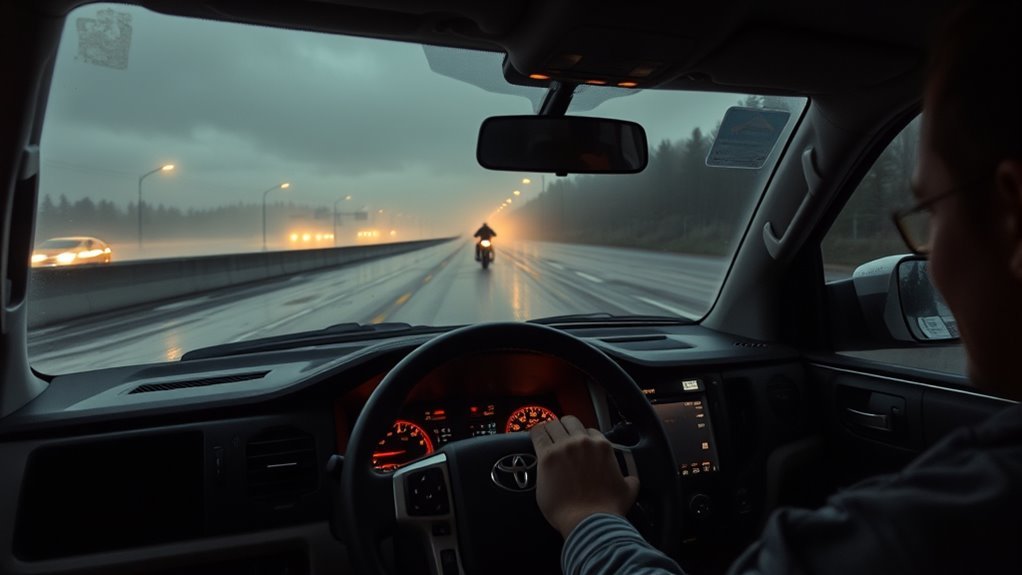
Toyota Safety Sense can help reduce risk, but it cannot remove risk. It may warn late, not warn at all, apply braking unexpectedly, cancel support, or become temporarily unavailable. The National Highway Traffic Safety Administration explains that some driver-assistance technologies warn the driver, while others may take action to help avoid a crash. Either way, the driver remains responsible for safe operation.
Common situations that can limit TSS performance include:
- Heavy rain, snow, fog, dust, glare, or darkness
- Dirty, icy, fogged, cracked, or tinted windshield areas near the front camera
- Dirt, snow, water droplets, stickers, accessories, or impact damage around the radar sensor or grille
- Faded, missing, temporary, or confusing lane markings
- Construction zones, narrow lanes, sharp curves, steep hills, and uneven pavement
- Driving with tire chains, low tire pressure, excessive tire wear, spare tires, or nonstandard tire setups
- Aftermarket lift kits or suspension changes that alter sensor angle or vehicle geometry
- Towing situations, especially when the truck does not automatically detect the trailer connection
Warning: Do not add stickers, tint, dash accessories, grille guards, bumper accessories, or windshield treatments that block the front camera or radar sensor. If the windshield, grille, bumper, radar sensor, or camera area is repaired or impacted, ask a Toyota dealer whether calibration or inspection is required.
How to Use, Maintain, and Customize TSS on Your Tundra
The best way to get consistent Toyota Safety Sense performance is to keep the sensors clear, understand the controls, and use each feature only in the conditions it was designed for. Your owner’s manual should always be the final authority for your exact model year and trim.
Basic Setup Checklist
- Review the Multi-Information Display settings. Use the steering-wheel controls and vehicle settings menus to confirm which driver-assist features are on.
- Set Pre-Collision System sensitivity. Choose the alert timing that fits your driving style, but do not use a lower sensitivity as an excuse to follow closely.
- Choose a DRCC following distance. Start with the longest distance until you are comfortable with how the truck responds.
- Turn Lane Tracing Assist on only when useful. It works best on highways and well-marked roads while DRCC is active.
- Enable Automatic High Beams when night conditions fit. Be ready to switch beams manually if the system does not respond correctly.
- Confirm Road Sign Assist display behavior. Treat it as a reminder, not a legal authority.
Maintenance Tips
- Clean the radar sensor cover and grille area with a soft cloth when they are dirty, wet, snowy, or icy.
- Keep the windshield clear inside and outside, especially the area in front of the camera.
- Replace worn wiper blades if they leave streaks in the camera’s view.
- Do not attach decals, mounts, tint, or accessories in the camera’s field of view.
- After windshield replacement, bumper repair, grille replacement, or a strong front-end impact, ask a Toyota dealer about inspection and calibration.
- When a warning message appears, follow the owner’s manual instructions before assuming the system is broken.
When to Turn Features Off
Some conditions are better handled manually. Toyota’s manual warns that Lane Tracing Assist should be turned off in unsuitable situations such as slippery roads, snow-covered roads, construction zones, temporary lanes, and certain towing or modified-vehicle conditions. If the truck feels like it is fighting your steering, following lane marks incorrectly, or responding to the wrong object, turn the relevant feature off and drive manually.
Frequently Asked Questions
How does Toyota Safety Sense work on the Tundra?
Toyota Safety Sense 2.5 uses a front camera and radar sensor to monitor supported road and traffic conditions. Depending on the feature, it can warn you, apply limited braking, help maintain following distance, provide lane support, display certain road signs, or switch high beams automatically.
Do you have to pay extra for Toyota Safety Sense on the Tundra?
For the 2026 U.S. Tundra, Toyota says TSS 2.5 is standard on every grade. Toyota’s customer-support information also describes Toyota Safety Sense as a bundle available on many new Toyota vehicles at no additional cost. Optional features such as Panoramic View Monitor, Blind Spot Monitor, or parking-assist systems may still depend on trim or package.
Does Toyota Safety Sense make the Tundra self-driving?
No. Toyota Safety Sense is driver assistance, not autonomous driving. The driver must stay alert, keep hands on the wheel, watch the road, and be ready to brake or steer. The system can be limited by weather, road markings, dirt, glare, traffic, towing, vehicle modifications, and sensor blockage.
Why does my Tundra say a Toyota Safety Sense feature is unavailable?
A warning can appear when the camera or radar cannot operate normally. Common causes include dirt, snow, fogged glass, bright light into the camera, extreme temperatures, a blocked sensor, or a system malfunction. Clean the sensor areas, clear the windshield, follow the message on the display, and use the Toyota Tundra warning-light guide if another dash warning appears. Contact a Toyota dealer if the TSS warning does not go away.
Can Toyota Safety Sense detect pedestrians and cyclists at night?
TSS 2.5 is designed to detect pedestrians in daytime and low-light situations and bicyclists in daytime situations. Do not assume it will detect every cyclist, pedestrian, animal, vehicle, or obstacle at night. Visibility, speed, clothing contrast, road shape, weather, and sensor cleanliness all matter.
Which Toyota Tundra years have Toyota Safety Sense 2.5?
For the U.S. market, Toyota’s 2021 Tundra used TSS-P, while the redesigned 2022 Tundra introduced TSS 2.5 as standard. Toyota continues to list TSS 2.5 as standard on every 2026 Tundra grade. Check the owner’s manual for your exact model year because features and operating conditions can differ.
Conclusion
Toyota Safety Sense 2.5 gives 2022–2026 U.S. Tundras a useful layer of driver assistance: forward-collision warnings and possible braking, adaptive-cruise support, lane alerts and limited steering support, road-sign display, and automatic high-beam operation. Keep the camera and radar areas clear, confirm the feature settings you actually use, and check the owner’s manual whenever a warning or “unavailable” message appears. Treat every warning, braking event, or steering input as backup support and remain responsible for the truck at all times.
Sources
- Toyota USA Newsroom: 2026 Toyota Tundra — confirms TSS 2.5 is standard on all 2026 Tundra grades and lists included features.
- Toyota Safety Sense Tundra Safety Hub — explains TSS feature functions including PCS, DRCC, LDA, LTA, RSA, and AHB.
- 2026 Toyota Tundra Owner’s Manual Excerpt for Driving Support Systems — backs sensor locations, limitations, warnings, LTA operation, and maintenance cautions.
- Toyota Safety Sense 2.5 and 2.5+ Overview — supports TSS 2.5 feature descriptions, detection notes, and system limitations.
- Toyota Customer Support: What is Toyota Safety Sense? — explains TSS as a bundle of active safety features on many new Toyota vehicles at no additional cost.
- NHTSA Driver Assistance Technologies — provides general safety context for driver-assistance systems and driver responsibility.
- IIHS: 2026 Toyota Tundra — provides independent pedestrian front-crash-prevention test results for the standard TSS 2.5 system.
- Toyota USA Newsroom: 2021 Toyota Tundra — confirms TSS-P was standard on the 2021 Tundra.
- Toyota: 2022 Tundra Safety Features — confirms TSS 2.5 was standard on the redesigned 2022 Tundra.