Editorial Team · Reviewed for accuracy · Last updated: August 31, 2026
Supra launch control on a Toyota GR Supra equipped with the documented automatic-transmission system uses Sport mode, Traction mode, D, firm left-foot braking, and full accelerator kickdown. For Toyota’s factory sequence, press and release the VSC/Traction control once so TRACTION appears in the instrument cluster and the VSC OFF indicator lamp illuminates; full VSC OFF is not the required Launch Control setting. Toyota owner manuals also state that Launch Control is available at operating temperature, defined as an uninterrupted trip of at least 6 miles/10 km, and that the transmission needs approximately 5 minutes to cool before another launch. Use the feature only on a suitable closed course, never during break-in or on public roads. This article follows the procedure verified in the 2021 Toyota GR Supra Quick Reference Guide and later owner-manual guidance; check the Toyota owner’s manual for your exact model year and market before attempting it.
Quick Answer
To use the factory automatic Supra launch-control procedure, first bring the engine to operating temperature; Toyota owner manuals define this as an uninterrupted trip of at least 6 miles/10 km. On a straight, dry closed-course surface, press Sport, press and release the VSC/Traction control once so TRACTION appears, select D, hold the brake firmly with your left foot, and press the accelerator fully to kickdown. A flag symbol should appear and the car will adjust engine speed. Release the brake within 3 seconds. After a launch, allow approximately 5 minutes for transmission cooling before another attempt and reactivate VSC as soon as possible.
Key Takeaways
- Toyota’s factory automatic procedure uses Sport mode plus Traction mode. Press and release the VSC/Traction control once and confirm TRACTION appears; full VSC OFF is not the required factory Launch Control setting.
- Toyota owner manuals define the Launch Control operating-temperature condition as an uninterrupted trip of at least 6 miles/10 km.
- The car adjusts launch engine speed automatically. Do not treat an online RPM number as a universal driver-set target.
- Release the brake within 3 seconds after the launch state is established, then allow approximately 5 minutes for transmission cooling before another use.
- Toyota warns that Launch Control is not intended for public roads or break-in use and causes premature component wear.
- The documented sequence requires D and does not apply unchanged to a manual-transmission GR Supra.
At a Glance
| Verified Procedure | Toyota GR Supra Quick Reference Guide plus Toyota owner-manual guidance |
| Applicability | Documented automatic-transmission Launch Control system; confirm exact year, market, transmission, and equipment |
| Operating Temperature | At least 6 miles/10 km of uninterrupted driving according to Toyota owner-manual guidance |
| Drive Setting | Sport mode + Traction mode; confirm TRACTION appears in the cluster |
| Transmission | D for the documented automatic procedure |
| Brake-Release Window | Within 3 seconds after the launch state is established |
| Cooldown | Approximately 5 minutes of transmission cooling before reuse |
| Wear Consideration | Toyota warns that Launch Control causes premature component wear |
Warning: Do not use launch control on public roads, in traffic, on wet or dirty pavement, during break-in, or when you cannot keep the steering wheel straight. Toyota warns that the feature places a very heavy load on the vehicle and causes premature component wear.
Source note: This is a manual-based guide that translates Toyota’s published procedure into plain language. It does not claim independent track testing, and it does not replace the owner’s manual supplied with your vehicle. Control labels, feature availability, and limitations can vary by model year, market, transmission, and equipment.
How Does Supra Launch Control Work?
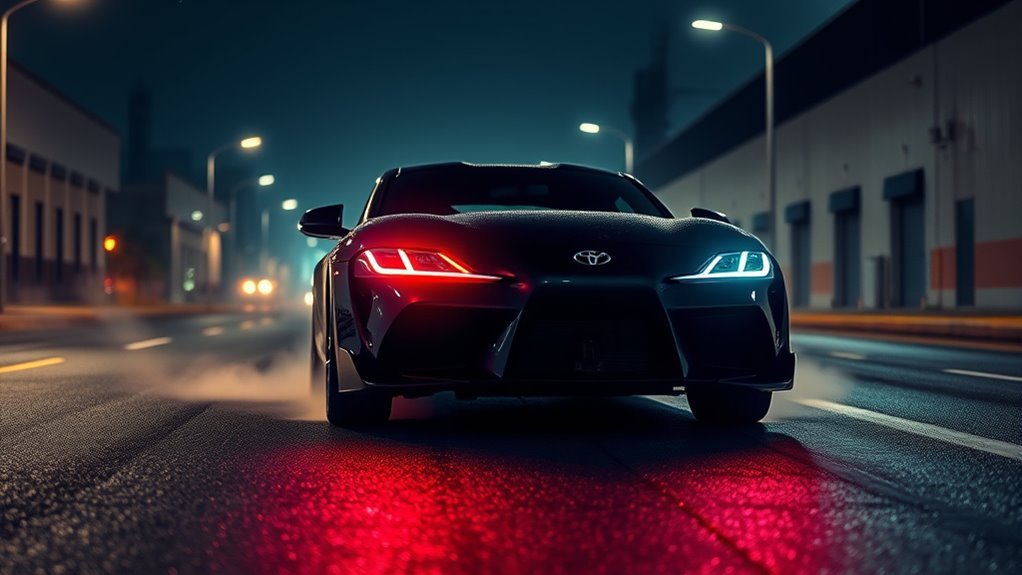
Supra launch control helps an automatic GR Supra equipped with the system make a controlled standing start on a dry surface with good traction. Toyota’s factory sequence puts the car in Sport and Traction modes, holds the vehicle with the brake, and lets the vehicle adjust engine speed after the accelerator reaches the kickdown position.
The important distinction is that the factory Launch Control sequence uses Traction mode, not a generic instruction to disable every stability function. When Traction mode is selected, TRACTION appears in the instrument cluster and the VSC OFF indicator lamp illuminates. Toyota documents full VSC OFF separately.
The system does not make an aggressive start safe in unsuitable conditions. Tire condition, surface grip, steering angle, vehicle warnings, and driver judgment still determine whether the attempt should continue. Stop before launching if the car or surroundings are not ready.
What Should You Check Before Using Launch Control?
Complete these checks before attempting the sequence. They separate Toyota’s documented activation requirements from practical preparation that reduces avoidable risk and drivetrain stress.
| Check | What to do | Why it matters |
|---|---|---|
| Location | Use a closed course, drag strip, or legal performance-driving event with a clear launch path and adequate runoff. | Toyota states that launch control is not intended for public roads. |
| Break-in period | Do not use launch control during the vehicle’s break-in period. | Toyota explicitly warns against Launch Control use during break-in. |
| Operating temperature | Complete an uninterrupted trip of at least 6 miles/10 km before attempting Launch Control, then confirm that no relevant temperature or warning message is present. | Toyota owner manuals define this as the operating-temperature condition for Launch Control. |
| Drive-ready state and warnings | Switch on drive-ready state and stop if the car displays a drivetrain, brake, tire-pressure, or stability warning. | Drive-ready state is the first documented step, while a warning can indicate that the vehicle is not ready for another launch. |
| Recent Launch Control use | If Launch Control was just used, allow approximately 5 minutes for transmission cooling before trying again. | Toyota specifies an approximate 5-minute cooling period before reuse. |
| Tires | Check tread, pressure, and visible damage. Use the door placard and owner’s manual to set the correct Supra tire pressure. | Tread condition and correct inflation affect traction, steering, and stopping. |
| Surface | Confirm that the launch lane is straight, dry, clean, and free from loose gravel, oil, painted markings, or standing water. | Toyota describes Launch Control for surfaces with good traction under dry conditions. |
| Steering | Keep the steering wheel straight before and during the launch. | Toyota specifically instructs the driver not to steer when driving off with Launch Control. |
| Model and transmission | Confirm Launch Control availability and the procedure in the manual for your exact year, market, transmission, and equipment. | The verified automatic sequence below requires selecting D. |
Note: Toyota added a six-speed intelligent manual transmission option for the 2023 GR Supra. The automatic Launch Control sequence that requires D does not apply unchanged to manual-transmission cars.
[Products Worth Considering]

1. Precision Low-Pressure Gauge: Engineered for 0-30 PSI with ±0.5% (±0.15 PSI) accuracy.Suitable for fat tire e-bikes, ATVs, UTVs, and lawn tractors. Not for standard...
How Do You Activate Supra Launch Control?
The following is a plain-language version of Toyota’s documented automatic-transmission procedure, cross-checked against fuller owner-manual guidance. The owner’s manual for your exact vehicle remains the final authority.
Step 1: Reach Operating Temperature and Stop Safely
Switch on drive-ready state. Toyota owner manuals state that Launch Control is available when the engine is at operating temperature and define that condition as an uninterrupted trip of at least 6 miles/10 km.
Stop on a straight, dry, closed-course surface with good traction and adequate runoff. Fasten your seat belt, look far ahead, and make sure no people, vehicles, curbs, barriers, or other obstacles are in the launch path.
Step 2: Press Sport Mode
Press the Sport button. Confirm that SPORT appears in the instrument cluster before continuing.
Step 3: Activate Traction Mode
Press and release the VSC/Traction control once. Confirm that TRACTION appears in the instrument cluster and the VSC OFF indicator lamp illuminates.
Do not treat full VSC OFF as the required factory Launch Control setting. Toyota documents full VSC OFF separately; the documented Launch Control sequence calls for Traction mode.
Step 4: Select D
Select D on the automatic transmission. The documented factory procedure uses D. Do not add unsupported gear-skipping or manual-shift shortcuts to the sequence.
Step 5: Hold the Brake With Your Left Foot
Firmly depress the brake pedal with your left foot. Keep the vehicle fully stopped and the steering wheel straight.
Step 6: Press the Accelerator to Kickdown
Fully depress and hold the accelerator pedal at the kickdown position. When the required conditions are satisfied, a flag symbol appears in the instrument cluster and the car adjusts engine speed for the launch.
Step 7: Release the Brake Within Three Seconds
Release the brake pedal within 3 seconds after the launch state is established. Keep the steering wheel straight and remain ready to abort if the tires spin excessively, the car moves sideways, or a warning appears.
If the three-second window expires, release the accelerator, keep the vehicle stopped, and restart the sequence. Do not continue holding full throttle against the brake after the launch window has passed.
After Launch Control has been used, Toyota says the transmission must cool for approximately 5 minutes before the feature can be used again. Toyota also instructs the driver to reactivate VSC as soon as possible after the launch to increase vehicle stability.
Pro Tip: Treat the factory 5-minute cooldown as a minimum reference, not permission for automatic back-to-back launches. Reassess tire behavior, surface conditions, and dashboard messages before deciding whether another attempt is appropriate.
What Settings Does Supra Launch Control Use?
Do You Use Traction Mode or Full VSC OFF?
Use Traction mode for Toyota’s documented factory Launch Control procedure. Press and release the VSC/Traction control once so TRACTION appears in the instrument cluster. The VSC OFF indicator lamp also illuminates in Traction mode, which is why the warning lamp alone should not be interpreted as an instruction to select full VSC OFF.
| Setting | Documented action | Important caution |
|---|---|---|
| Sport mode | Press Sport and confirm SPORT in the instrument cluster. | Sport mode changes vehicle response but cannot make poor conditions safe. |
| Traction mode | Press and release the VSC/Traction control once; confirm TRACTION appears and the VSC OFF indicator lamp illuminates. | Driving stability is more limited than in the normal VSC state. |
| Full VSC OFF | Not required by Toyota’s normal factory Launch Control sequence. | Do not substitute a different stability-control state for the documented Traction-mode procedure. |
| Transmission | Select D for the documented automatic procedure. | Do not add unsupported manual-shift shortcuts. |
| Steering | Keep the steering wheel straight. | Toyota instructs the driver not to steer while driving off with Launch Control. |
Should You Set a Target Launch RPM?
Do not treat 1,500–2,000 rpm, 2,200 rpm, or another online number as a universal Supra launch-control setting. Toyota’s documented factory procedure does not tell the driver to set an RPM. It says the engine speed will be adjusted for launching after the accelerator is fully depressed at the kickdown position.
Some instrumented tests of specific early GR Supras have observed the engine settling near 2,000 rpm, but that is an observed result on those cars, not a universal driver-set factory target. For a stock or near-stock car, follow the factory sequence instead of trying to override it with a guessed RPM.
Which Gear Should You Use?
For the documented automatic GR Supra Launch Control procedure, select D and allow the transmission to manage the launch. Do not perform a first-gear burnout or force an immediate shift into a higher gear as part of the normal factory sequence.
For a manual-transmission GR Supra, check the instructions and limitations for the exact model year and market. Do not assume that the automatic procedure applies because it depends on selecting D and using automatic-transmission control logic.
How Do Tires and Surface Conditions Affect Launch Control?
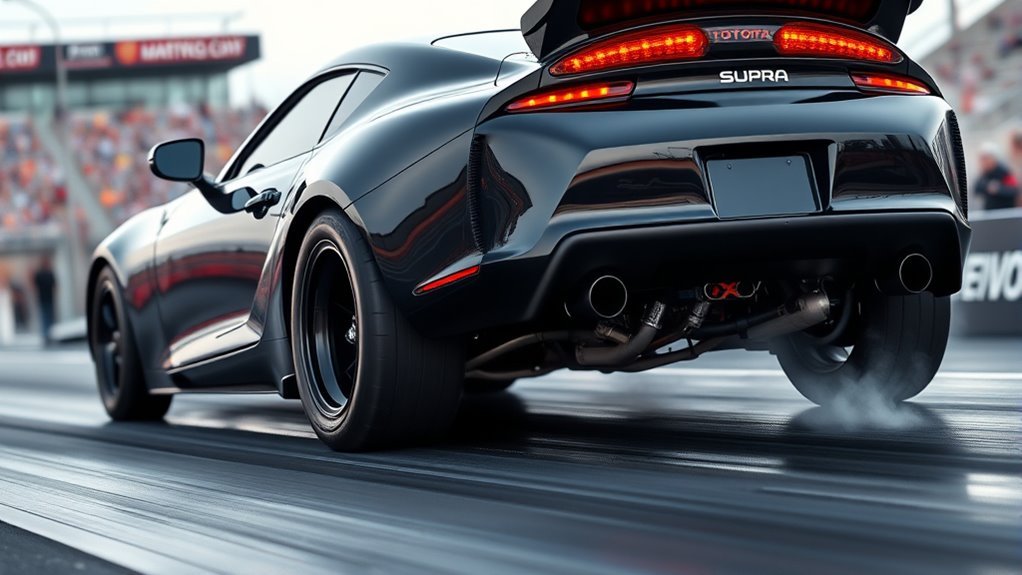
Launch consistency begins with the tires and the surface. Toyota describes Launch Control for dry conditions with good traction. A correct button sequence cannot compensate for damaged tread, incorrect pressure, standing water, gravel, oil, or a launch lane that is not straight.
- Inspect tread and sidewalls. Do not attempt a performance launch with damaged, cracked, bulged, or excessively worn tires.
- Use the vehicle’s specified pressure. Start with the door placard and exact owner’s manual rather than copying another driver’s setting.
- Check pressure consistently. Record whether the pressure was measured cold or after driving so later comparisons use the same method.
- Use a clean, dry lane. Water, dust, oil, gravel, and painted pavement can reduce available grip.
- Keep the car straight. Stage with the steering centered and enough clear runoff ahead.
- Follow event rules. Perform burnouts or drag-strip tire preparation only where the venue permits them and qualified staff can supervise the staging area.
Note: Tire changes, power modifications, transmission tuning, or other performance modifications can change how the car behaves during a launch. Owners of modified cars should follow the component manufacturer’s guidance and consult a qualified performance shop before repeated closed-course launches.
[Products Worth Considering]

Traxxas 9471R - Mickey Thompson ET Drag Slicks, Rear, Sticky Compound (2)

Increased Traction with new Ultra Blue Compound

1.WARM UP THE REAR TIRES, RUN FASTER- SPELAB brake line lock can be widely used in various models which allows the front brakes to lock independently of the rear brakes via a switch. It also allows the front brakes to be locked and the rear brakes to be open, so that the driver to spin the rear wheels without wasting the rear brakes.
When Should You Not Use Supra Launch Control?
Toyota warns that Launch Control causes premature component wear because the function places a very heavy load on the vehicle. Toyota does not publish one universal wear rate, so the feature should be used sparingly and only under appropriate conditions.
Do not use launch control when:
- The vehicle is still in its break-in period.
- You are on a public road, in traffic, or outside a suitable legal venue.
- The engine has not reached the Launch Control operating-temperature condition described in the owner’s manual.
- The surface is wet, dirty, icy, uneven, oily, or crowded.
- The tires are damaged, excessively worn, or incorrectly inflated.
- The steering wheel is not straight.
- The vehicle shows drivetrain, brake, tire-pressure, temperature, or stability-control warnings.
- The launch path lacks enough clear space and runoff.
- The vehicle is heavily modified and the factory sequence may no longer behave as documented.
- You recently used Launch Control and the approximate 5-minute transmission-cooling period has not passed.
- Traction or vehicle behavior has become inconsistent.
- You are not prepared for increased component wear.
Why Won’t Supra Launch Control Engage?
Do not force the system when it will not activate. Release the accelerator, keep the car stopped, and check each required condition before attempting the sequence again.
| Problem | Likely cause | What to do |
|---|---|---|
| TRACTION does not appear | Traction mode was not selected correctly. | Stop and use the exact control procedure in your manual. For the documented factory sequence, press and release the VSC/Traction control once and confirm TRACTION appears. |
| Flag symbol does not appear or engine speed does not adjust | A required Launch Control condition was not satisfied. | Verify operating temperature, drive-ready state, Sport mode, Traction mode, D, firm brake pressure, and full kickdown. |
| Car creeps forward | The brake is not holding the vehicle firmly or the surface is unsuitable. | Release the accelerator, stop the attempt, inspect the surface, and confirm firm brake application before resetting. |
| Three-second window expires | The brake was not released within Toyota’s documented launch window. | Release the accelerator, keep the vehicle stopped, and restart the full sequence. Do not continue holding full throttle against the brake. |
| Launch Control was just used | The transmission may still be in Toyota’s required cooling period. | Allow approximately 5 minutes for transmission cooling before another attempt, and wait longer if the car still does not satisfy the required conditions. |
| Too much wheelspin | The tires or surface do not provide enough grip for the conditions. | Abort the attempt. Inspect the tires, pressure, lane surface, and conditions before deciding whether another attempt is suitable. |
| Warning message appears | A required condition is not satisfied or a fault may be present. | Stop using Launch Control and follow the owner’s manual. Arrange diagnosis if the warning remains. |
| Launch feels inconsistent | Tire pressure, tire temperature, surface condition, staging, or vehicle condition changed between attempts. | Stop repeated attempts, let conditions stabilize, and compare a written record of each run. |
| Procedure differs from this guide | Your model year, market, transmission, software, equipment, or control labels may differ. | Follow the manual supplied for your exact vehicle rather than forcing another model year’s sequence. |
How Should You Practice Launches at a Legal Event?
Treat each attempt as a controlled test rather than repeating launches without a plan. Change only one condition at a time so you can identify what improved or reduced consistency.
- Start with the factory baseline. Use the documented sequence on a clean, dry, straight surface with good traction.
- Record conditions. Note tire pressure, whether pressure was measured hot or cold, tire type, outside temperature, surface condition, and relevant dashboard information.
- Record the result. At a drag strip, use the official 60-foot time when available instead of relying only on how fast the launch felt.
- Watch for abnormal behavior. Stop if you feel repeated wheel hop, harsh driveline shock, grinding, pulling, or unusual vibration.
- Respect the factory cooldown. Toyota says the transmission needs approximately 5 minutes to cool before Launch Control can be used again. Wait longer if warnings remain or the required conditions are not satisfied.
- Review before repeating. Decide whether another attempt is justified instead of launching simply because the feature is available.
Pro Tip: Consistency matters more than repeating launches quickly. If the surface, tires, or vehicle behavior changes, stop comparing runs until conditions are stable again.
Frequently Asked Questions
How does Supra launch control work?
Toyota’s documented automatic procedure requires the engine to be at operating temperature, then uses Sport mode, Traction mode, D, firm left-foot braking, and full accelerator kickdown. A flag symbol appears when the required conditions are met, the car adjusts engine speed, and the driver releases the brake within 3 seconds.
Do you use Traction mode or full VSC OFF for Supra launch control?
Use Traction mode for Toyota’s documented factory Launch Control procedure. Press and release the VSC/Traction control once so TRACTION appears in the instrument cluster; the VSC OFF indicator lamp also illuminates. Full VSC OFF is a separate state and is not the required factory Launch Control setting.
What RPM should I use for Supra launch control?
Do not rely on a universal driver-set RPM number. Toyota’s factory procedure says the vehicle adjusts engine speed for launching after the accelerator is fully depressed at the kickdown position. Some tests of individual cars have observed roughly 2,000 rpm, but that is not a universal factory target you are instructed to set.
Can I use Supra launch control on public roads?
No. Toyota states that Launch Control is not intended for public roads. Use it only in a suitable legal and controlled environment with a dry surface, good traction, a straight steering wheel, and a clear launch path.
Does launch control damage the Supra?
Toyota warns that Launch Control represents a very heavy load for the vehicle and causes premature component wear. Toyota does not publish one universal wear rate, so repeated use should be minimized and the factory operating conditions and cooldown guidance should be followed.
Does the manual Toyota GR Supra have the same launch control?
The automatic procedure in this guide does not apply unchanged to a manual GR Supra because the verified factory sequence requires selecting D. Toyota introduced a six-speed manual option for the 2023 GR Supra, so manual-transmission owners should follow the instructions and limitations for their exact model year and market.
Why won’t launch control activate?
Check that the engine has reached the required operating-temperature condition, Sport mode is active, TRACTION appears in the cluster, the automatic transmission is in D, the brake is firmly applied, and the accelerator reaches full kickdown. A recent Launch Control use can also require approximately 5 minutes of transmission cooling before another attempt.
How long should you wait between Supra launch-control attempts?
Toyota’s owner manual says the transmission must cool for approximately 5 minutes before Launch Control can be used again. Treat that as the factory reference and wait longer if warnings remain, the feature will not re-engage, or tire and surface conditions have become inconsistent.
Conclusion
The documented automatic Supra Launch Control procedure is straightforward once the control-state terminology is clear: reach operating temperature, press Sport, activate Traction mode with one press of the VSC/Traction control, confirm TRACTION appears, select D, hold the brake firmly with your left foot, press the accelerator fully to kickdown, and release the brake within 3 seconds after the launch state is established.
The factory details around that sequence matter just as much. Toyota owner manuals specify at least 6 miles/10 km of uninterrupted driving for the Launch Control operating-temperature condition, approximately 5 minutes of transmission cooling before reuse, and reactivating VSC as soon as possible after the launch. Before any closed-course attempt, check the manual for your exact vehicle, inspect the tires, confirm a dry and straight launch lane, and stop immediately if the car displays a warning or loses stable traction.
Sources
- Toyota 2021 GR Supra Quick Reference Guide — factory automatic Launch Control sequence, break-in warning, public-road warning, component-wear warning, straight-steering instruction, and 3-second brake-release window.
- Toyota GR Supra Owner’s Manual — Traction-mode indication, 6 miles/10 km operating-temperature requirement, automatic D procedure, flag-symbol guidance, 3-second release window, approximately 5-minute transmission cooldown, and VSC reactivation guidance.
- Toyota Manuals and Warranties: 2026 Supra — official current model-year owner-manual access.
- Toyota USA Newsroom: 2020 GR Supra Ready for the Road — Toyota explanation that Launch Control is used with Sport and Traction modes and is not intended for public roads or repeated short-interval use.
- Toyota Pressroom: GR Supra Adds Manual Transmission for 2023 — official six-speed manual-transmission model-year context.
- MotorTrend: 2020 Toyota Supra First Test — instrumented example showing approximately 2,000 rpm on a specific early GR Supra; included as an observed result rather than a universal factory RPM target.
- NHTSA TireWise Tire Safety — tire pressure, tread, placard, and tire-safety guidance.