
By: Merrick Vaughn · Role: Founder, AutoReviewNest
Last updated: July 31, 2026 · Rechecked for the redesigned 2026 backup-reader location, key-battery fitment cautions, CPSC coin-battery safety, and EPA disposal guidance.
Scope and method: This manual-based guide focuses on U.S.-market push-button-start Toyota RAV4 models and separates the common 2019–2025 procedure from redesigned 2026 guidance. No vehicle-specific hands-on test is claimed. Always follow the owner’s manual for your exact model year, powertrain, market, and key design.
If your Toyota RAV4 says “Key Not Detected,” keep the vehicle in Park and press the brake pedal. On most 2019–2025 push-button-start RAV4s, touch the Toyota-emblem side of the registered fob to the engine start/stop switch. When the vehicle recognizes the key, press the switch shortly and firmly. On the redesigned 2026 RAV4 Hybrid, Toyota uses a marked backup recognition point at the bottom of the cup holder. If the RAV4 still does not start, compare the spare fob, check the exact coin battery, remove radio interference, and look for signs of a weak 12-volt auxiliary battery before paying for key programming or replacement.
Quick Answer
Put the RAV4 in Park and hold the brake. For most 2019–2025 push-button models, touch the Toyota-emblem side of the fob to the start/stop switch, wait for recognition, and press the switch. For the redesigned 2026 RAV4 Hybrid, hold the fob at the marked point on the bottom of the cup holder, then press the power switch. Confirm the exact location in your model-year manual. If the backup method fails, test the spare fob and check vehicle power before replacing the key.
Key Takeaways
- The backup recognition point is not universal. Most 2019–2025 push-button RAV4s use the engine switch; the redesigned 2026 RAV4 Hybrid uses a marked point at the bottom of the cup holder.
- A weak fob battery is common, but radio interference, a damaged fob, battery-saving mode, a disabled Smart Key setting, or low 12-volt vehicle power can cause similar symptoms.
- The referenced 2024 RAV4 Smart Key uses a CR2032 battery, but other years, non-Smart-Key remotes, and plug-in-hybrid key designs may use a different coin cell.
- If a correctly installed new battery and the emergency method do not work, test the registered spare fob before replacing or programming a key.
- An explicit Smart Entry & Start System Malfunction message needs vehicle-side diagnosis if it remains after basic checks.
At a Glance
| Year or Symptom | Best First Action |
|---|---|
| Most 2019–2025 push-button RAV4s | Press the brake and touch the Toyota-emblem side of the fob to the engine switch. |
| Redesigned 2026 RAV4 Hybrid | Press the brake and hold the fob at the marked recognition point on the bottom of the cup holder. |
| Spare fob works normally | Focus on the original fob’s battery, contacts, case, buttons, or internal electronics. |
| Both fobs fail and the dash is dim | Check the RAV4’s 12-volt auxiliary battery before replacing either key. |
| Both fobs fail with normal vehicle power | Confirm the correct reader location and Smart Key settings, then arrange vehicle-side diagnosis. |
| Exact fob battery is unknown | Match the code on the old cell or the exact owner’s manual. Do not buy by model name alone. |
How Do You Start a RAV4 When the Key Is Not Detected?
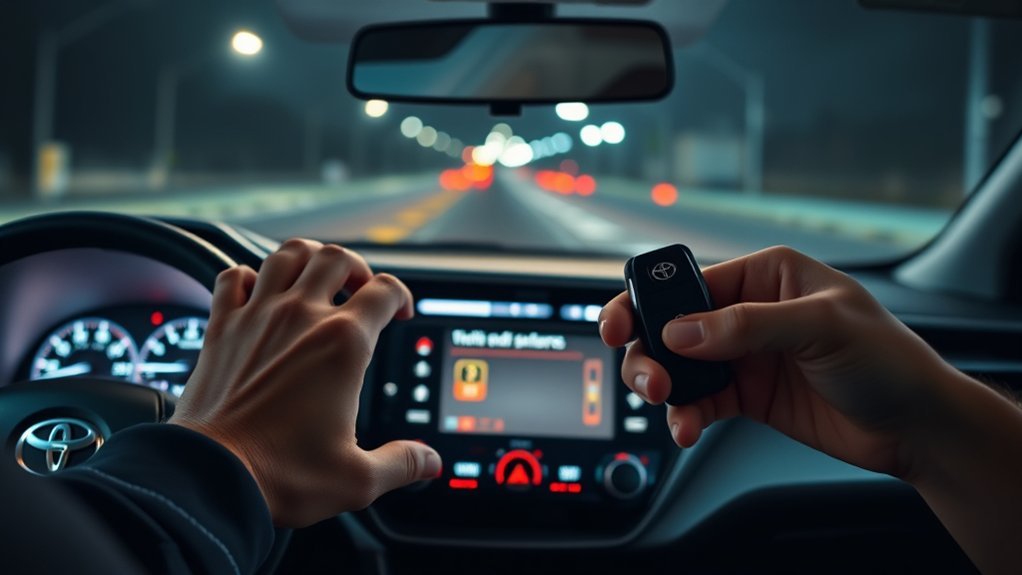
The fastest first step is to use the RAV4’s close-range backup reader. Toyota explains that a Smart Key-equipped vehicle may still recognize its registered electronic key when normal wireless communication is interrupted or the fob battery is depleted. The reader location and sequence vary, so check the 2025 RAV4 owner’s manual, the redesigned 2026 RAV4 Hybrid owner’s manual, or the manual for your exact vehicle.
- Confirm the year and powertrain. Do not assume every RAV4 uses the start/stop switch as its reader.
- Put the RAV4 in Park. Sit in the driver’s seat with the registered electronic fob inside the cabin.
- Press and hold the brake pedal. Use firm, steady pressure.
- Use the correct recognition point. On most 2019–2025 push-button RAV4s, touch the Toyota-emblem side of the fob to the engine switch. On the redesigned 2026 RAV4 Hybrid, hold the fob at the marked point on the bottom of the cup holder.
- Wait for recognition. A buzzer, illuminated switch, start prompt, or instrument-display change indicates that the registered key has been read.
- Press the start or power switch. Keep the brake depressed and press the switch shortly and firmly.
- Stop and recheck the manual if nothing changes. Repeatedly pressing the switch will not correct a wrong reader location, discharged 12-volt battery, unregistered key, or system fault.
Note: If the doors will not unlock because the fob battery is dead, remove the mechanical key blade and unlock the driver’s door manually. The alarm may sound until the vehicle recognizes the registered electronic fob. For the door-access procedure, see the RAV4 hidden-key and dead-fob guide.
Warning: If the RAV4 will not power on, the lights are dim, the dashboard flickers, the brake pedal feels unusually hard, or several warnings appear together, the 12-volt auxiliary battery may be weak or discharged. Stop repeating the start attempt. Follow the owner’s manual, use the correct RAV4 jump-start procedure, or call roadside assistance.
[Products Worth Considering]
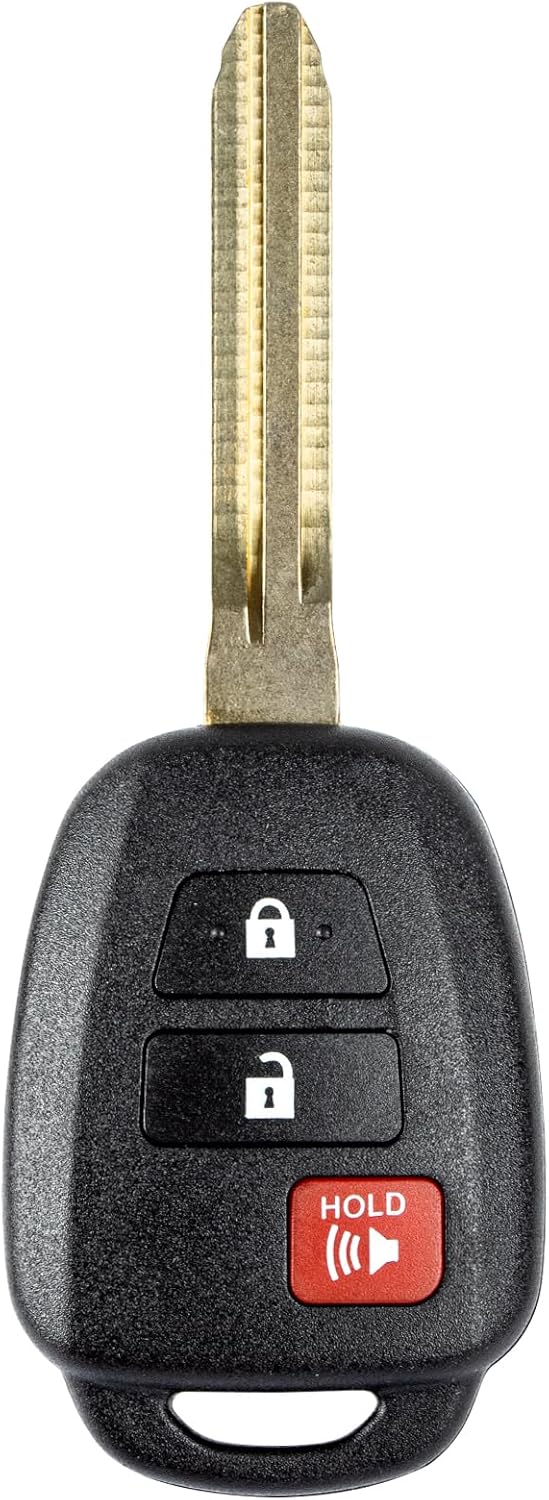
This replacement key fob is designed for select Toyota models and provides reliable keyless entry functionality with a factory-like fit and operation. It comes pre-tested with electronics and battery installed, making it a convenient solution when your original remote is lost, damaged, or worn out. Professional programming and cutting are required, and compatibility should be confirmed against the original remote and vehicle fitment details.

This keyless entry remote replacement is designed for select Toyota models and comes pre-tested with battery and electronics installed for ready-to-program convenience. It supports compatible part numbers and FCC IDs, making it a practical solution for replacing a lost or damaged fob. Programming and cutting by a qualified locksmith or dealership are required, and it is intended for regular key vehicles rather than push-start systems.

This keyless entry remote replacement is designed for a wide range of Toyota, Scion, and Lexus-compatible vehicles, offering a convenient way to restore remote locking and unlocking functions. Each fob is pre-tested, comes with the battery and electronics already installed, and is ready to be programmed for supported standard-key vehicles. It is a practical replacement choice for drivers who need a reliable, compatible remote for everyday use.
Why Does a RAV4 Say “Key Not Detected”?
The warning means the vehicle is not receiving or validating the registered key signal as expected. Causes include a depleted coin battery, poor battery contact, radio interference, a damaged fob, battery-saving mode, a disabled Smart Key setting, or low vehicle voltage. Toyota’s RAV4 Smart Key system information identifies strong radio sources, battery chargers, other wireless keys, and metallic objects as conditions that can interrupt communication.
| What You See | Likely Focus | What To Do |
|---|---|---|
| Remote range is shorter than normal | Weak fob battery | Confirm the exact battery type, replace it, and retest all functions. |
| No fob LED or inconsistent button response | Dead battery, poor contact, or damaged fob | Check polarity, seating, contacts, buttons, and casing damage. |
| Buttons work, but passive entry or normal starting fails | Weak battery, interference, settings, or vehicle antenna issue | Use the backup reader, remove interference, check settings, and compare the spare fob. |
| Spare fob works normally | Problem with the original fob | Have the original fob tested, repaired, or replaced. |
| Both fobs fail only in one location | Radio interference | Move away from chargers, large electronics, metal storage, or strong radio equipment and try again. |
| Dash is dim or the vehicle will not enter ON or READY mode | Weak or discharged 12-volt auxiliary battery | Test or jump-start the vehicle only as directed in the owner’s manual. |
| Display says Smart Entry & Start System Malfunction | Vehicle-side Smart Key, communication, wiring, control, or voltage fault | Photograph the exact message, try the spare once, verify 12-volt power, and arrange Toyota-compatible diagnosis if it remains. |
Also check where you carry the fob. Remove it from a bag or pocket and separate it from phones, laptops, metallic wallets, coins, chargers, and other wireless vehicle keys before trying again. For normal proximity-entry settings and everyday Smart Key operation, use the separate RAV4 Smart Key guide.
Pro Tip: If both registered fobs fail only in one parking area, test them again after moving away from nearby charging equipment, large electronics, metal structures, or strong radio sources. That comparison can prevent an unnecessary key replacement.
What Still Works? Use This 60-Second Check
- The remote buttons work, but the door-handle sensor does not: Check interference, passive-entry settings, the affected door handle, and the spare fob before blaming key programming.
- The RAV4 starts only with the backup reader: The registered transponder is still recognized. Focus first on the coin battery, battery contacts, interference, and normal Smart Key communication.
- One fob works and one does not: The fault is probably limited to the non-working fob.
- Both fobs fail while dashboard power is normal: Confirm the exact reader point and Smart Key settings, then consider a vehicle-side receiver, antenna, immobilizer, wiring, or control fault.
- Both fobs fail and dashboard power is weak or unstable: Check the 12-volt auxiliary battery before authorizing key work.
What Does the Emergency Start Result Tell You?
The backup recognition test separates a weak normal radio signal from a larger key or vehicle problem:
- The RAV4 starts with the backup reader: The registered key is still recognized at close range. Confirm the coin battery and remove possible interference.
- The spare fob works but the main fob does not: Focus on the main fob’s battery, contacts, casing, buttons, water damage, or internal electronics.
- Neither fob works and the dash is dim: Check the 12-volt auxiliary battery before replacing either key.
- Neither fob works but vehicle power appears normal: Confirm the correct backup-reader location and Smart Key settings. Arrange vehicle-side diagnosis if the warning remains.
- The display reports a Smart Entry & Start System malfunction: Record the exact wording and seek Toyota-compatible diagnosis rather than continuing to replace coin batteries.
A “Key Not Detected” message does not prove that the fob is broken. The spare-key result, backup-reader result, remaining fob functions, and 12-volt battery symptoms together show whether to focus on the key, interference, or the vehicle.
How Do You Replace a RAV4 Key Fob Battery?
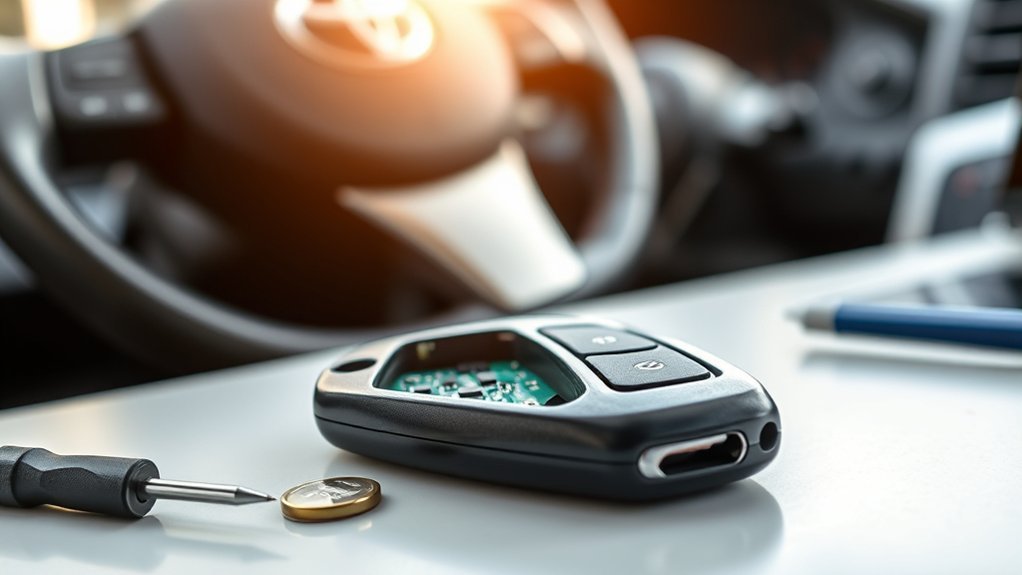
The referenced 2024 RAV4 key-battery instructions list a CR2032 lithium battery, a flathead screwdriver, and a small flathead screwdriver. That does not make CR2032 universal across every RAV4 fob. Older non-Smart-Key remotes, different markets, and plug-in-hybrid key designs may use another battery. Match the code printed on the old cell or listed in the exact owner’s manual before purchase.
- Remove the mechanical key. Press the release and slide the metal key blade out of the fob.
- Protect the plastic case. Wrap the screwdriver tip with tape or a thin cloth to reduce scratches.
- Open the fob at the seam. Insert the screwdriver gently into the specified notch and twist lightly. Do not force the casing.
- Record the old battery orientation. Take a photo before removal if the positive and negative sides are not obvious.
- Match the battery code. Confirm that the replacement has the same code as the old cell or the exact manual specification.
- Install the replacement battery. Make sure it sits flat, beneath the retaining contacts, and in the same orientation as the original.
- Snap the fob closed. Press the case halves together until the seam is even, then reinstall the mechanical key.
- Retest all functions. Press Lock, press Unlock, test passive entry, and then test normal starting. Use the emergency reader again only if normal detection still fails.
Warning: Coin batteries can cause devastating injury if swallowed. The U.S. Consumer Product Safety Commission warns that a swallowed button or coin battery can burn through a child’s throat or esophagus in as little as two hours. Keep new and used batteries away from children and pets. Seek immediate emergency medical help if ingestion is suspected.
Secure the old battery immediately. The U.S. Environmental Protection Agency recommends placing each button or coin battery in a separate plastic bag or covering its terminals with non-conductive tape. Do not put button, coin, or lithium single-use batteries in household trash or municipal recycling bins. Use a specialized battery recycler, participating retailer, or household hazardous-waste program.
[Products Worth Considering]

This replacement key fob set is designed for select Toyota RAV4 and XB models with regular key systems, offering lock, unlock, and panic functions in a convenient two-pack. Each remote comes pre-tested with battery and electronics installed, and it must be cut and programmed by a qualified dealer or locksmith for proper use. Built from durable materials and backed by warranty support, it provides a reliable solution when replacing worn or missing remotes.
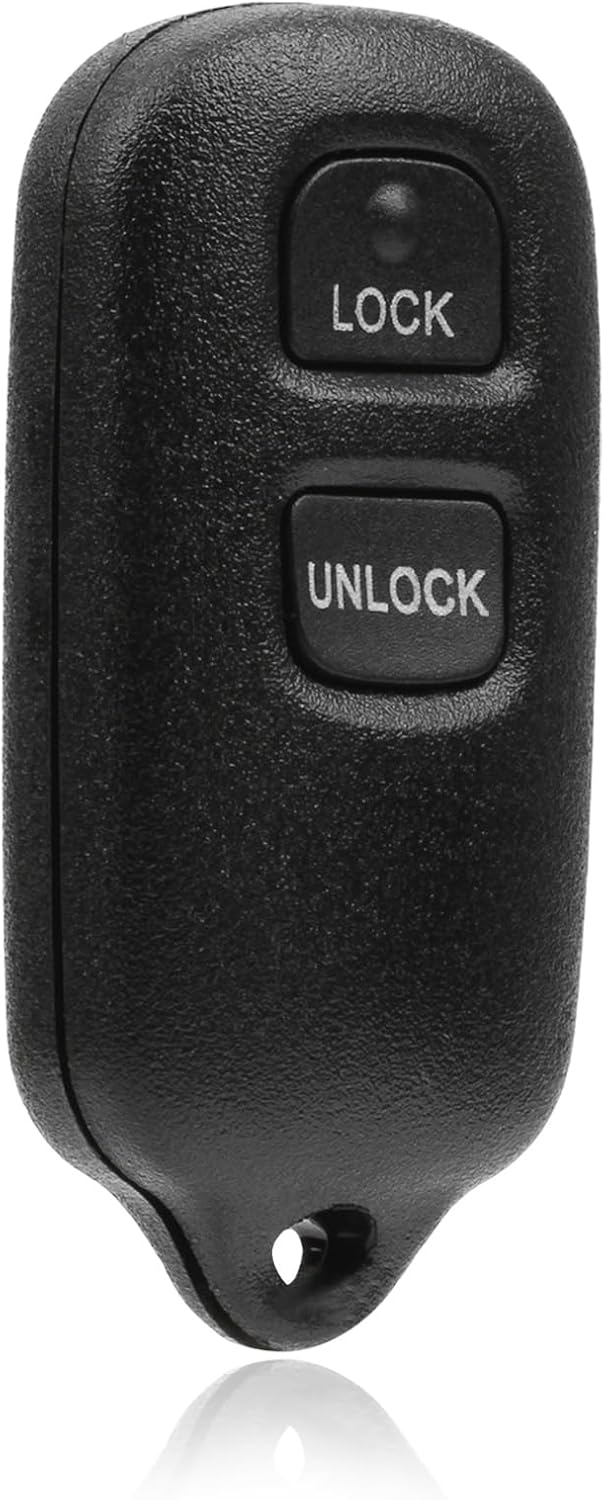
This USARemote key fob replacement provides convenient keyless entry for a wide range of Toyota and Scion vehicles. It is programmable, ready to use, and designed to help restore remote locking and unlocking functionality for compatible models. The compact black remote offers dependable everyday use for drivers needing a simple replacement solution.

COMPATIBLE WITH AIRTAG & KEY FOBS: Works with Apple AirTag, all major car key fobs (Toyota, Honda, BMW, Ford, Chevrolet, Lexus), fitness trackers, glucose monitors, tire pressure sensors, and any CR2032 / 3V lithium coin battery device.
What If a New Battery Does Not Fix “Key Not Detected”?
A normal coin-battery replacement does not erase a registered RAV4 key. If a fresh battery does not clear the warning, do not keep buying cells or jump immediately to reprogramming. Work through the remaining causes in this order:
- Confirm the battery code. Compare the new cell with the old battery and the exact owner’s manual.
- Confirm polarity and seating. An upside-down, tilted, loose, or partly trapped coin cell can act like a dead battery.
- Inspect the contacts and case. Look for bent contacts, corrosion, cracks, sticky buttons, loose seams, water marks, or impact damage.
- Try the registered spare fob. If the spare starts the RAV4, the original fob needs focused testing or replacement.
- Move away from interference. Separate the fob from electronics and metal, then test in another location.
- Check Smart Key settings and battery-saving mode. Follow the owner’s manual or vehicle customization menu for the exact model.
- Check the 12-volt auxiliary battery. Dim lights, flickering displays, multiple warnings, weak locks, or failure to enter ON or READY mode point toward low vehicle voltage.
- Record the exact warning. “Key Not Detected” and “Smart Entry & Start System Malfunction” should not be treated as identical messages.
- Arrange diagnosis. If both fobs fail while the vehicle has stable electrical power, the backup reader, Smart Key antennas, receiver, immobilizer, wiring, or vehicle control system may need professional testing.
For a failure that began immediately after installing a new cell, use the dedicated RAV4 key-fob-after-battery-change checklist.
Note: A smartphone is not a universal substitute for a physical fob. Toyota Digital Key availability depends on the vehicle, installed hardware, account, app setup, connected-service eligibility, compatible phone, and region. Check current Toyota Digital Key support for your exact vehicle and keep a registered physical fob available.
When Should You Call a Toyota Dealer or Automotive Locksmith?
Call a Toyota dealer or qualified automotive locksmith when the correct emergency recognition method fails, both registered fobs fail, a fob has water or impact damage, the vehicle shows an immobilizer or Smart Entry system malfunction, or every working key is lost. Ask whether the provider has Toyota-compatible diagnostic and security-registration equipment for your exact model year.
- Diagnosis: The provider may test the fob signal and battery, inspect its contacts, scan vehicle fault codes, test the 12-volt battery, and confirm whether the key is registered.
- Vehicle-side testing: When both keys fail, diagnosis may include the backup reader, Smart Key antennas, receiver, immobilizer communication, wiring, and related control modules.
- Re-registration or programming: A replacement or unregistered key requires vehicle-specific registration. A normal coin-battery replacement by itself does not.
- Replacement: A lost, damaged, or incompatible fob may require a matching electronic key, programming, and mechanical-key cutting.
- Ownership documents: Ask what proof is required and bring photo identification, the VIN, vehicle registration or title, and every existing electronic key.
Pro Tip: Before buying an aftermarket or used fob, ask the dealer or locksmith to confirm the Toyota part number, FCC ID, frequency, button layout, mechanical-blade style, and compatibility with the RAV4’s year, trim, powertrain, and market.
[Products Worth Considering]
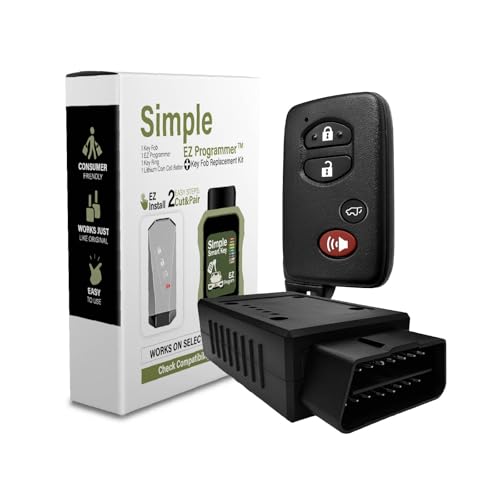
Compatibility: Compatible with 2009- 2019 Toyota. FCC ID: HYQ14ACX; PN: 89904-35010; Board: 271451-5290; Frequency: 315MHz

Vehicle Compatibility: Fits 2011-2020 Toyota Sienna. FCC ID HYQ14ADR, 314.3MHz. Please match the FCC ID, button etc. information carefully before purchase
Frequently Asked Questions
Can a smartphone app replace my RAV4 key fob?
Only on compatible vehicles with the required Toyota app, hardware, account, phone, region, and connected-service setup. Keep a registered physical fob available as a backup.
Can a weak 12-volt battery cause “Key Not Detected” warnings?
Yes. Low or unstable vehicle voltage can cause confusing key, dashboard, lock, and start-system behavior. If the RAV4 has dim lights, a flickering display, several warnings, or will not enter ON or READY mode, test the 12-volt auxiliary battery before replacing the fob.
Can an aftermarket key fob work with a Toyota RAV4?
It can, but it must match the required Toyota part number, FCC ID, frequency, immobilizer system, button layout, mechanical-blade style, model year, and market. Confirm compatibility with a Toyota dealer or qualified automotive locksmith before purchase.
Does replacing the RAV4 key fob battery require reprogramming?
No. A normal coin-battery replacement does not erase the key’s registration. If the fob stops working after replacement, first confirm the battery code, polarity, seating, contacts, and case assembly. Seek model-specific diagnosis if it still fails.
Can RAV4 Smart Key programming be done at home?
Modern RAV4 Smart Key registration commonly requires Toyota-compatible diagnostic equipment and security access. Battery replacement is a basic DIY task, but adding, replacing, or registering a smart key is usually handled by a dealer or equipped automotive locksmith.
What battery does a Toyota RAV4 key fob use?
The referenced 2024 RAV4 Smart Key uses a CR2032 lithium coin battery, but battery type varies across model years, non-Smart-Key remotes, plug-in-hybrid designs, and markets. Match the code on the old cell or the exact owner’s manual before buying a replacement.
Why does my RAV4 detect the key only sometimes?
Intermittent detection often points to a weak coin battery, poor battery contact, radio interference, metal or electronics blocking the signal, fob damage, Smart Key settings, or unstable 12-volt vehicle power. Compare the main and spare fobs and test away from electronics.
What if the display says Smart Entry & Start System Malfunction?
Photograph the exact message and do not assume the coin battery is the only problem. Try the registered spare key once, confirm that the 12-volt electrical system appears normal, and arrange Toyota-compatible diagnosis if the warning remains.
Conclusion
If your RAV4 shows “Key Not Detected,” use the backup recognition point for its exact model year before replacing anything. Most 2019–2025 push-button models use the engine switch, while the redesigned 2026 RAV4 Hybrid uses a marked point at the bottom of the cup holder. If the vehicle starts through the backup reader, confirm the fob battery and remove interference. If it does not, compare the registered spare fob and check the 12-volt auxiliary battery. When both keys fail despite stable vehicle power, or the display reports a Smart Entry system malfunction, arrange diagnosis with a Toyota dealer or qualified automotive locksmith.
Sources
- Toyota 2025 RAV4 Owner’s Manual: If the electronic key does not operate properly. Emergency recognition guidance for Smart Key-equipped RAV4 models.
- Toyota 2024 RAV4 Owner’s Manual: Wireless remote control/electronic key battery. CR2032 battery and replacement-tool guidance for the referenced key.
- Toyota 2025 RAV4 Owner’s Manual: Smart Key system. Conditions that can affect key communication.
- Toyota 2026 RAV4 Hybrid Owner’s Manual: If the electronic key does not operate properly. Model-specific backup recognition guidance for the redesigned hybrid.
- Toyota Support: How do I get a Digital Key?. Digital Key eligibility and setup information.
- U.S. Consumer Product Safety Commission: Button Cell and Coin Batteries. Coin-battery ingestion hazards and immediate safety steps.
- U.S. Environmental Protection Agency: Used Household Batteries. Handling and recycling guidance for button, coin, and lithium batteries.


[…] message remains after testing the spare key and moving away from interference, follow the dedicated RAV4 Key Not Detected troubleshooting guide before requesting key registration or receiver […]