Quick Answer: How to Use the RAV4 Smart Key
Last updated: July 31, 2026
Carry the RAV4 Smart Key with you, then grasp a sensor-equipped front door handle to unlock the vehicle. Close every door and touch the lock sensor on the front door handle to lock it. To open the rear, use the back-door opener switch under the liftgate trim. On many power-liftgate models, press and hold the switch until the liftgate starts moving. On a manual-liftgate model, press the switch while raising the liftgate by hand.[13]
To start the RAV4, place the shifter in Park, press the brake pedal, and press the Engine Start/Stop button once with the Smart Key inside. On a Remote Connect-capable model with the required active trial or subscription, press Lock once, press it again within one second, then press Lock a third time and hold it for three seconds to use key-fob remote start.[1][3][4]
Verification note: These procedures were checked on July 31, 2026, against Toyota Support, U.S. RAV4 owner guidance, Toyota Connected Services information, and Toyota’s 2026 Connected Services applicability guide. Smart Key behavior still varies by model year, trim, market, equipment, and customized settings.
Key Takeaways
- Carry the Smart Key on your person before using the door-handle sensors.
- Grasp the handle to unlock, but touch the lock sensor to lock.
- Use the back-door opener switch for the liftgate. Press and hold it on many power-liftgate models; press it while raising a manual liftgate by hand.
- Start the RAV4 by selecting Park, pressing the brake, and pressing the Engine Start/Stop button once.
- For a weak fob battery, touch the Toyota-emblem side of the fob directly to the start button.
- If the vehicle has no cabin lights or instrument display, check the 12-volt battery instead of assuming only the fob battery is dead.
- On U.S. 2026 RAV4 models, Digital Key availability is grade- and equipment-specific; active Remote Connect service is required after the included trial.
What’s in This Article
- Quick Answer: Use the RAV4 Smart Key
- Key Takeaways
- Before You Begin With the RAV4 Smart Key
- What Varies by RAV4 Model Year and Equipment?
- What Is Different on the 2026 RAV4?
- Smart Key, Key Fob, and Digital Key Differences
- Basic RAV4 Smart Key Steps
- Lock and Unlock the RAV4 With Smart Key
- Liftgate, Remote Controls, and the Mechanical Key
- Start the RAV4 With Push-Button Start or Remote Start
- Troubleshooting Smart Key Problems
- Keep Your Smart Key Secure
- Frequently Asked Questions
- Conclusion
Your RAV4 Smart Key should let you enter and start the vehicle without removing the fob from your pocket or bag. This guide explains the normal unlock, lock, liftgate, and push-button-start steps, then separates them from functions that depend on a specific door sensor, power liftgate, model year, Digital Key package, or Connected Services account.
Before You Begin With the RAV4 Smart Key
Park safely, select Park, switch the vehicle off, and keep both the registered Smart Key and the model-year owner’s manual nearby. Test the mechanical-key and dead-fob procedures only while the vehicle is stationary and clear of traffic.
Do not assume every RAV4 uses the same handle sensors, unlock pattern, liftgate equipment, or remote-start service. Confirm the model year and equipment before treating a different response as a fault.
What Varies by RAV4 Model Year and Equipment?
| Feature | What Can Vary | How to Confirm It |
|---|---|---|
| Passive door entry | Some versions detect the key at selected doors, while others provide wider door coverage. | Test the driver and passenger handles while carrying the key, then check the owner’s manual. |
| Detection range | A fifth-generation RAV4 manual gives an approximate exterior detection range of 2.3 ft (0.7 m) from an equipped door handle or the back-door opener switch; range can shrink around interference. | Carry the key separately from phones and other transmitters, then check the effective-range diagram for your model year.[12] |
| Post-lock response | The passive-entry system may ignore an unlock attempt for about three seconds immediately after the vehicle is locked. | Wait at least three seconds before retesting the handle; do not treat the delay alone as a fault.[12] |
| Unlock pattern | The driver handle may unlock only the driver door or all doors, depending on settings. | Check the vehicle settings or the customization section of the owner’s manual. |
| Liftgate | The RAV4 may have a manual, power, or hands-free power liftgate. | Look for power-close switches and review the liftgate section of the owner’s manual. |
| Key-fob remote start | Remote start requires compatible equipment and may require an active Connected Services trial or subscription. | Review the Connected Services section in the Toyota app or Toyota’s compatibility tools.[4] |
| Digital Key | Phone-as-key availability varies by model year, trim, package, market, compatible device, and active service status. | Check the VIN in the Toyota app or owner portal and review Toyota’s current applicability guide.[10] |
What Is Different on the 2026 RAV4?
For U.S. 2026 RAV4 models, Toyota’s Connected Services applicability guide lists Digital Key as standard on the grades it labels XLE, Woodland, XSE, and Limited, and unavailable on LE and SE. Toyota’s retail launch material names the gasoline-electric grade XLE Premium, so use the VIN-specific Toyota app or owner portal rather than relying on the shortened chart label alone. For the 2026 RAV4 Plug-In Hybrid, the chart lists Digital Key as standard on Woodland and XSE, and unavailable on SE and GR Sport. Compatible equipment, a compatible smartphone, and active Remote Connect service after the included trial are required.[10]
The enhanced 2026 Digital Key can be stored in supported Apple, Google, or Samsung wallets and shared with up to five other drivers. Toyota also says near-field communication can support access for a limited period after a compatible phone battery dies. Device, software, network, market, and service limitations still apply.[11]
These 2026 details do not automatically apply to earlier RAV4s or vehicles sold outside the United States. Confirm the exact vehicle by VIN before expecting phone-based entry or starting.
Smart Key, Key Fob, and Digital Key Differences
The terms sound similar, but they describe different ways to access or control the RAV4.
| Term | What It Means | Typical Uses |
|---|---|---|
| Wireless key fob | The physical remote and its lock, unlock, liftgate, and panic buttons. | Button-operated locking, unlocking, alarm control, and supported liftgate functions. |
| Smart Key | The passive-entry and push-button-start system that detects a registered electronic key nearby. | Handle-sensor entry, liftgate access, and starting without removing the fob from your pocket. |
| Remote Connect | Toyota’s connected service for compatible vehicles. | App-based remote functions and supported key-fob remote start with the required active service.[4] |
| Digital Key | A separate phone-based key feature available only on compatible vehicles, trims, markets, and devices. | Using a configured compatible smartphone for supported access and starting functions; active Remote Connect service may be required.[10] |
Basic RAV4 Smart Key Steps
- Carry the registered Smart Key on your person before approaching the RAV4.
- Grasp the front door handle to unlock the door when the vehicle detects the key.
- Close every door and the liftgate before trying to lock the vehicle.
- Touch the front-handle lock sensor and wait for the confirmation flash or beep.
- Use the back-door opener switch: press and hold it until a power liftgate begins moving, or press it while raising a manual liftgate by hand.[13]
- Select Park, press the brake, and press Engine Start/Stop once to start the vehicle.
- Touch the Toyota-emblem side of the fob to the start button if the vehicle cannot detect a weak-battery fob.
Fast diagnosis: Match the failed function to the most likely system before replacing parts.
- If the fob buttons work but a door handle does not, check passive-entry settings, that handle’s sensor coverage, moisture, and interference.
- If the RAV4 starts only when the fob touches the start button, suspect a weak fob battery or signal interference.
- If the locks, cabin lights, and instrument display are all dead or very dim, check the vehicle’s 12-volt battery first.
Lock and Unlock the RAV4 With Smart Key
Carry the Smart Key and grasp a sensor-equipped door handle to use passive entry. A fifth-generation RAV4 manual gives an approximate exterior detection range of 2.3 ft (0.7 m) from an equipped handle, although interference and key position can reduce it. Toyota’s RAV4 guidance shows that grasping the driver handle unlocks the driver door under the default illustrated setting, while the exact pattern can be customized.[1][12]
To lock the RAV4, close the doors and liftgate, then touch the lock sensor on the front door handle. Confirm the exterior-light flash or audible beep. Do not grasp the sensor-equipped handle to check the lock while carrying the Smart Key, because the handle may unlock the vehicle again. If you do test it, wait at least three seconds after locking; the passive-entry system can ignore an unlock attempt during that brief delay.[12]
How Do You Unlock a RAV4 With the Smart Key?
- Keep the Smart Key on your person and approach a sensor-equipped door.
- Place your fingers behind the door handle and grasp it steadily.
- Wait for the confirmation beep or light response, if enabled.
- Pull the handle to open the door.
- Open a door within 60 seconds so the security relock feature does not lock the vehicle again.[1]
How Do You Unlock All RAV4 Doors With the Smart Key?
Toyota’s RAV4 guidance states that grasping the passenger-side front handle unlocks all doors on the illustrated configuration. On some fifth-generation settings, grasping the driver handle for about two seconds also unlocks all doors after the driver door unlocks. The driver-handle pattern remains customizable, and some equipped rear handles can also provide passive entry.[1][12]
If your RAV4 responds differently, check its door-lock customization settings. Passive-entry coverage can also vary with equipment, so a rear handle that lacks a sensor will not respond like a sensor-equipped front handle.
How Do You Lock a RAV4 With the Door Handle?
- Switch the vehicle off and take the Smart Key outside.
- Close every side door and the liftgate fully.
- Touch the designated lock sensor on the front door handle.
- Wait for the exterior lights to flash or the confirmation beep to sound.
- If confirmation does not occur, check for an open door, a key left inside, moisture on the handle, or an interrupted sensor touch.
You can also use the fob’s Lock button. Door-unlock behavior and automatic-lock settings may be customizable. Review your model-year manual before changing them.
Liftgate, Remote Controls, and the Mechanical Key
Stand near the rear of the RAV4 with the Smart Key and use the back-door opener switch under the liftgate trim. On Toyota’s documented power-back-door procedure, press and hold the switch until the liftgate starts moving. On a manual-liftgate model, press the switch while raising the liftgate by hand. The required press duration and hands-free options vary by equipment, so confirm the procedure for your model year.[13]
The fob may also include a liftgate button. The symbol and required press duration depend on the fob and installed equipment, so follow the marking on your key and the instructions in your owner’s manual.
Use passive entry for normal access, the fob buttons for short-range remote commands, and the concealed mechanical key when electronic entry does not work.
[Products Worth Considering]
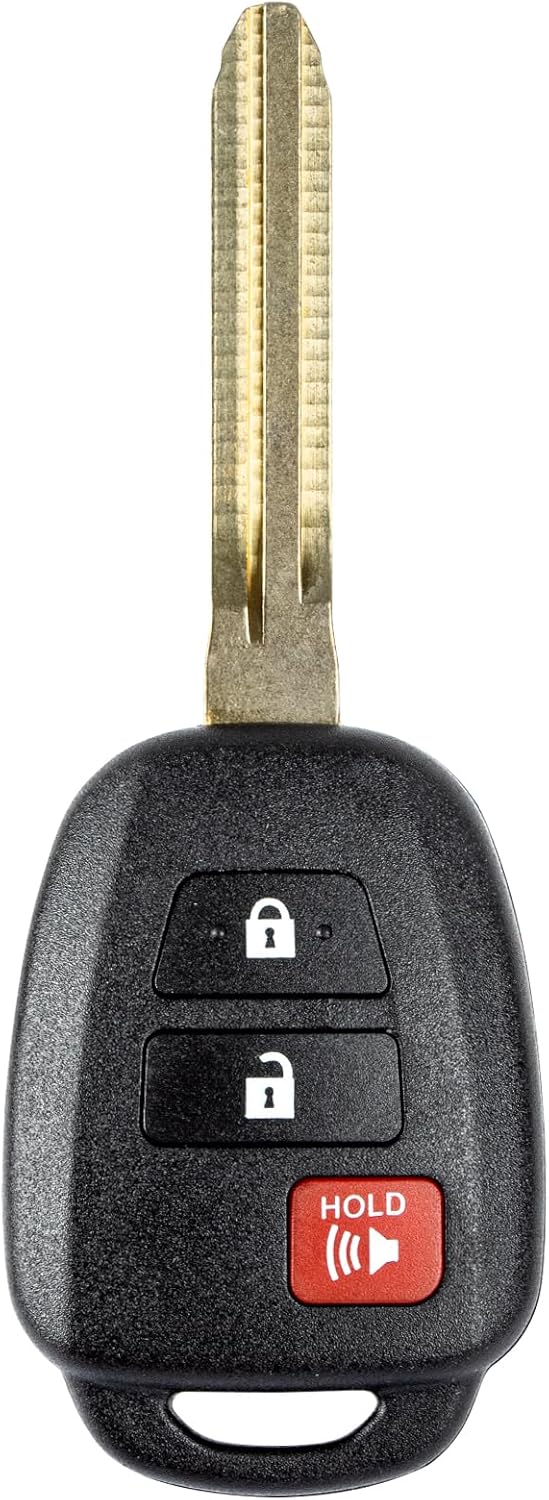
This replacement key fob is designed for select Toyota models and provides reliable keyless entry functionality with a factory-like fit and operation. It comes pre-tested with electronics and battery installed, making it a convenient solution when your original remote is lost, damaged, or worn out. Professional programming and cutting are required, and compatibility should be confirmed against the original remote and vehicle fitment details.

This keyless entry remote replacement is designed for select Toyota models and comes pre-tested with battery and electronics installed for ready-to-program convenience. It supports compatible part numbers and FCC IDs, making it a practical solution for replacing a lost or damaged fob. Programming and cutting by a qualified locksmith or dealership are required, and it is intended for regular key vehicles rather than push-start systems.

This replacement key fob set is designed for select Toyota RAV4 and XB models with regular key systems, offering lock, unlock, and panic functions in a convenient two-pack. Each remote comes pre-tested with battery and electronics installed, and it must be cut and programmed by a qualified dealer or locksmith for proper use. Built from durable materials and backed by warranty support, it provides a reliable solution when replacing worn or missing remotes.
How Do You Use the Mechanical Key?
- Find the release lever on the Smart Key housing.
- Slide or press the release and pull out the concealed metal key.
- Use the mechanical key at the driver’s-door lock cylinder.
- Enter the vehicle and keep the electronic fob available for the backup starting process.
- Return the mechanical key to the fob after use.
See the detailed guide on how to use the hidden key in a RAV4 key fob for model-specific access tips.
Start the RAV4 With Push-Button Start or Remote Start
[Products Worth Considering]

This keyless entry remote replacement is designed for a wide range of Toyota, Scion, and Lexus-compatible vehicles, offering a convenient way to restore remote locking and unlocking functions. Each fob is pre-tested, comes with the battery and electronics already installed, and is ready to be programmed for supported standard-key vehicles. It is a practical replacement choice for drivers who need a reliable, compatible remote for everyday use.
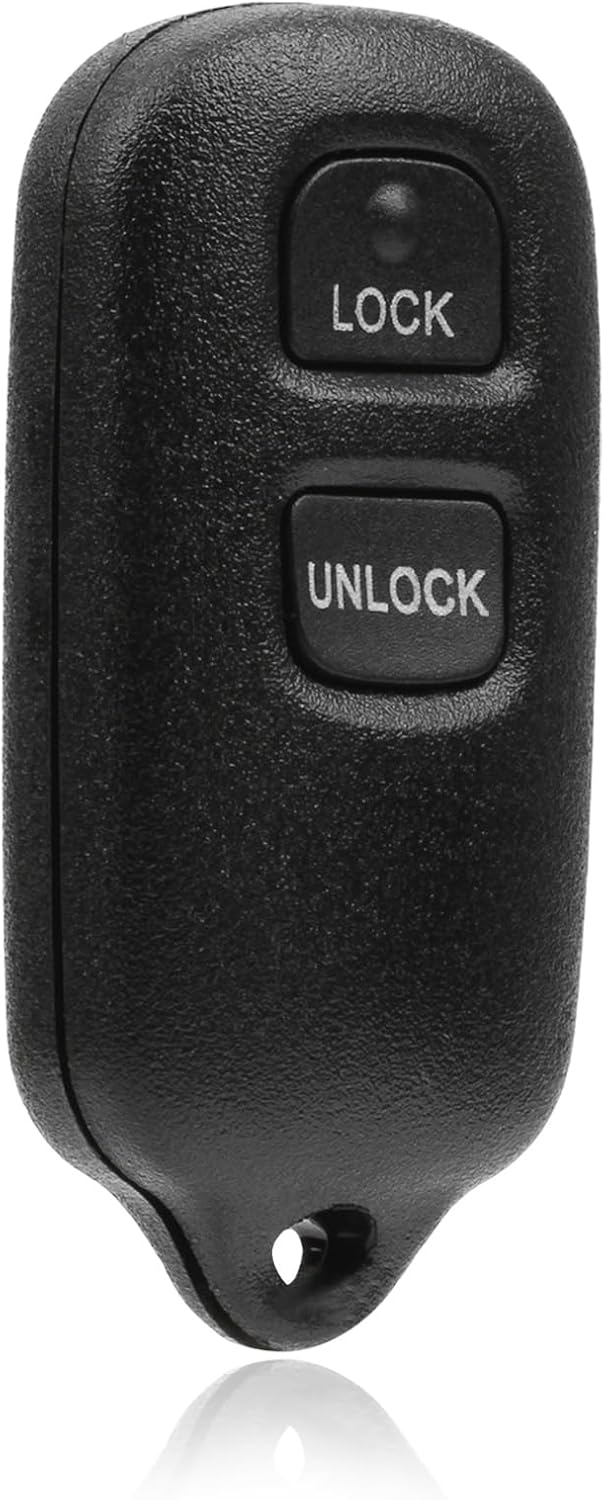
This USARemote key fob replacement provides convenient keyless entry for a wide range of Toyota and Scion vehicles. It is programmable, ready to use, and designed to help restore remote locking and unlocking functionality for compatible models. The compact black remote offers dependable everyday use for drivers needing a simple replacement solution.

【Complete Remote Key】This is a full remote key fob, including battery, chip, circuit board and uncut emergency key. The product is an aftermarket item without logo and part number on the back
How Do You Start the RAV4 Normally?
- Bring the registered Smart Key into the cabin.
- Confirm that the transmission is in Park.
- Press and hold the brake pedal.
- Press the Engine Start/Stop or power button once.
- On a hybrid, confirm that the READY indicator appears even if the gasoline engine remains silent.
Toyota’s RAV4 guide states that the Smart Key must be carried, the shifter must be in Park, and the brake must be depressed for the normal start function.[1] For a deeper explanation of accessory, ignition, and starting modes, see the RAV4 push-button start guide.
If you press the Engine Start/Stop button without pressing the brake, the button changes electrical modes instead of starting the engine or making the hybrid system ready. The modes generally progress through Off, Accessory, and Ignition On.[1]
How Do You Remote-Start a Compatible RAV4 With the Key Fob?
- Confirm that all doors are locked and that the hood and liftgate are closed.
- Press the fob’s Lock button once.
- Press Lock again within one second.
- Press Lock a third time and hold it for three seconds.
- Watch for the vehicle’s confirmation response and engine or climate-system activation.
Note: The RAV4 must be Remote Connect capable and have the required active Connected Services trial or subscription. Availability varies by model year, equipment, market, and service status.[3][4]
Toyota states that a Remote Start session runs for up to 10 minutes and can be initiated a maximum of two consecutive times before the vehicle must be started normally.[6]
Why Does the RAV4 Shut Off After Remote Start?
Depending on the vehicle’s remote-start configuration, the engine or hybrid system may shut off when the vehicle is unlocked or a door is opened. Toyota describes this as a theft-deterrent behavior rather than a fault.[5]
After entering, follow the instrument-display prompt and the model-year owner’s manual. Where the system shuts down on entry, press the brake and start the vehicle normally before driving.
Troubleshooting: Key Not Detected, Interference, and Dead Battery
Start by observing which functions still work. A failed fob button, failed passive-entry sensor, weak fob battery, discharged 12-volt battery, and Smart Key system fault can produce different symptoms.
| Symptom | Most Useful First Check | Next Step |
|---|---|---|
| The spare fob works normally | The original fob battery, buttons, or internal electronics | Replace the correct coin cell or have the original fob inspected. |
| Fob buttons fail, but cabin lights and dash power are normal | Fob battery and radio interference | Move the fob away from electronics and test the spare key. |
| Passive entry fails, but the fob buttons work | Handle sensor, Smart Key settings, or detection range | Try another sensor-equipped door and check vehicle customization settings. |
| The vehicle starts only when the fob touches the start button | Weak fob battery or signal interference | Replace the fob battery with the exact type shown inside the fob. |
| Neither registered fob works, but the dash has normal power | Interference, disabled Smart Key entry, receiver fault, or key registration issue | Move the vehicle or keys away from interference, then request diagnosis if the fault remains. |
| Cabin lights, locks, and instrument display are dead or extremely weak | Vehicle 12-volt battery | Follow the owner’s manual for 12-volt battery assistance. A new fob battery will not restore vehicle power. |
[Products Worth Considering]

**Please confirm compatibility using the fitment guide located in the product images**

Pack Including: Two (2) Pieces CR2032 Remote Key Fob Batteries and Opening/Pry Tools - Five item bundle (total 5pcs), Please check Amazon details Confirmed Fit to ensure that this is the correct battery for your remote.

COMPATIBLE WITH AIRTAG & KEY FOBS: Works with Apple AirTag, all major car key fobs (Toyota, Honda, BMW, Ford, Chevrolet, Lexus), fitness trackers, glucose monitors, tire pressure sensors, and any CR2032 / 3V lithium coin battery device.
How Do You Start a RAV4 With a Dead Key-Fob Battery?
- Use the mechanical key to enter if the doors will not unlock electronically.
- Sit in the driver’s seat and place the transmission in Park.
- Press and hold the brake pedal.
- Touch the Toyota-emblem side of the electronic key directly against the Engine Start/Stop button.
- Wait for the vehicle to detect the registered key and follow the message on the instrument display.
- Press the start button as directed while keeping the brake depressed.
This backup process authenticates the registered key at close range, but it does not recharge or repair the fob battery. Replace the battery soon afterward and confirm the battery number printed on the original cell or listed in the model-year owner’s manual.
How Do You Check the Fob Battery and Signal Interference?
A weak electronic-key battery can reduce range, delay lock commands, disable passive entry, or trigger a Key Not Detected message. Do not assume every RAV4 Smart Key uses the same coin-cell size. Open the fob only according to the owner’s manual and match the replacement to the installed battery.
Strong radio signals, nearby electronics, and low fob-battery power can affect Smart Key operation. Toyota’s fifth-generation RAV4 guidance also describes automatic battery-saving behavior after the vehicle remains unused: entry response can slow after about five days, and after 14 days or more the system may initially respond only at the driver door until normal operation resumes. Exact behavior can differ by model year.[2][12]
- Remove the fob from a crowded purse or bag.
- Separate it from a phone, wireless charger, laptop, or another electronic key.
- Move away from strong radio transmitters or dense electronic equipment.
- Try the registered spare key.
- Test the direct fob-to-start-button procedure.
- Request professional diagnosis if neither key works in multiple locations.
If the message remains after testing the spare key and moving away from interference, follow the dedicated RAV4 Key Not Detected troubleshooting guide before requesting key registration or receiver diagnosis.
How Can You Tell Whether the Fob or 12-Volt Battery Is Dead?
A weak fob battery usually affects key detection, passive entry, or remote-button range while the RAV4’s interior lights and instrument panel still work. A discharged 12-volt vehicle battery can leave the locks, cabin lights, displays, and start system completely dead or unusually dim.
If the entire vehicle lacks electrical power, follow the model-year manual’s 12-volt battery procedure. RAV4 Hybrid owners can also use the RAV4 Hybrid no-start troubleshooting guide to separate key problems from low-voltage power faults.
Keep Your Smart Key Secure and Limitations to Know
Your Smart Key is part of the vehicle’s security system. Do not leave it in the RAV4, beside an exterior door, on a windowsill, or in another location that makes its signal easy to reach from outside.
Relay attacks can extend a nearby key’s radio signal so a thief can unlock and start a vulnerable keyless vehicle. Security guidance recommends signal-blocking storage, disabling passive transmission where supported, and adding visible physical deterrents.[7]
How Do You Test a Faraday Pouch?
- Place the Smart Key fully inside the closed pouch.
- Carry the pouch to the RAV4.
- Try to unlock a sensor-equipped door without opening the pouch.
- If the door unlocks, the pouch is not blocking the key’s signal effectively.
- Repeat the test periodically because pouch seams and closures can wear.
Can You Temporarily Disable the Smart Key Signal?
Some Toyota electronic keys support a battery-saving mode that also stops passive Smart Key operation. Toyota’s RAV4 owner guidance describes holding the Lock button while pressing Unlock twice, then checking that the key indicator flashes four times. Pressing any fob button cancels the mode.[12]
This sequence is not available on every RAV4 key or model year. Confirm the procedure in the owner’s manual for your exact vehicle before relying on it for storage or theft prevention.[8]
Warning: Never use remote start in a closed garage or another enclosed space. Do not remotely start the vehicle when a child or pet is unattended inside.
- Store the main and spare keys in separate secure locations.
- Keep keys away from exterior doors, windows, and walls.
- Test any signal-blocking container instead of assuming it works.
- Replace a weak fob battery before detection becomes unreliable.
- Consider a visible steering-wheel lock in a high-theft area.
- Never leave a registered key hidden inside the vehicle.
Toyota states that Smart Key radio signals may affect some implanted pacemakers or cardiac defibrillators. A person with an implanted medical device should review the model-year manual and consult the device manufacturer, doctor, or Toyota dealer about appropriate precautions.[9]
Frequently Asked Questions
What Is the Difference Between a Keyless Fob and a Smart Key?
A basic keyless fob uses buttons to lock or unlock the doors. A Smart Key adds passive entry and push-button start, allowing you to keep the registered fob in your pocket during normal use.
How Does the RAV4 Smart Key Work?
The RAV4 uses vehicle antennas to detect a registered electronic key within the required area. After authenticating the key, the system can permit passive door entry, liftgate access, or push-button starting.
Can You Start a RAV4 if the Smart Key Battery Is Dead?
Yes. Select Park, press the brake, touch the Toyota-emblem side of the fob directly against the Engine Start/Stop button, and follow the instrument-display prompt. Replace the fob battery after starting.
Why Does My RAV4 Relock After I Unlock It?
The RAV4 can relock if no door is opened within 60 seconds after unlocking. This prevents the vehicle from remaining unlocked after an accidental remote command.
Why Won’t My RAV4 Unlock Immediately After I Lock It?
The passive-entry system can ignore the door-handle unlock sensor for about three seconds after the RAV4 is locked. Wait at least three seconds, then grasp the sensor-equipped handle again before treating the response as a fault.
How Close Does the RAV4 Smart Key Need to Be?
A fifth-generation RAV4 owner’s manual gives an approximate exterior detection range of 2.3 ft (0.7 m) from an equipped door handle or back-door opener switch. Radio interference, nearby electronics, key position, and model-specific equipment can reduce the usable range.
How Do I Unlock All RAV4 Doors With the Smart Key?
On the Toyota RAV4 configuration shown in Toyota’s U.S. quick guide, grasping the passenger-side front handle unlocks all doors. The driver-handle unlock pattern can be customized, so confirm the setting in your model-year manual.
Does Every RAV4 Smart Key Have Remote Start?
No. Key-fob remote start depends on Remote Connect capability, model year, equipment, market, and an eligible active Connected Services trial or subscription.
Does the 2026 RAV4 Have Digital Key?
Some U.S. 2026 RAV4 grades do. Toyota’s applicability chart lists it as standard on the grades labeled XLE, Woodland, XSE, and Limited, and unavailable on LE and SE. The retail lineup calls the XLE-grade model XLE Premium, so verify the exact VIN. Plug-In Hybrid availability differs, and active Remote Connect service is required after the included trial.
Why Does My RAV4 Turn Off When I Unlock or Open the Door After Remote Start?
Many Toyota remote-start configurations shut the vehicle off when it is unlocked or entered as a theft-deterrent measure. Enter the vehicle, press the brake, and perform a normal start before driving.
Can a Weak 12-Volt Battery Look Like a Smart Key Problem?
Yes. A weak vehicle battery can prevent the locks, interior lights, instrument display, and start system from operating. If the whole vehicle is dead or very dim, check the 12-volt battery instead of replacing only the fob battery.
Safety Disclaimer: This article is for informational purposes and does not replace the Toyota owner’s manual or professional automotive advice. Follow the instructions for your exact model year, never use remote start in an enclosed space, and ask a qualified Toyota technician to diagnose persistent Smart Key or starting problems.
Conclusion
Use the RAV4 Smart Key by carrying it on your person, grasping a sensor-equipped handle to unlock, and touching the lock sensor to secure the vehicle. For liftgate access, press and hold the rear opener switch on many power-liftgate models, or press it while raising a manual liftgate. For a normal start, select Park, press the brake, and press the Engine Start/Stop button once.
If the RAV4 cannot detect the key, separate the fob from nearby electronics and touch its Toyota-emblem side directly to the start button. Check the vehicle’s 12-volt battery when the cabin lights and displays are also dead. For a 2026 RAV4, verify Digital Key by trim and VIN instead of assuming every Smart Key model supports phone-based access. While safely parked, test one unlock, one lock, the liftgate switch, and a normal push-button start before you need any of these procedures in an emergency.
References
- 2023 Toyota RAV4 Quick Reference Guide — Toyota
- How do I operate the Smart Key locking and unlocking functions? — Toyota Support
- How do I start the vehicle using my Toyota key fob? — Toyota Support
- Toyota Connected Services and Remote Connect — Toyota
- Why does the engine shut off after remote start? — Toyota Support
- How long does the vehicle run after Remote Start? — Toyota Support
- Protecting your car from keyless vehicle theft — Associated Press
- Toyota Manuals and Warranties lookup — Toyota
- Smart Key guidance for pacemakers and cardiac defibrillators — Toyota Support
- 2026 Toyota Connected Services and Audio Multimedia Features Applicability — Toyota
- The Latest Evolution of Toyota’s Multimedia Coming to a Screen Near You — Toyota USA Newsroom
- 2019 RAV4 Smart Key System — Toyota Owners
- 2021 RAV4 Back Door Operation — Toyota Owners