
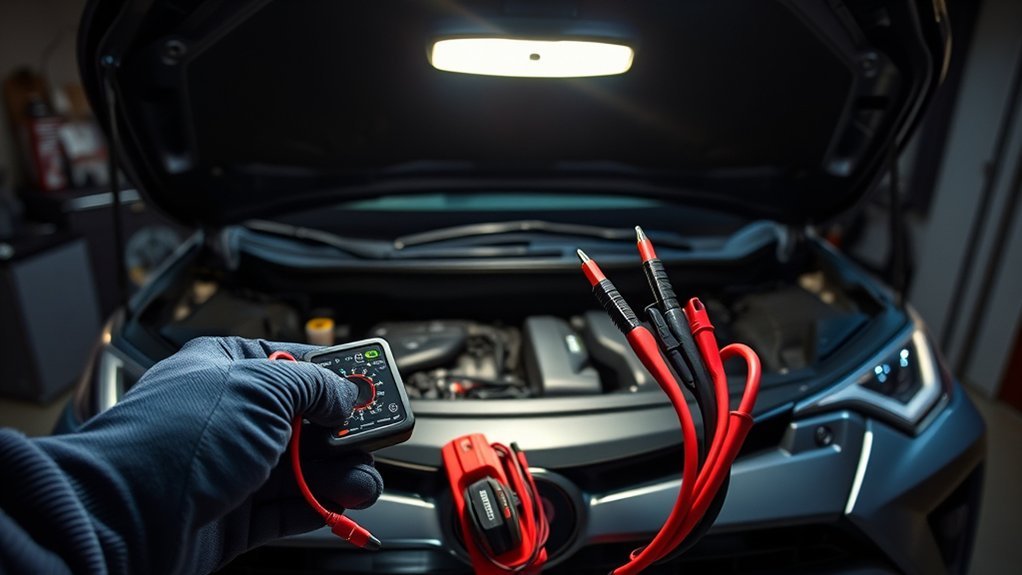
RAV4 Hybrid Won’t Start? Quick Answer
By Merrick Vaughn · AutoReviewNest
Last updated: July 31, 2026
Model-year scope: This guide primarily covers U.S.-market Smart Key-equipped RAV4 Hybrid models through 2025. The RAV4 was redesigned for 2026, so confirm the backup key-recognition point, jump terminals, and emergency procedures in the owner’s manual for your exact model year.
If your RAV4 Hybrid will not start, first look for the READY indicator. If READY is illuminated, the hybrid system has started and the vehicle can move even when the gasoline engine is silent. If READY does not appear, press the brake firmly, confirm the shift position is Park, and read the exact dashboard message.
A blank or dim dashboard, clicking relays, intermittent locks, or several unrelated warnings can point to a discharged 12-volt auxiliary battery. A “Key Not Detected” message calls for the model-specific Smart Key backup-recognition procedure. A persistent hybrid, braking, oil-pressure, overheating, or Smart Key system warning requires professional diagnosis rather than repeated start attempts.
- READY is on: The RAV4 Hybrid has started, even if the engine is silent.
- Dash is blank or dim: Check the 12-volt battery, terminals, and approved jump-start procedure.
- Dash is normal but READY stays off: Record the warning message and obtain a Toyota-compatible diagnostic scan.
- “Key Not Detected” appears: Use the backup recognition point in your exact owner’s manual.
- The problem returns after a jump or charge: Have the battery capacity, connections, charging operation, and key-off electrical draw tested.
Stop and Request Assistance
Stop trying to start or drive the vehicle if the display tells you to stop, braking power is low, oil pressure is low, the vehicle is overheating, smoke or a burning odor is present, or orange high-voltage parts appear damaged. Arrange roadside assistance or towing to a Toyota dealer or qualified hybrid technician.
RAV4 Hybrid No-Start Symptoms at a Glance
| What You See | Likely Area to Check | Safe Next Action |
|---|---|---|
| READY is illuminated, but the engine is silent | Normal hybrid operation | Keep the brake applied and confirm READY before selecting Drive or Reverse. |
| No lights, dim lights, flickering dash, or weak horn | Discharged 12-volt battery, loose terminal, or poor connection | Inspect accessible low-voltage connections and follow the exact model-year jump-start procedure. |
| Normal dash power but no READY indicator | Start sequence, key recognition, immobilizer, fuse, fuel, or hybrid-control fault | Read the message, try the correct key procedure, and scan for Toyota-specific codes. |
| “Key Not Detected” | Weak fob battery, interference, wrong recognition point, or Smart Key fault | Use the backup recognition point, separate the key from electronics or metal, and test the spare key. |
| Hybrid-system, Smart Key system, braking, or other persistent warning | Vehicle control system or related electrical fault | Record the exact message and codes. Follow the display instruction and arrange service when required. |
The high-voltage traction battery and the 12-volt auxiliary battery have different jobs. The traction battery supplies propulsion energy, but the 12-volt system powers computers, locks, displays, and control circuits. A charged traction battery cannot compensate for a discharged 12-volt battery if the computers cannot wake up and place the vehicle in READY mode. See the complete hybrid system explanation for more background.
Quick Checks: Brake, Park, Key, READY, and Dash

Work through these checks in order. Do not keep pressing the power button if warning messages remain or the dash grows dimmer.
- Check the READY indicator: If READY is on, the hybrid system has started. The gasoline engine may remain silent until the vehicle needs engine power, heat, emissions control, or traction-battery support.
- Press the brake firmly: Hold steady brake pressure while pressing the power button once, shortly and firmly. Watch for an instruction telling you to press the brake.
- Confirm Park: Make sure the shift position is P. If the display instructs you to shift to Park, follow that instruction before trying again.
- Confirm the electronic key is inside: Remove the fob from a bag or pocket and separate it from phones, chargers, metallic wallets, coins, laptops, and other vehicle keys.
- Read the dashboard: Record the exact message instead of relying on a general description such as “all the lights came on.”
- Check the fuel level: A hybrid cannot start normally without sufficient fuel, even if the traction-battery display shows charge.
If the display and cabin electronics have normal power but READY remains off, the problem is not automatically the 12-volt battery. Key recognition, an immobilizer fault, a blown fuse, an electrical control fault, insufficient fuel, or an extremely cold traction battery can also prevent startup.
How Do You Know Whether the RAV4 Hybrid Has Started?
The READY indicator is the deciding signal. When READY is illuminated, the hybrid system can propel the vehicle after you select Drive or Reverse. Engine noise is not a valid test because the gasoline engine may remain off during a normal hybrid start.
If accessories and the dashboard turn on but READY does not appear, the vehicle may be in ACC or ON mode rather than fully started. Press the brake firmly and operate the power button according to the owner’s manual. Read any startup instruction shown on the multi-information display.
For more detail, see the guide to RAV4 Hybrid READY mode.
Can the 12-Volt Battery Stop a RAV4 Hybrid From Starting?
Yes. The 12-volt auxiliary battery powers the low-voltage electronics needed to recognize the key, operate control modules, and prepare the hybrid system for READY mode. If it is discharged or its connections are poor, the traction battery may still contain energy while the vehicle remains unable to start.
Common low-voltage symptoms include:
- A blank, dim, or flickering instrument panel
- Interior lights or headlights that are unusually dim
- A weak horn or clicking relays
- Locks, liftgate, or Smart Key functions that operate intermittently
- Several unrelated warning messages appearing together
- The vehicle entering accessory mode but not READY mode
A voltage reading is only a screening measurement. It does not measure battery capacity under load and does not prove that the battery itself has failed. A battery may be discharged because of age, long storage, a loose connection, an electrical load left on, an aftermarket accessory, or an abnormal key-off draw.
How Should You Check the 12-Volt Battery?
Start with a visual inspection of accessible low-voltage components. Look for loose cable clamps, damaged cables, heavy corrosion, a swollen case, leaking fluid, or a strong sulfur-like odor. Do not jump-start, charge, or handle a battery that is frozen, swollen, leaking, or physically damaged.
If you use a digital multimeter, measure only at the approved low-voltage points and follow the meter instructions. A resting-voltage result should be considered together with:
- How long the vehicle has been off
- Whether the battery was recently charged or the vehicle was recently in READY mode
- Battery temperature
- Dash and lighting behavior during the start attempt
- A professional load or conductance test
Do not assume that a battery needs replacement from one voltage reading. Charge it correctly, test its capacity, and inspect the connections first.
Can You Jump-Start a RAV4 Hybrid?
Applicable RAV4 Hybrid models can be jump-started through the exclusive positive jump-start terminal under the hood and the metallic ground point specified in the owner’s manual. You are restoring power to the 12-volt system, not directly charging the high-voltage traction battery.
Before connecting a booster pack or donor vehicle:
- Set the parking brake and confirm Park.
- Turn off lights, climate control, audio, heated seats, and other accessories.
- Keep the electronic key with you because the alarm or door locks may operate when power is restored.
- Identify the exact positive terminal and ground point from the model-year manual.
- Keep all clamps away from orange cables, moving parts, and unidentified brackets.
Follow the Toyota connection order exactly. After power is connected, press the brake, operate the power switch, and confirm that READY appears. Disconnect the cables in the manual’s reverse order.
Do not push-start the RAV4 Hybrid, use its exclusive jump terminal to jump another vehicle, reverse the cable polarity, or connect to orange high-voltage parts.
A successful jump proves only that restored low-voltage power allowed the vehicle to enter READY. It does not show why the battery discharged. Have the battery and charging operation checked, especially if the failure returns. See the complete procedure for how to jump-start a RAV4 safely.
What Should You Do When the Smart Key Is Not Detected?
A “Key Not Detected” message can result from a depleted coin battery, radio interference, poor battery contact inside the fob, a damaged key, an incorrect backup recognition point, a vehicle-side Smart Key fault, or weak 12-volt vehicle power.
Move the key away from phones, laptops, chargers, metallic bags, coins, and other electronic keys. Then try the spare electronic key. If one key works and the other does not, focus on the original fob. If neither key works and the dash is dim or unstable, check the vehicle’s 12-volt system before buying a replacement key.
[Products Worth Considering]

The OXILAM jump starter delivers powerful emergency starting performance for gas engines and up to 12L diesel engines, helping revive dead batteries in seconds. It also doubles as a portable power bank and LED flashlight, with USB and Type-C ports for convenient device charging. Built with multiple safety protections, a clear LED display, and a rugged portable design, it is a reliable roadside companion for cars, trucks, motorcycles, and more.

Masoll’s TPMS sensor set includes four advanced sensors and a relearn tool to help GM vehicle owners replace factory tire pressure sensors at home. Designed for broad compatibility with GM vehicles after 2006, it supports dual-frequency operation for easier fitment across Chevy, GMC, Buick, Cadillac, Pontiac, and select trucks. With low power use, high accuracy, and DIY installation, it offers a convenient way to clear TPMS warnings and restore proper tire pressure monitoring.
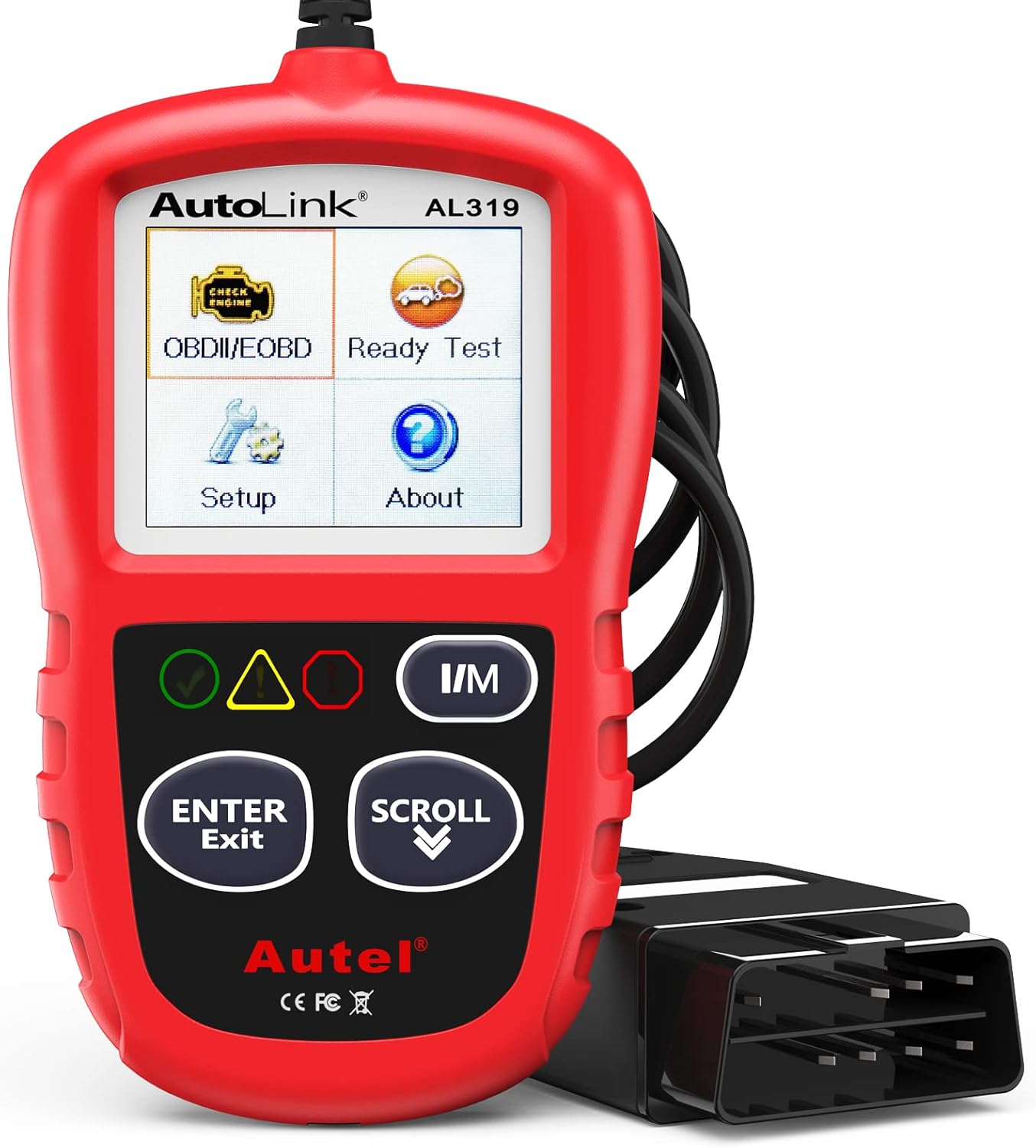
The Autel AL319 is a user-friendly OBD2 scan tool designed to help drivers quickly diagnose check engine light issues and understand vehicle fault codes. It supports reading and clearing DTCs, live data, freeze frame, I/M readiness, and vehicle information, making it a practical choice for DIYers and everyday car owners. With plug-and-play operation, a color display, built-in speaker, and broad vehicle compatibility, it delivers fast, reliable diagnostics without complicated setup.
When Should You Replace the Smart Key Battery?
Replace the coin cell when remote range becomes shorter, recognition is intermittent, the fob LED no longer responds normally, or the vehicle displays a key-battery warning. Confirm the required battery type in the exact owner’s manual or by reading the marking on the installed battery.
Match the polarity shown inside the fob and avoid bending the battery contacts. After replacement, test lock, unlock, and startup functions. A new coin cell will not correct a damaged fob, vehicle-side receiver fault, immobilizer problem, or discharged vehicle battery.
What if the Vehicle Does Not Detect the Brake Pedal?
The normal startup procedure requires the brake pedal to be depressed. Press it firmly and watch for the dashboard startup prompt. If the vehicle repeatedly tells you to press the brake even though the pedal is fully depressed, do not assume the key is responsible.
Check whether the brake lamps operate normally if it is safe to do so. A stop-light switch, switch adjustment, fuse, wiring, or control-system fault may require professional diagnosis. Do not bypass the brake-input circuit.
How Do You Use Smart Key Backup Recognition?
The backup procedure lets the vehicle read an electronic key at close range when normal wireless communication is interrupted or the fob battery is depleted. It is not a bypass for an immobilizer or vehicle-control fault.
On many Smart Key-equipped RAV4 Hybrid models, the procedure is:
- Confirm the shift position is P.
- Press and hold the brake pedal.
- Touch the Toyota-emblem side of the electronic key to the power switch.
- Wait for the buzzer or dashboard recognition prompt.
- Press the power switch shortly and firmly while keeping the brake depressed.
- Confirm that READY appears.
The recognition point and sequence can differ by model year, especially on a redesigned model. Follow the exact owner’s manual rather than assuming the power switch is always the reader. See the focused RAV4 Key Not Detected guide.
What Do Hybrid and Powertrain Warnings Mean?
A hybrid-system warning means a control module detected a fault, but it does not identify the failed part. A weak 12-volt supply can contribute to unstable electrical behavior, but the warning can also involve sensors, wiring, relays, engine controls, the inverter, cooling systems, the traction battery, or another related system.
Record the exact message before turning the vehicle off or disconnecting anything. Examples that require prompt attention include:
- “Hybrid System Malfunction”
- “Hybrid Battery System Malfunction”
- “Smart Key System Malfunction”
- “Engine Coolant Temp High”
- “Braking Power Low”
- “Oil Pressure Low”
Follow the instruction displayed by the vehicle. A message telling you to stop requires a safe stop and roadside assistance. A message instructing you to visit a dealer requires prompt inspection. Do not clear codes before recording them, because stored codes and freeze-frame information can help identify the fault.
Use a scanner capable of reading Toyota-specific systems when possible. Record every code exactly, including any suffix. Do not rely on a generic internet definition for a shortened or incomplete code.
For a warning-specific diagnostic overview, see the RAV4 Hybrid System Malfunction guide.
High-Voltage Warning
Do not touch, disconnect, open, or test orange high-voltage cables, traction-battery covers, service plugs, inverter connectors, or damaged hybrid components. High voltage can cause severe injury or death. Leave those systems to a qualified hybrid technician.
What Electrical Problems Can Prevent READY Mode?
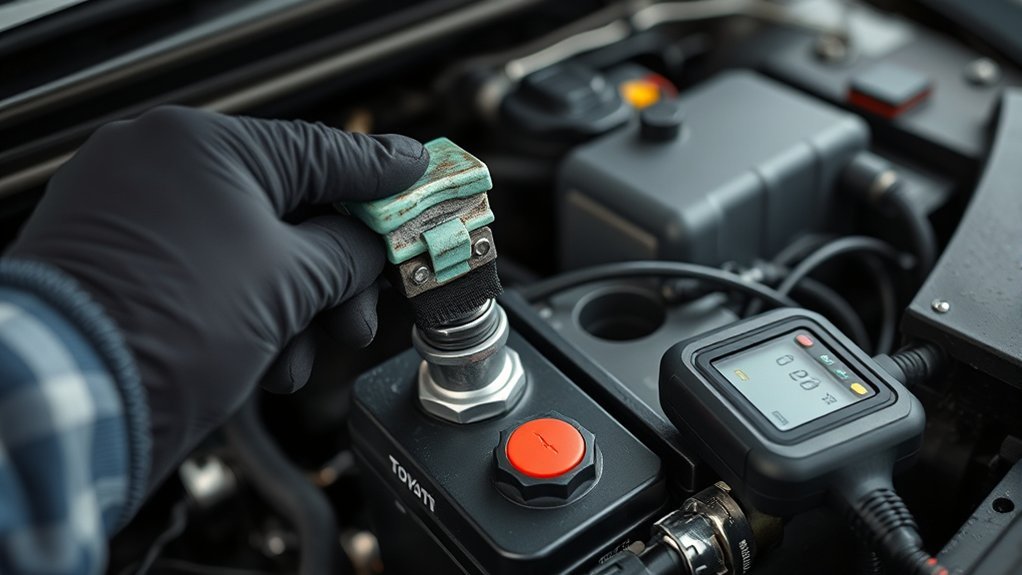
Low-voltage problems can come from more than the battery itself. Loose terminals, damaged ground cables, corrosion, a blown fuse, an aftermarket accessory, a connector problem, or a vehicle control fault can all prevent a normal startup.
Start with accessible, low-risk checks:
- Inspect the battery connections: Look for movement, corrosion, damaged cables, or signs that a clamp is not fully seated.
- Check visible ground connections: Do not remove high-voltage covers or reach near orange wiring.
- Review recent work: Note any battery replacement, audio installation, dash camera, tracker, remote starter, OBD device, trailer wiring, or other electrical modification.
- Check model-approved fuses: Use the owner’s manual and replace a fuse only with the specified rating. A repeatedly blown fuse requires diagnosis.
- Scan before clearing: Record all codes and freeze-frame information before disconnecting the battery or erasing faults.
If normal 12-volt power is present but the vehicle will not recognize either key or enter READY mode, arrange diagnosis of the immobilizer, Smart Key system, power-switch circuit, brake-input circuit, fuses, and hybrid-control systems.
[Products Worth Considering]

This automotive circuit tester checks low-voltage DC systems from 3-65V, making it useful for diagnosing headlights, taillights, fuses, sockets, and other vehicle wiring issues. The digital backlit display provides clear voltage readings with fine accuracy, while the bidirectional polarity indicator helps you test from either ground or positive. Built with a durable probe, insulated tip, and extra-long spring wire, it is designed for dependable everyday use in automotive and household electrical work.

This plug-and-play OBD2 scanner helps drivers quickly read and clear engine error codes while providing live data, freeze frame information, I/M readiness, and MIL status for more confident troubleshooting. It adds a built-in voltage test and clear status indicators to support electrical checks and faster diagnostics, making it a practical choice for home users, car enthusiasts, and repair professionals. Compatible with most OBDII vehicles since 1996 and designed with an easy-to-use interface, it offers broad coverage and simple operation in one compact tool.

High Quality 12V Lead Acid Battery Connection Cable
Why Does the 12-Volt Battery Keep Dying?
If the RAV4 starts after charging or a jump but fails again after sitting, determine whether the battery is unable to hold a charge or whether the vehicle is drawing too much current while parked.
Use this order:
- Fully charge the battery: Use equipment compatible with the battery type and follow the charger and Toyota instructions.
- Test battery capacity: A resting-voltage reading alone is not enough. Request a load or conductance test after charging.
- Inspect connections: Confirm the battery terminals and accessible grounds are secure and free of damage.
- Remove obvious external loads: Unplug aftermarket OBD devices, USB accessories, dash cameras, chargers, trackers, or other add-ons when safe.
- Confirm lights shut off: Check cargo, glove-box, vanity, and interior lights.
- Measure key-off draw correctly: Allow the vehicle’s modules to enter sleep mode and compare the stabilized reading with Toyota’s model-specific service specification.
- Isolate the circuit professionally: Pulling fuses or opening doors can wake modules and change the result. A technician may use an ammeter, current clamp, fuse-voltage-drop testing, or Toyota diagnostic data.
Do not rely on one universal milliamp limit for every RAV4 Hybrid. Module sleep time, connected services, alarm systems, Smart Key functions, and installed equipment affect the normal reading.
Record how long the vehicle was parked, weather conditions, whether the key was stored near the vehicle, which accessories were connected, and how the vehicle responded after the battery was restored. These details can help reproduce the fault.
[Products Worth Considering]
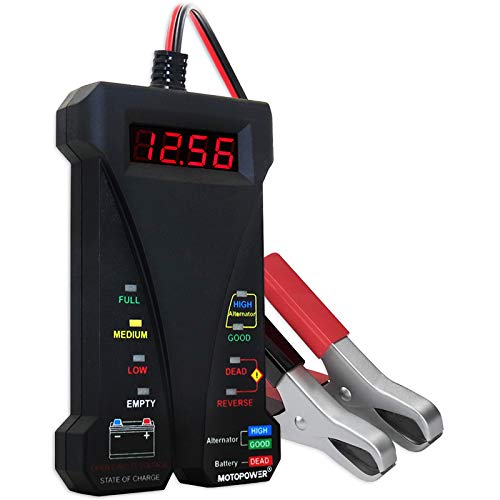
Effortless Operation - Boasting a “plug-and-test” design, there's no need for complex set-up procedures. Just connect it to the battery following simple steps. Without starting the vehicle, you can read the battery status, and after starting, quickly obtain the alternator status. Whether you're a professional mechanic or an ordinary car owner, you can easily use it to quickly determine if the battery needs jump - starting, replacement, or if the alternator output is normal.

【Reliable Car Battery Tester】: The alternator tester can accurately determine whether the car battery needs to be replaced or if there is a power outage, and at the same time evaluate the output status of the alternator, clearly presents real-time voltage data, battery health and charging status. It can effectively prevent the battery from being damaged due to overcharging or undercharging, and extend the battery's service life.

[Car Battery Tester] You can easily test and inspect your 12V lead-acid battery with this TOPDON car battery tester. The SOH (State of Health), SOC (State of Charge), Voltage, Current, Rating, and numerous other understandable analytical data are provided by this battery tester. It is compatible with 100-2000CCA regular flooded, AGM flat plate/spiral, EFB, and GEL for their optimum performance.
When Should You Call Toyota or Roadside Assistance?
Request help when:
- The vehicle still will not enter READY mode after one careful, correctly performed jump-start attempt.
- The dash displays a stop, braking, oil-pressure, overheating, hybrid-system, or Smart Key malfunction warning.
- The battery is swollen, leaking, frozen, damaged, or repeatedly discharged.
- Both electronic keys fail even though vehicle power appears normal.
- The vehicle was involved in a collision, flood, or event that may have damaged high-voltage components.
- You cannot identify the approved jump terminal or ground point.
Give the service advisor a concise record:
- Model year, mileage, and VIN
- The exact dashboard message
- Whether READY appeared
- Whether the dash was bright, dim, flickering, or blank
- Which electronic key was used
- How long the vehicle had been parked
- The result of any battery or jump-start test
- Every stored diagnostic code, copied exactly
- Recent repairs or aftermarket electrical installations
What Toyota Warranty Coverage May Apply?
Coverage depends on model year, original in-service date, mileage, component, market, and warranty terms. For applicable U.S. Toyota vehicles:
- Basic new-vehicle coverage: Generally 3 years or 36,000 miles.
- Hybrid-related component coverage: Generally 8 years or 100,000 miles for listed hybrid components.
- High-voltage hybrid battery coverage: For Toyota hybrids beginning with model year 2020, generally 10 years or 150,000 miles, whichever comes first.
- Emissions coverage: Varies under federal and California regulations and should be checked in the exact warranty guide.
The conventional 12-volt auxiliary battery is not the same component as the high-voltage hybrid battery. Ask the dealer which warranty category applies to the diagnosed part and whether diagnostic charges are covered.
Frequently Asked Questions
Why Is My RAV4 Hybrid Not Starting?
First check whether the READY indicator is illuminated. If READY is off, common areas to check include the startup sequence, Park position, Smart Key recognition, the 12-volt auxiliary battery, battery connections, fuel level, fuses, warning messages, and hybrid-control faults. A silent gasoline engine does not mean the hybrid failed to start when READY is on.
Can a Dead 12-Volt Battery Stop a RAV4 Hybrid?
Yes. The 12-volt battery powers the computers and control circuits needed to enter READY mode. The high-voltage traction battery may still have charge, but the vehicle can remain unable to start if the low-voltage system is discharged.
Can You Jump-Start a RAV4 Hybrid?
Yes, on applicable models. Use the under-hood exclusive positive jump-start terminal and the metallic ground point specified in the owner’s manual. Follow the exact cable order, keep away from orange high-voltage parts, and do not use the RAV4 Hybrid to jump-start another vehicle.
Why Is the RAV4 Hybrid Silent After Starting?
A silent start can be normal. If the READY indicator is illuminated, the hybrid system has started and can move the vehicle even while the gasoline engine remains off.
How Do I Start a RAV4 When the Key Is Not Detected?
Place the vehicle in Park, press the brake, and use the model-specific backup recognition point in the owner’s manual. Many models require touching the Toyota-emblem side of the electronic key to the power switch before pressing the switch. The location may differ on newer designs.
Why Does My RAV4 Hybrid Battery Keep Dying?
Repeated discharge can result from a weak 12-volt battery, loose or corroded connections, lights or accessories left on, long storage, aftermarket equipment, charging problems, or excessive key-off current draw. Fully charge and test the battery before diagnosing parasitic draw.
Does a Hybrid-System Warning Mean the Traction Battery Failed?
No. A hybrid-system warning confirms that a fault was detected but does not identify the failed component. Record the exact message and Toyota-specific codes before replacing or disconnecting anything.
Conclusion
When a RAV4 Hybrid will not start, use the READY indicator and dashboard behavior to choose the next step. READY on with a silent engine is usually normal. A blank or dim dash points toward the 12-volt system. “Key Not Detected” calls for the model-specific backup recognition procedure. Normal electrical power with no READY indicator requires warning-message review and Toyota-compatible diagnosis.
Use only the approved under-hood jump terminal and ground point, and never touch orange high-voltage components. If the vehicle starts after a jump, have the battery and charging system tested rather than assuming the problem is fixed. If a serious warning remains or READY still does not appear, stop repeating attempts and request roadside or professional assistance.
References
- Toyota Owners: RAV4 Hybrid — If the Hybrid System Will Not Start
- Toyota Owners: RAV4 Hybrid — If the 12-Volt Battery Is Discharged
- Toyota Owners: RAV4 Hybrid — Warning Messages
- Toyota Owner’s Manuals and Warranty Guides



[…] electrical drain, key-recognition trouble, and other faults can produce similar behavior. Use the RAV4 Hybrid won’t start troubleshooting guide when you need a complete diagnostic […]
[…] For broader no-start symptoms after you enter the vehicle, use this RAV4 no-start troubleshooting guide. […]
[…] additional hybrid-specific steps, see the RAV4 Hybrid won’t-start troubleshooting guide. If a hybrid-system warning is displayed, use the separate RAV4 hybrid-system warning […]