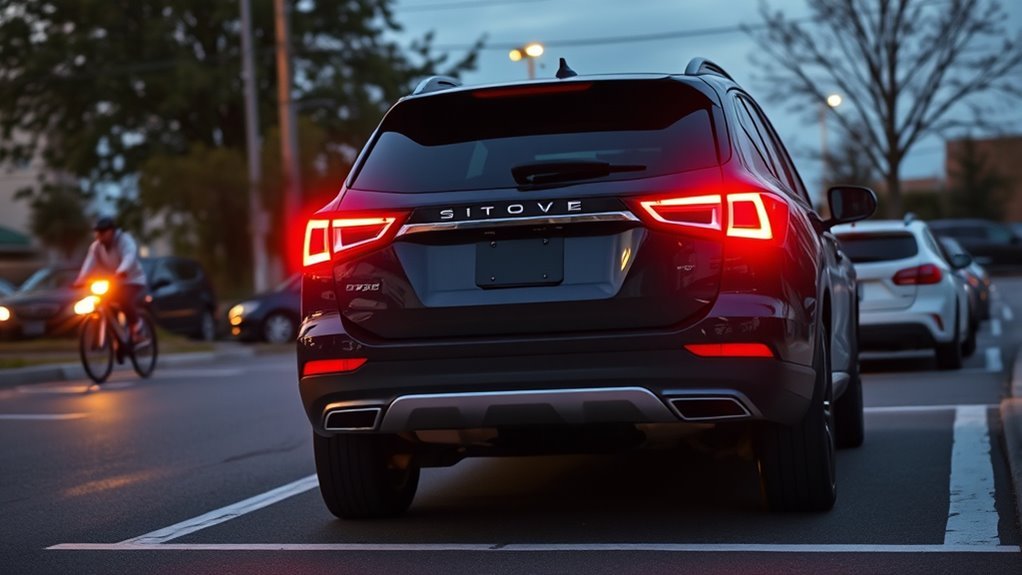
Rear Cross-Traffic Alert helps you back out of parking spaces with more awareness by warning you when another vehicle is approaching from the left or right behind you. It is a driver-assistance feature, not a substitute for looking over your shoulders, checking mirrors, and reversing slowly. Most systems use rear-corner radar, and some vehicles pair the warning with reverse automatic braking on higher trims or optional safety packages.
Quick Answer
Rear Cross-Traffic Alert warns you when traffic approaches from either side while you are reversing. It usually uses radar sensors hidden in the rear bumper and gives visual, audible, and sometimes haptic alerts. It does not usually brake for you unless your vehicle also has reverse automatic braking.
Key Takeaways
- Rear Cross-Traffic Alert is most useful when backing out of parking spaces where parked vehicles block your side view.
- The system warns you; it normally does not stop the vehicle unless a separate reverse automatic braking feature is equipped.
- Detection speed, range, alerts, and braking behavior vary by automaker and model, so your owner’s manual is the final authority.
- Dirt, snow, rain, bumper damage, trailers, bike racks, angled parking, and nearby walls can reduce or block detection.
- Use it as a backup checker: reverse slowly, scan both ways, and respond immediately when the alert sounds.
At a Glance
| Best Use | Backing out of parking spaces, driveways, and tight lots |
| Driver Action | Look, reverse slowly, and stop if the system warns |
| Tools Needed | None for use; soft cloth and mild cleaner for sensor care |
| Cost | No operating cost; repairs or calibration may cost extra after bumper damage |
What Rear Cross-Traffic Alert Is and When It Turns On
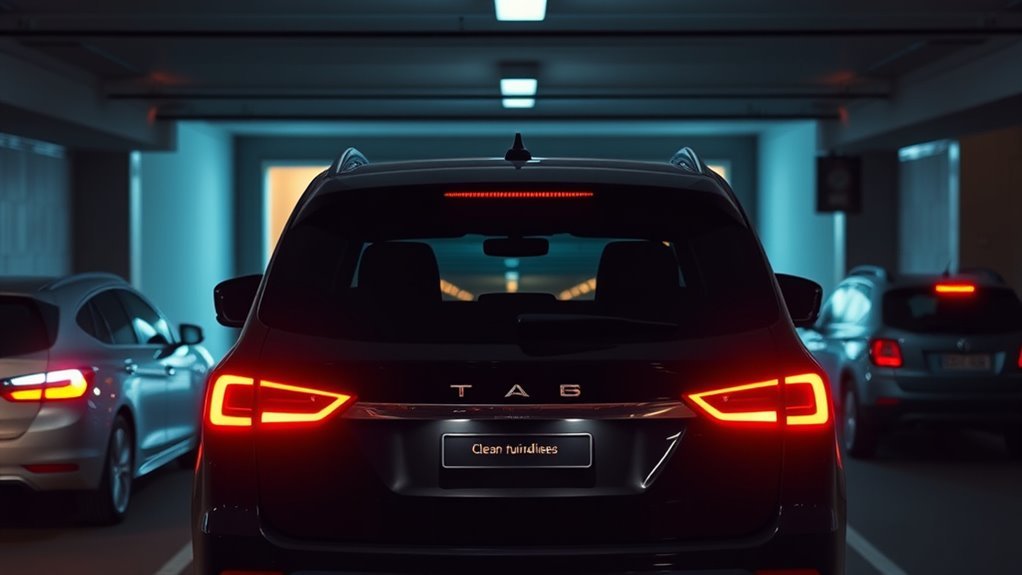
Rear Cross-Traffic Alert, often shortened to RCTA or RCTW, is a safety warning feature that monitors traffic approaching from the sides behind your vehicle while you are in reverse. The goal is simple: give you an earlier warning when another vehicle is crossing behind you but is hard to see through the rear window, backup camera, or side mirrors.
The system usually turns on when the vehicle is powered on, the feature is enabled, and the transmission is shifted into Reverse. Some vehicles also require your own vehicle to be moving below a low speed, such as under about 7–9 mph, while the approaching vehicle must be moving within a model-specific speed range. For example, Toyota lists an approaching-vehicle range of about 5–34 mph on some models, while Ford lists about 4–37 mph for some Cross Traffic Alert systems. Because these limits vary, always treat your owner’s manual as the final source for your vehicle.
Note: Automakers use different names for similar features, including Rear Cross-Traffic Alert, Rear Cross Traffic Warning, Cross Traffic Alert, Rear Traffic Alert, and Cross Traffic Monitor.
RCTA is especially helpful when you are parked between taller vehicles, backing out of a driveway near a sidewalk or street, or leaving a garage where your side view is limited. It is not a full self-driving feature. The driver is still responsible for checking surroundings and controlling the vehicle.
How Detection Works: Radar, Cameras, and parking sensors
Most Rear Cross-Traffic Alert systems rely on short-range radar sensors mounted behind the left and right corners of the rear bumper. These sensors look outward and sideways to detect vehicles approaching from either side as you reverse. If the system decides the approaching vehicle may cross your path, it triggers an alert.
[Products Worth Considering]

AUTO-VOX Solar Wireless Backup Camera makes reversing easier with a clear 1080P display, wireless digital signal, and a solar-assisted battery system that reduces maintenance. Designed for fast DIY setup, it mounts cleanly on a license plate and delivers dependable visibility for parking, towing, and blind-spot monitoring in a wide range of vehicles.
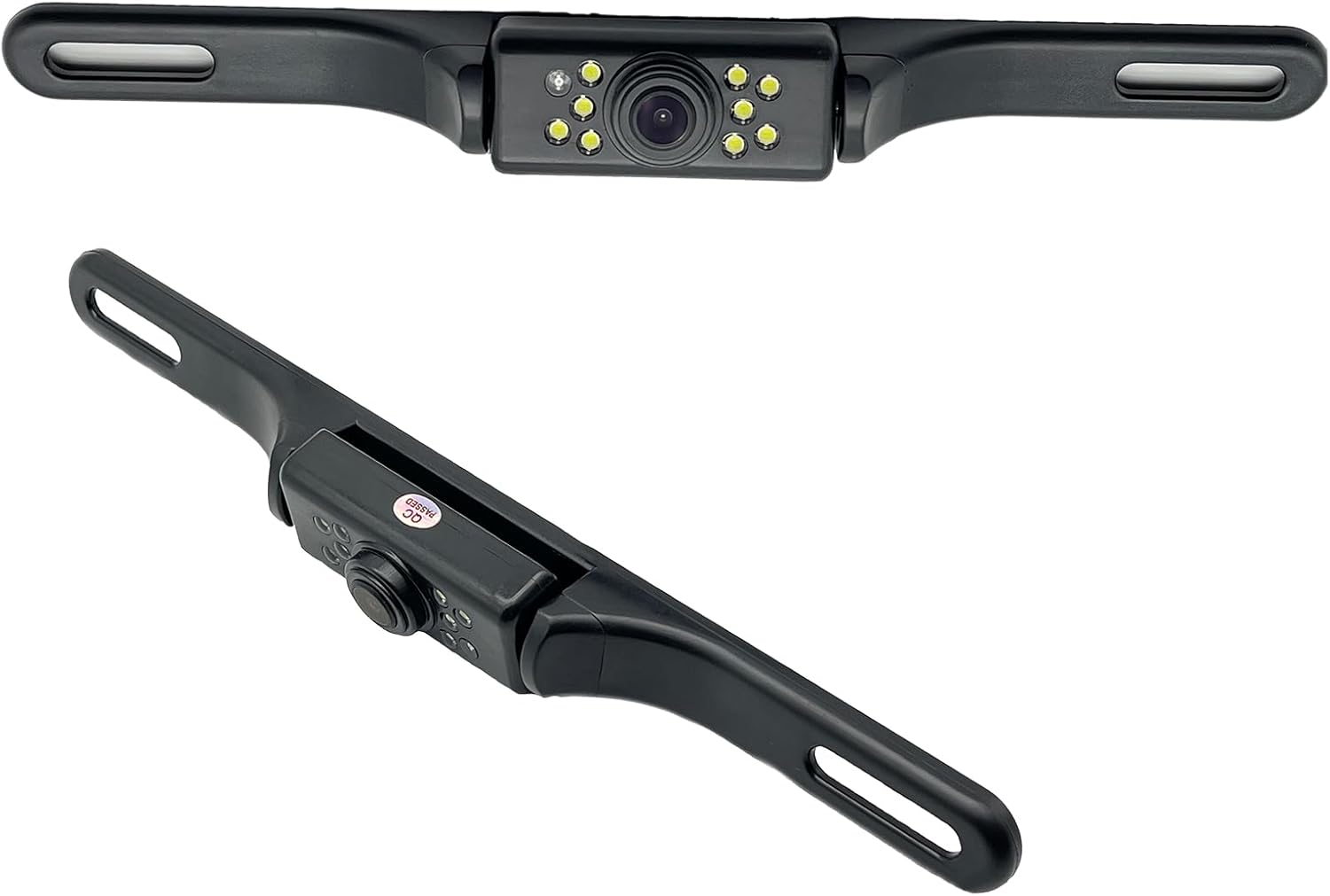
This YIMU license plate backup camera helps improve rear visibility with a wide 150° viewing angle, clear HD imaging, and full-color night vision powered by 7 LED lights. It supports CVBS and AHD switching for compatible screens, includes a long RCA video cable for flexible installation, and is built for reliable use in a variety of vehicles with waterproof and shockproof protection.

Built for towing, winching, and off-road recovery, this D-ring shackle set delivers dependable strength in a compact, easy-to-use design. The drop-forged steel construction and protective coated finish help provide reliable performance and resistance to rust in demanding outdoor conditions. Compatible with Jeeps, ATVs, UTVs, trucks, trailers, and SUVs, it is a practical recovery accessory for everyday trail and rescue use.
Rear Radar Sensor Placement
The rear radar sensors are usually hidden behind the bumper cover, so you may not see them from outside the vehicle. Their corner placement helps the system “peek” to the left and right before your whole vehicle has backed into the lane. That is why RCTA can warn you about cross traffic that may still be outside the backup camera’s view.
Sensor placement also explains many of the system’s limitations. If a wall, parked vehicle, snowbank, trailer hitch, bumper sticker, bike rack, or cargo carrier blocks the sensor area, the radar may not see far enough to warn you. Bumper damage or poor repairs can also affect sensor aim and require professional calibration.
Camera and Ultrasonic Sensors
The backup camera and ultrasonic parking sensors may work alongside RCTA, but they are not always the main cross-traffic detector. The camera gives you a rear view and may show directional warning icons. Ultrasonic sensors are usually better at detecting very close objects behind the vehicle. Radar is typically what detects side-approaching vehicles at a greater distance.
| Component | Typical Role | What to Remember |
|---|---|---|
| Rear-corner radar | Detects side-approaching vehicles | Can be blocked by dirt, snow, trailers, racks, or bumper damage |
| Backup camera | Shows the view behind the vehicle | May display arrows, icons, or warning zones |
| Ultrasonic parking sensors | Warn about close objects | Usually short-range and not a replacement for radar |
What the System Warns You With
Rear Cross-Traffic Alert can warn you in several ways, depending on the vehicle:
- Visual alerts: Arrows, flashing icons, or colored warning bars may appear on the backup camera screen, mirror, dashboard, or side mirror indicator.
- Audible alerts: Chimes or beeps may sound when traffic is approaching. Some systems use directional tones or different beep patterns.
- Haptic alerts: Some vehicles vibrate the steering wheel or seat to get your attention.
- Warning messages: The instrument cluster may display a message such as “Vehicle approaching from left” or “Cross traffic alert.”
The best systems make the warning directional, so you know whether the hazard is coming from the left or right. Still, the warning only tells you that the system detected a possible threat. You must decide whether to stop, wait, or continue after checking visually.
Warning: Do not rely on Rear Cross-Traffic Alert to detect children, pedestrians, pets, bicycles, shopping carts, or very small objects. Some systems may warn for non-vehicle objects, but many are designed mainly around moving vehicles.
How to Use Rear Cross-Traffic Alert Safely When Backing Up
Use Rear Cross-Traffic Alert as an extra set of electronic eyes, not as permission to reverse without looking. The safest routine is simple and repeatable.
- Check behind and beside the vehicle before entering. Look for children, pets, carts, poles, low objects, and pedestrians.
- Start the vehicle and confirm the feature is on. If the RCTA warning light shows “off” or the driver-assistance menu says the feature is disabled, turn it back on if conditions are appropriate.
- Shift into Reverse and pause briefly. Give the camera, sensors, and display time to activate.
- Look both ways before moving. Use mirrors, the backup camera, and a shoulder check.
- Reverse slowly. Slow movement gives the sensors more time to detect cross traffic and gives you more time to stop.
- Stop immediately if you get an alert. Verify the hazard visually, wait for traffic to pass, and only continue when the path is clear.
- Be extra careful in angled spaces. Angled parking can point the sensors away from the traffic path and reduce warning reliability.
Pro Tip: When parked between large SUVs, vans, or trucks, back out in small increments. Stop, scan, and let the rear corners clear the obstruction before continuing.
Alert vs. Automatic Braking: How They Differ
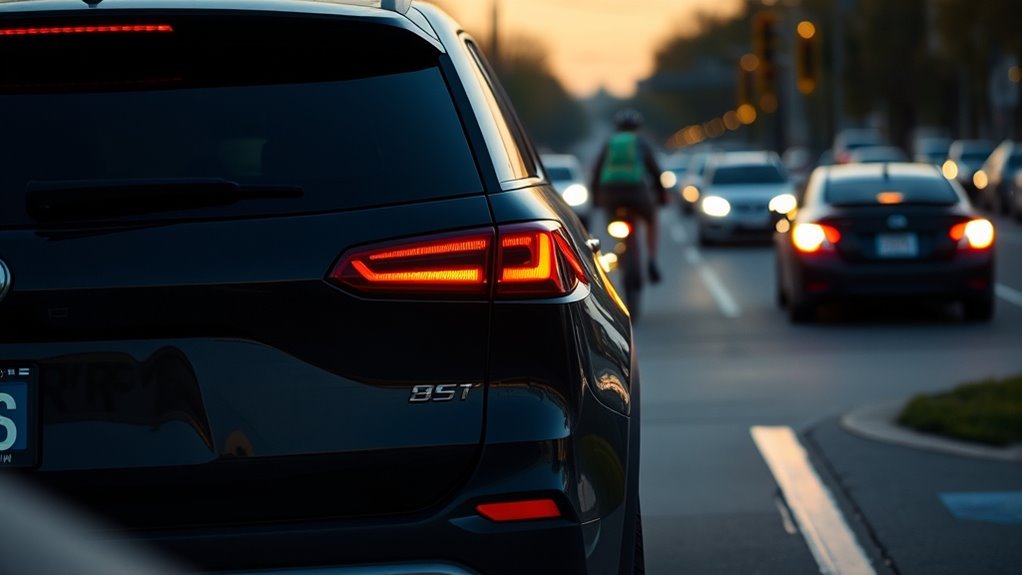
Rear Cross-Traffic Alert and reverse automatic braking are related, but they are not the same feature. RCTA warns you about a possible collision. Reverse automatic braking may apply the brakes if the vehicle detects an imminent rear collision and the driver does not respond in time.
| Feature | Rear Cross-Traffic Alert | Reverse Automatic Braking |
|---|---|---|
| Main job | Warns the driver | May brake automatically |
| Typical trigger | Traffic approaching from the side while reversing | Detected imminent collision while reversing |
| Driver role | Driver must brake or steer | Driver should still brake and stay in control |
| Availability | Common on many trims | Often optional, bundled, or limited to certain trims |
IIHS has reported that rear cross-traffic alert alone reduced police-reported backing crashes by 22%, while rear cameras, parking sensors, and rear automatic braking together reduced backing crashes by 78%.
That difference matters. A vehicle may have RCTA without any braking intervention. Another vehicle may have both, but the braking may work only under certain speeds, angles, and object types. Read the exact feature description for your model before assuming the car will stop itself.
[Products Worth Considering]

These CAR PASS rubber floor mats are designed to protect your vehicle interior from rain, snow, dirt, mud, and spills with deep ridge channels that help keep messes off your carpets. The trim-to-fit universal design and flexible material make them suitable for many cars, trucks, and SUVs, while the anti-slip nibbed backing helps keep the mats securely in place. They are easy to clean and built for everyday all-weather use with a full front and rear set.

These deep-dish all-weather floor mats help protect your vehicle’s interior from dirt, mud, snow, water, and road salt in everyday driving conditions. The trim-to-fit universal design makes installation simple across many cars, trucks, SUVs, and vans, while the gripping underside helps keep the mats securely in place. Built for durability, they are designed to resist cracking, curling, and hardening over time.
Limitations and blind spots: Angled Parking, Obstructions, and Speed
Rear Cross-Traffic Alert is useful, but it has blind spots. The system works best when the rear-corner radar has a clean path to both sides and when traffic approaches within the system’s designed speed range. Anything that blocks the radar’s view can reduce the warning time or prevent an alert completely.
Angled Parking Limitations
Angled parking is one of the most common weak spots. In a straight parking space, the sensors usually point toward the lane where cross traffic travels. In an angled space, your vehicle and the traffic lane may not line up with the radar’s detection zone. That can leave an approaching vehicle outside the sensor’s best field of view until very late.
Use extra caution when reversing from diagonal spaces on a busy street or in a crowded lot. Back up slowly, turn your head, check both mirrors, and do not wait for the alert before stopping.
Obstructed Sensor Blind Spots
Rear radar can be blocked by:
- mud, snow, ice, road salt, or heavy dirt on the rear bumper;
- bumper stickers, wraps, paint repairs, or body filler over the radar area;
- bike racks, cargo carriers, trailers, or trailer hitches;
- nearby walls, hedges, fences, poles, and parked vehicles;
- bumper damage or misaligned sensor brackets after a minor collision.
If the system shows a blocked-sensor message, gives repeated false alerts, or stops warning in situations where it used to work, inspect the rear bumper area and schedule service if cleaning does not fix the problem.
Speed and Object Limitations
RCTA systems are calibrated for certain parking-lot scenarios. They may miss a vehicle that is moving too fast, too slowly, or at an unusual angle. They may also have trouble with motorcycles, bicycles, pedestrians, animals, and small low objects. Some systems do not detect stationary objects at all because they focus on moving cross traffic.
Do not assume that a silent system means the area is clear. It only means the system has not detected a threat that meets its programmed conditions.
Weather and Environment Effects on Performance
Bad weather can reduce RCTA performance. Rain, fog, snow, ice, road spray, and slush can interfere with sensors or cover the bumper area. Bright glare, darkness, and dirty camera lenses can also make it harder for you to confirm the warning visually.
Environmental clutter can create false alerts too. Curbs, metal posts, fences, bushes, garage walls, and other reflective objects may confuse some systems. If alerts happen in the same spot every day, the environment may be triggering the system rather than a moving vehicle.
Note: Heavy rain, snow, or ice does not make the system useless, but it should make you more cautious. Clean the rear bumper and camera lens before driving when buildup is visible.
Troubleshooting and Maintenance: Cleaning, Settings, and Error Signs
Most RCTA problems come from a dirty sensor area, a disabled setting, a blocked bumper, or a sensor that needs inspection after damage. Start with the simple checks before assuming the system has failed.
[Products Worth Considering]
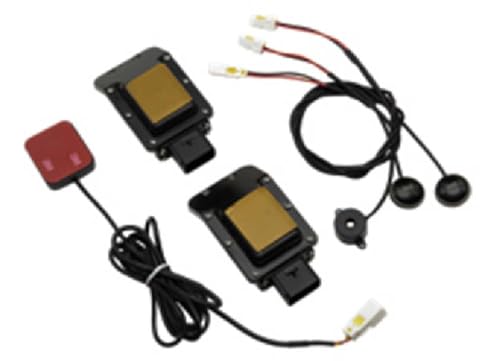
Overtaking Alert - alerts when equipped vehicles passes another vehicle

SUPER LONG RANGE SENSITIVITY - Wide Band Protection from All Radar and Laser Guns with Advanced False Alert Filtering.
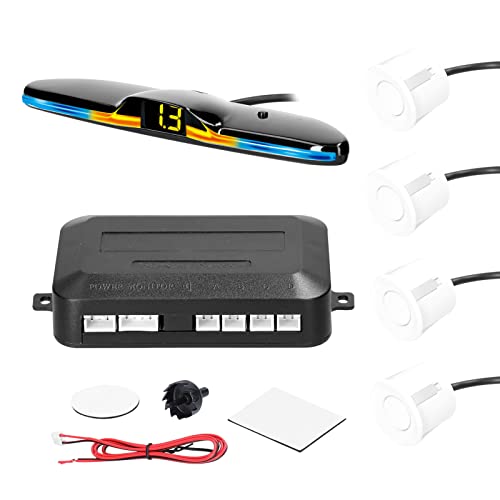
Easy to Use: When the vehicle is engaged in reverse gear, the reversing radars system automatically enters the detection working state.
Quick Troubleshooting Checklist
- Confirm the feature is enabled. Check the driver-assistance, safety, or parking-aid menu.
- Clean the rear bumper corners. Use a soft cloth, water, and mild car-safe cleaner. Avoid harsh scraping on painted surfaces.
- Clean the backup camera lens. A dirty camera can make visual warnings harder to understand.
- Remove temporary obstructions. Take off bike racks, cargo carriers, or trailer equipment if they block the sensor area.
- Check for warning messages. Look for “sensor blocked,” “cross traffic unavailable,” or similar messages.
- Think about recent repairs. If the bumper was removed, repainted, replaced, or hit, the radar may need calibration.
- Test in a safe area. If the warning remains unreliable, have a qualified technician inspect the system.
When to Seek Service
Schedule service if the system stays unavailable after cleaning, warns constantly with no traffic nearby, fails after bumper work, or displays a persistent fault message. Radar sensors are sensitive to alignment. A bumper that looks fine from the outside may still hide damaged brackets, wiring, or calibration issues.
Manufacturer Differences and Common Settings: Real Examples
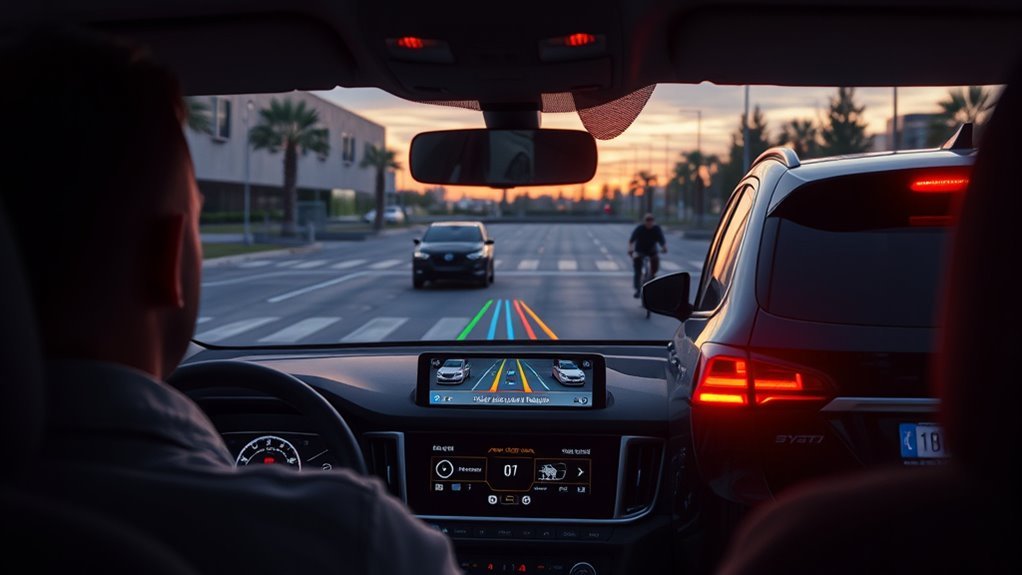
Manufacturers use different names, menus, warning icons, and speed limits for rear cross-traffic systems. The basic idea is similar, but the details are not identical.
Naming and Terminology
You may see these names in owner’s manuals and vehicle menus:
- Rear Cross-Traffic Alert or RCTA
- Rear Cross Traffic Warning or RCTW
- Cross Traffic Alert
- Rear Traffic Alert
- Cross Traffic Monitor
- Rear Cross Traffic Braking or Rear Automatic Braking when braking intervention is included
For example, Toyota uses “Rear Cross Traffic Alert” on many models, Ford commonly uses “Cross Traffic Alert,” and Subaru often groups RCTA with blind-spot detection. The exact wording matters when you are looking through the settings menu or diagnosing a warning light.
Alert Types and Sensitivity
Some vehicles let you adjust buzzer volume, alert volume, warning intensity, or whether certain alerts are active. Others provide fewer options. A higher sensitivity may warn sooner but may also create more nuisance alerts in tight parking garages or near reflective objects. A lower sensitivity may feel calmer but may reduce warning time.
Use the factory default unless you have a clear reason to change it. If you do adjust sensitivity, test it carefully in a safe, low-speed area before relying on the new setting.
Braking Versus Alerting
Do not assume that every RCTA system includes automatic braking. Many vehicles only warn. Some newer or higher-trim vehicles can apply the brakes in reverse, but those systems still have limits and may not stop for every object or every traffic angle.
AAA testing of reverse automatic emergency braking with rear cross-traffic mitigation found that these systems can help, but they are not foolproof. That is why the best approach is still a combination of technology, slow reversing, and active driver awareness.
Should You Rely on It? Practical Rules Combining Alerts With Driver Judgment
You should rely on Rear Cross-Traffic Alert as a helpful backup warning, not as your only source of information. The system can improve awareness and may reduce backing crashes, but it cannot see everything in every situation.
Use these rules every time:
- Look first, then reverse. The system is a supplement to your eyes, not a replacement.
- Move slowly. Slow reversing gives both you and the sensors more time.
- Stop for alerts. Treat every warning as real until you confirm otherwise.
- Be skeptical in angled spaces. Detection can be weaker when the sensors are not aimed toward the traffic lane.
- Keep the bumper clean. Sensor blockage is one of the easiest problems to prevent.
- Check the manual. Speed range, object detection, braking behavior, and settings vary by model.
Used correctly, RCTA gives you more confidence in tight spaces. Used carelessly, it can create false confidence. The safest habit is to combine the alert with mirrors, camera view, shoulder checks, and slow movement.
Frequently Asked Questions
How does Rear Cross-Traffic Alert work?
Rear Cross-Traffic Alert usually uses radar sensors in the rear bumper corners to detect vehicles approaching from the left or right while you are reversing. If the system predicts that the vehicle may cross behind you, it gives a visual, audible, or haptic warning.
Does Rear Cross-Traffic Alert detect people?
Do not count on it to detect people. Some vehicles may detect certain pedestrians or objects, but many RCTA systems are mainly designed to warn about moving vehicles approaching from the sides. Always check for children, pedestrians, pets, and bicycles before reversing.
Does Rear Cross-Traffic Alert brake for you?
Usually, no. Rear Cross-Traffic Alert is primarily a warning system. Your vehicle may brake only if it also has a separate feature such as reverse automatic braking, rear automatic emergency braking, or rear cross-traffic braking. Check your owner’s manual to confirm what your vehicle can do.
Why is my RCTA light on?
The RCTA light may be on because the feature is turned off, a sensor is blocked, weather is interfering with detection, the bumper area is dirty, or the system has a fault. Clean the rear bumper corners, check the settings menu, and schedule service if the warning remains.
Why did my Rear Cross-Traffic Alert not warn me?
The approaching vehicle may have been outside the system’s speed range, hidden by an obstruction, too small, too close, too far away, or approaching from an angle the sensors could not read. Dirt, snow, bumper damage, trailers, bike racks, and angled parking can also reduce detection.
Can I turn Rear Cross-Traffic Alert off?
Many vehicles let you turn RCTA on or off in the safety, driver-assistance, or parking-aid menu. Some systems reset to on each time you start the vehicle, while others remember your setting. The exact menu path depends on the make and model.
Conclusion
Rear Cross-Traffic Alert is best understood as a smart spotter for low-speed reversing. It can warn you about traffic approaching from the sides, especially when parked vehicles block your view. But it has limits: angled spaces, dirty sensors, bad weather, trailers, racks, fast traffic, pedestrians, and small objects can all reduce performance. Keep the sensors clean, understand your vehicle’s settings, reverse slowly, and use every alert as a reason to stop and verify before continuing.
Sources
- NHTSA Driver Assistance Technologies — supports the driver-responsibility and assistive-technology explanations.
- IIHS rear autobrake evaluation — supports crash-reduction figures for rear cross-traffic alert and rear automatic braking combinations.
- Toyota Owners Manual: RCTA function — supports Toyota’s operating conditions and speed examples.
- Ford Owner Manual: Cross Traffic Alert — supports Ford’s detection-speed range, reverse activation, and obstruction limitations.
- AAA Reverse AEB with Rear Cross Traffic Alert research — supports limitations of reverse automatic braking and rear cross-traffic mitigation in obstructed scenarios.
- Consumer Reports guide to rear cross-traffic warning — supports general feature definitions and backup-camera context.