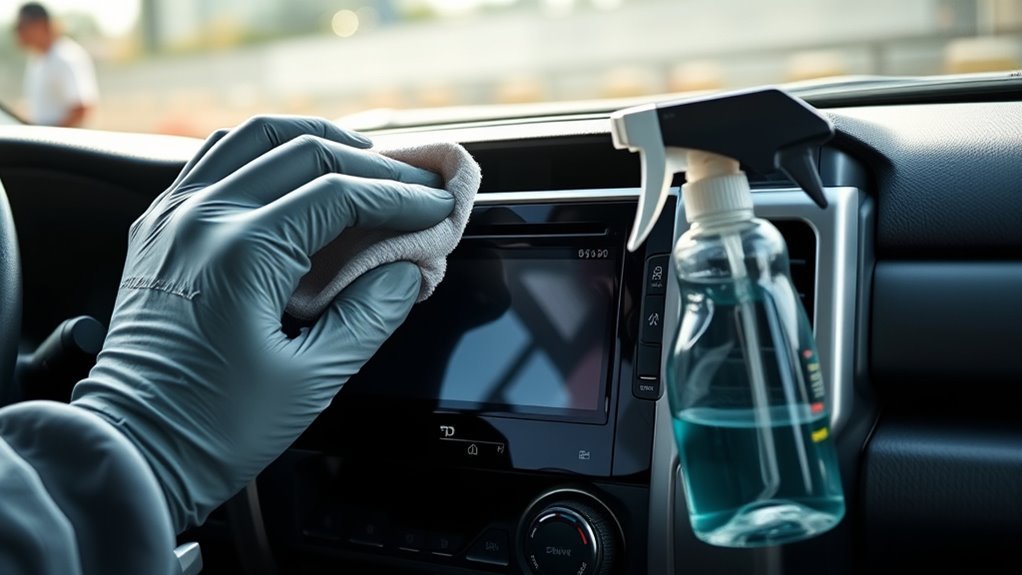
Cleaning a Toyota 4Runner touchscreen is simple, but the wrong product can leave haze, scratches, or discoloration. The safest approach is to turn the vehicle display off, remove loose grit first, and clean with a soft microfiber or glasses-cleaning cloth lightly dampened with water. Toyota’s own guidance for touch screen panels says to use a soft damp cloth and avoid solvents, kerosene, alcohol, gasoline, alkaline solutions, and acidic solutions.
Quick Answer
To safely clean a 4Runner touchscreen, turn the screen off, dust away grit, then wipe with a clean microfiber or glasses-cleaning cloth lightly dampened with water. Never spray liquid directly on the display, never scrub, and avoid alcohol, ammonia, vinegar, solvents, paper towels, or abrasive pads.
Key Takeaways
- Use a clean, soft microfiber cloth or glasses-cleaning cloth; a hard or dirty cloth can scratch the screen.
- Use water only, applied to the cloth instead of the display, so moisture does not run into seams, buttons, or ports.
- Avoid alcohol, ammonia, vinegar, benzine, gasoline, alkaline cleaners, acidic cleaners, paper towels, and abrasive pads.
- For tough fingerprints, hold light pressure for a few seconds with the damp cloth, then wipe gently rather than scrubbing.
At a Glance
| Time Required | 2–5 minutes |
| Difficulty | Easy |
| Tools Needed | Clean microfiber cloth or glasses-cleaning cloth, water, optional second dry microfiber cloth |
| Cost | $0–$10 if you already have a quality microfiber cloth |
Quick Step-by-Step: Clean the 4Runner Touchscreen
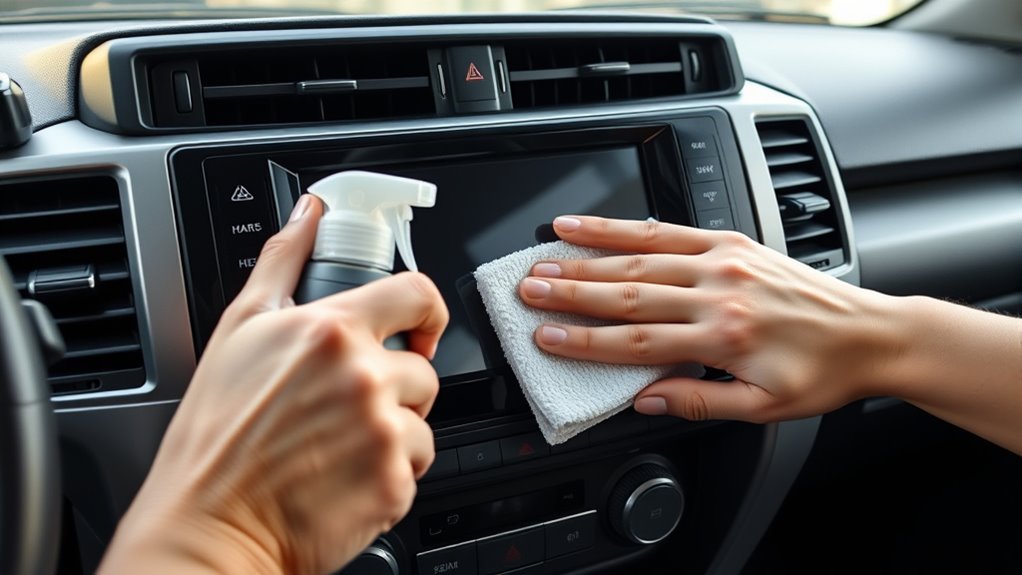
Start by powering down the 4Runner’s touchscreen or turning the vehicle off so you do not trigger accidental inputs. A dark screen also makes fingerprints, smears, and dust easier to see.
- Remove loose dust first. Use a dry, clean microfiber cloth and lift grit away before adding moisture.
- Dampen the cloth, not the screen. Use water and wring the cloth until it is barely damp. It should not drip.
- Wipe gently. Use light pressure in smooth straight passes from one side of the screen to the other.
- Treat stubborn fingerprints slowly. Hold the damp cloth on the mark for a few seconds, then wipe again with light pressure.
- Dry the surface. Buff with a second dry microfiber cloth to remove moisture and streaks.
- Let it finish air-drying. Wait until the screen is fully dry before turning the system back on.
Warning: Do not use vinegar on the 4Runner touchscreen. Although vinegar is common in household cleaning, Toyota warns against acidic solutions on touch screen panels because they can stain, discolor, or damage the screen surface.
Power Down and Prep the 4Runner Touchscreen
Before you touch the display, turn the screen off or shut the vehicle down. If your 4Runner is in accessory mode, exit accessory mode before cleaning. This helps prevent accidental taps and keeps you from changing settings while wiping the screen.
Remove phones, charging cables, and loose items near the center stack so they do not get in the way. Clear crumbs, sand, trail dust, and grit from the screen area before wiping. Tiny particles are the real scratch risk, especially if they get dragged across the display under pressure.
Work in good light and check the screen from an angle. If you see dust or grit, lift it away with a dry microfiber cloth first. If the screen has dried mud or sticky residue, soften the spot with a barely damp cloth rather than picking at it with a fingernail or hard object.
Note: Toyota’s 2026 4Runner manual says to gently clean the screen with a glasses-cleaning cloth or similar soft cloth and warns that touching the screen forcibly or using a hard cloth may scratch the surface.
Best Cloths & Cleaners for the 4Runner Touchscreen: What to Use and Avoid
The best cloth for a 4Runner touchscreen is a clean, lint-free microfiber cloth or a glasses-cleaning cloth. Use a fresh section of the cloth for each pass so you do not spread oil back across the display. If the cloth has been sitting in the door pocket collecting dust, shake it out or use a different one.
For cleaning liquid, keep it simple: use water, and apply it to the cloth instead of spraying the display. Toyota recommends cleaning touch screen panels with a soft damp cloth soaked in lukewarm water and lightly wiped across the surface. Distilled water is also a safe choice because it avoids mineral spots from hard tap water, but the cloth should still be damp rather than wet.
Avoid alcohol-based wipes, ammonia glass cleaners, vinegar, acidic cleaners, alkaline cleaners, solvents, kerosene, gasoline, benzine, bleach, paper towels, tissues, magic erasers, abrasive sponges, and rough shop towels. These can discolor the surface, dull coatings, leave lint, or create fine scratches.
Pro Tip: Keep one microfiber cloth in a sealed pouch inside the glove box. A clean cloth is safer than a loose cloth that has picked up sand, dust, or crumbs.
[Products Worth Considering]

AstroAI’s extra-long windshield cleaner kit makes interior and exterior glass cleaning easier with an extendable handle and 180° rotating head that reaches tight corners without strain. It includes reusable microfiber pads, a spray bottle, and a storage bag for streak-free, lint-free results at home or on the road. Designed for cars, SUVs, RVs, and household windows, it helps deliver clearer visibility with less effort.

This anti-glare matte tempered glass screen protector is designed for compatible 2026 Toyota RAV4 and RAV4 Hybrid models with a 12.9-inch touchscreen. It helps reduce glare, resists scratches and fingerprints, and maintains responsive touch performance for a clearer, cleaner driving experience.
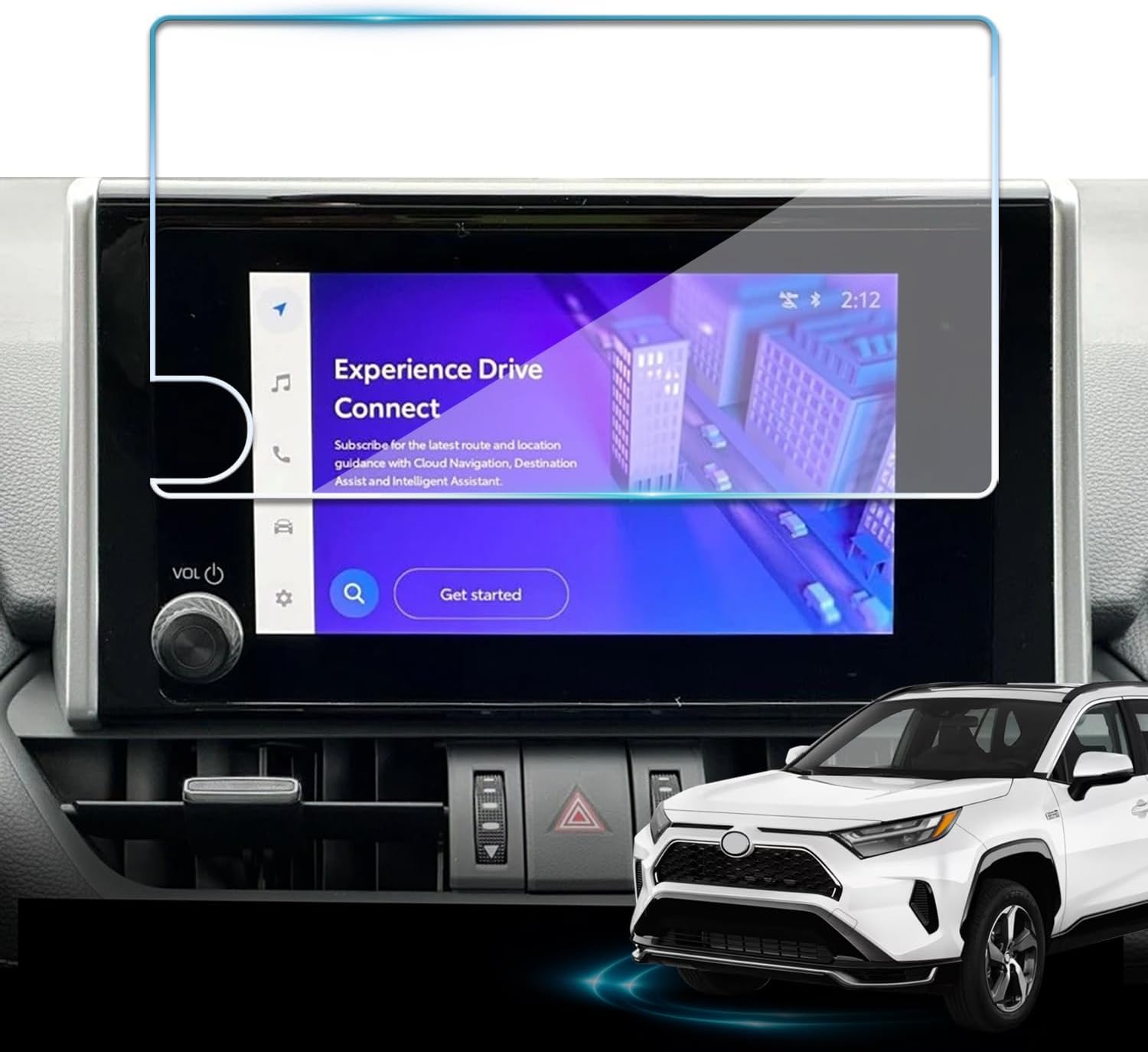
Protect your Toyota RAV4 infotainment display with this tempered glass screen protector designed for 2023-2025 LE, XLE, Adventure, XLE Premium, SE, and Woodland Edition models. It helps guard against scratches and fingerprints while preserving touch sensitivity and delivering a clear, low-glare viewing experience. Installation is quick and convenient with the included tools and guidance.
Remove Tough Smudges Safely and Protect Against Scratches
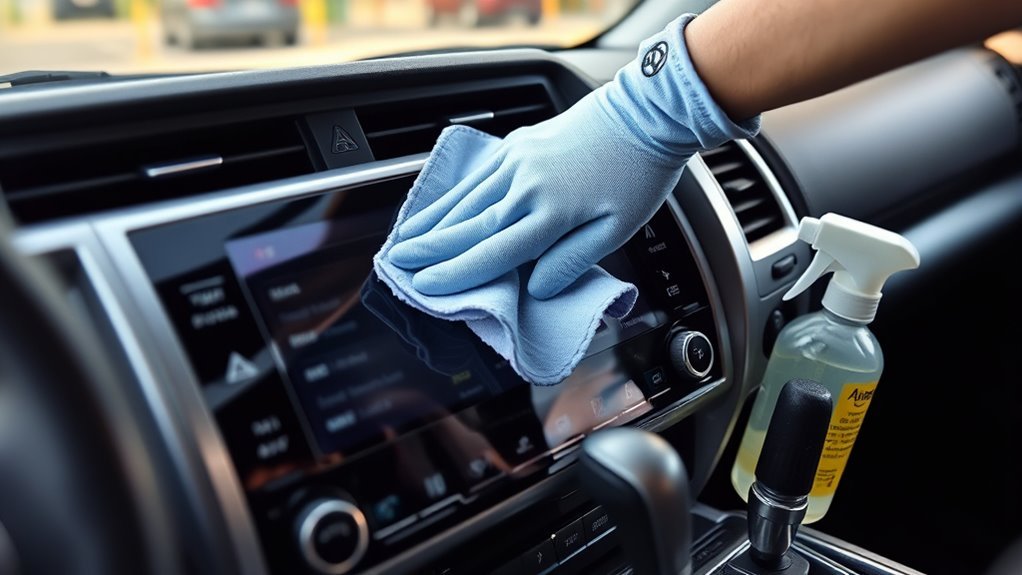
For stubborn fingerprints, sunscreen marks, food smears, or oily residue, do not scrub. Lightly dampen a microfiber cloth with water, place the damp area over the spot for a few seconds, then wipe with controlled pressure. Repeat with a clean section of cloth if needed.
- Start at one edge of the screen and work across in straight, overlapping passes.
- Use only light pressure; pressing hard can scratch the surface or stress the display.
- Re-dampen the cloth sparingly if it starts dragging, but do not let water drip.
- Keep moisture away from seams, knobs, ports, vents, buttons, and the screen edge.
- Dry with a second clean microfiber cloth, then let the screen air-dry fully before use.
If you see grit stuck near the screen edge, do not scrape it loose. Use a dry microfiber cloth first. If needed, use a small amount of clean compressed air from a safe distance and keep the can upright so it does not spit propellant onto the display.
[Products Worth Considering]

Restore responsive touch control to your Toyota navigation system with this 6.1-inch digitizer replacement designed for select Camry, Corolla, Prius C, and RAV4 models. It helps fix unresponsive, ghost-touch, and cracked-screen issues while matching OEM fitment for a straightforward repair and improved in-car usability.

These HOMEXCEL microfiber cleaning cloths deliver excellent absorbency and gentle, scratch-free cleaning for cars, homes, and glass surfaces. The soft, lint-free towels help remove dirt, water, and streaks quickly for a polished finish, and they are machine washable for repeated everyday use.

Replace a cracked or unresponsive navigation screen with this touch screen glass digitizer designed for compatible Toyota infotainment units. It restores touch functionality for supported RAV4, Prius C, Corolla, and Camry models with a precise 12-pin interface and the correct cable position requirements. Built with a slim 1.5mm profile, it is a practical repair solution for keeping your factory navigation system working properly.
What to Do if the Screen Still Looks Streaky
Streaks usually come from too much moisture, a dirty cloth, hard-water minerals, or residue left by a previous cleaner. Start over with a fresh microfiber cloth and a very small amount of clean water. Wipe in straight passes, then dry immediately with a second cloth.
If the screen looks hazy after a cleaner was used, stop applying products. Wipe once with a lightly damp cloth, dry it, and inspect the display in different light. If haze, discoloration, bubbling, peeling, or touch problems remain, contact a Toyota dealer or qualified service department before trying stronger cleaners.
Routine Care & Screen Protectors to Keep It Clean
A short routine keeps the touchscreen clear and reduces the need for heavier cleaning. For normal commuting, wipe light fingerprints once a week or whenever glare makes the display harder to read. If you drive off-road, carry dusty gear, or have passengers using the screen often, check it more frequently.
Consider a high-quality screen protector made for your exact 4Runner model year and screen size. Choose one that lists optical clarity, touch sensitivity, and vehicle-screen compatibility. A protector can take everyday scratches from rings, fingernails, trail dust, and cleaning mistakes before they reach the display itself.
Inspect the protector during each cleaning. Replace it if it has deep scratches, peeling edges, bubbles that block visibility, or trapped grit along the edge. Clean the protector the same careful way: soft cloth, light moisture, no harsh chemicals, and no direct spraying.
[Products Worth Considering]
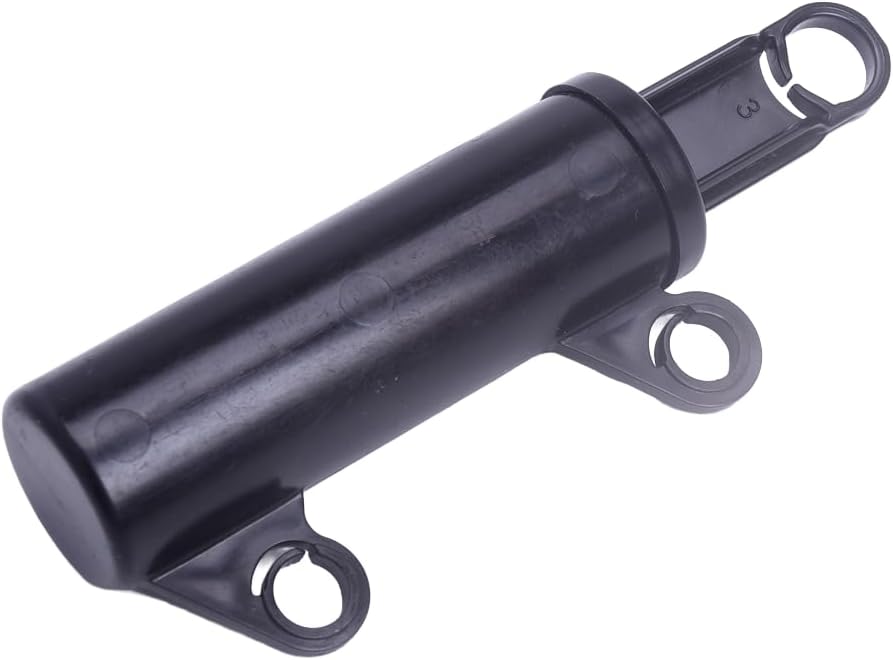
This glove box damper support helps restore smooth, controlled opening and closing for compatible vehicle glove compartments. Designed as a replacement for the original damper, it offers an easy installation process and comes tested for reliable performance. It is a practical fix for improving glove box function on select Toyota and Subaru models.

This custom-fit passenger storage organizer mat is designed for the Toyota RAV4 2026 to help protect and organize the center console storage area. Made from soft silicone with an anti-slip surface, it keeps small items neatly in place while adding a clean, refined look to the interior. Installation is quick and tool-free, making it an easy upgrade for everyday convenience.

This passenger storage organizer mat is designed to fit the 2026 Toyota RAV4 for a clean, factory-style look with no gaps. It helps protect the original console area from scratches and daily wear while giving you a handy place to store phones, sunglasses, wallets, coins, and cards. Made from durable silicone, it stays in place, reduces rattling, and is easy to remove and clean.
Common Mistakes That Can Damage the Touchscreen
- Spraying cleaner directly on the display: Liquid can run into edges, seams, controls, and electronics.
- Using disinfecting wipes: Many contain alcohol or strong chemicals that are not recommended for Toyota touch screen panels.
- Cleaning with paper towels: Paper products can leave lint and may create fine scratches.
- Using vinegar or household glass cleaner: Toyota warns against acidic and alkaline solutions, and many glass cleaners contain ammonia or alcohol.
- Scrubbing dried mud or grit: Lift or soften debris first so it does not act like sandpaper.
- Using a dirty microfiber cloth: A dirty cloth can be worse than no cloth because it may carry grit from earlier use.
Frequently Asked Questions
How do you safely clean a Toyota 4Runner touchscreen?
Turn the screen off, remove loose dust with a dry microfiber cloth, then wipe gently with a clean microfiber or glasses-cleaning cloth lightly dampened with water. Dry the screen with a second soft cloth and let it air-dry fully before using it.
What does Toyota recommend for cleaning a touch screen panel?
Toyota recommends using a soft damp cloth and lukewarm water to lightly wipe the touch screen panel. Toyota also says not to use solvents, kerosene, alcohol, gasoline, alkaline solutions, or acidic solutions because they can stain or discolor the screen.
Can I use alcohol wipes on a 4Runner touchscreen?
No. Avoid alcohol wipes on the 4Runner touchscreen. Toyota specifically warns against alcohol and other chemical substances on touch screen panels because they can cause staining or discoloration.
Can I use Windex or glass cleaner on the display?
Do not use household glass cleaner on the display. Many glass cleaners contain ammonia, alcohol, or other chemicals that are too harsh for vehicle touchscreens. Use water on a soft cloth instead.
How often should I clean the 4Runner touchscreen?
For normal use, a weekly dry or lightly damp microfiber wipe is enough. Clean it sooner if fingerprints, dust, or glare make the screen harder to read. If the vehicle is used off-road or in dusty conditions, check the screen after each trip.
Should I put a screen protector on the 4Runner touchscreen?
A screen protector is optional, but it can help guard against scratches from dust, rings, fingernails, and routine cleaning. Use one made for your exact 4Runner screen size and replace it if it peels, bubbles, or becomes deeply scratched.
Conclusion
You can keep your 4Runner touchscreen clear without harsh cleaners or risky scrubbing. Power the screen down, lift away grit, wipe with a soft microfiber or glasses-cleaning cloth lightly dampened with water, and dry it with a fresh cloth. Avoid alcohol, vinegar, ammonia, solvents, acidic or alkaline cleaners, paper towels, and abrasive pads. Small, careful cleanups protect the display, preserve touch response, and keep the cabin easier to use on every drive.
Sources
- Toyota Support: How should I clean the touch screen panel in my vehicle? — backs up using a soft damp cloth with lukewarm water and avoiding alcohol, solvents, alkaline solutions, and acidic solutions.
- Toyota Owners: 2026 4Runner notes for operating the touch screen — backs up using a glasses-cleaning cloth or similar soft cloth and avoiding force or hard cloths.
- Toyota Owners: 2026 4Runner manuals and warranties — supports checking the official manual for model-year-specific care instructions.