You can reset the Toyota RAV4 maintenance required light yourself after the scheduled service is complete. On most 2019–present RAV4 models, the reset is done through the multi-information display using the steering-wheel meter controls. Older RAV4 models usually use the trip/odometer reset button. The exact wording can vary by model year, trim, and display size, so use the steps below and confirm against your Toyota owner’s manual if your menu looks different.
Quick Answer
To reset a newer RAV4 maintenance required light, turn the ignition to ON without starting the engine, open the multi-information display, select the gear icon, choose Vehicle Settings, select Scheduled Maintenance, then confirm Yes. Reset the reminder only after the required maintenance has been completed.
Key Takeaways
- The RAV4 maintenance required light is a scheduled-service reminder, not the same thing as a Check Engine light.
- Toyota says to reset the reminder after the required maintenance is performed according to the maintenance schedule.
- 2019–present models commonly reset through the multi-information display; many 2006–2018 models use the trip/odometer button method.
- Resetting the maintenance reminder will not clear unrelated warning lights, TPMS warnings, or diagnostic trouble codes.
At a Glance
| Time Required | 1–3 minutes |
| Difficulty | Easy DIY reset |
| Tools Needed | None; use the key, push-button start, steering-wheel controls, or trip/odometer button |
| Cost | Free |
Warning: Do not reset the light to postpone service. Toyota’s maintenance guides state that proper scheduled maintenance helps keep warranty coverage intact, and damage caused by lack of proper maintenance may not be covered.
What the RAV4 Maintenance Required Light Means
The Maintenance Required, Maintenance Required Soon, or wrench-style reminder is there to tell you routine service is due or coming due. It is tied to your vehicle’s maintenance schedule and should be reset after the service is completed. Toyota’s official owner information for the RAV4 says the message should be reset after the required maintenance is performed according to the maintenance schedule, not before. You can review Toyota’s official maintenance reminder guidance in the Toyota RAV4 owner’s manual.
This reminder is different from the Check Engine, oil pressure, brake, ABS, airbag, charging-system, or tire-pressure warning lights. If another warning light is on, treat it as a separate issue and diagnose it before assuming the maintenance reset will fix it.
Before You Reset the Light
Take a minute to confirm the maintenance has actually been done. For many RAV4 owners, the reminder appears around routine service items such as tire rotation, inspections, fluid checks, or oil service depending on the model year, mileage, driving conditions, and maintenance schedule.
- Confirm the service: Check the invoice, maintenance log, or your own notes for the date, mileage, and work performed.
- Park safely: Put the RAV4 in Park, set the parking brake, and keep your foot off the brake pedal if you are using push-button start to enter ON mode without starting the engine.
- Use ON mode: The dash must be powered on, but the engine does not need to run.
- Know your display: Newer RAV4 models may have a 7-inch or 12.3-inch multi-information display, and menu labels can vary slightly.
Pro Tip: Write the date, mileage, and service performed in your maintenance log before resetting the reminder. That keeps the next reminder from becoming a guessing game.
Reset the RAV4 Maintenance Light (Steps)
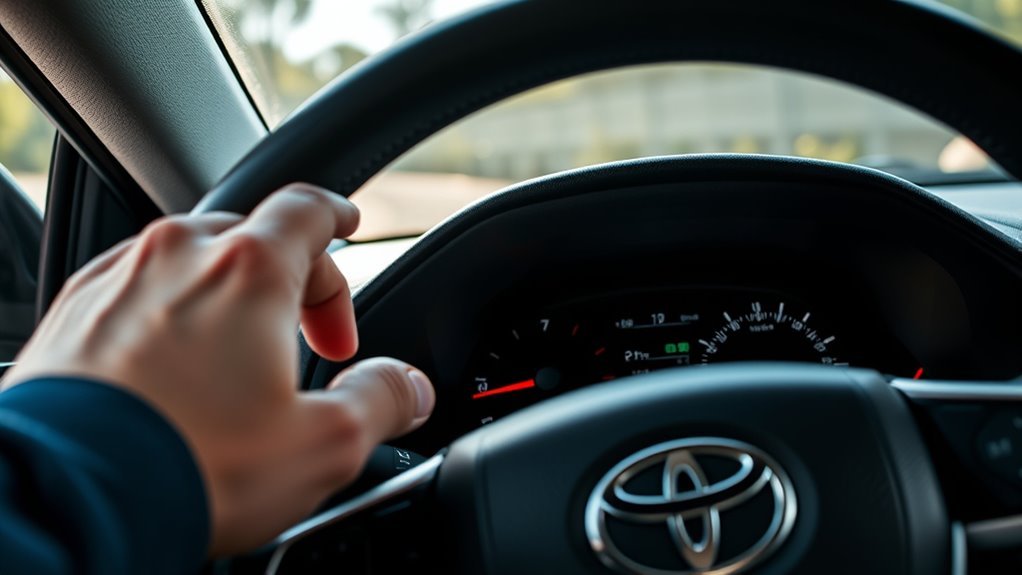
Use these steps for most 2019–present Toyota RAV4 models with a multi-information display. The exact icons may look different, but the reset path is usually the same.
- Turn the ignition to ON. For a key ignition, turn the key to ON without starting the engine. For push-button start, press the Start button twice without pressing the brake pedal.
- Open the multi-information display. Use the meter control switches on the steering wheel to move through the display screens.
- Select the gear icon. This opens the settings area of the instrument cluster.
- Open Vehicle Settings. On many RAV4 displays, you will need to press and hold OK to enter the deeper vehicle settings menu.
- Select Scheduled Maintenance. Some displays may show similar wording such as maintenance reset or scheduled maintenance reset.
- Choose Yes. When the display asks you to reset the data, select Yes and press OK.
- Verify the reset. Turn the vehicle off, then turn it back to ON. The maintenance required message should be gone.
Note: On some 12.3-inch displays, you may first need to bring the cursor into the center display area before selecting the settings icon. If the gear icon does not respond, check the owner’s manual section for your exact display size.
[Products Worth Considering]

This enhanced OBD2 scanner helps drivers quickly diagnose check engine light issues, read and clear trouble codes, and check emissions readiness before a smog test. It also adds EVAP and O2 sensor testing, live data, freeze frame capture, and a one-click battery health check in a simple plug-and-play tool with a bright color screen.

This Yuirote universal car motor diagnostic tool helps drivers quickly detect engine fault codes and identify system issues for routine inspections and maintenance. It also supports electronic parking brake reset and emergency release functions, making it useful for handling EPB-related problems without a repair shop visit. Its compact, ergonomic design and broad vehicle compatibility make it a practical choice for car owners and DIY repair enthusiasts.

FOXWELL NT201 is an easy-to-use OBD2 scanner designed to help drivers quickly read and clear check engine codes, view live engine data, and check emissions readiness. Its color screen, one-key I/M readiness test, and broad compatibility with most gasoline vehicles since 1996 make it a practical tool for everyday diagnostics and maintenance. With plug-and-play operation and lifetime free updates, it offers a simple way to understand vehicle issues without expensive shop visits.
Reset Older RAV4 Models (2006–2018)
If your RAV4 does not have the newer settings-menu reset, use the trip/odometer reset method. Button names vary by model year, so look for ODO/TRIP, Trip, DISP, or a small reset stem near the instrument cluster.
[Products Worth Considering]

The ZMOON ZM201 is a plug-and-play OBD2 code reader designed to quickly diagnose check engine issues on compatible vehicles after 1996. It reads and clears engine fault codes, displays live data and freeze frame information, checks I/M readiness, and helps you identify problems before visiting a repair shop. With a color screen, intuitive controls, and built-in DTC database, it offers an easy-to-use solution for DIY drivers and car owners who want reliable engine diagnostics.

This central dashboard cover strip trim is designed as a replacement for the instrument cluster panel area on compatible Toyota RAV4 models. It helps restore the look of your interior with a precise fit, durable construction, and reliable long-term performance. Ideal for replacing worn or damaged trim while maintaining a clean factory-style appearance.

This WEJOWE OBD2 scanner helps drivers quickly identify check engine causes, read and clear trouble codes, and view live vehicle data with built-in DTC lookup. It also includes battery voltage testing, I/M readiness checks, freeze frame retrieval, and support for printing diagnostic reports to help simplify repairs and maintenance. Designed for most OBDII vehicles since 1996, it offers an easy-to-use solution for DIY car diagnostics.
2013–2018 RAV4 Reset Method
- Turn the ignition to ON without starting the engine.
- Press the trip/odometer button until the display shows Trip A.
- Turn the ignition OFF.
- Press and hold the trip/odometer reset button.
- While still holding the button, turn the ignition back to ON without starting the engine.
- Keep holding until the display shows dashes, zeros, or the maintenance light clears.
- Release the button and restart the vehicle to confirm the reset.
2006–2012 RAV4 Reset Method
- Turn the ignition to ON.
- Set the odometer display to Trip A or the odometer screen used by your model.
- Turn the ignition OFF.
- Hold the trip reset button down.
- Turn the ignition back to ON while continuing to hold the button.
- Wait for the countdown/dashes to finish and for the maintenance reminder to clear.
If your older RAV4 does not follow this sequence, check Toyota’s model-year manual library for the exact reset procedure. Toyota keeps owner manuals and maintenance guides available through its Toyota Owners manuals and warranties portal.
Prep & Identify Your Display Type
Before repeating the reset, identify which multi-information display your RAV4 has. Some models use a smaller display with simpler menus, while newer or higher trims may have a larger digital cluster. The reset can still be in the same general place, but the gear icon, cursor behavior, and button prompts may move.
Next, test the meter controls on the steering wheel. The arrows should move through the screens, and the OK button should select or open a menu. If the controls do not respond, the problem may be with the button input, instrument cluster menu state, or power mode rather than the maintenance reminder itself.
RAV4 Model Differences (2019–Present)
For 2019–present RAV4 models, the core reset idea is consistent: power the vehicle to ON, open the multi-information display, enter settings, and reset the scheduled maintenance data. The main differences are display size, menu wording, and how long you need to hold OK.
| Model range | What may differ | Reset approach |
|---|---|---|
| 2019–2022 | Smaller display options, simpler menu graphics, steering-wheel meter controls | Gear icon → Vehicle Settings → Scheduled Maintenance → Yes |
| 2023–2025 | Updated cluster graphics and possible 12.3-inch display on some trims | Use the settings menu; hold OK when prompted to enter deeper settings |
| 2026 RAV4 Hybrid and newer display layouts | Updated digital-display behavior and model-specific menu structure | Use the owner’s manual for your display size if the gear icon path differs |
Note: The instrument-cluster display is not the same as the center infotainment touchscreen. For most RAV4 maintenance reminder resets, use the steering-wheel meter controls and the multi-information display in the gauge cluster.
Maintenance Light Won’t Reset: Fixes
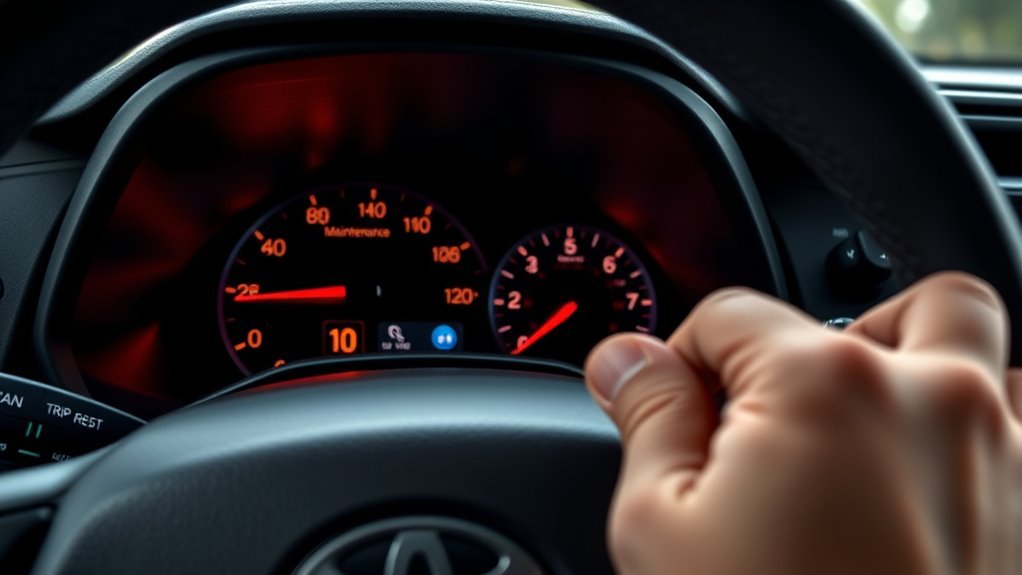
If the maintenance light will not reset, do not assume the vehicle has a major fault. Most failed resets come from the wrong power mode, the wrong display screen, not holding the button long enough, or using the menu method on a model that needs the trip-button method.
- Confirm the vehicle is in ON mode: ACC mode may power some features but may not allow the maintenance reset. For push-button start, press the Start button twice without pressing the brake.
- Use the correct menu: Choose the gear icon in the multi-information display, not the center touchscreen settings menu.
- Hold OK long enough: Some RAV4 menus require a long press to enter Vehicle Settings or confirm the reset.
- Look for alternate wording: Depending on the display, the option may say Scheduled Maintenance, Maintenance Reset, Reset Data, or similar wording.
- Try the trip-button method: If your model does not show a menu reset, use the older Trip A reset sequence.
- Check for other warning lights: A Check Engine light, oil pressure warning, ABS warning, or TPMS light will not clear with a maintenance reminder reset.
Warning: Avoid disconnecting the 12-volt battery just to clear a maintenance reminder. It can erase learned settings, clock presets, window initialization, and radio preferences, and it still will not fix an actual warning light or diagnostic code.
[Products Worth Considering]

The MOTOPOWER MP69033 is a compact OBD2 scanner designed to help drivers quickly diagnose check engine issues and understand vehicle fault codes. It offers a range of practical functions including code reading and clearing, live data, freeze frame, vehicle information, and I/M readiness, all displayed on a clear LCD screen. Compatible with many OBD II and CAN vehicles, it is a convenient plug-in tool for routine engine diagnostics and basic troubleshooting.

This anti-glare matte tempered glass screen protector is designed for compatible 2026 Toyota RAV4 and RAV4 Hybrid models with a 12.9-inch touchscreen. It helps reduce glare, resists scratches and fingerprints, and maintains responsive touch performance for a clearer, cleaner driving experience.

This A-Premium serpentine belt drive kit is designed for compatible Toyota Camry, RAV4, and Scion tC models with a DOHC 2.5L L4 engine. It includes a serpentine belt and belt tensioner to help maintain smooth engine operation, reduce noise, and support reliable power transfer. Built for dependable replacement performance, it also comes with a one-year unlimited-mileage guarantee for added peace of mind.
Quick Troubleshooting Checklist and Next Steps
Use this checklist if the RAV4 maintenance required light stays on after you attempt the reset:
- Confirm service was completed. Reset only after the needed maintenance is done.
- Turn the vehicle fully ON. Use ON mode, not ACC mode, and do not start the engine.
- Recheck your display path. Use the multi-information display in the gauge cluster and select the gear icon.
- Hold OK or the trip button longer. Keep holding until the confirmation or countdown finishes.
- Cycle the ignition. Turn the RAV4 off, wait a few seconds, then power it back on to verify the reset.
- Check for unrelated warnings. If another dashboard warning remains, scan for codes or inspect the related system.
- Use the owner’s manual. Find the exact instructions for your model year, trim, display, and ignition type.
- Contact a qualified technician. If the cluster controls do not respond or multiple warnings are present, have the system diagnosed instead of repeatedly trying to clear the reminder.
Maintenance Schedule and Records
Toyota’s maintenance guides commonly organize scheduled maintenance by mileage and time, such as every 5,000 miles or six months, whichever comes first, with additional items based on mileage, time, and driving conditions. Your exact services can differ by year, drivetrain, engine, climate, towing, dusty-road use, short-trip driving, and other special operating conditions. Use the maintenance guide for your specific model year before deciding what service is due.
Toyota’s 2025 RAV4 Warranty & Maintenance Guide explains that maintenance records should include the date of service, mileage at the time of service, and a description of the work performed. It also says maintenance may be performed by any qualified person or facility, although Toyota recommends authorized Toyota dealerships. For hybrid-specific safety and maintenance notes, consult the correct hybrid guide, such as the 2026 RAV4 Hybrid Warranty & Maintenance Guide.
Resetting the light clears the reminder. It does not perform the maintenance, update your service records, clear diagnostic trouble codes, or repair an underlying problem.
Frequently Asked Questions
Can resetting affect warranty or service records?
Resetting the reminder by itself does not create a service record and does not prove maintenance was performed. Keep receipts, mileage notes, and a maintenance log. Toyota’s maintenance guidance says warranty claims are not denied solely because you do not have records, but damage or failure caused by lack of proper maintenance is not covered.
Can I reset the light remotely via an app?
Toyota’s connected services can provide vehicle health reports, maintenance alerts, and maintenance reminders on supported vehicles, but the normal maintenance required reset is done through the vehicle’s instrument-cluster menu, trip/odometer button, or service equipment. You can review Toyota’s connected features on the Toyota Connected Services page.
Does resetting clear other dashboard warnings?
No. The maintenance reset only clears the scheduled maintenance reminder. A Check Engine light, ABS light, airbag light, oil pressure warning, brake warning, charging-system warning, or hybrid-system warning needs separate diagnosis and repair.
Will tire pressure warnings be affected by this reset?
No. Tire-pressure monitoring is a separate safety system. Federal Motor Vehicle Safety Standard No. 138 requires TPMS systems to warn drivers about significant tire under-inflation, so a maintenance reminder reset will not clear a real tire-pressure warning. Check and inflate the tires to the placard pressure, then follow the TPMS procedure in your owner’s manual if needed.
Can a DIY reset harm my hybrid system?
A normal maintenance reminder reset through the display or trip button should not harm the hybrid system. Do not touch orange high-voltage cables, high-voltage connectors, the hybrid battery service plug, or hybrid components. If a hybrid-system warning appears, have the vehicle diagnosed by a qualified technician.
Is the Maintenance Required light the same as the Check Engine light?
No. The Maintenance Required light is a service reminder. The Check Engine light means the onboard diagnostic system detected a fault that may affect emissions, engine operation, or related systems. A maintenance reset will not repair or erase a Check Engine fault code.
Can I drive with the RAV4 maintenance required light on?
Usually, yes, if it is only the maintenance reminder and the vehicle drives normally. However, do not ignore it. Check what service is due and schedule or complete it soon. If the reminder appears with other warning lights, unusual noises, leaks, overheating, low oil pressure, or drivability problems, stop and diagnose the issue.
Conclusion
You can reset the RAV4 Maintenance Required light in a few minutes once the required service is complete. Newer models usually use the multi-information display and gear-icon settings menu, while many older models use the Trip A and odometer-button sequence. If the reminder comes back, do not just keep clearing it. Check the maintenance records, confirm the correct service was performed, and diagnose any separate warning lights. Staying current with routine care keeps the RAV4 reliable, protects resale value, and helps prevent small service reminders from turning into expensive repairs.
Sources
- Toyota RAV4 Owner’s Manual: Maintenance Requirements — official guidance that the maintenance reminder should be reset after required maintenance is performed.
- Toyota Owners Manuals and Warranties Portal — model-year manuals and maintenance guide lookup.
- 2025 Toyota RAV4 Warranty & Maintenance Guide — maintenance intervals, records, warranty notes, and service-provider guidance.
- 2026 Toyota RAV4 Hybrid Warranty & Maintenance Guide — hybrid safety precautions and maintenance guide reference.
- Toyota Connected Services — Service Connect, vehicle health reports, maintenance alerts, and maintenance reminders.
- 49 CFR 571.138: Tire Pressure Monitoring Systems — federal TPMS requirements and purpose.