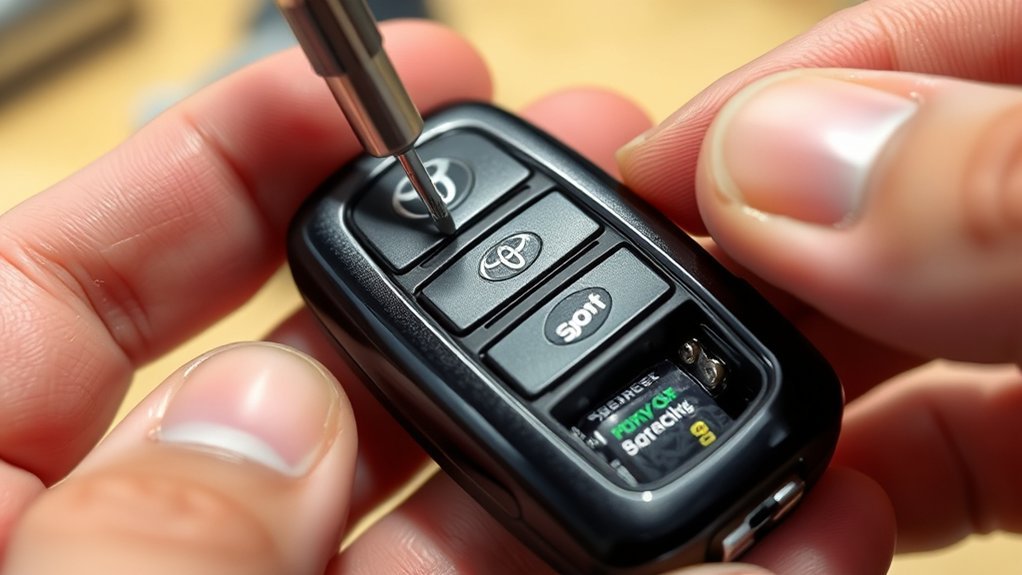
A weak Toyota Camry key fob battery usually shows up as shorter range, delayed lock/unlock response, or a “key battery low” warning on equipped models. Replacing it is usually a quick DIY job, but the most important step is buying the correct coin battery for your exact fob. Many 2017–2024 Camry fobs use a CR2032 battery, while Toyota lists a CR2450 battery for the 2025 Camry Hybrid electronic key, so always confirm the number printed on your old battery or in your owner’s manual before installing a new one.
Quick Answer
To replace a Toyota Camry key fob battery, remove the mechanical key, gently open the fob case, lift out the old coin battery, install the same battery type with the positive (+) side facing up, snap the case closed, and test lock/unlock from near the vehicle.
Key Takeaways
- Do not assume every Camry key fob uses CR2032; 2025+ Camry electronic keys may use CR2450.
- Match the old battery marking or check the official Toyota owner’s manual for your exact model year.
- Install the new battery with the positive (+) side facing up unless your fob’s markings show otherwise.
- Keep new and used coin batteries away from children because swallowed button or coin batteries can cause severe internal burns.
At a Glance
| Time Required | 3–5 minutes |
| Difficulty | Easy |
| Tools Needed | Correct coin battery, mechanical key, small flathead screwdriver or plastic pry tool, soft cloth |
| Cost | Usually a few dollars for the battery |
Confirm the Correct Toyota Camry Key Fob Battery
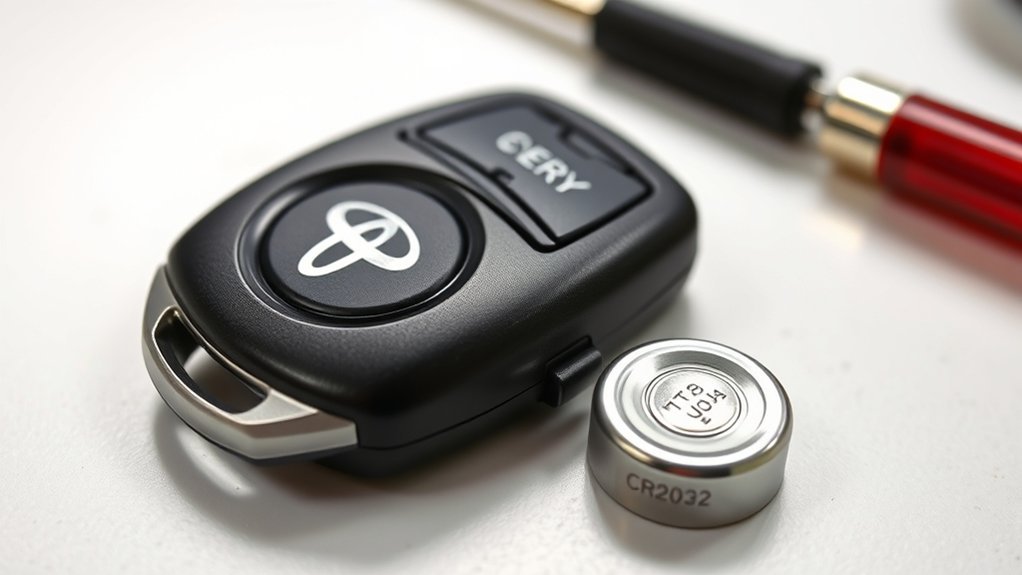
The right Toyota Camry key fob battery depends on the model year and fob design. For many 2017–2024 Camry models, the owner’s manual procedure calls for a CR2032 lithium battery. For the 2025 Camry Hybrid electronic key, Toyota lists a CR2450 lithium battery. That means the safest rule is simple: open the fob first, read the number printed on the old battery, and replace it with the same type.
| Camry Key/Fob Type | Common Battery | What to Do Before Buying |
|---|---|---|
| Many 2017–2024 Camry remote or smart key fobs | CR2032 | Verify in the owner’s manual or on the old battery |
| 2025+ Camry Hybrid electronic key | CR2450 | Use Toyota’s manual or the old battery marking |
| Older, replacement, imported, or aftermarket fobs | Varies | Match the battery already inside the fob |
Note: A CR2032 and CR2450 are both 3-volt lithium coin batteries, but they are different sizes. Do not force one into a fob designed for the other.
[Products Worth Considering]

This metal key fob cover is designed to help protect compatible Toyota smart keys from daily wear, including drops, bumps, scratches, dust, and water. Made from zinc alloy with silicone and PET materials, it offers a premium feel while maintaining full signal function. It also adds a stylish, luxury look to your key, but may increase the key's weight and size.
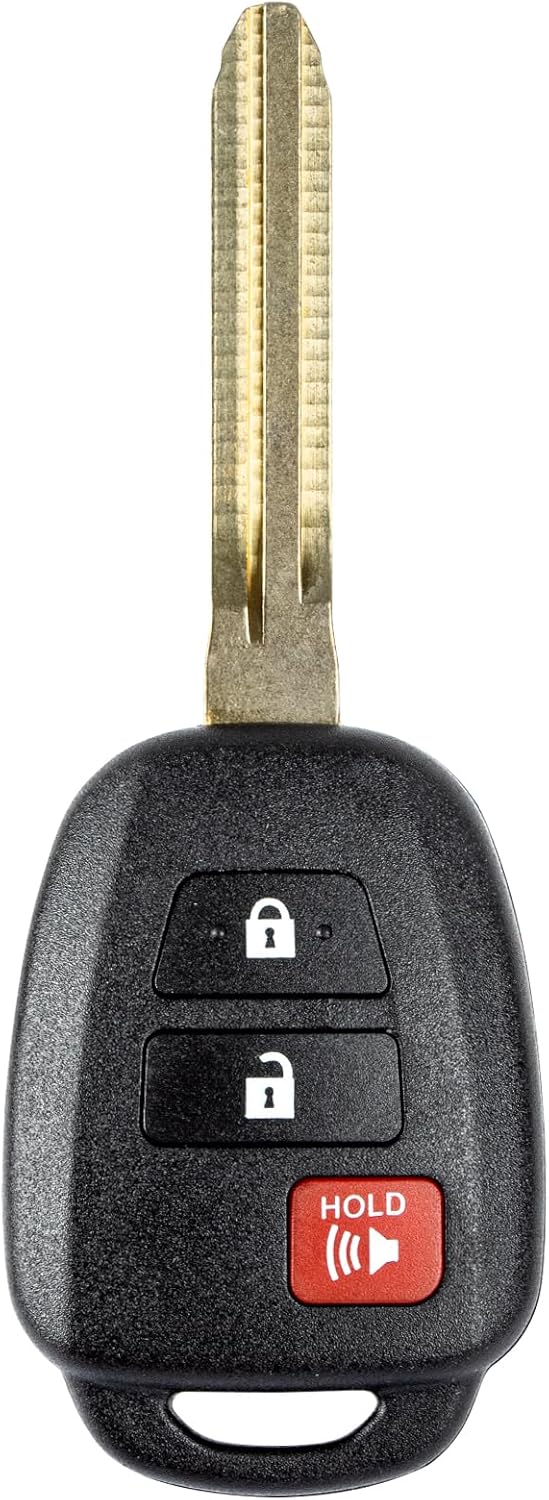
This replacement key fob is designed for select Toyota models and provides reliable keyless entry functionality with a factory-like fit and operation. It comes pre-tested with electronics and battery installed, making it a convenient solution when your original remote is lost, damaged, or worn out. Professional programming and cutting are required, and compatibility should be confirmed against the original remote and vehicle fitment details.

This keyless entry remote replacement is designed for a wide range of Toyota, Scion, and Lexus-compatible vehicles, offering a convenient way to restore remote locking and unlocking functions. Each fob is pre-tested, comes with the battery and electronics already installed, and is ready to be programmed for supported standard-key vehicles. It is a practical replacement choice for drivers who need a reliable, compatible remote for everyday use.
Signs Your Camry Key Fob Battery Is Weak
You should consider replacing the battery when the key fob becomes unreliable or the vehicle warns you that the key battery is low. Common signs include:
- Lock or unlock works only when you stand very close to the vehicle.
- The buttons respond slowly or only after several presses.
- The smart key system does not detect the fob as consistently as before.
- The trunk, panic button, or remote start function, if equipped, becomes intermittent.
- A low-key-battery message appears on the dash or multi-information display.
Tools Required for Battery Replacement
You do not need a full tool kit to replace a Toyota Camry key fob battery. Gather everything first so you can avoid dropping the small battery, spring pieces, or key shell parts.
| Tool or Item | Purpose | Notes |
|---|---|---|
| Correct coin battery | Replacement battery | Use CR2032, CR2450, or the exact type printed on your old battery |
| Mechanical key | Helps unlock the fob or access the opening slot | Built into smart key fobs |
| Small flathead screwdriver | Prying the cover or lifting the old battery | Wrap the tip with tape or a cloth to avoid scratches |
| Plastic pry tool | Opening the case more safely | Best option if you want to avoid marring the plastic |
| Soft cloth or towel | Protects the fob and catches small parts | Work over it, not over a drain or carpet |
Warning: Coin and button batteries are dangerous if swallowed. The U.S. Consumer Product Safety Commission warns that a swallowed button or coin battery can cause severe chemical burns in as little as two hours. Keep new and used batteries away from children and pets, and seek emergency medical help immediately if a battery is swallowed or placed inside the body.
[Products Worth Considering]

This silicone key fob cover is designed to fit select Toyota Camry and Corolla Crown 4-button key fobs, helping protect them from scratches, wear, and everyday pocket damage. Made from food-grade silicone, it offers a soft, comfortable feel while keeping all buttons accessible and the signal unaffected. The fluorescent white buttons also make it easier to identify controls at night, and the set includes two covers with matching key chains.

This mech-style heavy metal key fob cover is designed to protect compatible Toyota E-style smart keys with a precise 1:1 fit. Built with a durable zinc alloy frame and soft silicone buttons, it helps guard against daily wear while keeping full access to key functions. The set includes a metal keychain and screwdriver for easy installation, making it a practical upgrade for select Toyota models.

Replace worn or damaged key fob buttons with this rubber keypad insert designed for compatible Hyundai remote key cases. It restores the look and feel of your car key, offering a simple installation and a snug fit for supported Santa Fe and Sonata models. The set includes two replacement pads and a mini screwdriver for convenience.
Step-by-Step: Removing the Mechanical Key
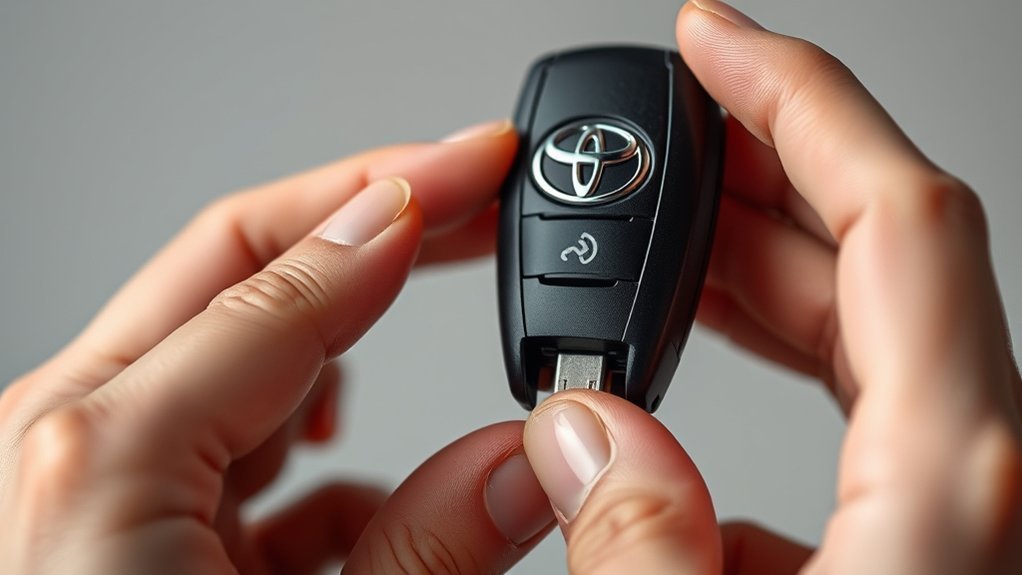
Most Camry smart key fobs include a small mechanical key inside the fob body. This key can unlock the driver’s door if the remote battery is weak and also helps you access the fob case.
- Hold the fob firmly with the buttons facing up.
- Find the small release latch, lock slider, or push button on the side or back of the fob.
- Press or slide the release and pull the mechanical key straight out.
- Set the mechanical key on your towel so it does not get lost.
Pro Tip: Before opening the fob, take a quick phone photo of the case seam and old battery position. It makes reassembly easier if the cover, battery, or small internal module shifts.
Accessing the Battery Compartment
Once the mechanical key is removed, look for the small slot or seam where the two halves of the fob meet. Some Toyota fobs open from the mechanical-key slot; others need a small flathead screwdriver or plastic pry tool at the seam.
- Place the fob on a soft cloth with the buttons facing down or sideways.
- Insert the mechanical key tip, plastic pry tool, or cloth-wrapped flathead screwdriver into the opening slot.
- Twist gently until the case begins to separate. Do not pry hard against the circuit board.
- Work slowly around the edge until the cover releases.
- If the electronic module sticks to the cover, lift it carefully and avoid touching the circuit board contacts.
Note: If the case will not open with light pressure, stop and recheck the seam. Forcing the cover can crack the shell or bend the battery terminals.
Installing Your New Key Fob Battery
After the cover is open, locate the round coin battery. Before removing it, read the battery number and note which side faces up. On many Toyota fobs, the positive (+) side faces up, but matching the original orientation is the safest approach.
[Products Worth Considering]

This KeyGuardz silicone soft rubber shell helps protect your existing keyless remote from everyday wear while giving it a custom fit. It is designed for compatible Toyota-style three-button fobs and installs easily by sliding over the remote with no tools required. The cover also helps personalize your key fob while keeping buttons and outer surfaces better protected from damage.

This replacement key fob shell is designed to refresh worn or broken Toyota remote cases without changing the electronics inside. It fits select Toyota models and provides a simple, no-reprogramming solution for restoring your key’s appearance and function. The durable mixed metal and plastic construction helps protect your original internal components while the blank key can be cut by a locksmith or hardware store.

This soft TPU key fob cover is designed to help protect compatible Toyota flip smart keys from everyday wear, including scratches, drops, bumps, and dust. It offers a comfortable grip, easy installation, and a snug fit for selected 4-button Toyota remote fobs, making it a practical accessory and a thoughtful gift for Toyota drivers.
Remove the Old Battery
- Use a small flathead screwdriver or plastic tool to lift the edge of the depleted battery.
- Avoid scraping the circuit board or bending the metal battery terminals.
- Place the old battery away from children and pets immediately.
Install the New Battery With the Right Orientation
Insert the new battery of the same type into the tray. In most Camry fobs, the positive (+) side faces up. The battery should sit flat and snug without rocking or needing force.
Close the Key Fob Case
- Check that the circuit module, button pad, and any rubber seal or gasket are seated correctly.
- Align the two halves of the fob case.
- Press around the edges until the shell snaps closed evenly with no gaps.
- Slide the mechanical key back into its slot until it clicks or locks in place.
Testing Your Key Fob After Battery Replacement
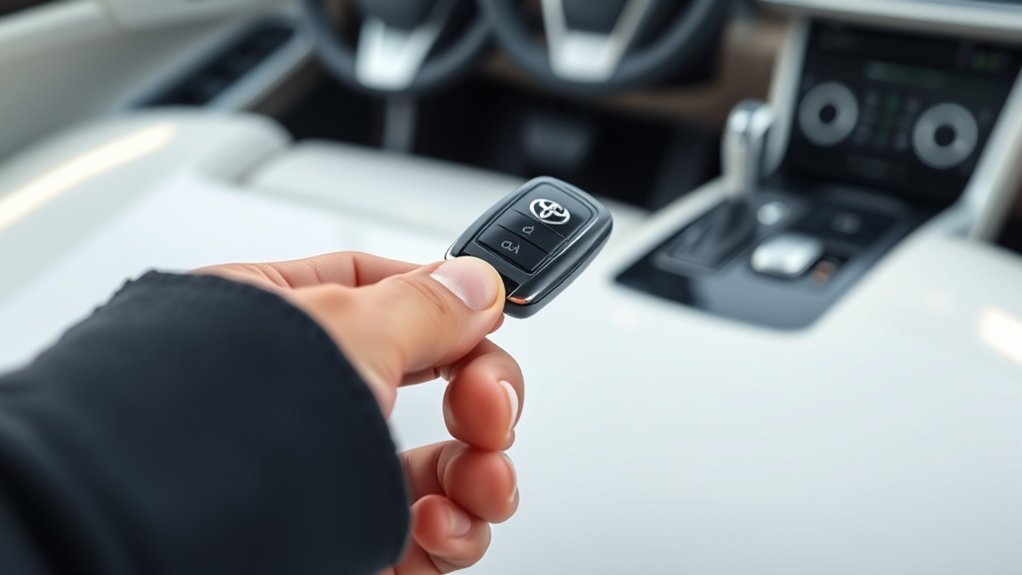
After replacing the battery, test the key fob before you leave your tools behind. Stand close to the Camry and press the lock and unlock buttons. The doors should respond right away. If your fob has trunk release, panic, remote start, or an indicator light, test those functions too.
- Press lock and confirm the doors lock.
- Press unlock and confirm the doors unlock.
- Move several feet away and test again to confirm range has improved.
- For push-button-start models, enter the vehicle and confirm the smart key is detected.
If the vehicle responds normally, the replacement is complete. If it still does not respond, move to the troubleshooting section below.
Common Key Fob Troubleshooting
If your Toyota Camry key fob still does not work after a new battery, the problem is usually battery orientation, fit, dirt, or a damaged fob rather than lost programming.
| Problem | Likely Cause | Fix |
|---|---|---|
| No response from any button | Battery upside down or wrong battery type | Reopen the fob and match the +/− orientation and battery number |
| Works only when squeezed | Loose battery or case not fully snapped shut | Reseat the battery and press the case closed evenly |
| Buttons feel stuck | Button pad shifted during reassembly | Open the case and realign the rubber button pad |
| Short range after replacement | Weak new battery, dirty contacts, or interference | Try a fresh name-brand battery and clean contacts gently with a dry cotton swab |
| Still does not work | Damaged circuit board, worn buttons, vehicle receiver issue, or wrong fob | Check the owner’s manual or contact a Toyota dealer or qualified automotive locksmith |
Warning: Do not bend the battery contacts to “make it fit.” Bent terminals can cause intermittent power or permanent fob damage.
Tips for Key Fob Maintenance and Longevity
A Toyota Camry key fob battery often lasts around 1–3 years depending on the fob type, usage, storage temperature, and battery quality. You can help the fob last longer with a few simple habits.
Regular Battery Checks
- Replace the battery when range drops instead of waiting for total failure.
- Keep a spare correct battery at home if your fob has started acting weak.
- Check both key fobs if your Camry came with a primary and backup remote.
Clean Key Fob Periodically
Wipe the outside of the fob with a soft, slightly damp cloth. Do not soak it, spray cleaner into the buttons, or use harsh chemicals. When changing the battery, remove visible lint or dust from the battery area with a dry cotton swab or gentle air puffs.
| Maintenance Task | Frequency | Purpose |
|---|---|---|
| Wipe the exterior | Monthly or as needed | Keeps grime away from the buttons |
| Inspect for cracks | Every few months | Helps prevent moisture from entering the fob |
| Clean battery area | Every battery change | Improves battery contact and fit |
| Recycle or dispose of old battery safely | Every battery change | Keeps lithium coin batteries out of unsafe places |
Note: Follow local battery disposal rules. The U.S. EPA recommends checking local guidance for used household batteries, and lithium batteries may need to be taped or bagged before recycling or drop-off.
Frequently Asked Questions
What battery does a Toyota Camry key fob take?
Many 2017–2024 Toyota Camry key fobs use a CR2032 lithium coin battery, but newer Camry electronic keys, including the 2025 Camry Hybrid key, may use CR2450. Check the number printed on your old battery or confirm it in the official Toyota owner’s manual for your model year.
How often should I replace my Camry key fob battery?
Plan on replacing it about every 1–3 years, depending on your fob type, how often you use it, and where it is stored. Replace it sooner if range drops, the buttons become inconsistent, or your Camry displays a key battery warning.
Can I use CR2032 instead of CR2450?
No. Use the battery type specified for your exact fob. CR2032 and CR2450 are different sizes, and forcing the wrong battery into the tray can damage the terminals, prevent the case from closing, or make the fob unreliable.
What if my key fob still does not work after replacing the battery?
Recheck the battery number, polarity, and seating. Make sure the case is fully snapped shut and the button pad is aligned. If it still fails, the fob may have damaged contacts, a worn button pad, a circuit issue, or a vehicle-side receiver problem.
Does replacing the battery affect my key fob programming?
Usually, no. A normal battery replacement should not erase the fob’s programming. If the fob stops working after replacement, check the battery and case alignment first before assuming it needs reprogramming.
Where can I buy a Toyota Camry key fob battery?
You can buy CR2032 and CR2450 lithium coin batteries at many Toyota dealers, electronics stores, pharmacies, hardware stores, camera shops, and online retailers. Match the battery number before buying.
Can I still unlock my Camry if the key fob battery is dead?
Yes, most Camry smart key fobs include a mechanical key that can unlock the driver’s door. For push-button-start models, consult your owner’s manual for the exact emergency start procedure for your model year.
Conclusion
Replacing a Toyota Camry key fob battery is a simple job when you slow down and verify the battery first. Use the exact battery type printed on your old cell or listed in your Toyota owner’s manual, install it with the correct polarity, snap the case closed evenly, and test the doors before you put the tools away. If the fob still does not respond after a careful replacement, the issue may be a damaged fob, dirty contacts, or a vehicle-side problem rather than the battery itself.
Sources
- Toyota Owners Manuals and Warranties — official Toyota manual lookup by model year.
- Toyota 2025 Camry Hybrid Electronic Key Battery — CR2450 battery, replacement notes, and battery safety warnings for the 2025 Camry Hybrid electronic key.
- Toyota Camry XV70 Owner’s Manual: Wireless Remote Control/Electronic Key Battery — CR2032 battery procedure for 2017–2024 Camry manual content.
- U.S. Consumer Product Safety Commission: Button Cell and Coin Batteries — safety guidance on coin/button battery ingestion hazards.
- U.S. EPA: Used Household Batteries — household battery recycling and disposal guidance.