Last updated: August 16, 2026. This update corrects the Tacoma VIN position guide, separates VIN decoding from factory build-sheet data, and adds Toyota and NHTSA lookup guidance.
A Toyota Tacoma VIN build sheet starts with your truck’s 17-character Vehicle Identification Number, but the VIN and the build sheet are not the same thing. The VIN identifies the truck. Toyota can then use that VIN to retrieve additional vehicle specifications and installed equipment. As a general guide, positions 1–3 form the World Manufacturer Identifier, positions 4–8 form the Vehicle Descriptor Section, position 9 is the check digit, position 10 identifies the model year, position 11 can identify the assembly plant under Toyota’s applicable coding, and positions 12–17 form the production sequence. The exact meaning of positions 4–8 can change with Toyota’s model-year coding, so do not use one Tacoma generation’s character chart for every Tacoma.
Quick Answer: How to Read a Toyota Tacoma VIN Build Sheet
Use the VIN itself for identification, then use a VIN-specific lookup for the exact truck. The safest sequence is:
- Find the full 17-character VIN on the dashboard, driver-side door jamb, registration, or insurance card.
- Read positions 1–3 as the WMI, which identifies the manufacturer and vehicle type through an assigned code.
- Treat positions 4–8 as the VDS. These describe vehicle attributes, but their exact Toyota meaning depends on the applicable model-year coding.
- Use position 9 as the check digit, position 10 for model year, and the remaining positions for plant and production identification under the manufacturer’s coding.
- Use the full VIN in Toyota’s vehicle-specification lookup when you need factory specifications or installed equipment rather than trying to infer every option manually from the characters.
| VIN Position | General Purpose | What to Remember for a Tacoma |
|---|---|---|
| 1–3 | World Manufacturer Identifier | Read the three-character WMI together. Tacoma WMI codes vary by production source. |
| 4–8 | Vehicle Descriptor Section | Vehicle attributes such as body, powertrain, restraint, series, or line can appear here. Exact character meanings depend on Toyota’s applicable coding. |
| 9 | Check digit | A calculated validation character used to help detect an incorrectly recorded VIN. |
| 10 | Model year | Uses the standardized model-year code sequence. |
| 11 | Plant information | Toyota Tacoma coding documents can use this position for the assembly plant. |
| 12–17 | Production sequence | Sequential manufacturing identification for the individual truck. |
How to Locate Your Toyota Tacoma’s VIN
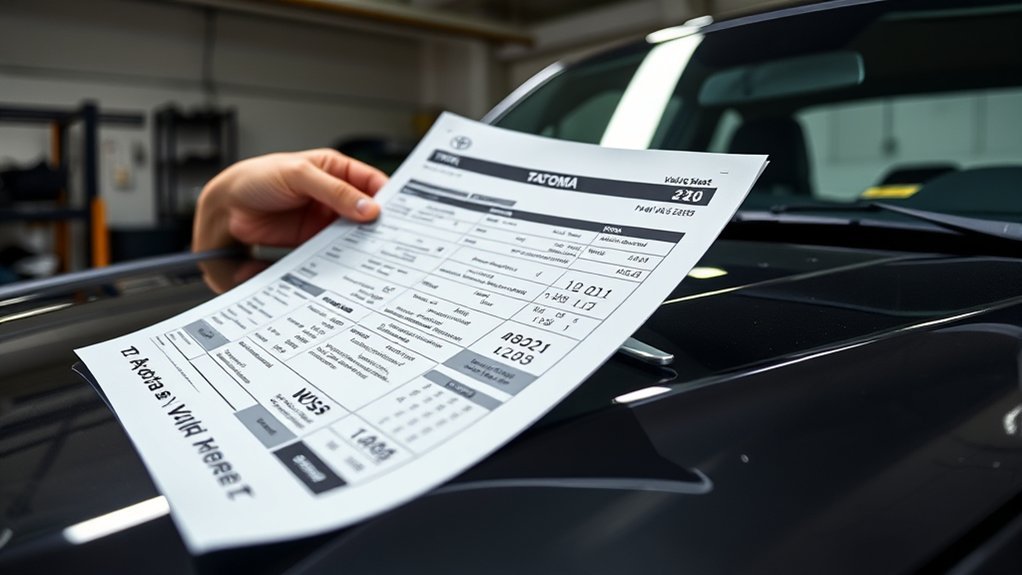
The easiest places to find your Toyota Tacoma VIN are the driver-side dashboard and driver-side door jamb. Toyota also lists the VIN on vehicle registration and insurance documents.
From outside the truck, look through the lower driver-side windshield for the dashboard VIN plate. Open the driver’s door to check the certification label on the door jamb. Compare the VIN you find on the truck with the VIN on your paperwork before using a decoder, ordering parts, or researching a used Tacoma.
Avoid relying on an unofficial VIN location when the dashboard plate, certification label, registration, or insurance document is available. If two VIN records do not match, stop and verify the truck’s identity before making a purchase or ordering vehicle-specific parts.
Is a Tacoma VIN the Same as a Build Sheet?
No. The VIN is the truck’s identifier; a build sheet or vehicle-specification record is additional information associated with that VIN. Toyota’s Vehicle Specification tool says a 17-character VIN can be used to retrieve information such as the vehicle’s year, color, technical specifications, and installed optional equipment.
This distinction matters because not every factory option can be decoded by simply translating one VIN character. If you need to confirm a package, original equipment, color, cab configuration, drivetrain, or another factory-installed feature, use the complete VIN in a manufacturer-backed specification lookup rather than relying on a generic character chart.
Understanding the Structure of a VIN
A modern U.S.-market Toyota Tacoma uses a 17-character VIN. Federal VIN rules divide those characters into identification and vehicle-description sections, while the manufacturer supplies the information needed to interpret its vehicle-specific codes.
Positions 1–3 are the World Manufacturer Identifier (WMI). Positions 4–8 form the Vehicle Descriptor Section (VDS). Position 9 is the check digit, and position 10 identifies the model year. Toyota’s Tacoma coding documents can then use position 11 for the manufacturing plant and positions 12–17 for the serial or production sequence.
Important: Do not assume every Toyota or every Tacoma generation assigns the same feature to the same character within positions 4–8. Toyota’s model-year-specific manufacturer data is the safer source when you need an exact decode.
Decoding Make and Model: The First Three Digits
The first three characters should be read together as the World Manufacturer Identifier. They identify the manufacturer and vehicle type through an assigned WMI rather than functioning as a permanent “first digit means this, second digit means that” Tacoma formula.
Key VIN Components Explained
Tacoma WMI codes vary with the manufacturing source. For example, Toyota’s June 2019 Tacoma VIN filing listed:
- 5TF: Toyota Motor Manufacturing, Texas, Inc., truck.
- 3TM: Toyota Motor Manufacturing de Baja California, truck.
Those examples demonstrate why you should decode all three WMI characters together. They are examples from Toyota’s 2019 filing, not a complete code list for every Tacoma model year.
Manufacturer Identification Codes
The WMI is most useful for confirming the manufacturing organization and vehicle type. Do not reject a Tacoma because its VIN does not begin with a particular letter or number you saw in a generic Toyota VIN guide. Tacoma production locations and WMI assignments have changed across its history.
For the exact truck, enter the complete VIN into the NHTSA VIN Decoder. NHTSA states that its decoder displays manufacturer-reported VIN information, including plant information when available.
Model Specifications Overview
Use the first three characters to establish the WMI, then use the remaining VIN and manufacturer data to identify the exact Tacoma. Do not expect the WMI alone to tell you the truck’s full trim, engine, transmission, bed, packages, and individual options.
What Does the Fourth Digit of a Toyota Tacoma VIN Mean?
The fourth VIN character does not have one universal Tacoma meaning across every model year. It is the first character of the Vehicle Descriptor Section, so its interpretation depends on Toyota’s coding for the applicable vehicle.
For example, Toyota’s June 2019 Tacoma VIN filing identifies the fourth position as Body Type & Grade. The same filing places engine information in position 5 and restraint-device information in position 6. That is why a generic claim that “the fourth digit always identifies Tacoma safety equipment” can produce the wrong answer.
Safety Feature Codes Explained
Safety and restraint information can be encoded within the Vehicle Descriptor Section, but use Toyota’s model-year-specific decoding data for the truck in question. In Toyota’s 2019 Tacoma filing, the sixth position represents restraint devices and their locations.
Do not interpret VIN letters or numbers as safety scores. A character identifies a configuration; a larger number or later letter does not automatically mean a safer truck.
Importance of Safety Features
If you need to confirm airbags, restraint equipment, active safety technology, or an open safety recall, use the complete VIN with Toyota or NHTSA rather than trying to rank a single VIN character. VIN data helps identify the truck, while current safety equipment and recall status should be checked against vehicle-specific records.
Enhancements in Recent Models
Tacoma safety equipment and vehicle-description coding have changed between generations. That makes model year especially important when comparing two trucks. Decode the complete VIN first, confirm the model year and configuration, and then compare the safety equipment listed for those specific trucks.
How to Identify Trim Levels and Engine Types
Positions 4–8 contain manufacturer-defined vehicle-description data, but you should not use one fixed Tacoma code chart for every generation. In Toyota’s 2019 Tacoma filing, position 4 covered body type/grade, position 5 identified the engine, position 6 covered restraints, position 7 represented series, and position 8 identified the Tacoma line.
Powertrain choices also change by generation. Current 2026 Tacoma models use Toyota’s 2.4-liter turbocharged i-FORCE powertrain or available 2.4-liter turbocharged hybrid i-FORCE MAX powertrain, so an older guide that only asks whether a Tacoma has a four-cylinder or V6 is not sufficient for a current truck.
For exact trim and equipment verification, use the full VIN in Toyota’s vehicle-specification system. This is safer than assuming that one VIN character independently identifies every trim package or transmission option.
Understanding the Role of the VIN Check Digit
Position 9 is the VIN check digit. It is a calculated validation character designed to help detect a VIN that has been copied or entered incorrectly.
- Validation: The character is calculated from the VIN using assigned character values and weighting factors.
- Error detection: A decoder can compare the expected check digit with the character actually present in position 9.
- Not a vehicle specification: Position 9 does not identify the Tacoma’s engine, trim, package, or model year.
A failed check-digit calculation can indicate a typing error or an invalid VIN, but it is not by itself proof of fraud. Recheck every character against the VIN plate before drawing a conclusion.
What the Tenth Digit Tells You About Model Year?
Position 10 identifies the vehicle model year. The model-year code follows the standardized VIN sequence rather than a simple uninterrupted alphabet.
Model Year Codes Explained
Recent Tacoma model-year codes include:
| 10th Character | Model Year |
|---|---|
| L | 2020 |
| M | 2021 |
| N | 2022 |
| P | 2023 |
| R | 2024 |
| S | 2025 |
| T | 2026 |
VINs do not use the letters I, O, or Q. The model-year sequence also skips some additional letters, so do not determine the year by simply counting forward through every letter of the alphabet.
Impact on Vehicle Features
The model year helps you choose the correct Tacoma specifications, service information, recalls, and parts catalog. It does not prove every feature by itself. Two Tacomas from the same model year can have different trims, cab configurations, drivetrains, packages, and factory equipment.
Importance for Parts Ordering
Use the model year as one compatibility filter, then verify the remaining vehicle configuration with the complete VIN. This is especially important when a part changes by engine, drivetrain, cab, bed length, production plant, or build date.
For chassis dimensions that also vary by Tacoma configuration, see the Toyota Tacoma wheelbase guide, which explains why the build sheet or window sticker can be more direct than a VIN character alone for some specifications.
Understanding the Serial Number in Your Toyota Tacoma VIN
For Toyota’s Tacoma coding example, position 11 identifies the plant of manufacture, while positions 12–17 form the individual truck’s production sequence.
The production sequence helps distinguish one vehicle from another, but it is not a miniature build sheet. Do not expect the final six characters alone to reveal the engine, paint, suspension package, or trim. Those details come from the complete VIN and the manufacturer records associated with it.
How to Get a Toyota Tacoma Build Sheet From the VIN
If your goal is factory equipment rather than manual character decoding, use the full VIN as the lookup key.
- Copy the VIN exactly. Confirm all 17 characters against the dashboard plate or driver-side label.
- Use Toyota’s Vehicle Specification tool. Toyota states that its VIN lookup can return information such as the year built, color, technical specifications, optional equipment, and other vehicle information.
- Run the VIN through NHTSA as a second check. NHTSA’s decoder provides manufacturer-reported VIN data and can identify the plant of manufacture.
- Compare the results with the truck. Check cab style, drivetrain, powertrain, trim-related equipment, paint, and visible factory hardware.
- Use a separate history source when needed. Factory specifications are not the same thing as accident, title, ownership, or complete service history.
Toyota’s official Vehicle Specification lookup is available at Toyota Vehicle Specification. NHTSA provides its public decoder at NHTSA VIN Decoder.
Why You Should Care About Your VIN for Maintenance and Parts?
Your Toyota Tacoma VIN is useful because it lets a parts catalog, service system, recall database, or manufacturer lookup identify the exact truck more precisely than model name alone.
Use the full VIN as an identification key, but confirm the returned engine, drivetrain, cab, production information, and option data before ordering a vehicle-specific part.
- Parts compatibility: The complete VIN helps narrow parts when Tacoma components differ by generation, engine, drivetrain, cab, plant, or production change.
- Recall checks: VIN-based recall tools can determine whether the individual truck is included in an open campaign.
- Service records: Matching the VIN on invoices and service records helps confirm that the paperwork belongs to the same truck.
If you are evaluating maintenance history before buying a used truck, the Toyota Tacoma service-records guide explains how to match mileage, repairs, receipts, and VIN records.
How to Use a VIN Decoder for Quick Insights
Enter all 17 characters into a reputable decoder rather than trying to manually translate every position from a generic chart. NHTSA’s public VIN Decoder is a strong starting point because its displayed VIN information is reported by the manufacturer.
Use the decoder to confirm basic vehicle identification, model year, manufacturer-reported specifications, and plant data when available. Then use Toyota’s own specification lookup when you need additional factory-equipment information.
A VIN decoder is not the same as a complete vehicle-history report. Accident history, title brands, prior ownership, odometer events, and service history can require separate databases and supporting records. When buying a used Tacoma, compare VIN data with the physical truck, title paperwork, service records, and an independent inspection.
Frequently Asked Questions
How to Interpret Toyota VIN?
Start by confirming that the VIN contains 17 characters. Read positions 1–3 as the WMI, positions 4–8 as the manufacturer-defined Vehicle Descriptor Section, position 9 as the check digit, and position 10 as the model-year code. For a Tacoma-specific interpretation of the remaining vehicle-description characters, use Toyota or NHTSA data for the exact VIN and model year rather than a universal character chart.
Can I Get a Toyota Tacoma Build Sheet From the VIN?
You can use the VIN to retrieve Toyota vehicle-specification data. Toyota says its VIN lookup can provide the year, color, technical specifications, optional equipment, and other vehicle information. Availability can depend on the vehicle and data Toyota has for that VIN.
Can a Tacoma VIN Tell Me the Trim?
The complete VIN can help a manufacturer or decoder identify trim or series information when that data is available. Do not assume one individual character always equals SR, SR5, TRD Sport, TRD Off-Road, Limited, Trailhunter, or TRD Pro across every Tacoma generation. Confirm the full VIN against Toyota’s vehicle-specific records.
Where Is the VIN on a Toyota Tacoma?
Check the driver-side dashboard where the number can be read through the windshield and the label on the driver-side door jamb. The VIN is also listed on registration and insurance documents.
Does a VIN Decoder Show Accident History?
Not necessarily. A VIN decoder identifies vehicle information associated with the VIN. A complete accident, title, odometer, ownership, or service history can require a separate vehicle-history source. Treat factory specifications and historical records as two different checks.
Can I Check Toyota Tacoma Recalls With the VIN?
Yes. Use a VIN-based Toyota or NHTSA recall lookup to determine whether the individual Tacoma has an open safety recall. Checking by VIN is more useful than assuming every truck from a model year is affected.
References
- NHTSA VIN Decoder — U.S. National Highway Traffic Safety Administration.
- NHTSA vPIC VIN Decoder — manufacturer-reported VIN decoding data.
- Toyota Vehicle Specification — VIN-based Toyota specifications and equipment lookup.
- Toyota Tacoma Vehicle Identification Number Coding System, June 2019 — Toyota manufacturer filing hosted by NHTSA.
- 2026 Toyota Tacoma — current Toyota powertrain and trim information.
Conclusion
Your Toyota Tacoma VIN is most useful as a vehicle-specific lookup key, not as a universal code that can be decoded with one chart for every generation. Start with the WMI, VDS, check digit, model-year code, plant information, and production sequence, but verify model-year-specific character meanings through Toyota or NHTSA.
If you need a Tacoma build sheet or factory-option information, copy the complete 17-character VIN and run it through Toyota’s Vehicle Specification lookup. Use NHTSA as a second source for manufacturer-reported VIN data and plant information. Then compare those records with the actual truck before ordering parts, evaluating a used Tacoma, or assuming a particular trim or package is factory-original.