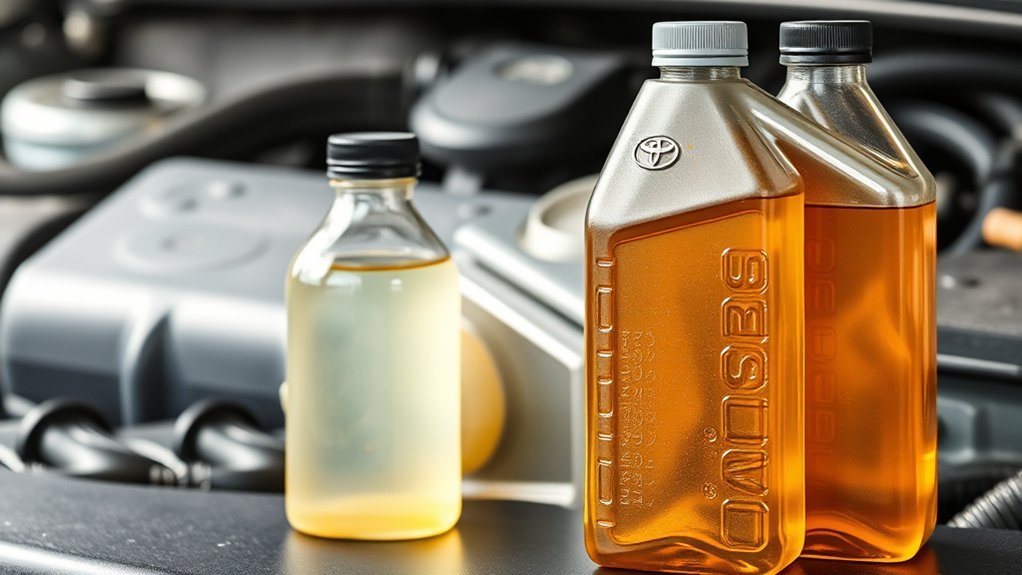
Keeping a Toyota RAV4 maintenance log is one of the easiest ways to protect your vehicle, your warranty, and your resale value. The best log does not need to be complicated: it should show when the work was done, the mileage, what service was performed, which parts or fluids were used, who did the work, and where the receipt is stored.
Quick Answer
To keep a maintenance log for your Toyota RAV4, record the service date, mileage, work performed, parts and fluids used, service provider, cost, and receipt location after every maintenance task. Use Toyota’s maintenance guide for your model year, then set mileage and calendar reminders so you never miss key service intervals.
Key Takeaways
- Use your exact RAV4 model year, trim, and powertrain schedule instead of relying on a generic mileage rule.
- Log every service with the date, mileage, task, parts, fluids, cost, and receipt.
- Keep both a digital backup and original receipts when possible.
- Toyota recommends keeping detailed maintenance records, especially if you sell the vehicle later.
- A complete log helps you spot repeat problems, prepare for warranty questions, and show future buyers the vehicle was cared for.
At a Glance
| Time Required | 10–20 minutes to set up; 2–5 minutes after each service |
| Difficulty | Easy |
| Tools Needed | Spreadsheet, notebook, maintenance app, receipt folder, phone camera, or cloud storage |
| Cost | Free to low cost, depending on the app or storage method you choose |
How Keeping a Maintenance Log Saves You Money and Hassle

A maintenance log helps you stay ahead of routine service instead of reacting to problems after they become expensive. When you can see the last oil change, tire rotation, filter replacement, brake inspection, and fluid check at a glance, it is much easier to plan the next service before wear turns into a repair.
Toyota’s own warranty and maintenance materials tell owners to keep detailed maintenance records, including the date of service, mileage, and a description of the service or parts installed. Toyota also notes that maintenance records should be given to the next owner if the vehicle is sold. You can review Toyota manuals and warranty guides through the official Toyota Owners manuals and warranties page.
A good RAV4 maintenance log is not just a list of repairs. It is proof of care, a reminder system, and a resale tool in one simple record.
For warranty peace of mind, your log can also help show that maintenance was done on time. Toyota’s warranty guide explains that damage caused by lack of proper maintenance is not covered, even though Toyota says it will not deny a claim solely because you do not have records. In plain English: records are not the only thing that matters, but they can make a service history much easier to explain.
Note: Do not use a blog, forum, or dealer checklist as your only schedule. Always check the maintenance guide for your exact RAV4 model year and powertrain, because gas, hybrid, and plug-in hybrid models can have different tasks.
Choosing the Right Tools for Documenting Your RAV4 Maintenance
The best tool is the one you will actually update. Some owners prefer a spreadsheet because it is flexible. Others like an app because it can send reminders. A paper notebook still works well if you keep it in the glovebox and store receipts safely.
[Products Worth Considering]

The ANCEL AD410 PRO combines engine diagnostics and 12V battery testing in one easy-to-use tool, helping you read and clear check engine codes while checking battery health, cranking, and charging performance. It also provides live data, freeze frame details, and I/M readiness checks to help you diagnose issues faster and prepare for emissions testing. With plug-and-play operation, a clear screen, and broad vehicle compatibility, it is a practical solution for home mechanics and everyday drivers.
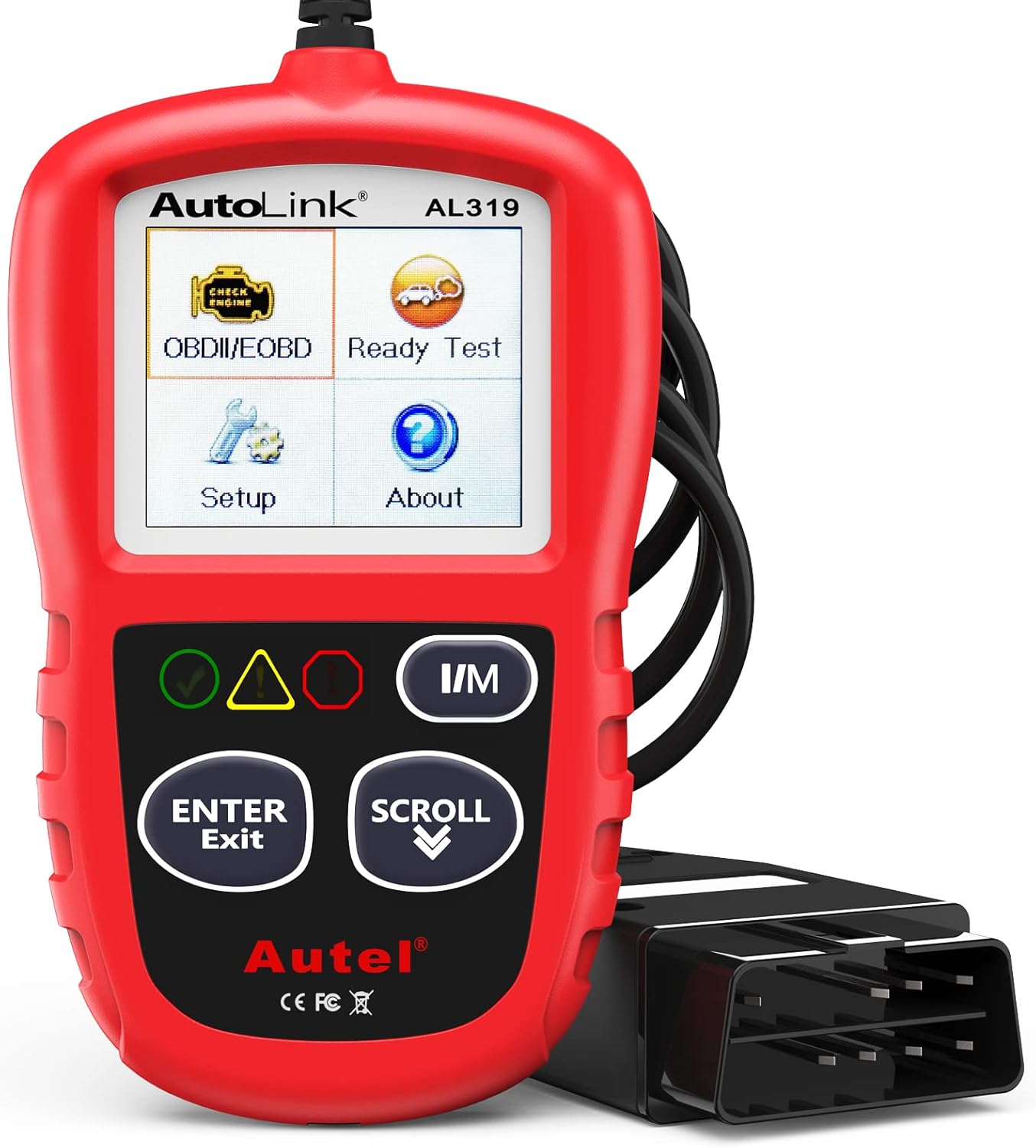
The Autel AL319 is a user-friendly OBD2 scan tool designed to help drivers quickly diagnose check engine light issues and understand vehicle fault codes. It supports reading and clearing DTCs, live data, freeze frame, I/M readiness, and vehicle information, making it a practical choice for DIYers and everyday car owners. With plug-and-play operation, a color display, built-in speaker, and broad vehicle compatibility, it delivers fast, reliable diagnostics without complicated setup.

Protect your Toyota Tundra CrewMax with custom-fit floor mats designed for precise coverage and everyday durability. Built from flexible TPE with a high-wall design, these liners help contain rain, snow, mud, and spills while offering a secure, non-slip fit. They are easy to remove and clean, making them a practical upgrade for keeping your truck’s interior neat and protected.
Digital vs. Paper Records
Digital records are easier to search, back up, and share. A simple spreadsheet can track dates, mileage, service types, costs, parts, fluids, tire positions, and receipt links. Cloud storage also lets you save photos of invoices, oil labels, odometer readings, and DIY parts receipts.
Paper records are simple and quick. A small notebook in the glovebox makes it easy to write down service notes while you are at a repair shop or finishing a DIY job in the driveway. The downside is that paper can be lost, damaged, or hard to search later.
A hybrid setup is often best: keep the original receipts in a folder, take photos of them, and enter the key details into a spreadsheet or app. That gives you both proof and convenience.
Recommended Tracking Apps and Simple Alternatives
Maintenance apps such as Simply Auto, fuel-tracking tools such as Fuelly, and web-based logs can make recordkeeping easier if you want reminders and quick mobile access. Toyota owners should also create or use a Toyota owner account when available, because dealer-performed service may be easier to view there.
If you do not want another app, use a spreadsheet with these columns:
- Date
- Mileage
- Service performed
- Parts used
- Fluid brand, type, and viscosity where applicable
- Service provider or DIY
- Cost
- Receipt number or file link
- Next service due by mileage
- Next service due by date
- Notes or follow-up items
Pro Tip: Name receipt photos with the date and mileage, such as 2026-03-12_42350mi_oil-change.jpg. That one habit makes old records much easier to find.
What Information to Include in Your Maintenance Records
A strong RAV4 service log should answer six questions: when the work was done, how many miles were on the vehicle, what was done, what parts or fluids were used, who did it, and where the proof is stored.
Key Maintenance Details
For every service entry, include:
- Date: The day the work was completed.
- Mileage: The odometer reading at the time of service.
- Service type: Oil and filter change, tire rotation, brake inspection, coolant service, alignment, battery test, air filter replacement, cabin filter replacement, or other work.
- Parts and fluids: Record part numbers, brands, oil viscosity, coolant type, brake fluid type, and filter numbers when available.
- Service provider: Dealer, independent shop, tire shop, or DIY.
- Cost: Include labor, parts, taxes, fees, and discounts.
- Receipt location: Folder name, file name, app upload, or cloud link.
- Next due: The next mileage or date when the item should be checked again.
- Notes: Anything unusual, such as uneven tire wear, brake noise, fluid seepage, warning lights, or a recommended follow-up.
Date and Mileage Logs
Date and mileage are the two most important pieces of information in your maintenance log. Toyota schedules maintenance by time and mileage because some parts age even when the vehicle is not driven much. For example, a low-mileage RAV4 may still need time-based inspections, fluid checks, or filter replacements.
For the cleanest record, write both the mileage and the date every time. Do this even for small tasks such as replacing wiper blades or checking tire pressure. Small entries build a complete picture of how the vehicle has been cared for.
Service Type Documentation
Be specific when describing the service. “Maintenance done” is too vague. “Changed engine oil and filter, rotated tires, inspected brakes, checked fluids, replaced cabin air filter” is much better.
If the service was done by a shop, keep the invoice. If it was DIY, keep the parts receipt and write down the part number, fluid type, and quantity used. For fluids, record the exact specification listed on the container and make sure it matches your owner’s manual or maintenance guide.
Warning: Do not guess fluid types or service intervals. Using the wrong oil, coolant, brake fluid, transmission fluid, or differential fluid can cause damage and may create warranty problems if the wrong product causes a failure.
Structuring Your Maintenance Log for Easy Access
A maintenance log is most useful when it is easy to read quickly. Keep the newest entries at the top if you use a document, or use sortable columns if you use a spreadsheet.
Here is a simple structure that works well for most RAV4 owners:
| Section | What to Track | Why It Helps |
|---|---|---|
| Routine Maintenance | Oil, filters, tire rotations, inspections, fluid checks | Shows you followed the regular schedule |
| Repairs | Parts replaced, symptoms, diagnostic results | Helps identify repeat issues |
| Tires | Rotation, tread depth, pressure, alignment, purchase date | Improves safety and tire life |
| Warranty and Recalls | Dealer visits, warranty repairs, recall completion | Creates a clear ownership history |
| Receipts | Invoice number, photo link, paper folder location | Makes proof easy to find |
Use one folder for the vehicle and separate subfolders by year. For example:
- RAV4 Maintenance Records
- 2026 Receipts
- 2026 Tire Records
- Warranty and Recall Documents
- DIY Parts Receipts
Effective Strategies for Setting Service Reminders

Service reminders are what turn a log from a record of the past into a plan for the future. The easiest system is to track both mileage and dates, because your RAV4 may hit one before the other.
Utilize Digital Tools
Maintenance apps, spreadsheets, and calendar reminders can all work. The key is to set reminders for the next service as soon as you finish the current one. After an oil change, tire rotation, or inspection, immediately enter the next due date and mileage.
If you use a spreadsheet, add two columns: “Next Due Mileage” and “Next Due Date.” You can also add a status column with labels such as “Done,” “Due Soon,” and “Overdue.”
Set Calendar Alerts
Create recurring calendar reminders for time-based checks, such as monthly oil-level checks, tire pressure checks, and seasonal wiper or battery inspections. For mileage-based maintenance, set a reminder to check your odometer every month and compare it with your log.
When setting an alert, include the task in the calendar note. For example: “Check RAV4 maintenance log: tire rotation, brake inspection, fluid levels, and next oil-change mileage.”
Track Maintenance Intervals
Toyota maintenance schedules are usually organized by mileage and months. Many RAV4 maintenance checkpoints occur at regular mileage/time intervals, but the exact work at each visit can vary by model year, engine, hybrid system, and driving conditions.
Common severe or special operating conditions can include frequent short trips in freezing weather, dusty roads, towing, car-top carrier use, heavy loading, extensive idling, or low-speed operation. If your driving matches those conditions, your maintenance guide may call for extra inspections or shorter service intervals.
Note: If a dealer recommends services beyond the Toyota scheduled maintenance log, ask them to show where that item appears in the official guide or explain why your driving conditions justify it.
Choose Between Digital Platforms and Traditional Methods
Digital platforms are best if you want reminders, receipt photos, search, and easy sharing. Traditional paper logs are best if you want something simple that stays with the vehicle. A spreadsheet sits in the middle: it is free, customizable, and easy to print.
Here is how to choose:
- Use an app if you want automatic reminders, phone access, and easy fuel or expense tracking.
- Use a spreadsheet if you want full control over categories, costs, and sorting.
- Use a notebook if you prefer paper and want the log in the glovebox.
- Use a folder system if your main goal is saving receipts and warranty paperwork.
- Use a hybrid system if you want the safest long-term record.
The hybrid system is the strongest option for most owners: paper receipts in a folder, photos in cloud storage, and a spreadsheet or app for quick review.
[Products Worth Considering]

The JACO ElitePro Digital Tire Pressure Gauge delivers shop-grade accuracy with a clear digital readout, making it easy to maintain proper tire pressure for safer driving and better performance. Built with rugged brass and steel components, a protective guard, and a flexible air hose, it is designed for reliable use across cars, trucks, motorcycles, bikes, RVs, and trailers. The lock-on display, built-in bleeder valve, and bright backlit screen add convenience in any lighting condition.

This cabin air filter replacement helps keep the air inside your vehicle cleaner and fresher for driver and passengers. Designed for broad fitment across Toyota, Lexus, Subaru, and Mazda models, it supports improved HVAC performance and includes soda and carbon filtration for odor reduction. It is a practical maintenance part with a recommended replacement interval for continued cabin comfort.
The Importance of Keeping Receipts and Documentation
Receipts prove the details your log summarizes. A good invoice may show the date, mileage, shop name, technician notes, part numbers, labor performed, and fluid specifications. That is much stronger than a note that simply says “service done.”
For DIY work, save:
- Parts-store receipts
- Online order confirmations
- Photos of the odometer
- Photos of the parts or fluids used
- Notes showing the date, mileage, and task completed
- Any torque specs or procedures you followed from the manual
Federal warranty law is often discussed in connection with maintenance and dealer service. The Federal Trade Commission’s Businessperson’s Guide to Federal Warranty Law explains the Magnuson-Moss Warranty Act and warranty rules. For owners, the practical takeaway is simple: keep records, follow the manufacturer schedule, and use parts and fluids that meet the required specifications.
How to Use Online Resources for RAV4 Maintenance Tracking

Online resources can help you confirm the correct maintenance schedule, store records, and check whether safety recalls are open on your vehicle.
| Resource | Purpose |
|---|---|
| Toyota Owners | Access owner’s manuals, warranty guides, and available vehicle information |
| Toyota Warranty & Maintenance Guide | Confirm scheduled maintenance tasks for your model year |
| Maintenance Tracking App | Log service, costs, mileage, and reminders |
| Spreadsheet | Create a custom log with receipt links and next-service dates |
| NHTSA Recalls | Check open safety recalls by VIN |
It is also smart to check the official NHTSA recalls tool a couple of times a year. Add any recall inspection or repair to your maintenance log, even if the repair was free, because it is part of your RAV4’s service history.
Step-by-Step: How to Build Your RAV4 Maintenance Log
Follow these steps to create a log that is useful from the first entry.
Step 1: Find Your Official Maintenance Schedule
Go to Toyota’s official manuals and warranties page and look up your exact model year. If you own a RAV4 Hybrid or RAV4 Prime, make sure you are using the guide for that powertrain, not only a general RAV4 article.
Step 2: Create Your Log Format
Choose an app, spreadsheet, notebook, or printable form. Add columns for date, mileage, service, parts, fluids, provider, cost, receipt, and next due.
Step 3: Enter Past Service History
Gather old invoices, dealer records, tire receipts, and DIY receipts. Add as much detail as you can. If you do not know the exact mileage, use the mileage shown on the invoice or write “mileage not listed” instead of guessing.
Step 4: Save Proof
Scan or photograph receipts and store the originals. For DIY work, photograph the odometer and the parts or fluids used.
Step 5: Set Next-Service Reminders
After each entry, add the next due mileage and next due date. Then create a phone or calendar reminder.
Step 6: Review the Log Every Month
Once a month, compare your odometer with your upcoming service list. This quick check helps you avoid missed maintenance.
Sample RAV4 Maintenance Log Template
Use this sample format as a starting point:
| Date | Mileage | Service | Parts/Fluids | Provider | Receipt |
|---|---|---|---|---|---|
| 03/12/2026 | 42,350 | Oil and filter change; tire rotation | Oil type and filter part number recorded | Dealer, shop, or DIY | 2026-03-12_42350mi.pdf |
| 06/18/2026 | 47,410 | Cabin air filter replaced; brake inspection | Cabin filter part number recorded | DIY | 2026-06-18_47410mi.jpg |
You can add more columns for tire tread depth, brake pad thickness, battery test results, alignment readings, or diagnostic trouble codes if you want a more detailed record.
[Products Worth Considering]


Step-by-step procedures written from a complete teardown and rebuild, giving you the confidence to tackle repairs at any skill level.
Mistakes to Avoid in Maintenance Logging
Most maintenance logs fail because they are too vague, too scattered, or not updated consistently. Avoid these common mistakes:
- Writing only “service done”: Always describe the exact work performed.
- Skipping mileage: Mileage is essential for proving when maintenance happened.
- Losing receipts: Save paper copies and digital backups.
- Using the wrong schedule: Match the guide to your RAV4’s year and powertrain.
- Ignoring special driving conditions: Dusty roads, towing, heavy loads, and frequent short trips may require extra maintenance.
- Forgetting tire records: Track rotations, tread depth, tire repairs, and alignments.
- Not recording DIY work: DIY maintenance still belongs in the log.
- Letting dealer recommendations replace the manual: Extra services may be useful, but ask why they are needed.
Join the RAV4 Community for Tips and Tricks
RAV4 owner communities can be helpful for practical tips, maintenance reminders, and common issue patterns. Other owners may share spreadsheet ideas, app recommendations, tire wear notes, and DIY organization methods.
Use community advice as a supplement, not a replacement for your owner’s manual. Forums and social groups are great for learning how people organize records, but official Toyota documents should guide the actual maintenance schedule and fluid specifications.
What to Do When Records Are Missing
If you bought a used RAV4 without complete service records, start a clean log today. Add what you know, leave unknown items blank, and avoid inventing dates or mileage.
Then take these steps:
- Ask the seller for any remaining invoices or dealer records.
- Check whether Toyota dealer service history is available through a Toyota owner account or local dealer.
- Have a trusted mechanic perform a baseline inspection.
- Record the current mileage, fluid condition, tire condition, brake condition, battery condition, and any warning lights.
- Start following the official maintenance schedule from the current mileage forward.
A missing past record is not a reason to give up. A clean, detailed record from today forward is still valuable.
Frequently Asked Questions
How do I keep a car maintenance log for a Toyota RAV4?
Create a notebook, spreadsheet, or app-based log. For every service, record the date, mileage, work performed, parts and fluids used, service provider, cost, and receipt location. Update it immediately after each service and set the next reminder by both mileage and date.
Will my RAV4 tell me when I need an oil change?
Many RAV4 models have maintenance reminder lights or messages, but you should not rely on the dashboard alone. Use your official maintenance guide and your log to track oil changes, inspections, tire rotations, and time-based services.
What receipts should I keep for RAV4 maintenance?
Keep shop invoices, dealer records, parts receipts, fluid receipts, tire invoices, battery receipts, warranty repair paperwork, and recall completion documents. For DIY work, save the receipt and note the mileage, date, part number, and fluid specification.
Can I do my own RAV4 maintenance and still keep records?
Yes. If you do DIY maintenance, document it carefully. Record the date, mileage, task, parts, fluids, and specifications. Keep receipts and photos. Make sure the work follows Toyota’s required procedures and uses parts or fluids that meet the required specifications.
How long should I keep Toyota RAV4 maintenance records?
Keep maintenance records for as long as you own the vehicle. Toyota recommends giving maintenance records to the next owner when you sell the vehicle, so saving the full history can help with resale and future service questions.
Should I track recalls in my RAV4 maintenance log?
Yes. Recall checks and recall repairs are part of the vehicle’s history. Use the NHTSA recalls tool or Toyota owner resources to check your VIN, then record the recall date, dealer visit, campaign details, and completion paperwork in your log.
Conclusion
A Toyota RAV4 maintenance log is a small habit with a big payoff. It keeps your service history organized, helps you follow the correct schedule, protects your paperwork, and gives future buyers confidence that the vehicle was cared for properly. Whether you use an app, spreadsheet, notebook, or folder, the rule is the same: record the date, mileage, work performed, parts and fluids used, and receipt after every service. Do that consistently, and your RAV4’s history will always be easy to understand.
Sources
- Toyota Owners Manuals and Warranties — official Toyota source for owner’s manuals, warranty information, and vehicle guides.
- Toyota 2025 RAV4 Maintenance Requirements — official Toyota guidance on regular care and maintenance responsibility.
- Toyota 2024 RAV4 Prime Warranty & Maintenance Guide — supports maintenance record details, receipt recommendations, warranty responsibilities, and scheduled maintenance log guidance.
- Federal Trade Commission: Businessperson’s Guide to Federal Warranty Law — explains the Magnuson-Moss Warranty Act and federal warranty principles.
- National Highway Traffic Safety Administration Recalls Tool — official VIN-based safety recall lookup resource.