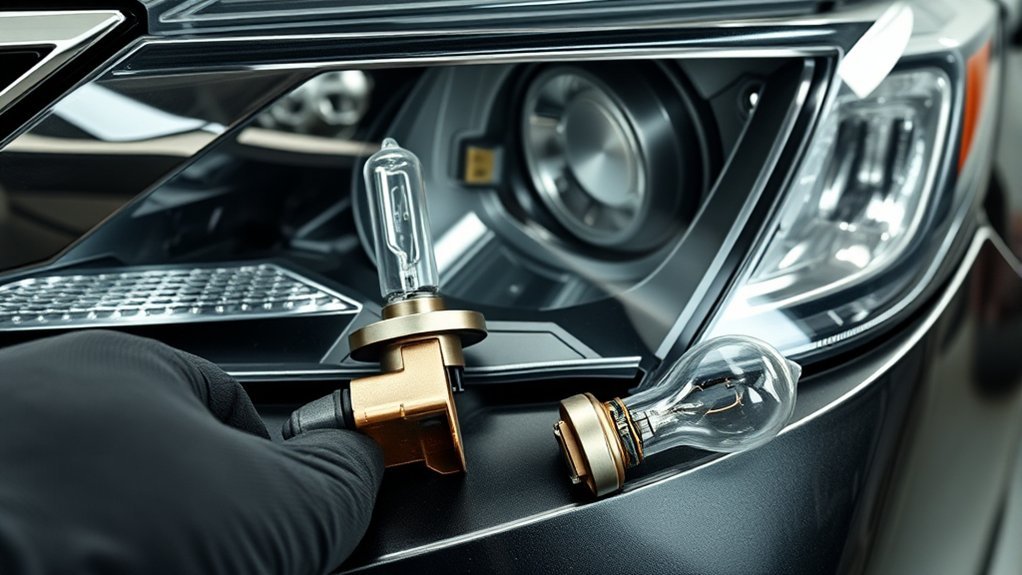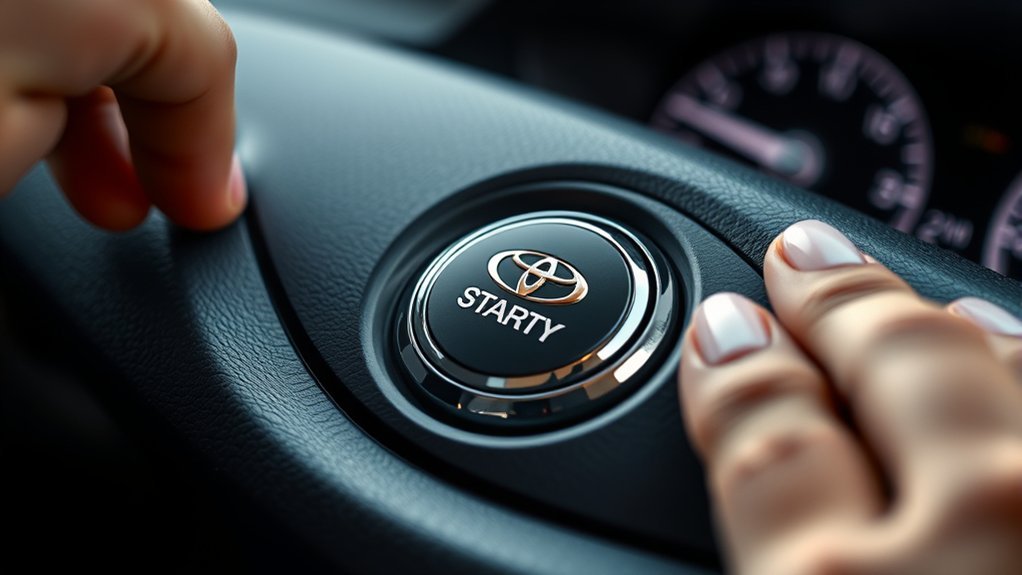
If your Toyota Camry’s push button start is not working, do not keep pressing the start switch and guessing. Most no-start problems come from one of five areas: the Smart Key/fob, the 12-volt battery, the brake-pedal interlock, the vehicle not being fully in Park, or a fault that needs scan-tool diagnosis. Start with the simple checks below, then move to the Toyota emergency-start method before calling for service.
Quick Answer
If your Camry push button start is not working, first press the brake firmly, confirm the shifter is in Park, and try the spare key fob. If the fob battery may be dead, hold the Toyota-emblem side of the fob against the start button while pressing the brake, then press the start switch.
Key Takeaways
- A weak key fob battery can stop the Smart Key system from recognizing the fob, but many Toyotas can still be started by holding the fob directly to the start switch.
- A weak 12-volt battery can light up the dash, trigger warning messages, and still fail to power the start system correctly.
- If the brake lights do not turn on when you press the brake pedal, the brake-pedal switch or related circuit may be blocking the start command.
- Do not assume an amber or yellow start-button light proves a failed button; check the message display, brake input, key detection, and owner’s manual for your model year.
- Persistent Smart Key, immobilizer, wiring, or sensor faults should be diagnosed by a Toyota dealer or qualified technician.
At a Glance
| Time Required | 5–20 minutes for basic checks; longer if battery testing or diagnostics are needed |
| Difficulty | Easy for fob, brake-light, and voltage checks; advanced for wiring or immobilizer faults |
| Tools Needed | Spare key fob, correct coin-cell battery, digital multimeter, clean cloth, battery terminal brush, owner’s manual |
| Cost | Usually $0–$15 for basic DIY checks; more if the 12V battery, brake switch, key programming, or dealer diagnostics are needed |
Warning: Work carefully around the 12-volt battery. Do not touch metal tools across the terminals, do not jump-start a damaged or leaking battery, and follow the jump-start or battery-disconnect procedure in your Camry owner’s manual. Some newer and hybrid vehicles require model-specific precautions.
Symptoms of Push Button Start Issues
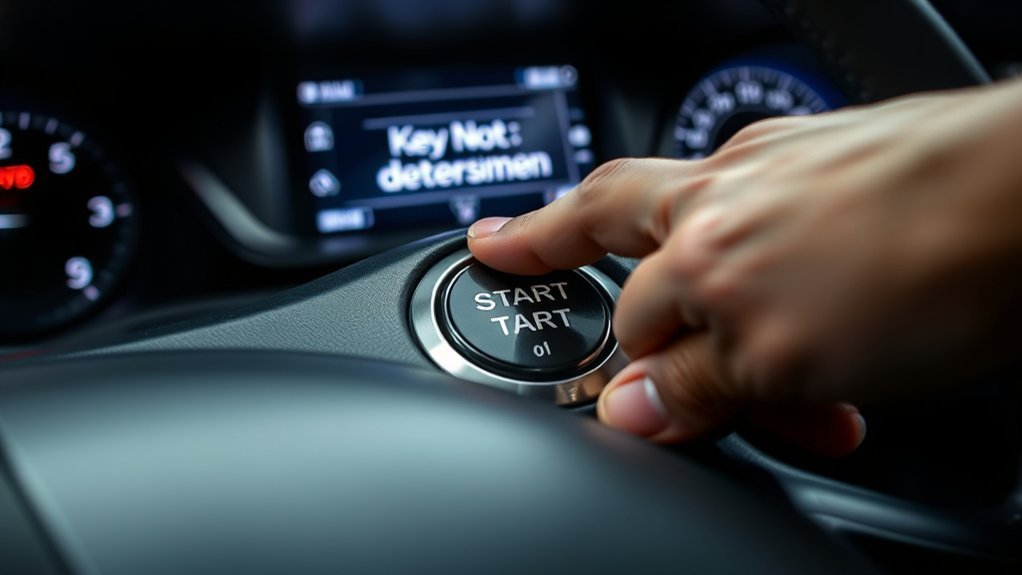
When your Camry’s push button start system malfunctions, the symptoms can look similar even when the cause is different. Use the pattern of symptoms to narrow the problem before replacing parts.
| Symptom | Likely Area to Check | What It Usually Means |
|---|---|---|
| “Key not detected” message or weak remote range | Key fob battery, spare fob, interference | The Smart Key signal may be too weak or blocked. |
| Message says to depress the brake pedal | Brake-pedal switch or brake-light circuit | The car may not be seeing the brake pedal input. |
| Dash lights flicker, multiple warnings appear, or starter clicks | 12-volt battery and battery terminals | The battery may have enough power for lights but not enough stable voltage for starting. |
| Start button changes color but the vehicle will not start | Brake input, Park position, Smart Key recognition, immobilizer | Do not diagnose by button color alone; check the display message and start conditions. |
| Hybrid Camry shows dash power but no engine sound | READY indicator | On hybrid Camrys, the gasoline engine may stay off at first. If READY is displayed, the vehicle is on. |
If the dashboard briefly illuminates when you press the fob buttons, the vehicle may be receiving some key or body-control signals, but that does not prove the fob battery, 12V battery, brake switch, or immobilizer system is healthy. Work through the checks in order.
Key Checks for Push Button Start Functionality
Before you remove panels or buy parts, confirm the basic start conditions. Toyota Smart Key vehicles are designed to start only when the vehicle recognizes the key, the brake pedal is pressed, and the transmission is in Park.
| Check | Action | Outcome |
|---|---|---|
| Key Fob Battery | Try the spare fob, then replace the coin-cell battery if range is weak or the key is not detected | Improves Smart Key recognition |
| Physical Inspection | Look for a cracked fob case, stuck buttons, moisture, or corrosion inside the fob | Confirms the fob is not damaged |
| Brake Pedal Sensor | Have someone check whether the brake lights turn on when you press the pedal | Confirms the car is likely seeing brake input |
| Push Button Cleaning | Wipe around the start switch with a clean, dry cloth; do not spray cleaner into the switch | Removes grime without flooding electronics |
| 12V Battery | Measure resting voltage and inspect terminals for looseness or corrosion | Identifies low voltage or poor electrical connection |
| Shifter Position | Confirm the shifter is fully in Park, then press the brake and try again | Rules out a simple Park/neutral safety interlock issue |
Pro Tip: If you have a second programmed key fob, try it early. If the spare fob starts the car normally, the first fob likely has a weak battery, damaged case, stuck button, or programming issue.
[Products Worth Considering]

The KONNWEI KW208 is a versatile 12V battery tester designed to quickly analyze battery health, cranking performance, and charging system status for cars, trucks, boats, motorcycles, and more. It supports multiple battery types and provides clear guidance on whether a battery should be recharged or replaced, helping you diagnose issues before they become failures. With plug-and-play use, high accuracy, and multilingual support, it offers a convenient way to test batteries in-vehicle or out-of-vehicle.

This battery terminal cleaning and repair kit helps restore worn or damaged top-post battery connections for cars, RVs, boats, and other vehicles. It includes lead shims for improving fit, stainless steel brushes for removing corrosion and debris, and fiber washers to help reduce future buildup and maintain a reliable electrical connection.

This EL-50448 TPMS relearn tool helps quickly activate and reset tire pressure sensors so your vehicle’s monitoring system stays accurate after tire rotations, sensor replacement, or seasonal tire changes. Designed for many GM-related vehicles and compatible with common 315 and 433 MHz TPMS systems, it offers simple one-button operation and reliable performance for clearing warning lights and relearning sensor positions.
Toyota Emergency Start Method for a Dead Key Fob
If the Camry recognizes that the key is weak or not detected, try Toyota’s close-range Smart Key backup method before assuming the start button has failed. Toyota support notes that a Smart Key vehicle may start by holding the Smart Key next to the START button, and Toyota Camry owner instructions describe touching the Toyota-emblem side of the electronic key to the engine switch when the electronic key battery is depleted.
- Make sure the shift lever is in Park.
- Press the brake pedal firmly and keep it pressed.
- Hold the Toyota-emblem side of the key fob directly against the push button start switch.
- Wait for the vehicle to detect the key. Depending on model year, you may hear a buzzer or see the start switch mode change.
- While still pressing the brake, press the start switch firmly.
- If the engine or hybrid system still does not start, try the spare fob, then move to the 12V battery and brake-light checks below.
Note: The exact wording and display icons vary by Camry model year. Check your owner’s manual through Toyota Owners Manuals and Warranties for the procedure that matches your vehicle.
[Products Worth Considering]

The Masoll M13 Tire Pressure Monitoring System helps monitor tire pressure for sedans, SUVs, pickup trucks, RVs, and travel trailers with four tires. It features automatic reference pressure calibration, alerting you when pressure changes fall outside the set range, while solar charging and auto wake-up support convenient everyday use. With precise pressure detection, an easy-to-read color LCD, and adaptive backlighting, it is designed to improve driving safety and help protect tire life.

This low-profile hydraulic floor jack is designed for vehicles with limited ground clearance, making it ideal for sports cars, lowered cars, and workshop maintenance. Dual pistons and rapid pump technology help lift vehicles faster with fewer strokes, while the durable steel construction and safety-focused saddle provide dependable support during repairs and routine service.
Troubleshooting Your Ignition: A Step-by-Step Guide
Troubleshooting your Camry’s ignition system works best when you move from simple checks to more technical checks. Start with these steps in order.
[Products Worth Considering]

COMPATIBLE WITH AIRTAG & KEY FOBS: Works with Apple AirTag, all major car key fobs (Toyota, Honda, BMW, Ford, Chevrolet, Lexus), fitness trackers, glucose monitors, tire pressure sensors, and any CR2032 / 3V lithium coin battery device.

**Please confirm compatibility using the fitment guide located in the product images**

KEY FOB BATTERY INSTALLATION: This kit includes [qty 2] CR2016 batteries for an easy and secure replacement of your key fob battery for Toyota vehicles.
Step 1: Confirm the Car Is Ready to Start
- Press the brake pedal firmly: A light tap may not satisfy the brake interlock.
- Confirm Park: Move the shifter fully into P. If safe, you can also try shifting out of Park and back into Park.
- Keep the fob inside the cabin: Do not leave it in a bag in the trunk or near a phone, laptop, or metal object that may interfere with the signal.
- Check the steering wheel: If the wheel is loaded against the curb, gently turn the wheel while pressing the start switch.
Step 2: Check the Key Fob
- Test the lock/unlock buttons: Weak range or no response can point to a depleted fob battery.
- Use the emergency-start method: Hold the fob against the start button as described above.
- Replace the fob battery: Many Toyota fobs use a coin-cell battery, but the exact battery can vary, so verify the type in the owner’s manual or on the old battery.
- Inspect for damage: Moisture, cracked plastic, or stuck buttons can make a fob unreliable even with a new battery.
Step 3: Test the 12-Volt Battery
A weak 12-volt battery is one of the most common reasons a push-button Camry acts strangely. The dash may light up, the radio may work, and warnings may appear, but the start system may still not receive stable power.
| Resting Voltage Reading | What It Suggests | What to Do |
|---|---|---|
| About 12.6V or higher | Battery is likely well charged at rest | Continue checking fob, brake switch, and Smart Key settings |
| About 12.2V–12.4V | Partially discharged or aging battery | Charge and load-test the battery |
| Around 12.0V or lower | Battery may be too weak for reliable starting | Jump-start safely or charge/test the battery; replace it only if it fails testing or repeatedly drops low |
A battery manufacturer such as Yuasa notes that a six-cell 12V battery should measure about 12.6 volts open-circuit before installation, and lower readings may require supplementary charging. That is why a low reading should lead to charging and testing, not automatic replacement.
Step 4: Inspect the Battery Terminals
Corroded or loose terminals can mimic a dead battery. Check that the battery clamps are tight and clean. White, green, or blue corrosion around the posts can reduce electrical flow and create intermittent no-start symptoms.
Warning: If you jump-start the vehicle, consult the owner’s manual first. AAA advises checking the manufacturer’s recommendations because newer vehicles, including hybrids, may require specific jump-start or battery-service procedures.
Step 5: Check the Brake Pedal Switch
The push-button start system needs to know that your foot is on the brake. A quick test is simple: press the brake pedal and have someone stand behind the car to see whether the brake lights illuminate.
- If the brake lights work normally, the brake switch is less likely to be the cause, though wiring or calibration issues are still possible.
- If the brake lights do not work, the brake-light switch, fuse, wiring, or related circuit may be preventing the car from starting.
- If the display keeps telling you to depress the brake even when you are pressing it, have the brake switch circuit inspected.
Step 6: Check Smart Key Settings and Deactivation
Some Toyota vehicles have Smart Key settings that can be disabled, and Toyota support notes that certain vehicles may have a Smart Key deactivation switch that can be pressed by accident. If your doors unlock with the mechanical key but the vehicle will not recognize the fob, check your owner’s manual for Smart Key customization, battery-saving mode, or a deactivation switch location for your model year.
Step 7: Use a Cautious Reset Only After Basic Checks
Some owners try a short 12V battery disconnect to clear minor electronic glitches, but this should not be your first repair step. Disconnecting the battery can reset clock, window, radio, steering-angle, and other learned settings, and modern hybrid Camrys may have model-specific precautions. If you are unsure, skip the reset and have the vehicle diagnosed.
Common Issues Leading to Push Button Start Failures
Identifying the common issues that lead to push button start failures can save time and prevent unnecessary parts replacement. The most common causes include:
- Weak or dead key fob battery: The Smart Key signal may be too weak for normal start detection. Try the spare fob or the emergency-start method.
- Weak 12V battery: Low voltage can cause warning lights, clicking, no READY indicator, or intermittent starting.
- Corroded or loose battery terminals: Poor contact can interrupt power even if the battery itself is charged.
- Faulty brake-pedal switch: If the car does not see the brake pedal being pressed, it will not allow normal starting.
- Smart Key deactivation or battery-saving mode: Some models can reduce or disable Smart Key operation through settings or switches.
- Shifter or Park-position issue: The car may not start if it does not detect that the transmission is in Park.
- Push button contamination: Dirt around the button can cause sticky operation, but avoid spraying liquid cleaner into the switch.
- Immobilizer, wiring, or control-module fault: These require diagnostic equipment and should not be guessed at.
A push-button start problem is rarely solved by replacing the start switch first. In most cases, the better first checks are the key fob, 12V battery, brake-light switch, Park position, and Smart Key recognition.
When to Consult a Professional for Push Button Start Issues
When push button start issues persist despite your best troubleshooting, it is time to seek professional help. Rely on a certified technician or Toyota dealer when:
- You have checked the fob, 12V battery voltage, and battery terminals but the Camry still will not start.
- The emergency-start method does not work with either key fob.
- The brake lights do not activate when the brake pedal is pressed.
- The car displays “Smart Key System Malfunction,” immobilizer warnings, or repeated no-key messages.
- You suspect wiring damage, water intrusion, rodent damage, or a failed control module.
- The vehicle starts intermittently and you cannot reproduce the issue consistently.
A professional can scan for diagnostic trouble codes, test the brake-pedal switch circuit, check immobilizer data, inspect the start switch input, and verify whether the vehicle recognizes the key. If the issue is unusual or safety-related, also check your VIN on the Toyota recall lookup and the NHTSA recall lookup.
Frequently Asked Questions
Why is my Toyota push button start not working?
Your Toyota push button start may not work because the key fob battery is weak, the 12V battery is low, the brake pedal switch is not being detected, the vehicle is not fully in Park, the Smart Key system is disabled, or there is an immobilizer or wiring fault. Start with the fob, brake, Park, and 12V battery checks before replacing parts.
How do I start a Camry if the key fob battery is dead?
Put the shifter in Park, press the brake firmly, hold the Toyota-emblem side of the fob directly against the push button start switch, and then press the start switch. This close-range method helps the car read the key even when the fob battery is weak or depleted.
Why does my Camry say to depress the brake pedal?
That message usually means the vehicle is not seeing the brake pedal input required for starting. Press the pedal more firmly and check whether the brake lights turn on. If the brake lights do not work, the brake switch, fuse, wiring, or related circuit may need diagnosis.
Can a weak 12V battery cause a Smart Key malfunction?
Yes. A weak 12V battery can cause Smart Key warnings, flickering dash lights, clicking, or a no-start condition even if some accessories still work. Check the resting voltage, inspect the terminals, and have the battery load-tested if it is low or older.
Does a yellow or amber start button mean the push button is bad?
Not by itself. Button color can reflect ignition mode or start readiness depending on model year. Use the message display, READY indicator, brake-pedal response, key detection, and battery condition to diagnose the issue instead of replacing the button based only on color.
Should I disconnect the battery to reset the push button start system?
Only use a 12V battery disconnect as a cautious last resort after checking the fob, brake pedal, Park position, terminals, and battery voltage. Disconnecting the battery can reset vehicle settings, and hybrid or newer vehicles may require model-specific procedures. When in doubt, follow the owner’s manual or contact a technician.
Conclusion
A Camry push button start problem is frustrating, but the fix is often simple when you follow a clear order. Confirm Park and brake-pedal input, try the spare fob, use the Toyota emergency-start method, test the 12V battery, and inspect the terminals before blaming the start button. If those checks do not solve it, a Toyota dealer or qualified technician can diagnose Smart Key, brake-switch, immobilizer, wiring, or control-module faults safely.
Sources
- Toyota Support: Smart Key vehicle will not start — backs Smart Key close-range start, weak engine battery, and Smart Key deactivation switch guidance.
- Toyota Owners Manuals and Warranties: Camry — backs checking the owner’s manual for model-specific Smart Key, battery, and emergency procedures.
- Yuasa Battery Installation, Commissioning & Maintenance Guide — backs 12V battery open-circuit voltage guidance.
- AAA: How to Jump a Car Battery Safely — backs owner’s-manual-first jump-start safety guidance for newer and hybrid vehicles.
- Toyota Recall Lookup — backs checking Toyota VINs for open recalls and service campaigns.
- NHTSA Recalls — backs checking a vehicle VIN for open safety recalls.