A dead Land Cruiser key fob does not normally mean you are locked out or unable to start the vehicle. On Smart Key-equipped models, you can use the mechanical key stored inside the fob to unlock the driver’s door, then use Toyota’s emergency key-detection procedure to start the vehicle. The exact fob design, battery type, and start-switch wording vary by model year, so use the procedure for your specific Land Cruiser whenever it differs from the steps below.
Quick Answer
With a dead Land Cruiser key-fob battery, remove the mechanical key and unlock the driver’s door manually. Put the transmission in Park, hold the brake, touch the prescribed side of the electronic key directly to the power/start switch, and press the switch. Replace the correct coin-cell battery as soon as possible.
Key Takeaways
- A dead fob battery usually does not disable the mechanical key or the fob’s passive emergency-start function.
- For current J250 Land Cruisers, Toyota instructs you to put the vehicle in Park, depress the brake, touch the area behind the fob buttons to the power switch, and then press the switch.
- Do not assume every Land Cruiser uses the same coin-cell battery. Current J250 fobs use a CR2450, while older generations may specify a different battery.
- If both fobs fail and the vehicle’s lights or horn are weak, the problem may be the vehicle’s 12-volt battery rather than the key fob.
- Toyota app unlocking and Digital Key features depend on model year, equipment, activation, connectivity, and an eligible Connected Services trial or subscription.
At a Glance
| Time Required | Usually a few minutes for emergency entry/start; a few additional minutes for battery replacement |
| Difficulty | Easy |
| Tools Needed | Mechanical key stored in the fob; correct replacement coin cell if needed; small flathead screwdriver for fobs that require one |
| Cost | No purchase is required for emergency entry/start; replacement-battery cost varies |
Note: Land Cruiser key systems changed across generations. Before buying a battery or forcing a cover, confirm your model year in the Toyota Owner’s Manual. The emergency procedure below is especially relevant to Smart Key-equipped Land Cruisers, including the current J250 generation.
Unlocking Your Land Cruiser: Step-by-Step Guide for a Dead Key Fob
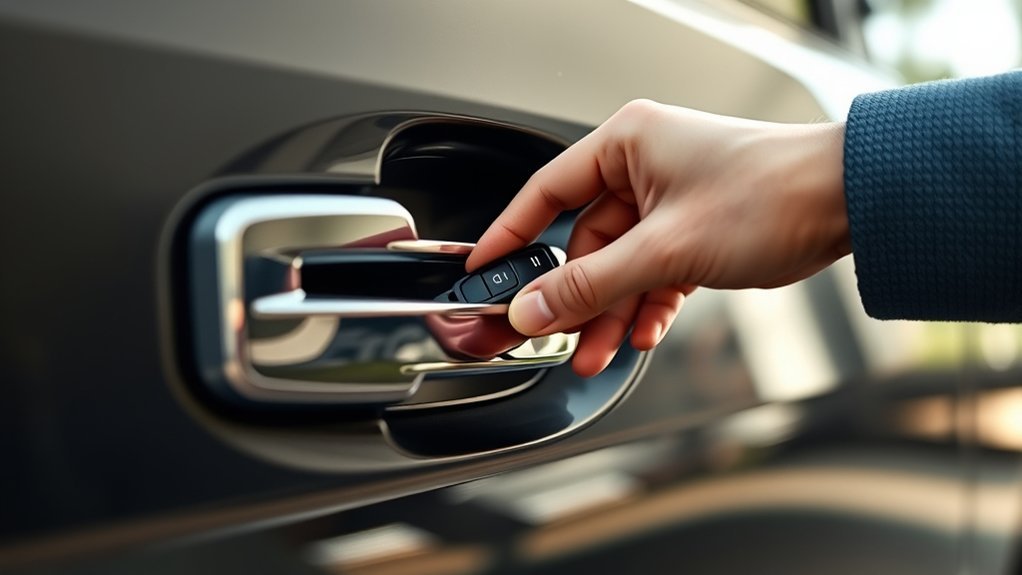
If you are locked out of your Land Cruiser because the key fob is dead, the first step is to use the mechanical key stored inside the electronic fob. The exact release switch varies by fob design, but Toyota electronic keys normally have a small release lever or lock that lets you pull the mechanical key out.
- Remove the mechanical key. Press or slide the release on the electronic key and pull the metal key free.
- Find the driver’s-door lock cylinder. Depending on the model year, the cylinder may be obvious or partly concealed by the door-handle design. Do not pry painted trim aggressively.
- Insert the key carefully. If the key will not enter, do not force it. Some Toyota mechanical keys have grooves on only one side, so turn the key over and try again.
- Unlock the driver’s door. Current Toyota instructions use the mechanical key when Smart Key and wireless remote operation are unavailable.
- Keep the electronic fob with you. You will still need the electronic portion of the key for the emergency start procedure.
Warning: If the vehicle’s theft alarm is armed, unlocking a door with the mechanical key can trigger the alarm on some Land Cruisers. This does not necessarily mean anything is wrong with the vehicle. Follow the correct emergency-start procedure with the registered electronic key.
Once inside, do not assume that repeatedly pressing the remote buttons will revive a depleted battery. Move on to the emergency-start method below. If the remote begins working when held very close to the vehicle, the battery may simply be weak rather than completely dead.
[Products Worth Considering]
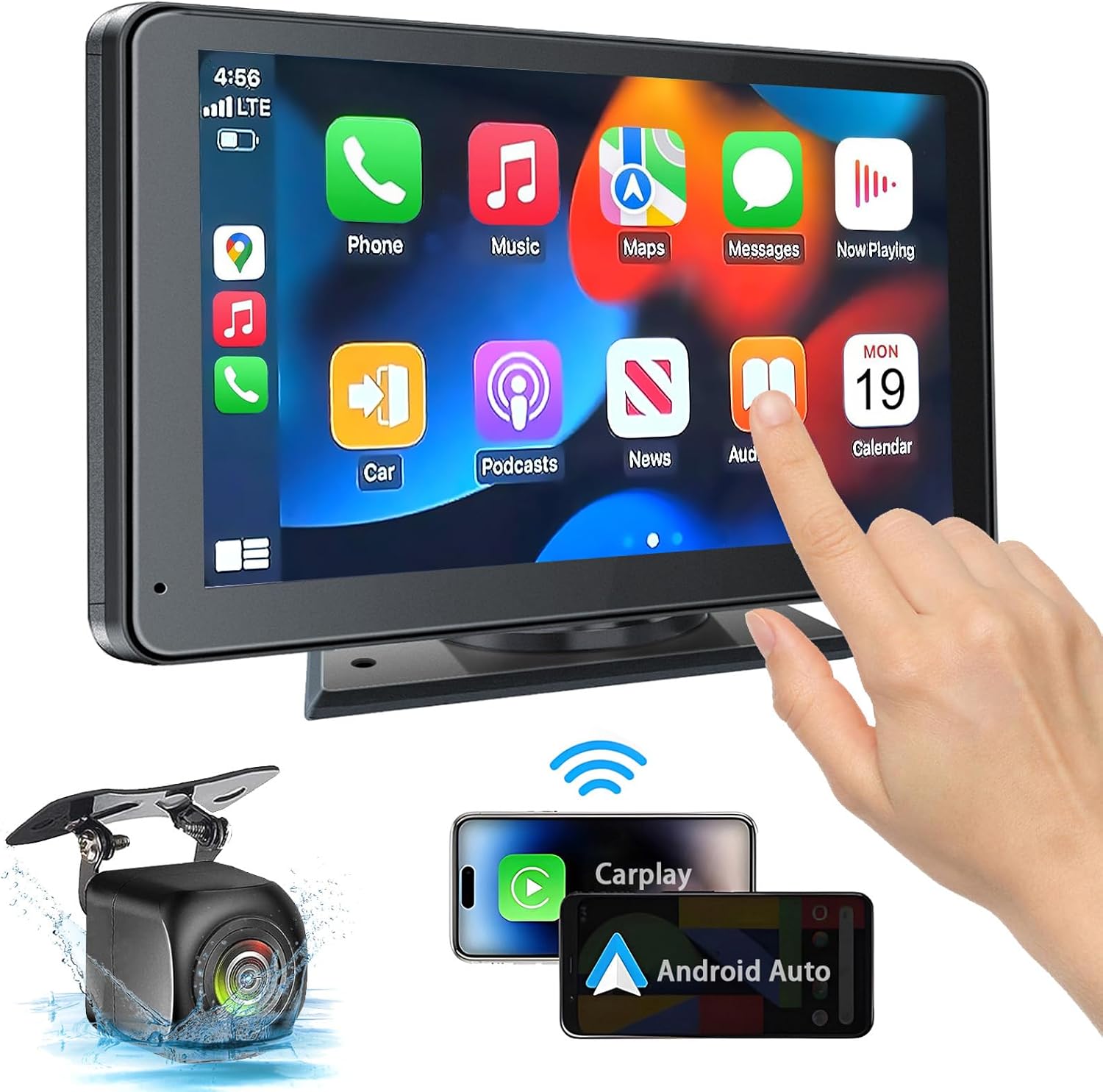
This portable car stereo adds wireless and wired Apple CarPlay and Android Auto to almost any vehicle, giving you easy access to navigation, calls, messages, and music with hands-free voice control. Its 7-inch HD touchscreen, Bluetooth 5.2, mirror link support, and multiple audio output options help create a flexible and safer in-car entertainment setup. The included backup camera and simple dashboard mounting make installation convenient for cars, trucks, RVs, and more.

This wireless portable CarPlay screen brings Apple CarPlay and Android Auto to almost any vehicle for safer, hands-free driving and easier access to navigation, calls, music, and messaging. It features a vivid IPS touchscreen, fast wireless performance, OTA updates, multiple audio output options, and an integrated backup camera to improve convenience and parking safety. Plug-and-play setup makes installation simple without dashboard modifications, while steering wheel control support helps keep driving focused and intuitive.

This wireless CarPlay screen adds modern smartphone connectivity to almost any vehicle with easy plug-and-play installation. It supports Apple CarPlay and Android Auto, online maps, voice control, phone mirroring, and multiple audio output options for safer, more convenient driving. The included night vision backup camera and OTA updates help improve visibility, compatibility, and long-term performance.
Troubleshooting Common Key Fob Issues
A Land Cruiser that says “Key Not Detected” does not always have a dead fob battery. The cause can be a weak coin cell, radio interference, battery-saving mode, a damaged fob, an unregistered key, or a discharged vehicle 12-volt battery. Start with the symptoms before replacing parts.
| Symptom | Likely Cause | What to Try |
|---|---|---|
| Remote range has become much shorter | Weak fob battery or radio interference | Move away from electronics/metal objects, then replace the correct coin cell if the symptom remains. |
| Fob LED does not illuminate and buttons do not work | Depleted battery or fob fault | Install the correct battery with the proper polarity, then retest. |
| One fob fails but the spare works normally | Problem with that fob or its battery | Replace its battery; inspect for water/impact damage if it still fails. |
| Both fobs fail in the same location | Interference or vehicle-side issue | Move the vehicle/fobs away from strong radio sources if possible and check the vehicle’s 12V-battery symptoms. |
| Interior lights are dim and horn is weak | Discharged vehicle 12V battery | Treat this as a vehicle battery problem rather than a key-fob battery problem. |
| Key is detected only when touching the start/power switch | Weak/dead fob battery | Use the emergency-start procedure, then replace the fob battery. |
[Products Worth Considering]

Restore cloudy, oxidized headlights with a simple three-step kit that removes haze, smooths deeper damage, and leaves behind a durable ceramic coating. Designed for easy use without power tools, it helps improve clarity and adds UV protection for long-lasting results. This professional-grade formula chemically bonds to the headlight surface for a like-new finish and lasting protection.

This front wiper blade set is designed to deliver clear, quiet visibility for compatible Toyota, Hyundai, and Honda vehicles with J/U hook wiper arms. The included driver and passenger blades provide a straightforward replacement for worn front wipers, with an OE-style connector and natural rubber edge for smooth wiping in rain, snow, and everyday driving. Always confirm your vehicle's fitment and original blade sizes before ordering.

**Please confirm compatibility using the fitment guide located in the product images**
Check for Radio Interference Before Replacing the Fob
The Smart Key system uses weak radio signals, so operation can be affected by strong electrical or radio interference. Toyota lists situations such as being near powerful transmitters, carrying the electronic key next to another wireless device, covering it with metallic objects, or placing it near battery chargers and other electronics.
If the fob suddenly stops working in one location, remove it from a bag containing coins, metal-lined cards, phones, chargers, or other wireless keys and try again. On current Land Cruisers, bringing the electronic key close to a front-door handle can also help when normal Smart Key detection is weak.
Check Whether Battery-Saving Mode Is Active
Current J250 Land Cruisers provide an electronic-key battery-saving mode. When it is enabled, Smart Key operation is intentionally disabled to reduce battery drain. Pressing any electronic-key button cancels the mode. Toyota also provides a specific button sequence to enable the mode for keys that will not be used for a long period.
Pro Tip: If a fob appears completely dead after being stored, press one of its buttons before assuming the battery has failed. A current-model fob may simply have been placed in battery-saving mode or suspended its electronic function to reduce power use.
How to Replace the Land Cruiser Key Fob Battery
Do not assume one coin-cell size fits every Land Cruiser. For the current J250-style electronic key, Toyota specifies a CR2450 lithium battery. Older Land Cruiser generations can use a different battery, so verify the battery number printed on the old cell or in the owner’s manual before purchasing a replacement.
- Release the lock and remove the mechanical key from the electronic fob.
- Open the fob only at the designated case seam or slot. On current J250 instructions, Toyota calls for a flathead screwdriver and recommends covering its tip with a rag to prevent damage.
- Carefully remove the depleted coin cell. Do not disturb other electronic components unnecessarily.
- Install the correct replacement battery with the polarity matching the original. On the current J250 procedure, the positive (+) terminal faces upward.
- Reassemble the housing securely and reinstall the mechanical key.
- Test lock/unlock operation near the vehicle before relying on the fob again.
Warning: Electronic keys use small coin/button batteries. Toyota warns that swallowing one can cause severe chemical burns and can be fatal. Keep new and removed batteries away from children, work with dry hands, use only the specified battery type, and make sure the fob case closes securely after replacement.
Starting Your Land Cruiser With a Dead Key Fob
The emergency start works because the vehicle can authenticate the registered electronic key at very close range even when normal battery-powered Smart Key communication is unavailable. For a current J250 Land Cruiser, Toyota’s procedure is more precise than simply holding the fob somewhere near the button.
- Make sure the transmission is in Park.
- Depress the brake pedal firmly.
- Touch the area behind the buttons on the electronic key directly to the power switch. On older Toyota Smart Key systems, the owner’s manual may describe the required contact area differently, such as the Toyota-emblem side.
- Wait for the vehicle to detect the key. The current Land Cruiser manual says a buzzer sounds when the electronic key is detected.
- Keep the brake firmly depressed and press the power switch shortly and firmly.
- On the current hybrid Land Cruiser, confirm the READY indicator illuminates before attempting to drive.
| Step | Action | Purpose |
|---|---|---|
| 1 | Place transmission in P and press brake | Prepare the normal starting sequence |
| 2 | Use physical key if needed to open the driver’s door | Gain vehicle access without the wireless remote |
| 3 | Touch the specified area of the fob directly to the start/power switch | Allow close-range key authentication |
| 4 | Wait for detection, then press the switch firmly while holding the brake | Start the engine or hybrid system |
Note: This emergency key-detection method does not recharge the fob battery. Toyota treats it as a temporary measure and recommends replacing a depleted electronic-key battery promptly.
[Products Worth Considering]

【UPGRADED KEY FOB SHELL】This is an upgraded version key fob shell. You could just switch the internal components from your old remote key fob to our new key case and install your original key blade to this key casing. No Cutting Required any more.

【UPGRADED KEY FOB SHELL】This is an upgraded version key fob shell. You could just switch the internal components from your old remote key fob to our new key case and install your original key blade to this key casing. No Cutting Required any more.

[Perfect Solution]The key fobs are very expensive to replace. This product offers a simple solution to protect, distinguish, and prevent broken & scratched up key fobs. Great protecting the fob case and all buttons,reduce push the button by accident,not interfere with the signal.
What If the Land Cruiser Still Will Not Start?
If direct fob-to-switch contact does not work, do not immediately assume the fob is defective. Check these possibilities:
- Vehicle 12V battery: Dim interior lights, weak headlights, or a weak/nonworking horn point toward the vehicle battery rather than the fob.
- Wrong or unregistered key: The immobilizer will not authenticate an electronic key merely because it looks compatible.
- Smart Key setting: The system may have been disabled through vehicle customization.
- Battery-saving mode: Cancel it by pressing a button on the electronic key.
- Radio interference: Move phones, chargers, other keys, and metallic objects away from the fob.
- Fob damage: Water intrusion, a cracked circuit board, broken buttons, or impact damage may require professional diagnosis.
If the vehicle still does not recognize a known registered key after these checks, Toyota recommends dealer diagnosis.
Preventing Key Fob Battery Drain: Essential Tips
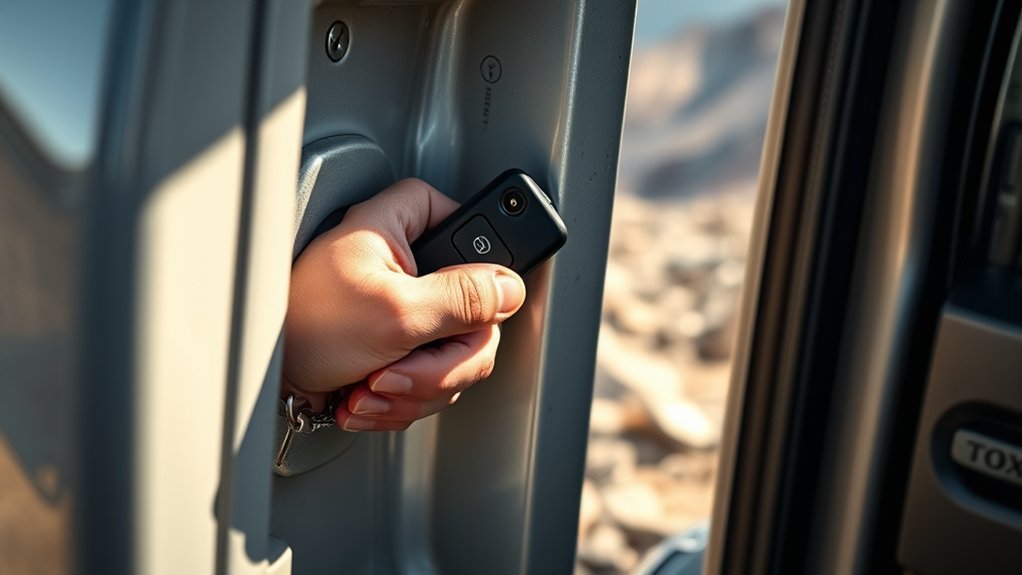
A dead key fob is easier to manage when you recognize the warning signs early. Toyota’s current J250 guidance lists a standard electronic-key battery life of about 1 to 2 years, although actual life can vary with storage conditions, signal environment, and use. Replace the battery when you notice reduced operating range, failed Smart Key/remote functions, a low-key-battery message, or a fob LED that no longer illuminates.
To reduce premature battery drain:
- Do not leave the electronic key close to the vehicle longer than necessary. Continuous communication can increase battery use.
- Keep the fob away from strong electromagnetic sources such as chargers, computers, induction equipment, and other transmitting devices when storing it.
- Keep the electronic key dry and avoid prolonged high-temperature exposure.
- Use the model’s battery-saving mode when a spare key will not be used for a long period.
- Periodically test your spare fob and mechanical key so you know both work before an emergency.
- If you carry a replacement coin cell, keep it in secure original-style packaging away from children and verify that it is the correct type for your model year.
On current J250 Land Cruisers, reduced remote range, failed Smart Key operation, and a non-illuminating fob LED are all signs Toyota identifies with electronic-key battery depletion.
When to Call a Pro for Your Key Fob Issues?
Call a Toyota dealer or a qualified automotive locksmith when basic battery and interference checks do not solve the problem. Professional diagnosis is especially appropriate in the following situations:
- A known-good replacement battery is installed correctly but the fob remains unresponsive.
- Both registered fobs fail and the vehicle’s 12V battery appears healthy.
- The fob has been submerged, cracked, crushed, or otherwise physically damaged.
- The mechanical key or driver’s-door lock cylinder will not operate normally.
- The vehicle repeatedly displays Smart Key malfunction or key-registration warnings.
- You lost a registered electronic key and need the missing key removed from the vehicle’s authorized-key list.
- You need a replacement electronic key programmed to the vehicle.
A replacement fob is not a simple universal remote. Even if its hardware is compatible, the electronic key must be correctly registered to your Land Cruiser, and its mechanical insert must match the vehicle if you expect it to provide emergency physical entry.
Frequently Asked Questions
Can I Unlock My Land Cruiser With a Smartphone App?
Possibly. Eligible Land Cruisers can use Toyota Connected Services for remote lock/unlock through the Toyota app, while some configurations also support Digital Key. Availability depends on model year, grade/equipment, account setup, connectivity, activation, and an eligible Remote Connect trial or subscription. Check Toyota Connected Services for current compatibility.
What Should I Do if My Key Fob Gets Wet?
Dry the exterior promptly with a soft cloth and do not apply high heat. Toyota advises against getting the electronic key wet. If it was submerged, shows corrosion, or behaves intermittently after drying, stop relying on it and have it inspected. If you open the case to replace the battery, work with dry hands and avoid touching other internal components.
How Often Should I Replace My Key Fob Battery?
For the current J250 Land Cruiser, Toyota lists a standard electronic-key battery life of about 1 to 2 years. Actual life can be shorter or longer. Replace the battery when the vehicle displays a low-battery warning or when remote range, Smart Key operation, or the fob LED begins to deteriorate rather than waiting for complete failure.
Are Key Fobs Covered Under My Vehicle Warranty?
Coverage depends on the cause of failure, vehicle age, applicable warranty terms, and whether the issue involves the electronic key itself or a replaceable battery. Do not assume a depleted coin cell is covered. Review the warranty materials for your model year or ask a Toyota dealer to confirm coverage for the specific failure.
Can I Use Another Toyota Key Fob to Unlock My Land Cruiser?
Not automatically. A Toyota-branded or physically compatible electronic key will not simply become an authorized Land Cruiser key. The replacement must be compatible with the vehicle and registered/programmed to that specific Land Cruiser. The mechanical key portion must also be cut correctly if it will be used for manual door entry.
Will a Completely Dead Key Fob Battery Prevent the Emergency Start?
Normally, no. Toyota provides a close-contact emergency procedure specifically for situations in which the electronic-key battery is depleted or normal communication is interrupted. The registered fob must still be recognized by the vehicle, and the vehicle’s own 12V electrical system must have enough power to operate.
Why Did the Alarm Sound When I Used the Mechanical Key?
On Land Cruisers with the alarm armed, Toyota notes that manually unlocking a door with the mechanical key may trigger the alarm. Use the registered electronic key and the correct emergency-start procedure. If the alarm or locking system continues behaving abnormally afterward, have the system checked.
Conclusion
A dead Land Cruiser key fob is usually manageable without towing the vehicle. Use the hidden mechanical key for entry, then follow the model-appropriate close-contact emergency-start procedure. Afterward, replace the electronic-key battery with the exact type specified for your model year rather than assuming all Land Cruisers use the same cell.
If a fresh battery does not restore operation, compare the primary fob with the spare, rule out radio interference and battery-saving mode, and check for signs of a discharged vehicle 12V battery. When neither registered key works or the vehicle displays Smart Key malfunction messages, dealer or qualified automotive-locksmith diagnosis is the safer next step.
Sources
- Toyota Manuals and Warranties — official model-year owner’s manuals, emergency key procedures, battery specifications, and Smart Key information.
- Toyota Connected Services — current Remote Connect, remote lock/unlock, and Digital Key information.
- Toyota App — official Toyota app and Connected Services requirements.
- Toyota 2026 Land Cruiser Information — Smart Key, Remote Connect, and Digital Key availability information for the 2026 Land Cruiser.
- Toyota 2026 Connected Services Feature Applicability — grade-specific Remote Connect and Digital Key availability.