If your Tundra’s TPMS light won’t turn off, first check and set tire pressures (front 29 PSI, rear 30 PSI) and inspect valve stems. Use the reset button under the dash: key to ON, hold until the light blinks three times, then drive a few minutes. If it still stays on, scan sensors for faults, compare sensor IDs, and reprogram or replace bad sensors. Follow these steps and you’ll see what to try next for a lasting fix.
Quick Fixes for Tundra TPMS Light (Check PSI, Reset Button)
Start by checking tire pressures and using the TPMS reset button to clear false warnings: you’ll verify inflation first—29 PSI front, 30 PSI rear—and adjust as needed because improper pressure commonly triggers the TPMS light. With pressures correct, locate the reset button under the steering wheel, turn the key to the “on” position without starting the engine, then press and hold until the warning light blinks slowly three times. Start the vehicle; the light should illuminate for three seconds and then go out if the reset worked.
If the warning stays lit continuously, you’ll recheck pressures since at least one tire likely needs attention. If the light keeps blinking or remains on after correct pressures and a proper reset, proceed to sensor troubleshooting: suspect a faulty sensor or system malfunction that demands diagnostic scanning or professional inspection. You’ll prioritize precise tire maintenance and targeted diagnostics to regain freedom from persistent alerts.
Check Every Tire (Including Spare): PSI, Valve Stems, and Sensors
When you’re troubleshooting the TPMS light, check every tire—including the spare—for correct PSI (29 front, 30 rear), damaged valve stems, and functioning sensors; a single underinflated tire, leaking stem, or unprogrammed/new sensor can keep the warning lit. You want control: verify pressures, inspect stems, and confirm sensor status methodically.
- Measure pressures: inflate front to 29 PSI and rear to 30 PSI, including the spare; low or uneven PSI triggers the light and undermines freedom on the road.
- Inspect valve stems: look for cracks, corrosion, or hissing leaks; replace damaged stems to stop gradual air loss and persistent TPMS alerts.
- Test sensors and spare sensor presence: use a diagnostic tool or visit a shop to confirm each sensor transmits; new sensors may need programming to integrate with sensor technology and clear the warning.
Follow this procedural check to reclaim certainty and prevent false TPMS warnings through disciplined tire maintenance.
Factory TPMS Reset: Step-by-Step for Toyota Tundra
Locate the TPMS reset button under the steering wheel and turn the ignition to the “on” position without starting the engine. Press and hold the reset button until the tire pressure warning light blinks slowly three times, then release and leave the key “on” for a few minutes to let the system reinitialize. Start the truck—if the light stays on or flashes after the three-second start-up check, you’ll need further diagnostics.
Locate Reset Button
If you need to reset the Tundra’s TPMS, you’ll find the reset button under the driver’s side dash above the accelerator pedal; turn the ignition to the “on” position (don’t start the engine), press and hold the button until the tire pressure light blinks slowly three times, then release and leave the key on a few minutes to let the system configure before starting the truck—if the light stays on after starting, recheck tire pressures.
Locate reset button location and inspect surrounding trim so you can access TPMS button functions without struggle. Use this quick checklist:
- Sit in the driver’s seat and scan under the dash above the accelerator for a small black button.
- Verify the button is labeled or positioned like other factory TPMS controls.
- Replace panels if loose; confirm button is reachable and functional.
Perform Reset Procedure
Because proper pressure is required for a successful reset, make sure all tires are at 29 PSI front and 30 PSI rear, then turn the ignition to “on” without starting the engine and press and hold the TPMS reset button under the steering wheel until the tire pressure light blinks slowly three times; after it blinks, leave the key in “on” for a few minutes, turn it off, then start the truck—if the warning light comes on for three seconds and goes out, the reset worked, but if it stays lit you’ll need to run further diagnostics.
Next, verify tire maintenance habits and pressure monitoring tools are reliable. If the light stays on, recheck pressures, inspect sensors and valve cores, and swap tires if you suspect a faulty sensor. If problems persist, scan for TPMS codes and pursue sensor replacement or wiring repair to reclaim control.
Reprogram Sensors: Tools, Steps, and When It’s Needed
You’ll need a handheld TPMS scan tool (e.g., Snap-on Modis) and access to the vehicle’s TPMS module to program new sensors. Start by confirming all tires and the spare have working, inflated sensors, then use the scan tool to register each sensor’s serial number per the tool’s prompts. If the light stays on after programming, run diagnostics on individual sensors for deflation, damage, or faulty transmitters.
Tools Needed
Before reprogramming TPMS sensors on your Toyota Tundra, gather a diagnostic scan tool capable of TPMS programming (for example, a Snap-on Modis), a Phillips screwdriver, and a 10mm socket to access panels or the TPMS module. You’ll also need tire pressure readings for all four wheels plus the spare before starting. Check sensor compatibility and note programming frequency requirements in your manual.
- Scan tool that writes sensor IDs to the ECU.
- Hand tools: Phillips screwdriver and 10mm socket to reach the module.
- Tire gauge and paper/phone to record pressures and serials.
Prepare serial numbers or existing sensor data; incompatible sensors will fail. Use the scan tool to confirm ECU communication; successful recognition clears the TPMS light after startup.
Programming Steps
When installing new wheels or sensors, reprogramming the TPMS guarantees the truck’s ECU recognizes the new sensor IDs and stops the warning light; you’ll need a compatible scan tool (eg, Snap‑on Modis), the sensor serials, and access to the TPMS module. First, verify sensor compatibility—match frequencies and IDs to the Tundra spec. Connect the scan tool, enter service mode, and follow prompts to add each sensor serial. Confirm the spare (if equipped) is inflated and present so it registers. Address programming challenges by clearing old IDs, then uploading new ones per the service manual. Run a system relearn and perform a diagnostic scan. If any sensor fails to register, swap, retest, or replace it to regain control and freedom from the warning light.
Interpreting Lights: Blinking vs Steady TPMS Meanings
Although TPMS lights can look the same at a glance, their behavior tells you different problems: a steady light means one or more tires are considerably under-inflated and need immediate attention, while a blinking light usually signals a system malfunction or faulty sensor. You’ll act differently depending on the pattern. Steady = check pressures, inflate to spec, inspect for damage; blinking = diagnose sensors or reset procedure.
- Check pressures: measure each tire, correct to recommended PSI; this addresses TPMS importance and restores tire safety.
- Observe blink timing: if it flashes for about a minute then stays on, expect a sensor fault; if it flashes only with key on, try a reset before deeper diagnostics.
- Reset and monitor: perform the factory reset or relearn sequence, then drive to see if light clears; if it persists, prepare for sensor testing or replacement.
Stay decisive—restoring correct pressure and resolving TPMS faults frees you from avoidable risk.
Diagnosing Faults: Scan Tool Codes and Common Error Causes
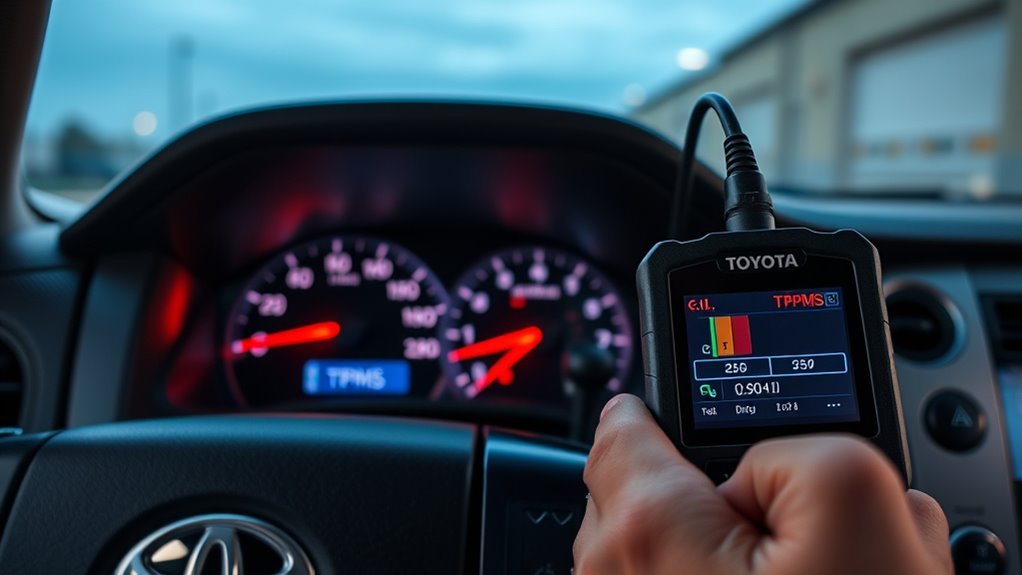
Any technician or DIYer can use a scan tool to pull TPMS-related DTCs and turn vague warnings into actionable fixes. Use TPMS Troubleshooting Techniques: connect a capable scanner (Snap-on Modis or equivalent), read codes, then log them. Focus on Diagnostic Code Interpretation—codes like C2111 point to a specific tire sensor fault; C2121 implicates the TPMS module. Compare reported sensor IDs with mounted sensor IDs to spot unprogrammed or mismatched units.
Follow a procedural checklist: 1) verify all four tires and the spare for pressure and sensor presence; 2) confirm codes clear after correcting obvious issues; 3) if a code persists, command sensors via the tool to confirm response; 4) replace or program sensors that fail to respond; 5) if module codes remain, test module communication bus before swapping parts.
You’ll liberate yourself from guesswork by repeating scans after each action until the TPMS light extinguishes and no DTCs return.
Inspect Sensors and Module: Battery Life, Compatibility, Wiring
Start by checking each tire sensor’s battery, compatibility, and the module wiring so you can isolate failures quickly. You’ll perform targeted sensor maintenance and a wiring inspection to free yourself from recurring TPMS alerts. Follow these steps:
- Measure each sensor battery voltage; replace sensors with low or dead batteries and note if replacement sensors need programming.
- Verify sensor compatibility with your 2011 Toyota Tundra; incompatible units often refuse to communicate and keep the light on.
- Inspect wiring and connectors at the TPMS module for corrosion, damage, or loose pins; repair or clean contacts and reseat connectors.
Use a scan tool to confirm the module receives signals after each action. If you install a new sensor, be ready to register its serial number or reprogram it so the module recognizes it. Work methodically, document results, and move from weakest links to module-level faults to reclaim control of your vehicle’s monitoring system.
Fix Options: Temporary Workarounds vs Proper Sensor Replacement
When the TPMS light won’t go out, you can either apply temporary workarounds to silence the alert or replace sensors properly to fix the root cause; temporary fixes like grounding the module or taping the dash lamp stop the warning but leave the system blind, while correct sensor replacement restores function by ensuring compatibility and programming. You’ll choose between temporary solutions and a lasting repair.
Assess: confirm sensor issues, battery life, wiring. If you want quick liberation from the annoyance, grounding the module or covering the lamp silences the alert but risks unseen low pressure. For true freedom, replace sensors with compatible units, program them to the vehicle, and check the spare.
Procedure: replace one sensor at a time, verify pressure, use a scan tool to clear codes and confirm IDs. Inspect all sensors regularly to prevent recurrence.
| Option | Outcome |
|---|---|
| Temporary solutions | Light off, system blind |
| Proper replacement | Restored TPMS function, diagnostics clear |
When to Seek Professional Help: Costs, Shop Diagnostics, Parts to Request

If your TPMS light stays on after you’ve checked pressures and tried resets, take the truck to a shop for diagnostic testing so you don’t drive blind; expect a diagnostic fee of roughly $50–$150 depending on complexity and location. You want diagnostic accuracy and freedom from recurring alerts, so insist on a full scan and sensor interrogation, including the spare.
- Ask the shop to test each wheel sensor and log sensor IDs so you confirm sensor compatibility with your Tundra’s system.
- If a sensor fails, request programming of new sensors on-site; some replacements need specific serial numbers entered to restore system function.
- Confirm parts warranty and whether reprogramming is included; get written estimates for parts, labor, and potential follow-up.
You’ll leave empowered: a clear diagnostic report, matched sensors, and warranty coverage liberate you from guessing and recurring TPMS light interruptions.
Frequently Asked Questions
Why Is My TPMS Not Turning Off?
Your TPMS isn’t turning off because a sensor malfunction or incorrect tire pressure prevents reset; follow troubleshooting steps: check pressures, inspect sensors, perform TPMS reset, and maintain vehicle maintenance to reclaim control and freedom on the road.
Conclusion
You’ve got clear steps: check tire pressure (including spare), use the reset button, and scan for codes; reprogram or replace sensors if batteries, wiring, or compatibility fail. If blinking or steady light persists, don’t ignore it — a short-term workaround might get you home, but permanent repair avoids surprises. When in doubt, take it to a shop for diagnostics and parts. Don’t let small issues snowball into bigger, costlier problems.