By [VERIFY: add real author/byline] · Last updated: July 31, 2026 · Reviewed against current Toyota owner-manual and Connected Services information.
A Toyota Tacoma key fob commonly locks and unlocks the doors and sounds the panic alarm. Depending on the truck’s model year and equipment, the physical fob may also lock or unlock the tailgate, release or power-open an equipped tailgate, and start the engine through Remote Connect while an eligible trial or paid subscription is active.
Smart Key proximity entry, phone-based Digital Key, a powered tailgate, and key-fob remote start are separate features. Do not assume that one feature guarantees the others. Identify your fob buttons and confirm your Tacoma’s equipment in the model-year owner’s manual before following a tailgate, remote-start, battery, or replacement-fob procedure.
Quick Answer
Press lock once to secure the doors and an integrated tailgate lock, if equipped. On many Tacomas, one unlock press opens the driver’s door and a second press within a few seconds opens the remaining doors and tailgate. Hold the panic button when you need to sound the alarm. Tailgate and remote-start operation vary by equipment, and factory key-fob remote start requires an eligible Remote Connect system with an active trial or paid subscription.
Key Takeaways
- Tacoma key fob features vary by model year, fob type, trim and installed equipment.
- Many Tacomas use driver-door-first unlocking, followed by a second press within a few seconds for the other doors and tailgate. This behavior may be customizable.
- Factory key-fob remote start requires an eligible Remote Connect-equipped Tacoma and an active trial or paid subscription.
- If the range drops or buttons respond slowly, compare the main and spare fobs before replacing anything.
- Match the replacement battery to the exact code printed on the old cell or specified for your fob. Do not rely on appearance alone.
- Coin and button batteries are dangerous if swallowed, so keep old and new key fob batteries away from children and pets.
Which Functions Should Your Tacoma Key Fob Have?
| Feature | What It Normally Does | Important Qualification |
|---|---|---|
| Lock | Locks the doors and an integrated tailgate lock, if equipped | An open door or key detected inside the truck may prevent or change the confirmation response |
| Unlock | Often unlocks the driver’s door first and the other doors after a second press | Timing and all-door settings vary by model year and customization |
| Panic | Sounds the horn or alarm and flashes the lights | Normally requires a press and hold rather than a quick tap |
| Tailgate | May unlock, release or power-operate an equipped tailgate | Not every Tacoma has a dedicated fob button or a powered tailgate |
| Remote start | Uses a timed lock-button sequence on eligible trucks | Requires eligible Remote Connect equipment and an active trial or paid subscription |
At a Glance
| Time Required | About 1–10 minutes for normal operation, testing or a battery check |
| Difficulty | Easy for basic use and most battery replacements |
| Tools Needed | Owner’s manual and, for some battery replacements, a small flat tool and the exact replacement coin battery |
| Cost | Battery and replacement-fob prices vary; confirm the exact battery or programmable fob before buying |
What Are the Main Toyota Tacoma Key Fob Functions?
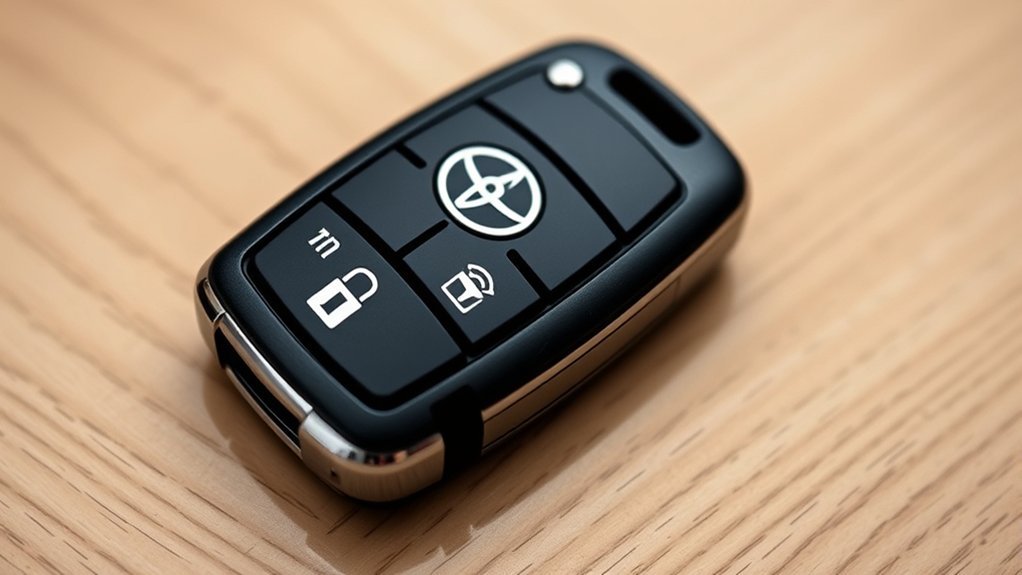
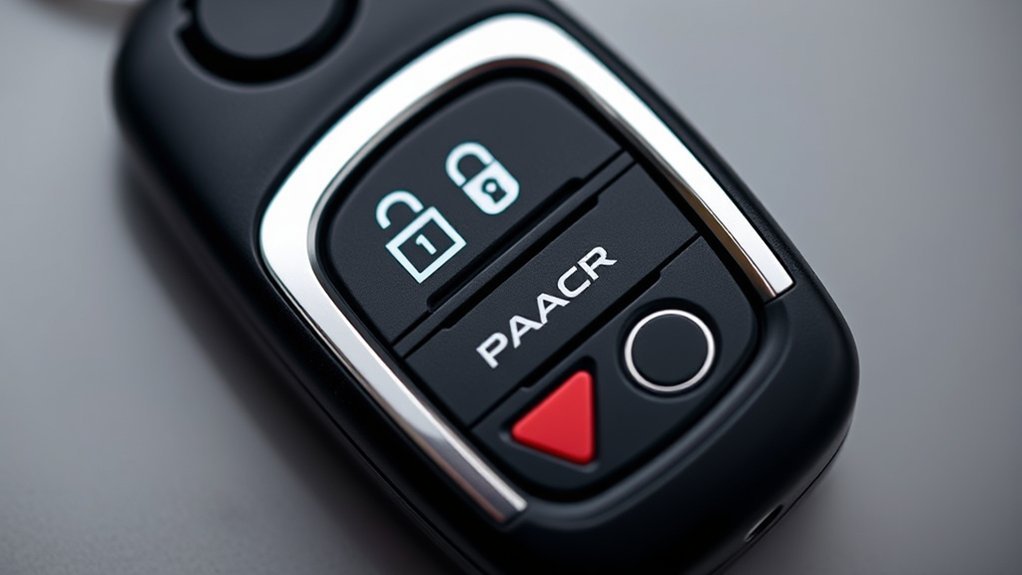
The physical Toyota Tacoma key fob commonly includes lock, unlock and panic controls. Some fobs add a tailgate button. Factory remote start may use the lock button rather than a separate start symbol.
Smart Key is different from the button-operated wireless remote. On Smart Key-equipped Tacomas, the truck can detect an authorized electronic key near a door handle or inside the cabin. This can allow proximity locking, unlocking and push-button starting without removing the fob from your pocket.
Toyota states that Smart Key with push-button start is standard across the fourth-generation Tacoma lineup. Available Digital Key uses a compatible phone for entry, tailgate access and starting, but it is not the same as the physical key fob. You can review the applicable controls in the Toyota Tacoma digital owner’s manual.
Fob designs still differ across generations and equipment packages. A traditional integrated-key remote, a 2016–2023 Smart Key and a 2024-and-newer Smart Key may use different batteries, buttons and tailgate behavior. A button that does nothing may represent unsupported equipment rather than a defective fob.
Note: Toyota manuals may call the same general device a wireless remote control, electronic key or Smart Key. Remote Connect and Digital Key refer to separate connected functions.
How Do the Tacoma Lock and Unlock Buttons Work?
The lock and unlock buttons control normal vehicle access. Depending on the model and installed equipment, they may also control an integrated tailgate lock. Exterior lights, a buzzer or the door-lock sound may confirm that the truck received the command.
How to Lock the Tacoma
Press the lock button once while you are within normal operating range. The doors should lock, along with the tailgate if it is integrated with the power door-lock system.
On Smart Key-equipped models, you may also be able to lock the truck by touching the lock sensor on the exterior door handle while carrying the electronic key. Watch or listen for the confirmation response before walking away.
If the Tacoma does not lock, make sure the doors and tailgate are fully closed. Check whether the electronic key was left inside the cabin, move closer and retry once. If one fob works but the other does not, focus on the failed fob or its battery.
Why Does One Press Unlock Only the Driver’s Door?
Driver-door-first unlocking is a security setting used on many Tacomas. One press opens the driver’s door. A second press within a few seconds opens the other doors and, where integrated, the tailgate.
The exact time window and all-door behavior vary by generation. Some models allow the setting to be changed through vehicle customization or dealer settings. Check the model-year manual before trying an online programming sequence.
For Smart Key-equipped Tacomas, gripping the driver’s door handle can unlock the driver’s door or all doors, depending on the programmed setting. The fob must be within the system’s limited detection area. A metal container, electronic interference or carrying position can reduce reliable detection.
Pro Tip: Test both fobs from the same position beside the driver’s door. If the spare works normally, the truck’s receiver and door-lock system are probably responding, which narrows the problem to the main fob.
What Does the Panic Button Do?
The panic button is designed to draw attention by sounding the horn or alarm and flashing the vehicle lights. On many Toyota electronic keys, you must press and hold the button rather than tap it.
- Emergency attention: Use it to draw attention if you feel threatened near the vehicle.
- Vehicle locator: The horn and lights can help locate the Tacoma in a crowded parking area.
- Cancellation: On many Toyota electronic keys, pressing any fob button stops the alarm. Consult the Tacoma manual if that does not work.
How Do You Stop an Accidental Panic Alarm?
Stay near the truck and press a button on the electronic key. If the alarm continues, press unlock and follow the cancellation instructions in the model-year manual. Starting the truck with an authorized key may also cancel the alarm on applicable models.
Avoid testing the panic alarm late at night, in an enclosed garage or where people may interpret it as an active emergency.
Warning: Do not rely on the panic alarm as your only safety plan. Move to a safe place and contact emergency services when you face an immediate threat.
What Does the Tacoma Key Fob Tailgate Button Do?
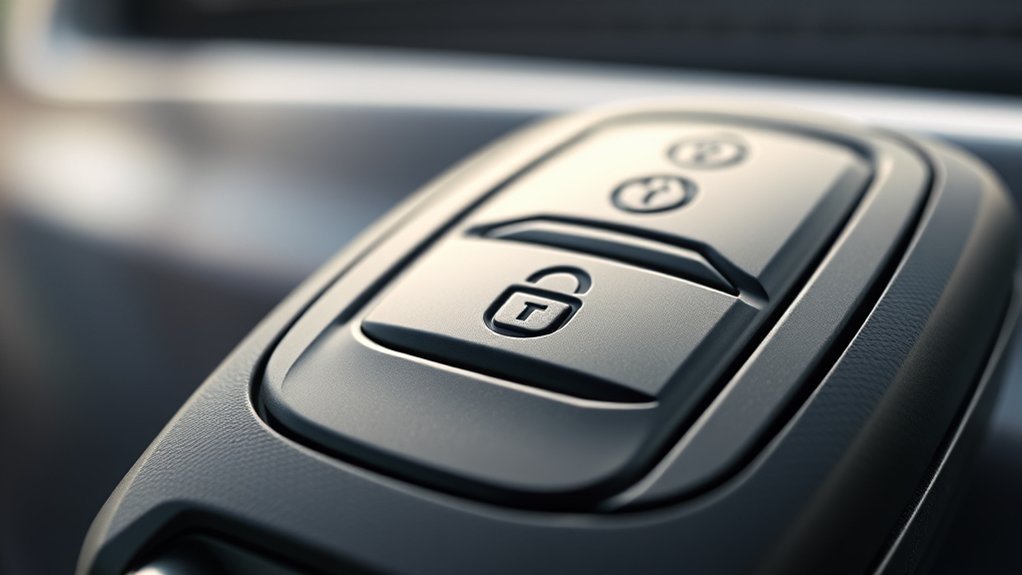
A Tacoma tailgate control can perform different actions depending on the year and equipment. It may unlock an integrated tailgate lock, release the latch or operate an available power open-and-close tailgate. Not every Tacoma has a dedicated tailgate button.
| Tailgate System | Typical Result |
|---|---|
| Integrated power lock | Locks and unlocks with the doors; the tailgate is still lowered manually |
| Dedicated fob tailgate control | May require a press and hold to release or operate the equipped tailgate |
| Available power tailgate | Can power open and close and includes jam-protection behavior; operation depends on vehicle settings and conditions |
How to Operate an Equipped Tailgate
- Park the Tacoma: Stop on level ground and shift to Park.
- Clear the area: Make sure no person, pet, cargo or trailer equipment is in the tailgate’s path.
- Use the specified button action: Press or press and hold the tailgate control as shown in your model-year manual.
- Observe the result: A non-powered system may only unlock or unlatch. Lower it by hand if required.
- Confirm closure: After closing, verify that the tailgate is fully latched before driving.
Tailgate Safety
Keep children away from the tailgate while it is moving. A manual tailgate can be heavy, and a powered tailgate can still contact an object before jam protection reverses or stops movement.
Newer Tacomas may also have quick-release and close buttons near the taillights. Those exterior buttons are separate from the key-fob controls.
Why Is the Tailgate Button Not Working?
- Move closer: The fob may be outside its operating range.
- Check the button action: The tailgate control may require a press and hold.
- Confirm the equipment: The fob shell may have a button for a feature your truck does not have.
- Shift to Park: Powered operation may be restricted unless the truck is safely parked.
- Remove pressure or obstruction: Ice, dirt, damage or cargo pressing against the tailgate can prevent operation.
- Check for an initialization message: If the dashboard tells you to reactivate the power tailgate, manually close and fully latch it as instructed.
- Compare the spare fob: This separates a fob-side failure from a vehicle-side problem.
How Do You Remote-Start a Toyota Tacoma With the Key Fob?
Factory key-fob remote start is not guaranteed by the presence of a lock button or push-button ignition. The Tacoma must be eligible for Remote Connect, and Toyota’s current guidance requires an active trial or paid subscription for Remote Connect use through the key fob.
Before retrying the sequence, check the Toyota app or Connected Services account to confirm that Remote Connect is listed and active. Toyota describes the key-fob sequence in its Remote Connect key-fob start instructions.
- Press lock once.
- Press lock a second time within about one second.
- Press lock a third time and hold it for about three seconds.
- Watch for confirmation. The exterior lights may flash and the engine may start when the truck is eligible and all start conditions are satisfied.
If the engine does not start, wait briefly and make one more careful attempt. Do not keep rapidly pressing the button. Check whether the hood or a door is open, a warning light is active, the fuel level is too low, the service is inactive or the truck is not equipped for the function.
If the vehicle acknowledges lock commands but never acknowledges remote start, verify Remote Connect eligibility before replacing the fob.
Note: Remote start is for pre-conditioning the cabin. Never start or leave the engine running in a closed garage or another enclosed space.
Why Is My Toyota Tacoma Key Fob Not Working?
Start by separating a fob-side failure from a vehicle-side failure. This prevents unnecessary battery, fob or receiver replacement.
- Stand beside the driver’s door. Test lock and unlock from the same close position.
- Test the spare fob. Use identical buttons from the same position.
- Observe the truck. Note whether lights flash, locks move or the instrument panel reports that the key is not detected.
- Follow the correct branch. One failed fob points toward that fob or its battery. Two failed fobs point more strongly toward the vehicle battery, settings, antenna, receiver or lock system.
| Problem | Likely Cause | What to Try |
|---|---|---|
| Short range | Weak fob battery, interference or carrying position | Stand closer, move away from electronics or metal objects, compare the spare fob and replace the exact battery if needed |
| No response from one fob | Depleted battery, damaged contacts, worn button or damaged fob | Test the spare, inspect the shell and replace the exact battery |
| No response from either fob | Vehicle 12-volt battery, receiver, antenna, door-lock system or vehicle setting | Check whether other electrical systems work and arrange vehicle diagnosis if both fobs remain unresponsive |
| Only one button fails | Worn switch, damaged button pad or unsupported equipment | Confirm the feature in the manual and compare the same button on the spare fob |
| Buttons work but Smart Key entry fails | Interference, battery-saving mode, detection range or entry-setting problem | Carry the fob near the handle, move it away from electronics and check the Smart Key settings |
| “Key Not Detected” appears | Weak fob battery, interference or fob outside the cabin detection area | Move the fob inside the cabin and use the temporary dead-fob starting procedure below |
| Remote start fails | Ineligible vehicle, inactive Remote Connect service, open hood or door, warning condition or incorrect sequence | Confirm active service, close the truck fully and retry the lock-lock-hold sequence once |
If neither fob works but the truck has normal 12-volt power, a Toyota dealer or qualified automotive locksmith can test the antenna, receiver, key registration and door-lock system.
How Do You Unlock and Start a Tacoma With a Dead Key Fob?
A depleted Smart Key battery does not necessarily leave you unable to enter or start the truck. Smart Key fobs contain a mechanical key for door access, and equipped Toyota vehicles can use close-range key recognition at the engine switch as a temporary starting method.
- Remove the mechanical key. Press the release control on the fob and slide out the metal key.
- Unlock the driver’s door. Use the mechanical key in the driver-door lock. The alarm may sound when a mechanically unlocked door is opened.
- Enter the truck with the electronic fob. Shift to Park and press the brake pedal.
- Touch the Toyota-emblem side of the fob to the engine switch. Hold it close until the truck detects the electronic key.
- Press the engine switch. Start the truck while continuing to press the brake as directed in the owner’s manual.
- Replace the fob battery promptly. The close-range procedure is a temporary measure.
This procedure applies to Smart Key and push-button-start systems. A Tacoma with a traditional ignition key uses its normal mechanical ignition procedure. Consult the Toyota manuals and warranties page for the exact emergency procedure for your year.
Important: A dead key-fob battery and a dead vehicle 12-volt battery are different problems. The mechanical key may open the door in either case, but a discharged vehicle battery must be restored before the engine can start.
How Can You Make the Tacoma Key Fob Battery Last Longer?
Reduced range, delayed responses and inconsistent Smart Key detection can indicate a depleted electronic-key battery. Toyota notes that a weak key battery can reduce operating range and interfere with Smart Key and wireless-remote operation. Review the applicable instructions in the Tacoma electronic key battery section.
Do not assume that every Tacoma fob from the same generation uses the same battery. Match the code printed on the installed cell or the battery specification in the exact model-year manual.
- Keep the fob dry: Moisture can damage the circuit board and battery contacts.
- Avoid prolonged heat: Do not leave the fob in direct sun or a hot parked vehicle.
- Do not store it beside the truck: Keeping an electronic key close to the vehicle can increase communication activity and battery use.
- Separate it from strong electronics and metal objects: These can interfere with Smart Key detection.
- Test the spare periodically: Replace its battery before you need it during an emergency.
- Use battery-saving mode only as your manual directs: Some Toyota electronic keys can temporarily suspend Smart Key transmission, but the exact procedure must match the model.
Warning: Button and coin batteries can cause serious injury or death if swallowed. The U.S. Consumer Product Safety Commission warns that a swallowed battery can burn through a child’s throat or esophagus in as little as two hours. Keep batteries away from children and pets. Cover the terminals of removed batteries with non-conductive tape and take them to an appropriate battery-collection location.
How Do You Replace a Toyota Tacoma Key Fob Battery?
Battery-replacement steps vary by traditional remote and Smart Key design. Work on a clean surface and stop if the shell does not separate with light pressure.
- Identify the fob type. Check whether it has an integrated ignition key or a removable emergency key.
- Remove the mechanical key if applicable. Press the release and slide the key from the Smart Key fob.
- Open the case gently. Use the key blade or a small flat tool only in the designated slot or seam.
- Photograph the installed battery. Record the printed battery code and which side faces upward.
- Remove the old cell. Avoid bending the retaining contacts or touching the circuit board unnecessarily.
- Install the exact matching battery. Copy the original polarity and seating position.
- Close the case completely. Make sure every edge snaps flush and reinstall the mechanical key.
- Test beside the truck. Check lock, unlock, panic and any equipped tailgate function.
A normal battery replacement usually does not erase the fob’s vehicle registration. If the correct battery is installed but the fob remains dead, compare the spare fob before paying for programming or replacement.
[Products Worth Considering]
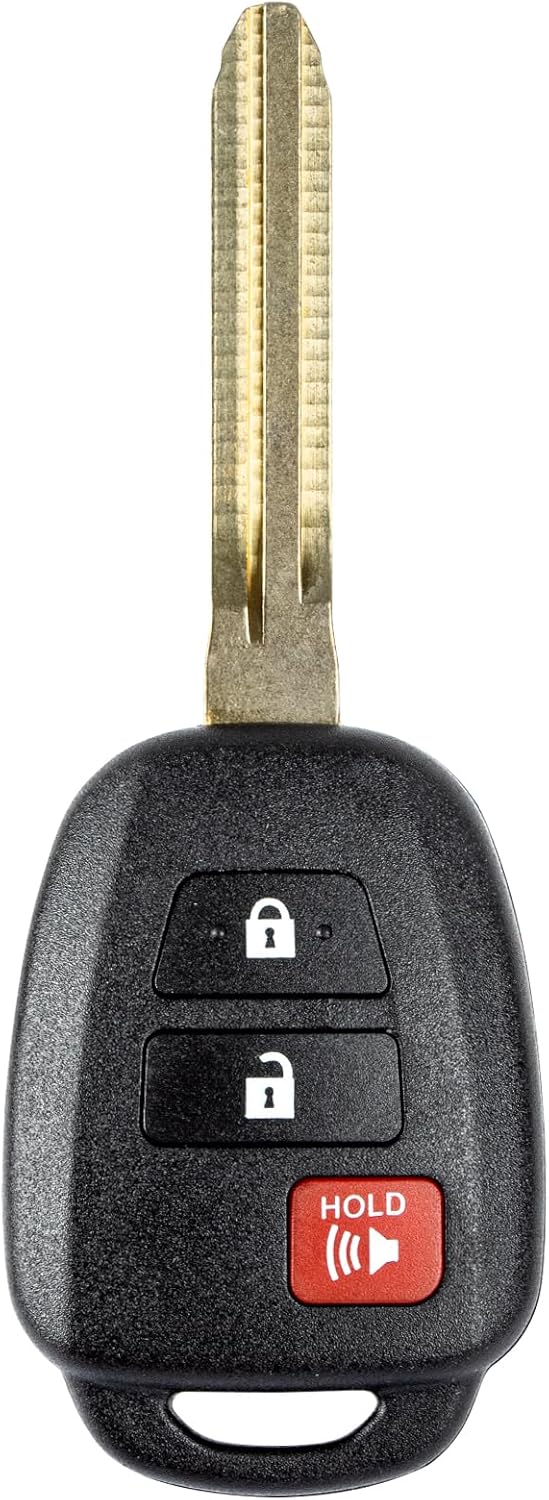
This replacement key fob is designed for select Toyota models and provides reliable keyless entry functionality with a factory-like fit and operation. It comes pre-tested with electronics and battery installed, making it a convenient solution when your original remote is lost, damaged, or worn out. Professional programming and cutting are required, and compatibility should be confirmed against the original remote and vehicle fitment details.

This keyless entry remote replacement is designed for select Toyota models and comes pre-tested with battery and electronics installed for ready-to-program convenience. It supports compatible part numbers and FCC IDs, making it a practical solution for replacing a lost or damaged fob. Programming and cutting by a qualified locksmith or dealership are required, and it is intended for regular key vehicles rather than push-start systems.

This keyless entry remote replacement is designed for a wide range of Toyota, Scion, and Lexus-compatible vehicles, offering a convenient way to restore remote locking and unlocking functions. Each fob is pre-tested, comes with the battery and electronics already installed, and is ready to be programmed for supported standard-key vehicles. It is a practical replacement choice for drivers who need a reliable, compatible remote for everyday use.
What Should You Check Before Buying a Replacement Tacoma Key Fob?
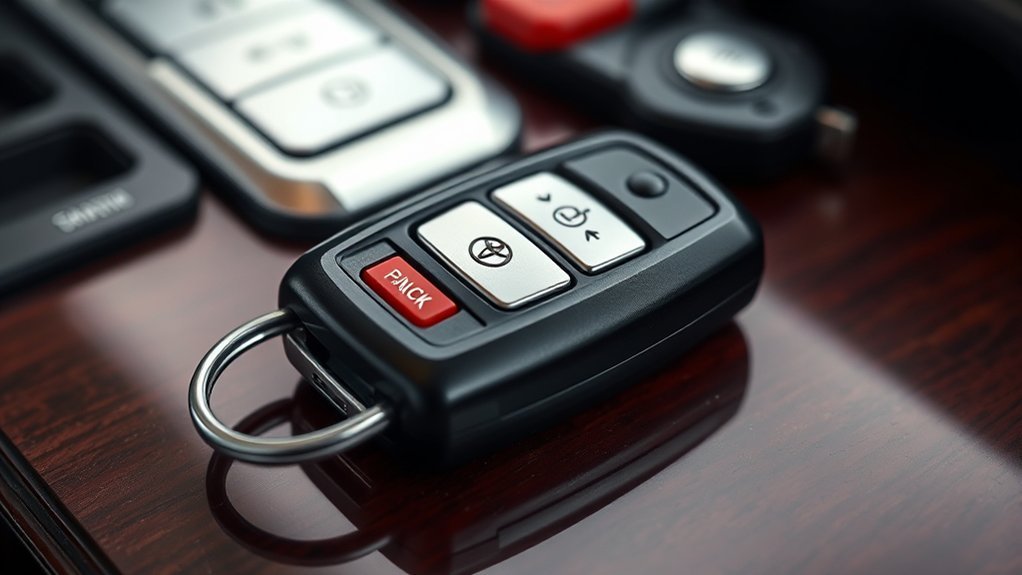
Compatibility matters more than appearance. Two fobs can share the same shell while using a different frequency, transmitter, immobilizer chip or Smart Key system.
- Model year and build: Fob systems can change between generations and production configurations.
- Smart Key or traditional ignition: Push-button-start fobs and integrated ignition-key remotes are not interchangeable.
- Button layout: Match lock, unlock, panic and tailgate controls.
- FCC ID and Toyota part number: Compare them with the original fob whenever possible.
- VIN verification: Ask the dealer, locksmith or seller to confirm compatibility against the vehicle.
- Programming level: Determine whether the remote buttons, immobilizer authorization and Smart Key registration are included.
- Mechanical blade: A replacement emergency key may need to be cut separately.
- Previously used fobs: Confirm that the device can be reset and registered to another vehicle before buying it.
A procedure that pairs lock and unlock buttons does not necessarily register the transponder or Smart Key authorization required to start the truck. Many modern fobs need dealer-level or qualified-locksmith equipment.
Aftermarket fobs can cost less than dealer-supplied units, but quality, reset status and programming support vary. Buy only after the seller confirms the exact FCC ID, part number or VIN compatibility and explains the return policy.
[Products Worth Considering]
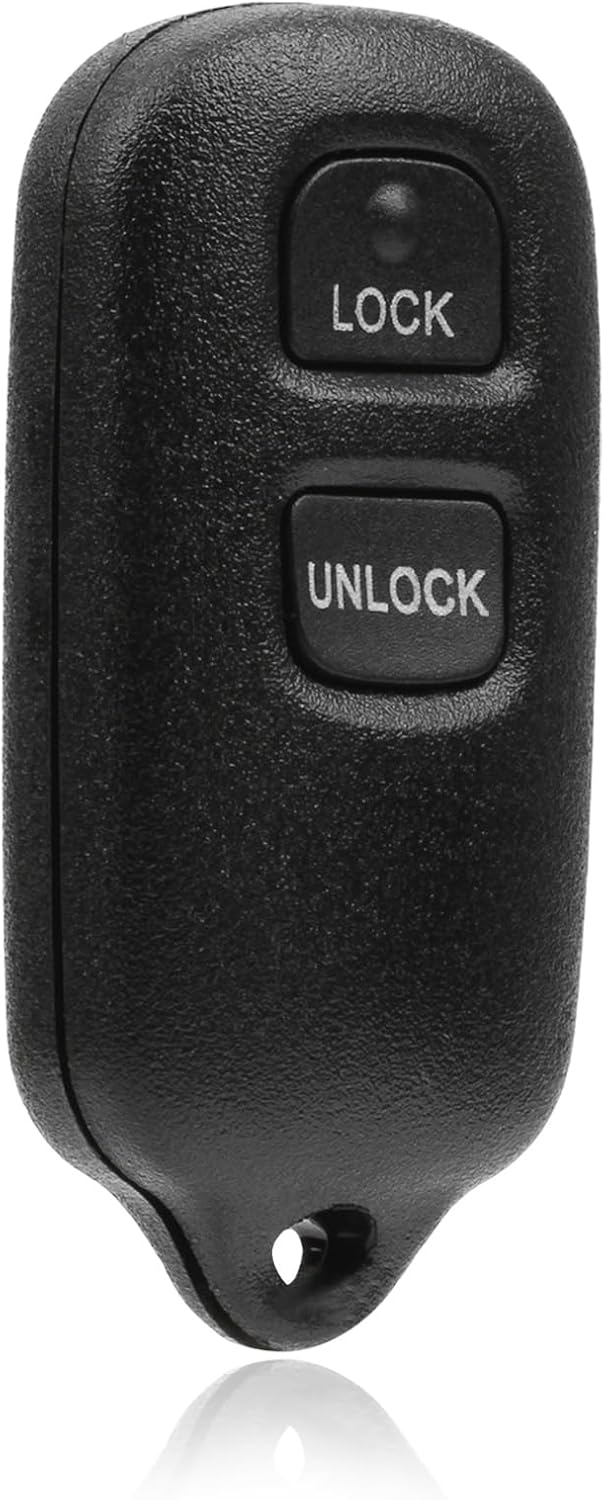
This USARemote key fob replacement provides convenient keyless entry for a wide range of Toyota and Scion vehicles. It is programmable, ready to use, and designed to help restore remote locking and unlocking functionality for compatible models. The compact black remote offers dependable everyday use for drivers needing a simple replacement solution.

This replacement key fob set is designed for select Toyota RAV4 and XB models with regular key systems, offering lock, unlock, and panic functions in a convenient two-pack. Each remote comes pre-tested with battery and electronics installed, and it must be cut and programmed by a qualified dealer or locksmith for proper use. Built from durable materials and backed by warranty support, it provides a reliable solution when replacing worn or missing remotes.

Replacement: This Remote Key Fob Replacement Is Compatible with the 2020-2021 Toyota 4Runner,2017-2019 Toyota Highlander,2016-2018 Toyota Land Cruiser,2019-2021 Toyota Sequoia,2019-2021 Toyota Tundra,2015-2021 Toyota Tacoma(Note:There are 2 options available for 2021 Toyota Tacoma). Please Check Our Product Description and Vehicle Fitment Tool for Full Compatible Vehicles List
How Can You Improve Tacoma Keyless-Entry Reliability and Security?
- Keep the fob away from large electronics and metal containers. These can affect short-range communication.
- Do not leave the fob inside the truck. Confirm that it is with you before locking.
- Do not store it immediately beside the parked truck. This can increase battery use and may increase exposure to passive-entry relay attempts.
- Test the spare every few months. Check both the buttons and Smart Key detection.
- Replace a weak battery early. Reduced range and delayed response are warning signs.
- Confirm lock status. Watch for the light or buzzer confirmation and check the handle when security matters.
- Use model-specific battery-saving or Smart Key settings. Do not rely on a button sequence written for another Toyota model.
- Keep the mechanical key accessible. Know how to remove it before an emergency.
- Use the official manual. Toyota’s manuals and warranties page provides model-specific instructions.
[Products Worth Considering]

**Please confirm compatibility using the fitment guide located in the product images**

CONFIRM FIT **Please confirm compatibility using the fitment guide located in the product images** This battery will only fit your key fob if it exactly matches one of the examples in the compatibility guide.
Frequently Asked Questions
Can I program additional key fobs for my Tacoma?
It depends on the year and key type. Some older remotes may support owner pairing for lock and unlock functions. Modern Smart Key or immobilizer registration commonly requires Toyota or qualified-locksmith equipment. Match the FCC ID and part number before buying.
What should I do if I lose my key fob?
Use your spare fob and contact a Toyota dealer or qualified automotive locksmith. Ask for the lost electronic key to be removed from the truck’s registered-key memory so it can no longer authorize access or starting.
Are aftermarket Tacoma key fobs available?
Yes, but a matching shell does not prove compatibility. Confirm the model year, Smart Key or traditional ignition type, button layout, FCC ID, part number, reset status and programming requirements before purchasing.
How do I know when my key fob battery is low?
Common signs include reduced range, delayed response, intermittent button operation and inconsistent Smart Key detection. Compare the spare fob from the same location before concluding that the vehicle receiver has failed.
Can I replace only the key fob shell?
Often, yes. The circuit board, transponder components and emergency key can sometimes be transferred into a matching shell. The replacement must match the original button positions and internal supports. A shell will not repair damaged electronics.
What battery does a Toyota Tacoma key fob use?
The battery depends on the exact fob design. Remove the old battery and match the printed code and polarity, or check the owner’s manual for your model year and key type. Do not select a battery only because another Tacoma fob looks similar.
Why does my Tacoma key fob unlock only the driver’s door?
That is a common security setting. One press unlocks the driver’s door, and a second press within a few seconds unlocks the other doors and tailgate. The timing and customization method depend on the model year.
Can I start my Tacoma when the key fob battery is dead?
On a Smart Key and push-button-start Tacoma, use the mechanical key to enter, press the brake, touch the Toyota-emblem side of the electronic key to the engine switch and follow the model-year manual’s temporary-start procedure. Replace the fob battery afterward.
Does Tacoma key-fob remote start require a subscription?
Toyota’s current Connected Services guidance says Remote Connect use through the key fob requires an active trial or paid subscription. The vehicle must also be eligible and all remote-start conditions must be satisfied.
Conclusion
The main Toyota Tacoma key fob functions are lock, unlock and panic. Tailgate operation, Smart Key entry, Digital Key and remote start depend on the truck’s year and equipment. Factory key-fob remote start also requires eligible Remote Connect service with an active trial or paid subscription.
Before buying a battery or replacement fob, identify the fob type and match the existing battery code, FCC ID or Toyota part number. If the fob stops working, compare the spare from the same location. One failed fob usually points toward that fob; two failed fobs make a truck-side power, receiver, antenna or settings problem more likely.
Sources
- Toyota 2024 Tacoma Digital Owner’s Manual — Smart Key System — supports Smart Key functions, proximity operation and model-specific operating guidance.
- Toyota 2024 Tacoma Digital Owner’s Manual — Electronic Key Battery — supports low-battery symptoms and reduced operating-range guidance.
- Toyota Support — How Do I Start the Vehicle Using My Toyota Key Fob? — supports the Remote Connect key-fob remote-start sequence.
- Toyota Connected Services — Remote Connect — supports the active-trial-or-paid-subscription requirement for Remote Connect use through the key fob.
- Toyota USA Newsroom — 2024 Toyota Tacoma — supports fourth-generation Smart Key, Digital Key and available power-tailgate distinctions.
- Toyota Owners — Manuals and Warranties — supports checking model-specific Tacoma instructions.
- U.S. Consumer Product Safety Commission — Button Cell and Coin Batteries — supports coin-battery ingestion and disposal safety guidance.