If your Toyota Tacoma cranks slowly, will not start, or has white, blue, or green crust on the battery posts, the terminals may need cleaning. Work only with the engine off in a ventilated area, wear gloves and eye protection, disconnect the negative cable first, clean the posts and clamps, dry everything fully, then reconnect positive first.
Quick Answer
To clean Tacoma battery terminals, shut the truck off, wear gloves and safety glasses, disconnect the negative cable first, then the positive. Scrub corrosion with a baking-soda-and-water paste, rinse lightly, dry completely, reconnect positive first, then negative, and protect the clean connection with terminal spray or a thin outer coat of dielectric grease.
Key Takeaways
- Always remove the negative battery terminal first and reconnect it last to reduce the risk of sparks or short circuits.
- Use baking soda and water or a purpose-made battery terminal cleaner; skip cola because it can leave sticky residue.
- Do not clean a cracked, swollen, leaking, or frozen battery. Have it tested or replaced instead.
- Dry the terminals fully before reconnecting, then confirm the clamps are snug and the Tacoma starts normally.
At a Glance
| Time Required | 10–20 minutes |
| Difficulty | Easy DIY maintenance |
| Tools Needed | 10mm wrench or socket, gloves, safety glasses, baking soda, water, brush, rags, and terminal protectant |
| Cost | Usually under $15 if you already own basic hand tools |
Quick Steps: Clean Tacoma Battery Terminals Safely
- Park safely. Park on level ground, set the parking brake, turn the engine off, remove the key or keep the fob away from the truck, and let the engine bay cool.
- Put on PPE. Wear safety glasses and chemical-resistant gloves. Lead-acid batteries can contain sulfuric acid and may release explosive gases, so work with good airflow and keep flames, sparks, cigarettes, and jewelry away from the battery.
- Inspect the battery first. If the case is cracked, leaking, swollen, frozen, or smells strongly of sulfur, do not clean it. Replace the battery or have a qualified technician inspect it.
- Disconnect negative first. Loosen the black negative (-) terminal and move it away from the post. Then loosen the red positive (+) terminal.
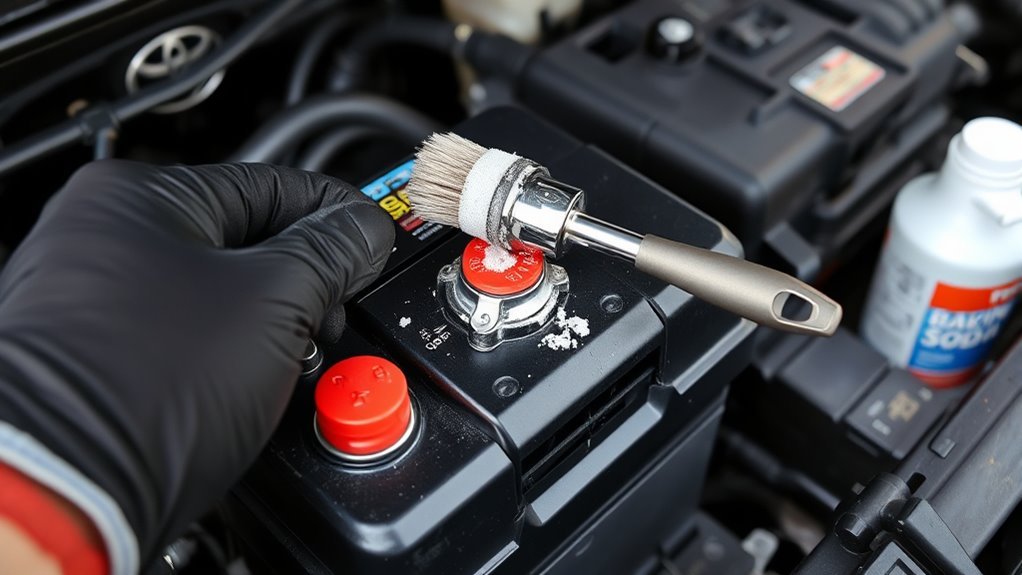
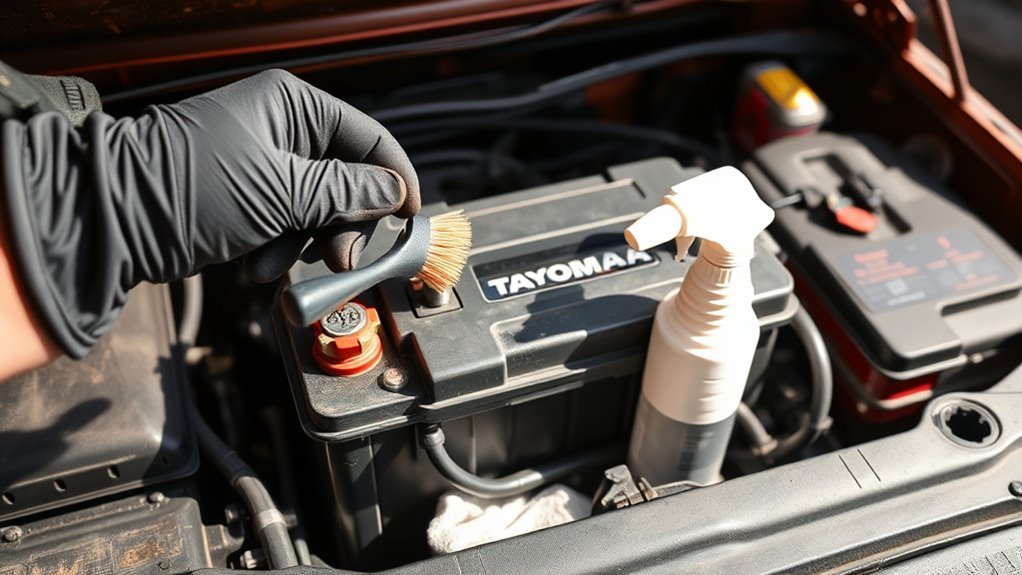
- Clean the corrosion. Mix baking soda with a small amount of water to make a paste. Apply it to the posts and cable clamps, then scrub with a nylon brush, toothbrush, wire brush, or battery-post cleaner.
- Rinse and dry. Use a small amount of clean water or a damp rag to remove residue. Keep liquid away from battery vent openings. Dry the posts, clamps, and top of the battery completely.
- Reconnect positive first. Attach the positive clamp first, then the negative clamp. Tighten both until snug, but do not crush or overtighten the terminals.
- Protect and test. After the clamps are tight, apply battery terminal protector spray or a thin outer coat of dielectric grease around the connection. Start the Tacoma and check for strong cranking, steady lights, and warning messages.
Warning: Toyota’s owner information for the Tacoma says to remove the negative (-) terminal first because removing the positive terminal first can create a spark if the tool or terminal contacts surrounding metal. See the Toyota Tacoma Owner’s Manual for model-specific battery precautions.
Check: Are Your Tacoma Battery Terminals Corroded?
Open the hood and look at both battery posts and cable clamps. Corrosion often appears as white, blue, or green powder or crust. A light dusting may only need routine cleaning, but heavy buildup can block current flow and cause slow cranking, dim lights, clicking, or a no-start condition.
- Look for white, green, or bluish deposits on the posts, clamps, hold-down bracket, and nearby cable insulation.
- Check whether either clamp can twist by hand. A loose clamp can act like a dead battery even when the battery itself is still charged.
- Inspect the cable ends for cracks, broken strands, swollen insulation, or corrosion that has traveled under the cable jacket.
- Watch for repeat corrosion after cleaning. Fast return can point to a leaking battery, overcharging, loose venting, or a failing cable end.
Note: Some newer Tacoma trims and hybrid models still use a 12-volt battery for vehicle electronics. Do not touch orange high-voltage hybrid cables or hybrid battery components. This guide is only for the 12-volt battery terminals.
Safety Prep: Tools, PPE, and Preserve Vehicle Settings
Before you touch the battery, gather everything you need so you do not improvise with metal tools around live terminals. Good preparation reduces the chance of acid exposure, sparks, damaged clamps, or lost settings.
[Products Worth Considering]

All-In-One - The ultimate battery terminal cleaning kit provides all the tools to clean and protect your battery from battery corrosion.

【WHAT YOU GET】: Included in the package are 2 battery terminal cleaning brushes and 10 battery terminal corrosion-resistant fiber washers (5 green and 5 red). We have thoughtfully designed different colors to help you distinguish between positive and negative, red for + and green for -.

【Effortlessly removes corrosion】The dual-ended battery post cleaning brush, made of stainless steel casing and with steel wire bristles, powerfully removes stubborn corrosion and oxides from battery terminals and clamps, ensuring optimal conductivity. In winter, clean terminals will help your car start more easily while reducing battery drain.
Tools and Supplies
- Safety glasses or splash-proof goggles
- Chemical-resistant gloves
- 10mm wrench or socket for most Toyota battery clamps
- Baking soda and clean water
- Old toothbrush, nylon brush, wire brush, or battery terminal cleaning tool
- Clean rags or shop towels
- Small cup, spray bottle, or damp cloth for controlled rinsing
- Battery terminal protector spray, anti-corrosion washers, or dielectric grease
- Optional compatible memory saver or backup 12-volt supply
A memory saver can help preserve radio presets, clock settings, and some learned settings, but use one only if it is compatible with your Tacoma and you can follow the device instructions exactly. If the battery area is wet, heavily corroded, or electrically suspect, skip the memory saver and accept that some settings may need resetting.
Pro Tip: Take a quick phone photo before disconnecting the cables. It gives you a clear reference for cable routing, clamp position, and any factory covers or retainers.
Disconnect the Battery: Negative Terminal First
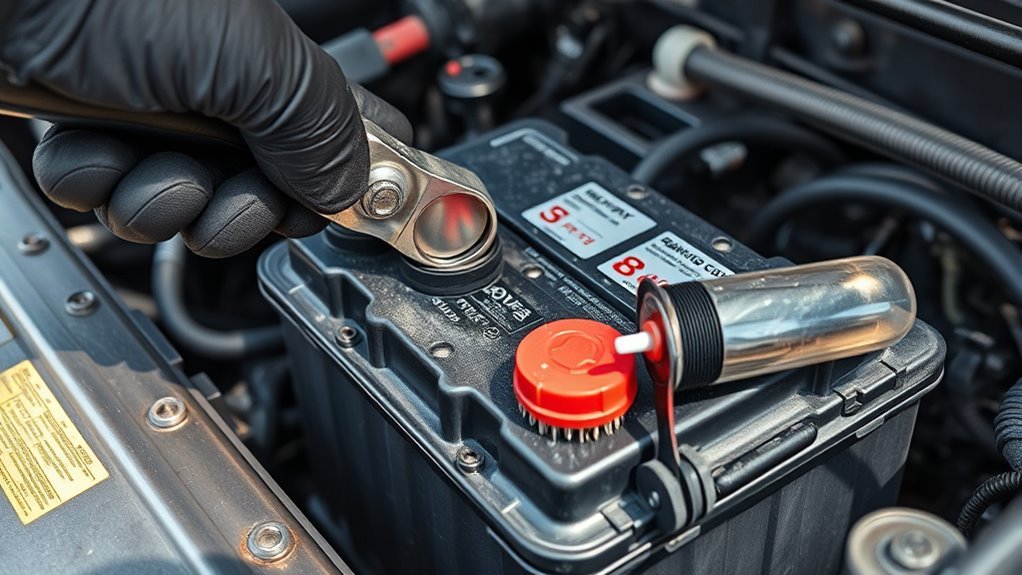
Safety First Always
Turn off the engine, remove the key or keep the fob away from the truck, set the parking brake, and make sure all lights and accessories are off. Keep metal jewelry, loose tools, and open flames away from the battery. Battery work should be done in a well-ventilated space because lead-acid batteries can release hydrogen gas during charging and use.
Negative Terminal Removal
- Identify the black negative cable marked with a minus (-) symbol.
- Loosen the clamp nut with the correct wrench or socket.
- Lift the clamp straight off the battery post. Do not pry hard against the battery case.
- Move the negative cable aside so it cannot spring back and touch the post.
- Repeat the process on the red positive (+) cable after the negative cable is safely isolated.
If a clamp is stuck, use gentle side-to-side movement or a battery terminal puller. Avoid hammering, twisting the post, or forcing the clamp because that can crack the battery seal.
Cleaning Methods Compared: Baking Soda, Commercial Sprays, and Coke
For Tacoma battery terminals, the best cleaner is the one that removes corrosion without creating a new mess or damaging nearby parts.
| Method | Best For | Watch Out For |
|---|---|---|
| Baking soda and water | Affordable DIY cleaning and neutralizing acidic residue | Keep the mixture out of battery vent caps and dry everything fully |
| Commercial battery cleaner | Fast cleaning, color-change formulas, and heavy buildup | Follow the label, protect paint, and rinse or wipe as directed |
| Coke or cola | Not recommended | Can leave sticky residue on wiring, brackets, and the battery tray |
Baking soda and water is the safest low-cost choice for most light to moderate corrosion. Commercial sprays are convenient when buildup is thick. Cola may appear to dissolve corrosion, but it does not belong in a battery compartment because the sugar and residue can create cleanup problems.
[Products Worth Considering]


Specially designed to protect battery terminals from corrosion, a leading cause of hard starting and battery failure.

Quantity: comes with 10 pieces battery anti-corrosion washers(5 red & 5 green) and 2pcs Battery Terminal Cleaning Brush.
Scrub, Rinse, Dry, and Inspect Tacoma Battery Terminals
With both cables disconnected, focus on the metal-to-metal contact surfaces: the battery posts and the inside of each cable clamp. These are the areas that need to be clean for strong starting current.
- Mix the paste. Add a small amount of water to baking soda until it forms a paste.
- Apply slowly. Dab the paste onto the corroded posts and clamps. Foaming is normal when baking soda reacts with acidic residue.
- Scrub the posts. Use a brush or terminal cleaner until the posts look clean and metallic.
- Scrub the clamps. Clean the inside of each clamp where it grips the post.
- Control the rinse. Use a damp rag, spray bottle, or small amount of clean water to remove the paste and loosened residue.
- Dry fully. Wipe every surface dry. Moisture left around the posts can invite new corrosion.
- Inspect closely. Replace any clamp that is cracked, stretched, badly pitted, or unable to tighten securely.
Warning: Do not let baking soda, cleaner, or rinse water enter battery vent openings. If acid contacts your skin or eyes, flush with clean water and seek medical help. The Canadian Centre for Occupational Health and Safety warns that lead-acid battery electrolyte can burn skin and eyes.
Reconnect Battery Positive First and Run Post-Clean Checks
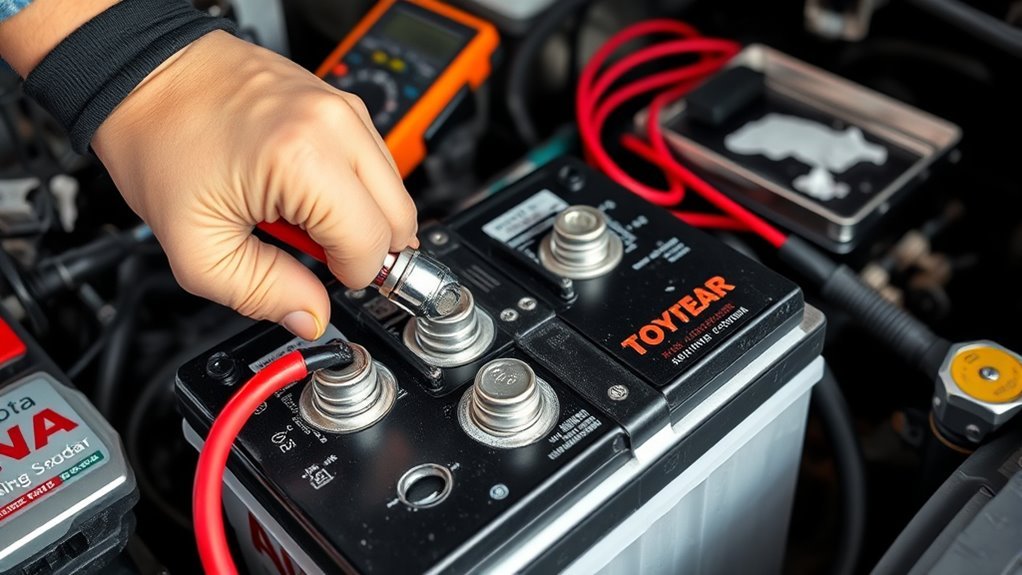
Once the terminals and clamps are clean and dry, reconnect the battery in the reverse order: positive first, negative last.
- Place the positive (+) clamp fully down on the positive post.
- Tighten the clamp until it is snug and cannot rotate by hand.
- Place the negative (-) clamp fully down on the negative post.
- Tighten the negative clamp until snug.
- Apply terminal protector spray or a thin outer coat of dielectric grease around the assembled connection.
- Reinstall any protective covers that were removed.
Do not pack dielectric grease between the post and clamp before tightening. Dielectric grease is mainly a moisture barrier, so the clean metal surfaces should make direct contact first.
Post-Clean Checks
- Gently tug each cable to confirm the clamps are secure.
- Start the Tacoma and listen for normal, strong cranking.
- Check headlights, interior lights, and dashboard indicators for steady operation.
- Reset the clock, radio presets, window auto functions, or trip data if needed.
- If the truck still cranks slowly, clicks, or will not start, have the battery and charging system tested before replacing parts.
Prevent Corrosion and Troubleshoot Resets, Fuses, and Weak Batteries
Cleaning the terminals fixes the connection, but prevention keeps the problem from coming back. Check the battery area at every oil change, before long trips, and after deep water, mud, or heavy off-road dust exposure.
- Use a protectant. Battery terminal spray, anti-corrosion felt washers, or a thin outer layer of dielectric grease can slow oxidation.
- Keep clamps tight. A slightly loose clamp can cause intermittent no-starts, arcing, warning lights, or charging issues.
- Keep the case clean. Dirt and moisture on top of the battery can contribute to electrical leakage and corrosion.
- Watch for repeat buildup. If corrosion returns quickly, look for a leaking battery, damaged cable, poor clamp fit, or charging-system problem.
- Test before replacing fuses. Dim lights, weak starts, and random electrical faults often begin with low voltage or poor battery connections, not a bad fuse.
A clean, tight battery connection is one of the cheapest fixes for slow cranking, flickering lights, and surprise no-start problems.
When to Replace the Terminal Clamp or Battery
Cleaning is not enough if the hardware is damaged. Replace the clamp, cable end, or battery when you see signs that the connection cannot stay clean and tight.
- The clamp is cracked, stretched, or cannot tighten on the post.
- Corrosion has traveled deep into the copper cable strands.
- The battery post is loose, broken, or leaking around the seal.
- The battery case is swollen, cracked, wet with electrolyte, or repeatedly crusty after cleaning.
- The Tacoma still starts slowly after the terminals are clean and tight.
If you are unsure, ask a repair shop or parts store to perform a battery load test and charging-system test. That is better than replacing the battery, starter, alternator, or fuses by guesswork.
[Products Worth Considering]
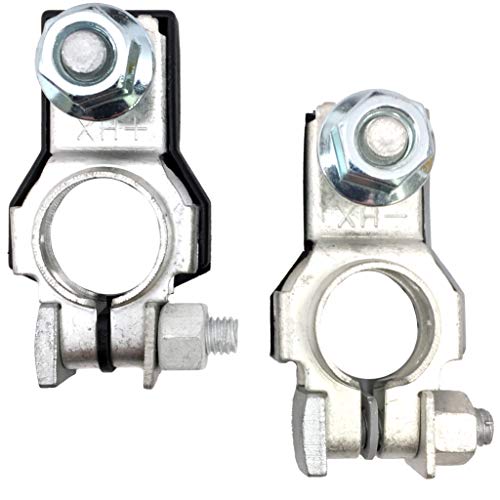
Positive and Negative Terminal Assemblies - 1 Each with M8 Nut
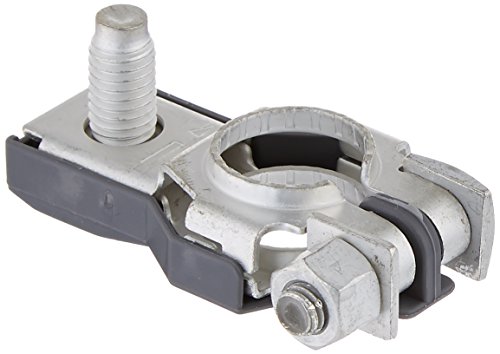
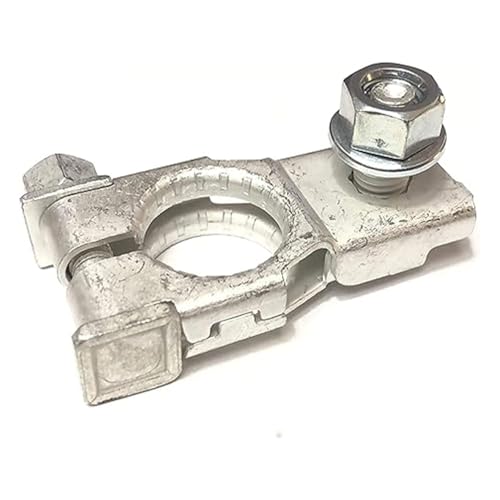
Perfect OEM Replacement (90982-05054): Designed to match the exact specifications of the original 18mm positive battery terminal for reliable fit and performance.
Frequently Asked Questions
Do Tacoma battery terminals need to be cleaned?
Yes. Clean the terminals whenever you see corrosion, slow cranking, dim lights, or a loose-looking connection. Even a good battery can act weak when corrosion blocks current between the post and clamp.
Can I clean battery terminals without disconnecting the battery?
You can wipe light dirt from the outside, but proper corrosion cleaning requires disconnecting the clamps so you can clean the hidden contact area between the post and terminal. Disconnect negative first, then positive.
Why do you disconnect the negative terminal first?
The negative cable is connected to the vehicle body ground. Removing it first reduces the chance that a wrench on the positive terminal will complete a circuit if it touches nearby metal.
Should I use Coke to clean Tacoma battery corrosion?
No. Cola can make corrosion look easier to remove, but it can leave sticky residue around wiring, brackets, and the battery tray. Baking soda and water or a commercial battery terminal cleaner is a cleaner choice.
Where should dielectric grease go on battery terminals?
Tighten the clean clamp onto the clean post first. Then apply a thin layer around the outside of the assembled connection to help block moisture. Avoid packing a thick layer between the post and clamp.
What if the Tacoma still will not start after cleaning the terminals?
Recheck that both clamps are fully seated and tight. If the connection is solid, test the battery charge, battery health, starter, alternator output, and cables. Replacing fuses or parts before testing can waste money.
Conclusion
Cleaning Tacoma battery terminals is simple, but the order matters: engine off, PPE on, negative off first, positive off second, scrub with baking soda and water, rinse carefully, dry fully, reconnect positive first, and reconnect negative last. Finish with terminal protection and a start-up check. If corrosion returns quickly or the truck still starts weakly, the battery, cable, clamp, or charging system needs deeper testing.
Sources
- Toyota Tacoma Owner’s Manual — battery terminal removal warning and negative-terminal-first safety guidance.
- OSHA 1926.441 Batteries and Battery Charging — ventilation, acid-handling PPE, and battery safety requirements.
- Canadian Centre for Occupational Health and Safety: Garages – Lead-acid Batteries — sulfuric acid, explosive gases, PPE, and first-aid guidance.
- Interstate Batteries: How to Clean Car Battery Corrosion Safely — baking soda cleaning method, drying, reconnecting positive first, and cola-cleaning caution.
- Toyota Parts and Service: Disconnecting & Reconnecting a Toyota Battery — why battery disconnection and reconnection can require planning and vehicle-specific procedures.