OBD-II readiness monitors are the self-checks your Toyota Camry’s computer runs before many emissions inspections. If you recently cleared codes, disconnected the battery, replaced emissions parts, or repaired a check-engine-light problem, one or more monitors may show “not ready” until the Camry is driven under the right conditions.
Quick Answer
To get Toyota Camry OBD-II readiness monitors ready, repair any active emissions fault first, make sure the check engine light is off, keep the fuel level in a normal mid-range, then complete several mixed city and highway trips. Use an OBD-II scanner to confirm each required monitor shows “complete” before testing.
Key Takeaways
- Readiness monitors reset to incomplete after cleared codes, battery loss, certain repairs, or blown ECM-related fuses.
- A check engine light that stays on usually means the Camry needs diagnosis before the monitors will complete.
- The exact Toyota drive pattern depends on model year, engine, and hybrid/non-hybrid configuration.
- Most stubborn “not ready” problems come from unresolved DTCs, weak batteries, thermostat issues, oxygen sensor problems, catalyst faults, EVAP leaks, or incomplete driving conditions.
- State emissions rules vary, so confirm your local inspection standard before assuming one incomplete monitor is allowed.
At a Glance
| Time Required | 20–60 minutes of driving for some monitors; several trips or an overnight cold soak for others |
| Difficulty | Easy to moderate |
| Tools Needed | OBD-II scanner, safe driving route, owner’s manual or model-specific Toyota service information |
| Cost | Usually $0 if no repair is needed; scanner and repair costs vary |
Understanding OBD-II Monitors: Why They Matter
OBD-II monitors are built-in diagnostic tests that check emissions-related systems while you drive. Toyota explains in its owner information that the OBD system monitors the emission control system, and a malfunction indicator lamp can mean the vehicle may not pass an inspection and maintenance test. You can review Toyota’s owner manual guidance through the official Toyota Camry emissions inspection information.
Some monitors run continuously, while others need specific conditions before the engine computer can complete them. Depending on the Camry’s model year and engine, monitored systems may include the catalyst, oxygen or air-fuel ratio sensors, evaporative emissions system, exhaust gas recirculation system, fuel system, misfire detection, and comprehensive component checks.
When a monitor shows “complete,” the required conditions have been met and the computer has run that self-test. When it shows “incomplete” or “not ready,” the test has not finished yet. That does not always mean a part is bad, but it does mean the car may not be ready for an emissions inspection.
Note: Clearing a code right before an emissions test usually makes the situation worse. It turns off stored data and forces the monitors to start over, even if the check engine light is off for the moment.
Why Camry Readiness Monitors Show “Not Ready”
A Toyota Camry monitor commonly stays incomplete for one of five reasons: the computer was reset, a fault is still present, the driving conditions have not matched the monitor’s requirements, the engine has not reached the right operating conditions, or the inspection rule for your state requires a monitor that your car has not completed yet.
Battery Disconnect or Cleared Codes
If the battery was disconnected, the ECM lost power, a related fuse failed, or DTCs were cleared with a scan tool, readiness data can reset. The car may start and drive normally, but the inspection computer may still see “not ready.”
Active or Pending Diagnostic Trouble Codes
Active emissions-related diagnostic trouble codes can prevent monitors from completing. Pending codes can also be useful because they may show a fault the computer has seen but has not yet confirmed enough times to turn on the check engine light.
Wrong Drive Conditions
Many non-continuous monitors need a specific mix of cold start, idle time, steady cruising, light acceleration, deceleration, and normal operating temperature. Short trips, heavy traffic, hard acceleration, steep hills, or constantly changing speeds can interrupt the test.
Fuel Level Too Low or Too Full
The EVAP monitor often will not run when the tank is nearly empty or completely full. A practical target is to keep the tank around the middle range, such as roughly one-quarter to three-quarters full, before attempting a readiness drive.
Engine Temperature Problems
If the thermostat is stuck open, the coolant temperature sensor is inaccurate, or the engine never reaches normal operating temperature, monitors that depend on warm-engine conditions may not complete. This is especially noticeable in cold weather or on very short trips.
How to Check Readiness with an OBD-II Scanner
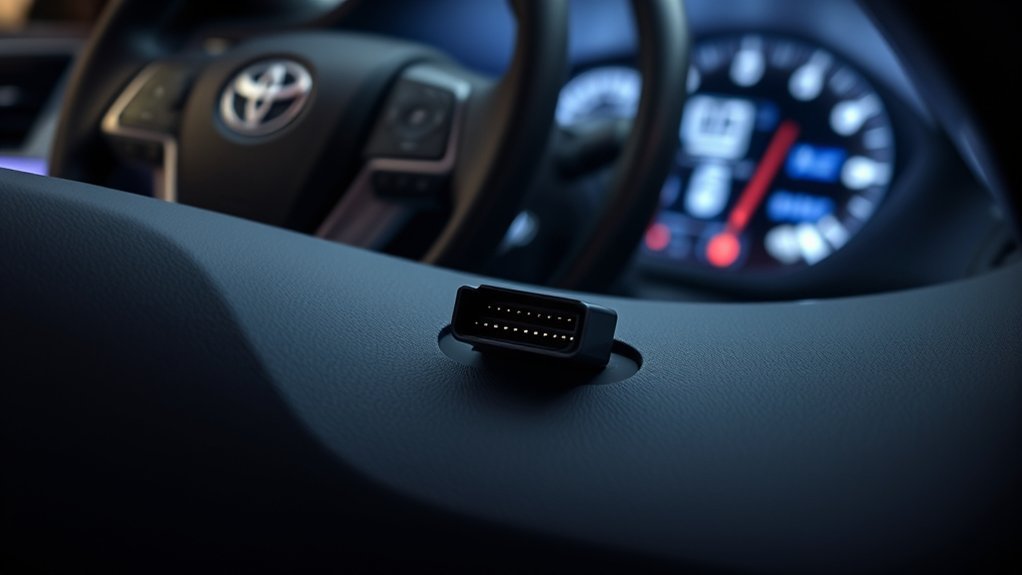
You do not need a professional scan tool just to check readiness. Many basic OBD-II scanners can show monitor status, MIL status, and stored or pending DTCs. Connect the scanner to the diagnostic link connector under the driver’s side dashboard, turn the ignition on as the scanner instructs, and open the I/M readiness or monitor status menu.
- Check whether the MIL or check engine light is commanded on.
- Read stored, pending, and permanent DTCs before clearing anything.
- Open the I/M readiness screen and list which monitors are complete and incomplete.
- Fix active emissions faults before attempting repeated drive cycles.
- After driving, scan again before going to the inspection station.
Pro Tip: Take a photo of your scanner’s readiness screen before and after each drive. If the same monitor stays incomplete after multiple correct trips, you will know where to focus diagnosis instead of guessing.
[Products Worth Considering]

The ANCEL AD410 PRO combines engine diagnostics and 12V battery testing in one easy-to-use tool, helping you read and clear check engine codes while checking battery health, cranking, and charging performance. It also provides live data, freeze frame details, and I/M readiness checks to help you diagnose issues faster and prepare for emissions testing. With plug-and-play operation, a clear screen, and broad vehicle compatibility, it is a practical solution for home mechanics and everyday drivers.

The FOXWELL NT301 is a plug-and-play OBD2 code reader designed to help drivers and home mechanics diagnose check engine light issues with ease. It reads fault codes, clears emissions-related warnings, displays live sensor data in graph form, and shows I/M readiness so you can quickly check vehicle status before an emissions test. With broad compatibility across many OBD2 vehicles and a clear color screen, it offers a practical, user-friendly way to monitor and troubleshoot engine performance.

The BLCKTEC 440 Bluetooth OBD2 scanner helps drivers and DIY mechanics quickly read and clear trouble codes, monitor live data, and check emissions readiness with confidence. Its color display, graphing capabilities, and battery and charging system testing make it a versatile diagnostic tool for OBD-compliant vehicles. Designed for plug-and-play convenience, it runs directly from your vehicle and includes support for report sharing and ongoing updates.
Toyota Camry Drive Cycle Basics
The fastest readiness pattern is not identical for every Toyota Camry. A 2002 four-cylinder Camry, a 2012 V6 Camry, a 2020 Camry Hybrid, and a 2025 Camry Hybrid can have different monitor requirements. Toyota’s official support page explains how to access the correct owner’s manual for your vehicle through Toyota’s manual lookup resources.
For a general Camry readiness attempt, use this safe, practical sequence:
- Start with the basics. Make sure there are no active emissions DTCs, the check engine light turns off after startup, the fuel cap is tight, the battery is healthy, and the fuel tank is in the mid-range.
- Begin from a cold start when possible. Some monitors need the vehicle to sit long enough for the engine and intake air temperature to stabilize before startup.
- Allow initial idle time. Let the engine settle, avoid revving, and let the Camry begin warming up normally.
- Drive gently in town. Use light throttle, normal stops, and smooth acceleration. This helps fuel, misfire, oxygen sensor, and component checks run under realistic conditions.
- Add steady highway cruising. When safe and legal, hold a steady speed for several minutes. Avoid sudden throttle changes, steep grades, and cruise interruptions where possible.
- Include controlled deceleration. Some monitors benefit from coasting or gentle deceleration without aggressive braking, but only do this where it is safe and legal.
- Repeat over several trips if needed. EVAP and catalyst monitors may need more than one trip, especially after a battery disconnect or in cold weather.
- Scan before inspection. Do not assume the drive worked. Confirm readiness with the scanner.
Warning: Never perform a drive cycle in unsafe traffic, bad weather, or a location where steady speeds or deceleration would create a hazard. Follow posted speed limits and traffic laws.
Common Issues Affecting OBD-II Monitor Readiness
If your Camry still shows “not ready” after several normal trips, stop repeating the same drive and start diagnosing. Persistent readiness problems usually point to a condition the computer does not like, even when the car feels normal.
Diagnostic Trouble Codes
Diagnostic Trouble Codes help explain why a monitor will not complete. Common examples that can affect Toyota Camry readiness include:
- P0420: Catalyst system efficiency below threshold
- P0138: Oxygen sensor circuit high voltage
- P0440, P0441, P0442, P0455, or P0456: EVAP system faults or leaks
- P0128: Coolant temperature below thermostat regulating temperature
- Misfire codes: Cylinder misfires that can block or delay catalyst readiness
Do not clear these codes just to see if readiness improves. Record them, diagnose the root cause, repair the problem, then complete the required drive cycle.
Sensor and Component Failures
Oxygen sensors, air-fuel ratio sensors, catalytic converters, coolant temperature sensors, fuel caps, purge valves, vent valves, and wiring problems can all affect readiness. Exhaust leaks near oxygen sensors can also create misleading readings and cause monitors to fail or stay incomplete.
Weak Battery or Voltage Drop
A weak battery can cause readiness frustration. If the Camry loses power overnight or voltage drops too low during startup, monitors may reset again. Test the battery and charging system if readiness keeps disappearing.
Recent Repairs That Need Verification
After replacing an oxygen sensor, catalytic converter, thermostat, fuel cap, EVAP valve, or battery, the computer still needs to verify the repair under real operating conditions. A successful repair does not instantly make every monitor complete.
The Role of Temperature and Thermostat in OBD-II Monitors
Engine temperature matters because the computer needs predictable warm-up behavior before it can judge emissions performance. A thermostat that opens too early can keep the engine cooler than expected, delay closed-loop operation, reduce fuel efficiency, and prevent certain monitors from completing.
Watch for signs such as poor cabin heat, a temperature gauge that stays low, a P0128 code, lower fuel economy, or readiness monitors that never complete in cold weather. If you see these symptoms, diagnose the cooling system before attempting more drive cycles.
A monitor that stays incomplete after repeated correct driving is a diagnostic clue, not just an inconvenience. The car may be telling you that a required condition is never being reached.
How to Fix Persistent Readiness Issues
When readiness problems persist, work through the issue in a logical order. This avoids unnecessary parts replacement and prevents repeated failed inspection trips.
- Scan for all code types. Check stored, pending, and permanent codes. Permanent DTCs may require the OBD-II system to verify the repair before they clear.
- Confirm the check engine light works correctly. It should illuminate during the key-on bulb check and turn off after the engine starts if no active MIL-commanding fault exists.
- Check the battery and fuses. A power loss can reset monitors and waste an otherwise successful drive cycle.
- Verify fuel level and fuel cap condition. A loose, damaged, or non-sealing cap can delay EVAP readiness.
- Review live data. Coolant temperature, oxygen sensor activity, fuel trims, and catalyst data can reveal why a monitor will not run.
- Repair faults before clearing codes. Clearing codes without repairs restarts the readiness process and may hide useful diagnostic evidence.
- Use the correct Toyota procedure. Match the drive pattern to your Camry’s model year, engine, and emissions system.
- Get professional diagnosis if one monitor never completes. A shop with Toyota-capable scan tools can run monitor tests and inspect live data more deeply than a basic scanner.
Note: Some emissions-related parts may be covered by federal, state, or manufacturer emissions warranties depending on vehicle age, mileage, part type, and location. Check warranty coverage before paying for major emissions repairs.
[Products Worth Considering]

FOXWELL NT201 is an easy-to-use OBD2 scanner designed to help drivers quickly read and clear check engine codes, view live engine data, and check emissions readiness. Its color screen, one-key I/M readiness test, and broad compatibility with most gasoline vehicles since 1996 make it a practical tool for everyday diagnostics and maintenance. With plug-and-play operation and lifetime free updates, it offers a simple way to understand vehicle issues without expensive shop visits.

This replacement gas cap is designed to restore a tight fuel-tank seal, helping reduce vapor leaks, prevent check engine light issues, and maintain proper fuel system performance. Built in OE-style form for a wide range of Toyota and Lexus vehicles, it offers a direct DIY fix with durable materials for reliable, long-lasting use.

This enhanced OBD2 scanner helps drivers quickly diagnose check engine light issues, read and clear trouble codes, and check emissions readiness before a smog test. It also adds EVAP and O2 sensor testing, live data, freeze frame capture, and a one-click battery health check in a simple plug-and-play tool with a bright color screen.
Preparing Your Toyota Camry for Emissions Testing
Before visiting the inspection station, check your Camry the same way the station will: MIL status, OBD communication, DTCs, and readiness monitors. The U.S. EPA provides inspection and maintenance guidance for OBD checks through its Vehicle Emissions Inspection and Maintenance resources.
Inspection standards vary by state. For example, the California Bureau of Automotive Repair publishes current OBD test standards in its On-Board Diagnostic Test Reference. BAR also notes that readiness monitor regulations adopted in 2025 are being implemented gradually, with current pass/fail criteria remaining in place while data is collected and future changes are announced through official channels.
Use this final pre-test checklist:
- The check engine light turns on during the bulb check and turns off while the engine is running.
- No active emissions-related DTCs are stored.
- Required readiness monitors show complete for your state’s inspection rules.
- The battery has not recently been disconnected or gone dead.
- The fuel tank is not nearly empty or completely full.
- The car has completed several normal warm-up and driving trips after repairs.
- You have scanned readiness status the same day as the inspection.
[Products Worth Considering]

This replacement gas cap is designed for a wide range of Toyota and Lexus models, offering a direct-fit solution for restoring a proper seal at the fuel tank. It helps address check engine light issues related to the fuel cap while providing easy installation and dependable performance. Built from durable materials and rigorously tested before shipping, it is a practical replacement for worn or damaged fuel caps.

This OEM replacement fuel tank gas cap is designed for a wide range of Toyota, Lexus, and Scion vehicles, helping restore a proper seal for reliable everyday driving. It helps reduce fuel vapor leakage, may prevent check engine light issues caused by a faulty cap, and offers durable construction for long-lasting performance. Installation is simple with a direct-fit design that twists into place quickly.

This replacement gas cap is designed for a wide range of Toyota and Lexus vehicles, offering a direct-fit solution for worn, cracked, or failing fuel caps. Built from durable materials and tested for reliability, it helps restore a secure seal and supports dependable everyday driving. It is a practical replacement part for owners looking for an easy installation and broad vehicle compatibility.
Frequently Asked Questions
What are OBD-II readiness monitors?
OBD-II readiness monitors are self-tests the vehicle computer runs to check emissions-related systems. They show whether the car has completed the required diagnostic checks since the last reset, repair, or battery power loss.
How do I know when my Toyota Camry OBD-II system is ready?
Use an OBD-II scanner and open the I/M readiness screen. The required monitors should show “complete” or “ready,” and the check engine light should be off while the engine is running.
What does I/M readiness mean on an OBD-II scanner?
I/M readiness means Inspection and Maintenance readiness. It tells you whether the emissions monitors have completed since the last reset and whether the vehicle is likely ready for an OBD-based emissions inspection.
How do I complete readiness monitors on a Toyota Camry?
Repair active faults first, keep the battery connected, use a mid-range fuel level, start from a cold engine when needed, drive several smooth city and highway trips, and confirm completion with a scanner. Use model-specific Toyota information for the fastest drive pattern.
Can I pass emissions with one monitor not ready?
It depends on your state, model year, fuel type, and which monitor is incomplete. Some programs allow limited exceptions, while others require all applicable monitors to be complete. Check your local inspection rules before testing.
Why is my catalyst monitor still not ready?
The catalyst monitor may need steady warm-engine cruising, stable oxygen sensor data, and no active misfire or fuel-control problems. A weak catalytic converter, exhaust leak, oxygen sensor issue, thermostat problem, or interrupted drive pattern can keep it incomplete.
Should I clear codes before an emissions test?
No. Clearing codes resets readiness monitors and often makes the car fail for “not ready.” Diagnose and repair the problem, then drive until the required monitors complete.
Conclusion
OBD-II readiness monitors are your Camry’s way of proving its emissions systems have been checked under real driving conditions. If the monitors are incomplete, do not panic and do not keep clearing codes. Scan the car, fix active faults, maintain normal fuel and temperature conditions, drive a safe mixed route, and verify readiness before inspection. That approach gives your Toyota Camry the best chance of passing cleanly without wasted trips.
Sources
- Toyota Camry Owner’s Manual: Emission Inspection and Maintenance Programs — Toyota guidance on OBD checks, emission control monitoring, and MIL-related inspection concerns.
- Toyota Support: How to View an Online Owner’s Manual — official Toyota instructions for finding model-specific owner information.
- California Bureau of Automotive Repair: On-Board Diagnostic Test Reference — OBD pass/fail standards, readiness monitor standards, MIL standards, and permanent DTC information.
- California Bureau of Automotive Repair: New OBD Readiness Monitor Regulations Explained — current explanation of California’s phased readiness monitor regulation changes.
- U.S. EPA: Vehicle Emissions Inspection and Maintenance Policy and Technical Guidance — federal inspection and maintenance guidance for emissions programs and OBD checks.