Toyota Camry Lane Tracing Assist Explained
What’s in This Article
- Quick Answer
- What Is Lane Tracing Assist in the Toyota Camry?
- How Lane Tracing Assist Technology Works
- How LTA Works With Dynamic Radar Cruise Control
- How to Activate and Control Lane Tracing Assist
- What the Multi-Information Display Indicators Mean
- Safety and Comfort Benefits of Lane Tracing Assist
- Key Limitations of Lane Tracing Assist
- Tips for Using Lane Tracing Assist Safely
- Lane Tracing Assist Maintenance Tips
- Staying Engaged While Using Lane Tracing Assist
- Frequently Asked Questions
Lane Tracing Assist can make highway driving feel smoother, but it can also give you a false sense of security if you treat it like self-driving tech. In the Toyota Camry, the system uses camera and radar data to help you stay near the center of your lane when the right conditions exist. This guide explains how it works, what the dashboard indicators mean, and when you need to take over.
Quick Answer
Quick Answer
Lane Tracing Assist (LTA) in the Toyota Camry helps keep the car centered when Dynamic Radar Cruise Control (DRCC) runs and the system can read lane markings or a lead vehicle path. It provides gentle steering support, not hands-free driving. You must keep your hands on the wheel, watch the road, and take over any time the system loses clear lane data.
Key Takeaways
- LTA works with DRCC and needs clear lane markings or a usable lead vehicle path.
- The system adds gentle steering help, but you still control the Camry at all times.
- Dashboard icons can show when LTA sees lanes, tracks a lead vehicle, or provides steering support.
- Poor weather, faded lane lines, sharp curves, glare, and sensor blockage can reduce performance.
- You should confirm exact settings and warning messages in your Camry Owner’s Manual.
What Is Lane Tracing Assist in the Toyota Camry?

Lane Tracing Assist (LTA) helps your Toyota Camry stay near the center of its lane during supported driving. Toyota includes LTA as part of the Toyota Safety Sense driver assistance suite, and it works when Dynamic Radar Cruise Control (DRCC) runs under the right conditions.
LTA uses visible lane markings and, in some cases, the path of a vehicle ahead as reference points. The system can then add small steering inputs to help your Camry hold a steadier lane position.
You still need to steer, brake, and stay alert. Toyota builds LTA as a support feature, not as autopilot or a hands-free driving system.
How Lane Tracing Assist Technology Works
LTA uses a forward-facing camera to read lane markings and road edges when visibility allows. It also works with radar data from DRCC when your Camry follows another vehicle.
The system calculates your position in the lane, then adds gentle steering support when it detects enough useful data. You may notice this help most on steady curves and long highway stretches where small steering changes add up.
According to Toyota, LTA can use lane lines and the path of a preceding vehicle to help keep the vehicle centered. The broader Toyota Safety Sense suite explains how Toyota groups LTA with DRCC, Lane Departure Alert, and other driver assistance systems.
Note: Display icons, menu names, and feature behavior can vary by model year, market, trim, and software version.
[Products Worth Considering]

This steering clock spring is designed to restore reliable steering wheel controls across a wide range of Toyota models. It supports audio, cruise control, and other multifunction commands while matching OEM part numbers for confident replacement fitment. Built for dependable signal transfer and straightforward installation, it is an effective solution for repairing steering column control issues.

This dash clock spring replacement is designed for a wide range of Toyota vehicles and helps restore reliable steering wheel control functions. It supports audio controls, cruise control, and other multi-function commands while using vehicle-specific connectors for easier installation. Built with durable materials and OEM-referenced part compatibility, it is a practical solution for repairing steering wheel signal issues.
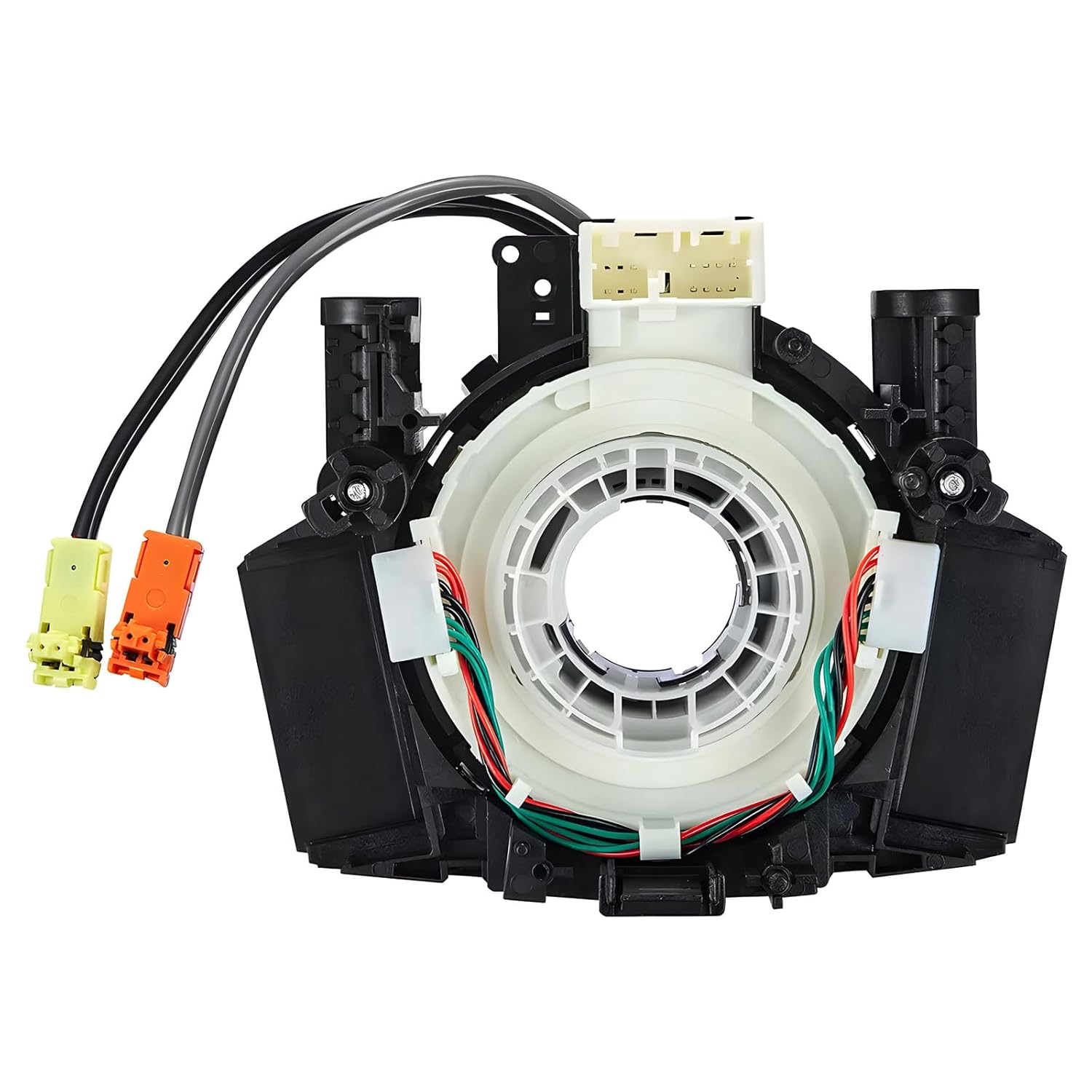
This steering clock spring assembly is an OEM-style replacement designed to restore steering wheel controls and related electronic functions in compatible Nissan vehicles. It supports audio, cruise control, and multi-function button operation while matching multiple factory part numbers for a reliable fit. Built for direct installation with vehicle-specific connectors, it helps return steering column electronics to proper working order.
How Does Lane Tracing Assist Work With Dynamic Radar Cruise Control?
Lane Tracing Assist and Dynamic Radar Cruise Control work together during supported highway driving. DRCC manages following distance, while LTA helps with lane centering when it can detect lane markers or a useful vehicle path ahead.
LTA does not replace steering. It only adds steering support while you remain in control and keep your hands on the wheel.
If the system detects poor lane data, unclear road edges, or missing driver input, it can warn you and reduce or stop steering support. You should take over right away when the display, warning tone, road layout, or vehicle behavior tells you the system needs help.
[Products Worth Considering]

This front bumper license plate bracket is designed for Toyota Camry and Camry Hybrid models from 2018 to 2026, offering a secure and street-legal way to mount your plate. Built from durable, rust-proof plastic with included screw bolts and a wrench, it helps protect your bumper paint while making installation straightforward. The bracket fits US and Canada plates and is made to keep your license plate and registration sticker visible.

Upgrade your Toyota interior with this custom-fit steering wheel cover designed for a wide range of compatible models. Made from soft microfiber leather with an anti-slip lining, it enhances grip, adds comfort, and helps protect your steering wheel from everyday wear, dirt, fading, and scratches. The easy-to-install design makes it a practical way to refresh a worn steering wheel and improve your cabin’s look.

These round blind spot mirrors add a wider viewing angle to help improve lane changes, passing, and everyday driving safety. The frameless convex HD glass design offers a slim, clear rear view while the adjustable swivel mount makes positioning quick and easy. Compatible with cars, SUVs, vans, and trucks, this two-pack is a simple upgrade for reducing blind spots.
How to Activate and Control Lane Tracing Assist Features

You can usually control Lane Tracing Assist through the Multi-Information Display (MID) and steering wheel controls. Check your Camry Owner’s Manual for the exact menu path because Toyota changes controls by model year and market.
Use these steps as a general guide:
- Open the driver assistance settings in the Multi-Information Display.
- Confirm that Lane Centering or LTA lane centering is turned on.
- Confirm that Steering Assist is turned on if your model lists it separately.
- Turn on Dynamic Radar Cruise Control when road and traffic conditions fit.
- Watch the MID to confirm that the system sees lane markings or a lead vehicle path.
- Keep both hands on the wheel and stay ready to steer manually.
[Products Worth Considering]

This Yangday steering wheel cover is designed for a custom fit on select Toyota models, helping improve grip, comfort, and control during everyday driving. Its breathable leather construction and non-slip inner lining offer a secure feel, while the sport-inspired design adds a stylish upgrade to the car interior. The cover is easy to install and helps protect the original steering wheel from heat, wear, and seasonal discomfort.

This steering wheel cover is designed to fit a wide range of Toyota models and any standard-size wheel for a secure, comfortable upgrade. Made with nappa leather and a carbon fiber texture, it helps improve grip, reduce hand fatigue, and protect your original wheel from everyday wear, sun damage, and sweat. The anti-slip design and easy installation make it a practical interior accessory for daily driving.

This wheel alignment tool makes it easy to check and adjust toe-in and toe-out at home for better handling, stability, and more even tire wear. Designed for one-person use, it includes tape-measure slots for simple setup and accurate measurements without extra help. Its stainless steel construction and broad vehicle compatibility make it a practical addition to any DIY garage.
Activating Lane Tracing Assist
Start by checking the MID settings for Lane Centering, LTA, or Steering Assist. On many Toyota models, LTA becomes available when you turn on DRCC and the system detects lane markings.
Lane Departure Alert (LDA) may use a separate steering wheel button or menu setting, depending on your Camry. LDA warns you about lane drift, while LTA helps center the vehicle during supported DRCC use.
If your hands leave the wheel, the system can warn you and then stop lane-centering support. Place your hands back on the wheel and steer the car yourself when any alert appears.
Understanding Operational Indicators
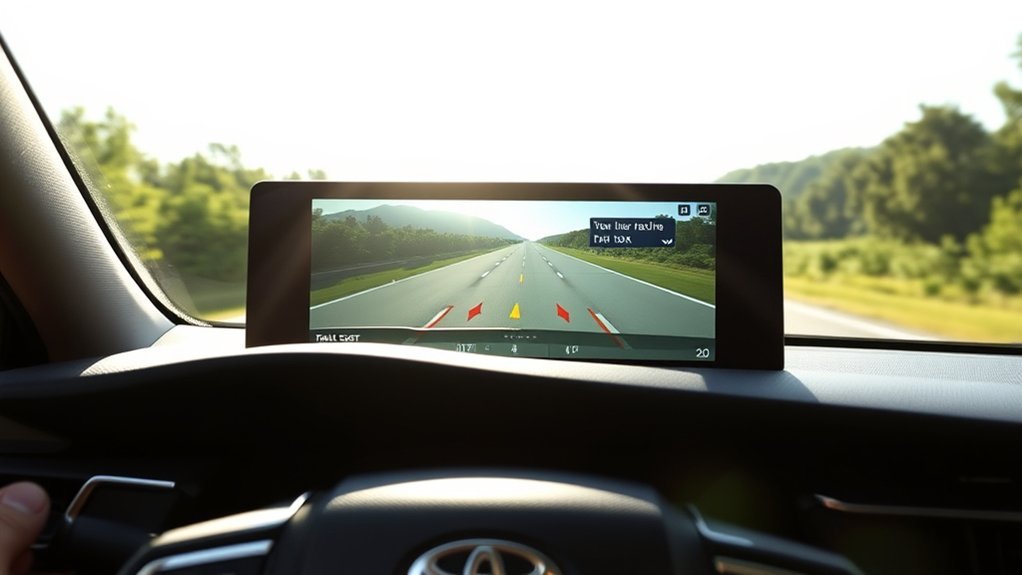
The MID helps you understand what LTA sees and what it can do. On many Camry displays, lane lines show whether the system detects lane markings, and tracking icons can show when it follows a vehicle ahead.
Blue lane lines often show active lane-centering support, while white dots or similar icons may show lead-vehicle tracking. Your exact indicator design may vary, so confirm the icon meanings in your Owner’s Manual.
Controlling Steering Assist Features
Make sure Lane Centering and Steering Assist settings match how you want the system to behave. If you turn off lane-centering support, DRCC can still help manage following distance, but LTA steering help may not operate.
The camera and radar support the feature only when road, traffic, and visibility conditions fit. Check the MID often, and do not rely on the system when the display shows weak or missing lane detection.
| Feature | Activation Method |
|---|---|
| Lane Centering | Enable in MID |
| Steering Assist | Enable in MID when available |
| Lane Departure Alert | Use LDA button or MID setting |
| System Readiness | Use clear lane markings and active DRCC |
What Do the Indicators on the Multi-Information Display Mean?
The Multi-Information Display tells you when the Camry can see lane markings, track a vehicle ahead, or provide steering support. These signals matter because LTA only helps when it has enough road data.
- Lane line icons: These usually show whether the system detects lane markings.
- Blue lane lines: These may show active lane-centering support on many Toyota displays.
- Lead vehicle icons: These can show when DRCC or LTA uses a vehicle ahead as part of its reference.
- Warning messages: These tell you to steer, grip the wheel, or check the system status.
Do not wait for the system to fail before you act. If the road looks unclear to you, it may also look unclear to the camera.
Lane Tracing Assist: Safety and Comfort Benefits
LTA can make long drives feel less tiring because it helps with small steering corrections. It also helps you notice when the Camry senses lane position changes through the MID and system alerts.
Research from the Insurance Institute for Highway Safety shows that lane departure prevention technologies can help reduce some real-world crashes, especially when drivers keep the systems turned on. LTA still depends on the driver, the road, and the system’s ability to read its surroundings.
Enhanced Driving Experience
On steady highway stretches, LTA can reduce the amount of small steering input you need. This helps most when lane markings stay clear and traffic moves in a predictable way.
- Use LTA with DRCC for smoother highway lane centering.
- Watch the MID so you know when the system helps.
- Take over when curves, construction, or poor markings make lane detection weak.
With LTA running correctly, you may make fewer small steering corrections. That can make a long drive feel easier without removing your duty to drive.
Reduced Driver Fatigue
LTA can reduce steering workload during long drives or busy highway travel. The system helps with small corrections, so you can focus more on traffic, speed, and road hazards.
That benefit has limits. If you let the system lower your attention, you lose the main safety value it offers.
Improved Road Safety
LTA helps support lane discipline, but it does not prevent every lane departure. It works best when you treat it as one layer of help alongside mirrors, signals, speed control, and active steering.
- The MID shows live system status so you can track whether LTA works.
- DRCC helps manage following distance while LTA helps with lane centering.
- You must stay attentive and keep your hands on the wheel for safe use.
Warning: Never treat Lane Tracing Assist as hands-free driving or a replacement for your own steering control.
Key Limitations of Lane Tracing Assist
LTA has real limits that every Camry driver should understand. It needs suitable road markings, a clear camera view, and driver input to keep working well.
The system can struggle in rain, fog, snow, glare, low light, construction zones, or areas with faded lane markings. It may also lose confidence on sharp curves, split lanes, temporary lane shifts, or roads with confusing pavement marks.
Do not rely on LTA when conditions look difficult. Steer manually, reduce speed when needed, and let the system support you only when it clearly has enough information.
- Road markings must stay clear enough for the camera to read.
- The windshield area in front of the camera must stay clean.
- The radar sensor area must stay free of dirt, snow, mud, and damage.
- The system needs your hands on the wheel and your attention on the road.
- Feature availability can vary by model year, trim, market, and equipment.
Tips for Effectively Using Lane Tracing Assist
Getting the most out of Lane Tracing Assist comes down to simple habits. Use it on the right roads, read the MID, and stay ready to steer without delay.
Understand System Limitations
LTA works best on clear, well-marked roads in good weather. Before you rely on it for support, check that the road gives the camera a clean lane reference.
- Avoid relying on LTA when lane markings look faded, covered, or confusing.
- Use extra care in rain, fog, snow, heavy glare, and low-light conditions.
- Check the MID often to confirm the system still detects the lane.
Maintain Steering Control
LTA works best when you treat it as support, not as a steering replacement. Keep both hands on the wheel, and apply steering input whenever the road requires it.
The system pairs well with Full-Speed Range Dynamic Radar Cruise Control on highways and steady curves. Still, you should respond fast when alerts, lane layout, traffic, or weather conditions change.
Regularly Monitor road conditions
LTA depends on the camera’s ability to see usable lane markings. Look ahead for worn paint, road work, lane splits, exits, and debris.
- Confirm that lane markings ahead stay visible and continuous.
- Watch the MID for active lane detection and steering support.
- Steer manually when lane layout or road curvature changes quickly.
Pro tip: Use LTA as a comfort aid on predictable roads, not as a safety net for distraction.
Lane Tracing Assist Maintenance Tips
Keeping LTA in good shape starts with the sensors it depends on. Keep the windshield area around the front camera clean, and keep the front radar sensor area clear of dirt, snow, mud, stickers, and damage.
Ask your Toyota dealer to inspect the system after windshield replacement, front-end repairs, collision damage, or sensor-related warning messages. Camera and radar systems may need calibration after certain repairs.
Check tire pressure and wheel alignment at normal service intervals. Poor alignment can make your Camry drift, which makes lane-centering support feel less smooth.
- Clean the windshield camera area before long drives.
- Clear the radar sensor area after snow, mud, or heavy dirt buildup.
- Follow Toyota service guidance after glass or front bumper repairs.
- Check tires and alignment if the car pulls to one side.
Staying Engaged While Using Lane Tracing Assist
LTA helps you stay centered in your lane, but it does not replace you as the driver. You need to watch traffic, road edges, lane markings, signs, and vehicles around you.
- Keep your hands on the wheel because the system needs driver input.
- Respond right away to visual warnings, sounds, or steering changes.
- Take over before the system reaches its limit, not after.
The National Highway Traffic Safety Administration explains that driver assistance systems still require you to drive and monitor the road. That rule applies every time you use LTA.
Frequently Asked Questions
What Is the Difference Between Lane Keep Assist and Lane Tracing Assist?
Lane keeping assistance usually helps when the vehicle starts drifting out of its lane. Lane Tracing Assist goes further by helping your Camry stay centered while DRCC runs and the system detects usable lane references.
Does Lane Tracing Assist Drive the Toyota Camry for You?
No. LTA adds steering support, but you still steer, watch the road, and stay responsible for the car. You should never remove your hands from the wheel or treat it as self-driving technology.
Why Does Lane Tracing Assist Turn Off or Stop Helping?
LTA can stop helping when it cannot read lane markings, cannot track a usable path, or detects that you are not holding the wheel. Weather, glare, road work, faded paint, and dirty sensors can also reduce system performance.
Can You Use Lane Tracing Assist in City Driving?
LTA works best on roads with clear lane markings and steady traffic flow. City streets often include intersections, parked cars, faded markings, and lane changes, so you should use more caution and steer manually when needed.
Should You Turn Off Lane Tracing Assist?
You may want to turn it off when road markings confuse the system or when steering support feels unhelpful. Check your Owner’s Manual for the correct menu steps, then use the setting that helps you drive most safely.
Safety Disclaimer: This article is for informational purposes only and does not replace your Toyota Owner’s Manual, dealer guidance, or safe driving judgment. Always stay alert, follow traffic laws, and take control whenever road conditions require it.
Conclusion
Lane Tracing Assist in the Toyota Camry works best when you use it as gentle steering support, not as a replacement for safe driving. Check your settings, learn the MID indicators, and use LTA mainly on clear roads where lane markings stay easy to read.
Before your next long drive, confirm your Camry’s LTA and DRCC settings in the Owner’s Manual. The system can make highway driving feel easier when you stay engaged and ready to steer.
References
- Toyota Safety Sense — Toyota, accessed 2026
- 2025 Camry Hybrid Owner’s Manual — Toyota Owners, accessed 2026
- Driver Assistance Technologies — National Highway Traffic Safety Administration, accessed 2026
- Advanced Driver Assistance Research — Insurance Institute for Highway Safety, accessed 2026